Nano Banana 2.1 vs Nano Banana 2: 8 Side-by-Side API Tests
- 1. Quick Verdict
- 2. How We Tested
- 3. Text Rendering: Menus, Infographics and Bilingual Posters
- 4. Prompt Adherence: The Counting Test
- 5. Editing With Reference Images
- 6. Photorealism
- 7. Ultra-Wide 8:1 Banners
- 8. Speed and Price
- 9. Which One Should You Use?
- 10. FAQ
1. Quick Verdict
Google released Nano Banana 2.1 in October 2026 as an update to Nano Banana 2. We ran both models through the GoEnhance API with the same eight prompts, the same settings and the same day, and put the results side by side. Short version: 2.1 follows instructions more closely and is cheaper at 1K and 2K, but the gap is smaller than the launch posts suggest.
| Nano Banana 2 | Nano Banana 2.1 | |
|---|---|---|
| Text spelling (menu, infographic, bilingual poster) | 3 of 3 correct | 3 of 3 correct |
| Followed "minimal layout" on the poster | No, added extra packaging text | Yes |
| Counting test (7 apples + 3 pears) | Wrong, drew 6 apples | Correct |
| Kept the character when editing | Yes, but invented a logo | Yes |
| 8:1 panorama in one coherent frame | Partly, looks stitched | No, split into 7 panels |
| Median time per image (1K, our run) | 18.6 s | 18.9 s |
| API price at 1K / 2K / 4K (tokens) | 3.3 / 5 / 7.5 | 2.92 / 4.02 / 8.08 |
| On GoEnhance studio | 12 tokens per image | 6 / 9 / 17 tokens (2K and 4K for members) |
2. How We Tested
Every image in this post comes from one API call per model, made through the GoEnhance image API on October 8, 2026:
- Models:
nano-banana-2andnano-banana-2-1for text-to-image,nano-banana-2-editandnano-banana-2-1-editfor edits with reference images. - Settings:
image_size1K, default thinking level, no web search, the same aspect ratio for both models. - Timing: measured from submitting the job to the job reporting success, so it includes queue time.
One run per prompt is not a benchmark. Treat this as a hands-on comparison: it shows where the two models behave differently on the same input, not an exact win rate. Google's own description of the update is on the Gemini API model page.
3. Text Rendering: Menus, Infographics and Bilingual Posters
Google lists "enhanced text rendering and infographic layout accuracy" as a headline change in 2.1, so we started there.
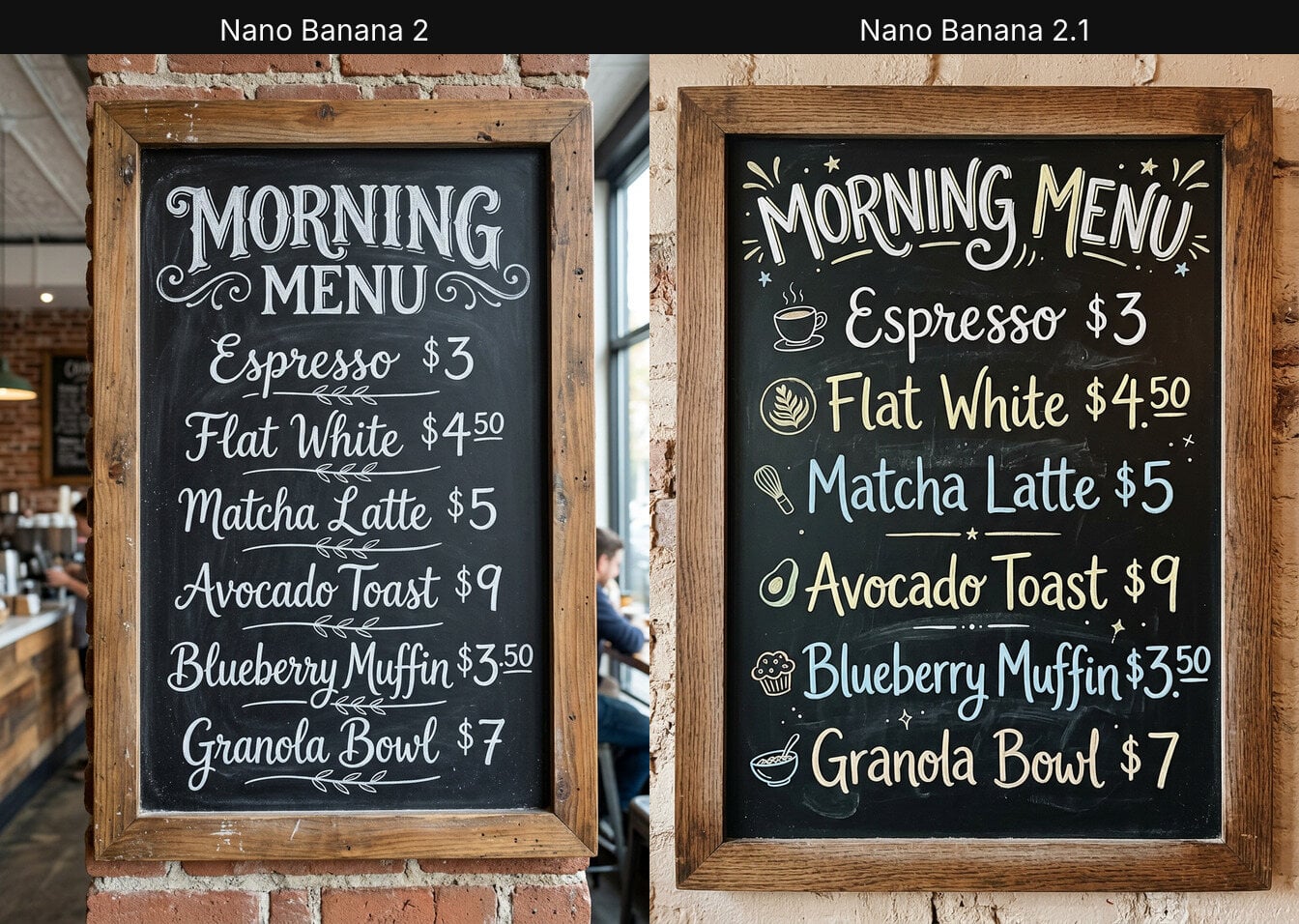
Chalkboard menu. Six items with prices, hand-lettered. Both models spelled every item and price correctly. 2.1 added small icons and colour to the lettering; Nano Banana 2 stayed closer to a classic white-chalk board.
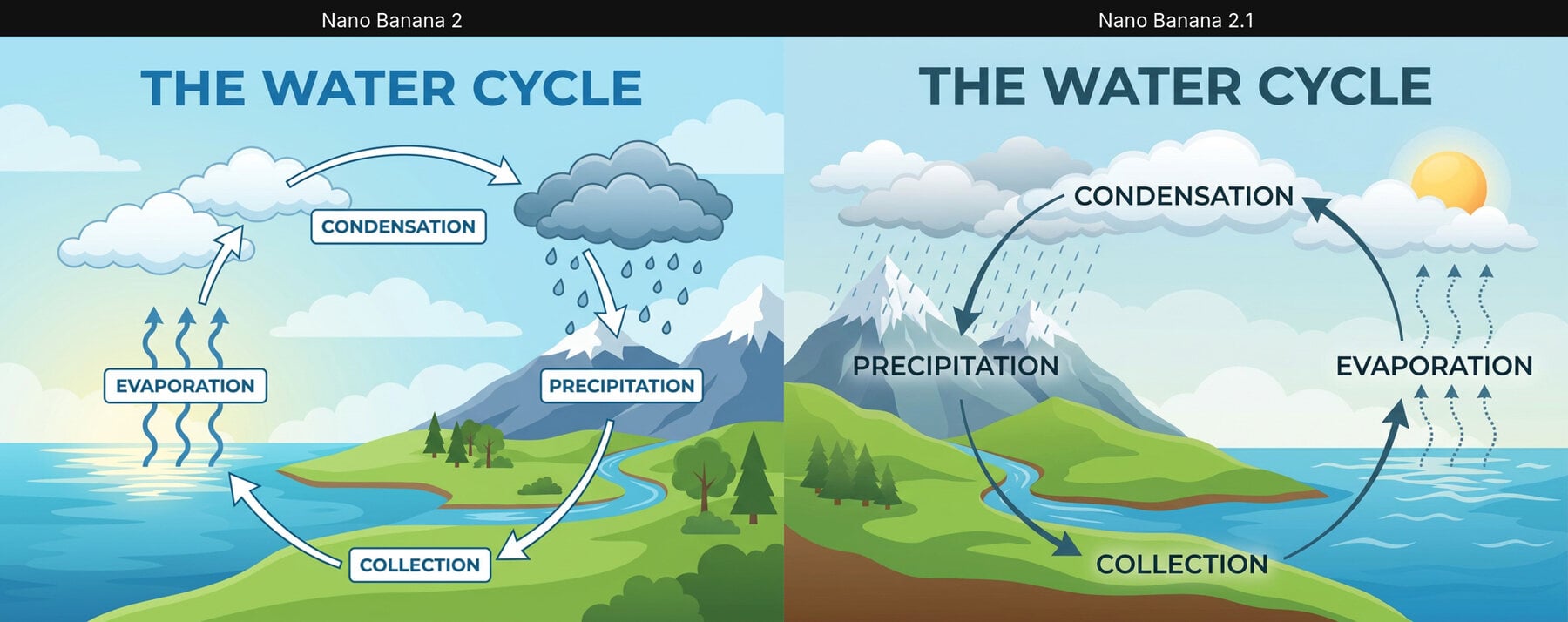
Infographic. "The Water Cycle" with four labelled stages. Again, all labels were correct on both. Nano Banana 2 boxed its labels, which reads well at small sizes; 2.1 drew a cleaner loop with the arrows in the right order.
Bilingual poster. An English headline, a Chinese line and a small caption, with a "minimal layout". Both rendered the English and Chinese text correctly. The difference was restraint: Nano Banana 2 also printed its own label on the tea tin ("Hangzhou Spring Harvest, Loose Leaf Green Tea, net weight"), text we never asked for. 2.1 left the tin plain, which is what a designer would want before adding real packaging.
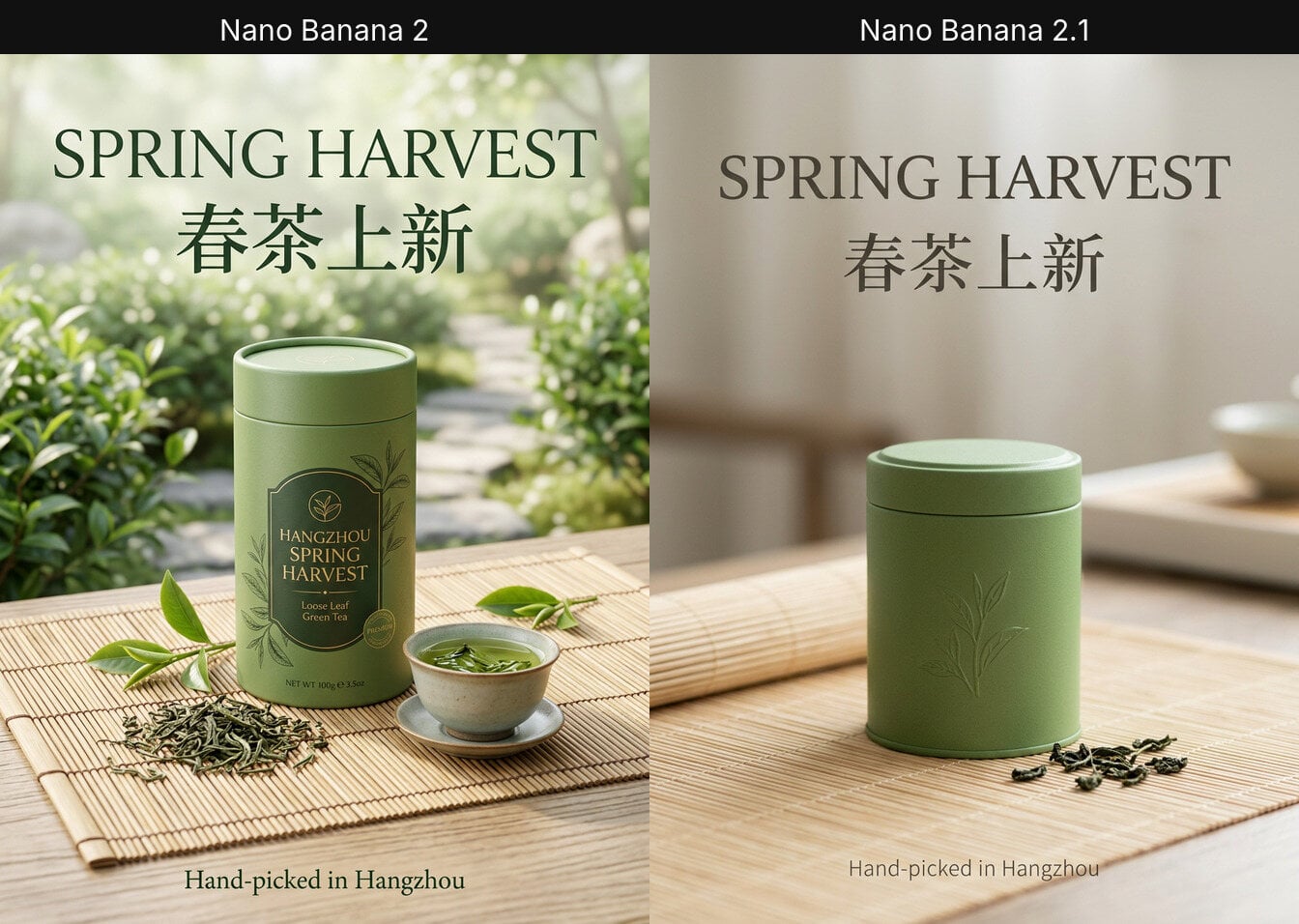
Takeaway: on clean, short text both models are already reliable. 2.1's advantage shows up as fewer unrequested extras rather than better spelling.
4. Prompt Adherence: The Counting Test
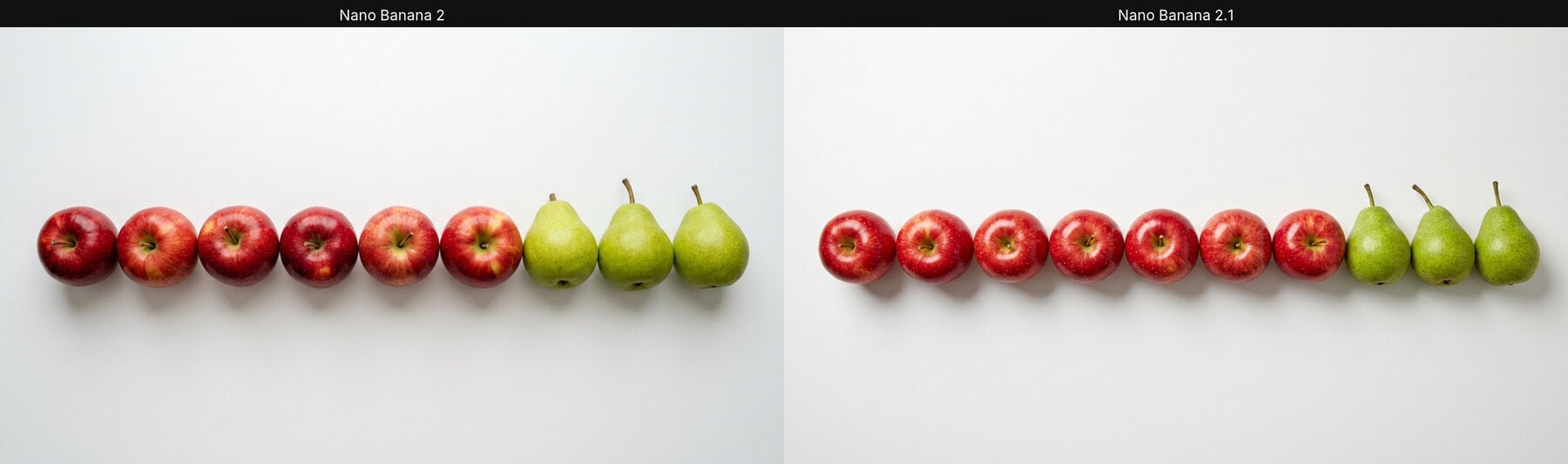
We asked for "exactly seven red apples and three green pears in a single row". Nano Banana 2 drew six apples. Nano Banana 2.1 drew exactly seven apples and three pears. It is one prompt, but it matches Google's claim of better prompt adherence, and counting is a classic failure point for image models.
If your prompts include quantities, such as "four chairs" or "a grid of nine icons", this is the most practical reason to switch.
5. Editing With Reference Images
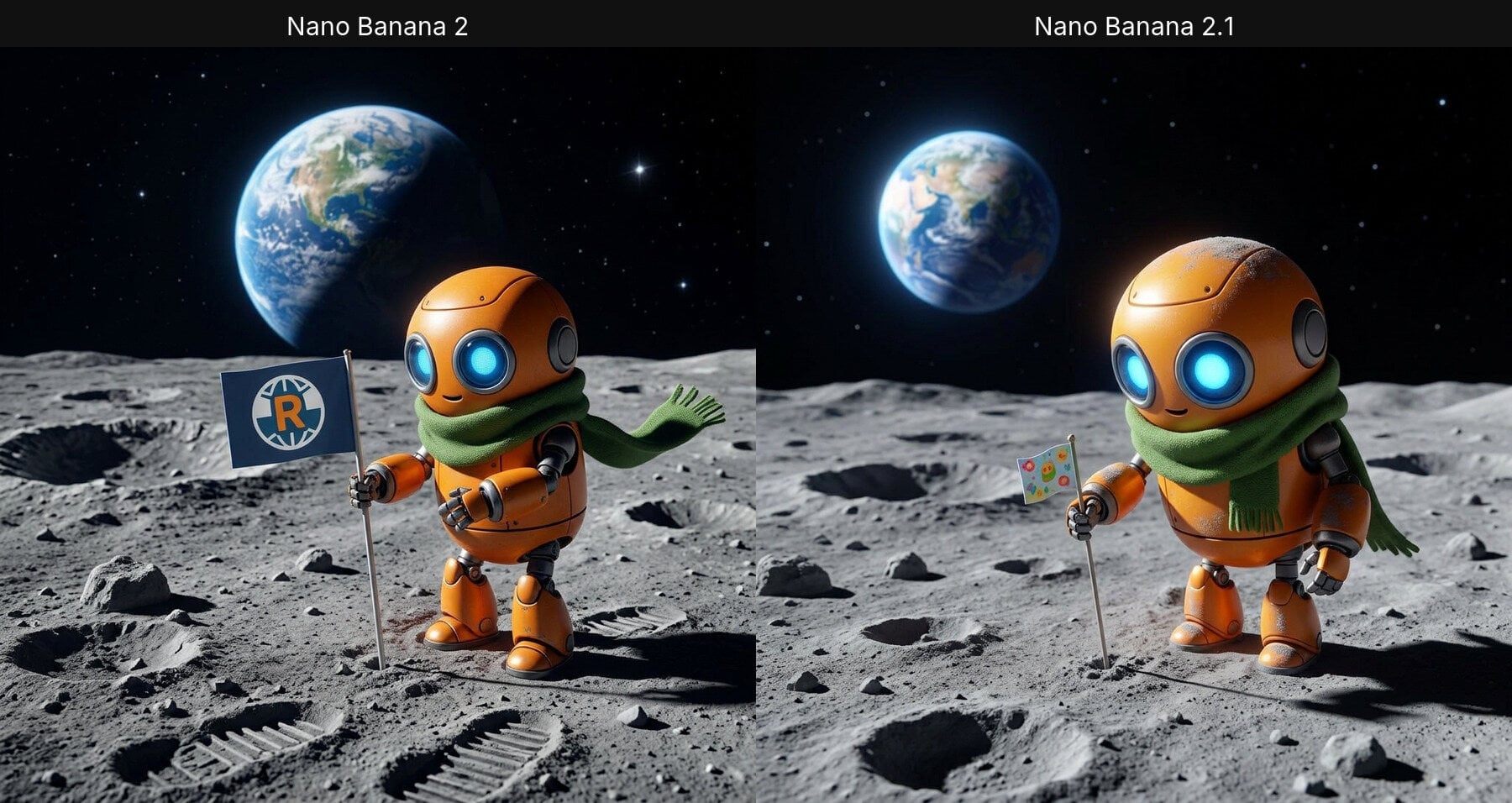
Single reference. We gave both edit models a 2x2 grid of an orange robot and asked them to show it alone on the Moon, planting a flag, with the design unchanged. Both kept the round head, blue eyes and green scarf. Nano Banana 2 added a flag with an invented "R" logo; 2.1 kept the flag generic and added realistic dust on the robot.
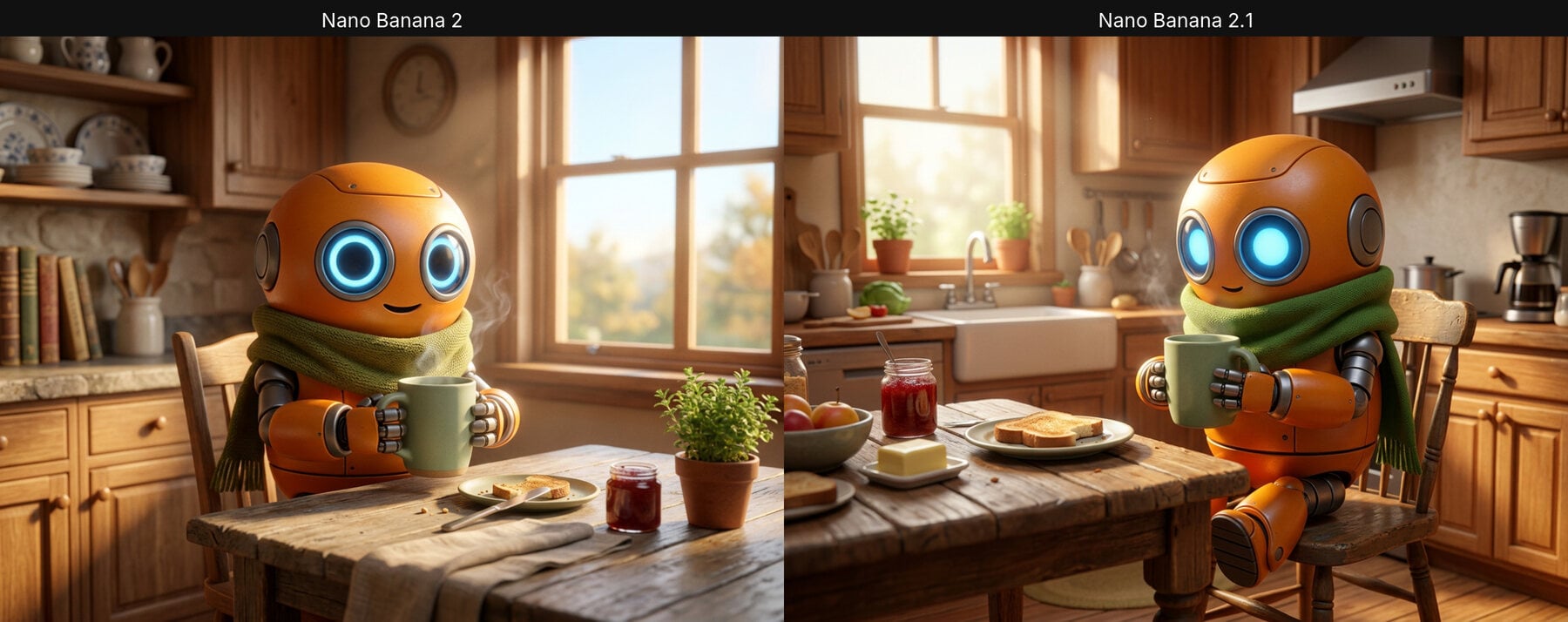
Two references. We combined the robot (image 1) with a green ceramic mug from a product poster (image 2) in a kitchen scene. Both models kept the robot and the mug recognisable. This one is a tie.
Google says 2.1 can fuse up to 14 reference images. Through the GoEnhance API and studio, both edit models accept up to 9.
6. Photorealism
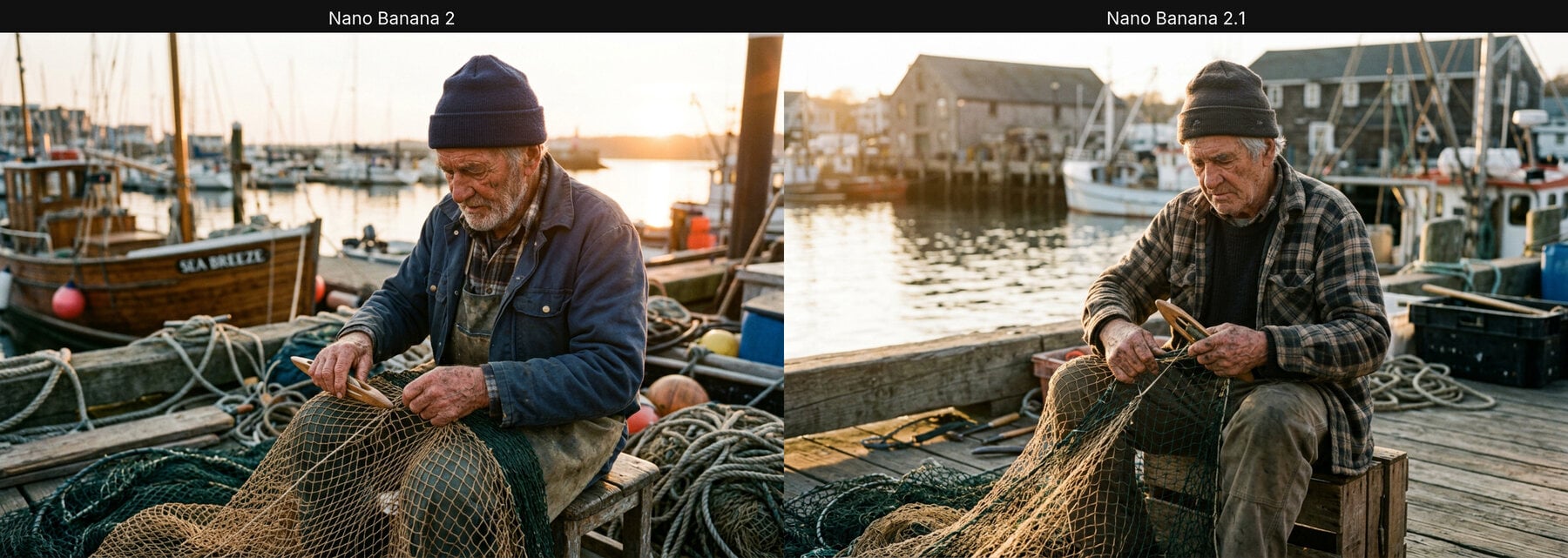
A candid photo of an elderly fisherman mending a net at golden hour. Both results are convincing: natural skin texture, believable hands and soft backlight. We would not pick a winner here; choose by taste.
7. Ultra-Wide 8:1 Banners
Several launch write-ups describe 1:4, 4:1, 1:8 and 8:1 as new in 2.1. On the GoEnhance API, Nano Banana 2 already accepts the same four ratios, and both models returned a true 8:1 image (2928 x 352 at 1K).
Neither handled the format well. Nano Banana 2 produced a usable banner, but it looks like three shots joined together. Nano Banana 2.1 split the strip into seven separate panels, which is not what you want for a website header.
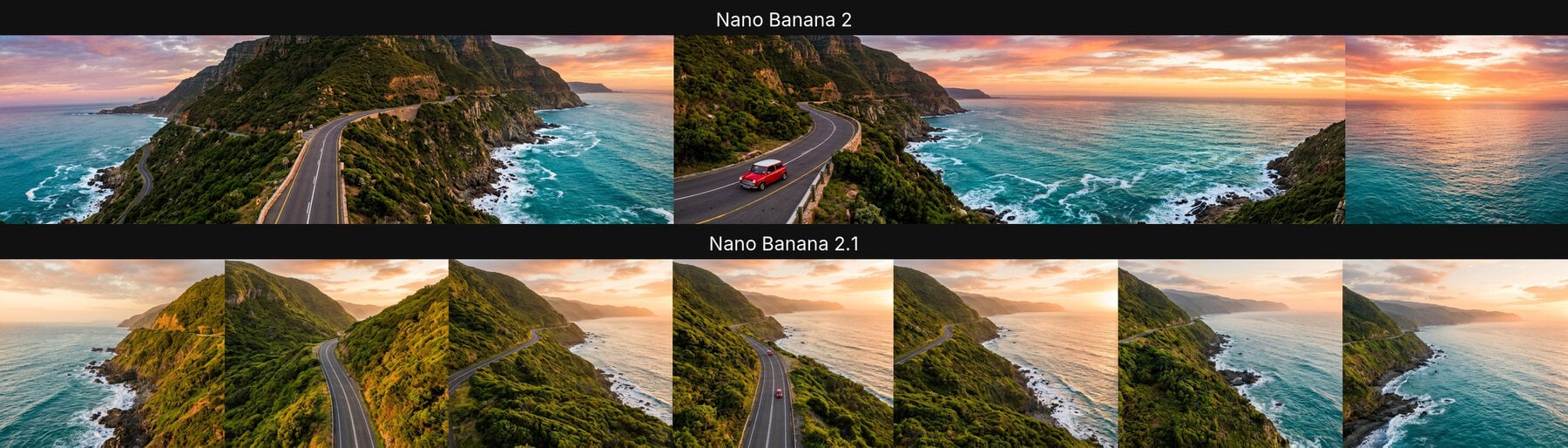
For banners, we would still generate at 21:9 or 16:9 and crop, or describe one continuous scene very explicitly and expect to retry.
8. Speed and Price
Across our 16 jobs, speed was a wash: a median of 18.6 seconds for Nano Banana 2 and 18.9 seconds for 2.1, with one slow outlier on each side (54 s and 43 s).
Price is where 2.1 has a real edge at common sizes. On the GoEnhance API, 1 token = $0.02:
| Resolution | Nano Banana 2 | Nano Banana 2.1 | Difference |
|---|---|---|---|
| 1K | 3.3 tokens | 2.92 tokens | about 12% cheaper |
| 2K | 5 tokens | 4.02 tokens | about 20% cheaper |
| 4K | 7.5 tokens | 8.08 tokens | about 8% more |
Reports put Google's own developer price cut at about 50%. The saving you see through a reseller API depends on how that provider prices thinking and resolution, so check the price returned with each job.
In the GoEnhance text-to-image studio, Nano Banana 2.1 costs 6 tokens at 1K, 9 at 2K and 17 at 4K, with 2K and 4K for members. Nano Banana 2 is a flat 12 tokens per image.
9. Which One Should You Use?
Choose Nano Banana 2.1 if your prompts contain counts, layouts or "keep it simple" instructions, or if you generate a lot at 1K and 2K, where it is cheaper.
Keep Nano Banana 2 if you have prompts already tuned for it and rely on its look, or if you mostly output 4K, where it is slightly cheaper. Reports say Google plans to retire Nano Banana 2 in the Gemini API on October 29, 2026, so plan the move either way.
For text-heavy designs, both are good; 2.1 is the safer default because it adds less unrequested text.
For more detail on each model, see our Nano Banana 2.1 page and Nano Banana 2 page. If you are weighing Google's higher tier as well, our Uni-1 vs Nano Banana Pro comparison covers Nano Banana Pro.
10. FAQ
Is Nano Banana 2.1 better than Nano Banana 2? In our test it followed instructions more closely, most clearly on counting and on not adding extra text. Text spelling and photorealism were about equal.
Is Nano Banana 2.1 faster? Not noticeably. Median times were within half a second of each other at 1K.
Can I use both models through an API?
Yes. On the GoEnhance API the model names are nano-banana-2-1 and nano-banana-2 for text-to-image, and nano-banana-2-1-edit and nano-banana-2-edit for editing with up to 9 reference images.
Do I need to change my prompts? Usually not. Prompts written for Nano Banana 2 worked unchanged in 2.1. If you relied on 2's habit of filling empty space with details, add those details to the prompt explicitly.