goenhance logo

Veo 3.1 — Cinematic AI Video Generator

Building on Veo 3’s audio + visual synthesis, Veo 3.1 brings shot orchestration, custom voiceovers, and stronger vertical video output. Whether you’re producing social clips, promos, or narrative sequences, 3.1 bridges the gap between generative AI and directed filmmaking.Start creating with Veo 3.1 on GoEnhance AI.
Try Now

What Sets Veo 3.1 Apart

Shot & Sequence Planning

Plot full mini-narratives: order your shots, set transitions, and direct pacing — all from a unified prompt canvas.

Custom Voiceover & Narration

Record or type your own narration line by line, and Veo 3.1 synchronizes lip movement, tone, and ambience.

True Vertical / Mobile Format

Now export in 9:16 native mode for social platforms, with cinematic quality preserved.

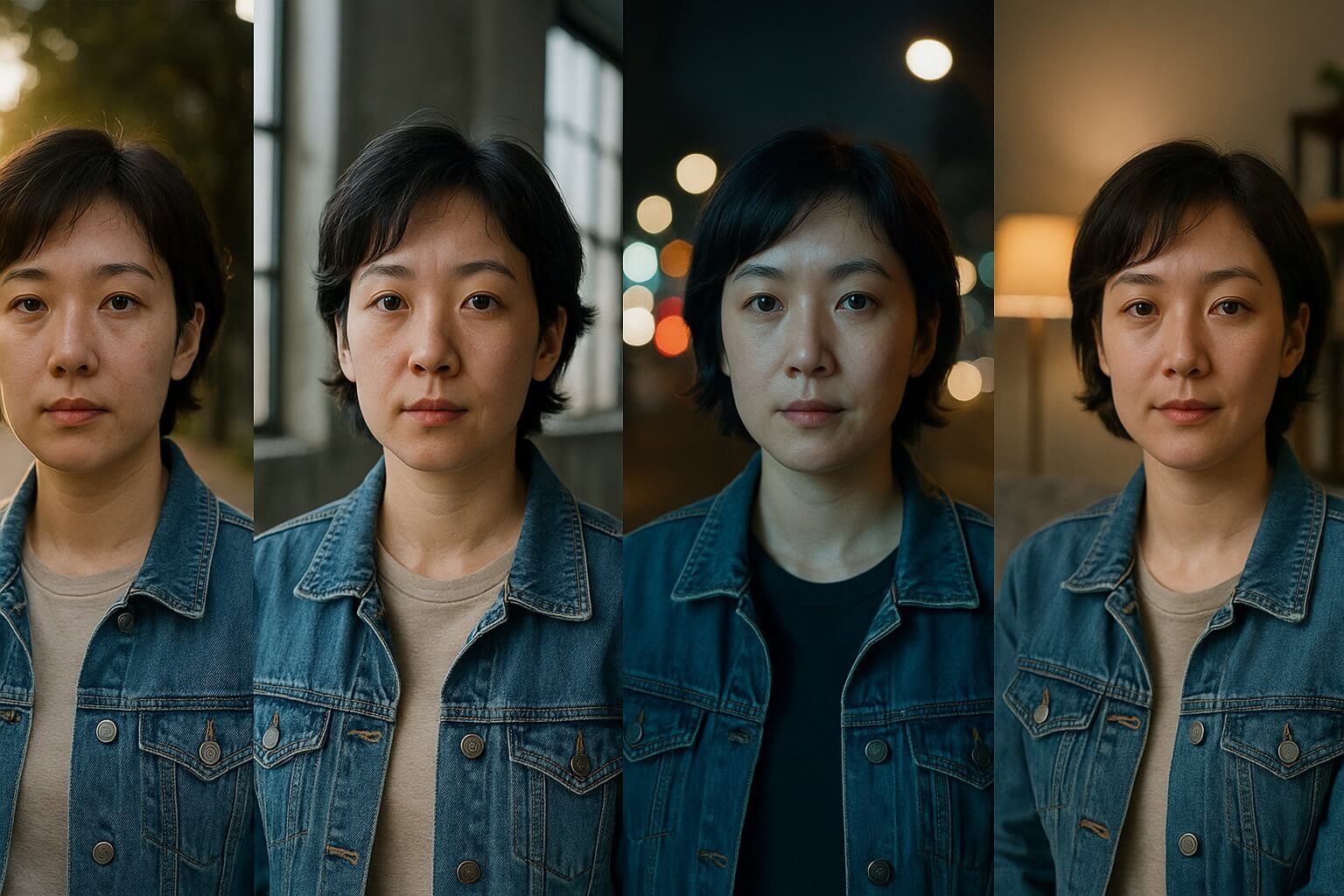
Robust Character Continuity

Maintain consistency across multiple scenes—even with changes in lighting, positioning, or camera angles.

Shots of same character in different settings with consistent look

Quick Workflow: From Prompt to Export

01

Choose Shot Layout

Decide whether your video is single shot, dual shot, or mini sequence.

02

Write Prompt & Voice Script

Describe visual scenes, effects, audio, and narration lines.

03

Render, Tweak, Export

Watch preview, adjust timing or voice, then export MP4 or social formats.

Frequently Asked Questions

What is Veo 3.1?

Veo 3.1 is the newest upgrade to Google’s Veo video generation model. It expands upon Veo 3 by adding multi-shot storytelling, vertical video support, longer duration, and stronger character consistency.

What’s the difference between Veo 3.1 and Veo 3?

Compared to Veo 3, Veo 3.1 introduces multi-shot and multi-prompt workflows, allows videos up to 1 minute in length, improves character and style consistency, and supports full HD 1080p output with cinematic templates.

When did Veo 3.1 release?

Veo 3.1 was announced in 2025 as a major step forward after Veo 3’s debut at Google I/O 2025. It has been rolling out gradually across platforms such as Vertex AI and Google’s Flow creative suite.

What types of videos can Veo 3.1 create?

Veo 3.1 can generate narrative short films, cinematic ads, social media vertical clips, branded content, music shorts, and videos with built-in voiceovers, ambient sound, and effects.

Can Veo 3.1 use a photo of a person?

Yes. You can upload a reference image of a person or character, and Veo 3.1 will preserve their look and style consistently across multiple scenes and camera angles.

In what areas is Veo 3.1 more realistic?

Veo 3.1 improves realism in motion physics, facial expressions, lip synchronization, lighting and shadow accuracy, and environmental audio—making outputs feel closer to professional-grade filmmaking.

Ready to Experiment with Veo 3.1?

Bring your stories to life—animate voice, direct shots, and export social-ready videos with Veo 3.1.

Get Started Now