
Kling Motion Control


Use Cases of Kling Motion Control
Explore Kling Motion Control Features
Reference Image + Motion Reference = Controlled Performance
For the broader Kling lineup, explore Kling 2.6, KlingAI Avatar 2.0, Kling O1, Kling 2.5, and Kling AI.
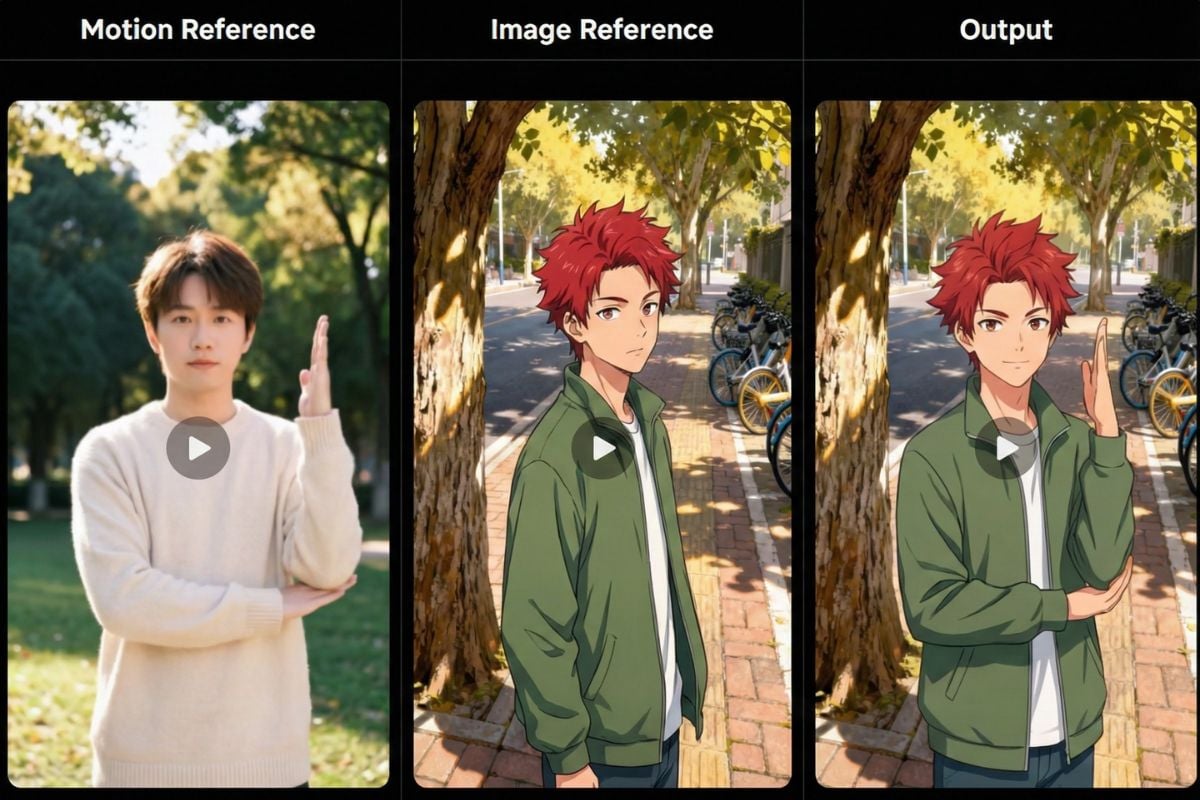
Let Reference Handle Motion—Use Prompts for the World
Tip: keep the prompt focused on scene details (lighting, location, objects, atmosphere). Let the motion reference do the heavy lifting for performance.
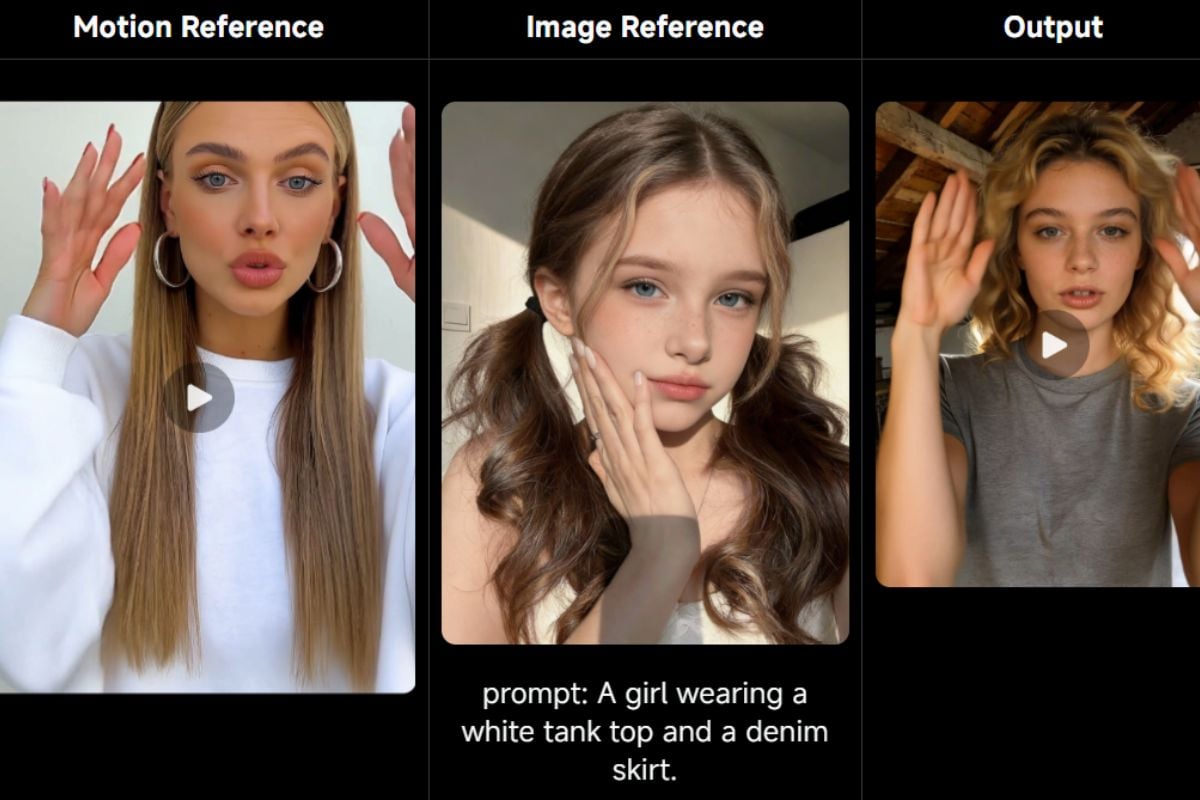
Perfectly Synchronised Full-Body Motions
Best practice: use a motion reference with moderate speed and minimal displacement, and avoid cuts for a steadier result.
Precision in Hand Performances
Tip: keep the character’s hands visible in the image reference, and choose a motion reference with stable framing (no camera shake) so the model can track finger movement and contact points cleanly.
Prompt Tips & Best Practices
Let the Reference Video Control Motion
Avoid describing the main action in the prompt if it already exists in the motion reference (e.g., “dance, wave, point”). Use the prompt for scene intent instead: location, lighting, props, mood, and background activity. This reduces conflicting instructions and keeps motion cleaner.
Lock Identity With Clear Constraints
Add a short identity lock line so the character stays consistent: “same face, same outfit, same hairstyle, consistent proportions.” If you need stable hands, make sure hands are visible in the image reference and avoid prompts that introduce gloves, extra accessories, or sudden wardrobe changes.
Match Framing Between Image and Motion Reference
For best results, keep the subject framing aligned: full-body image + full-body motion reference, or half-body + half-body. Leave extra space around the subject for big moves (jumps, spins, wide arm gestures) to prevent awkward cropping or missing limbs.
Use Simple Negative Prompts to Prevent Artifacts
Keep negative prompts short and practical: “no extra fingers, no warped hands, no face distortion, no camera shake, no sudden cuts, no flicker.” If the output looks unstable, simplify the scene prompt and switch to a steadier, uninterrupted motion reference.
More Latest Video Models

Features of Kling Motion Control
Reference-Driven Performance
Stronger Identity Consistency
Better Proportion Matching
Cleaner Motion Coherence
Space for Big Actions
Prompt-Controlled Scene Details
FAQs About Kling Motion Control
What is Kling Motion Control?
What's the key difference from standard image-to-video?
What makes a good motion reference video?
How should I write prompts for Motion Control?
Common issues: face drift / outfit changes mid-clip
Why does the output sometimes end up shorter than the reference video?
Common issues: hands look warped or object interactions break
What are the practical limits and when is Motion Control not ideal?
Safety, rights, and content compliance
Do you save my reference pictures or videos?
Create with Kling Motion Control
Use Kling Motion Control to produce repeatable character performances—drive actions with a motion reference, steer scene details with prompts, and iterate faster on ad-ready variants.
Generate Now