Remove Glare from Photo

Remove glare and reflections from eyeglasses, framed pictures behind glass and shiny products. Upload a photo and the AI clears the bright spots and redraws what was under them, with nothing to select. The console below uses GPT Image 2.5 Sunburst, OpenAI's image editing model, and each image costs 6 to 8 tokens at 1K.
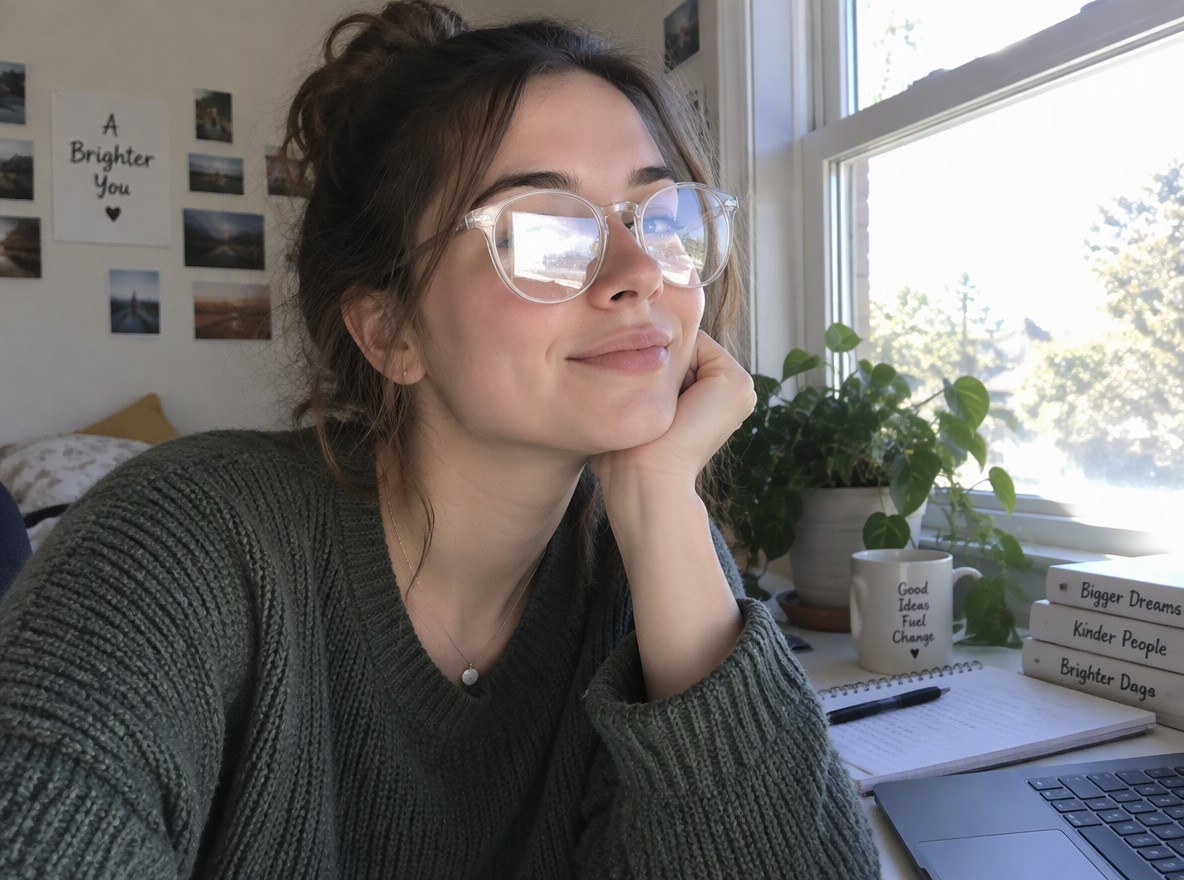
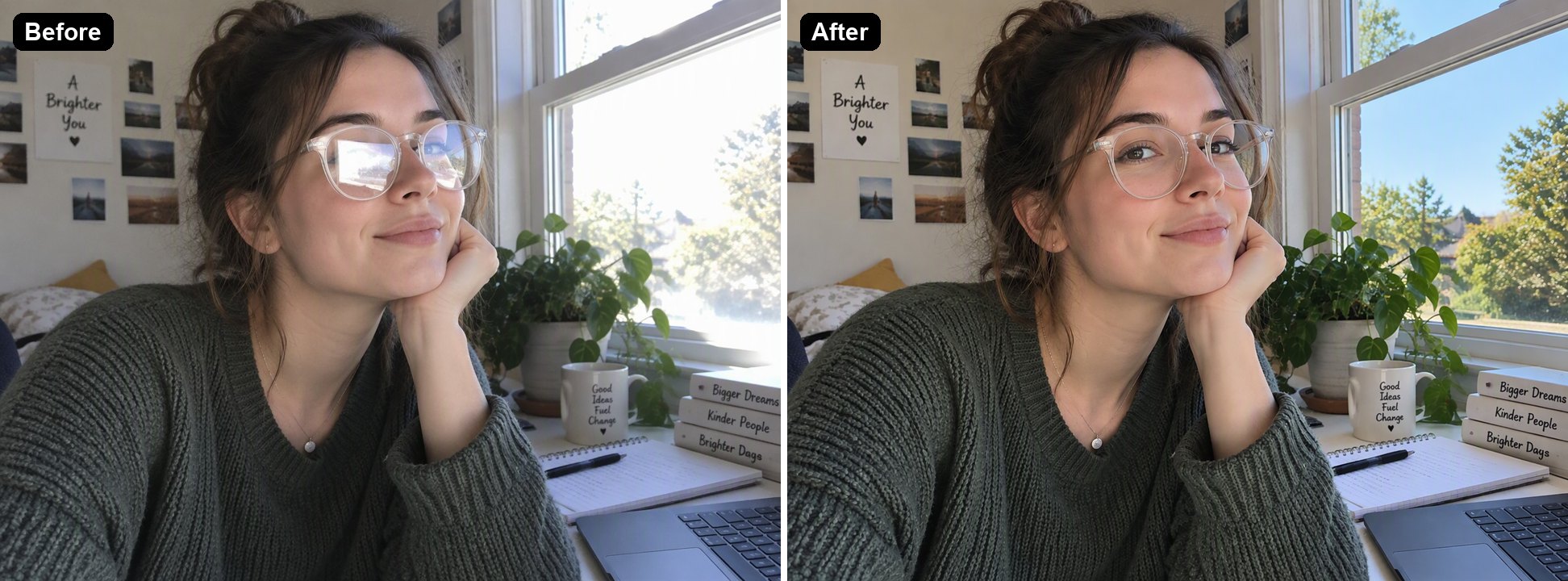
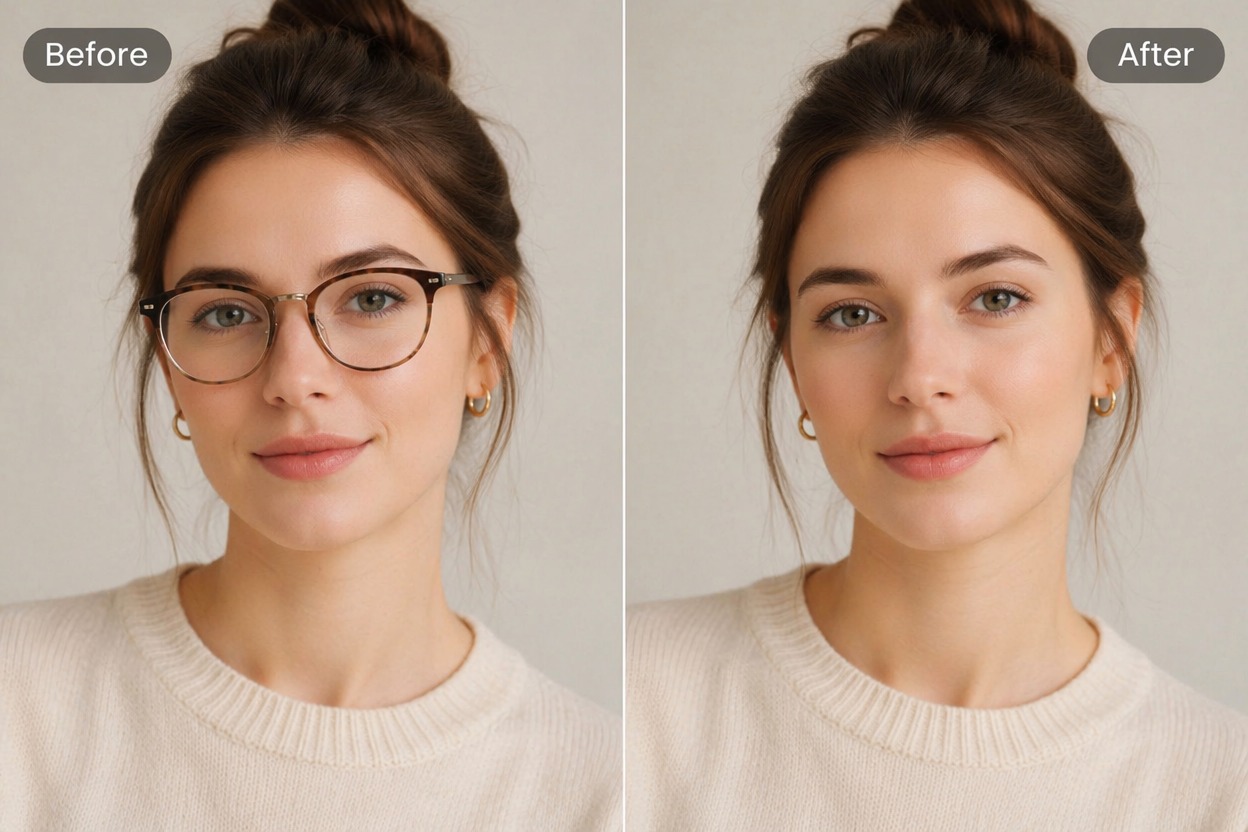
Glare on glasses
Glare on glasses
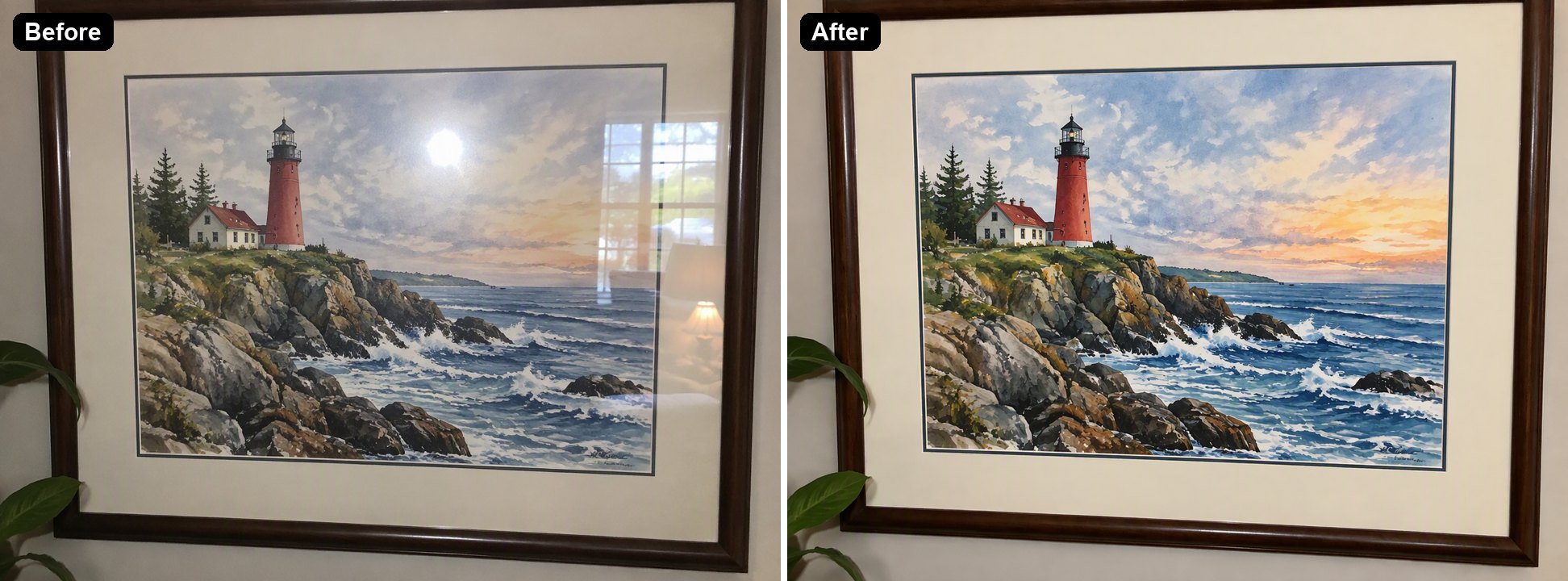
Glass over a picture
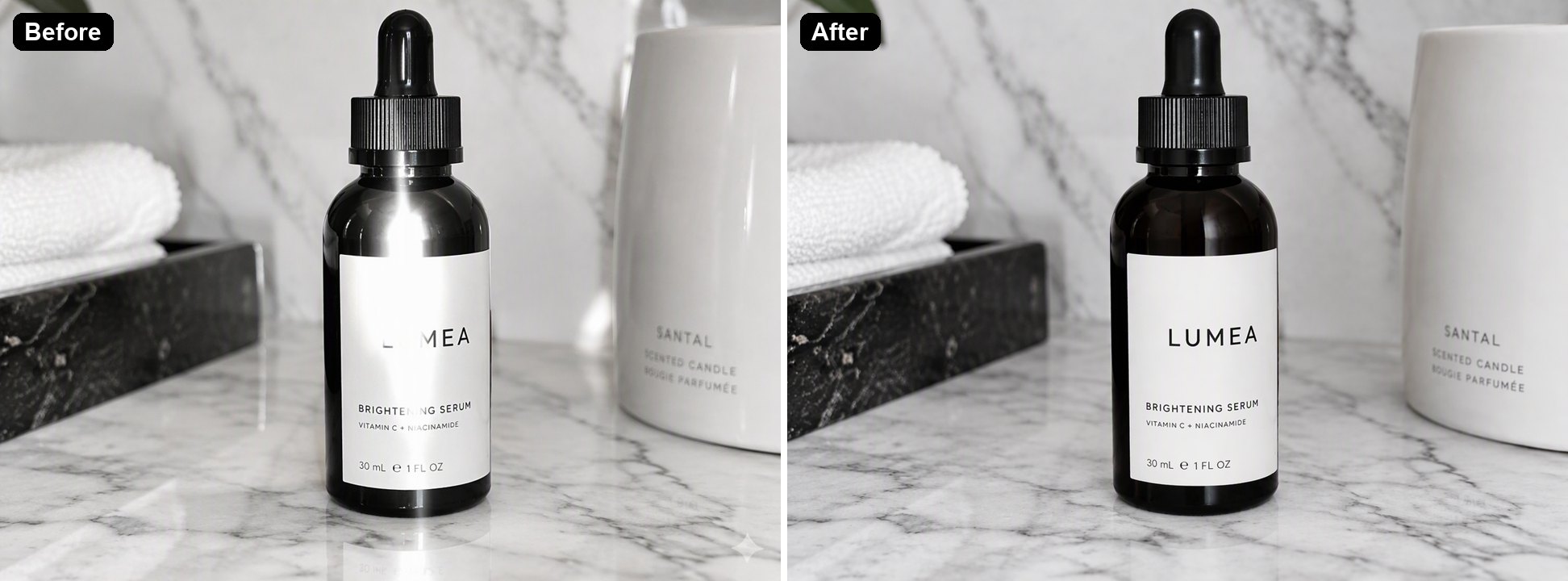
Shiny product
Shiny product
Upload a photo with glare
By uploading a file, you agree to GoEnhance's Terms of Use and Privacy Policy

How to Remove Glare from a Photo

Three steps, no brushing.
01

Upload the photo

JPG, PNG or WebP. Portraits with glasses, photos of framed art, and product shots all work.

02

The AI clears the glare

It finds the reflections and bright hotspots on its own and redraws the eyes, painting or label underneath. In our tests each image took 36 to 47 seconds.

03

Download, or adjust the instruction

The instruction opens in the editor with the result. If you want to keep something bright, such as a sunny window, add that to the instruction and run it again.

What It Fixed in Our Tests

GlareResultWorth checking
Window reflections on eyeglass lensesRemoved; the eyes are visible againEyes that were fully hidden are redrawn, so check they look like the person
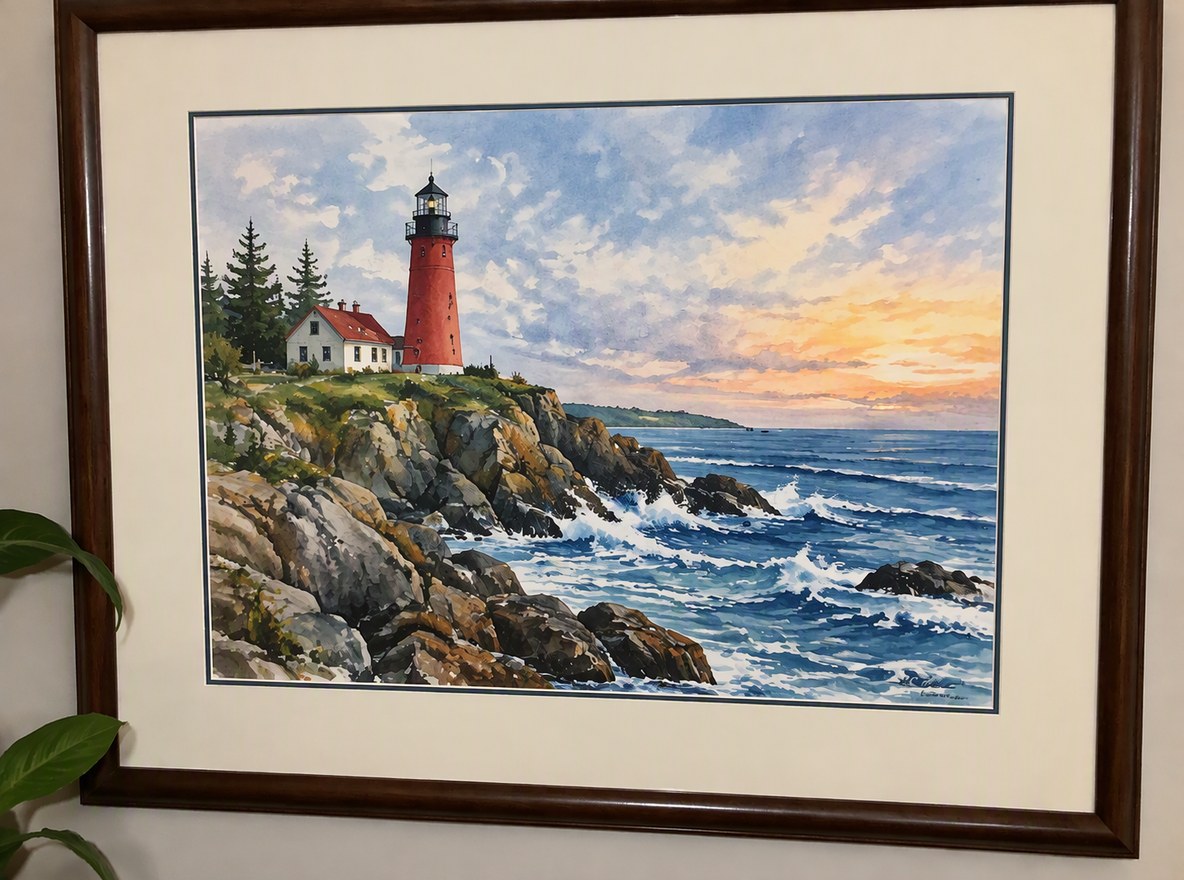
Flash spot and window reflection on a framed paintingRemoved; the clouds and sea under the spot were rebuiltFine brush detail under a large spot is redrawn, not recovered
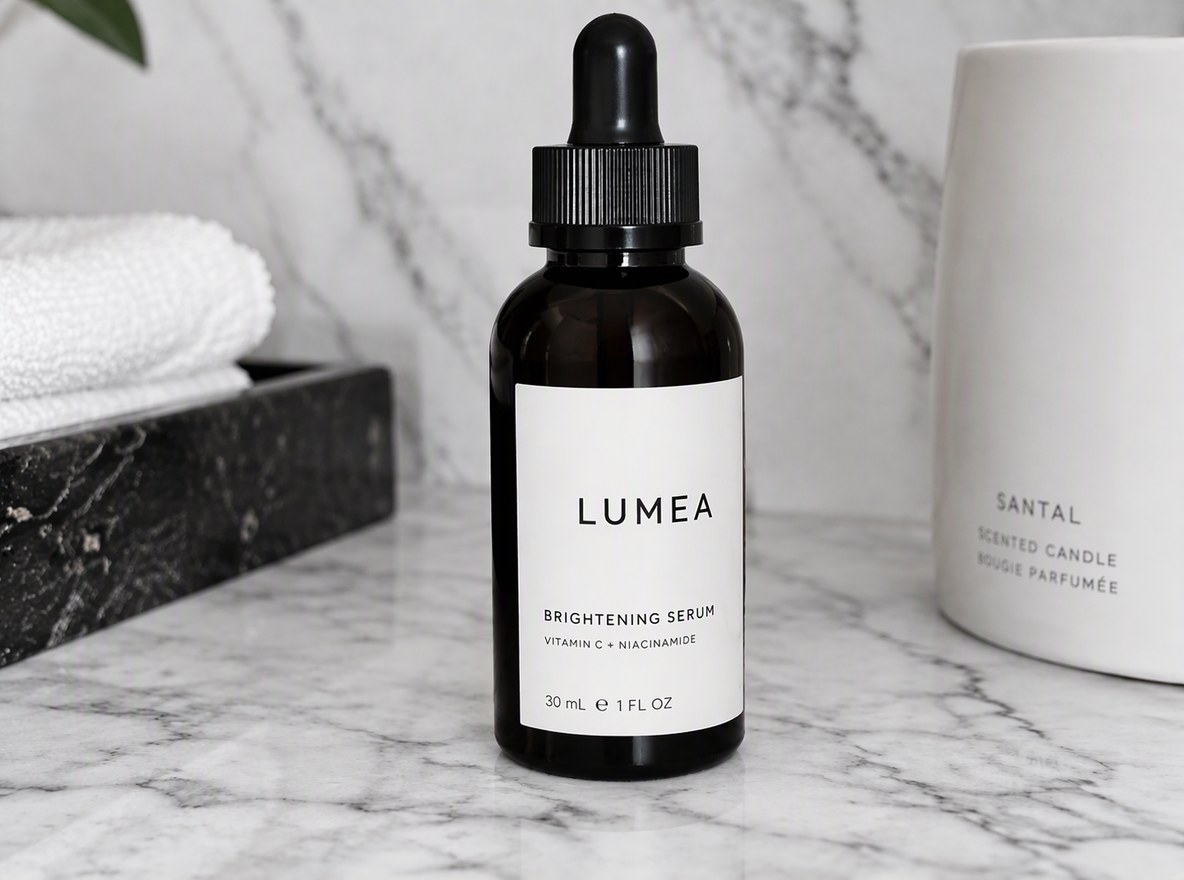
Hotspot across a glossy bottle and its labelRemoved; the washed-out letters of the label came backCheck brand names and small print letter by letter
A blown-out window elsewhere in the frameAlso toned down, which you may not wantSay "keep the window bright" in the instruction

AI Glare Remover vs Retouching vs Reshooting

GoEnhance Remove GlareClone and heal tools in PhotoshopReshoot with a new angle or a polarizing filter
Works on photos already takenYesYesNo
What you doUpload, nothing to selectPaint over the glare by handChange the angle or light before shooting
Detail hidden under the glareRedrawn by the AICopied from nearby pixels by handCaptured for real
Cost6 to 8 tokens per image at 1KPhotoshop subscription and retouching timeFree, if you can take the photo again

Glare It Removes

Glare on Glasses

Bright window reflections often cover the lenses in selfies and video-call shots. The AI clears them and redraws the eyes behind, keeping the frames.

a portrait with window glare on the glasses removed

Reflections on Framed Art

Photos of paintings, certificates and old prints behind glass pick up flash spots and window reflections. The AI removes them and rebuilds the picture under the glass.

a framed lighthouse painting with flash glare removed from the glass

Hotspots on Shiny Products

Glossy bottles, phone screens and packaging catch hard light. The AI evens out the surface and brings back the label text the glare washed out.

a glossy skincare bottle with the glare streak removed

Good to Know

Nothing to Select

The AI finds the glare on its own.

Redrawn, Not Recovered

What was fully hidden under the glare is drawn by the AI to fit the photo.

Up to 4K

Pick 1K, 2K or 4K in the editor.

Editable Instruction

Change what to keep or remove, then run it again.

Remove Glare from Photo FAQ

How do I remove glare from a photo?

Upload the photo to Remove Glare from Photo above. The AI finds the reflections and bright spots, removes them and redraws what was under them. There is nothing to brush or select. In our tests each image took 36 to 47 seconds.

How do I remove glare from glasses in a photo?

Upload the portrait as it is. The AI clears the reflections on the lenses and redraws the eyes, and keeps the frames on. If you want the glasses gone completely, use AI Remove Glasses From Photo instead.

Can it remove reflections on glass, like a framed picture or a window?

Yes. In our test it removed both a flash spot and a window reflection from the glass over a framed painting and rebuilt the painting underneath.

Will it change the person's face?

It is told to keep faces unchanged, and in our tests the person still looked the same. Eyes that were completely hidden by glare have to be redrawn, so compare the result with the original before you use it.

How can I avoid glare when taking a photo?

Tilt the glasses down slightly or turn the face a little away from the light. For framed art, turn off the flash and shoot at a slight angle, or use a polarizing filter. For photos you have already taken, use the tool above.

Is it free?

Each image costs 6, 7 or 8 tokens at 1K, for Low, Medium or High quality (High is the default). 2K and 4K cost more. New accounts get free tokens when they sign up, so you can try it before paying. The examples on this page were made at Low quality, 1K.

Which AI model does it use?

This tool runs on GPT Image 2.5 Sunburst, the editing-focused version of OpenAI's GPT Image 2.5 image model, inside GoEnhance's image-to-image editor. GoEnhance is not affiliated with OpenAI.

Is my photo private?

We do not sell your content. Your image is processed to create the result, and the result stays in your account until you delete it. See our Privacy Policy for details.

Clear the Glare from Your Photo

Upload a photo and let the AI remove the reflections for you.

Remove Glare Now