AI Image Brightener

Brighten a dark or underexposed photo without washing it out. Upload the picture and the AI lifts the shadows, brings back faces and detail in dark areas and cleans up the noise, while keeping bright windows under control. The console below uses GPT Image 2.5 Sunburst, OpenAI's image editing model, and each image costs 6 to 8 tokens at 1K.
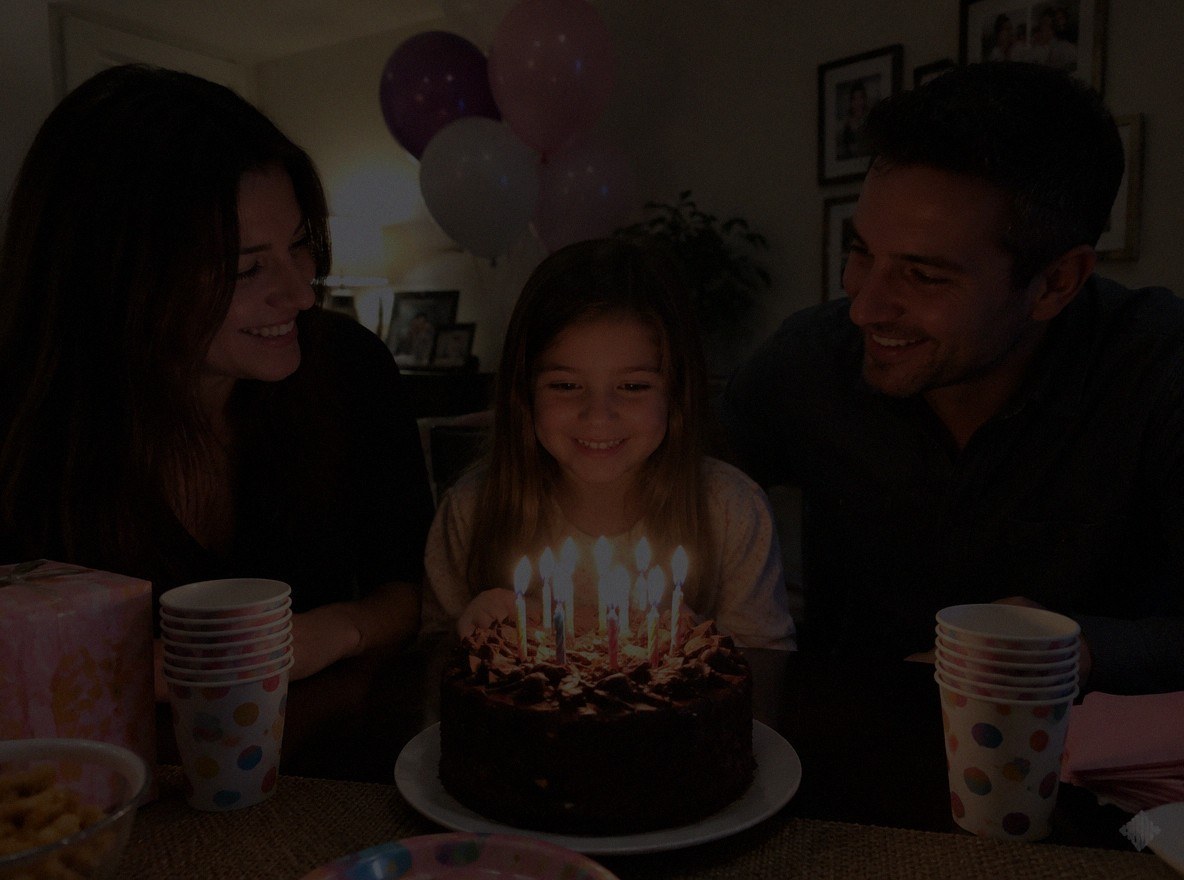
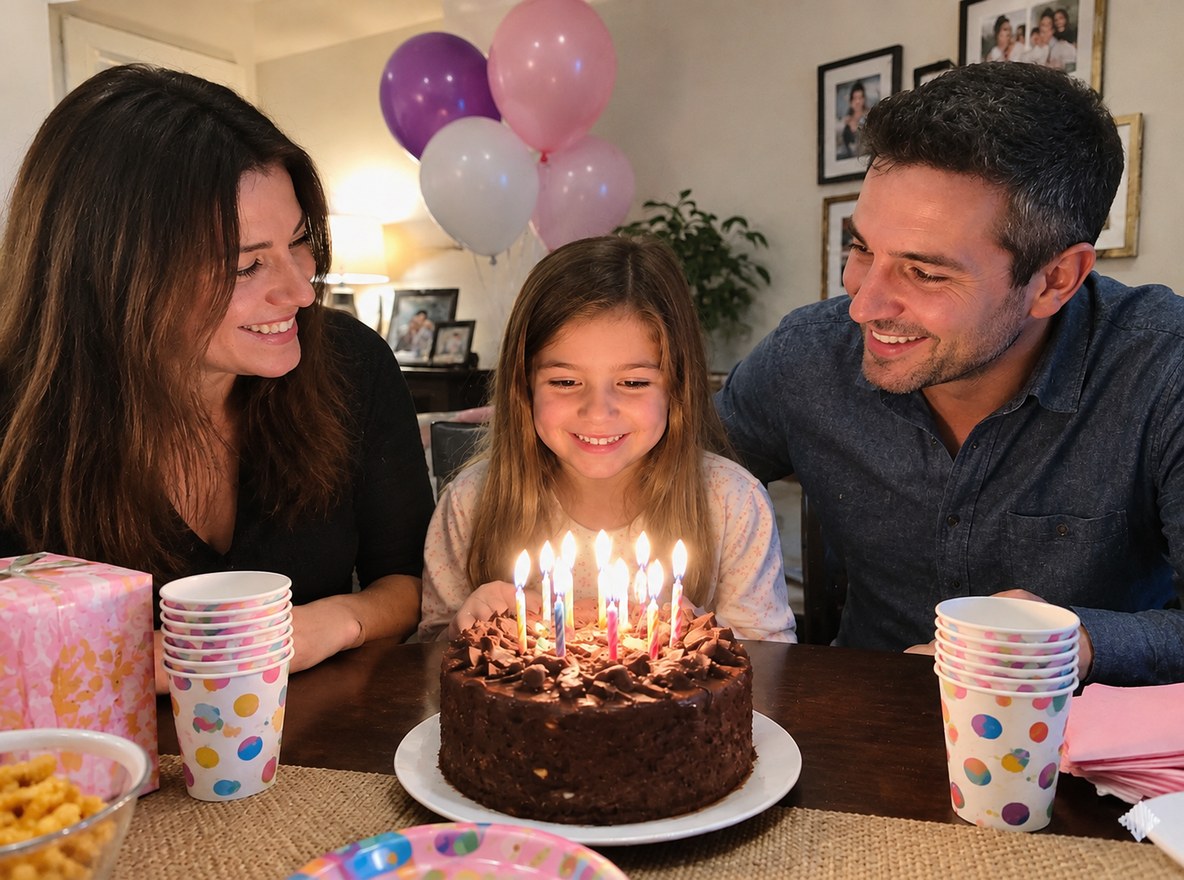
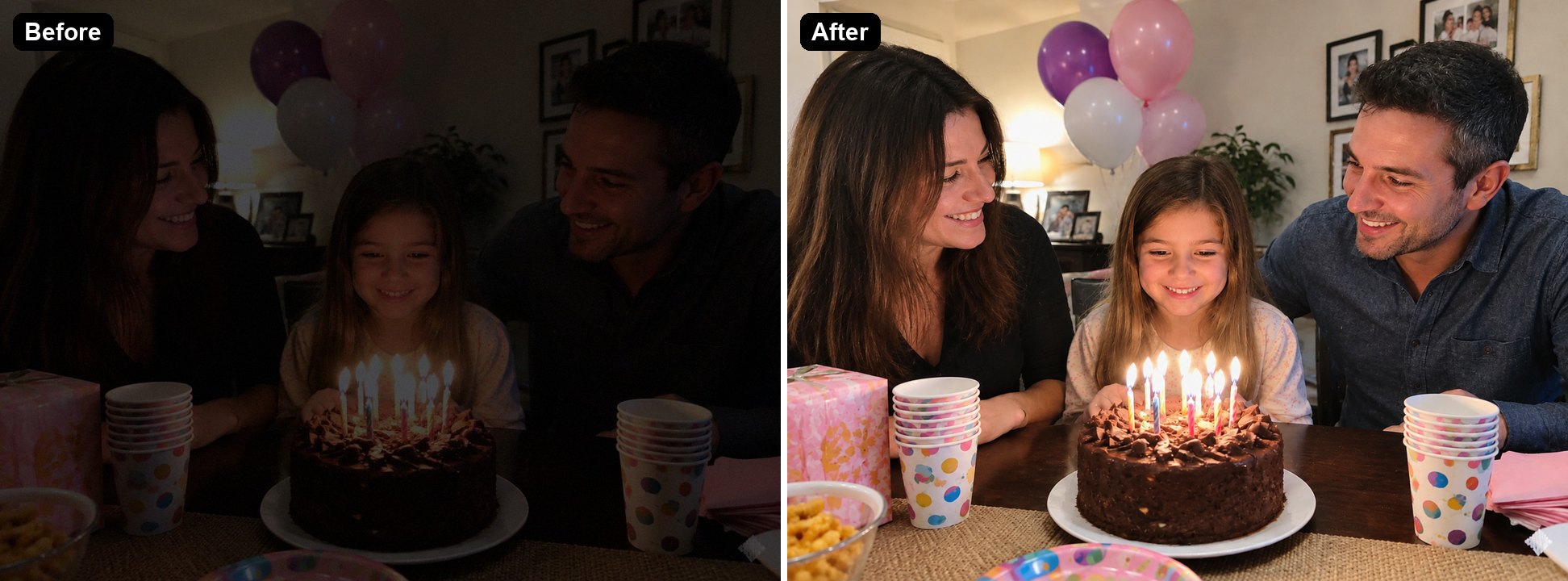
Dim indoor party
Dim indoor party
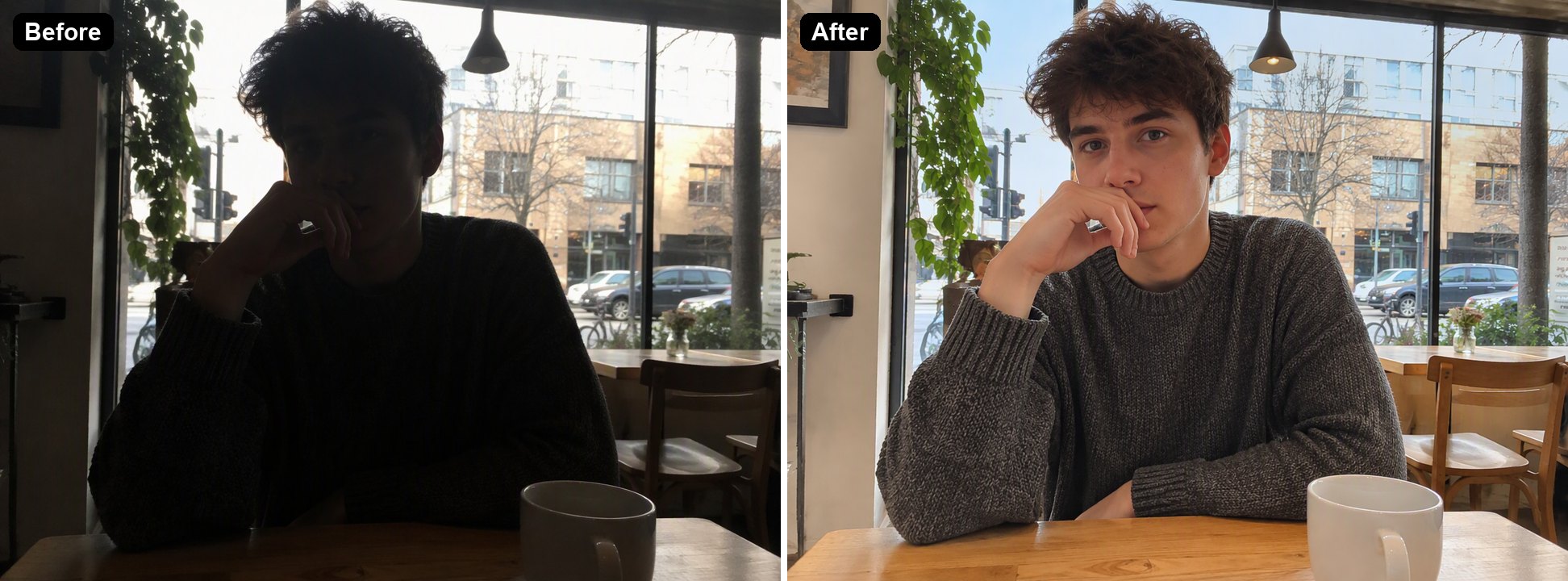
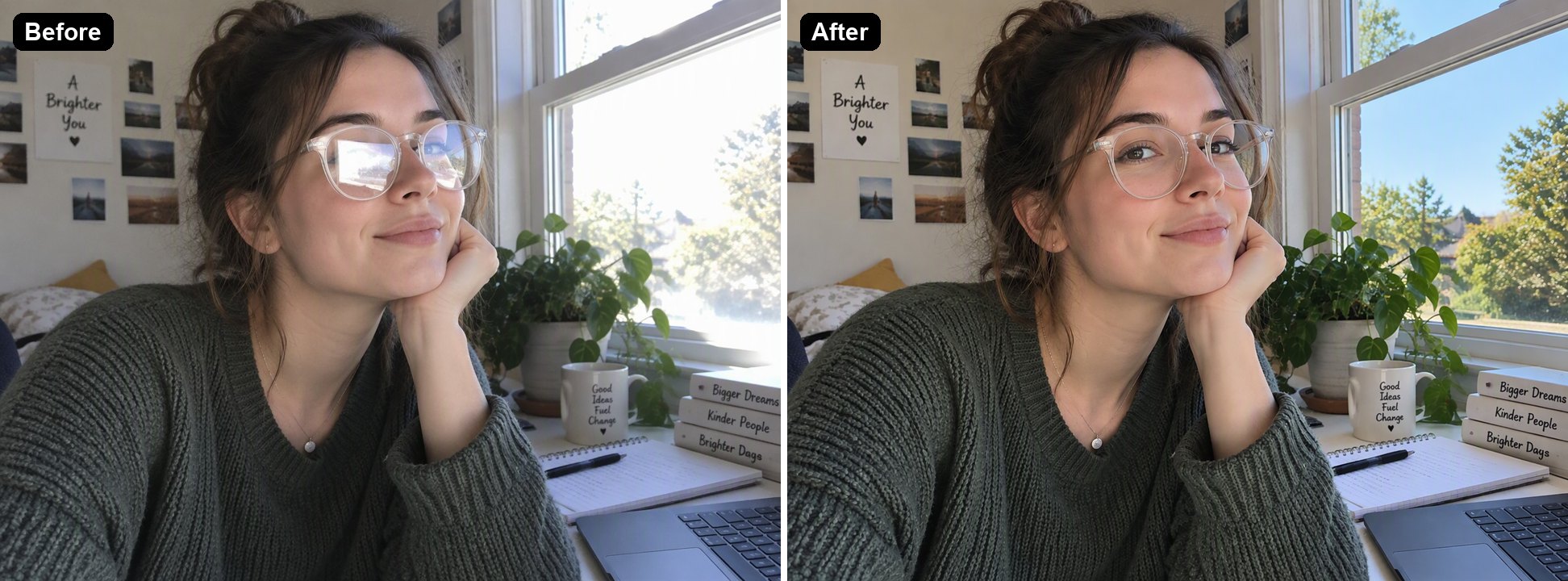
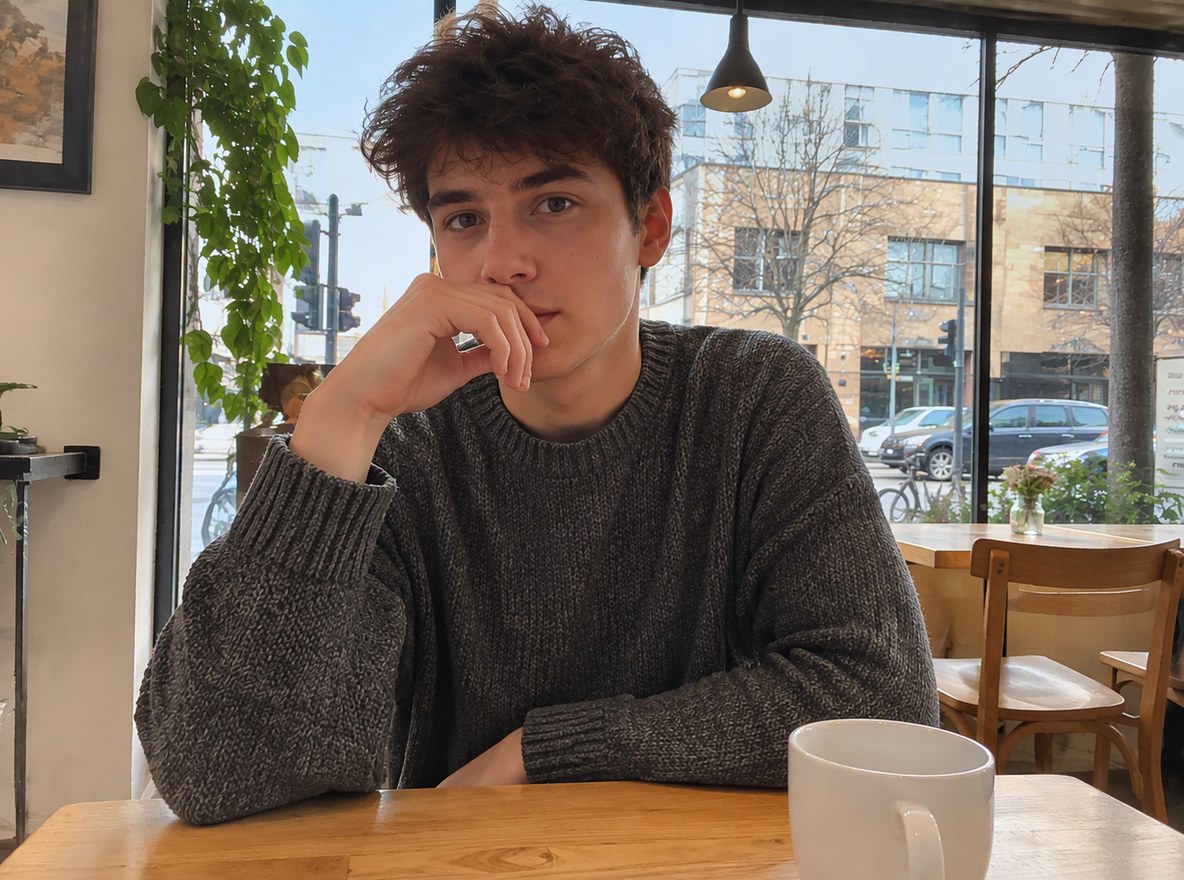
Backlit portrait
Backlit portrait
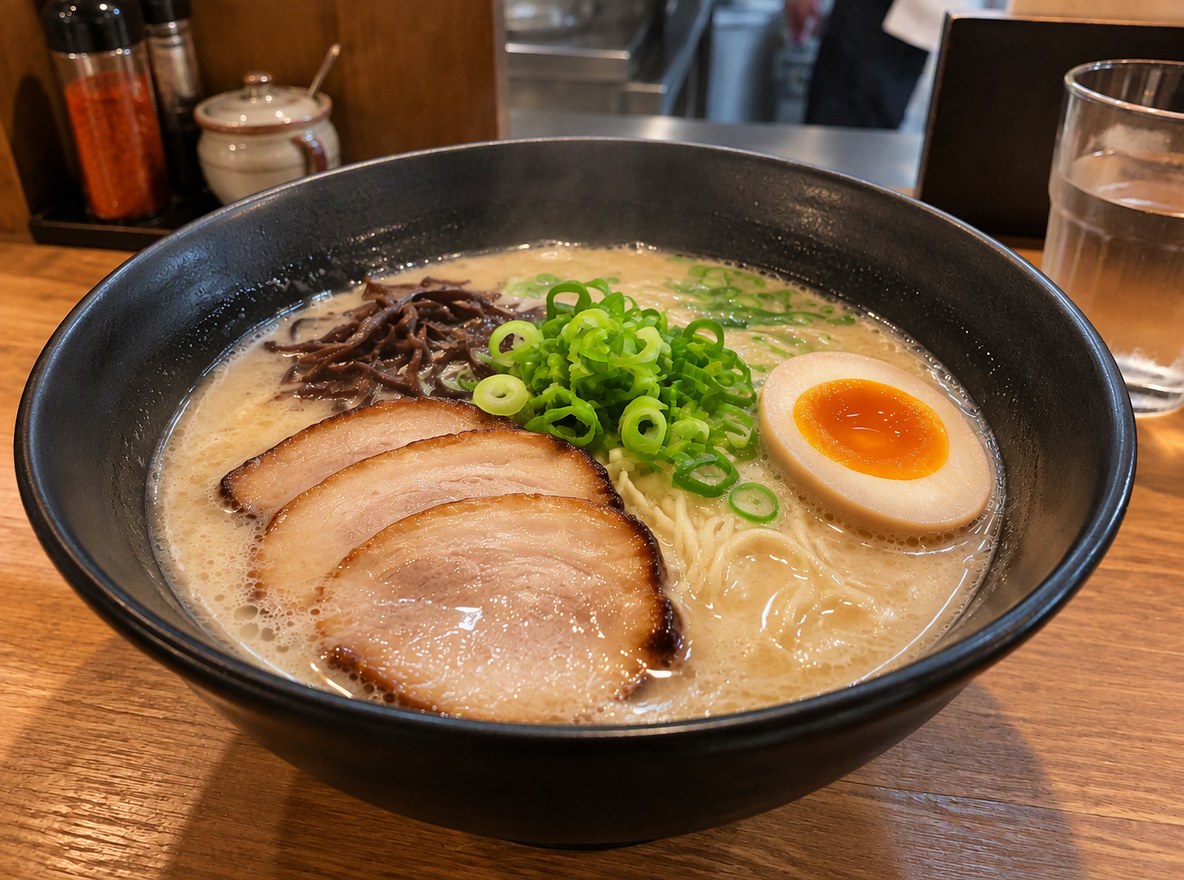
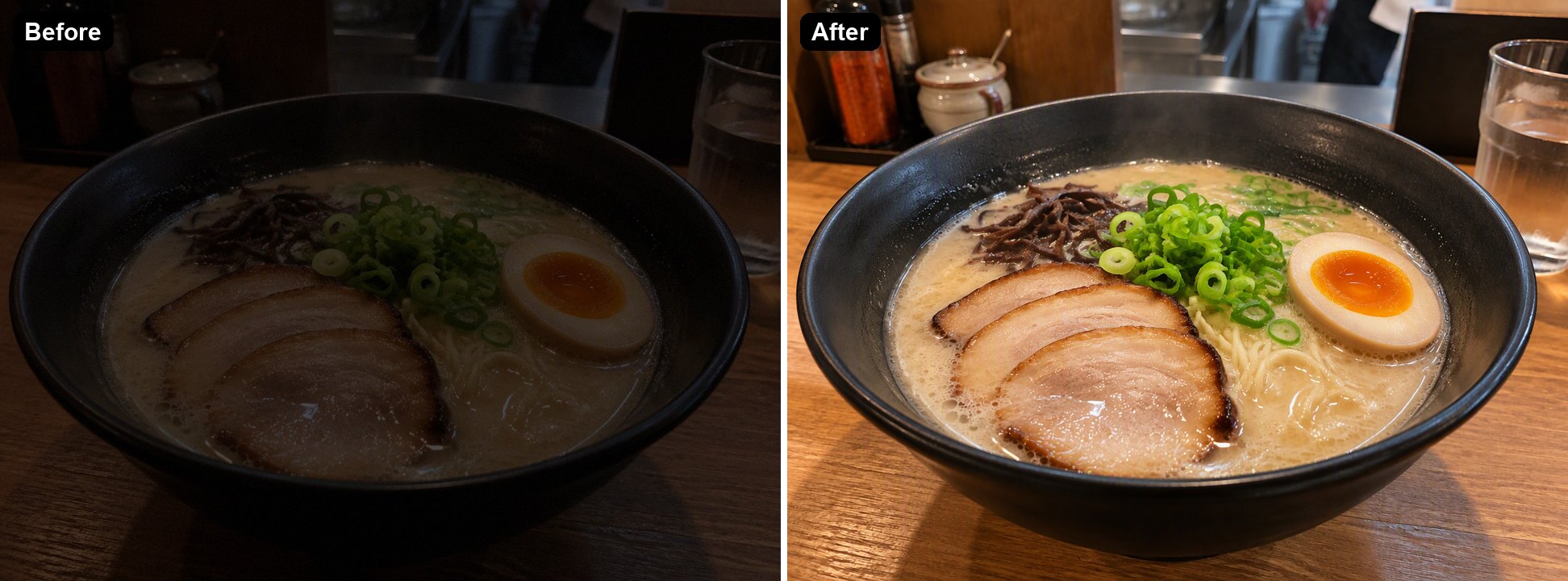
Dark food photo
Dark food photo
Upload a dark photo
By uploading a file, you agree to GoEnhance's Terms of Use and Privacy Policy

How to Brighten a Dark Photo

No sliders to balance.
01

Upload the dark photo

JPG, PNG or WebP. Indoor shots, night photos and backlit portraits all work.

02

The AI fixes the exposure

It lifts the shadows, recovers faces and detail and reduces noise, without blowing out bright areas. In our tests each image took 36 to 47 seconds.

03

Download the result

Pick 1K, 2K or 4K in the editor. If you want it brighter or moodier, change the instruction and run it again.

Brightness Slider vs AI Brightener

Brightness or exposure sliderGoEnhance AI Image Brightener
Backlit person in front of a windowBrightens the window too, until it turns whiteLifts the person and keeps the window
Grain in dark areasGets stronger as you brightenCleaned up
Colors and skin tonesCan look grey and flatKept natural
Areas that are almost pure blackStay emptyRedrawn by the AI, which may differ from what was there
ControlExact, number by numberDescribed in words in the instruction

What It Fixed in Our Tests

PhotoResult
Birthday party in a dim roomFaces, balloons and the cake came back with warm, natural color
Man sitting against a bright cafe windowHis face and sweater became clearly visible while the street outside stayed visible. His face was almost black in the original, so the AI had to redraw it.
Ramen in a dark shopBroth, egg and the sauce bottles behind came back without looking overexposed

Photos It Brightens

Indoor Parties and Events

Birthday candles and room lamps are rarely enough light for a phone camera. The AI lifts the whole scene and keeps the warm candlelight look.

a dim birthday party photo brightened

Backlit Portraits

With a bright window behind, the camera exposes for the window and the person turns into a silhouette. The AI brings the person forward without blowing out the street.

a backlit portrait in front of a cafe window brightened

Dark Food Photos

Restaurants are often dim. The AI brightens the dish and cleans the noise so the food looks the way it did at the table.

a dark ramen photo brightened

Good to Know

Highlights Kept

Bright windows and lamps are not blown out.

Noise Cleaned

Grain from dark shots is reduced as it brightens.

Black Areas Redrawn

Detail lost in pure black is drawn by the AI, not recovered.

Up to 4K

Pick 1K, 2K or 4K in the editor.

AI Image Brightener FAQ

How do I brighten a dark photo?

Upload it to the AI Image Brightener above. The AI lifts the shadows, recovers faces and detail and reduces noise, and you download the result. In our tests each image took 36 to 47 seconds.

How is this different from turning up the brightness?

A brightness slider makes every pixel lighter, including bright windows and the grain in dark areas. The AI works on the dark parts, keeps highlights under control and cleans up noise, so the photo looks naturally exposed instead of grey.

Can it fix a backlit photo where the face is too dark?

Yes, that is one of the examples above. Keep in mind that when a face is almost completely black, the AI has to redraw it from the outline, so check that it still looks like the person.

Can it fix an overexposed photo?

This page is set up for dark photos. You can open the editor and change the instruction to something like "reduce the exposure and recover the highlights", but we have not tested overexposed photos as thoroughly.

Does it work on videos?

No, it works on still images. For videos, see the AI Video Enhancer.

Is it free?

Each image costs 6, 7 or 8 tokens at 1K, for Low, Medium or High quality (High is the default). 2K and 4K cost more. New accounts get free tokens when they sign up, so you can try it before paying. The examples on this page were made at Low quality, 1K.

Which AI model does it use?

This tool runs on GPT Image 2.5 Sunburst, the editing-focused version of OpenAI's GPT Image 2.5 image model, inside GoEnhance's image-to-image editor. GoEnhance is not affiliated with OpenAI.

Is my photo private?

We do not sell your content. Your image is processed to create the result, and the result stays in your account until you delete it. See our Privacy Policy for details.

Bring Your Dark Photos Back

Upload a dark or backlit photo and let the AI fix the exposure.

Brighten a Photo Now