Remove Filter from Photo

Remove a filter from a photo and get natural colors back. Upload a picture with a vintage, green, cool film or faded filter, and the AI filter remover restores true-to-life colors, white balance and contrast while keeping the people and details the same. The console below uses GPT Image 2.5 Sunburst, OpenAI's image editing model, and each image costs 6 to 8 tokens at 1K.

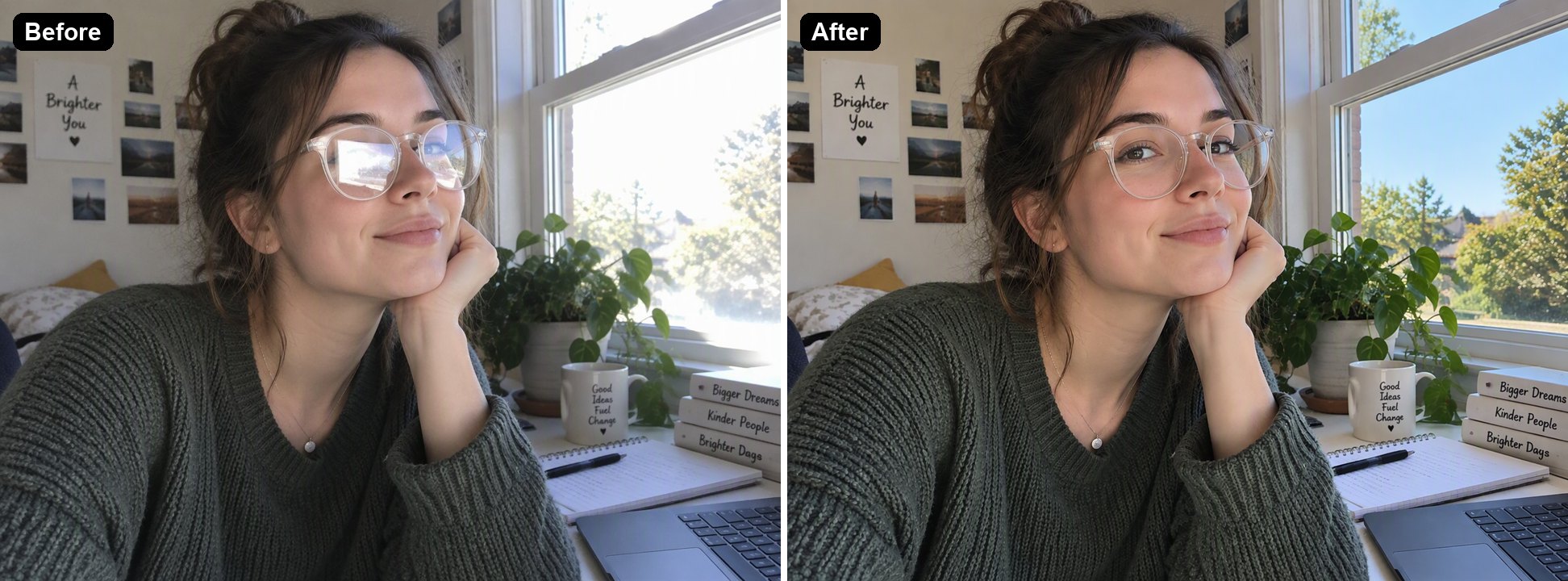
Warm vintage filter
Warm vintage filter
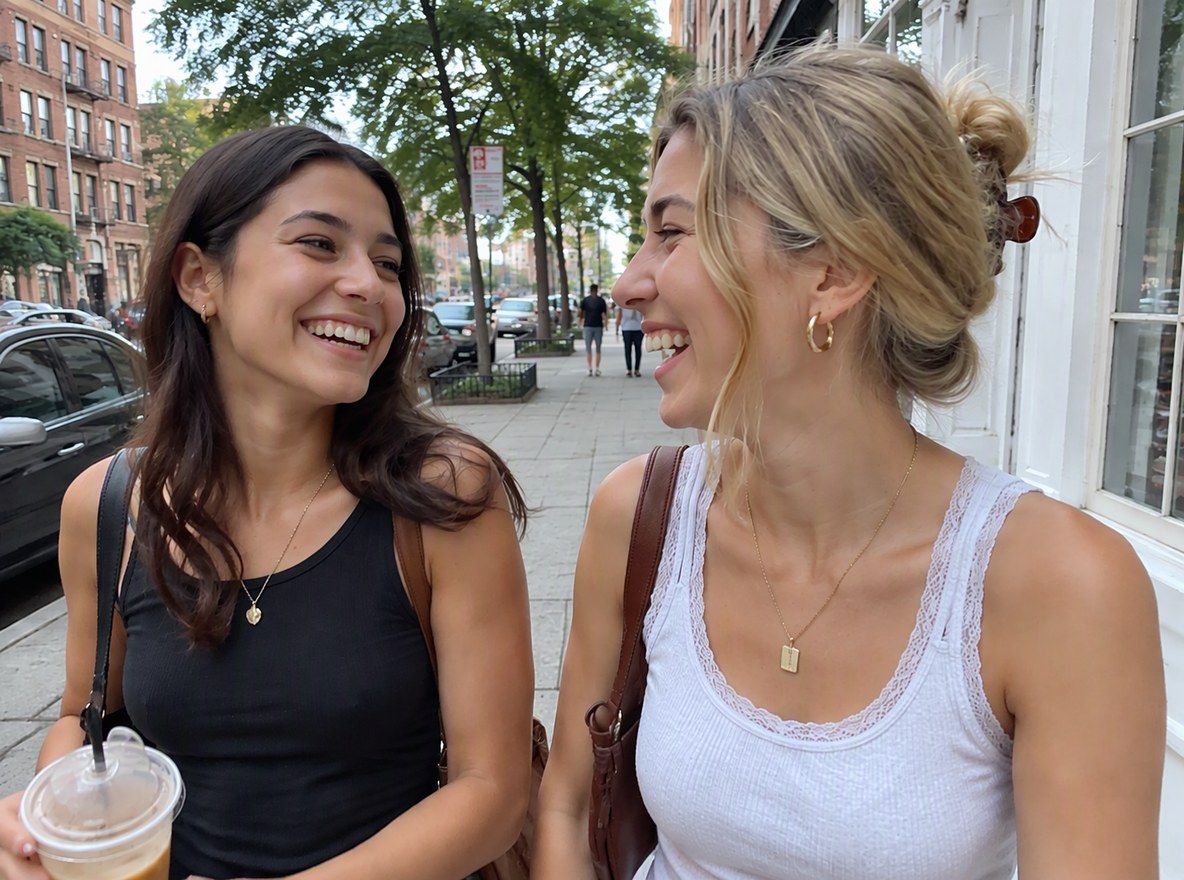
Green matcha filter
Green matcha filter
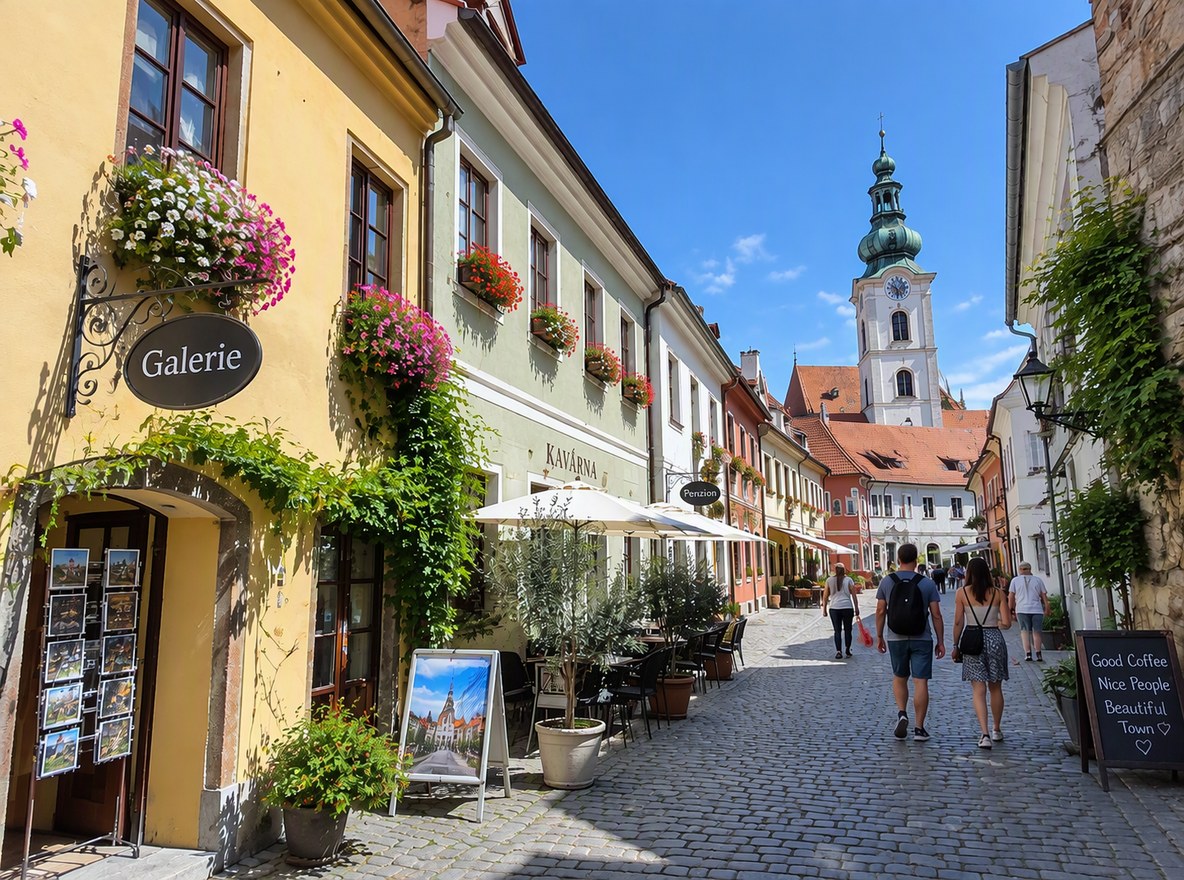
Cool film filter
Cool film filter
Upload a photo with a filter
By uploading a file, you agree to GoEnhance's Terms of Use and Privacy Policy

How to Remove a Filter from a Photo

Works on photos that were already saved with the filter.
01

Upload the filtered photo

JPG, PNG or WebP, such as a picture saved from Instagram, Snapchat, TikTok or a camera app with a filter on.

02

The AI removes the filter

It corrects the color cast, white balance, faded blacks and vignette, and keeps faces and details the same. In our tests each image took under a minute.

03

Download, or adjust the instruction

The instruction opens in the editor with the result. If the colors are still off, say what you want, such as "warmer skin tones", and run it again.

What It Removed in Our Tests

Filter on the photoResultWorth checking
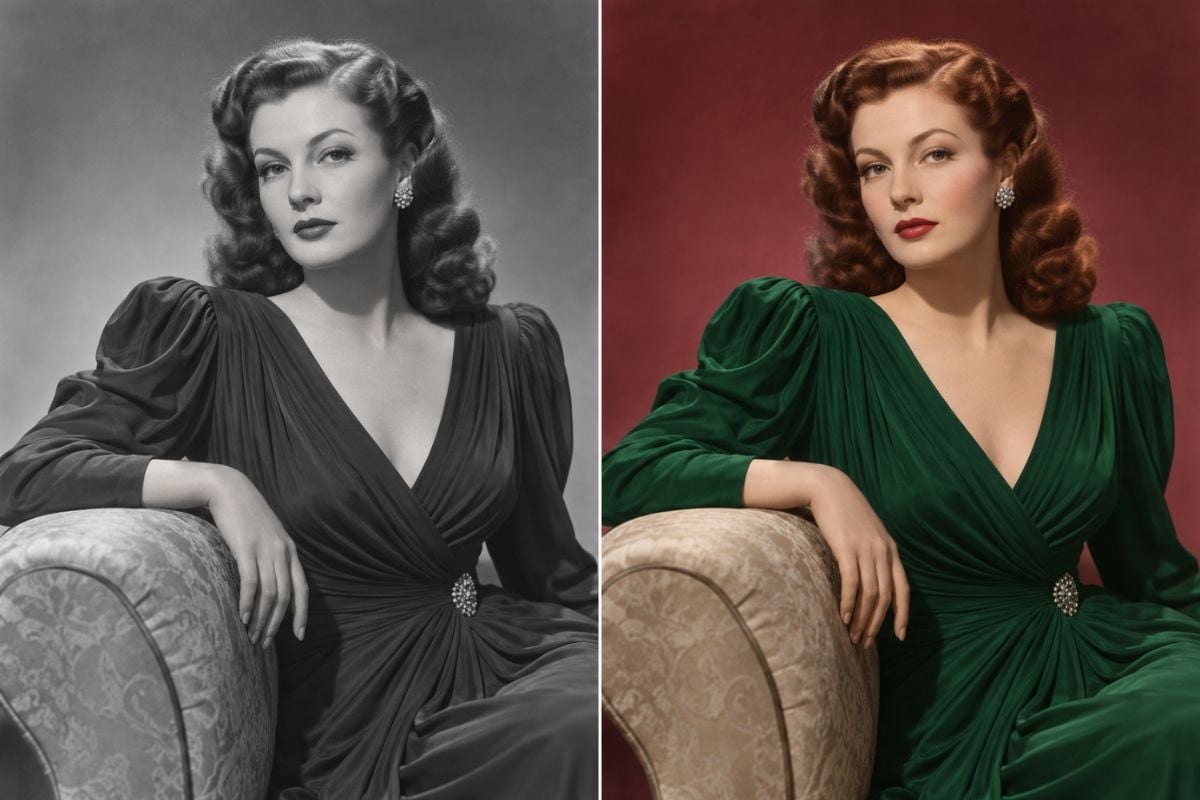
Warm vintage filter with an orange cast and faded blacksNatural daylight colors and full contrast came backVery warm originals may come back slightly cooler than the scene really was
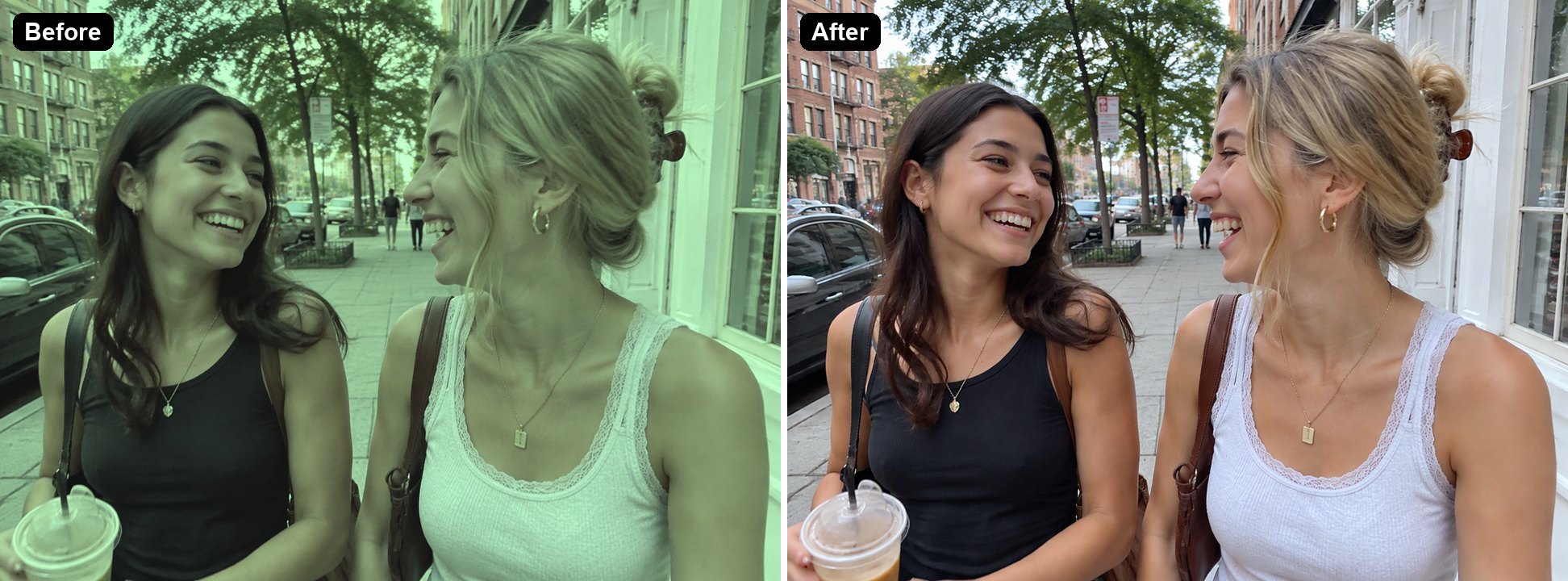
Green matcha filter over a portraitSkin tones and the street colors looked natural againCompare skin tones with another photo of the same person
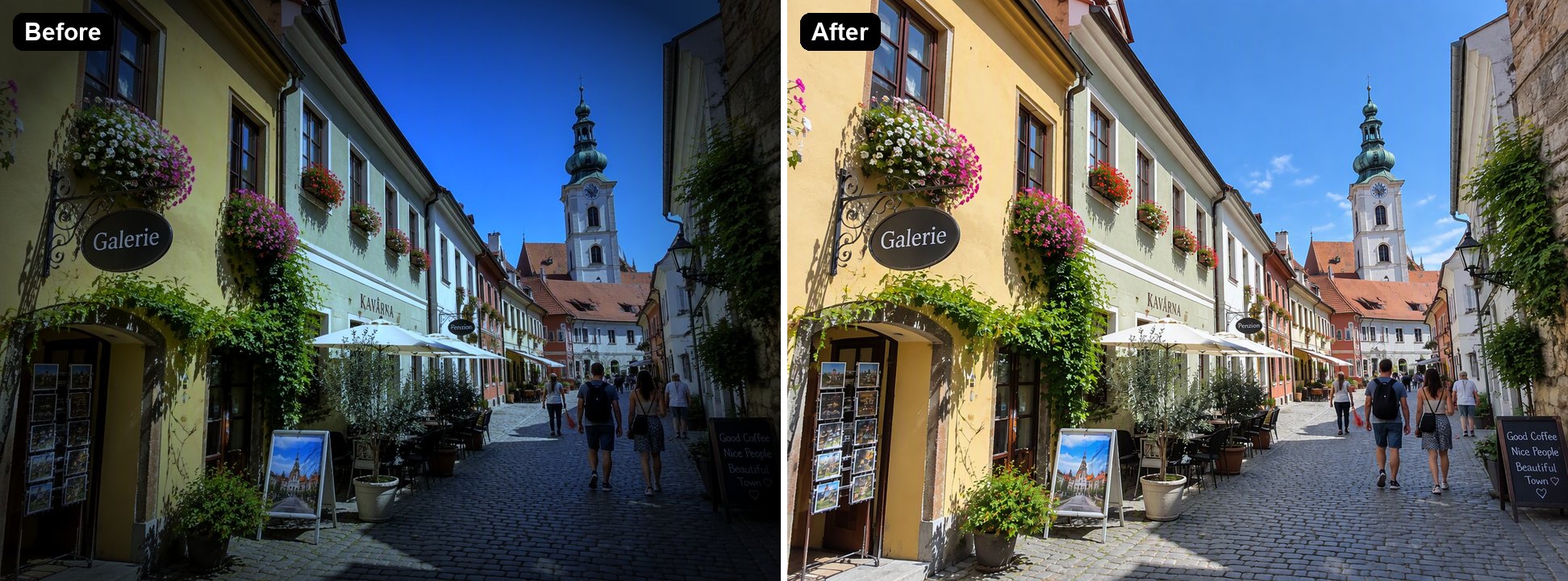
Cool blue film look with a dark vignetteWarm building colors, blue sky and even brightness came backThe vignette is gone too, which is usually what you want
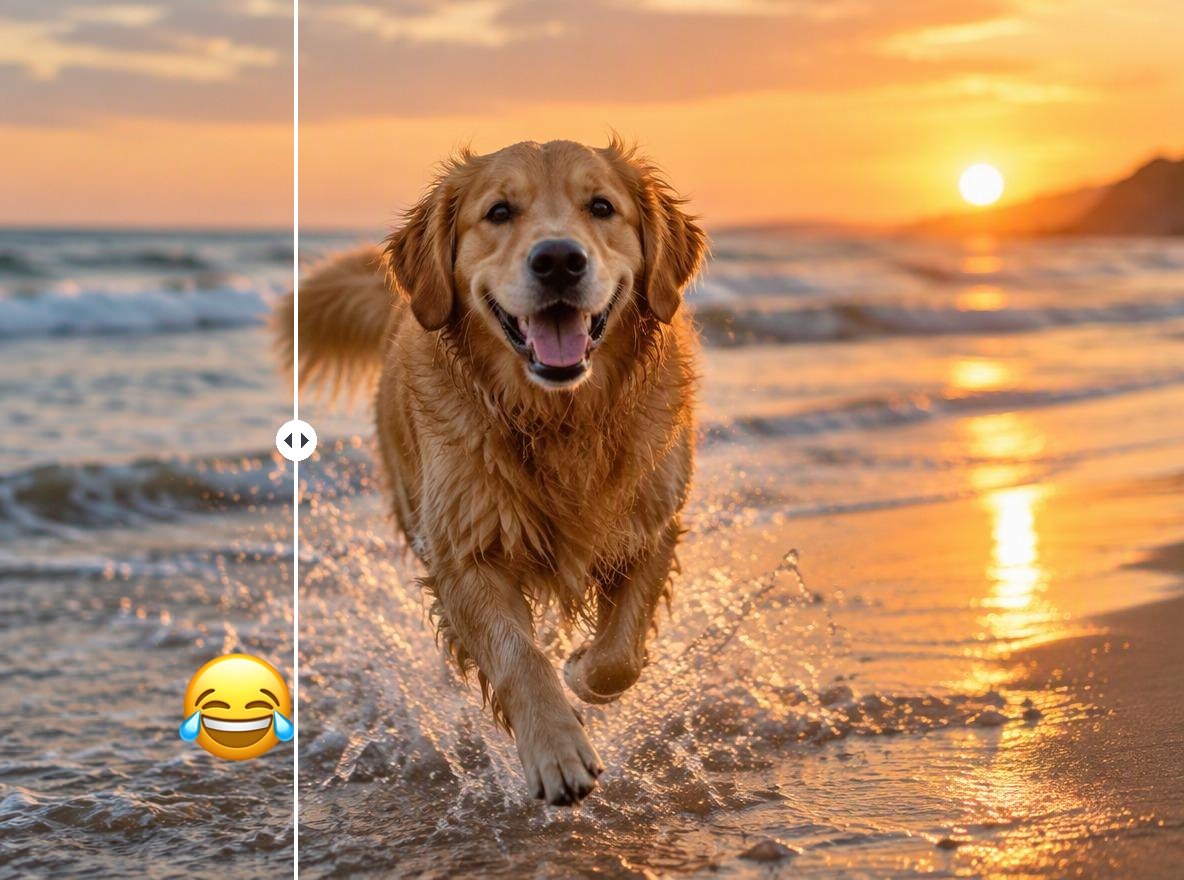
Strong skin smoothing (beauty filter)Skin texture and sharpness came backThat texture is redrawn by the AI, not the original skin

AI Filter Remover vs Editing It by Hand vs the Original File

GoEnhance Remove FilterWhite balance and color slidersThe original unfiltered photo
Works when only the filtered copy is leftYesYesNo, you need the original
What you doUpload, nothing to adjustFix temperature, tint, curves and vignette by handFind it in your camera roll or app drafts
Skin smoothing and blurTexture is redrawnCannot bring it backUntouched
Cost6 to 8 tokens per image at 1KFree in most photo appsFree

Filters It Removes

Vintage and Warm Filters

Orange casts, lifted blacks and film grain make a photo look old. The AI takes them off and brings back clean daylight colors.

a cafe portrait with a warm vintage filter removed

Green and Matcha Filters

Trendy green and pastel filters change skin tones. The AI returns natural skin and the real colors of the street.

a photo of two friends with a green matcha filter removed

Cool Film Filters and Vignettes

Teal shadows and dark corners hide the scene. The AI restores the building colors, the sky and even brightness.

a street photo with a cool blue film filter removed

Beauty Filters: What to Expect

On a photo with heavy smoothing, the AI brought back sharp hair and skin texture. That detail is redrawn to look natural, not recovered from the original.

a portrait with heavy skin smoothing where the AI redrew texture

Good to Know

Nothing to Adjust

No sliders; the AI decides what the natural colors are.

Faces Kept

People and expressions stay the same.

Smoothing Is Redrawn

Skin texture lost to a beauty filter is drawn by the AI.

Up to 4K

Pick 1K, 2K or 4K in the editor.

Remove Filter from Photo FAQ

How do I remove a filter from a photo?

Upload the photo to Remove Filter from Photo above. The AI filter remover corrects the color cast, white balance, contrast and vignette, and you download the result. In our tests each image took under a minute.

Can I remove a filter from someone else's photo?

Technically yes, but only edit photos you took or have permission to use, and don't use the result to misrepresent someone.

Can it remove the matcha filter?

Yes. The green matcha look is a color filter, and in our test the AI brought back natural skin tones and street colors.

Can it remove beauty filters and face reshaping?

It brings back texture and sharpness after skin smoothing, but that texture is drawn by the AI. We have not tested filters that reshape the face, such as bigger eyes or a slimmer jaw, so the result may still look reshaped.

Does it work on black and white photos?

Removing a black and white filter means adding color back, which is a different task. Use the Photo Colorizer for that.

Is it free?

Each image costs 6, 7 or 8 tokens at 1K, for Low, Medium or High quality (High is the default). 2K and 4K cost more. New accounts get free tokens when they sign up, so you can try it before paying. The examples on this page were made at Low quality, 1K.

Which AI model does it use?

This tool runs on GPT Image 2.5 Sunburst, the editing-focused version of OpenAI's GPT Image 2.5 image model, inside GoEnhance's image-to-image editor. GoEnhance is not affiliated with OpenAI.

Is my photo private?

We do not sell your content. Your image is processed to create the result, and the result stays in your account until you delete it. See our Privacy Policy for details.

Get Your Photo's Real Colors Back

Upload a filtered photo and let the AI restore natural colors.

Remove a Filter Now