
goenhance logo

Happy Horse 1.0

Happy Horse 1.0 is getting attention for one simple reason: it feels built for finished video, not just isolated shots. It focuses on multi-shot storytelling, smoother motion, and native 1080p output, which is why many creators now see Happy Horse 1.0 AI video generator workflows as more than a short-lived trend.

Explore AI Video Generation

Key Features of Happy Horse 1.0

Multi-Shot Storytelling

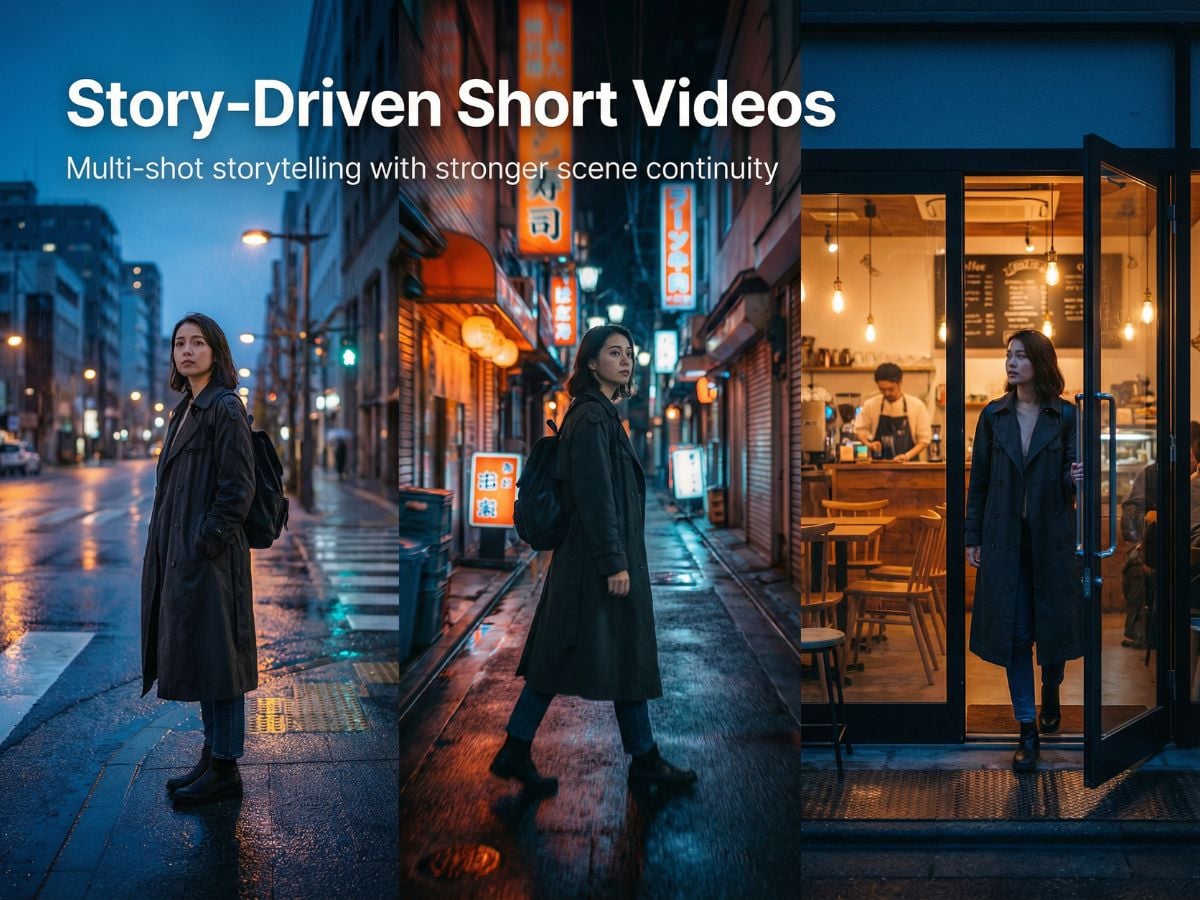
What makes Happy Horse 1.0 stand out most is its clear focus on multi-shot storytelling. It puts more attention on scene-to-scene flow, character consistency, and overall narrative continuity, which makes it a better fit for trailers, short ads, and story-driven videos than models that mainly look impressive in a single shot.
PromptGenerated Clip
A 1970s documentary-film look meets realistic hard-sci-fi aerial combat: in warm golden morning mist above a vast Thai temple complex, a black-and-gold heavy mech fighter dives out of the clouds toward distant pagodas while a sleek silver fighter, piloted by a calm bionic woman with a black ponytail, white uniform, silver mechanical neck and arms, and red lips, cuts in low from the side and locks onto the target. The two aircraft engage in a fierce low-altitude dogfight between temple spires, with orange energy blasts, fast rolls, near-misses, flames, and flying debris slicing through fog and sunrise light. Inside the silver cockpit, under flashing red warning lights and holographic enemy coordinates, the pilot confirms the target and decisively presses the launch button with a faint cold smile. The visual style blends soft film grain, real cinematic lighting, volumetric morning haze, strong speed, and heavy tension, with no watermark, subtitles, or text overlay.

Text to Video and Image to Video Both Available

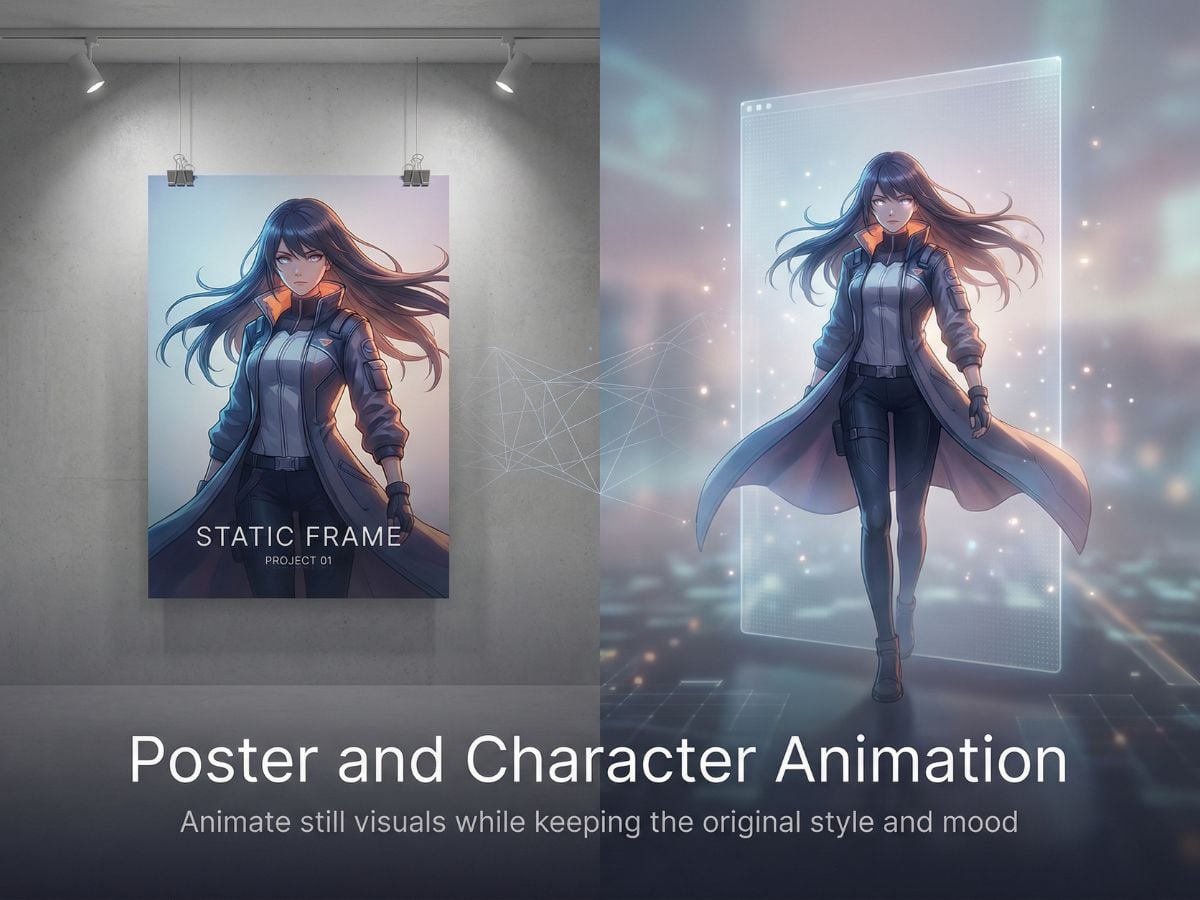
Happy Horse 1.0 supports image to video, making it easier to animate posters, concept art, product shots, and character images with natural motion.

Optional Sound Generation

Happy Horse 1.0 supports sound generation, helping clips feel fuller, smoother, and less dependent on extra post-production.
PromptGenerated Clip
Alarms blare, gravity vanishes, and the space station begins to collapse… An engineer races against time to turn the tide and stop total destruction.

Consistent Characters Across Cuts

One of the hardest jobs in AI video is carrying a subject across multiple cuts without losing identity, wardrobe, or mood. Happy Horse 1.0 is interesting because its public messaging leans hard into exactly that problem, which is also why it stands out in conversations about character-led narrative video.

1080p Output With Practical Controls

Happy Horse 1.0 supports 720p and 1080p options, 5s, 10s, and 15s durations, plus 16:9, 9:16, and 1:1 ratios. That makes Happy Horse 1.0 easier to place into actual content planning, especially for social cuts, product loops, vertical promos, and short cinematic sequences.

Happy Horse 1.0 Performance and Parameters

MetricPublicly Visible DetailWhy It Matters
Model focusHappy Horse 1.0 onlyThe current workspace presents one dedicated model direction rather than a crowded selector, which keeps expectations clearer.
Output resolutionUp to 1080pNative 1080p positioning is a core part of how Happy Horse 1.0 is being marketed.
Input modesText to video, image to videoUseful for both prompt-first work and motion from existing still images.
Clip duration5s, 10s, 15sThese presets match common ad snippets, social hooks, and short cinematic beats.
Aspect ratios16:9, 9:16, 1:1This covers landscape, vertical, and square delivery without changing tools.
Text-to-video public ranking#1, Elo 1383 (no audio)This suggests strong blind-vote preference on the current public leaderboard snapshot.
Image-to-video public ranking#1, Elo 1413 (no audio)A strong signal for users who care about turning still visuals into convincing motion.

Where Happy Horse 1.0 Feels Most Useful

Story-Driven Short Videos

If you already use an AI video generator for rough concepts, Happy Horse 1.0 becomes more interesting when you need the shots to connect, the pacing to feel intentional, and the final clip to read more like a finished piece than a visual test.
Poster and Character Animation

For posters, concept art, product stills, or character visuals, Happy Horse 1.0 also fits naturally beside image to video workflows. It is especially relevant when the goal is to add motion without losing the original look and scene mood.
Happy Horse 1.0 vs Seedance 2.0 vs Kling 3.0

DimensionHappy Horse 1.0Seedance 2.0Kling 3.0
Text-to-video leaderboard#1, Elo 1383 (no audio)#2, Elo 1273 (Dreamina Seedance 2.0 720p)#4, Elo 1243 (Kling 3.0 1080p Pro)
Image-to-video leaderboard#1, Elo 1413 (no audio)#2, Elo 1357 (Dreamina Seedance 2.0 720p)#5, Elo 1298 (Kling 3.0 Omni 1080p Pro)
Public product emphasisMulti-shot storytelling, consistency across transitions, 1080p outputStrong public blind-vote performance and a competitive 720p leaderboard presenceMultiple 1080p and Omni variants with strong public ranking visibility
Best known strengthNarrative continuity and connected scenesVery strong preference scores in current public comparisonsConsistent presence among top motion-focused commercial models
Resolution positioning in current public view1080p720p1080p Pro
Who may care mostCreators who want story flow, scene transitions, and character continuityTeams comparing top blind-vote quality in short-form outputUsers looking at premium motion-heavy commercial video options
Reading the comparison fairlyStrong lead in current public rankings, but real fit still depends on prompt style and project typeStill one of the strongest public baselines to compare againstStill highly relevant when comparing polished commercial video output

FAQs of Happy Horse 1.0

What is Happy Horse 1.0 best known for right now?

Happy Horse 1.0 is best known for multi-shot storytelling, scene-to-scene consistency, and strong leaderboard performance in both text-to-video and image-to-video. That makes it especially relevant for users who care about complete clips rather than single standout frames.

Is Happy Horse 1.0 mainly for one-shot visuals or for full sequences?

The way it is presented publicly points much more toward full sequences. Its strongest angle is not just making one good-looking shot, but helping several shots feel connected through consistent characters, visual style, and atmosphere.

Can Happy Horse 1.0 keep the same character across different cuts?

That is one of its biggest public promises, and it is part of why the model is getting so much attention. In practice, consistency still depends on prompt quality, scene complexity, and how aggressively you change framing or action, so it is best judged with controlled tests rather than hype alone.

Does Happy Horse 1.0 work well for image-to-video tasks?

Yes, that is one of the clearest takeaways. Happy Horse 1.0 is not only positioned for text-driven generation, it also ranks very strongly in image-to-video, which matters for users animating posters, concept art, portraits, or product stills.

Does a public #1 ranking mean Happy Horse 1.0 is always the best choice?

Not automatically. Public leaderboard results are useful because they reflect blind user preference, but they do not replace project-specific testing. The best model for you still depends on whether you care more about narrative continuity, motion style, subject type, editability, or output format.

What kind of prompts usually give cleaner results?

Shorter prompts with a clear subject, one main action, simple camera language, and a specific mood usually hold together better. When testing Happy Horse 1.0, it also helps to describe how scenes should connect, because that is where the model appears to be trying to differentiate itself.

Explore Better Video Workflows Now

Happy Horse 1.0 is worth watching because it points to a bigger shift in AI video: less focus on isolated wow moments, more focus on sequences that feel usable, coherent, and easier to build around. If that is the direction you care about, it is a model worth keeping on your radar.

Try Happy Horse 1.0 Now