Fire Text Generator

Type a word or name and get it written in realistic burning fire. The fire text generator makes flame letters with embers and smoke for thumbnails, posters, birthday cards and game titles, in the font style and fire color you describe. The console below uses Nano Banana 2, which spelled every word correctly in our tests, and each image costs 12 tokens.
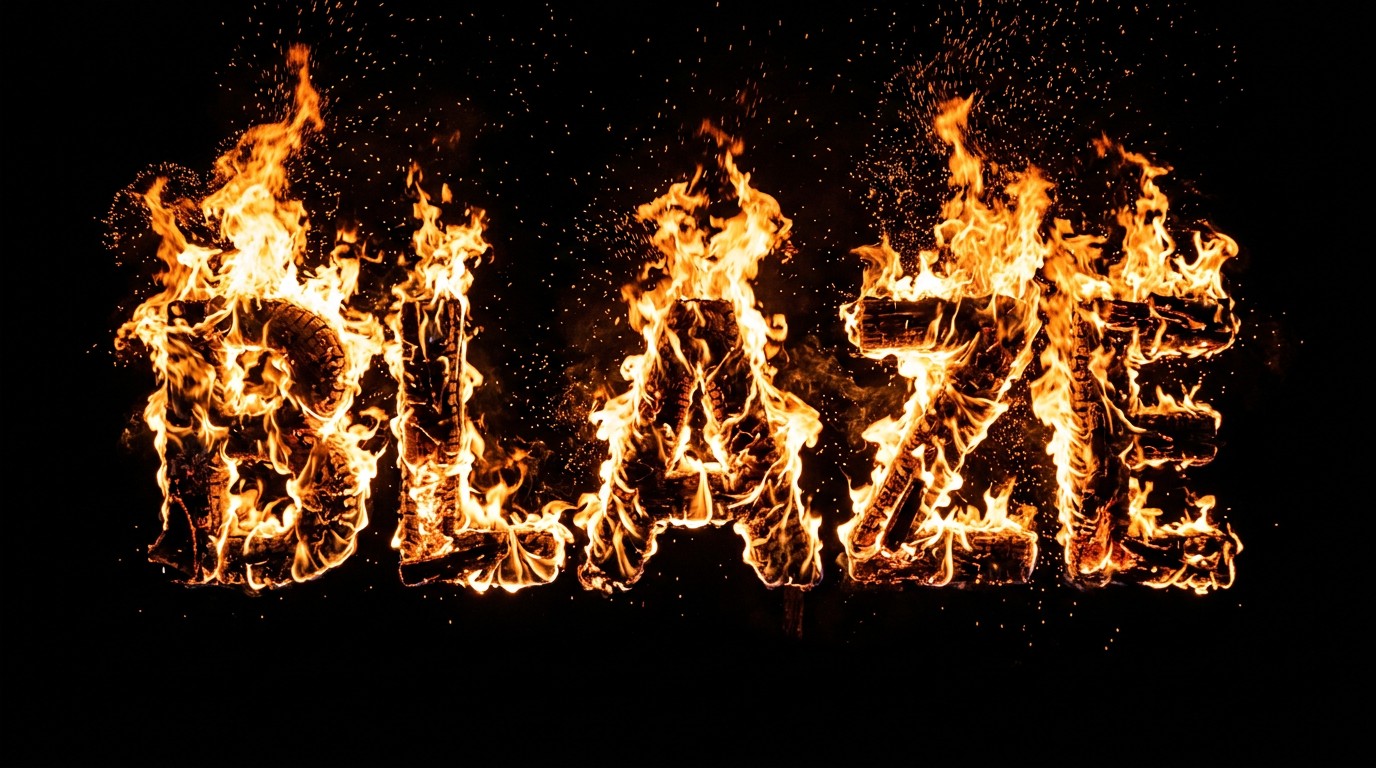
Bold flame letters
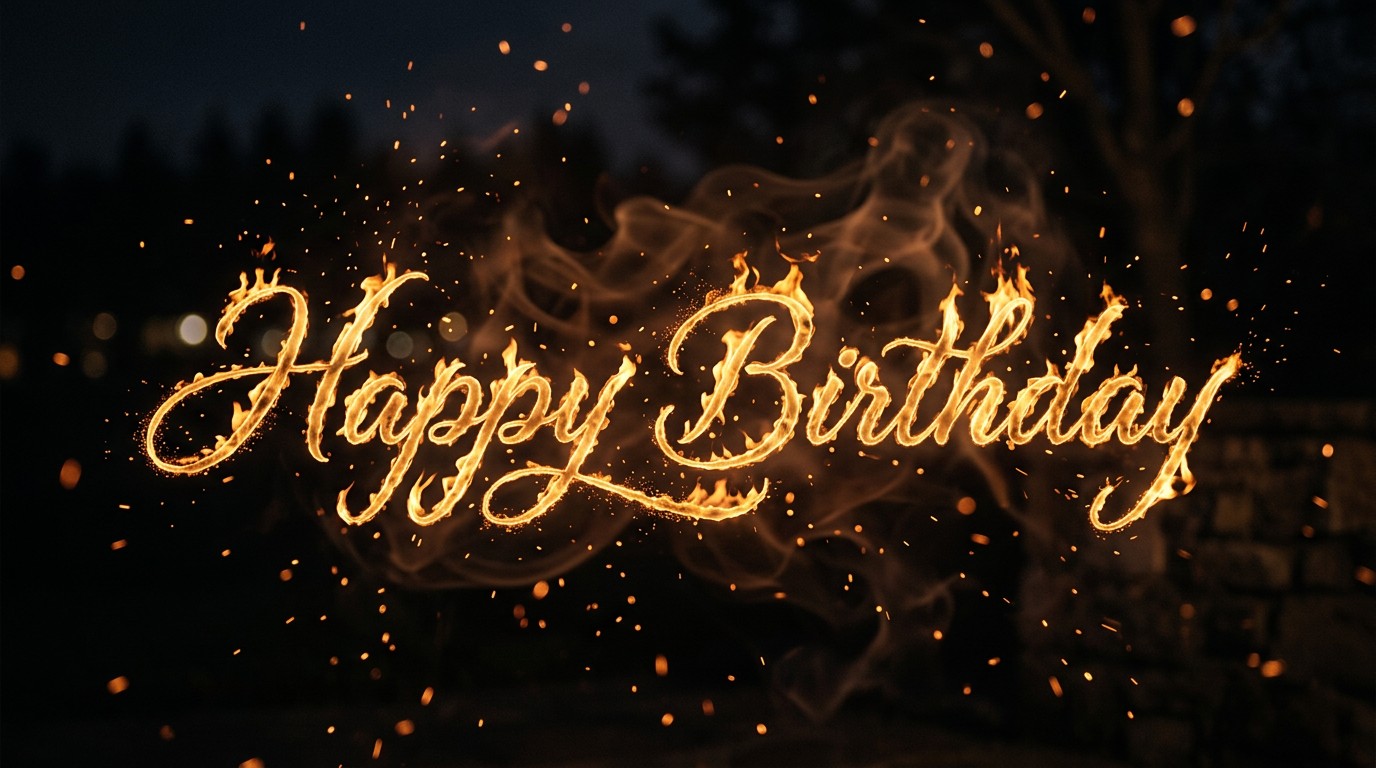
Bold flame letters
Bold flame letters
Fire script
Fire script
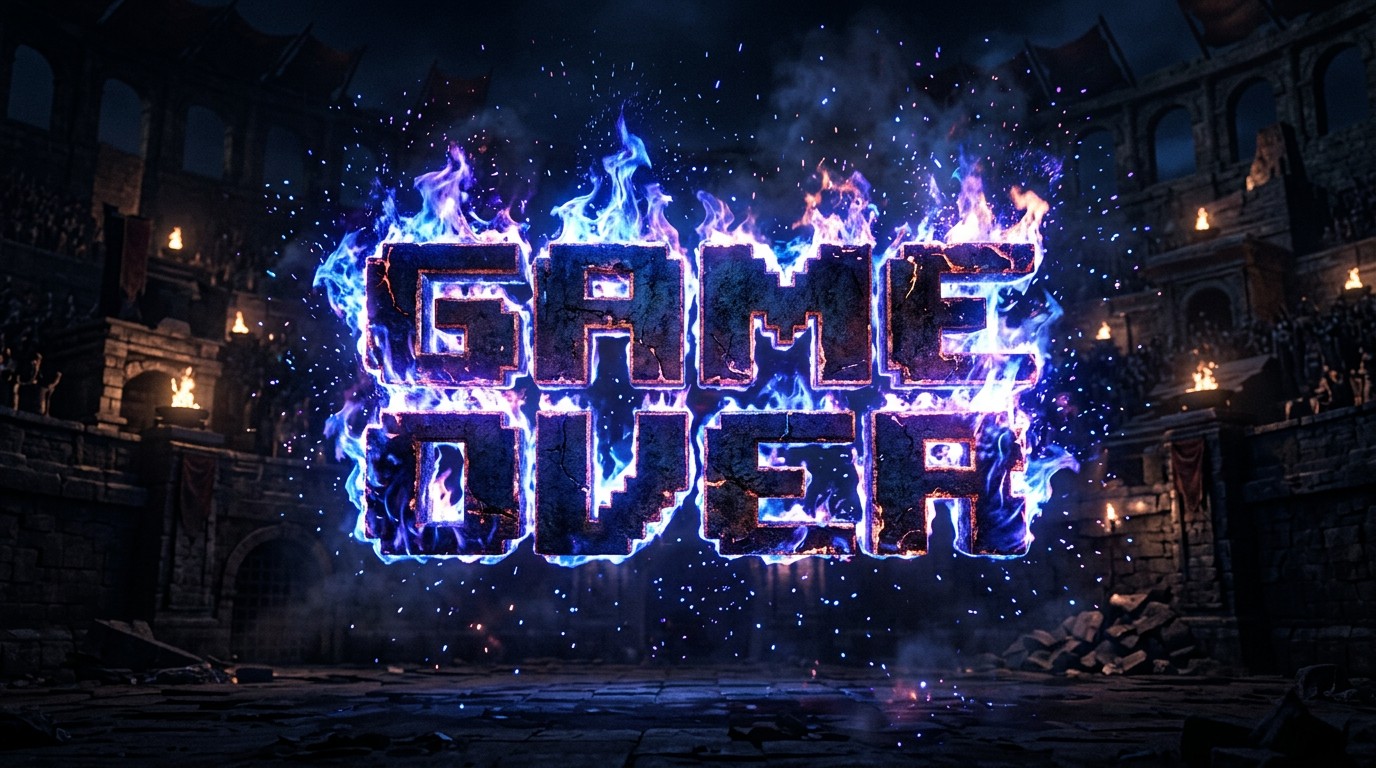
Blue game fire
Blue game fire
Nano Banana 2
Prompt
Example prompts
Opens the GoEnhance editor with this model and prompt ready.

How to Make Fire Text

Describe the words, the letters and the flames.
01

Write your words in quotes

Put the exact text in quotes, for example "BLAZE" or "HAPPY BIRTHDAY". Short words and names work best.

02

Describe the style

Say what the letters look like (bold, script, blocky game letters), the fire color (orange, blue, purple) and the background.

03

Generate and download

The editor opens at 16:9. Our examples came out at 1376×768 pixels.

Fire Text Styles We Tested

WordsStyleResult
BLAZEBold letters made of orange fire on blackSpelled correctly; letters fully on fire
HAPPY BIRTHDAYScript letters of golden flame with sparksSpelled correctly; thinner, glowing flame lines
GAME OVERBlocky game letters in blue and purple fireSpelled correctly; letters stay readable through the flames

AI Fire Text vs Photoshop Text Effects vs Online Templates

GoEnhance Fire Text GeneratorPhotoshop fire text tutorialText effect templates
What you doDescribe it in a sentenceFollow a multi-step tutorialType into a fixed design
Look of the firePhotographic flames, any colorDepends on your skillSame effect for everyone
Change the font styleDescribe itPick any fontLimited
Cost12 tokens per imagePhotoshop subscriptionFree or paid templates

Fire Text Examples

Bold Flame Letters

Big block letters made entirely of fire on a black background, ready to cut out for a thumbnail or poster.

the word BLAZE in burning fire letters

Fire Script for Cards and Greetings

Thin script letters drawn in golden flame with sparks and smoke, for birthday and party graphics.

Happy Birthday written in fire script

Colored Fire for Game Titles

Blue and purple fire around blocky game letters, for stream overlays and game title cards.

GAME OVER in blue fire letters

Good to Know

Correct Spelling

All three test words came out spelled right.

Any Fire Color

Orange, blue, purple or green flames.

Any Letter Style

Bold, script, blocky or metal letters.

Free Model

Nano Banana 2 does not need a membership.
Fire Text Generator FAQ

How do I make fire text?

Type your words in quotes in the Fire Text Generator above, describe the letter style and the fire, and click generate. The AI draws your text in realistic flames.

Can I get a transparent background?

The examples here have a black or dark background. Ask for a pure black background, then use a blending mode such as Screen in your editor to drop the black.

Will the words be spelled correctly?

All three examples came out spelled correctly. Keep the text short, put it in quotes and check the spelling before you use the image.

Can I change the color of the fire?

Yes. Describe it, for example blue, purple or green fire. The GAME OVER example uses blue and purple flames.

Is it free?

Each image costs 12 tokens with Nano Banana 2, and it does not require a membership. New accounts get free tokens when they sign up.

Which AI model does it use?

The console uses Nano Banana 2 in GoEnhance's text-to-image editor. You can switch to another model there.

Is my image private?

We do not sell your content. Your image is processed to create the result, and the result stays in your account until you delete it. See our Privacy Policy for details.

Set Your Words on Fire

Type a word, describe the flames and let the AI draw it.

Make Fire Text