AI Relight

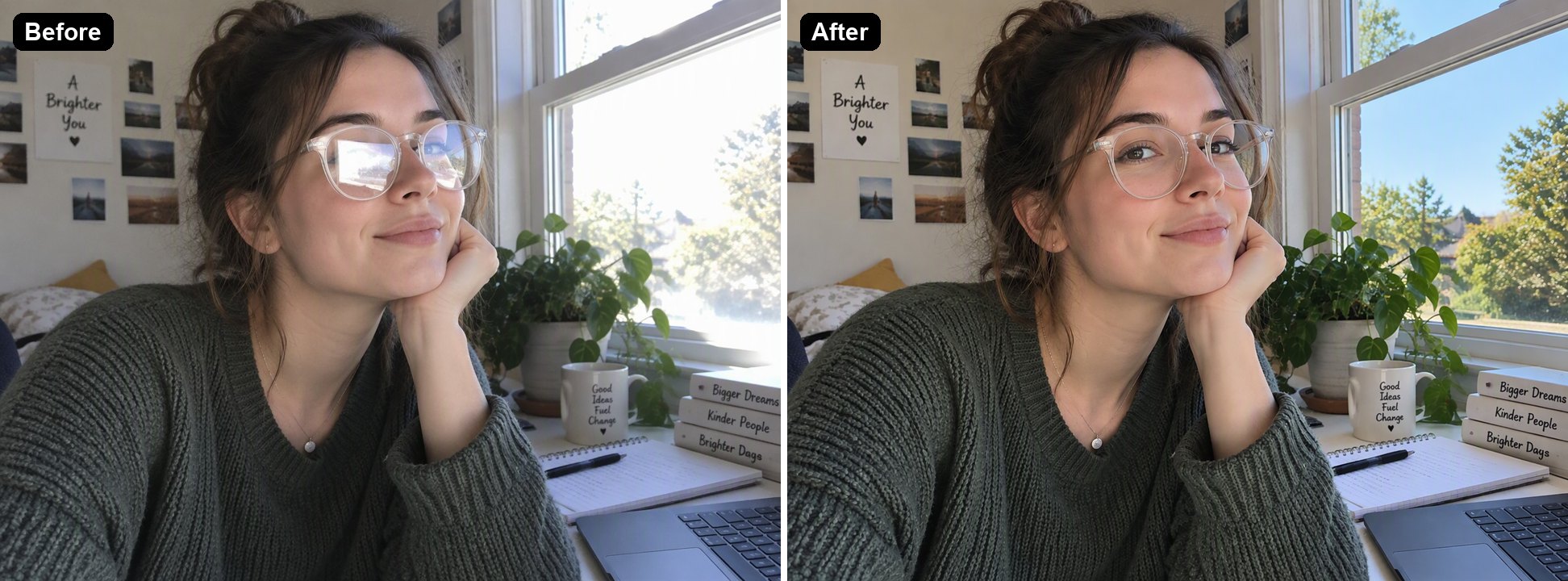
Relight a photo with AI. Upload a picture with flat office light, harsh flash or dull daylight, describe the lighting you want, such as golden hour, a studio softbox or warm evening lamps, and the AI changes the light, shadows and color of the light while keeping the subject and composition the same. The console below uses GPT Image 2.5 Sunburst and costs 6 to 8 tokens per image at 1K.

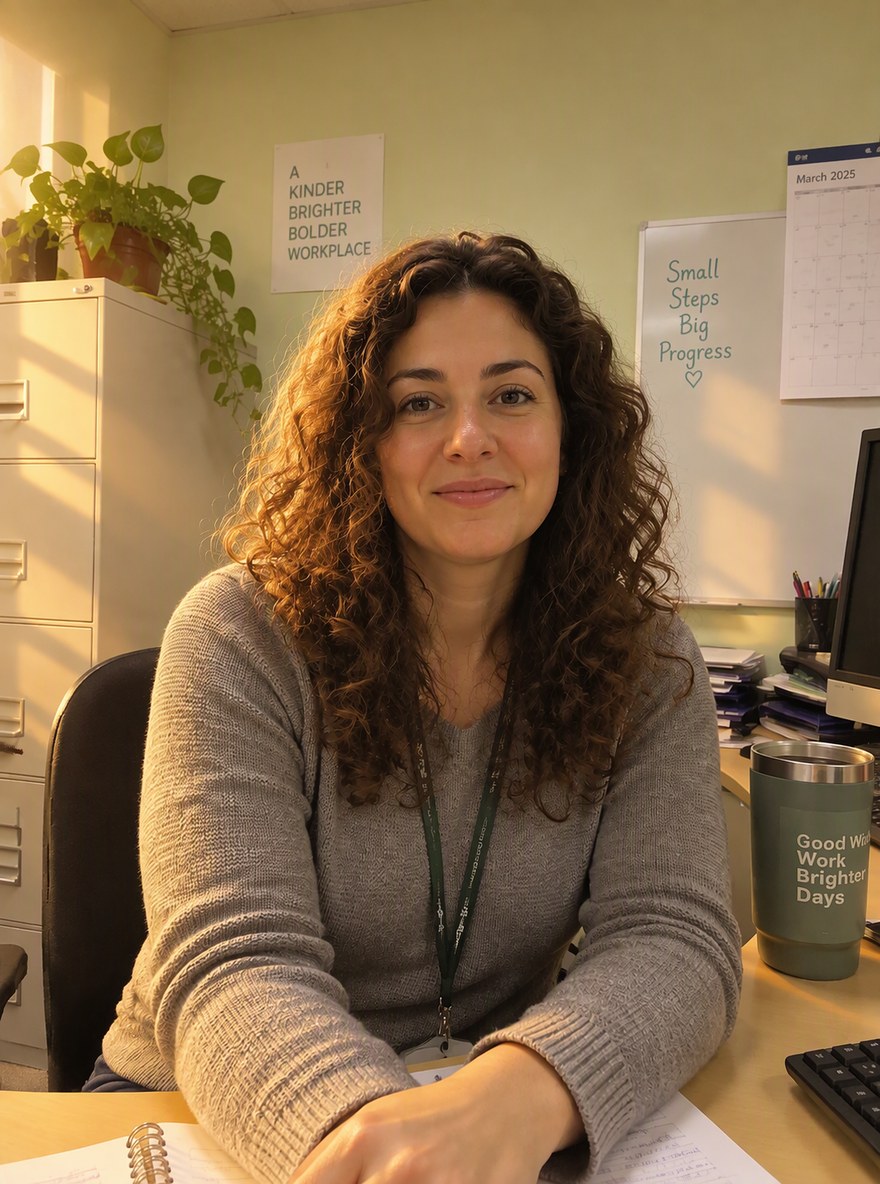
Golden hour portrait
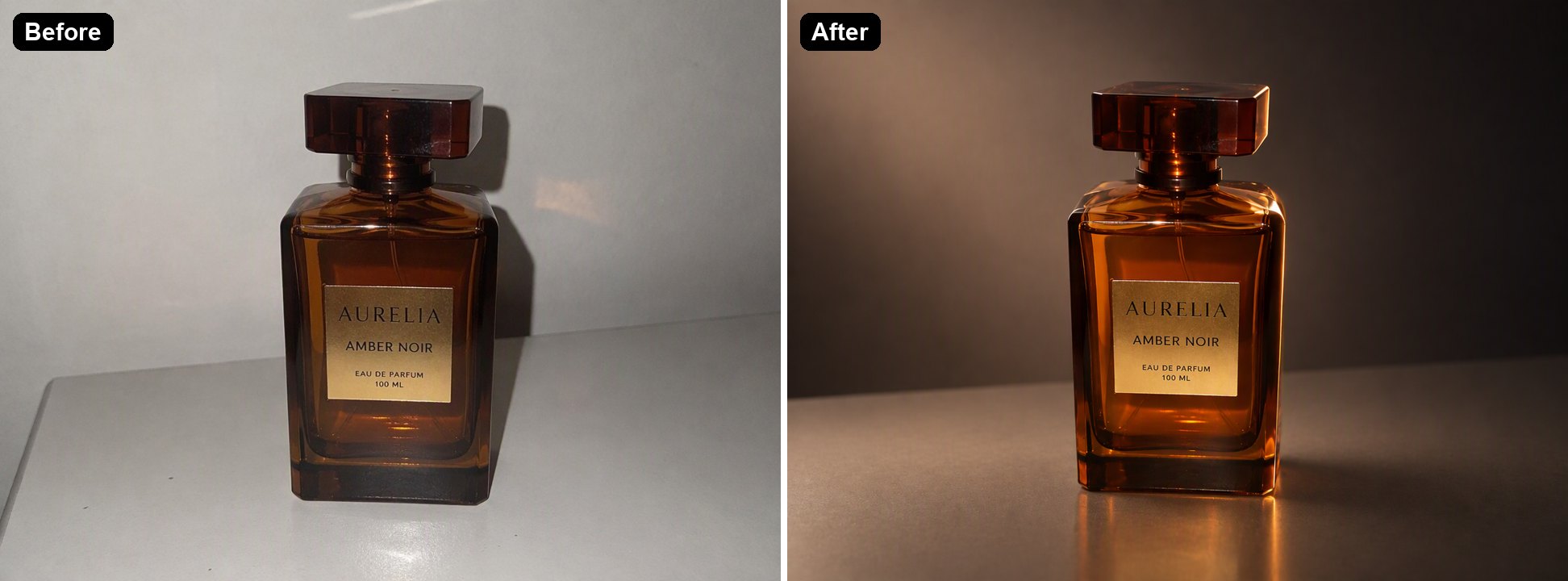
Studio product light
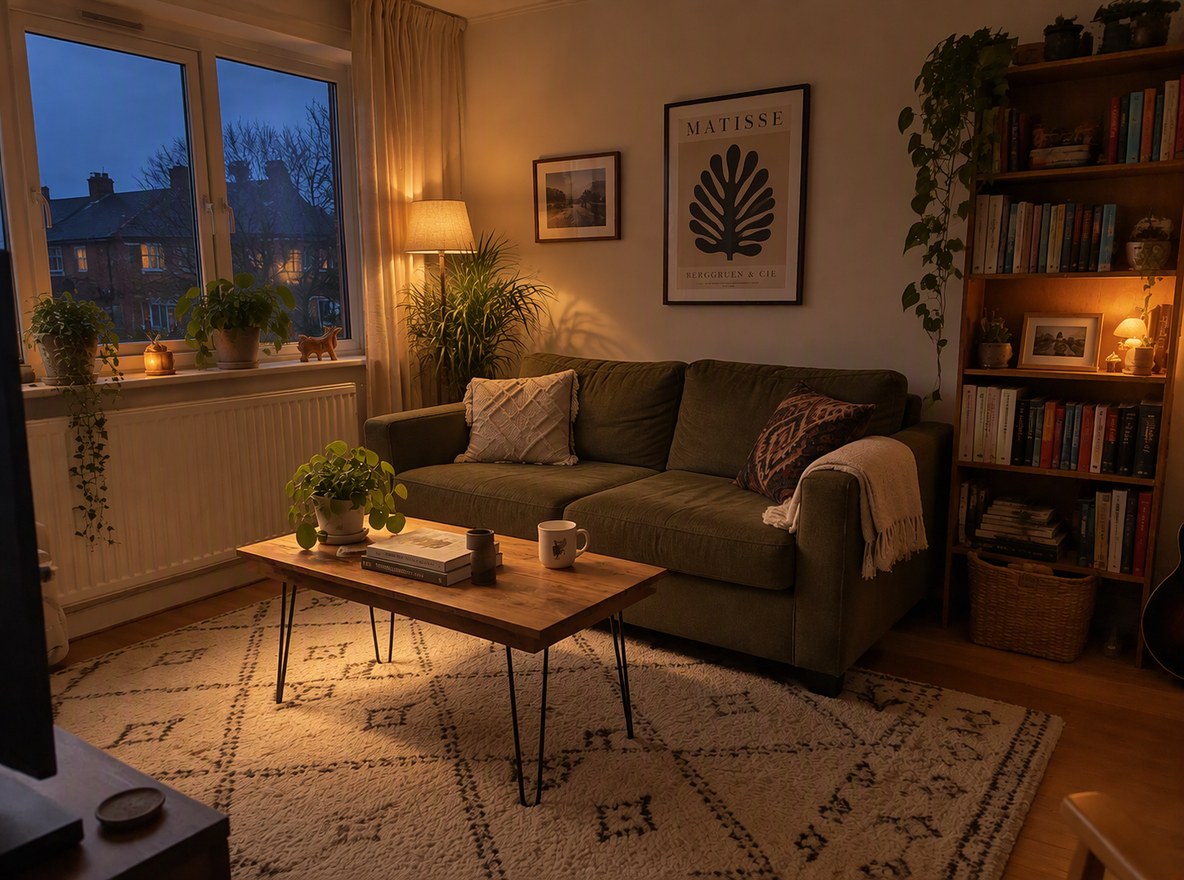
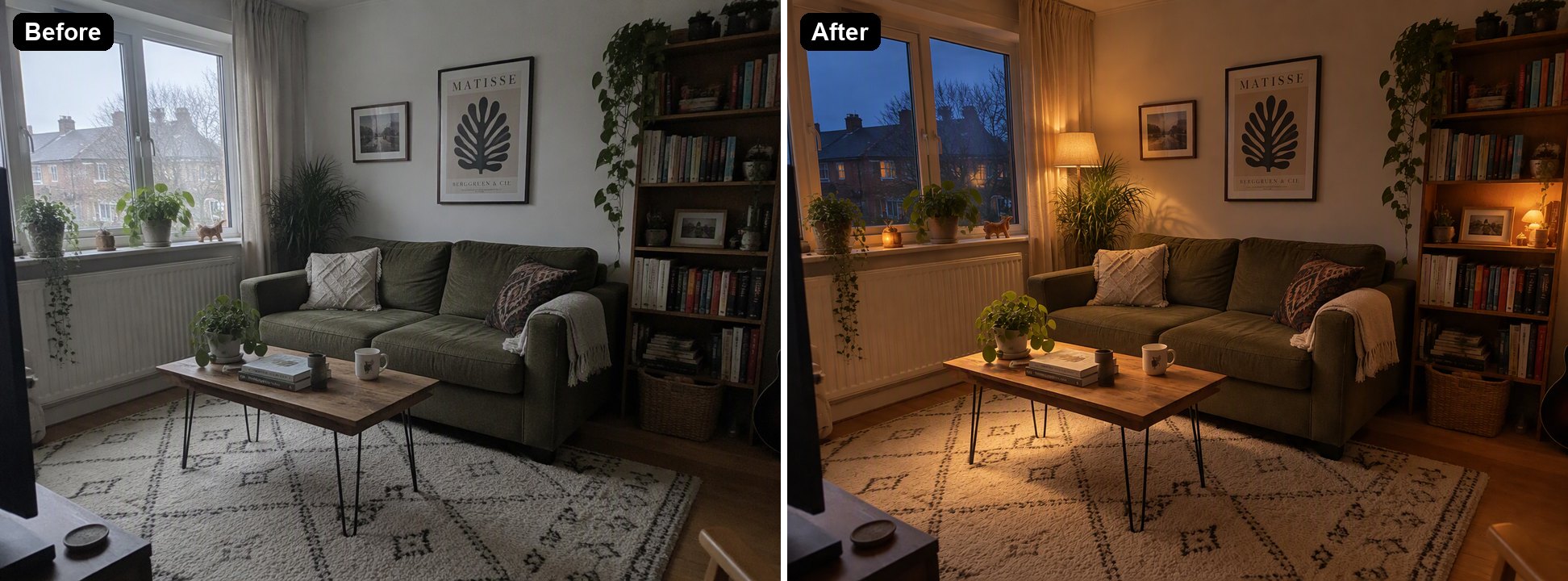
Cozy evening room
Cozy evening room
Upload a photo to relight
Lighting you want
By uploading a file, you agree to GoEnhance's Terms of Use and Privacy Policy

How to Relight a Photo with AI

Describe the light, keep the picture.
01

Upload the photo

JPG, PNG or WebP. Portraits, product shots and rooms all work.

02

Describe the new lighting

Say where the light comes from, how soft it is and what color, for example "warm golden-hour sunlight from the left". In our tests each image took under a minute.

03

Download, or try another light

Run it again with a different description to compare looks. Pick 2K or 4K in the editor for a larger file.

Relighting We Tested

PhotoNew lightingResult
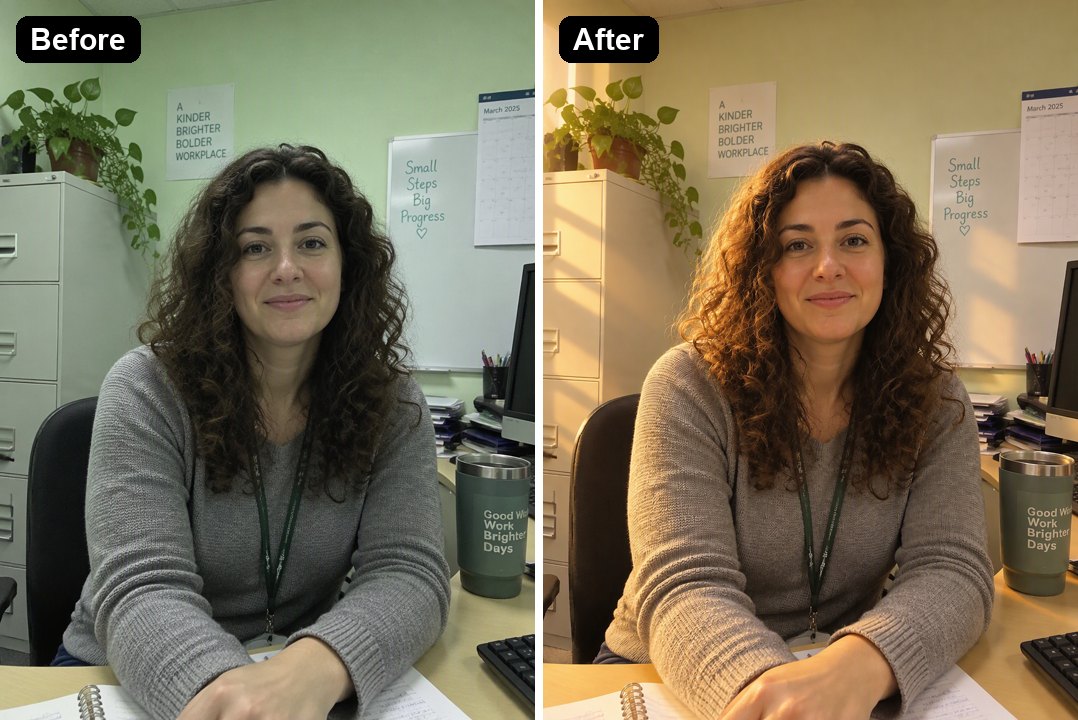
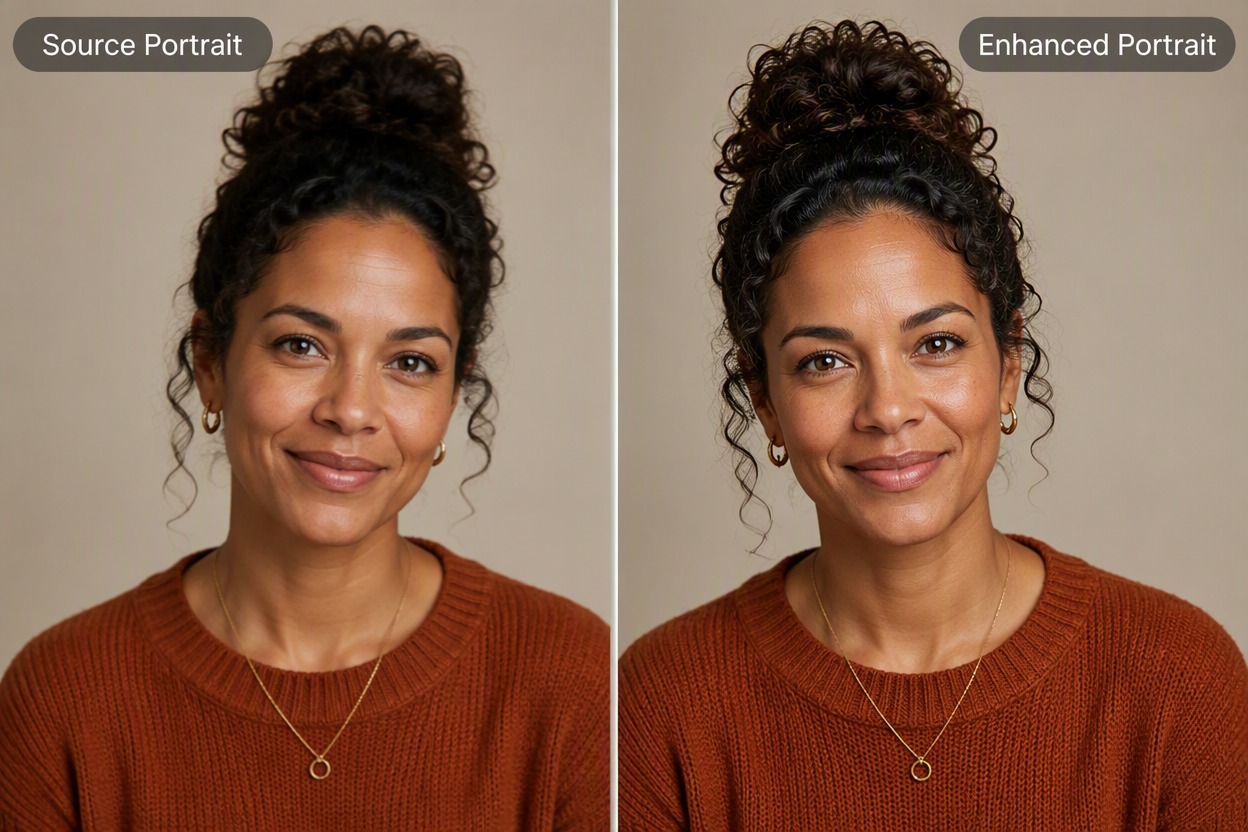
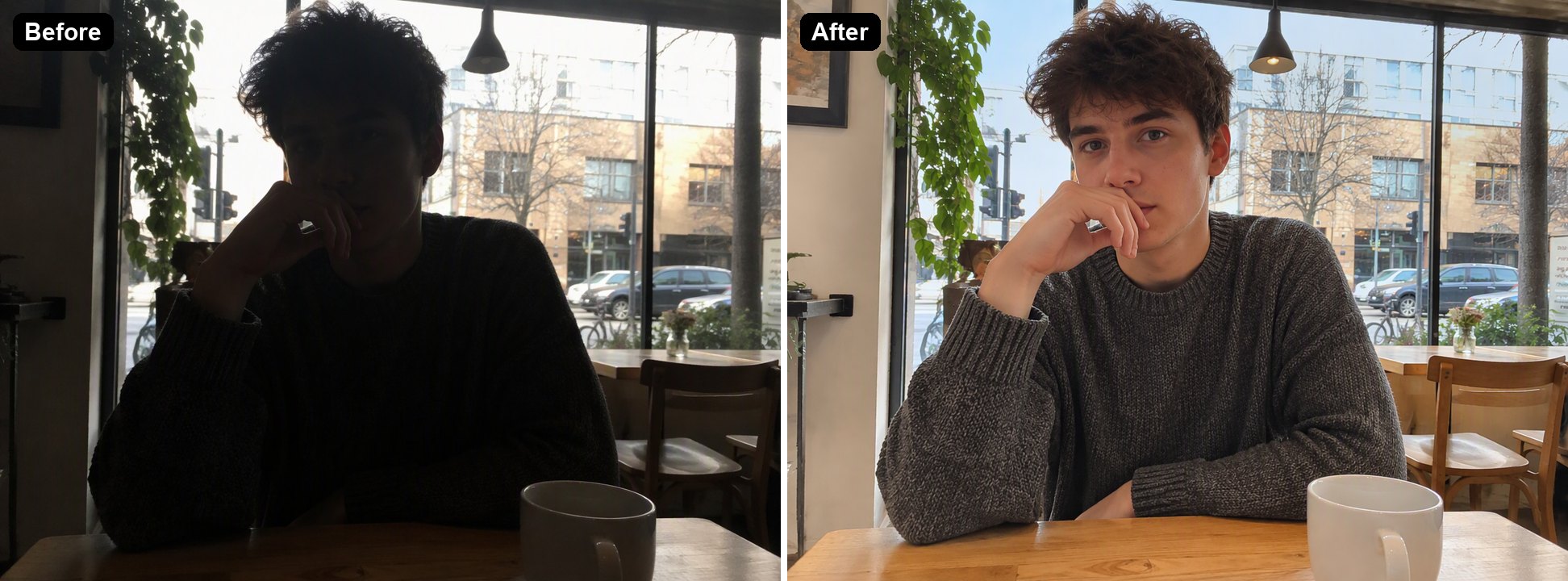
Portrait under office fluorescent lightGolden-hour sunlight from a windowWarmer skin and soft shadows; the change is gentler than on the other two
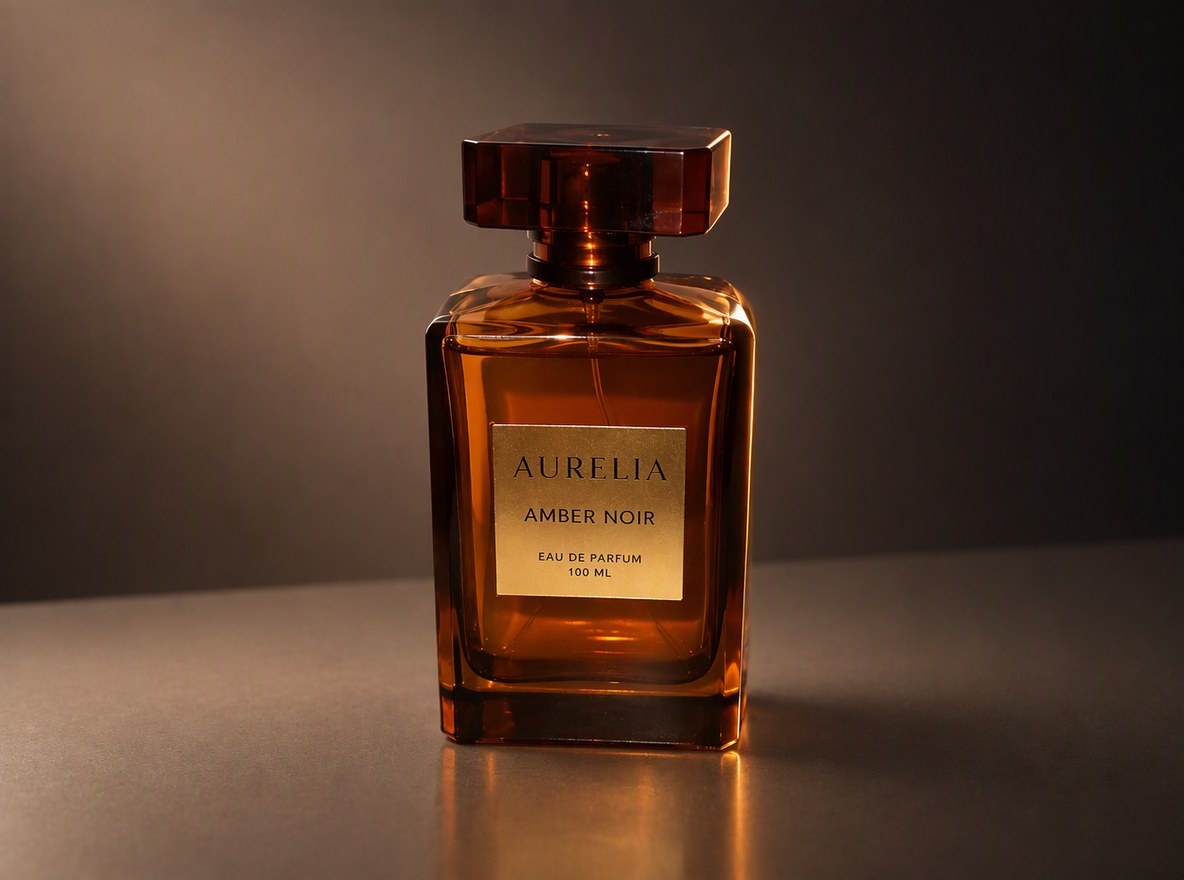
Perfume bottle shot with phone flashStudio softbox, rim light, dark backgroundGlowing glass, a soft reflection and a studio look; label text kept
Living room on a dull afternoonBlue-hour sky with warm lamps onLamps switched on, warm pools of light, evening sky outside

AI Relight vs Editing Sliders vs Reshooting

GoEnhance AI RelightBrightness and color slidersReshoot with new lights
Changes where the light comes fromYesNoYes
New shadows and highlightsDrawn by the AINoReal
Turn on lamps or change the time of dayYesNoOnly by waiting or adding lights
Cost6 to 8 tokens per image at 1KFreeEquipment and time

Photos Relit with AI

Product Shots

A flash photo on a white table became a studio product shot with a glowing bottle and a dark background, ready for a shop listing.

a perfume bottle relit from harsh flash to studio light

Rooms and Interiors

Turn a flat afternoon photo into a warm evening scene with the lamps on, for listings and interior posts.

a living room relit from dull daylight to a cozy evening

Portraits

Swap flat fluorescent light for warm window light. On portraits the change is subtle by design, so faces stay the same.

an office portrait relit with warm golden-hour light

Good to Know

Same Picture

Subject, objects and composition stay the same.

Describe the Light

Direction, softness, color and time of day.

New Shadows Are Drawn

Highlights and shadows are made by the AI.

Up to 4K

Pick 1K, 2K or 4K in the editor.
AI Relight FAQ

How do I relight a photo with AI?

Upload the photo to AI Relight above, describe the lighting you want and click Relight Photo. The AI changes the light, shadows and color of the light and keeps the subject and composition. In our tests each image took under a minute.

What lighting can I ask for?

Anything you can describe: golden hour, overcast, a studio softbox, rim light, neon, candlelight, or lamps switched on at night. Say where the light comes from and how warm or cool it is.

Will it change my face or my product?

It is told to change only the lighting. In our tests the person, the bottle and its label, and the room stayed the same. Compare the result before you use it.

Can it fix a photo that is just too dark?

Yes, but the AI Image Brightener is set up for that. Use AI Relight when you want a different kind of light, not only a brighter photo.

Does it work on videos?

No, it works on still images.

Is it free?

Each image costs 6, 7 or 8 tokens at 1K, for Low, Medium or High quality (High is the default). 2K and 4K cost more. New accounts get free tokens when they sign up, so you can try it before paying. The examples on this page were made at Low quality, 1K.

Which AI model does it use?

This tool runs on GPT Image 2.5 Sunburst, the editing-focused version of OpenAI's GPT Image 2.5 image model, inside GoEnhance's image-to-image editor. GoEnhance is not affiliated with OpenAI.

Is my image private?

We do not sell your content. Your image is processed to create the result, and the result stays in your account until you delete it. See our Privacy Policy for details.

Change the Light, Keep the Photo

Upload a photo and describe the lighting you want.

Relight a Photo