goenhance logo

Try A New Hair Color From Your Own Photo

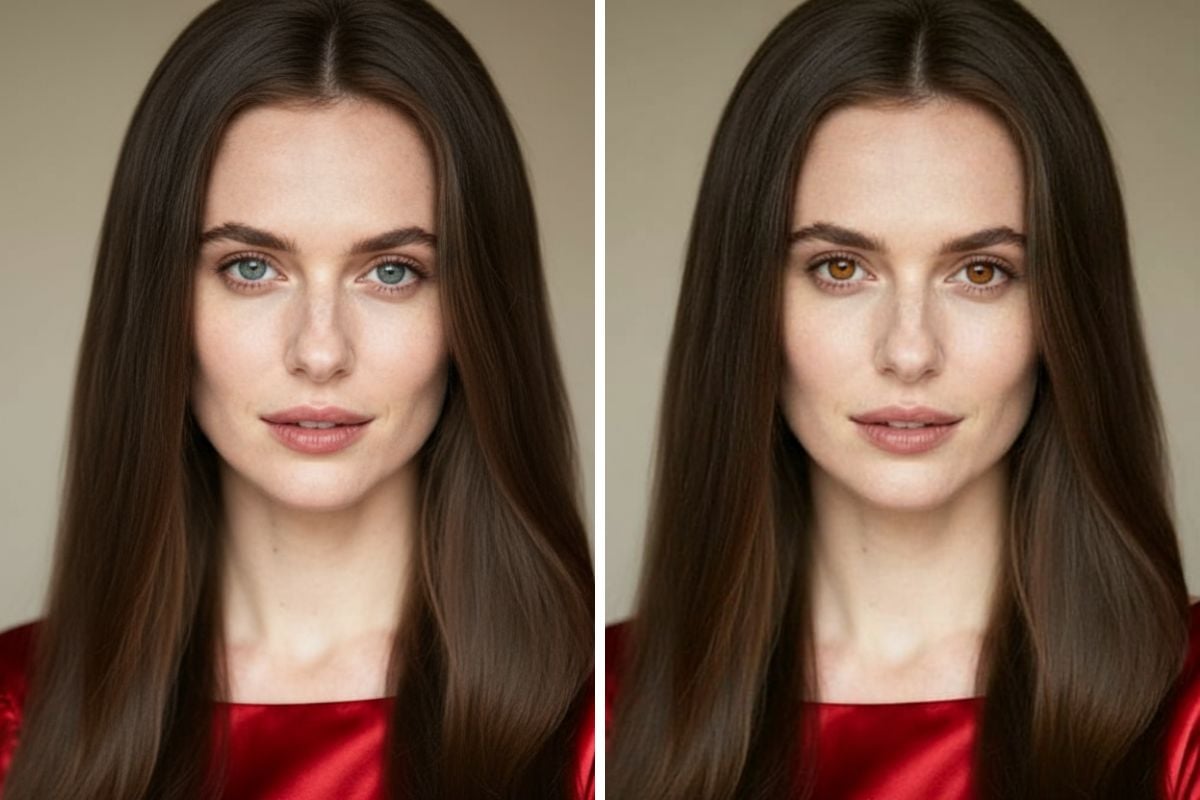
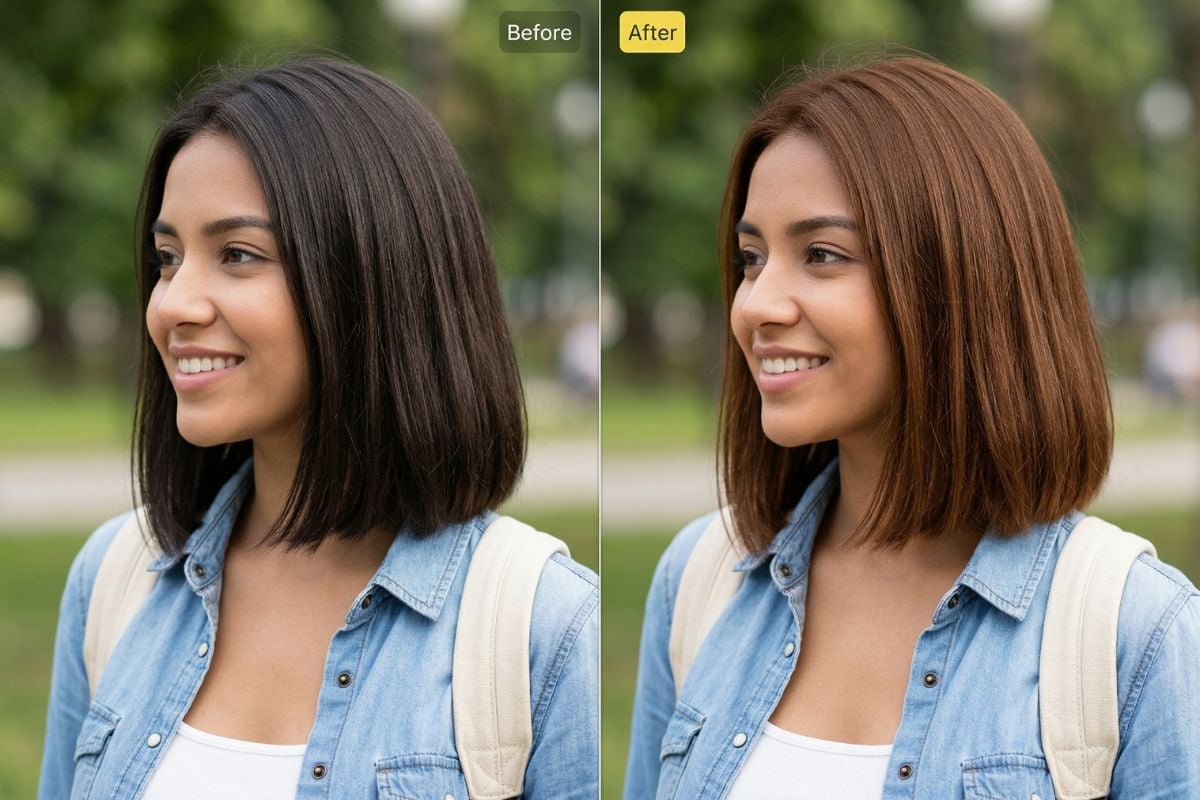
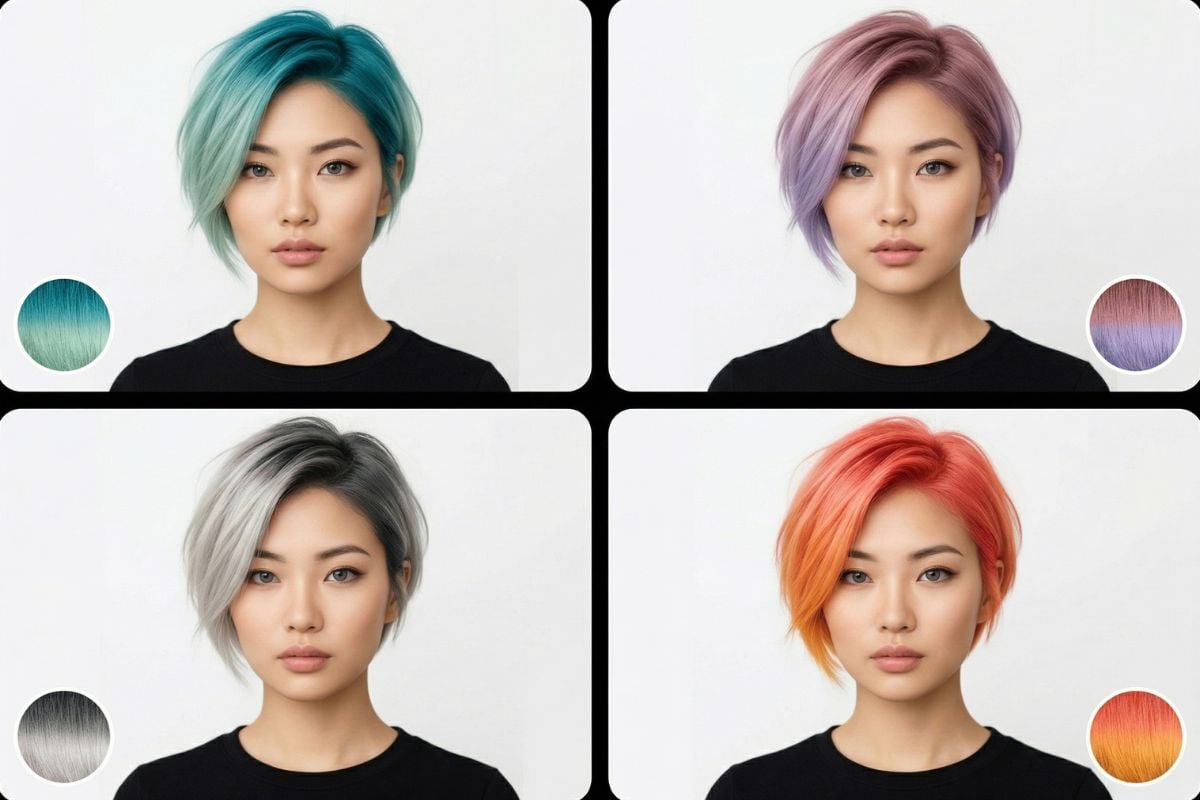
This virtual hair color try on tool changes the hair color while keeping the hairstyle, face, outfit, background, and overall composition as natural and consistent as possible.

Before hair color changeAfter hair color change

See How A New Shade Could Look Before You Commit

Use this page to virtually try on hair color for everyday styling ideas, beauty content, salon inspiration, or quick social-ready previews. If you are looking for a virtual hair color try on free experience, this kind of one-click workflow is a practical way to test multiple looks from a single portrait.

How To Virtually Try On Hair Color?

01

Upload Your Portrait

Start with a clear photo where the hair is easy to see. Front-facing or slightly angled portraits usually work best.

02

Choose Your Hair Color

Pick the tone you want to test, from natural browns and blondes to bolder fashion shades.

03

Generate And Save

The tool applies the new color to the hair area and gives you a ready-to-use preview you can download or compare with other versions.

What Makes This AI Hair Color Changer Useful
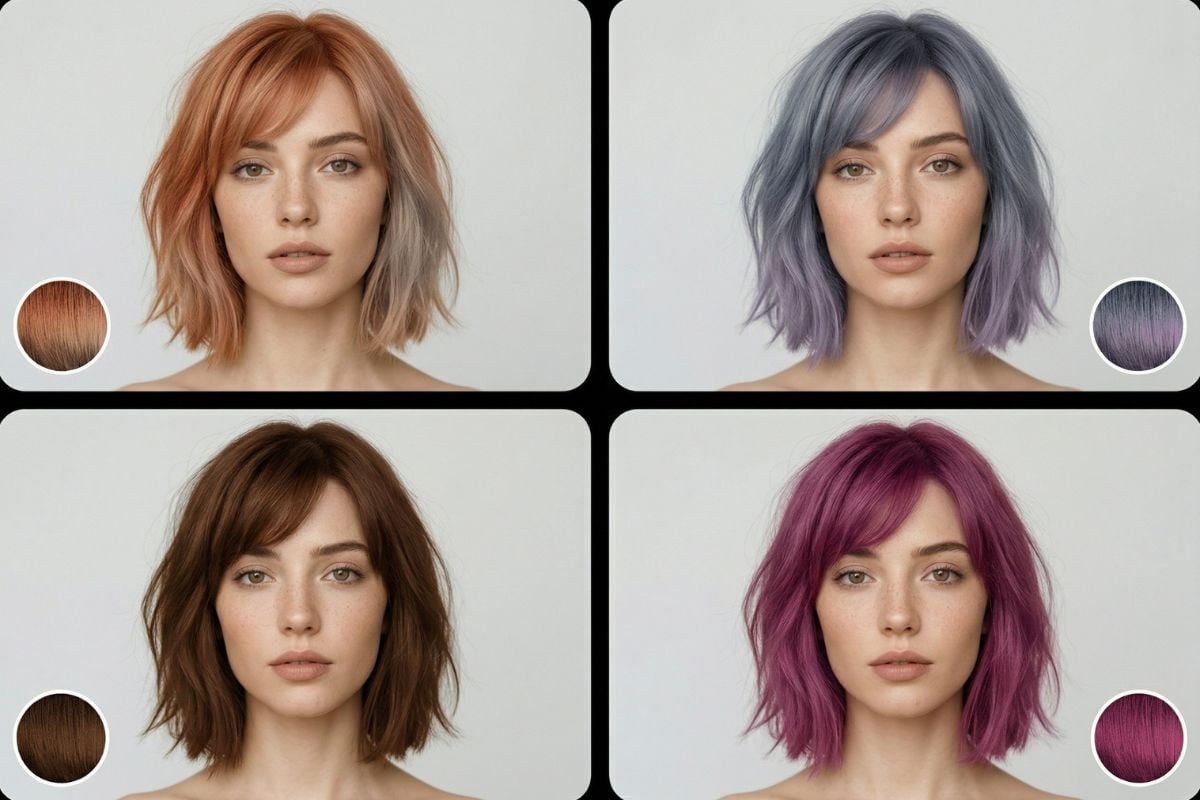
Upload Your Own Photo And Preview Fast

Upload a portrait, choose a shade, and get a quick preview without needing complicated editing steps. It is an easy way to see whether a color feels subtle, fresh, or dramatically different on your current look.

Keep The Rest Of The Image Natural

A good hair recolor should not make the whole image feel changed. The goal here is to update the hair while keeping the hairstyle, facial features, clothing, lighting, and background visually stable, so the result still feels believable and easy to judge.

Integrates Smoothly Into Other Image Workflows

If you want to do more after you virtually try on hair color, you can continue refining your portrait with image to image tools or explore broader visual ideas with our AI image generator. That makes this feature useful both for quick previews and for bigger beauty or creative projects.
What Our Users Say?

Frequently Asked Questions

You May Want to Know

What does this virtual hair color try on tool do?

It lets you upload your own portrait, choose a hair color, and generate a new image with the hair recolored. The aim is to keep everything else as consistent as possible, including the hairstyle, face, outfit, background, and overall framing.

Does it change the hairstyle too?

No. This feature is for color previewing, not haircut or hairstyle redesign. It is meant to keep the original shape and structure of the hair as stable as possible while changing the shade.

What kind of photo works best?

A well-lit portrait with clearly visible hair usually gives the most reliable result. Heavy blur, very dark lighting, strong obstructions, or hair blending into the background can make any automated recolor less accurate.

Why do some hair color results look different from actual dye?

A digital preview is a visual estimate, not a salon guarantee. Final results can vary because the source photo, original hair tone, highlights, shadows, and chosen target color all affect how the new shade appears on screen.

Can I use virtual hair color try on free?

Many users look for a virtual hair color try on free option to test ideas before paying for edits or salon work. Whether free use is available depends on the product plan, but the core value is being able to compare different shades quickly from the same photo.

Does it work on dark hair?

Yes, it can work on dark hair, especially when the photo is clear and the hair is easy to separate from the background. Better lighting and visible hair detail usually lead to more natural-looking color changes.

Will bright colors look the same on every photo?

No, not exactly. Bright shades can appear different depending on the original hair color, lighting, shadows, and photo quality. The result is best used as a realistic preview, not an exact prediction of a real dye outcome.

Who is this AI hair color changer best for?

It is useful for people exploring a new look, creators making beauty content, and anyone collecting references before a salon visit. It works especially well when you want a fast, low-friction preview rather than a full manual retouching workflow.

Preview Your Next Hair Color Now

Upload your portrait, choose a shade, and get a clean preview in seconds. Whether you want a subtle change or a bold new look, this tool makes hair color testing feel quick, simple, and easy to compare.

Try Hair Color Preview