Remove a Double Chin From a Photo You Already Took

A double chin in a photo often has more to do with the camera than with you: a three-quarter angle, laughing with your head tipped down, a lowered chin in a headshot or a side profile can all push soft fullness under the jaw. Upload that photo and this effect edits only the area between your chin and neck, so the double chin disappears or softens and your jawline gets a clean, natural angle again. It does not slim your whole face, sharpen your chin into a V-line or stretch your neck, and your glasses, earrings, collar, hair and background stay in place, so the result still looks like the photo you took. If you just want a quick one-click cleanup for everyday snaps, our separate double chin remover covers that; this page focuses on rescuing specific shots where the angle or pose created the problem. The console below runs on GPT Image 2.5.

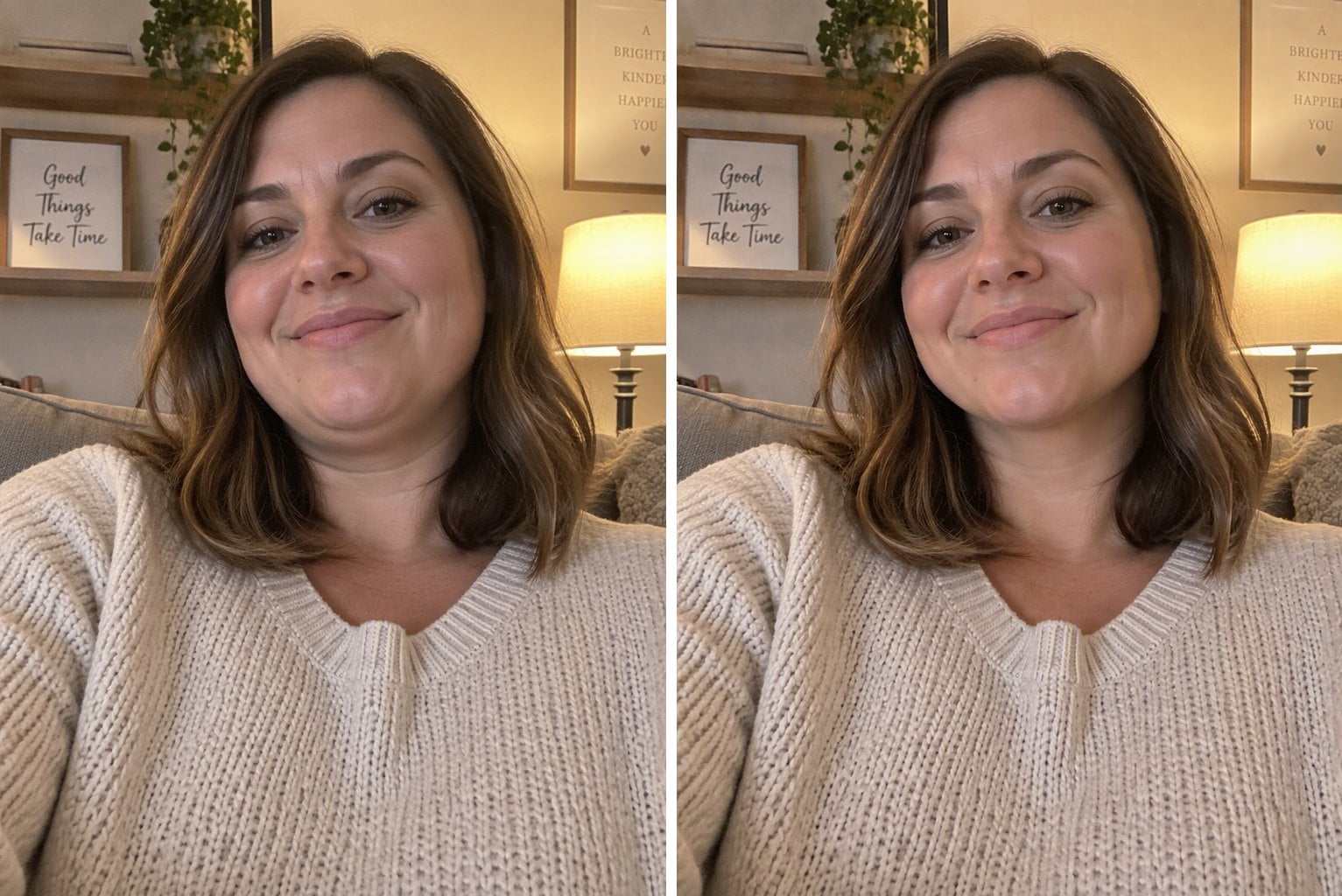
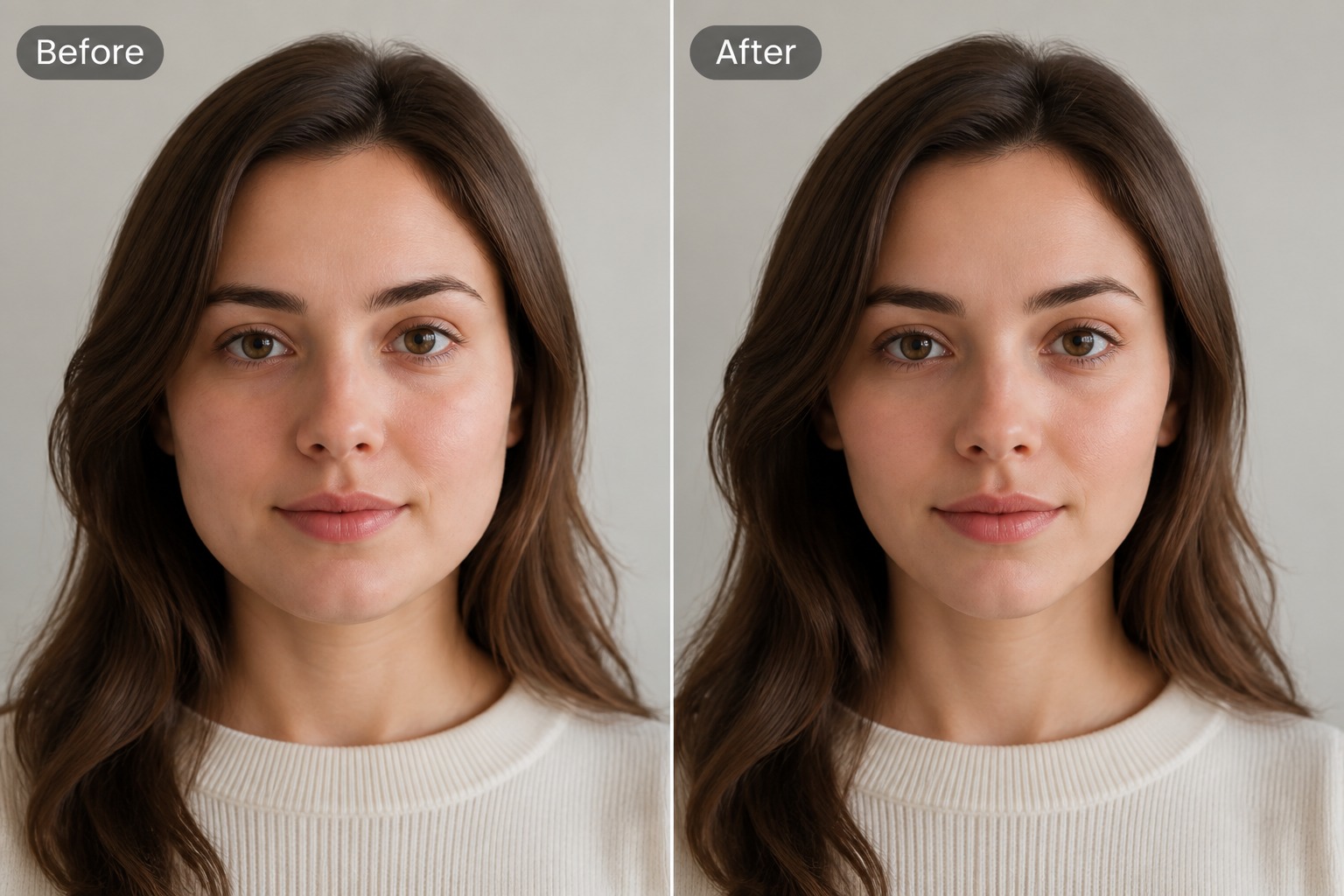
Three-quarter angle, jawline restored
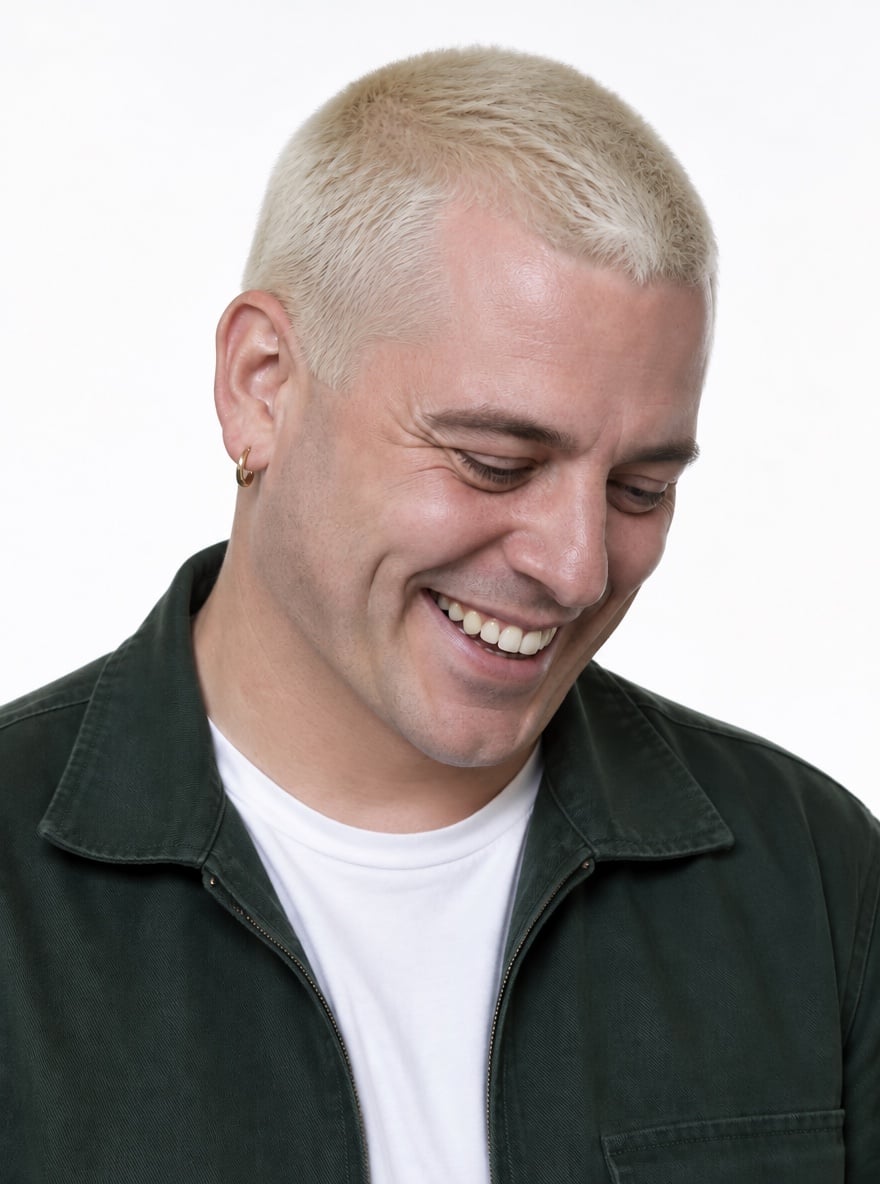
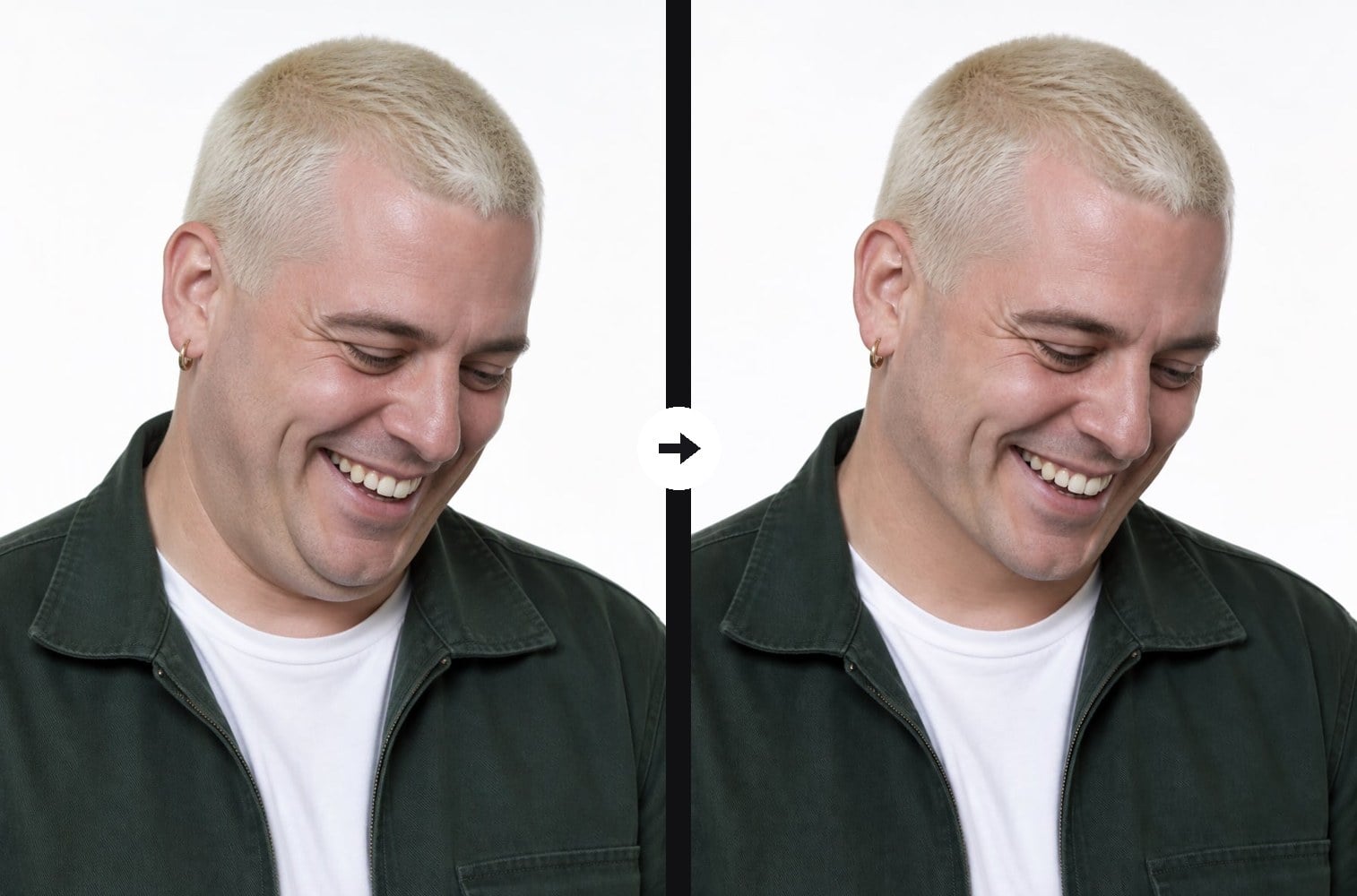
Laughing with head down, chin cleaned up
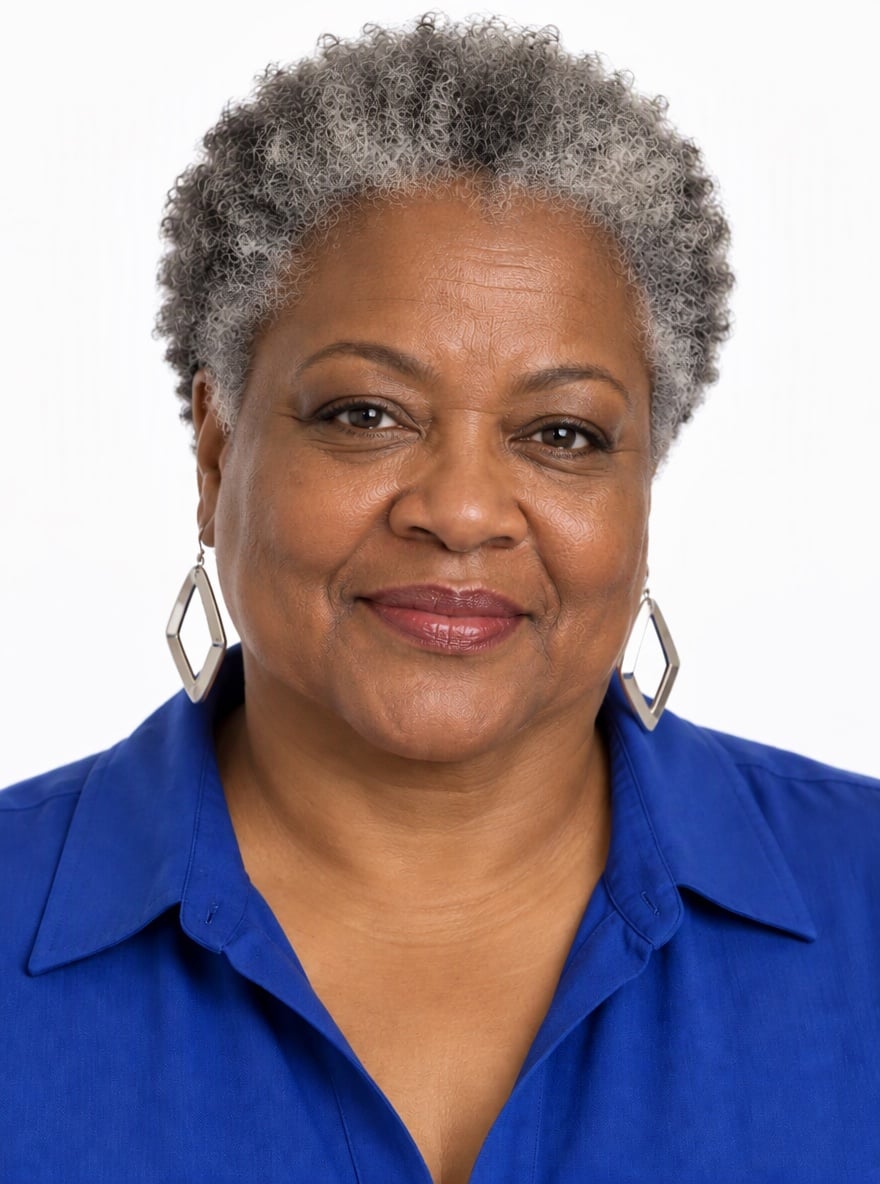
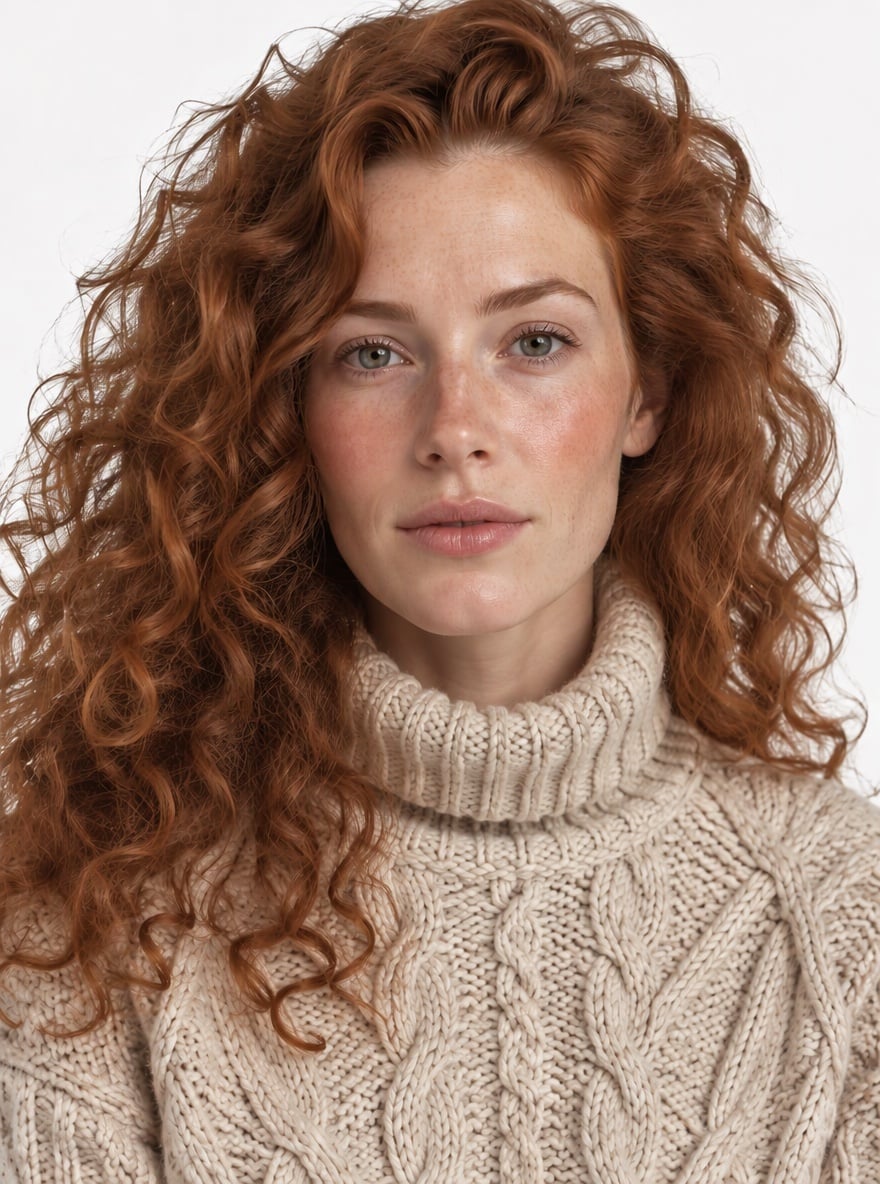
Lowered chin in a headshot, softened
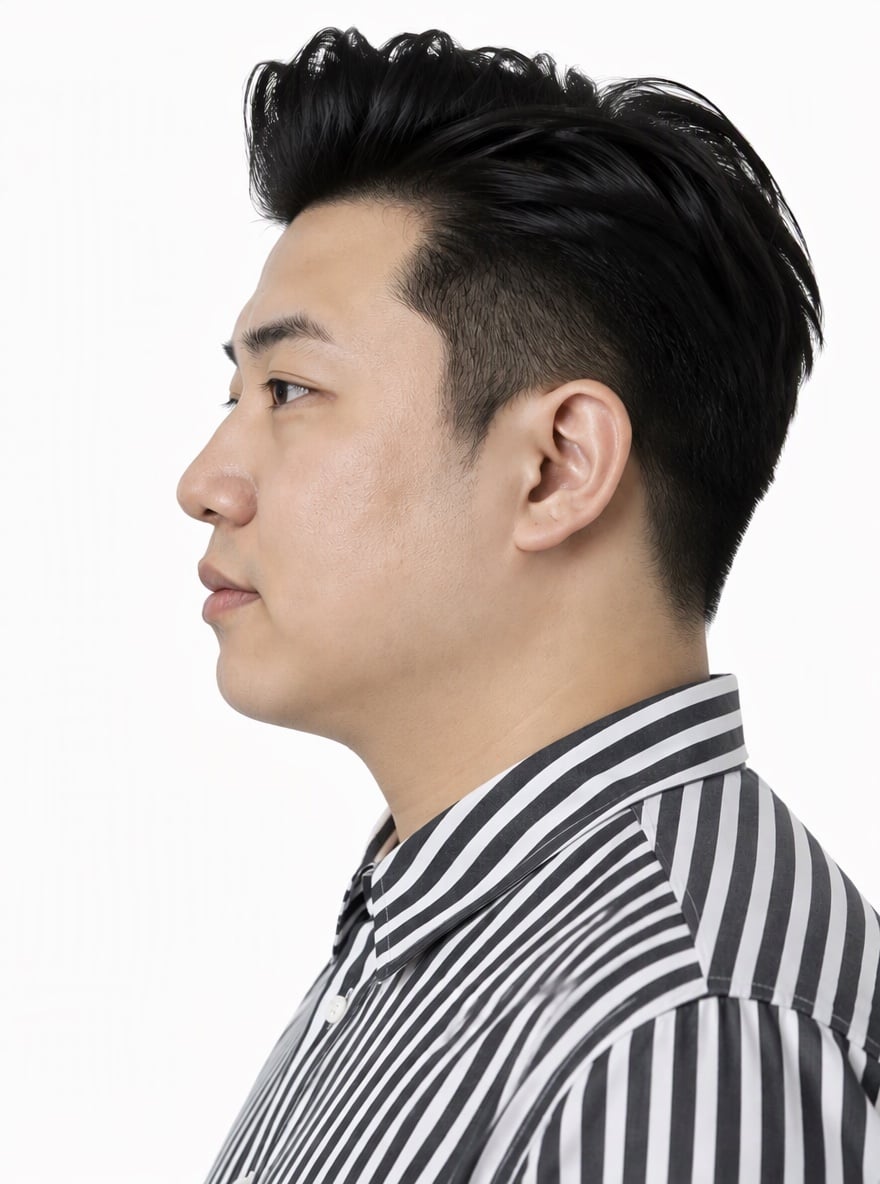
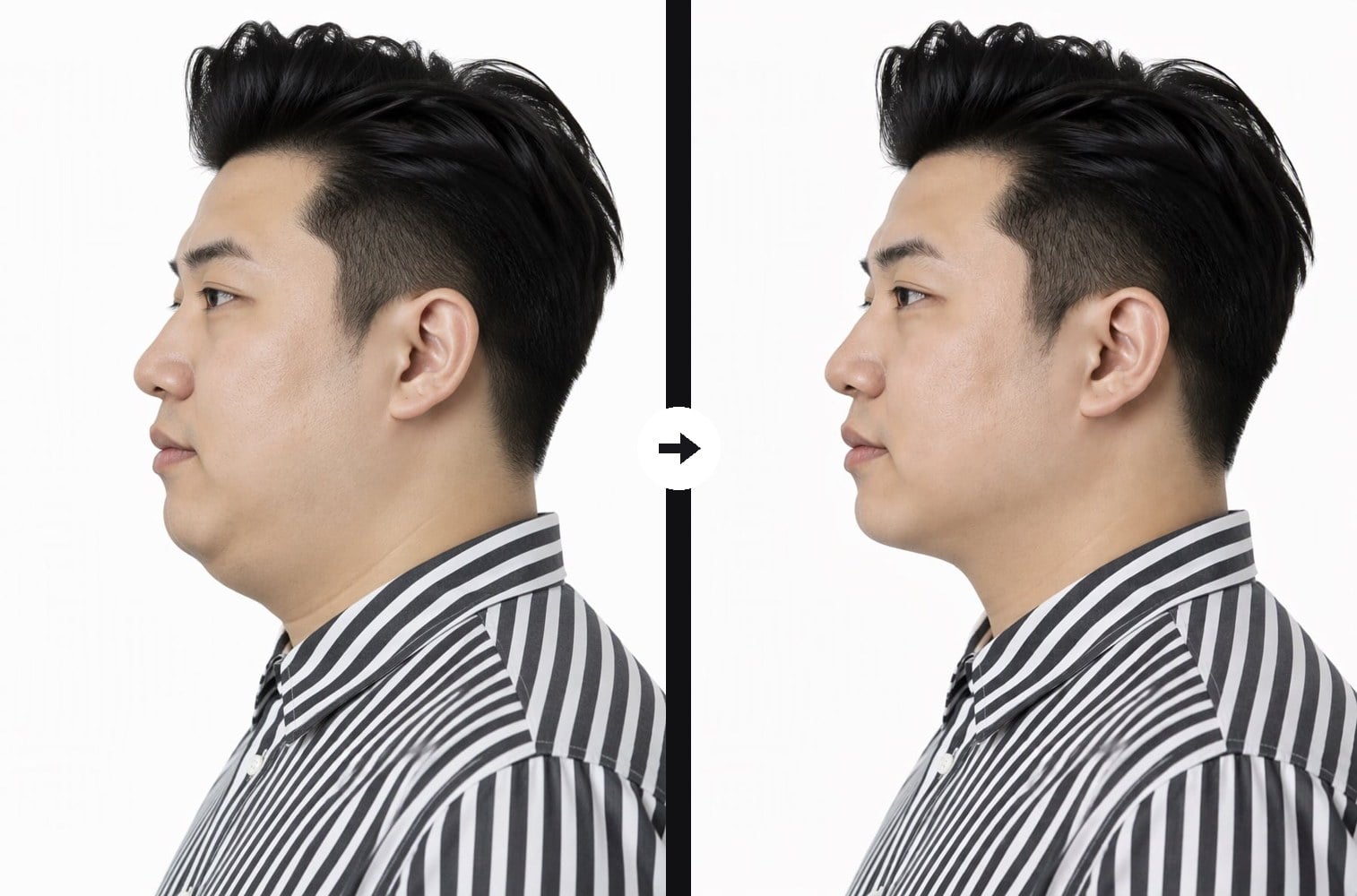
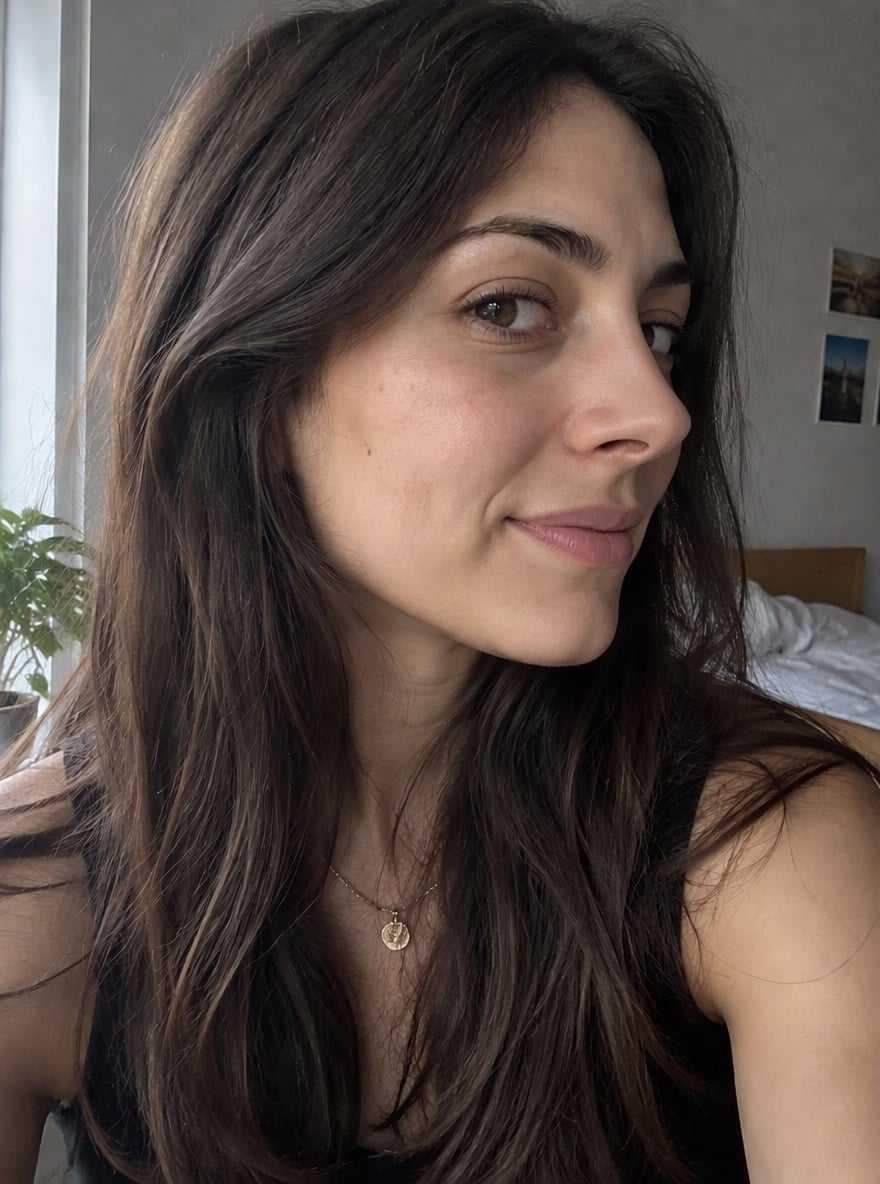
Side profile, clear chin-to-neck angle
Upload a photo where your chin and neck are visible
Effect prompt
By uploading a file, you agree to GoEnhance's Terms of Use and Privacy Policy

Remove Double Chin From Photo: Before and After

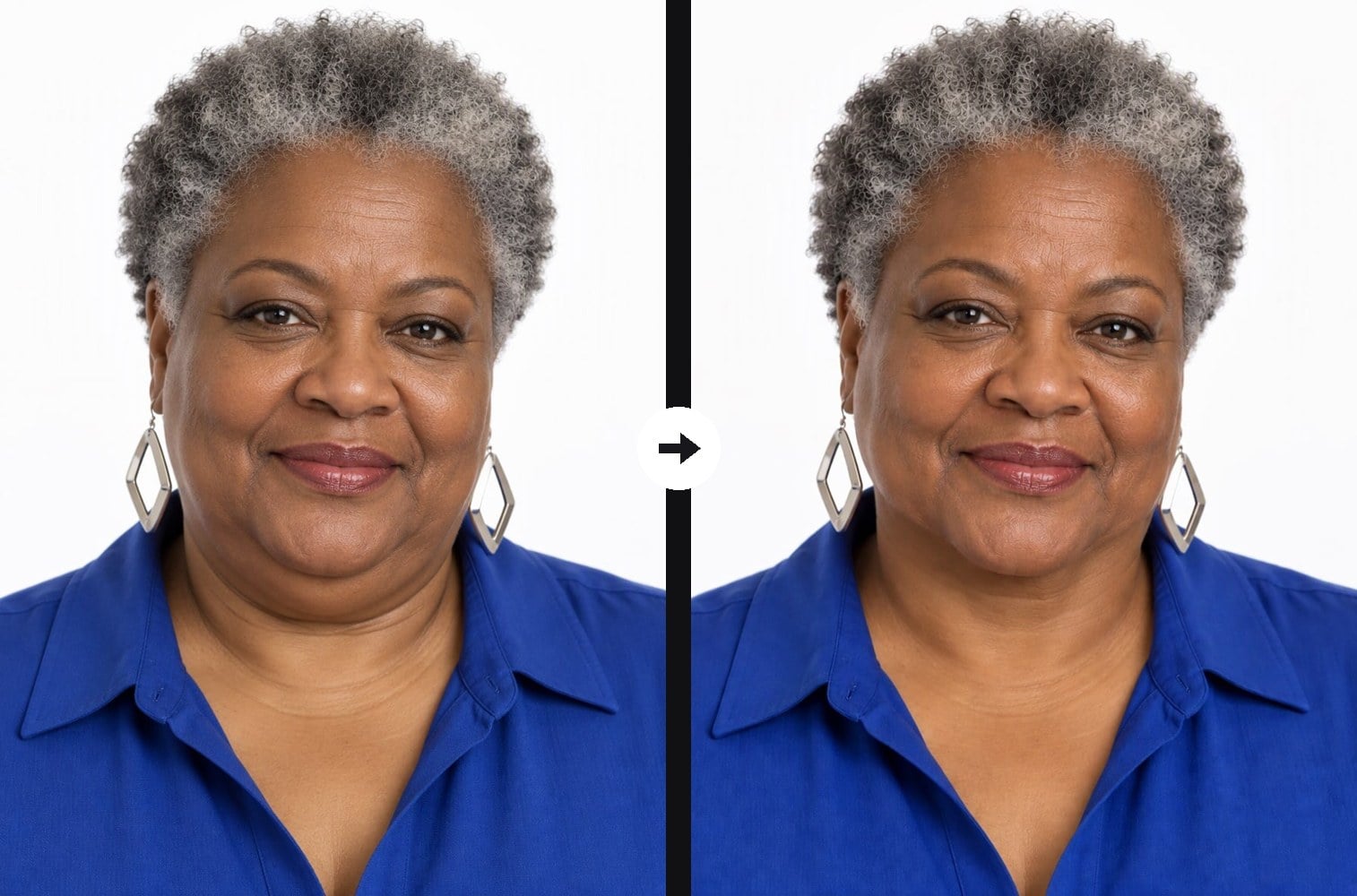
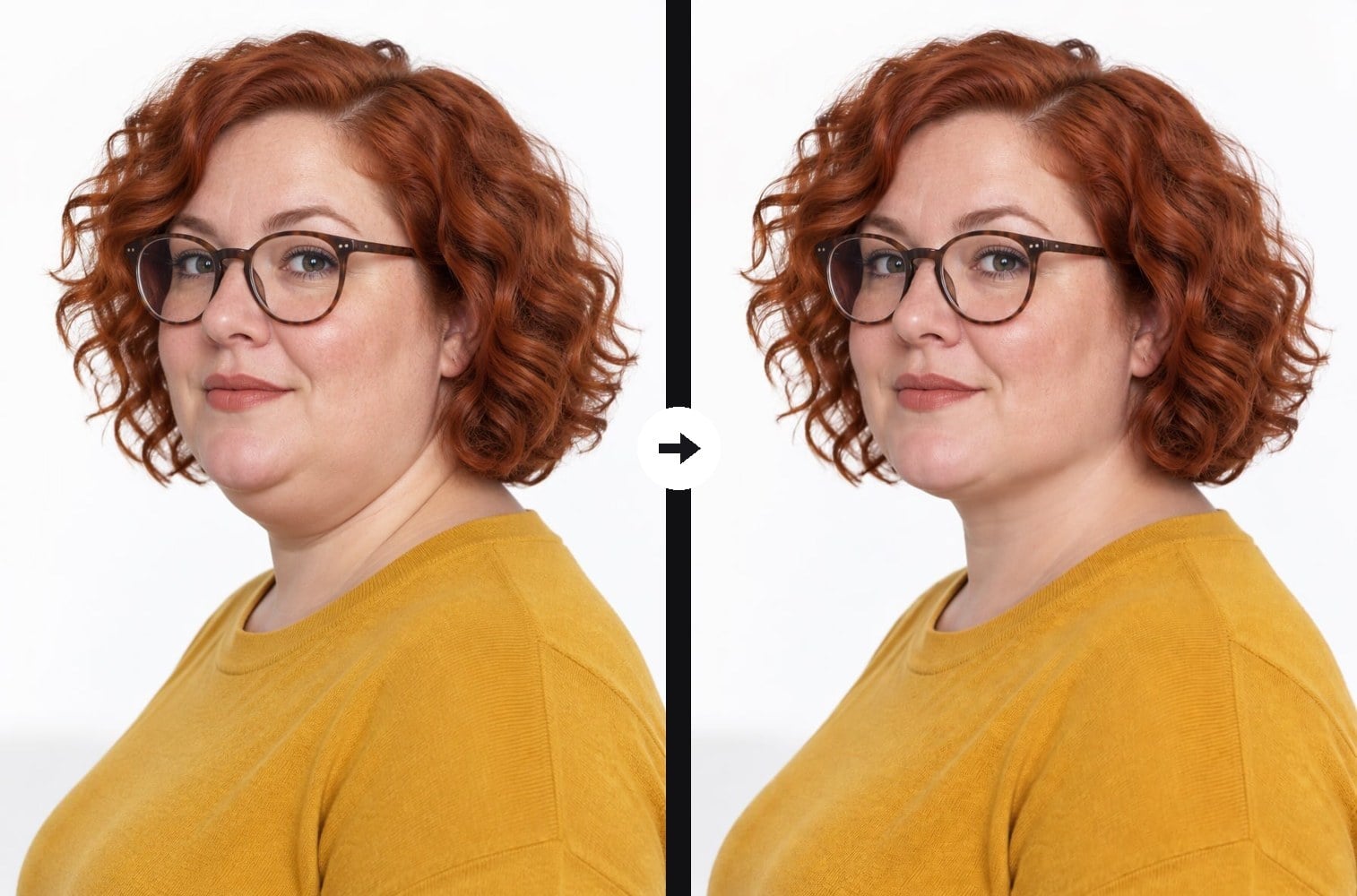
Each result is one upload with the prompt above. Only the area under the chin and along the jaw changed; face, expression, accessories, clothes and background come from the original photo.
Three-quarter angle, jawline restored - Remove Double Chin From Photo

Three-quarter angle, jawline restored

Laughing with head down, chin cleaned up - Remove Double Chin From Photo

Laughing with head down, chin cleaned up

Lowered chin in a headshot, softened - Remove Double Chin From Photo

Lowered chin in a headshot, softened

How to Remove a Double Chin From a Photo

01

Upload the photo

Pick the shot you want to keep, such as a selfie, headshot, candid laugh or side profile. Make sure your chin, jaw and neck are visible and not covered by hands or hair.

02

Run the effect

The jawline prompt is already filled in. Press the button and the AI reshapes only the area under your chin.

03

Compare and save

Check the before and after side by side. If you want a lighter touch, change one line of the prompt to soften the double chin instead of removing it.

Why Use This Double Chin Photo Fix
Made for bad-angle shots

Most double chins in photos come from the pose: looking down, laughing, turning three-quarters or shooting from below. The prompt is written for these cases, so it rebuilds the chin-to-neck line the angle hid instead of guessing a new face.

Made for bad-angle shots - Remove Double Chin From Photo

Only the jawline changes

Your face width, cheeks, eyes, mouth and skin texture stay exactly as they were, and the AI does not add a beauty filter. Friends see the same person in the same photo, just with a cleaner line under the chin.

Only the jawline changes - Remove Double Chin From Photo

No warped collars or stretched necks

Classic liquify tools bend the background and collar when you push the jaw in. Here the shirt collar, earrings, hair and backdrop around the jaw are kept intact, and the neck keeps its natural length and shadows.

No warped collars or stretched necks - Remove Double Chin From Photo

Free to try

New accounts get free credits, so your first photo costs nothing. Use it on profile pictures, work headshots or a group shot where you only want to fix your own chin, and save the version you like best.

Free to try - Remove Double Chin From Photo

Remove Double Chin From Photo FAQ

Why do I get a double chin in photos?

Usually it is the angle. Tilting your head down, laughing, shooting from below or turning slightly away compresses the skin under your jaw. This effect redraws that area as it would look from a more flattering angle.

Will it make my face look thinner?

No. The prompt changes only the area under the chin and along the jawline. It keeps your face width, cheeks and body the same, so the result does not look like a face-slimming filter.

Does it work on side profiles?

Yes. Side and three-quarter views show the chin-to-neck line clearly, which makes them some of the best photos for this effect. One of the examples above is a strict side profile.

Can I keep a little of the double chin?

Yes. Edit the prompt to say soften the double chin slightly instead of removing it, then generate again for a more subtle result.

Does it work for men and older people?

Yes. The prompt keeps age, gender, skin texture and expression, so a man keeps his jaw shape and an older person keeps natural lines; only the fullness under the chin is reduced.

Is there a one-click version for everyday photos?

Yes. For quick cleanups of everyday selfies and event photos, try our double chin remover.

Got a Great Photo Ruined by the Angle?

Upload it and get a clean jawline back in under a minute.

Fix My Photo