Kodak Photo Effect: Warm 35mm Film Look in One Click

Love the warm, slightly nostalgic color of photos printed from a roll of 35mm film? Upload a picture and this Kodak photo effect regrades it like a classic warm color negative: creamy golden highlights, gently lifted amber shadows, richer reds and yellows, soft contrast and a fine, even grain across the whole frame. Nothing else moves. Faces, skin tone, hair, clothes, pose, composition and every detail of the street, park or café stay exactly where they were, so the result still looks like your photo, just shot on film. Compared with our 80s grain filter it is cleaner and warmer instead of faded, and unlike the disposable camera filter it adds no flash. The console below runs on GPT Image 2.5.

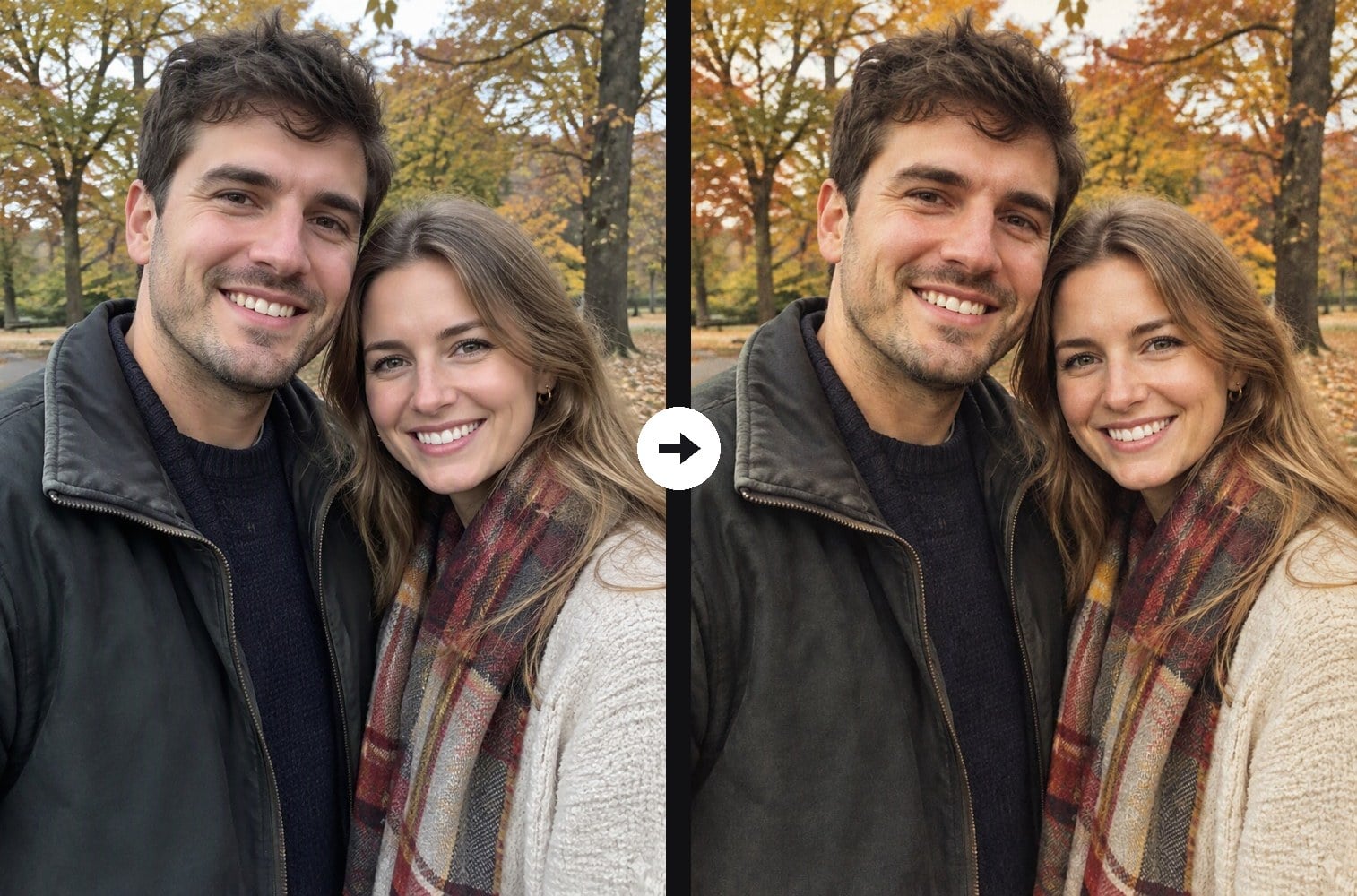
Autumn couple selfie on film

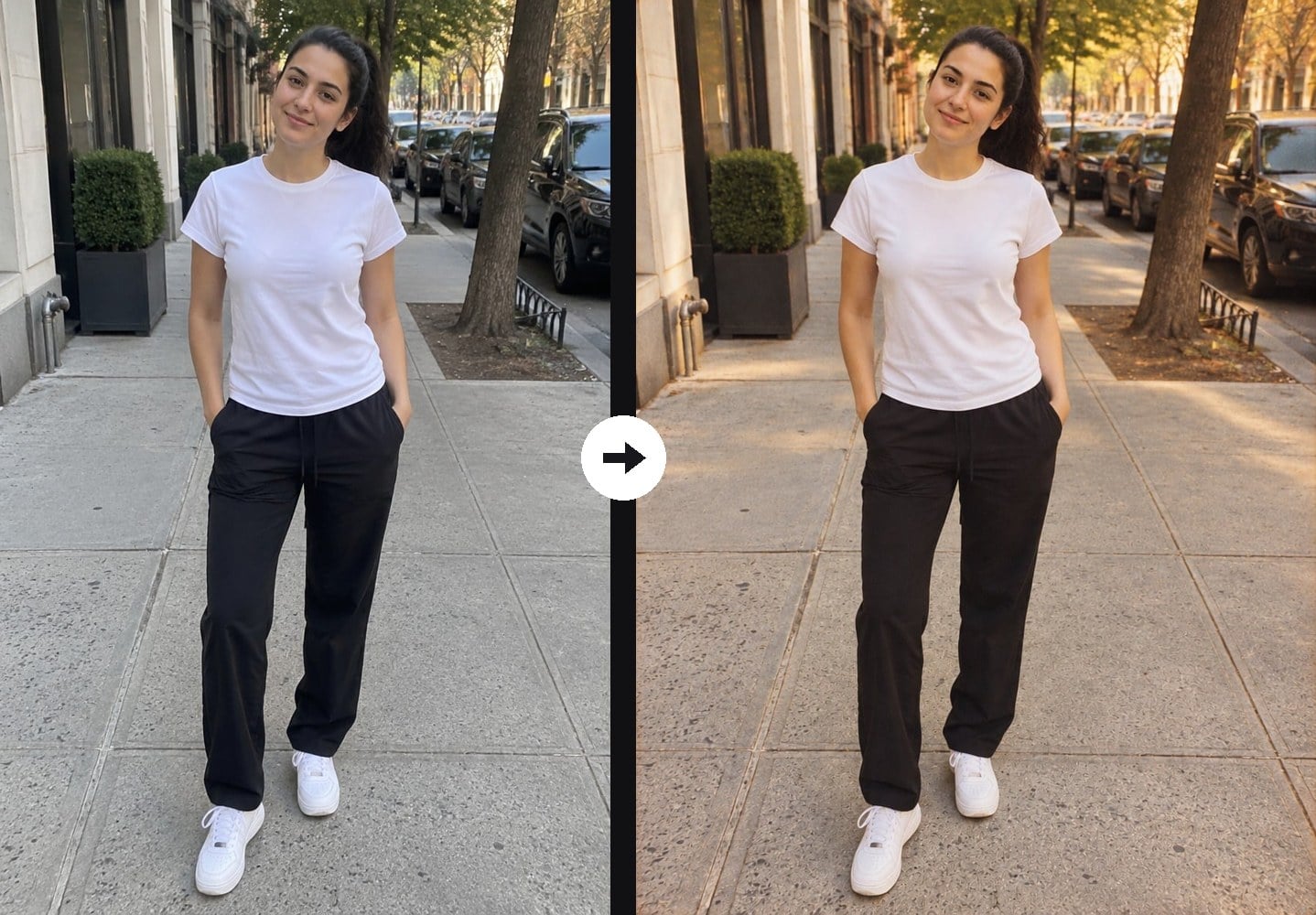
Street snapshot with warm grain

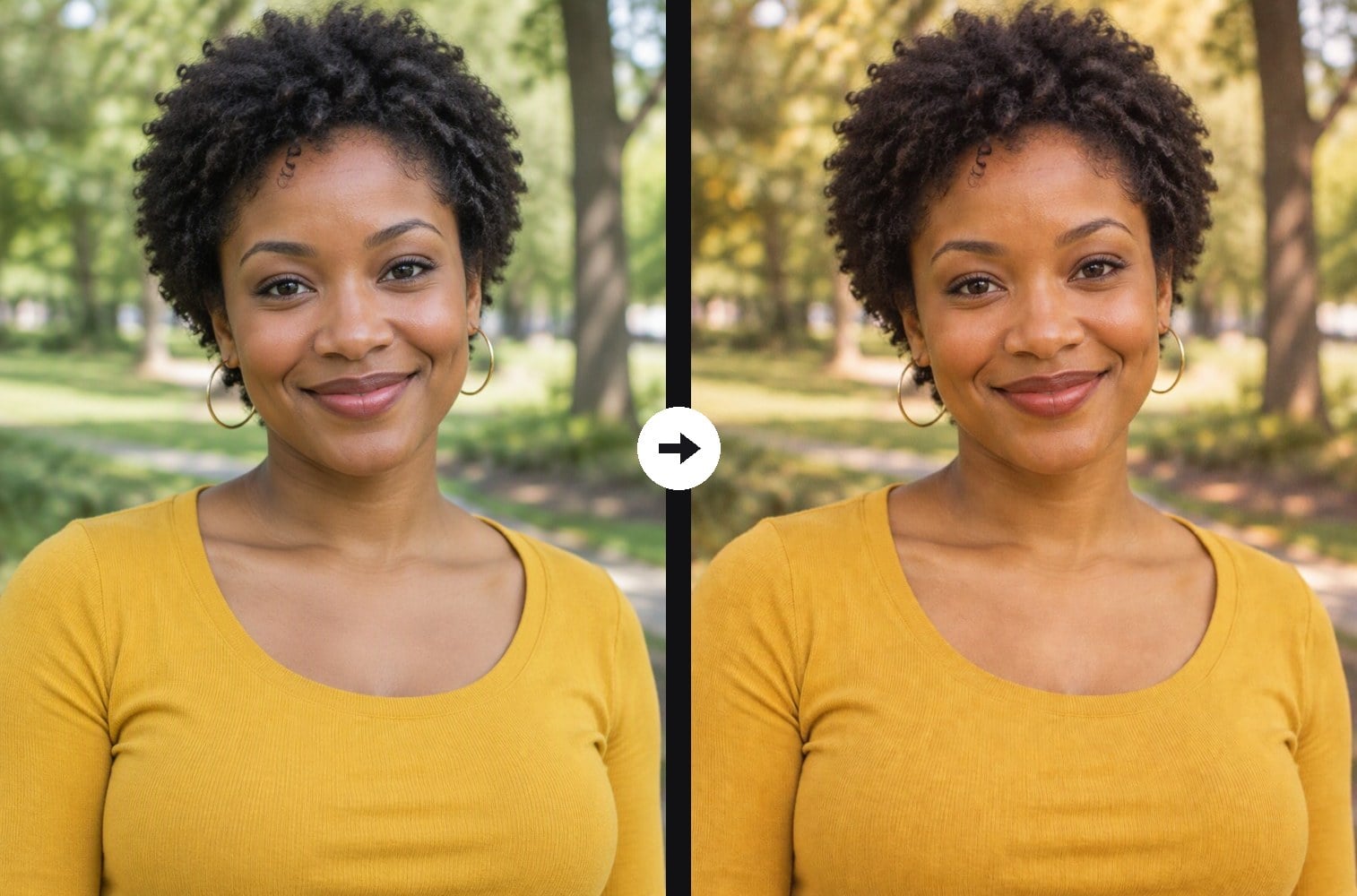
Golden park portrait

Cozy café couple on film
Upload a photo you want to turn into a film snapshot
Effect prompt
By uploading a file, you agree to GoEnhance's Terms of Use and Privacy Policy

Kodak Photo Effect: Before and After

Each result is one upload with the same prompt. People, outfits, composition and background are untouched; only color, contrast and film grain were changed.
Autumn couple selfie on film - Kodak Photo Effect

Autumn couple selfie on film

Street snapshot with warm grain - Kodak Photo Effect

Street snapshot with warm grain

Golden park portrait - Kodak Photo Effect

Golden park portrait

How to Use the Kodak Photo Effect

01

Upload your photo

Choose a portrait, selfie, couple shot, street photo or travel picture. Daylight and warm indoor light give the most natural film colors.

02

Keep or tweak the prompt

The default prompt applies warm film color, fine grain and soft contrast while keeping everything else. You can ask for stronger grain, a cooler tone or a slightly faded look.

03

Generate and download

Press the button, compare the before and after, and download the film-style image for Instagram, a travel album, a printed photo or a memory post.

Why Use This AI Kodak Photo Effect
Warm golden film color

Highlights turn creamy and golden, shadows lift into warm amber-brown, and reds and yellows get a little richer, the way warm consumer film renders a sunny afternoon. Skin stays natural instead of turning orange, so portraits keep a healthy, flattering tone.

Warm golden film color - Kodak Photo Effect

Natural grain, not a noise filter

A fine, even grain covers the whole picture together with slightly softened micro-detail, like a negative scanned at a photo lab. It adds texture and nostalgia without hiding faces or turning the photo muddy, even at full size.

Natural grain, not a noise filter - Kodak Photo Effect

Your people and scene stay the same

The effect only changes color, tone and texture. Faces, expressions, outfits, poses, composition and background details are kept, so a travel photo still shows the same street, café or park you remember, just with an analog feel.

Your people and scene stay the same - Kodak Photo Effect

Made for snapshots and travel memories

Use it to make phone photos match an old family album, give a trip a consistent film look, or post a nostalgic carousel. New accounts get free credits, so you can try your first film photo without paying.

Made for snapshots and travel memories - Kodak Photo Effect

Kodak Photo Effect FAQ

Is the Kodak photo effect free?

New accounts get free credits, so you can try the effect without paying. After that, each image uses a small number of credits.

Will it change my face or background?

No. The prompt keeps faces, features, skin tone, hairstyle, clothing, pose, composition and background, and only changes color, contrast and grain. Clear, well-lit photos give the cleanest result.

What kind of photos work best?

Travel photos, street snapshots, couple and family pictures, and portraits in daylight or warm indoor light look the most like real film. Very dark or heavily filtered photos may need a lighter prompt.

Can I make the film look stronger or softer?

Yes. Edit the prompt to ask for heavier grain, warmer or cooler color, more faded blacks or a softer contrast, then generate again.

Is this an official Kodak product?

No. GoEnhance is not affiliated with or endorsed by Kodak. The name only describes the warm 35mm film look the effect recreates.

Is there a more faded retro version?

Yes. If you want washed-out 80s colors with heavier grain, try our 80s grain filter.

Turn Your Photos Into Film Memories

Upload a picture and get a warm 35mm film look with natural grain in under a minute.

Try the Kodak Photo Effect