goenhance logo

Animaker AI Video Generator

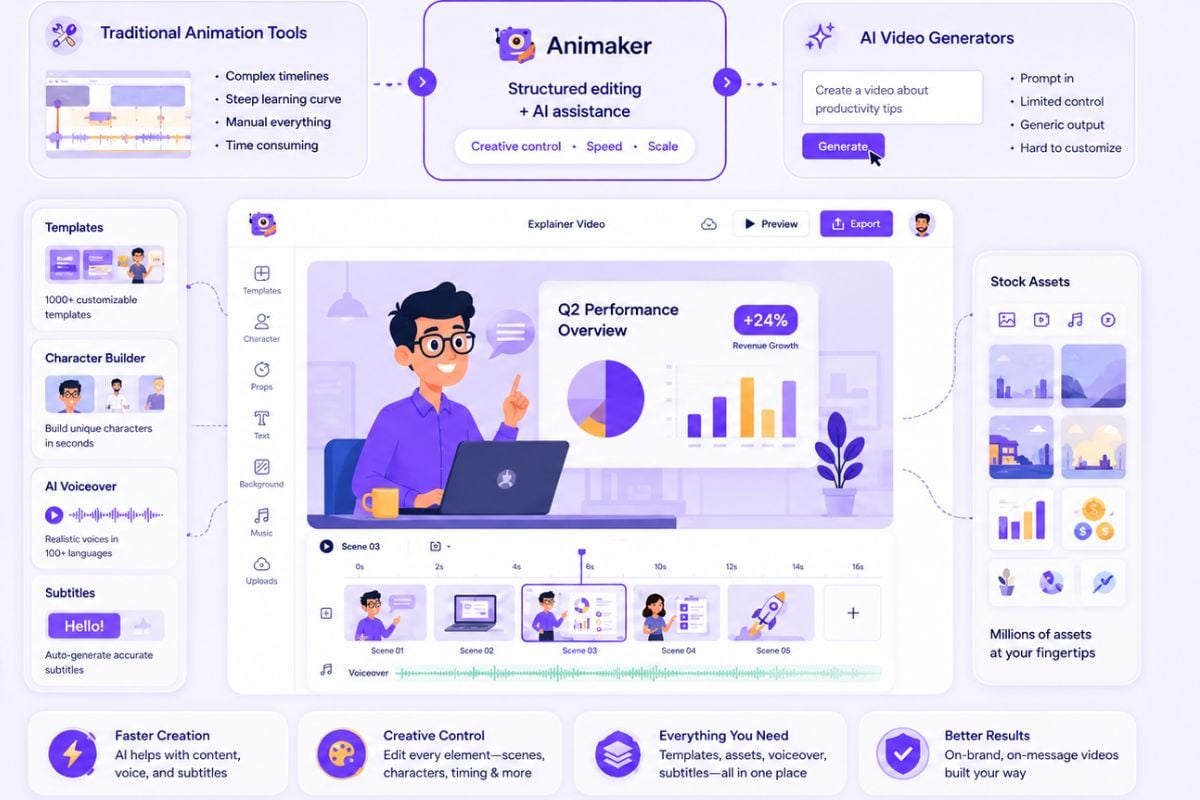
Animaker is an AI-assisted animation and video creation platform for making animated explainers, character videos, training clips, presentations, product demos, and social media videos. It combines templates, custom characters, voiceovers, lip sync, subtitles, stock assets, and video editing tools in one online workspace.

Explore Animaker AI Video Generator Features

Turn Prompts and Scripts Into Animated Video Drafts

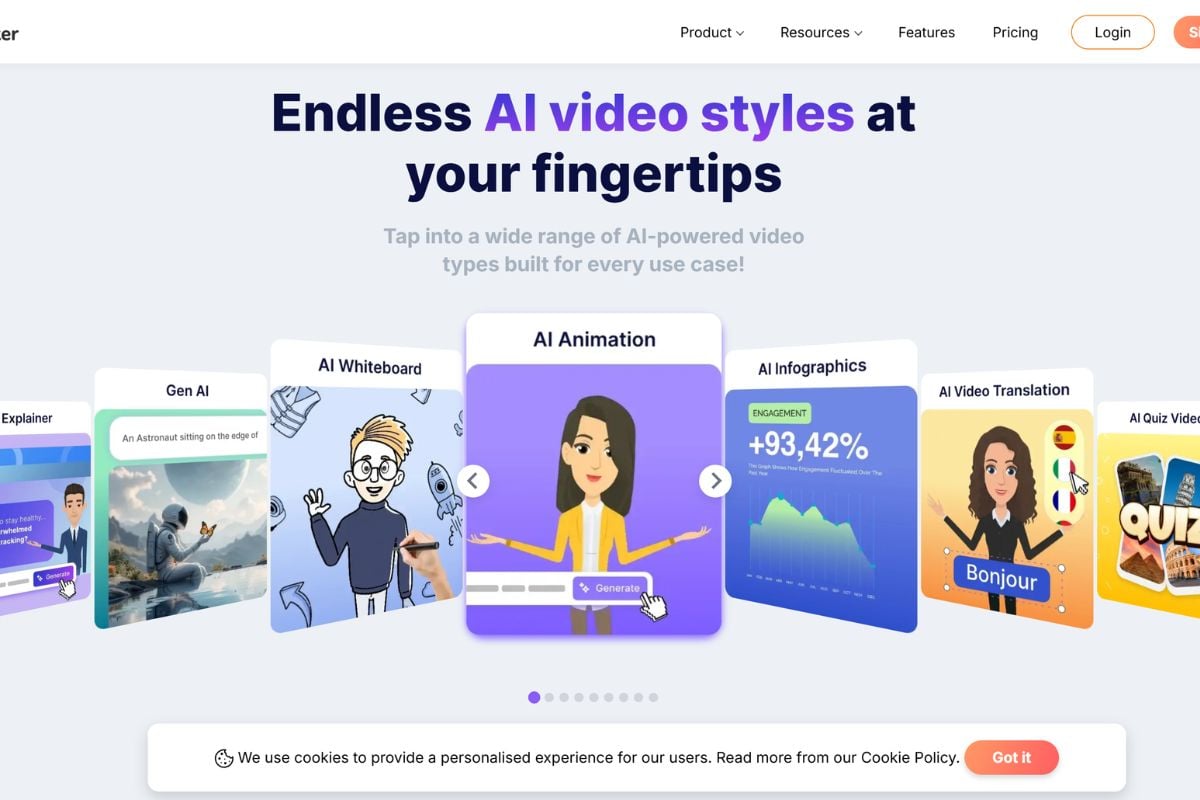
Animaker AI helps users move from a simple idea, script, or prompt into an animated video draft for explainers, lessons, business videos, and social posts. This type of workflow is useful when a video needs a clear message, simple scene structure, and a repeatable production format. For broader video planning principles, the YouTube Creator Academy offers useful guidance on creating videos for online audiences.

Animaker AI prompt to animated video draft for explainers and social videos

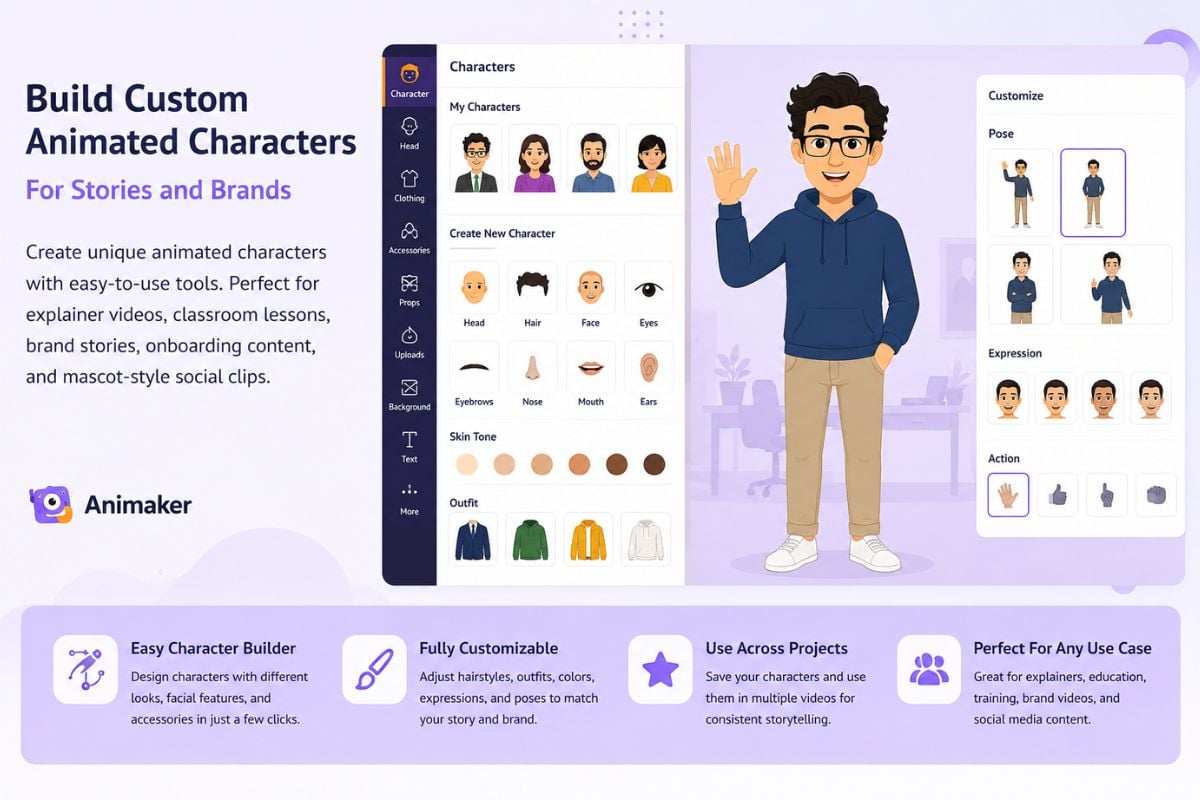
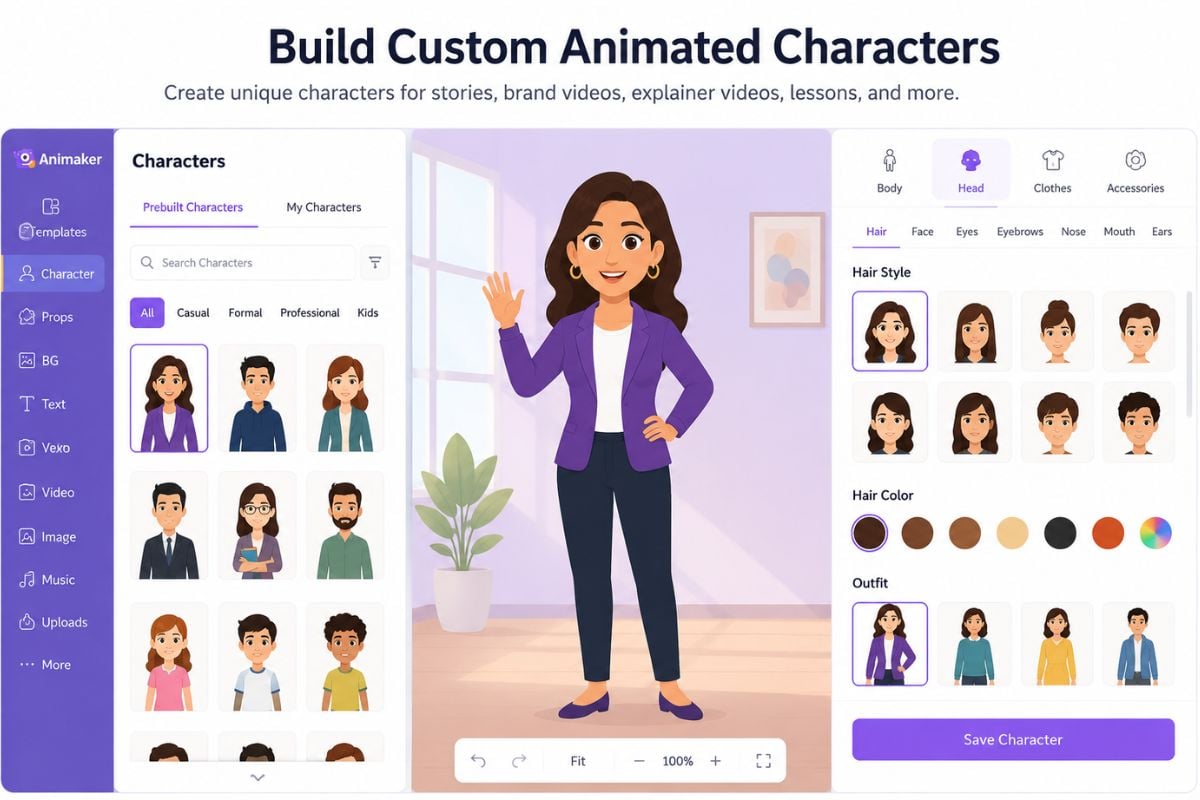
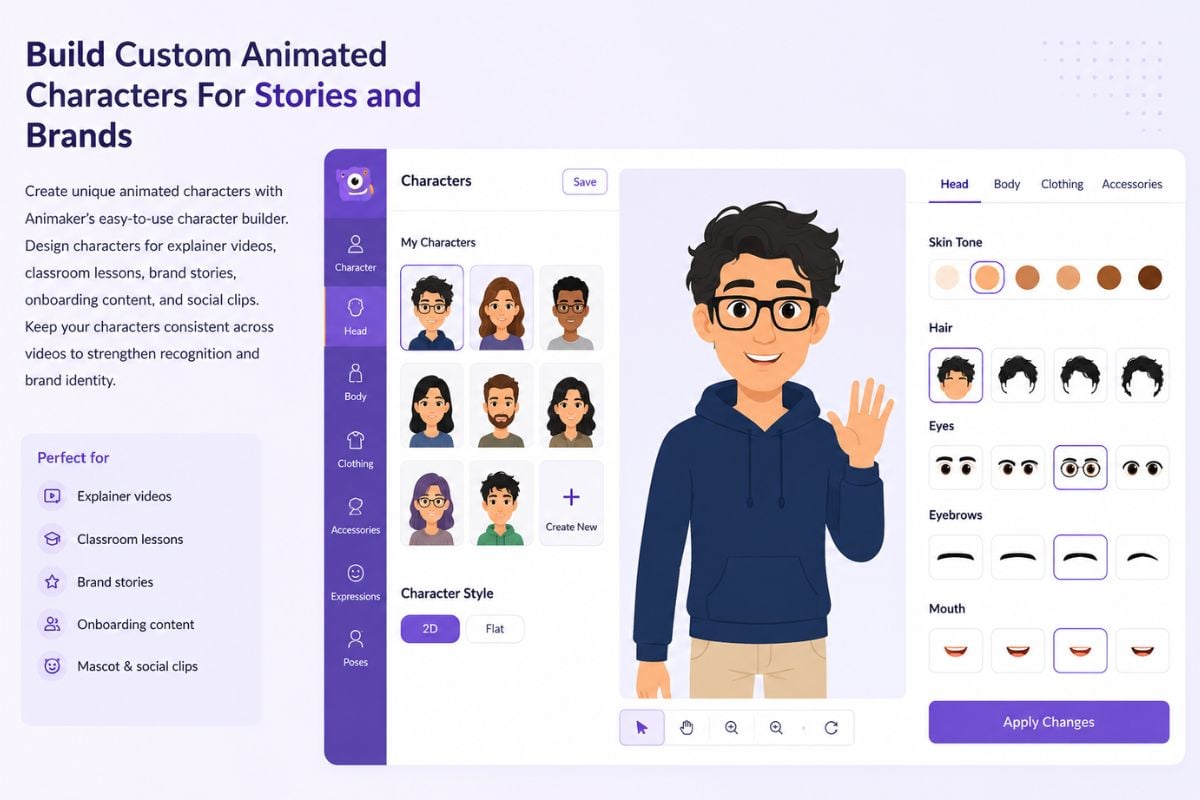
Build Custom Animated Characters For Stories and Brands

Animaker is strong for character-based animation. Users can create animated characters for explainer videos, classroom lessons, brand stories, onboarding content, and mascot-style social clips. Character consistency matters because repeated visual elements help viewers recognize the story or brand faster. Nielsen Norman Group also notes that animation should support meaning rather than distract from the user experience in its animation and UX guidance.

Animaker custom animated character builder for brand stories and explainer videos

Make Characters Speak With Voiceover and Lip Sync

Animaker supports voiceover and lip sync workflows, so animated characters can speak without manual mouth animation. This is useful for training videos, talking character clips, animated presenters, classroom explanations, and product walkthroughs. For accessibility and publishing quality, creators should also consider captions and transcripts; the W3C Web Accessibility Initiative captions guide explains why captions help more viewers understand video content.

Animaker voiceover and auto lip sync for animated talking characters

Use Templates, Stock Assets, and AI Tools To Build Faster

Animaker sits closer to an online animation production workspace than a pure AI video model. Templates, characters, props, stock media, subtitles, voice tools, and editing features help creators build explainers, presentations, and social videos with more structure. For creators who also want AI-first motion from images or source clips, GoEnhance AI offers an AI video generator workflow for image-to-video, video effects, face swap, and visual transformation.

Animaker templates stock assets and AI tools for faster animated video creation

Animaker AI Pricing Plans

PlanPriceBest ForKey Features and Limits
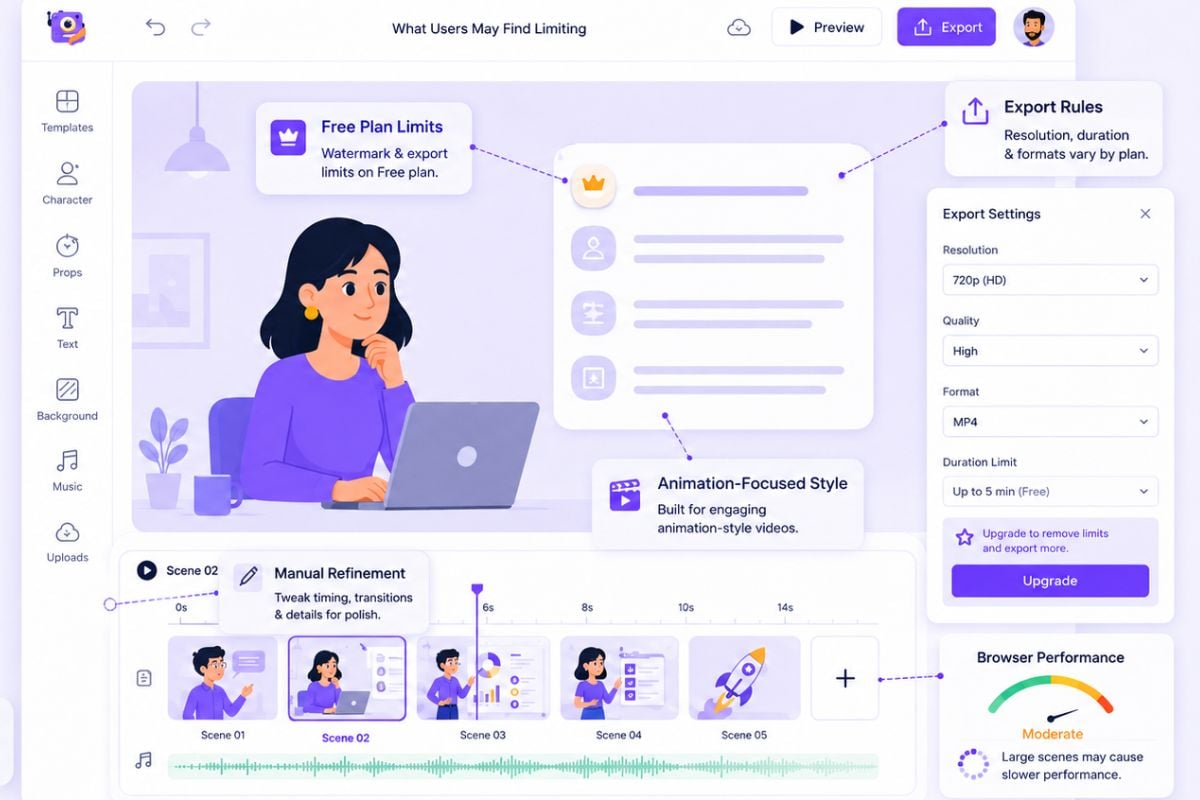
Free$0/moTesting Animaker before choosing a paid planBasic access for trying animation creation. Usually includes limited features, limited exports or downloads, and watermarked output depending on current account rules.
Basic$15/moBeginners, personal projects, and simple animation videosEntry paid plan for lighter publishing needs. Public pricing pages commonly list Basic at $15 per month, with access to core animation tools and fewer limits than the free plan.
Starter$25/moRegular creators, teachers, and small marketing teamsMid-level plan for users who need more frequent exports, better publishing flexibility, and stronger video creation features. Animaker pricing pages list Starter at $25 per month.
Pro$43/moBusiness users, teams, and frequent content creatorsAdvanced plan for heavier production needs. Public pricing pages list Pro at $43 per month, usually positioned for higher output needs, more features, and more professional video workflows.
EnterpriseCustomOrganizations, schools, brands, and larger teamsCustom plan for larger teams that need organization-level support, collaboration, onboarding, higher usage, and advanced business requirements.
Pricing NoteMay changeAnyone comparing Animaker AI pricing and featuresAnimaker pricing, export limits, asset access, watermark rules, video quality, commercial-use terms, and AI feature limits may change. Check the official pricing page before purchase.
Animaker works best when you need structured animated videos, not just one-click AI clips.

Why Creators Use Animaker AI

Make Animation Without Design Experience

Animaker helps non-designers create animated videos with templates, drag-and-drop editing, characters, scenes, props, and ready-made layouts. It lowers the barrier for users who do not want to learn professional animation software.

Create Character-Led Explainer Videos

The platform is useful for animated explainers, training content, classroom videos, product demos, onboarding clips, and brand stories where characters help explain the message.

Add Voice, Subtitles, and Lip Sync Faster

Animaker combines voiceover, text-to-speech, subtitles, and lip sync tools so creators can make animated characters speak and make videos easier to follow.

Start Faster With Templates and Stock Assets

Templates, backgrounds, icons, scenes, music, and stock assets help users build videos faster without sourcing every visual element manually.

Fit Business, Education, and Social Media Use Cases

Animaker is practical for marketers, teachers, HR teams, small businesses, SaaS teams, and creators who need clear, information-driven animated content.

More Editable Than Pure Prompt-to-Video Tools

Because Animaker behaves like a structured video editor, users can adjust scenes, characters, text, subtitles, voice, and timing instead of accepting a single generated result.

How To Use Animaker To Create Animated Videos

01

Start With A Prompt, Script, or Template

Choose a video goal, enter a script or prompt, or begin from a ready-made template for an explainer, training clip, presentation, product demo, or social video.

02

Customize Characters, Scenes, Voice, and Text

Adjust the animated characters, scene layout, colors, props, voiceover, subtitles, and visual elements until the video matches your message and audience.

03

Preview, Edit, and Export

Review the timing, voice, subtitles, scene flow, and animation details, then export the finished video based on your plan, quality needs, and publishing use case.

Where Animaker Fits In The AI Video Market

Animaker is best understood as an AI-assisted animation and video creation platform. It sits between traditional animation software and newer AI video generators, giving users templates, characters, voice tools, subtitles, assets, and an editable production workspace.
Best For Structured Animated Explainers

Best For Structured Animated Explainers

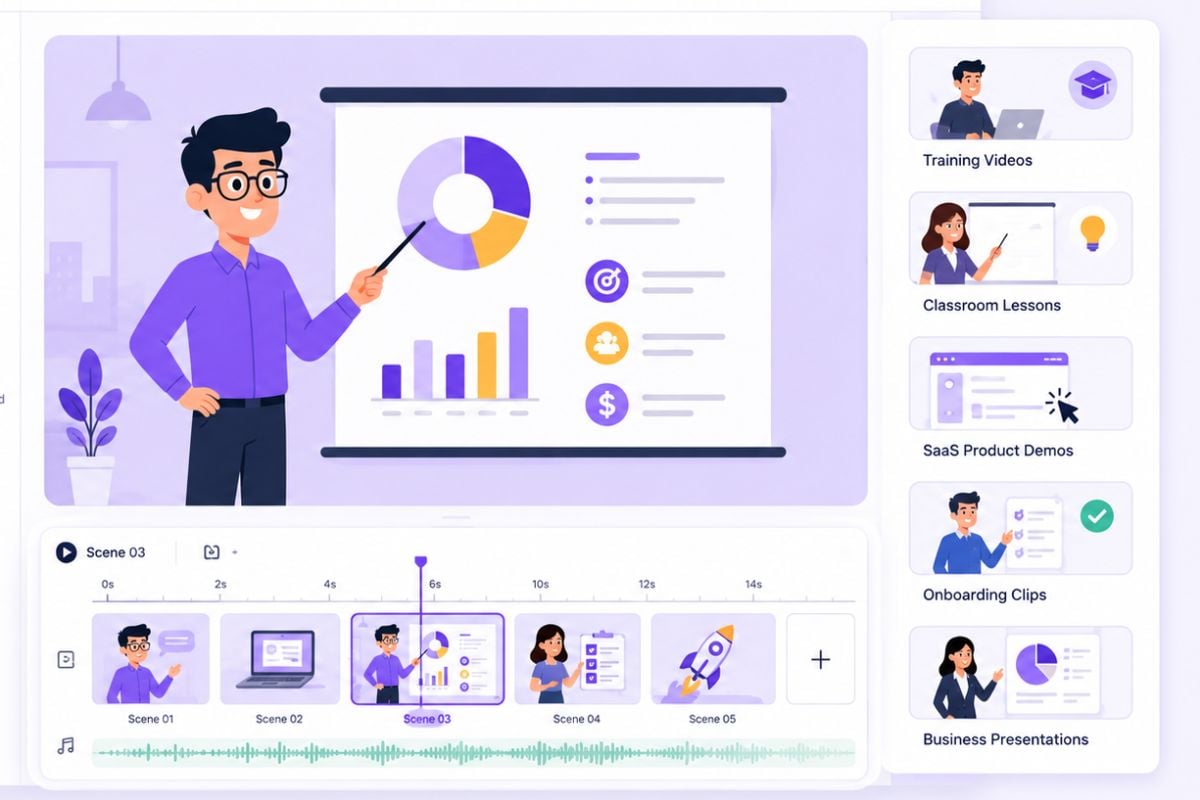
Animaker is a strong fit for animated explainers, training videos, classroom lessons, SaaS product demos, onboarding clips, and business presentations where clarity matters more than cinematic realism.

Try AI Video Creation

Animaker vs Runway AI vs GoEnhance AI

Comparison PointAnimakerRunway AIGoEnhance AI
Core FocusAI-assisted animation, explainer videos, character videos, presentations, and online video editingAdvanced generative video, image-to-video, video editing models, performance capture, and cinematic AI creationAI creative video generation, image-to-video, video effects, video-to-animation, face swap, and visual transformation workflows
Best ForTraining videos, classroom lessons, product explainers, animated presentations, and social clips with charactersCinematic AI video generation, experimental film visuals, image-to-video tests, and advanced creative model workflowsCreators and marketers who want fast AI video outputs from prompts, images, or source clips
Main WorkflowStart with a template, prompt, or script, then edit scenes, characters, voice, subtitles, and timingUse generative video models with prompts, images, references, and model controlsStart with text, image, or video input, then generate AI videos, visual effects, face swaps, animation styles, or image-to-video results
Output Style2D animation, cartoon, whiteboard, explainer, presentation, and character-based videosCinematic, realistic, stylized, experimental, and model-driven AI videoAI-generated video, stylized motion, animated visuals, creator effects, face swap videos, and image-to-video clips
Editing LevelMedium to high because polished results usually need timeline and scene editingMedium because quality depends on prompts, model settings, input images, and iterationLow to medium because the workflow is more generation-first and suited for quick creative testing
Character StrengthStrong for custom animated characters and recurring explainer-style personalitiesStrong for visual references, consistency experiments, and advanced generative controlsStrong for image animation, talking/avatar-style workflows, face swap, and stylized video transformation
Pricing StyleFreemium SaaS with Free, Basic, Starter, Pro, and Enterprise plansCredit/subscription-based AI generation plans, with higher plans for more access and generation flexibilityToken or plan-based AI creation workflow depending on tool usage and generation needs
Possible LimitationLess ideal for users who want cinematic realism or one-click AI-first video generationCan require prompt testing, credits, and model-specific learning for consistent resultsLess focused on traditional animation templates and full scene-by-scene explainer editing
Common questions about Animaker AI pricing and features

Animaker AI FAQ

What is Animaker AI?

Animaker AI is an AI-assisted animation and video creation platform. It helps users create animated explainers, character videos, presentations, training clips, product demos, and social media videos with templates, characters, voice tools, subtitles, and editing features.

Is Animaker an AI video generator?

Yes, Animaker includes AI video generator features, but it is better described as an AI-assisted animation and video maker. It combines AI generation with a structured editor, character tools, templates, voiceover, subtitles, and stock assets.

What are the main Animaker AI video generator features?

Key Animaker AI video generator features include text-to-video style animation drafts, character builder, voiceover, text-to-speech, auto lip sync, subtitles, templates, stock assets, and browser-based video editing.

What is Animaker best for?

Animaker is best for animated explainer videos, training videos, classroom content, employee onboarding, SaaS demos, business presentations, product videos, and character-led social media clips.

Can I create custom characters with Animaker?

Yes. Animaker is known for its character creation workflow. Users can build animated characters for explainers, brand stories, educational videos, training clips, and presentation-style videos.

Does Animaker support lip sync?

Yes. Animaker supports voiceover and lip sync workflows. Users can record voice, use text-to-speech, or upload audio, then sync the voice with animated characters.

How much does Animaker cost?

Animaker currently shows a free entry plan and paid plans commonly listed around Basic at $15 per month, Starter at $25 per month, and Pro at $43 per month, with Enterprise available through custom pricing. Pricing and plan limits may change, so check the official pricing page before purchase.

How does Animaker AI pricing work?

Animaker follows a freemium SaaS pricing model. Free access is useful for testing, while paid plans typically unlock more exports, better quality, premium assets, commercial-use options, AI tools, subtitles, and team features.

How is Animaker different from Runway AI?

Animaker focuses on structured animation, templates, characters, presentations, and explainer videos. Runway AI focuses more on advanced generative video models, cinematic image-to-video creation, video editing models, and experimental AI filmmaking workflows.

Is Animaker safe?

Animaker is generally safe to use as an online animation and video creation platform, but users should still review its privacy policy, content rights, commercial-use terms, and account settings before uploading personal photos, brand assets, client materials, or sensitive business content.

Create AI Videos With GoEnhance AI

Animaker is useful for structured animated explainers, character videos, presentations, and training clips. If you want a faster AI-first workflow, GoEnhance AI helps you create videos from prompts, images, or source clips, including image-to-video, video effects, face swap, video-to-animation, and creative visual transformations.

Start Creating AI Videos