3D Image Maker: Make Your Photo Pop Out of the Frame

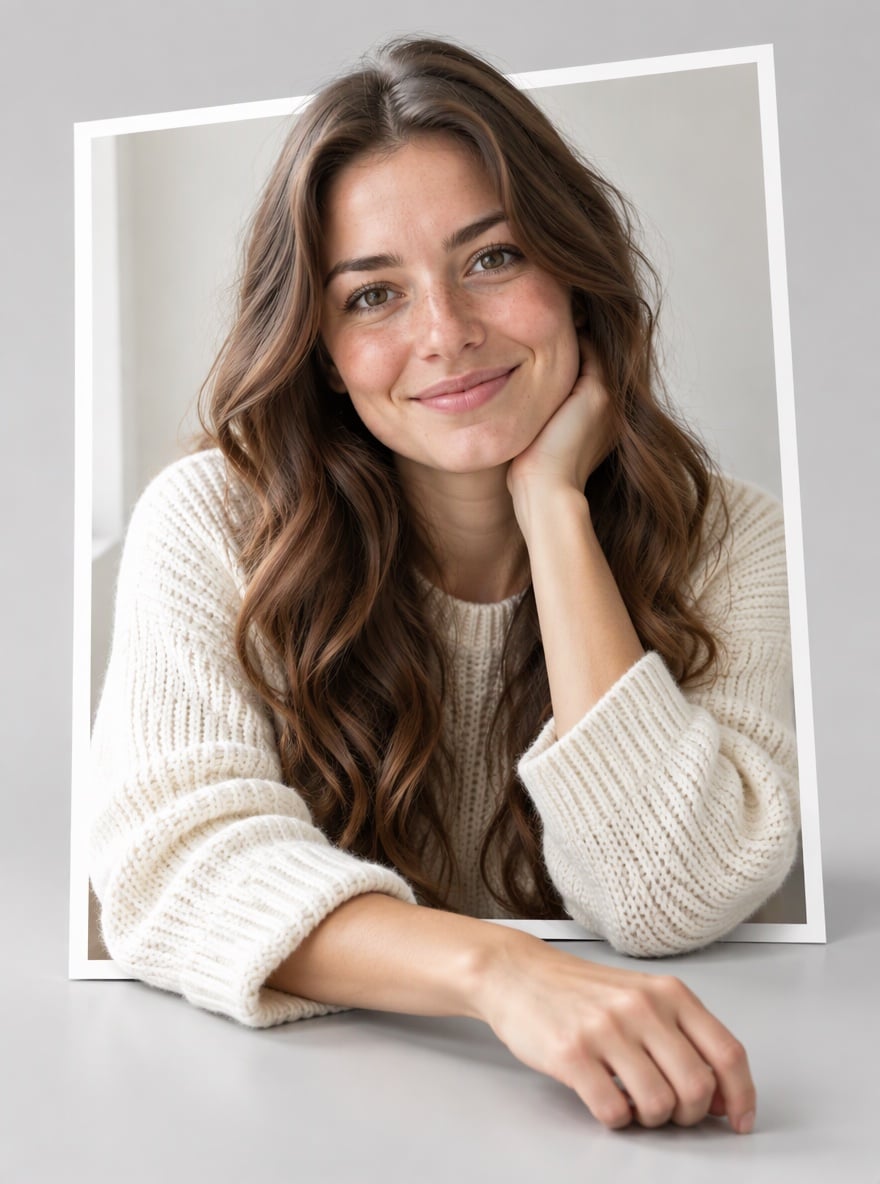
Want a flat photo to look three-dimensional without learning any 3D software? Upload a picture and the AI 3D image maker turns it into a 3D pop-out image: your photo becomes a printed photo card with a thin white border, standing on a clean studio surface, and the main subject leans, reaches or steps out past the border toward the viewer. Soft contact shadows where the subject crosses the frame, studio lighting and a gentle depth of field make the result read clearly as 3D. The person, pet or product stays photorealistic and looks like the original: same face, hair, fur, clothes and colors, never turned into a cartoon or a toy. Use it for eye-catching social posts, profile pictures, character visuals or product concept shots. If you want a 3D cartoon or 3D model look instead, see the 2D to 3D image converter linked in the FAQ. The console below runs on GPT Image 2.5.
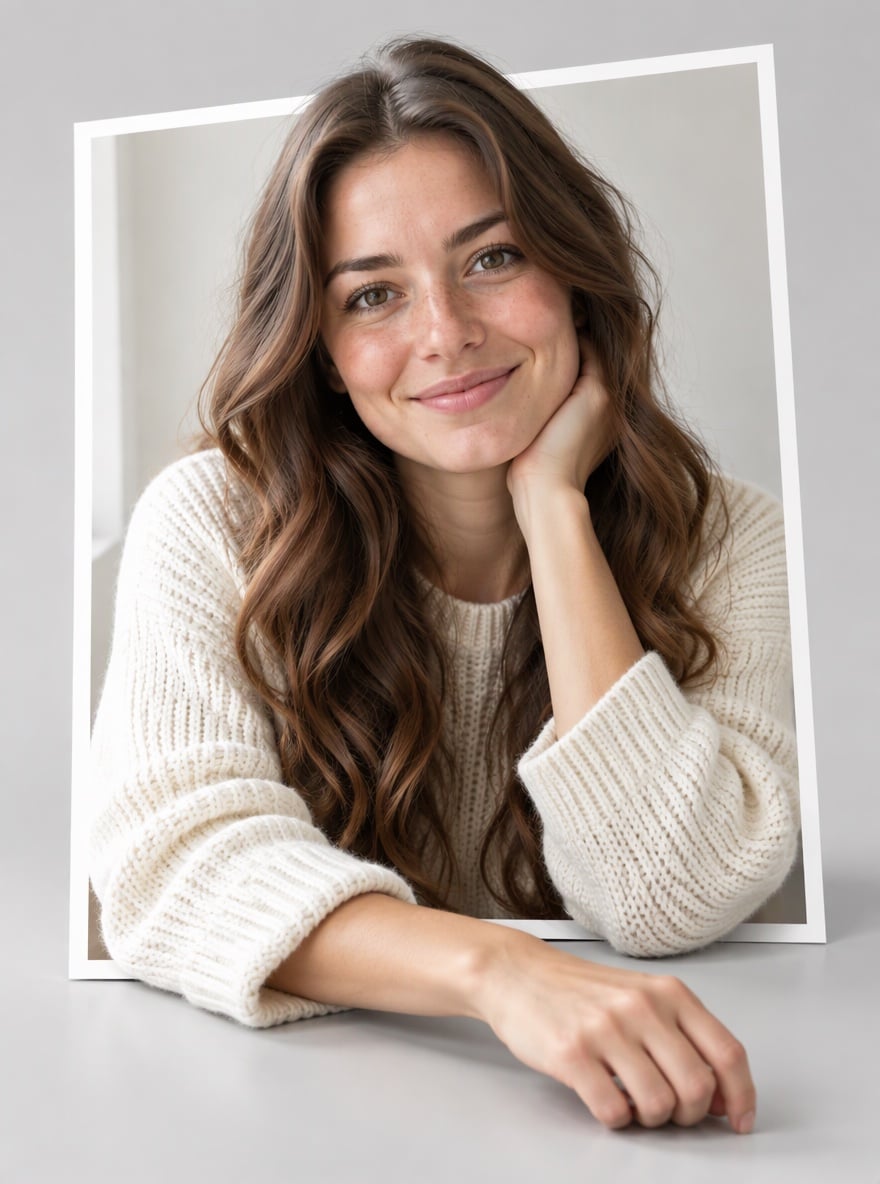
Portrait Leaning Out of the Frame

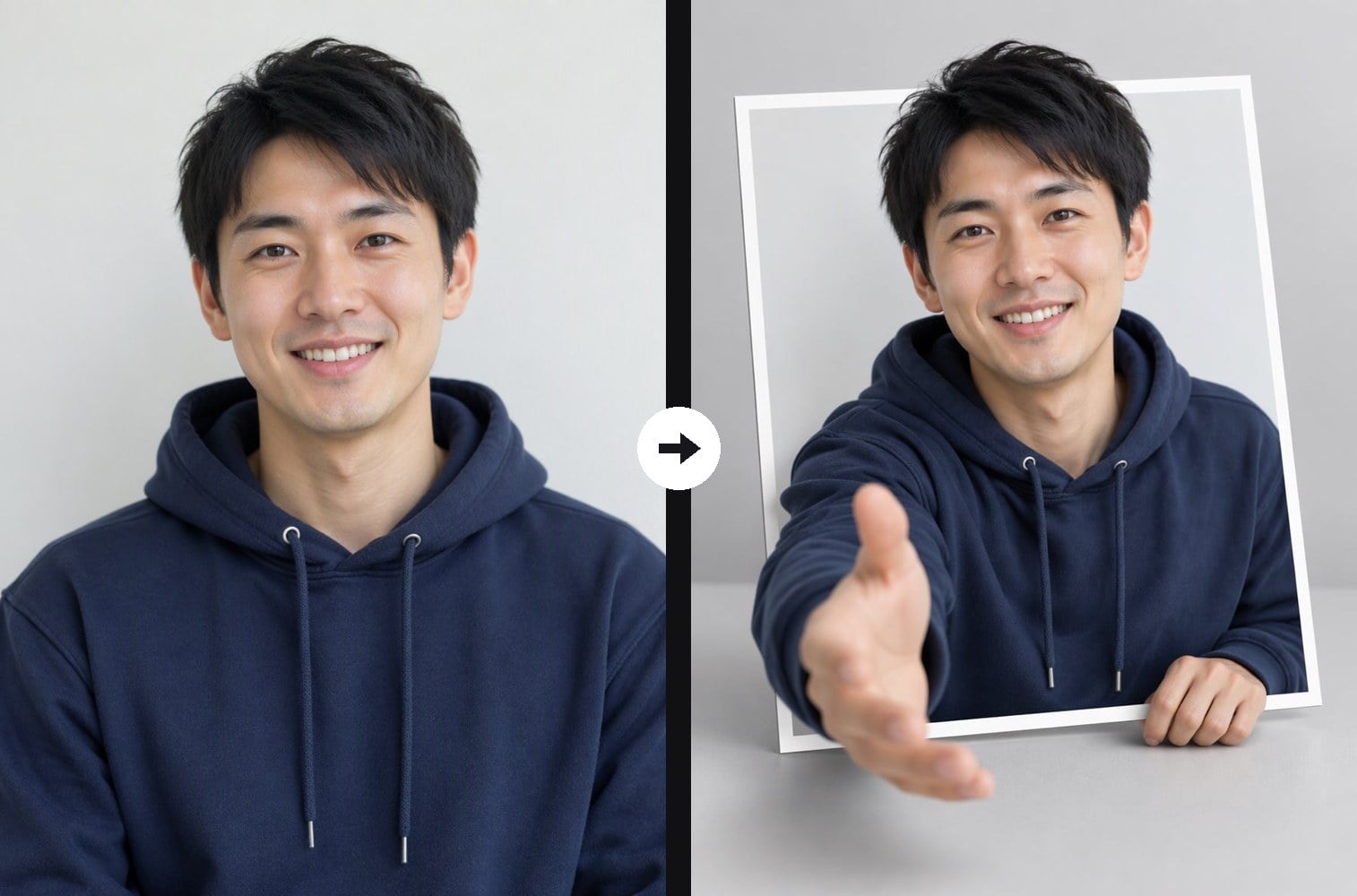
Reaching Hand Pops Toward the Viewer
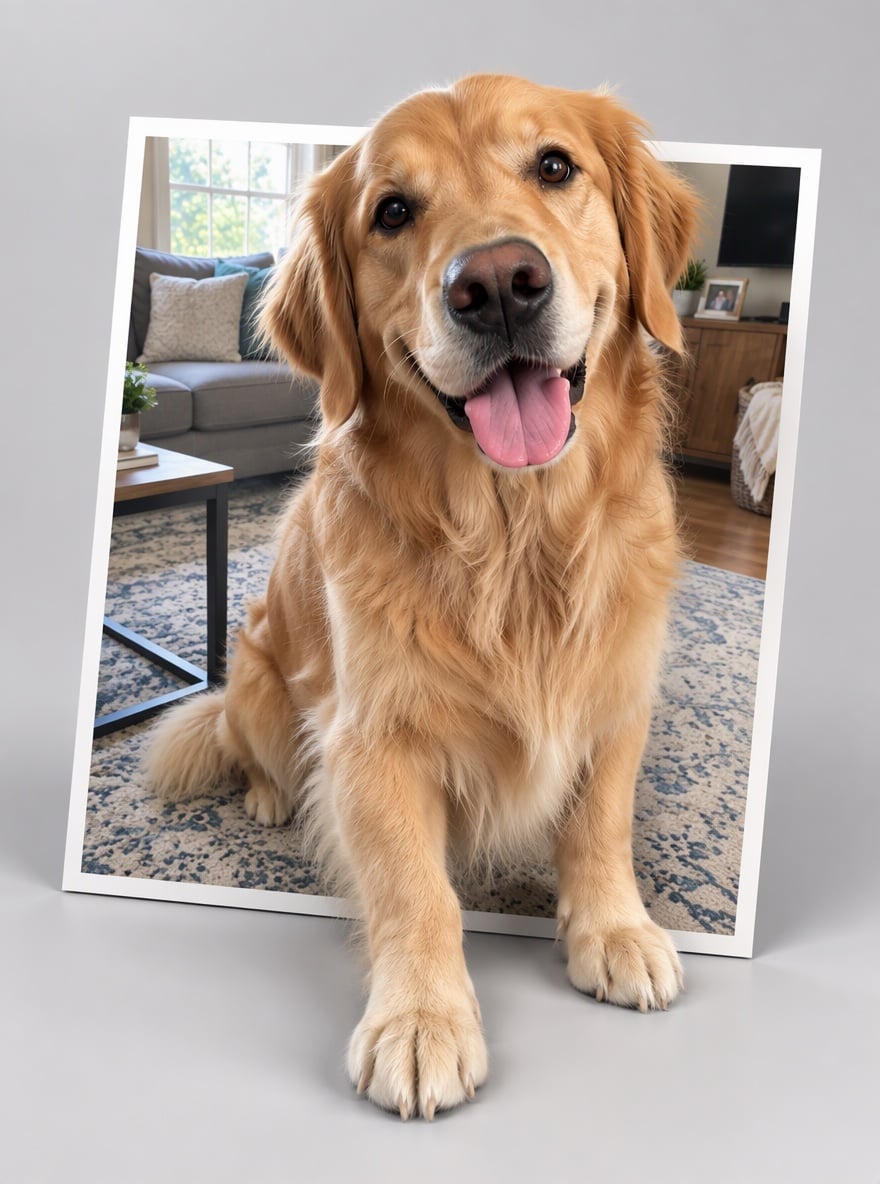
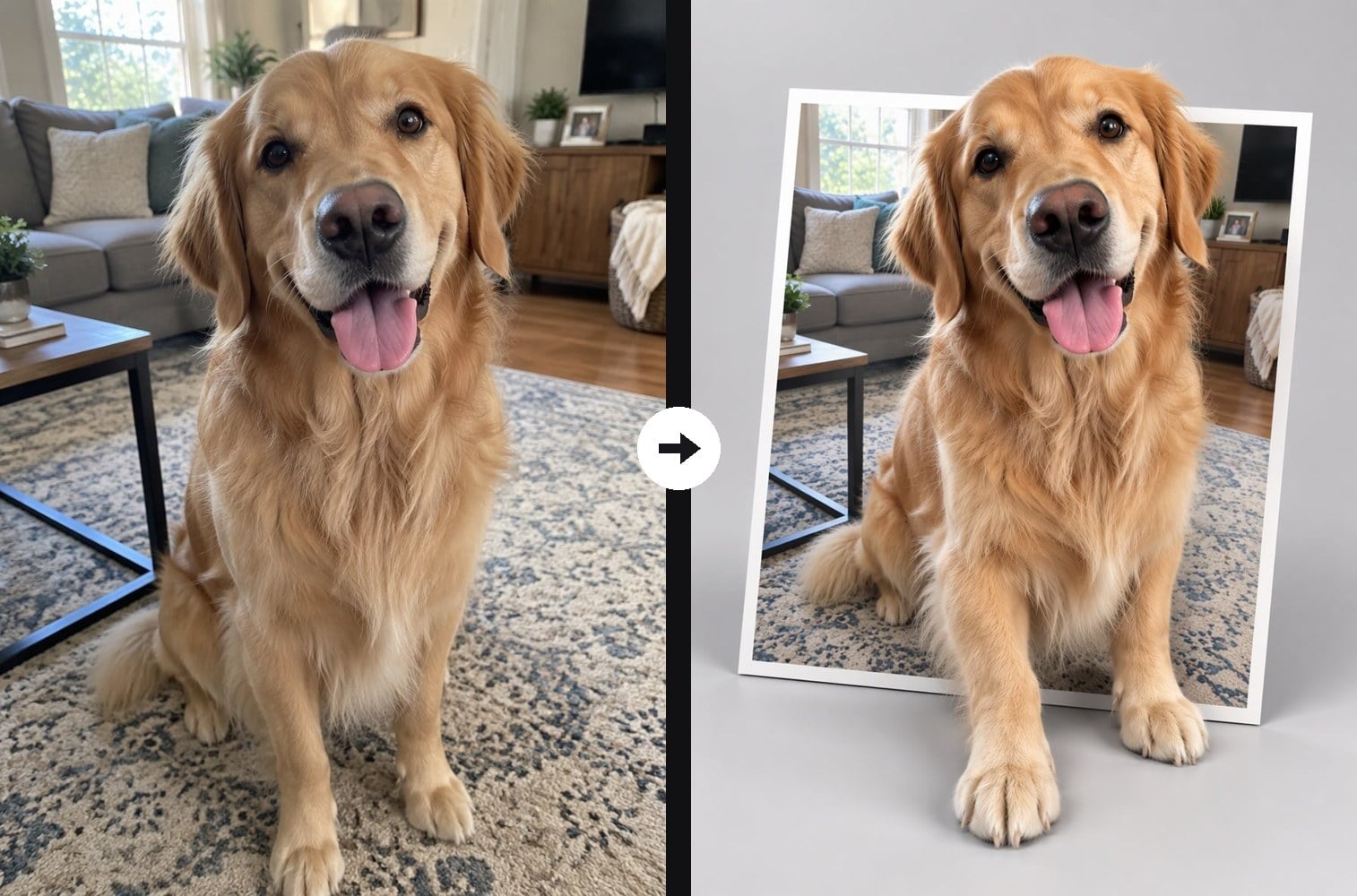
Pet Paws Stepping Out of the Photo
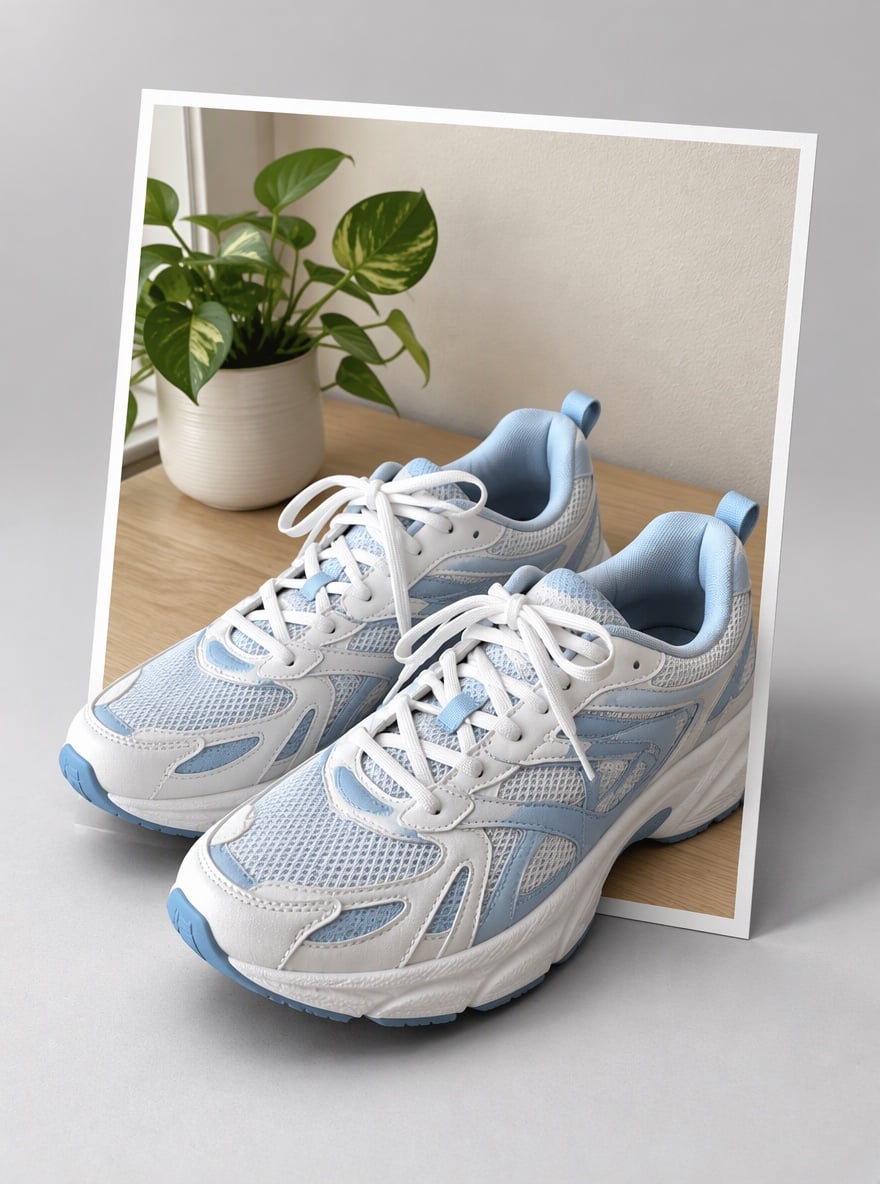
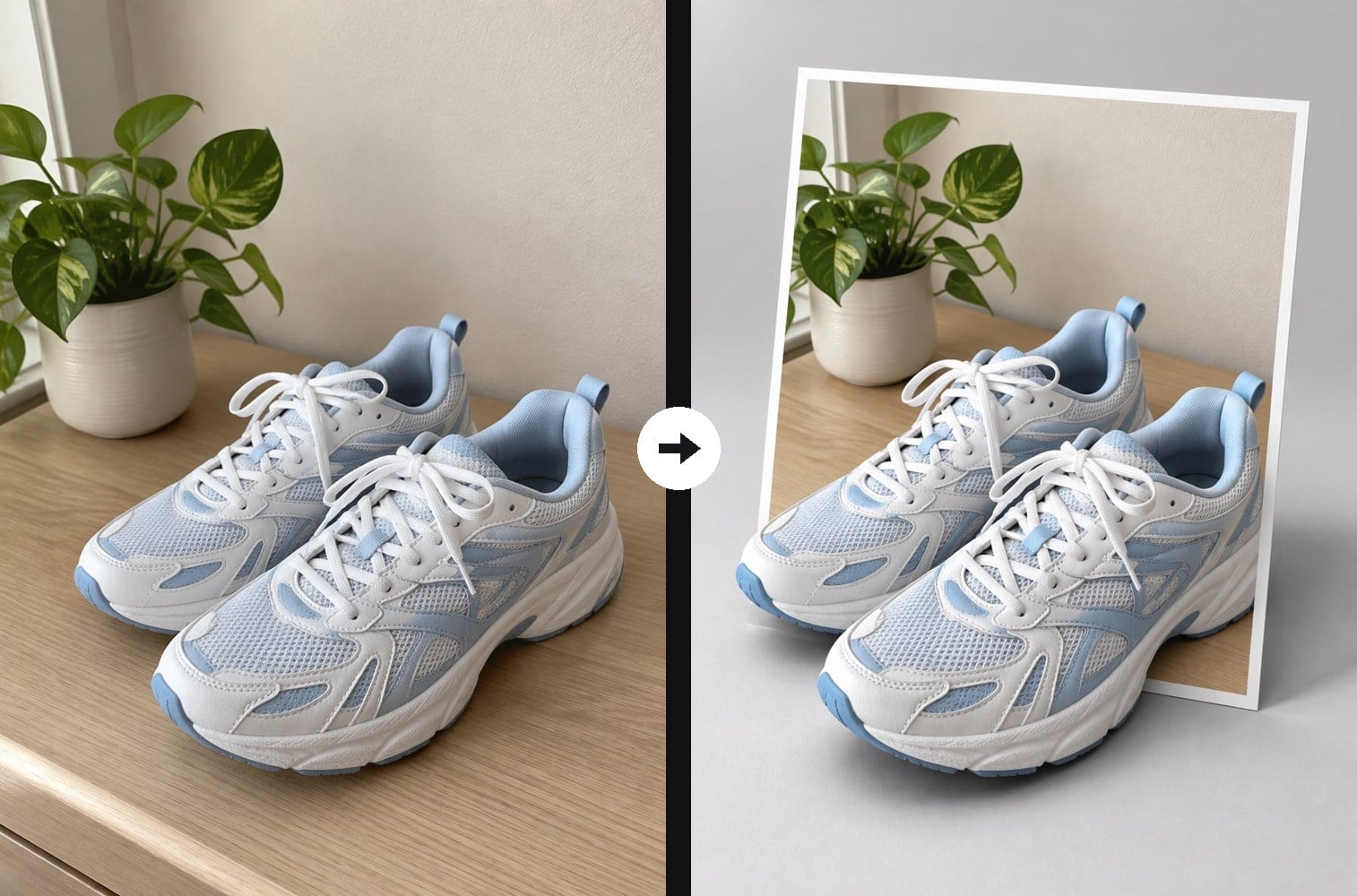
Product Shot with Real Depth
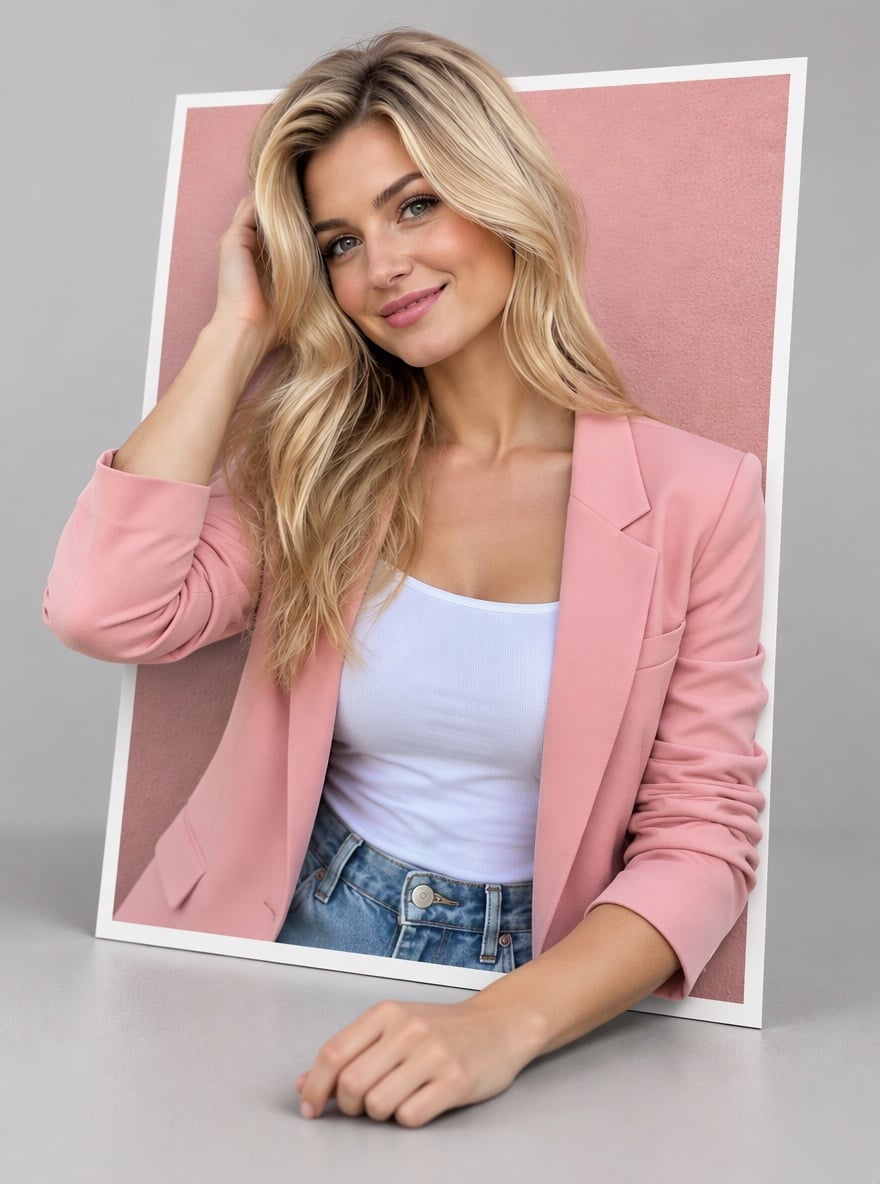
Fashion Photo Breaking the Border
Upload a clear photo of a person, pet or product
Effect prompt
By uploading a file, you agree to GoEnhance's Terms of Use and Privacy Policy

3D Image Maker Before and After Examples

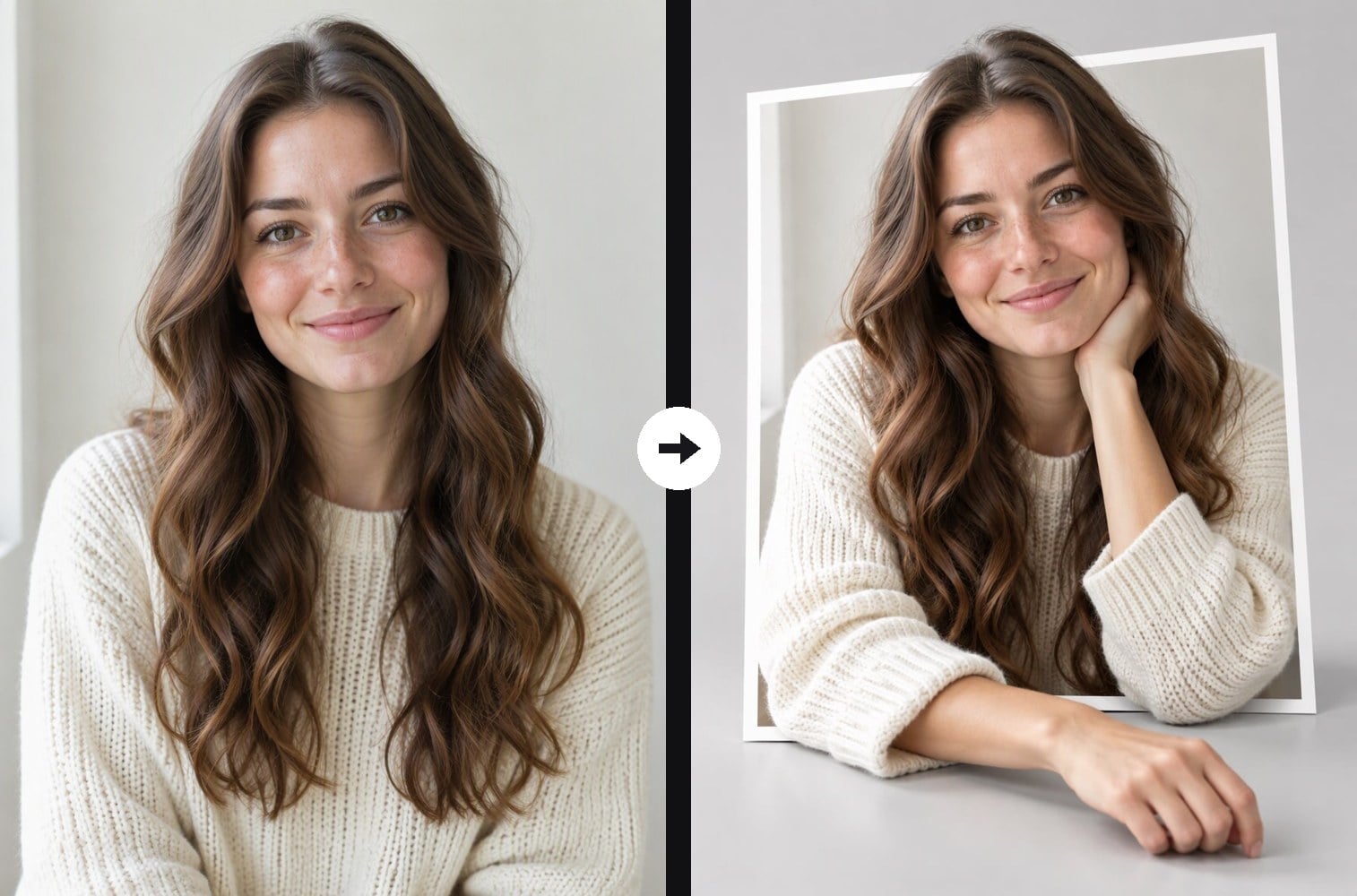
Each result is one upload with the prompt above. The subject comes from the original photo; the AI adds the photo card, the pop-out depth, the shadows and the studio surface.
Portrait Leaning Out of the Frame - 3D Image Maker

Portrait Leaning Out of the Frame

Reaching Hand Pops Toward the Viewer - 3D Image Maker

Reaching Hand Pops Toward the Viewer

Pet Paws Stepping Out of the Photo - 3D Image Maker

Pet Paws Stepping Out of the Photo

How to Make a 3D Image from a Photo

01

Upload your photo

Choose a clear photo with one main subject: a selfie, a half-body portrait, a pet or a product on a simple background all work well.

02

Generate the 3D pop-out

The 3D prompt is already filled in. Press the button and the AI places your photo on a card and brings the subject out of the frame.

03

Download and share

Save the 3D image for a social post, a profile picture or a product mockup, or generate again for a different pose out of the frame.

Why Use This 3D Image Maker
A real 3D pop-out, not just a filter

The subject physically crosses the white border of the photo card, with arms, paws or the front of a product in front of the frame. Contact shadows and depth of field make the layers easy to read, so the image looks three-dimensional even on a small phone screen.

A real 3D pop-out, not just a filter - 3D Image Maker

Your subject stays photorealistic

The prompt keeps the same face, hair, skin tone, fur, clothes and product colors as your upload and forbids cartoon, toy or clay styles. Friends will recognise the person or pet right away, which is what makes the pop-out effect fun to share.

Your subject stays photorealistic - 3D Image Maker

Works for people, pets and products

Portraits lean or reach out toward the viewer, pets step their paws over the edge, and products such as sneakers extend past the card. That makes one tool useful for social content, character visuals and quick product concept shots.

Works for people, pets and products - 3D Image Maker

No 3D software, free to try

There is no modelling, masking or layer work: one upload and one click give you the finished image. New accounts get free credits, and you can edit the prompt, for example to change the background colour, and generate again.

No 3D software, free to try - 3D Image Maker

3D Image Maker FAQ

What does the 3D image maker do?

It turns a normal photo into a 3D pop-out image. Your photo becomes a printed card with a white border on a studio surface, and the main subject comes out of the frame toward the viewer with realistic shadows and depth.

Will my face or pet look different?

The prompt keeps the subject photorealistic and as close to the original as possible: same face, hair, fur, clothes and colors. The pose can change slightly, for example an arm resting on the table, so the subject can reach out of the frame.

Can I make a 3D image of a product?

Yes. Upload a clear product photo, such as shoes, a bottle or a gadget on a simple background, and the front of the product will extend past the card for a product concept or social post.

What photo works best?

A sharp, well-lit photo with one clear main subject and some space around it. Half-body portraits, pets facing the camera and single products give the strongest pop-out.

Can I start from a text idea instead of a photo?

This page works from an uploaded photo. You can first create a picture from text with the AI image generator, then upload that image here to make it pop out in 3D.

Can I turn my photo into a 3D cartoon or 3D model style instead?

Yes. This tool keeps your photo realistic and adds depth. For a stylised 3D render of a photo, sketch or drawing, try the 2D to 3D image converter.

Ready to Make Your Photo Pop Out in 3D?

Upload a photo and get a 3D pop-out image in under a minute.

Make My 3D Image