Remove Date Stamp from Photo

Remove the orange date that film and early digital cameras printed in the corner of photos. Upload a scan or a digital file, and the AI finds the date, removes it and redraws the area. The result keeps your original resolution, and each image costs 4 tokens.

Film photo

Film photo
Street scene
Street scene
Upload a photo with a date stamp
By uploading a file, you agree to GoEnhance's Terms of Use and Privacy Policy

How to Remove a Date Stamp from a Photo

For photos you already took.
01

Scan or upload the photo

A phone photo of the print works, a flatbed scan is sharper. JPG, PNG or WebP.

02

The AI finds the date

This page tells the AI to look for a date stamp, so you don't need to mark it.

03

Download the clean photo

Most photos are ready in 1 to 3 minutes, at the same pixel size as your upload.

GoEnhance vs Photoshop Remove Tool for Date Stamps

GoEnhancePhotoshop Remove tool
How you mark the dateAutomaticBrush over it
Where it runsIn your browserIn the Photoshop app
Price per photo4 tokensNo generative credits used
Best forClearing dates from a batch of family scans one by onePhotos you are already retouching in Photoshop

Dates It Clears

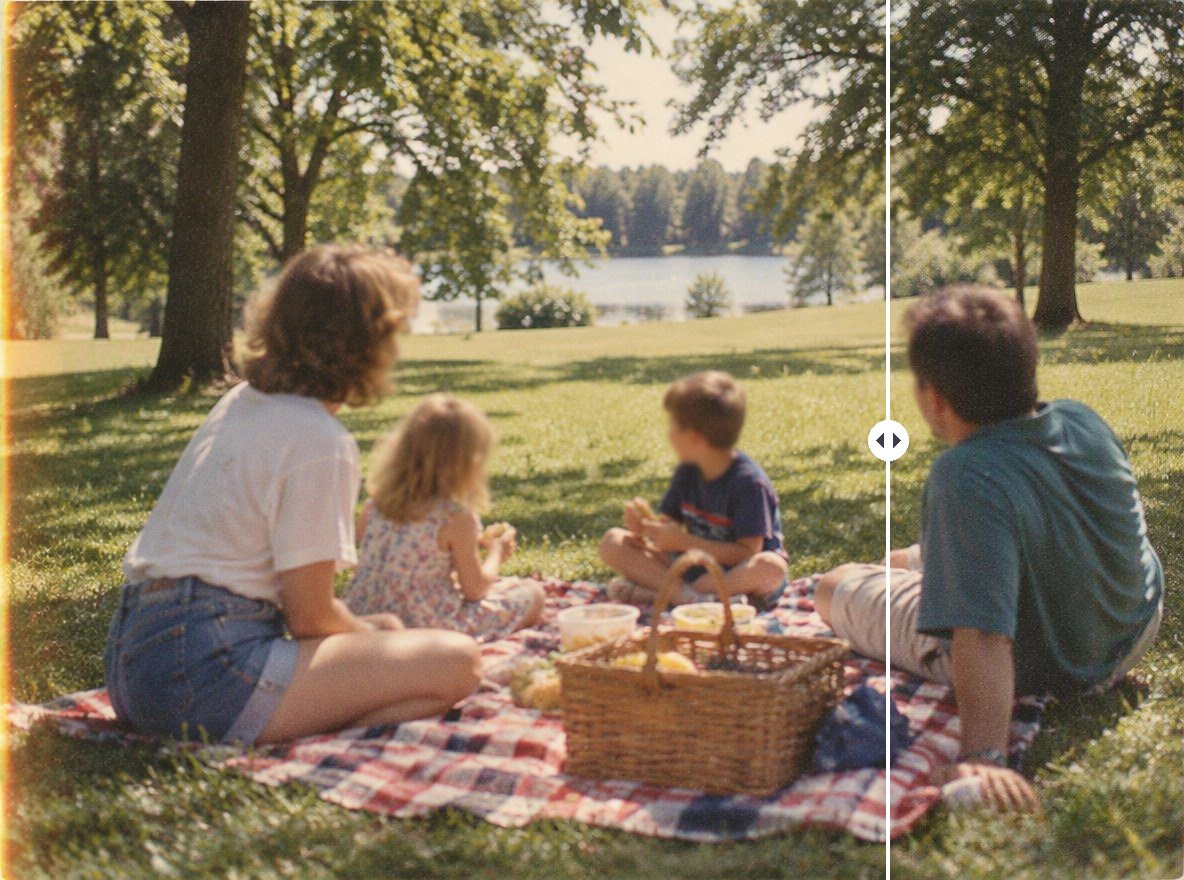
Family Film Photos

Grass and blanket patterns are rebuilt under the orange digits.

a 1990s picnic photo with the date stamp removed

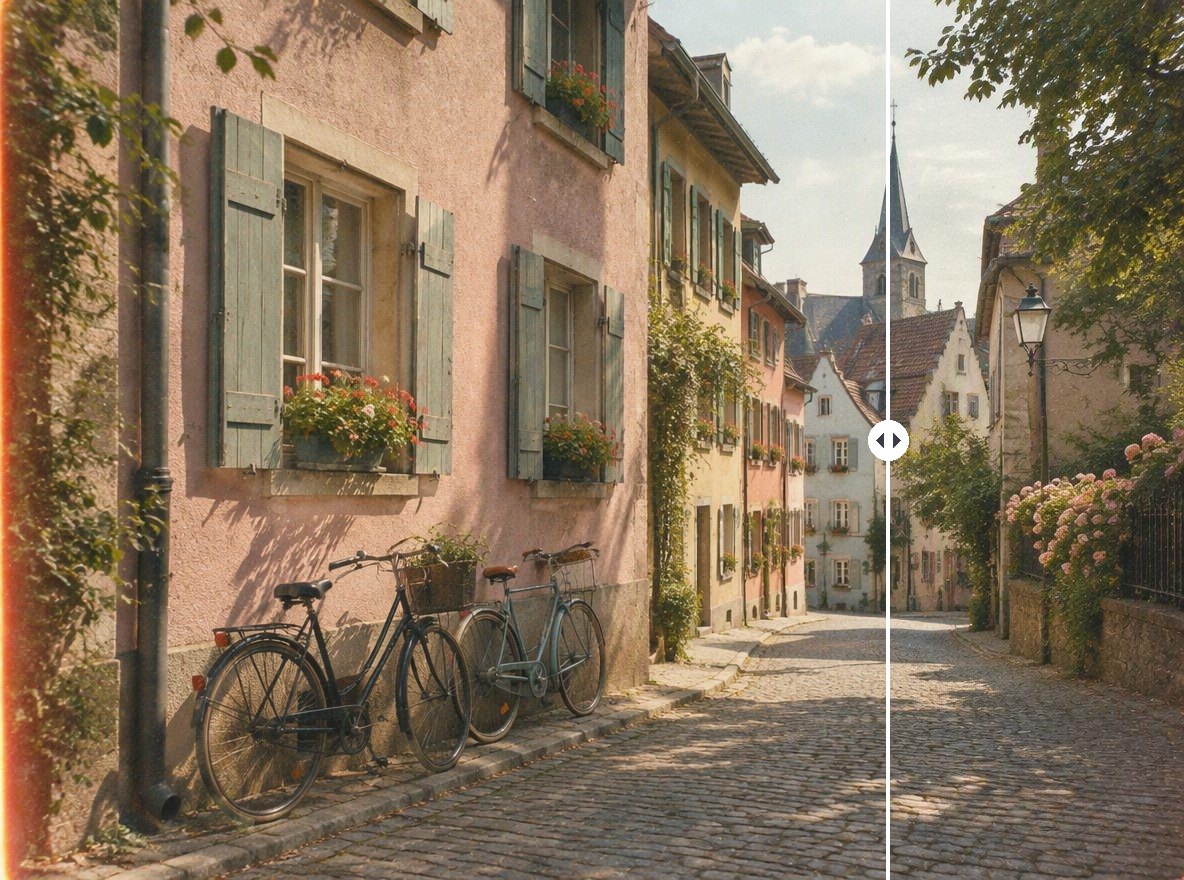
Travel and Street Shots

Cobblestones and walls are filled in to match the rest of the frame.

a street photo with the date stamp removed

Good to Know

Nothing to Select

The AI finds the date on its own.

Film Grain Kept

Only the date area is redrawn; the rest of the scan is untouched.

Original Resolution

The output has the same pixel size as your upload.

EXIF Date Unchanged

It does not change the date saved in the file's EXIF data.
Remove Date Stamp FAQ

How do I remove the date stamp from an old photo?

Scan the print or take a clear photo of it, then upload it to Remove Date Stamp from Photo above. The AI removes the orange date and redraws the corner, usually within 1 to 3 minutes.

Does it change the date in the file information?

No. It removes the date printed in the picture. The capture date stored in the file's EXIF data is a separate thing and is not changed.

Can I stop my camera from adding the date?

On most cameras and phone camera apps that print a date, it is a setting you can switch off. Check your camera's manual. For photos already taken, use this tool.

Will the photo lose quality?

The output has the same pixel size as your upload, and only the area under the date is redrawn.

Is it free?

Each image costs 4 tokens, whatever its size. New accounts get free tokens when they sign up, so you can try it before paying. GoEnhance does not add its own watermark to the result.

Is my photo private?

We do not sell your content. Your image is processed on GoEnhance servers to remove the mark, and the result stays in your account until you delete it. See our Privacy Policy for details.

Clean Up Your Old Photos

Upload a scan and let the AI remove the date for you.

Remove the Date Stamp