goenhance logo

Qwen Image Edit - Professional AI Image Editing

Qwen Image Edit is a powerful 20B parameter AI model built upon Qwen-Image, offering state-of-the-art image editing capabilities with precise text manipulation and semantic control. Experience advanced appearance editing, bilingual text rendering, and professional-grade image transformations with our optimized hosted solution. Built by Alibaba's Qwen Team - explore the official model on Hugging Face and open-source code on GitHub
Start Editing Images
Qwen Image Edit

Advanced Features of Qwen Image Edit

Precise Text Editing

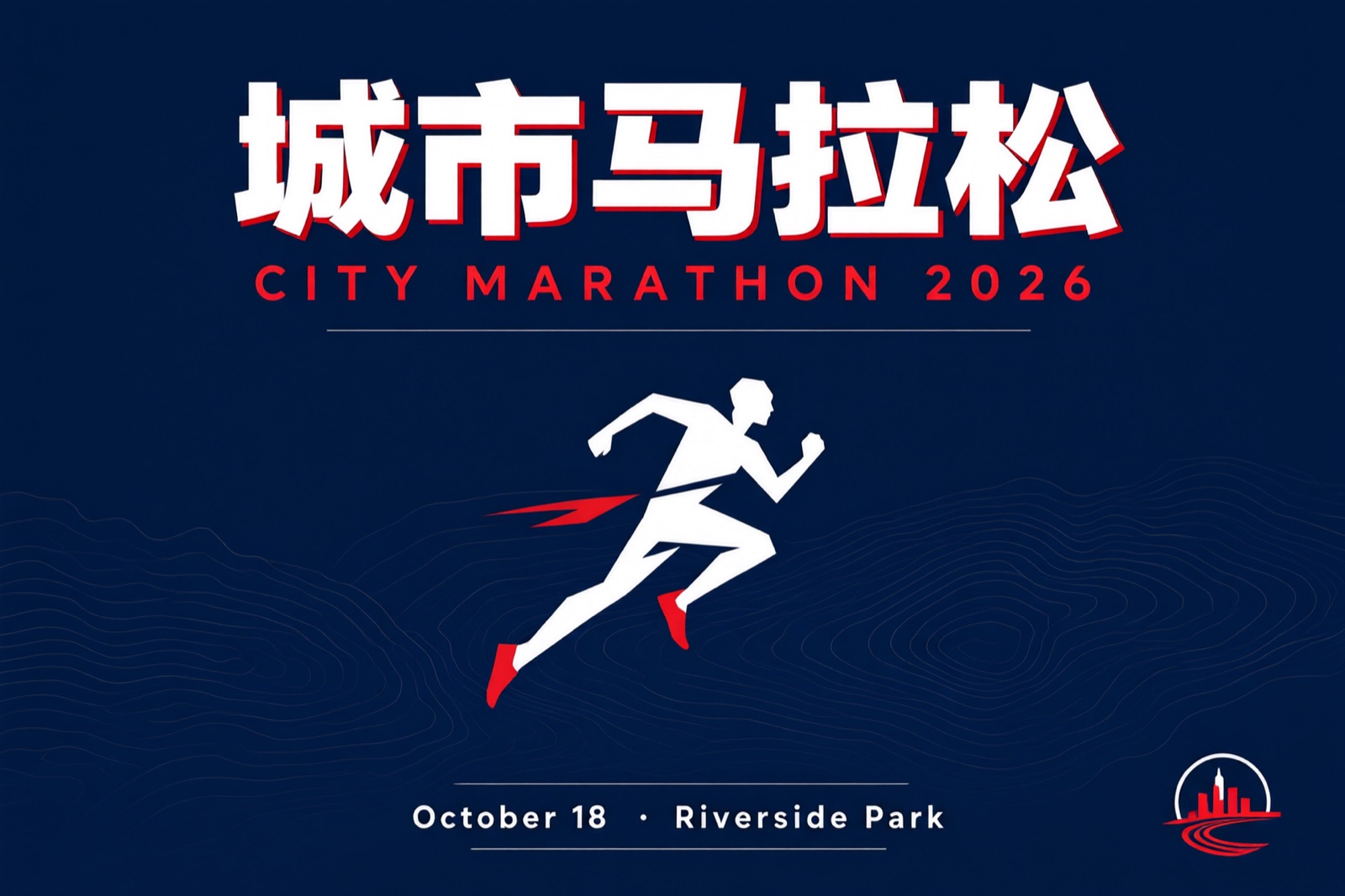
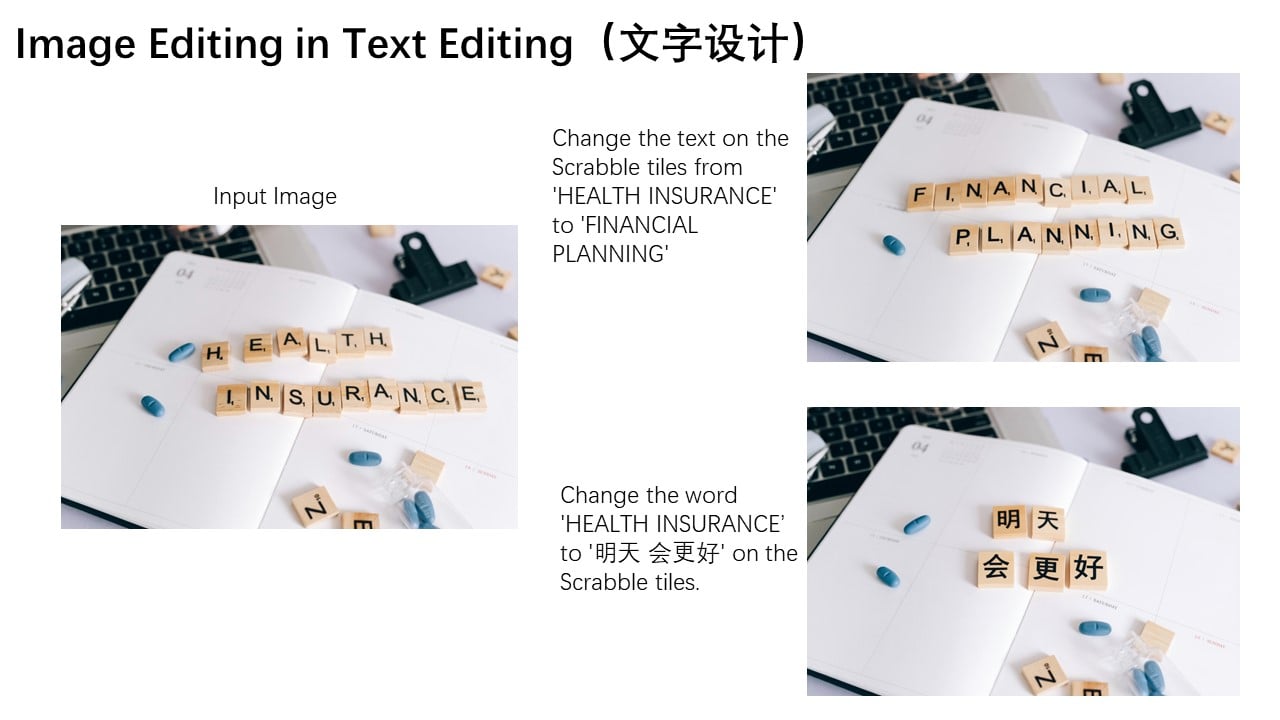
Edit text directly within images while preserving original font, size, and style. Support for both Chinese and English text with pixel-perfect accuracy for signage, posters, and documents.

Precise text editing with Qwen Image Edit

Semantic & Appearance Editing

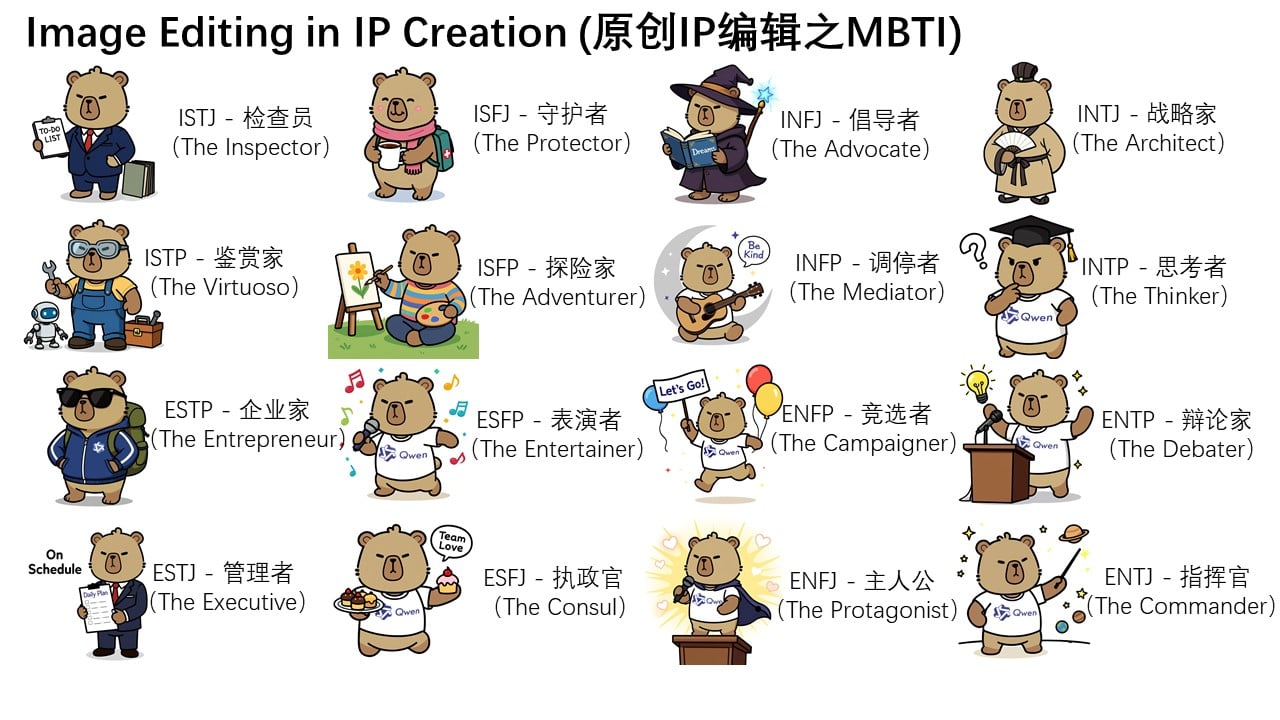
Perform both high-level semantic editing (style transfer, object rotation, IP creation) and low-level appearance editing (adding/removing elements) with exceptional control.

Semantic and appearance editing capabilities

Object Manipulation & Style Transfer

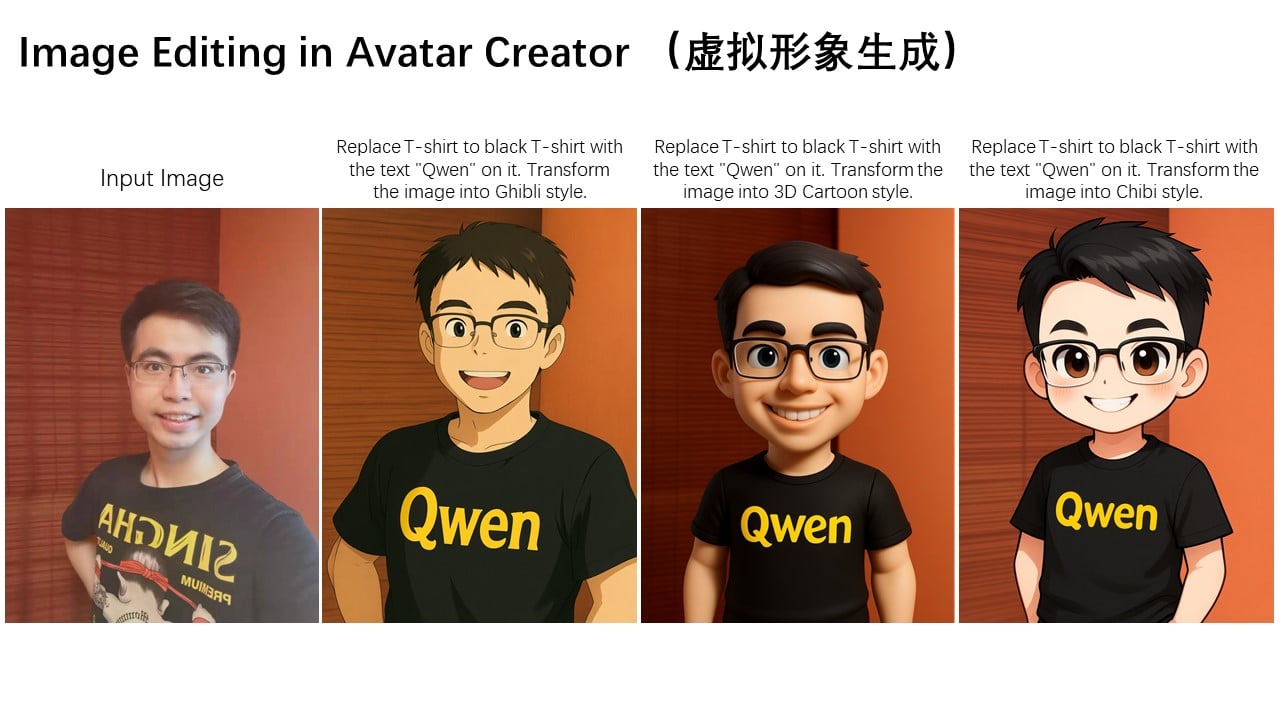
Rotate objects 90-180 degrees, change backgrounds, modify clothing, and transform artistic styles while maintaining character consistency and visual coherence.

Object manipulation and style transfer

Chained Editing Workflow

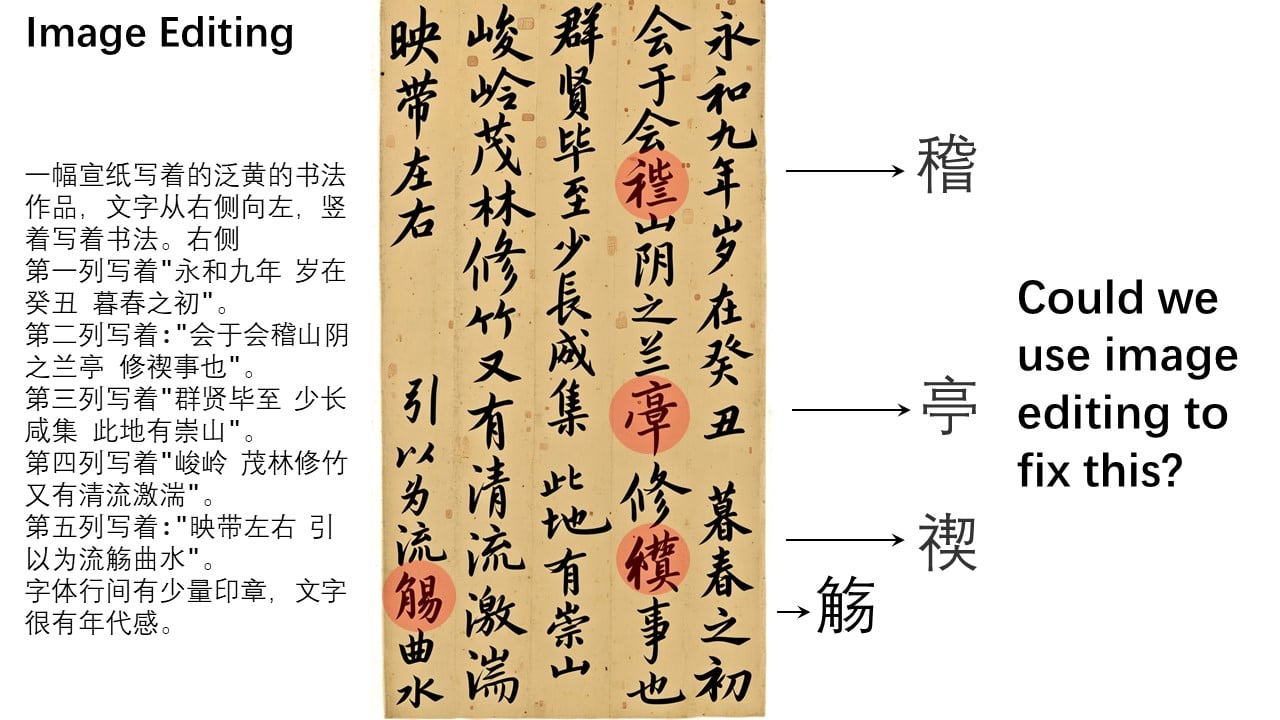
Progressive editing approach for complex corrections. Mark regions with bounding boxes, make step-by-step refinements, and achieve pixel-perfect results through iterative improvements.

Chained editing workflow

How To Use Qwen Image Edit?

01

Upload Your Image

Upload any image you want to edit. Supported formats include PNG, JPG, and WebP. The model works best with clear, well-lit images.

02

Describe Your Edit

Write detailed instructions for your edit. Example: "Change the rabbit's color to purple" or "Replace the text 'Hello' with '你好' in the same font style."

03

Refine & Perfect

Use iterative editing for complex changes. Mark specific regions with bounding boxes for precise control, then export your final high-quality result.

Community Discussions about Qwen Image Edit

Frequently Asked Questions

What makes Qwen Image Edit different from other image editors?

Qwen Image Edit combines semantic understanding with precise appearance control. It can edit text while preserving fonts, perform complex object manipulations, and maintain visual consistency across edits.

Can Qwen Image Edit handle both Chinese and English text?

Yes! Qwen Image Edit excels at bilingual text editing, allowing you to add, remove, or modify both Chinese and English text within images while maintaining original styling and layout.

What types of edits can I perform with Qwen Image Edit?

You can perform text editing, object removal/addition, background changes, style transfers, clothing modifications, 90-180 degree object rotations, and complex semantic transformations while preserving image quality.

How accurate is the text editing feature?

Qwen Image Edit offers state-of-the-art text editing accuracy, preserving original fonts, sizes, and styles. It can handle complex typography including multi-line text, small captions, and mixed-language layouts.

Is Qwen Image Edit suitable for professional use?

Absolutely. With SOTA performance on benchmarks and precise control over both semantic and appearance aspects, it's designed for professional designers, marketers, and content creators requiring high-quality results.

What is the chained editing approach?

Chained editing allows you to make progressive improvements by marking specific regions with bounding boxes and making step-by-step refinements. This is perfect for complex corrections that require multiple iterations.

Is it free to use?

You can try Qwen Image Edit for free on GoEnhance AI with free credits. For professional use, subscription plans are available.

Experience Professional AI Image Editing

Transform your images with Qwen Image Edit's advanced editing capabilities. Trusted by creators and professionals worldwide — join millions of designers already using it today.

Start Editing Now