
goenhance logo

Qwen-Image-2.0

Qwen-Image-2.0 is built for creators who need more than a pretty image. It handles clean text, stable layout, and rich visual detail in one flow, making it a practical choice for posters, slide-style graphics, comics, and branded content. If you want to test the same kind of image workflow fast, open GoEnhance AI Image Generator and start creating in minutes.

Try It Free Now
Text to Image
Image to Image
Select Model
Image

Explore Qwen-Image-2.0 User Cases

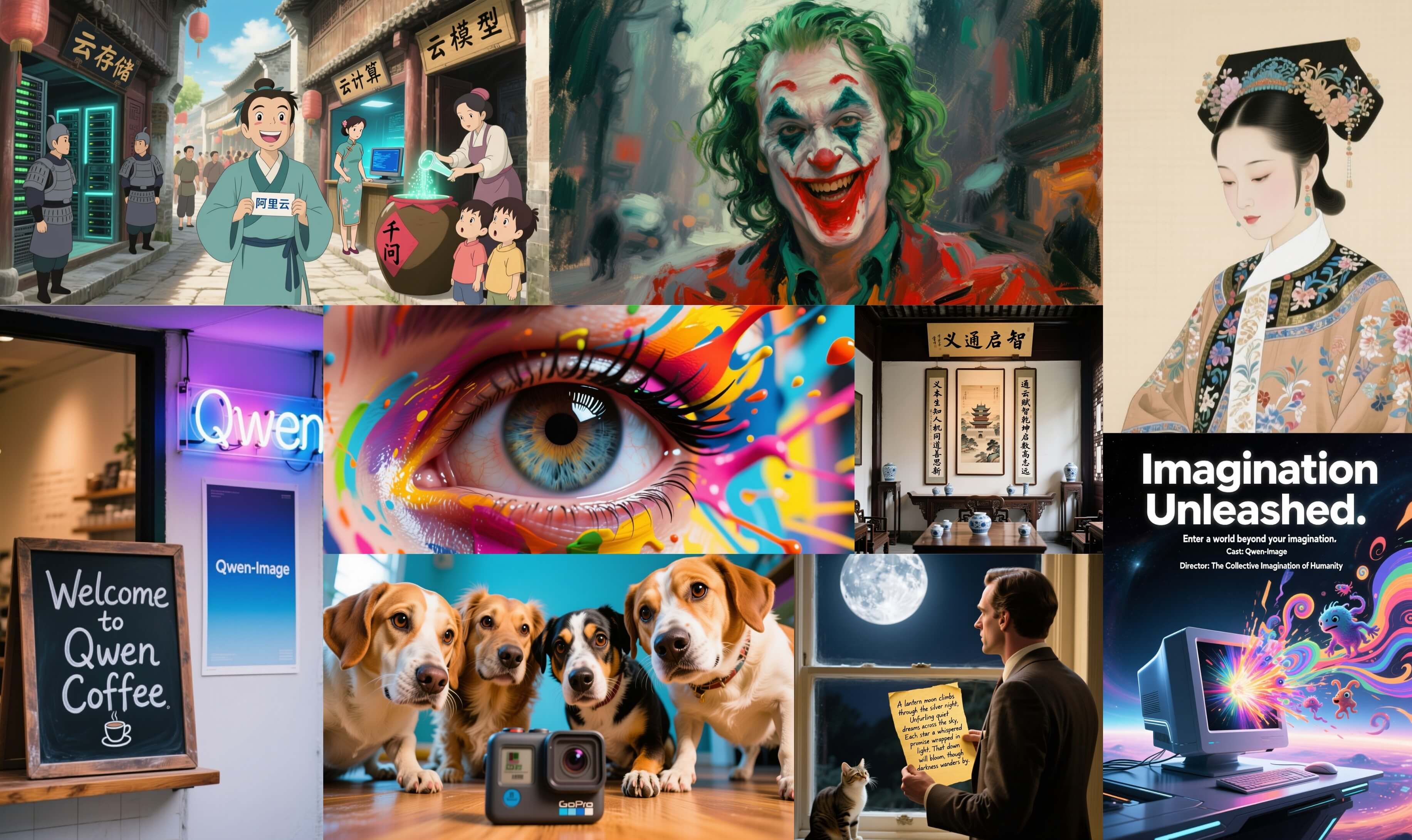
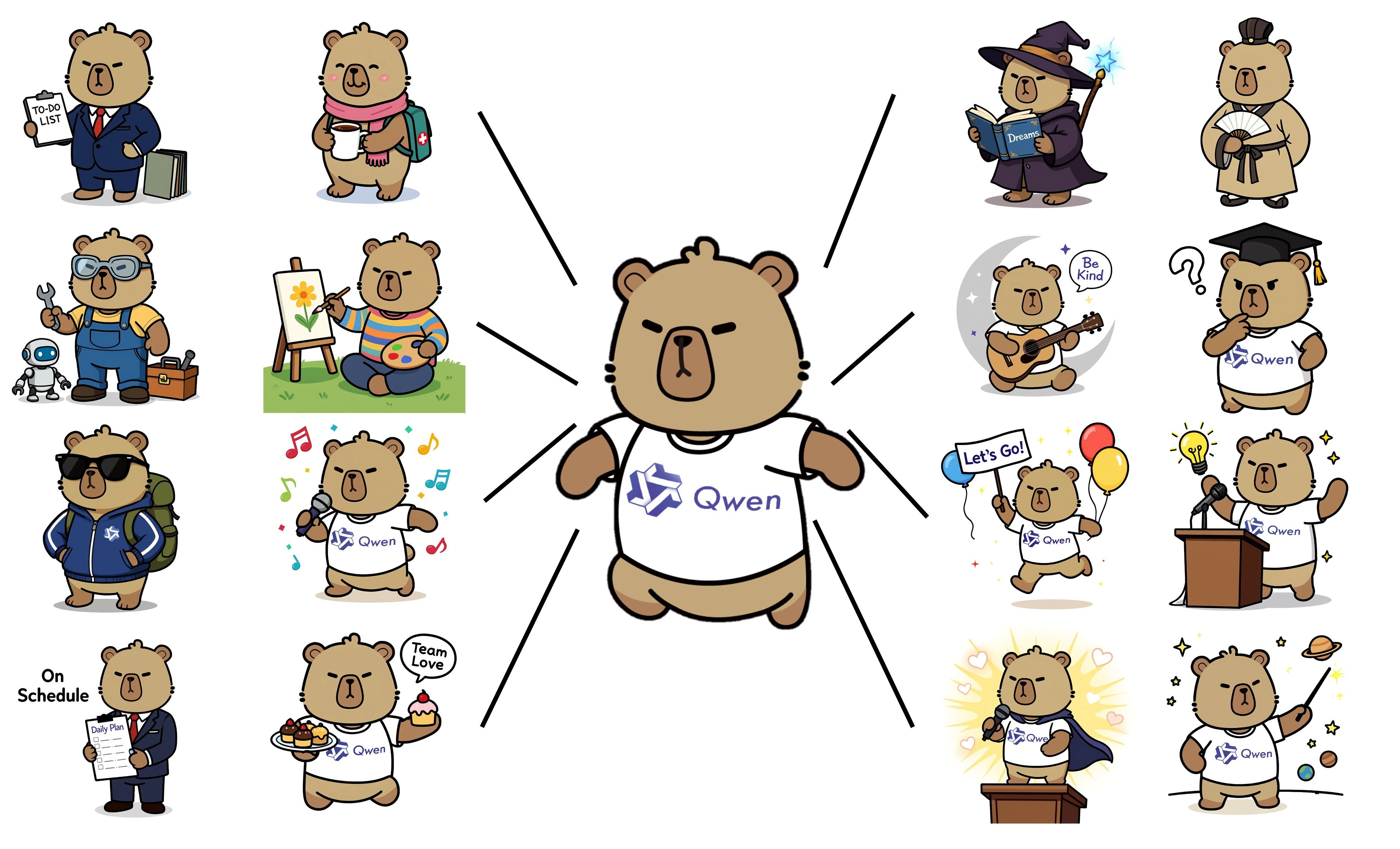
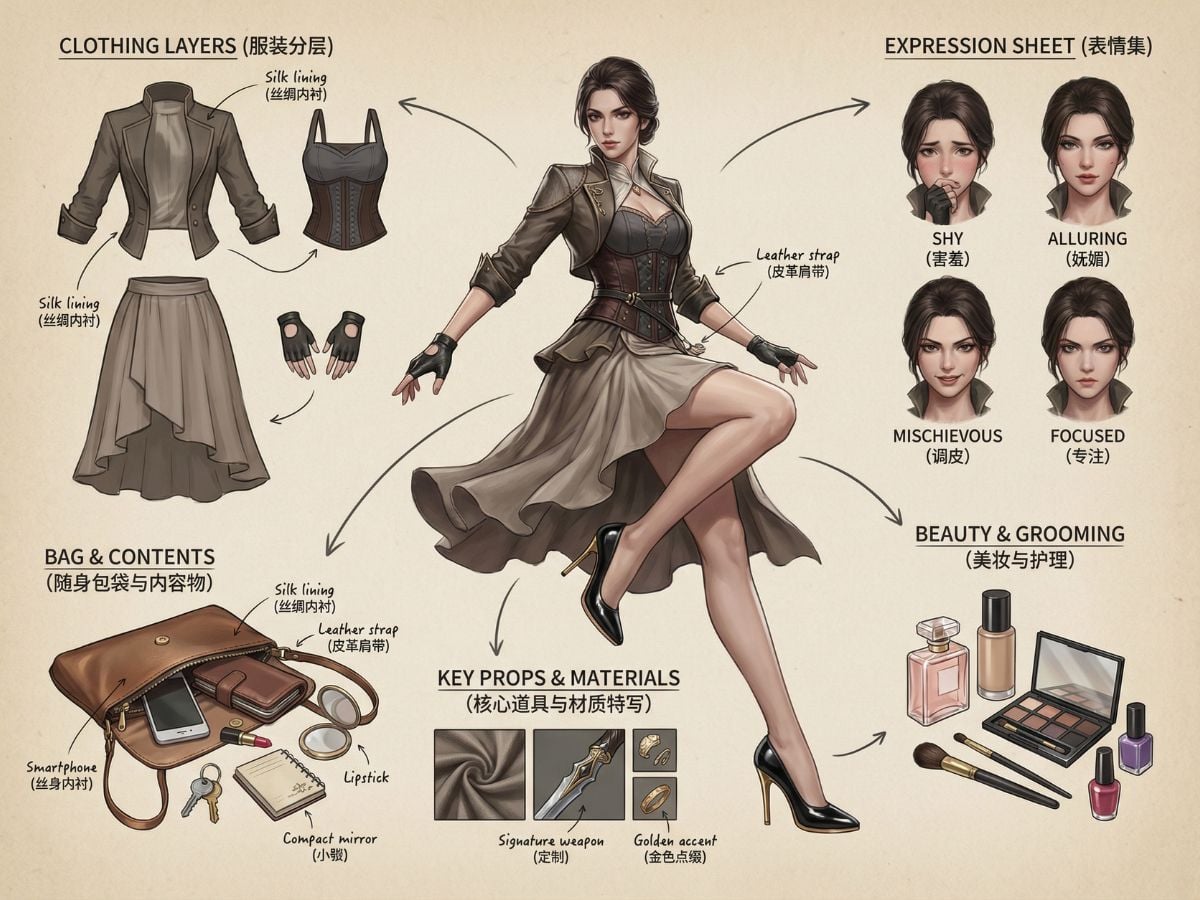
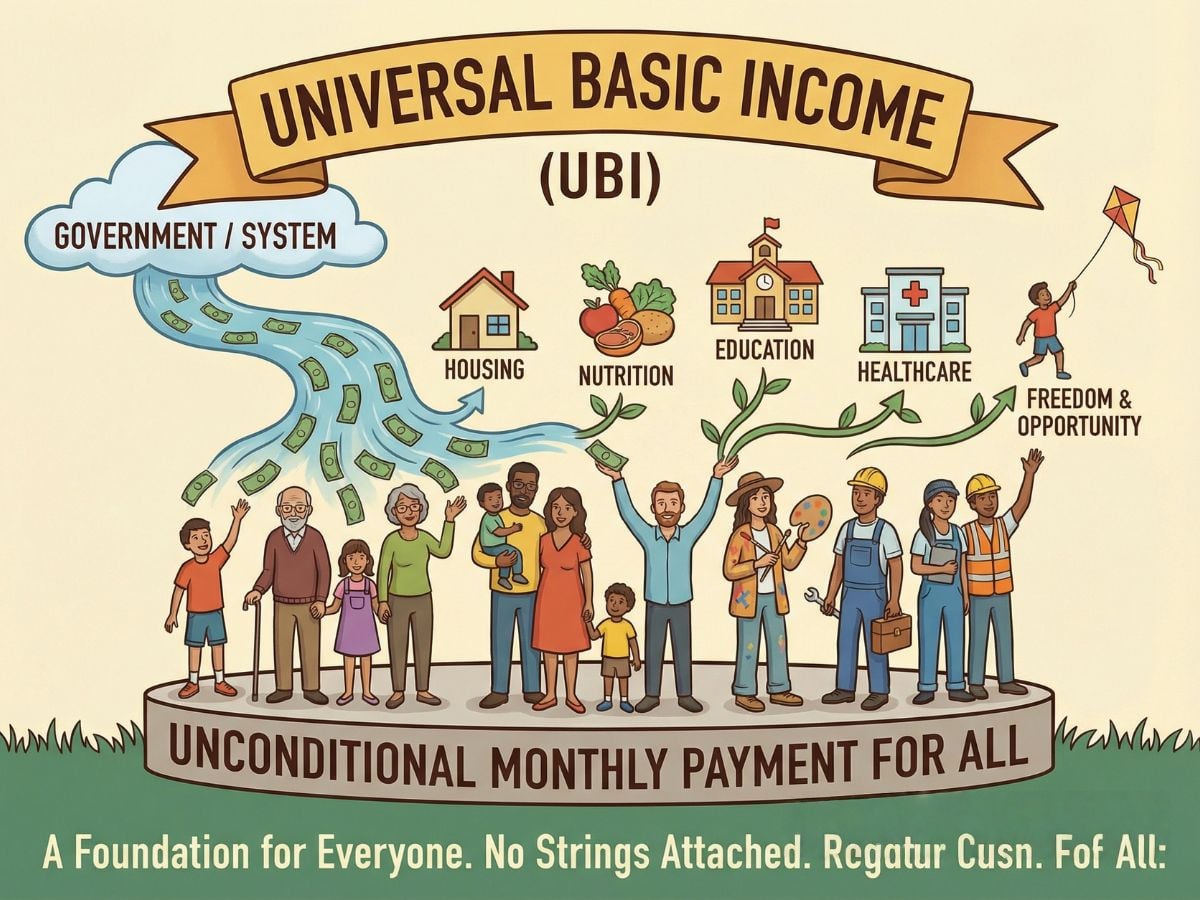
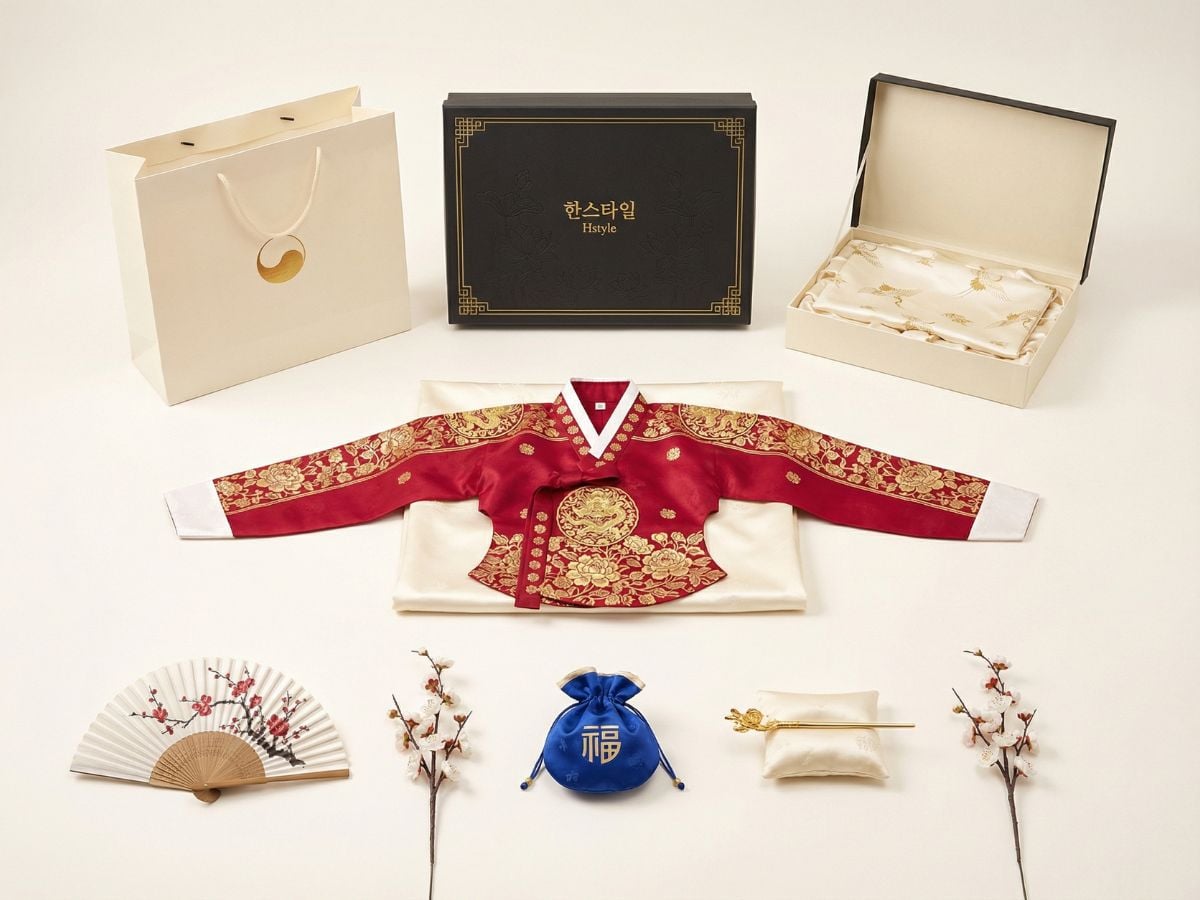
Browse real visual examples created across poster design, ad creative, product design, and portrait creation. Click a category tag to filter the gallery, then click again to view all images.

How To Use Qwen-Image-2.0?

01

Open AI Image Generator

Start by opening GoEnhance AI Image Generator. This is the fastest way to test a Qwen-Image-2.0 style workflow for text-heavy posters, visual concepts, and polished image layouts.

02

Write a Clear Prompt with Text and Layout Intent

Describe the scene, the exact wording you want to appear, and where it should sit in the composition. Qwen-Image-2.0 stands out when you ask for readable text, structured spacing, and a specific visual purpose.

03

Generate, Review, and Refine

Click generate, review the layout, then adjust the prompt if needed. For stronger results, refine the wording, hierarchy, or style direction until the output feels presentation-ready.

Key strengths that matter in real use

Why Qwen-Image-2.0 Stands Out

Cleaner text rendering

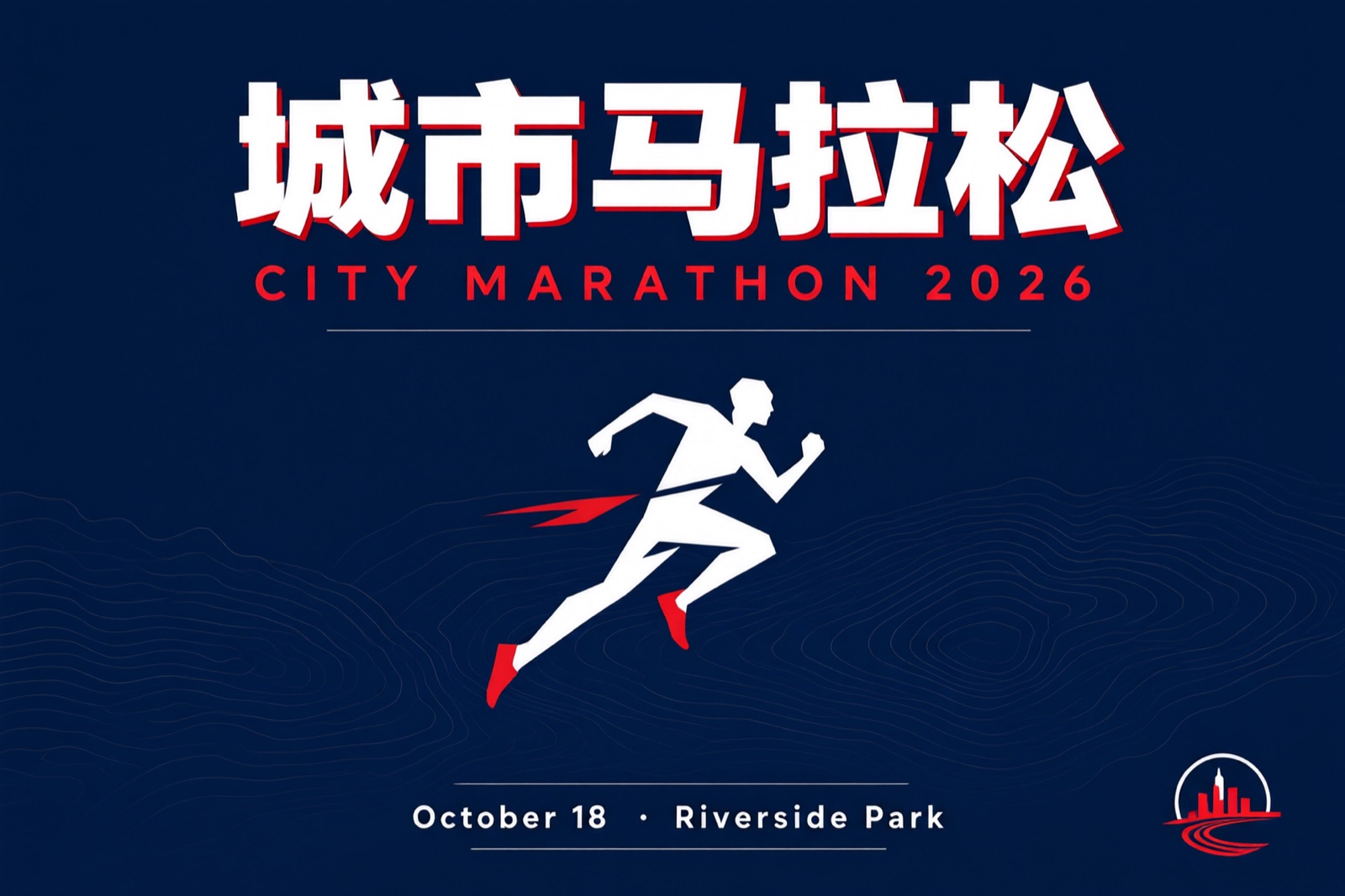
Qwen-Image-2.0 is much more reliable when an image needs readable words. Titles, labels, and longer text blocks come out cleaner, which makes it more practical for posters, slides, comics, and branded visuals.

Better for layout-heavy images

Qwen-Image-2.0 is not just about style. It is better at handling structured compositions where text and visuals need to share space in a way that feels organized and easy to read.

Stronger long-prompt understanding

Qwen-Image-2.0 handles detailed instructions more naturally than many standard image models. That helps when you need to describe the scene, the text, the placement, and the overall purpose in one prompt.

Sharper 2K visual detail

Beyond text, Qwen-Image-2.0 also improves image quality. It is better at producing refined details in people, natural scenes, textures, and architectural elements, which helps the output feel more polished.

More practical create-and-edit flow

Qwen-Image-2.0 moves toward a more unified workflow. Instead of feeling like generation and editing belong to separate steps, it feels more natural for drafting, refining, and improving one visual idea.

Built for usable output

What makes Qwen-Image-2.0 appealing is that it is not only trying to make attractive images. It is built to make images that are easier to use in real work, especially when clarity, structure, and communication matter.

Explore Qwen-Image-2.0 Features

More Professional Text Rendering

Qwen-Image-2.0 is built for image generation that actually needs readable text. With support for long prompts and stronger layout control, Qwen-Image-2.0 is far better suited to PPT-style pages, posters, comics, and information-rich visuals than a typical image model. This progress grows naturally from the earlier Qwen Image foundation, but Qwen-Image-2.0 pushes much further in text clarity, spacing, and usable graphic composition.

More Detailed Realism at 2K Quality

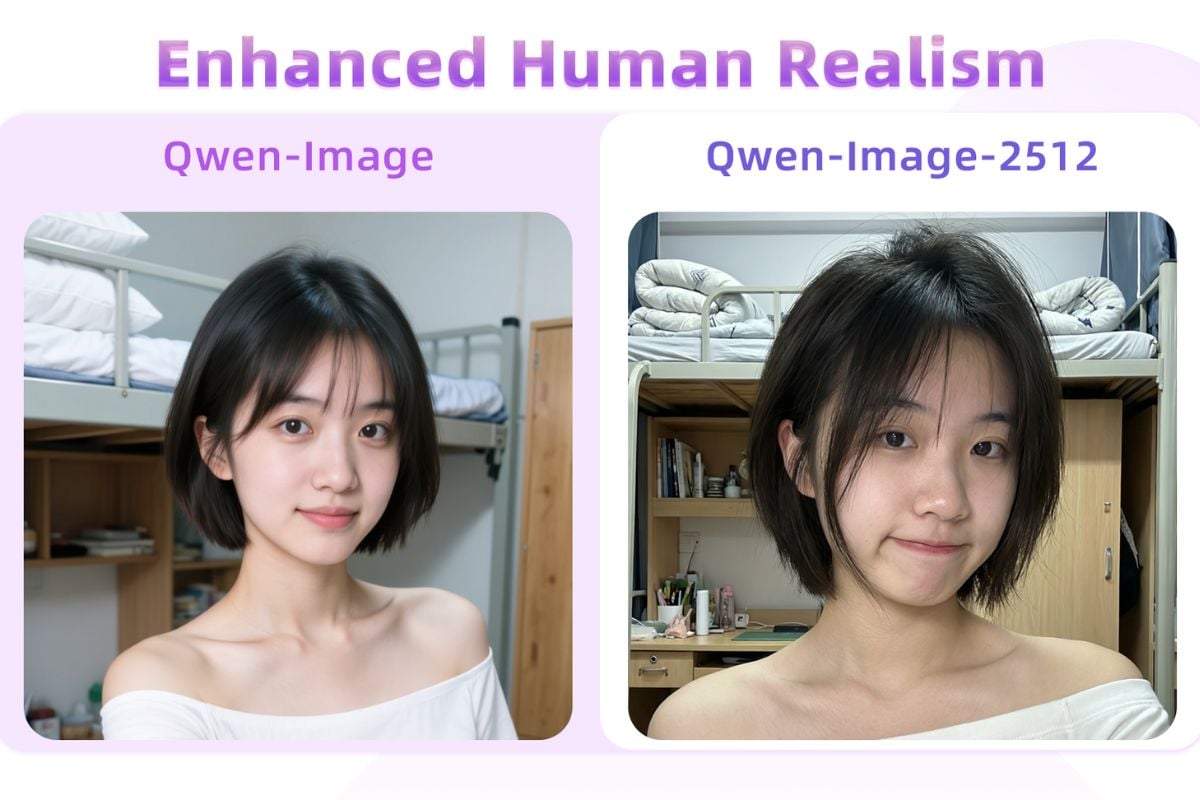
Qwen-Image-2.0 does not just make text cleaner. Qwen-Image-2.0 also brings sharper 2K detail for realistic scenes, helping textures, faces, natural elements, and architectural surfaces feel more refined and believable. Compared with earlier stages like Qwen-Image-2512, Qwen-Image-2.0 feels more confident when balancing visual detail with structured, presentation-friendly output.

Stronger Semantic Control in One Unified Workflow

One of the most practical upgrades in Qwen-Image-2.0 is that it feels more unified. Instead of treating generation and editing as separate habits, Qwen-Image-2.0 moves toward a more seamless create-and-refine workflow. That direction builds on what users already saw in Qwen Image Edit, but Qwen-Image-2.0 makes the overall experience feel more consistent when you need accurate instruction following, cleaner revisions, and more dependable output.

Lighter Model Architecture with Faster Practical Output

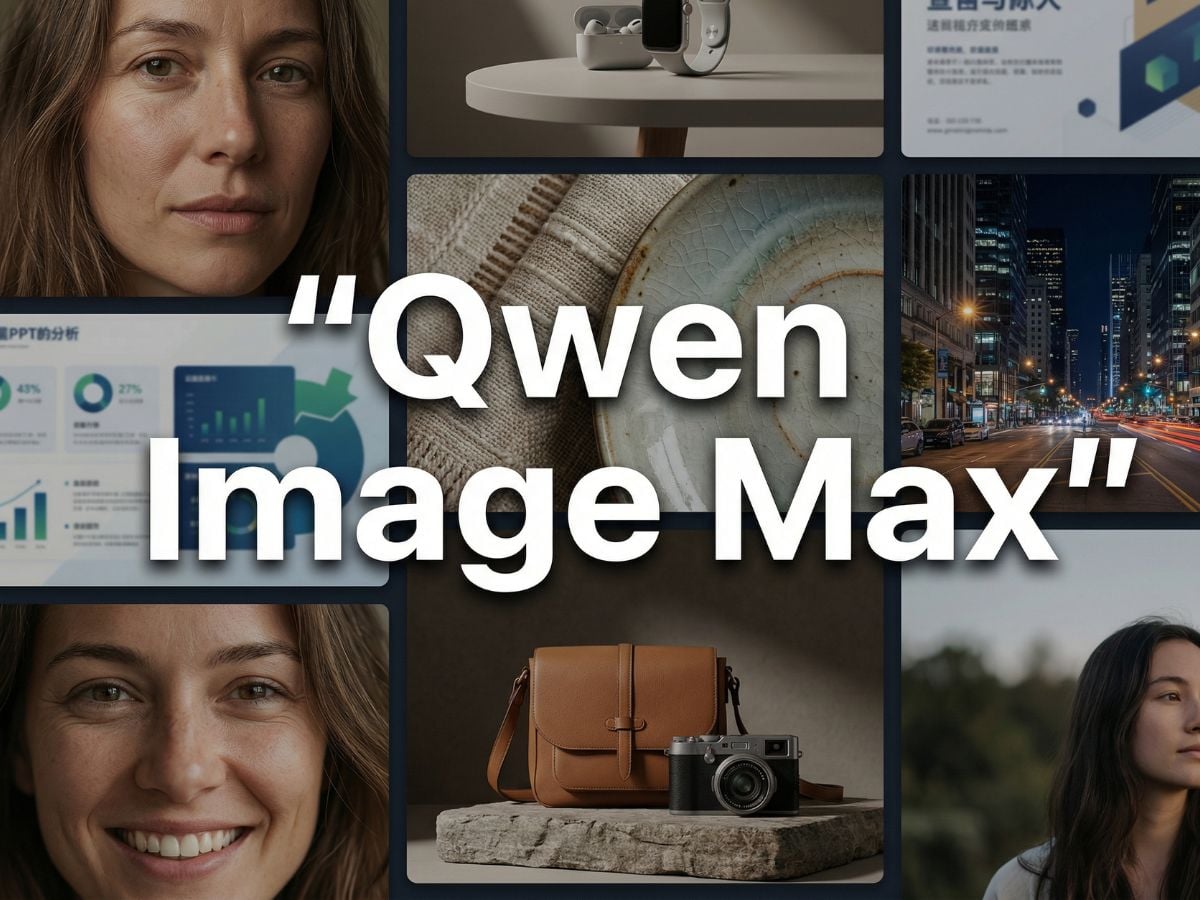
Qwen-Image-2.0 is designed to feel more efficient in real creative work. The lighter model direction means Qwen-Image-2.0 aims to deliver faster, more practical results without giving up the text rendering and image quality that make it stand out. Seen this way, Qwen-Image-2.0 is a more usable next step after Qwen Image Max: less about raw model presence alone, and more about getting cleaner, useful visual assets faster.
Why Choose Qwen-Image-2.0 Over Other Leading Image Models?

FeatureQwen-Image-2.0Qwen-Image-MaxGLM-ImageSeedream 5.0
Core AppealTurns complex ideas into clean, text-ready visual assetsDelivers polished, premium-looking images with strong realismExcels at knowledge-rich visuals that need both logic and clarityFeels like a smart visual assistant built for practical creation
Best Marketing HookCreate posters, slides, and infographics without the usual AI text messGet a more natural, high-end look for ads, covers, and hero visualsGenerate information-dense graphics that still look organized and readableBuild useful visual content with stronger understanding and workflow support
What It Does BestMakes AI-generated text actually usable in the final imageMakes images feel more photoreal, refined, and commercially polishedMakes complex content easier to express in a single imageMakes intent-heavy tasks easier, especially when structure matters
Ideal Use CasePPT pages, launch posters, social graphics, comics, product explainersBrand visuals, ad creatives, lifestyle shots, polished campaign artEducational graphics, technical posters, concept boards, visual summariesWork visuals, research-backed graphics, practical design tasks
Biggest AdvantageText, layout, and image quality work together in one workflowVisual finish feels more premium out of the boxHandles dense information better than most image modelsAdds more intelligence to the creation process, not just prettier output
Editing ExperienceA more seamless create-and-edit experience in one model flowStrong for high-end output, but editing is less central to the storyMore about structured generation than everyday editing speedUseful when you need stronger control over revisions and intent
Who It Sells To BestCreators, marketers, founders, and teams making text-heavy visuals fastBrands and designers who care most about visual polish and realismEducators, product teams, and knowledge creators who need clarityProfessionals who want practical output with smarter prompt understanding
Fastest Value PitchIf your image needs readable text, this is the one to watchIf your image needs to look premium, this is the safer pickIf your image needs to explain a lot, this is the stronger optionIf your image needs smarter structure, this is the more useful tool
Brand ImpressionProduction-ready and highly usablePremium and visually impressiveSmart, structured, and knowledge-drivenPractical, capable, and workflow-friendly
Standout MessageBest for turning AI image generation into real design productivityBest for making AI visuals feel more finished and marketableBest for visuals that need both information depth and controlBest for users who want a more capable day-to-day creation partner
Frequently Asked Questions

You may want to know

What makes Qwen-Image-2.0 different from a standard image generator?

What stands out most is how practical it feels in real design work. Qwen-Image-2.0 is much better at readable text, cleaner layout structure, and longer prompt handling, so it fits posters, slide-style graphics, comics, and information-heavy visuals more naturally than models that focus only on style.

Is Qwen-Image-2.0 only useful for text-heavy images?

Not at all. Text rendering is the headline feature, but Qwen-Image-2.0 is also useful for polished concept art, marketing graphics, product-style visuals, and edited compositions. It works especially well when you need the image to look refined while still following clear instructions.

What kinds of projects is Qwen-Image-2.0 best suited for?

Qwen-Image-2.0 is a strong fit for posters, presentation slides, infographics, comics, promo layouts, and social visuals that combine imagery with clear written content. It is most useful when the image needs to communicate something specific, not just look attractive.

Why do creators care so much about text rendering in Qwen-Image-2.0?

Because in real production, broken text can make an otherwise strong image unusable. Qwen-Image-2.0 is designed to reduce the messy lettering, awkward spacing, and unreadable labels that often show up in AI-generated visuals, which makes it more dependable for design-oriented tasks.

Does Qwen-Image-2.0 handle long prompts better than older image workflows?

Yes, and that is one of its biggest practical advantages. Qwen-Image-2.0 is better at following longer, more detailed instructions, which helps when you need to describe layout, wording, subject details, and visual tone in one request. That makes complex image briefs easier to manage.

Can Qwen-Image-2.0 help with presentation-ready visuals?

It can get you much closer to presentation-ready output than a typical image model, especially for slide-style graphics and poster layouts. Even so, it is still smart to review spacing, wording, and hierarchy before final use, especially for client work or public-facing materials.

Is Qwen-Image-2.0 a good choice for commercial content?

It can be a very practical option for commercial-style visuals because it combines readable text, stronger layout control, and polished image quality. For real business use, teams should still check brand wording, factual accuracy, and final visual consistency before publishing.

What is the best way to write prompts for Qwen-Image-2.0?

The best results usually come from writing like a clear design brief. Describe the subject, explain the purpose of the image, include the exact text you want, and mention where that text should appear. Qwen-Image-2.0 tends to perform better when the prompt is specific about structure, not just style.

Does Qwen-Image-2.0 replace manual design work completely?

No. Qwen-Image-2.0 can speed up ideation, first drafts, and even polished early versions, but it does not remove the need for review. Designers and marketers still matter because they refine spacing, confirm the message, and make sure the final image fits the actual use case.

How should I evaluate whether a Qwen-Image-2.0 result is actually usable?

A simple test works well: read every line of text, check spacing, confirm the layout supports the message, and make sure the image still looks coherent at normal viewing size. If the wording is clear and the composition feels intentional, the result is much closer to real production value.

Can I use Qwen-Image-2.0 outputs for commercial use safely?

You should treat commercial use as a review step, not an automatic guarantee. Before using any Qwen-Image-2.0 output in ads, client work, product pages, or branded campaigns, check the image for trademarked elements, copyrighted references, misleading text, and anything that could create legal or compliance risk. It is also wise to confirm the platform terms and your internal brand rules before publishing.

Can I try this on GoEnhance for free?

Yes. GoEnhance offers free access so you can test the workflow first and see how Qwen-Image-2.0 style image creation feels in practice. Once the included free credits are used up, you will need to recharge or subscribe to keep generating more images and continue using the tool without interruption.
Get Started Today

Open GoEnhance AI Image Generator and test a Qwen-Image-2.0 style workflow for cleaner text, stronger layout, and polished visual output.

Start Creating