Free Real Estate Video Maker

Arrange exterior, living area, kitchen, bedroom, and outdoor photos into a clear tour sequence. Add only verified property details, then review room continuity and image accuracy before publishing.
Create a Property Video

Turn Property Details Into Engaging Real Estate Videos

Organize Every Room Into a Logical Tour

Turn a property brief, script, or image set into a structured room-by-room sequence with an image to video workflow. Start with the exterior, guide viewers through the key spaces, and finish with the patio, garden, or neighborhood to create a complete property story.
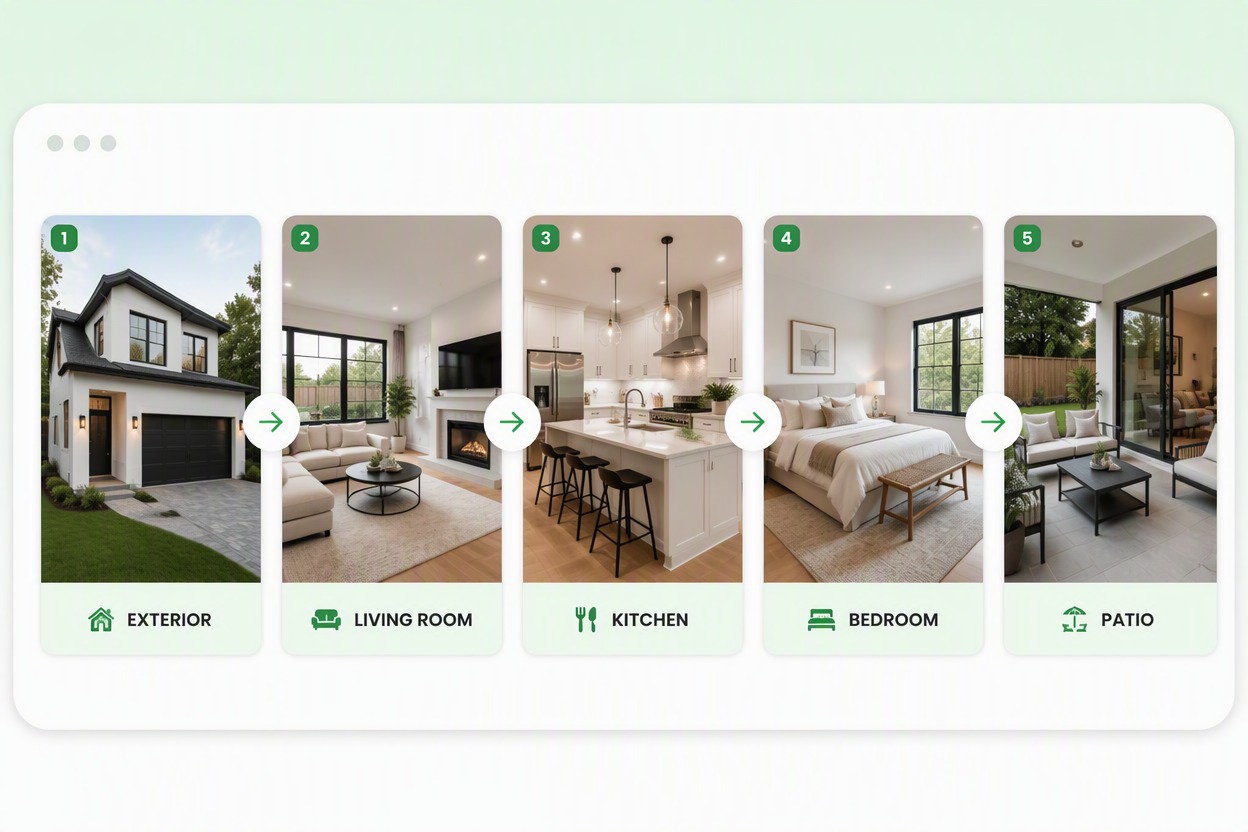
Feature coherent room-by-room storyboard of one fictional home: EXTERIOR, LIVING ROOM, KITCHEN, BEDROOM, PATIO. Preserve white plaster exterior, black window frames, oak floor, cream furniture and courtyard geometry. No people, logos, text gibberish or impossible room changes.

Add Natural Motion to Listing Photos

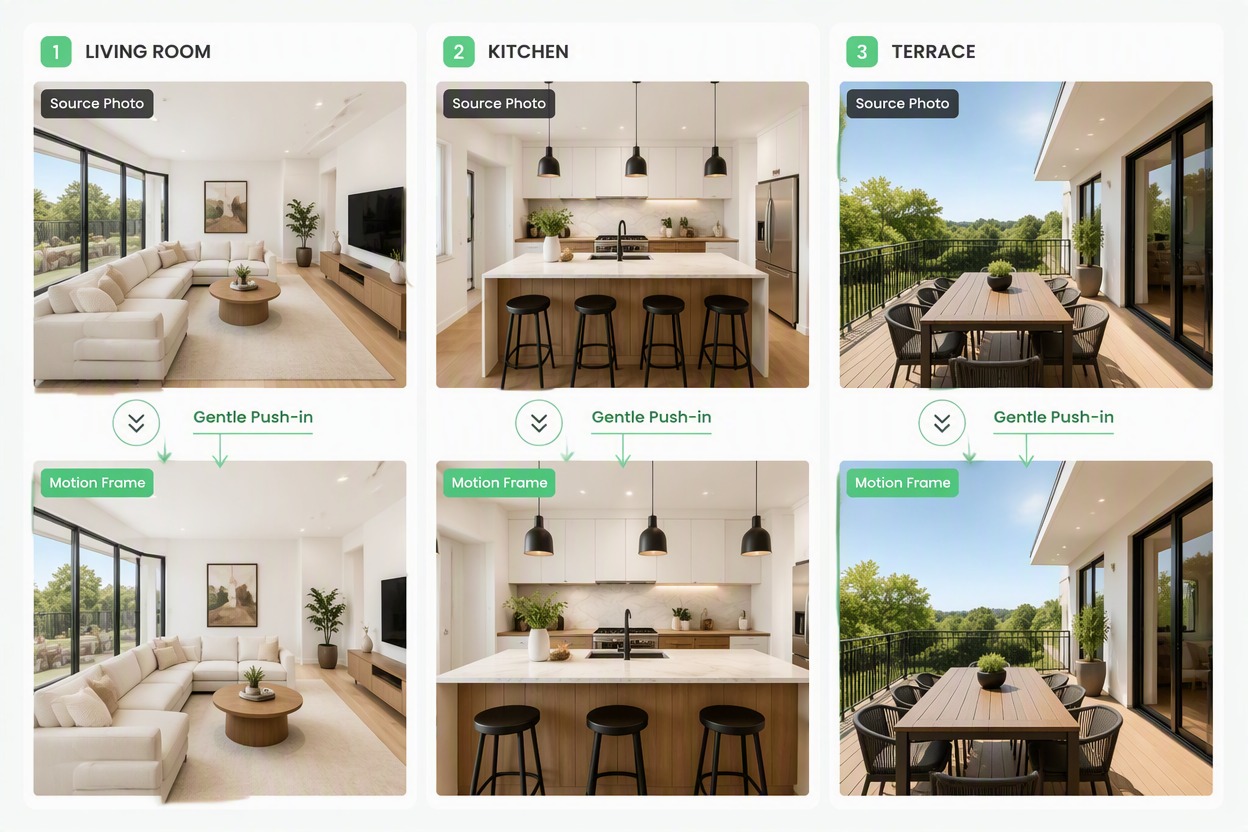
Bring still property images to life with gentle camera movement, including pans, push-ins, and smooth transitions between rooms. Keep the original walls, windows, furniture, fixtures, room proportions, and views consistent throughout the video.

Feature matched Source Photo → Motion Frame comparisons for living room, kitchen and patio of the same home. Gentle push-in arrows only; preserve walls, windows, furniture, fixtures, room size and view. Exact labels Source Photo, Motion Frame.

Add Clear Property Highlights

Create readable title cards and on-screen labels for property types, room names, neighborhood details, and confirmed selling points. Present important information clearly while keeping unsupported prices, dimensions, amenities, addresses, and availability details out of the video.
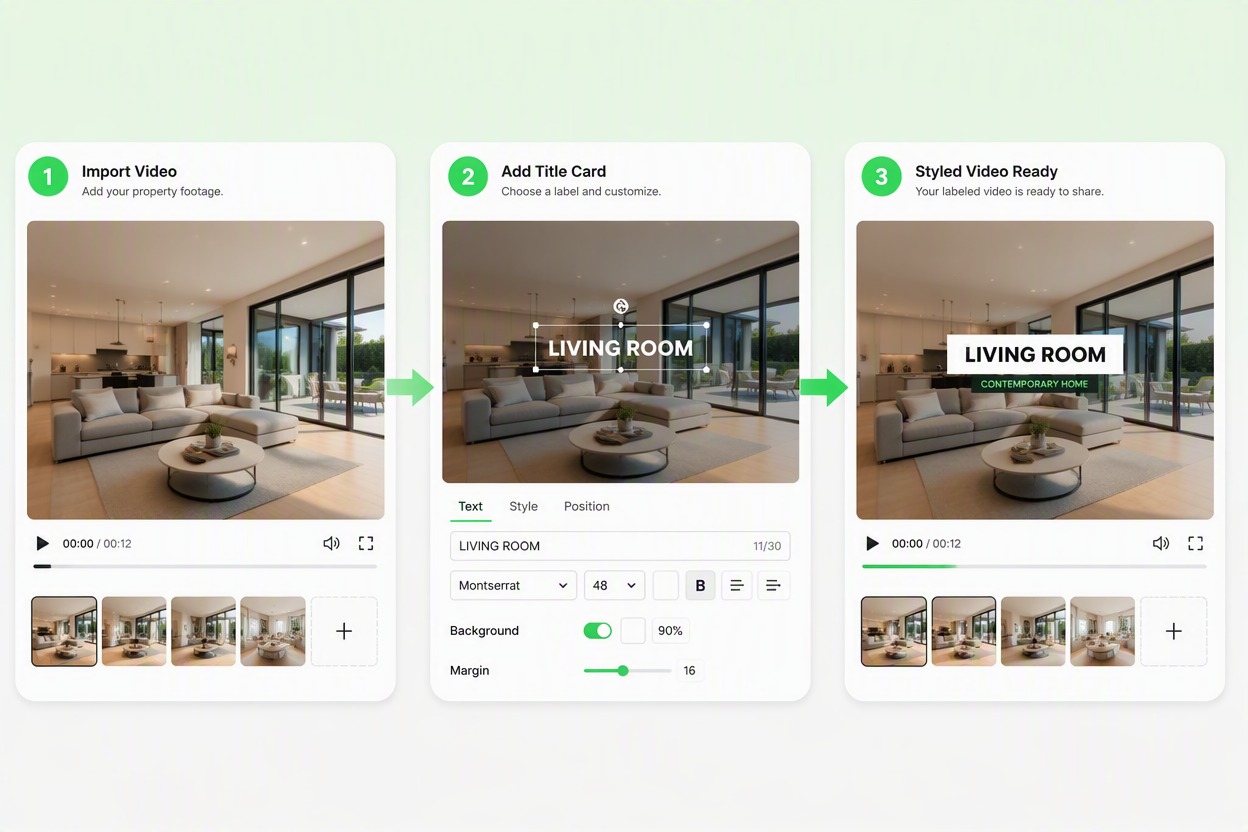
Feature title-card editor with the same property frames and only exact labels CONTEMPORARY HOME, LIVING ROOM, KITCHEN, GARDEN PATIO. No price, address, dimensions, school, availability or amenity claims.

Repurpose One Tour for Every Channel

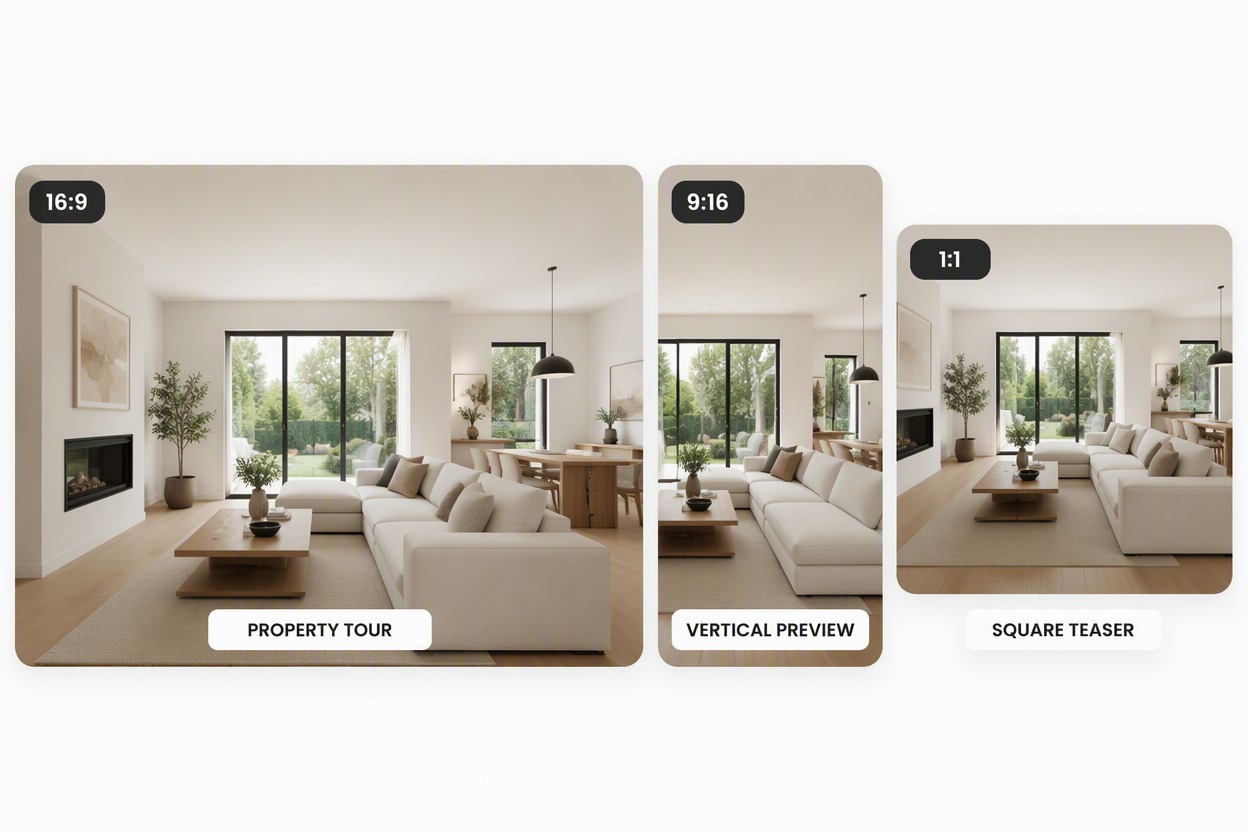
Transform one set of property assets into a complete listing video, vertical social clip, or square teaser. Adjust framing, scene order, and text density for each placement while keeping the same property facts and visual identity.

Feature output-version board using the same verified fictional home exterior and living-room assets in three clearly different frames: wide 16:9 PROPERTY TOUR, tall 9:16 VERTICAL PREVIEW, square 1:1 SQUARE TEASER. Keep the same white walls, black windows, oak floor and cream furniture in every crop. No edit timeline, new room, price, address, dimensions, amenity, platform logo or brand.

Why Use a Real Estate Video Creator

Organize a Property Story

Turn a folder of room photos into a deliberate exterior-to-interior viewing path.

Give Still Photos Natural Motion

Create gentle scene movement without redesigning the property.

Keep Listing Facts Reviewable

Place approved facts and titles where agents or owners can check them.

Support Multiple Placements

Prepare property-page, email, listing, and social-video drafts from one asset set.

Highlight Distinct Property Areas

Give the exterior, kitchen, living space, bedrooms, and outdoor area separate visual beats.

Check Visual Accuracy

Review room geometry, windows, fixtures, landscaping, text, and claims before publishing.

How to Use Real Estate Video Maker
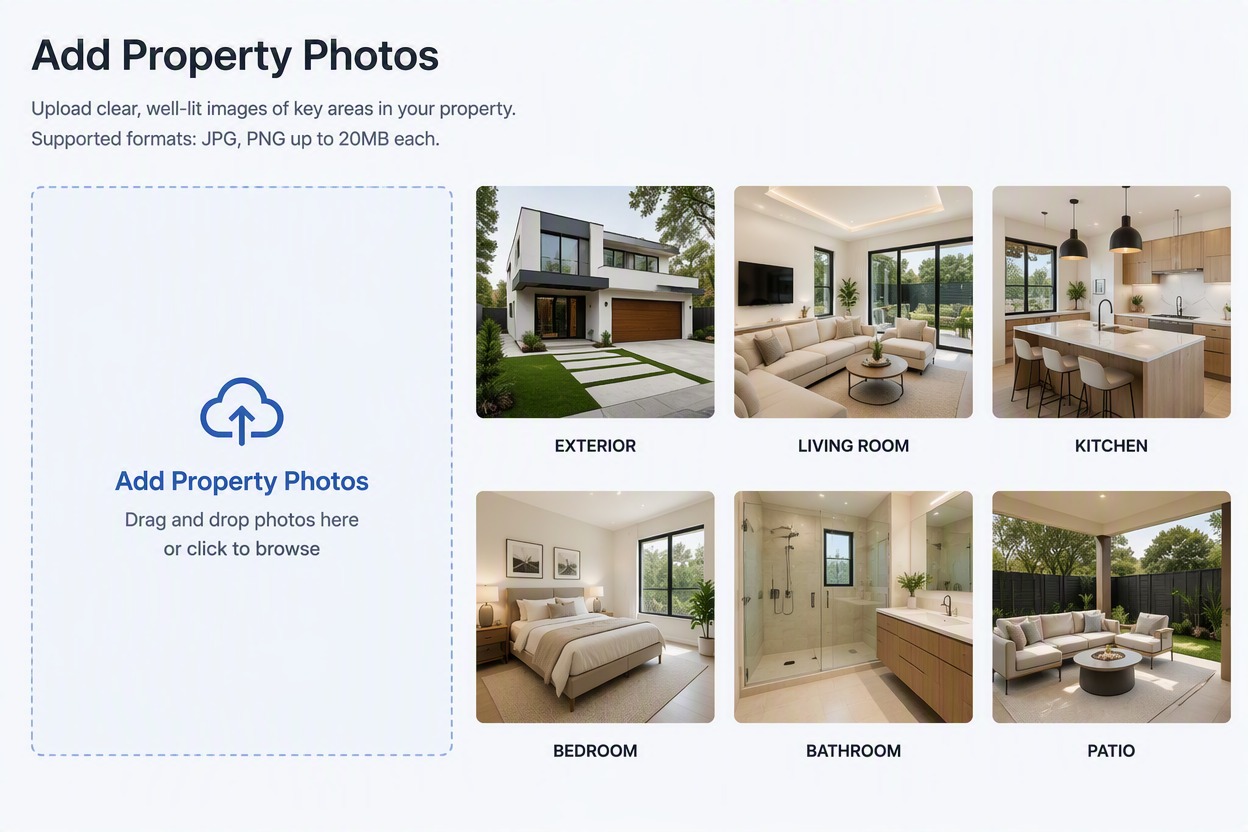
Upload Your Property Assets

Choose accurate photos or clips for the exterior, living room, kitchen, bedrooms, bathrooms, and outdoor areas.
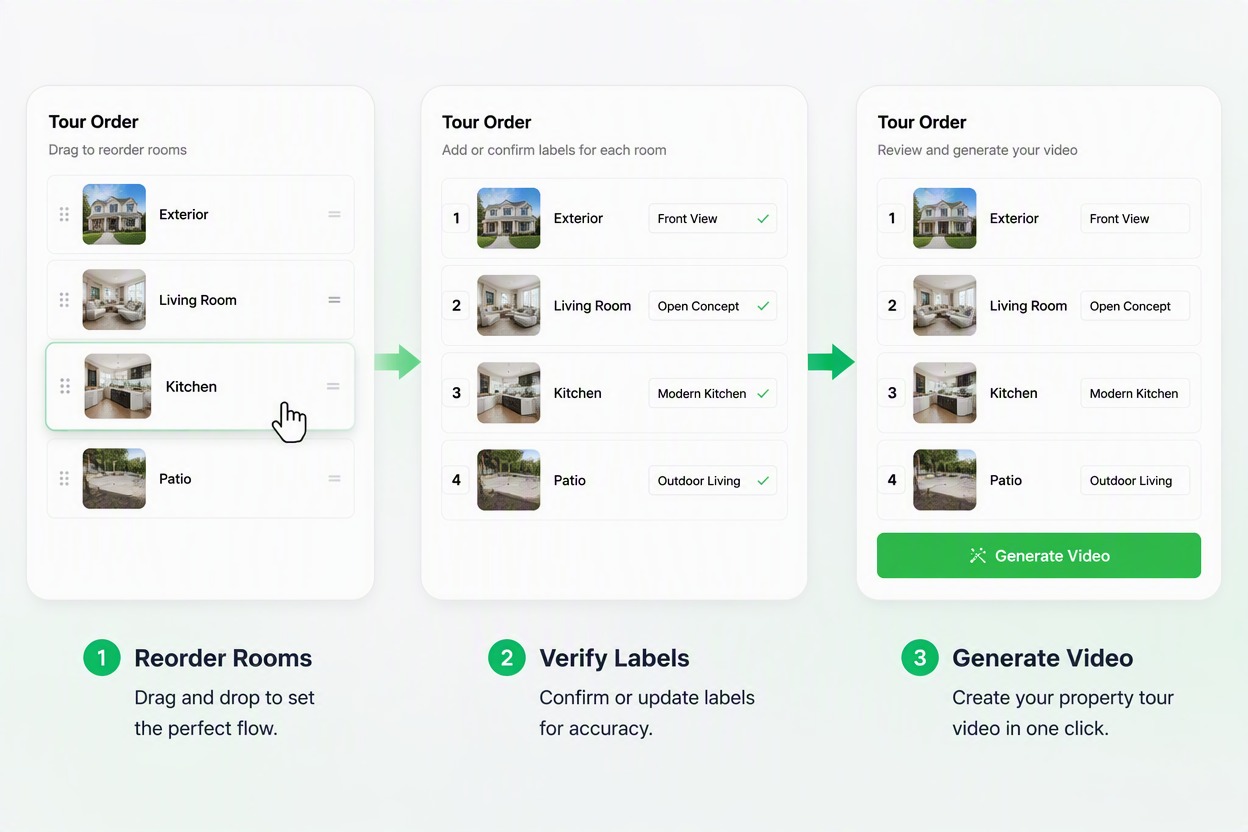
Arrange the Tour and Add Verified Details

Order the scenes, add short room labels, and include only confirmed listing facts. A simple opening, room sequence, and closing contact card is easier to follow than a crowded edit.
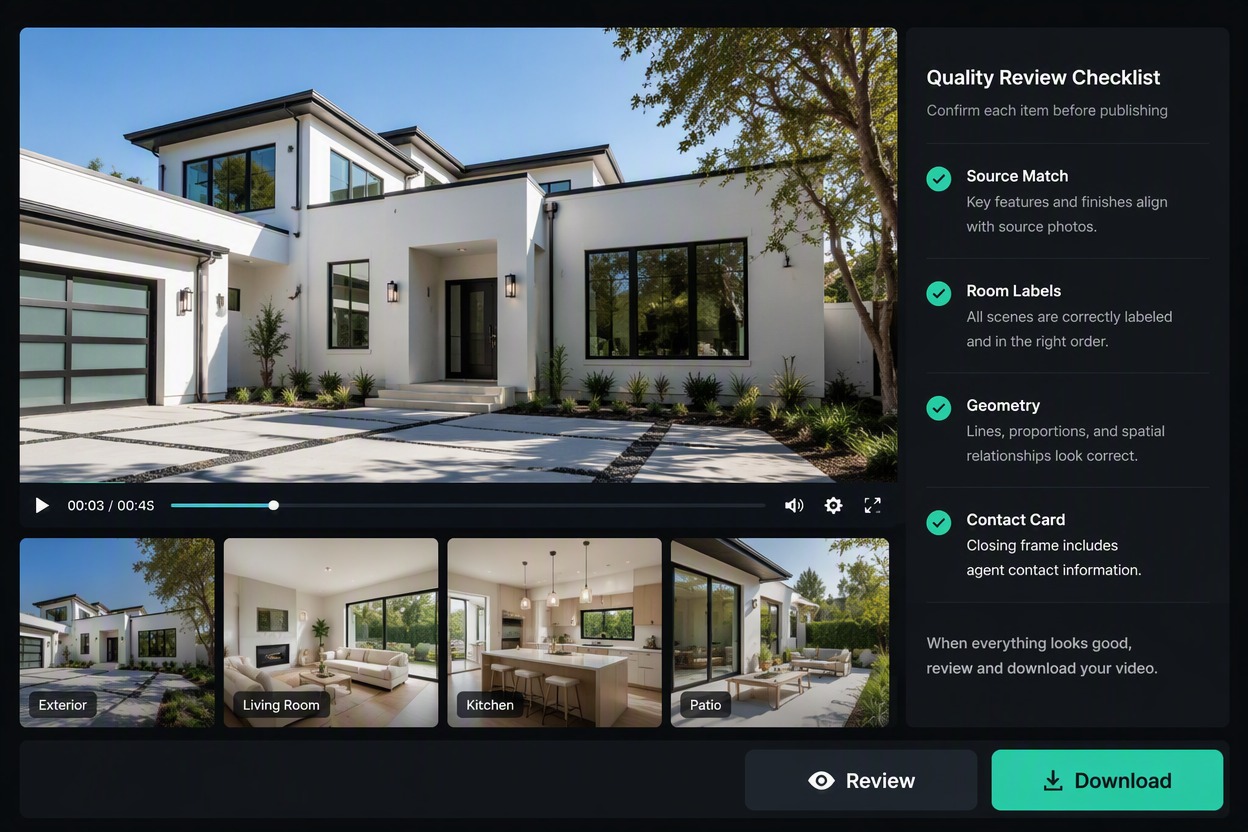
Review the Property and Export

Compare each scene with the source listing. Check room proportions, permanent fixtures, views, text, price or address accuracy, contact details, and disclosure requirements before downloading.

AI Real Estate Video Maker FAQ

What is an AI real estate video maker?

An AI real estate video maker combines property photos, video clips, text descriptions, and listing details into a structured property video for sales, rentals, open houses, and social media promotion.

How do I make a real estate video with AI?

Upload photos of the exterior, living room, kitchen, bedrooms, and outdoor areas, provide a theme or scene order, and let AI create a property video with motion effects, transitions, and listing text.

Can AI turn real estate photos into a video?

Yes. AI can add gentle push-ins, pans, and scene transitions to still property photos so rooms and outdoor areas can be presented as a smooth visual tour.

What do I need to create an AI real estate video?

Prepare clear photos or clips of the property, the listing name, room order, key features, contact details, and any text you want to display in the video.

How do I create a property tour from photos?

Arrange the photos in a logical order, usually starting with the exterior and entryway before moving through the main rooms and finishing with the outdoor space or contact card.

Can AI arrange the room sequence automatically?

AI can suggest a logical room sequence based on the uploaded images and description. You can also specify the order yourself and adjust the structure around the property's strongest features.

Can an AI real estate video maker keep rooms consistent?

Clear photos with consistent lighting and angles make it easier to maintain the appearance of walls, windows, floors, furniture, and room layouts across the generated scenes. Review the final video against the source photos before publishing.

Can I add room names and property details to the video?

Yes. Add labels such as Living Room, Kitchen, Primary Bedroom, Garden, or Open House, along with concise descriptions and calls to action.

Can I add the property price and address?

You can include confirmed details such as the price, address, floor area, room count, contact information, and open house schedule. Check these details before publishing and update them when the listing changes.

Can I create an AI video for a rental property?

Yes. Rental property videos can highlight the layout, bedrooms, kitchen, storage areas, shared spaces, nearby features, availability details, and contact information.

Can I create videos for apartments and commercial properties?

Yes. You can create videos for apartments, offices, retail spaces, vacation rentals, houses, and other property types by adjusting the scene order and highlighting the most relevant areas.

Can I make vertical real estate videos for Instagram or TikTok?

Yes. Convert a full property tour into a shorter vertical video that focuses on the exterior, living area, kitchen, or other key selling points with concise on-screen text.

Is an AI real estate video maker useful for real estate agents?

Real estate agents can use it to create property tours, social media clips, open house promotions, listing-page videos, and email content from the same set of property assets.

Can I create a short real estate promotional video?

Yes. Select the most appealing property photos, add a short headline, highlight key features, and include contact information to create a concise promotional video.

Can I add music or voiceover to an AI real estate video?

When the selected workflow supports audio, you can add background music or narration to make the property tour easier to follow. Keep the audio aligned with the scenes and listing information.

What should I check before publishing an AI property video?

Check the room order, walls, windows, furniture, room layout, text, price, address, contact information, and property features to make sure the video matches the listing.

Can I use an AI real estate video for commercial purposes?

Commercial use depends on the permissions for your photos, music, narration, branding, property footage, and generated output. Review the applicable service and platform terms before publishing.

Create a Real Estate Video With GoEnhance AI

Turn property assets into a clear tour draft for listings, presentations, and social previews.

Create a Property Tour