Create a Readable End-Credits Video Online

Turn cast names, crew roles, acknowledgments, music credits, and project details into a polished end-credits video. Create scrolling credits, cinematic title cards, or a compact creator outro, then review every line before exporting.
Create a Credits Video
Hero complete credits-video workflow: left Credits List card with exact readable lines MAYA CHEN — HOST, NOAH REED — EDITOR, LINA PARK — MUSIC; arrow to three cinematic Credits Video frames on black showing exact headings CAST, EDITOR, MUSIC and the same names in clean white type. Exact labels Credits List, Credits Video. No misspellings, extra names, logos, watermarks or gibberish.

Build End Credits That Are Easy to Read

Organize Names and Roles Into a Clear Sequence

Arrange cast, crew, production teams, music acknowledgments, sponsors, and special thanks in a logical reading order. A structured contributor list creates clear name-and-role relationships, making scrolling credits easier to follow from the opening line to the final acknowledgment.

Feature readable rolling-credits sequence on black with exact text CAST, MAYA CHEN — HOST, NOAH REED — EDITOR, LINA PARK — MUSIC, SPECIAL THANKS. Consistent centered white typography, generous spacing and clear role-name hierarchy. No extra text, logos, watermarks or gibberish.

Choose a Visual Direction for Your Project

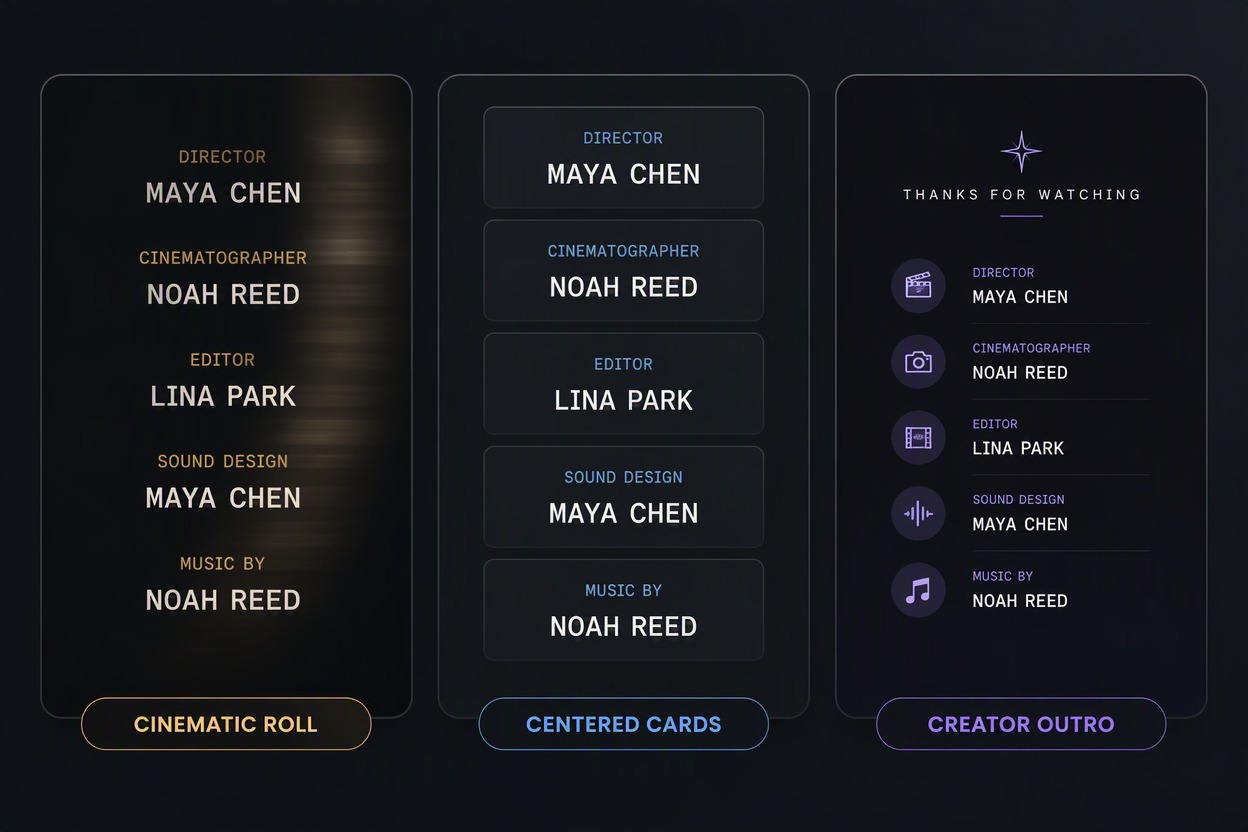
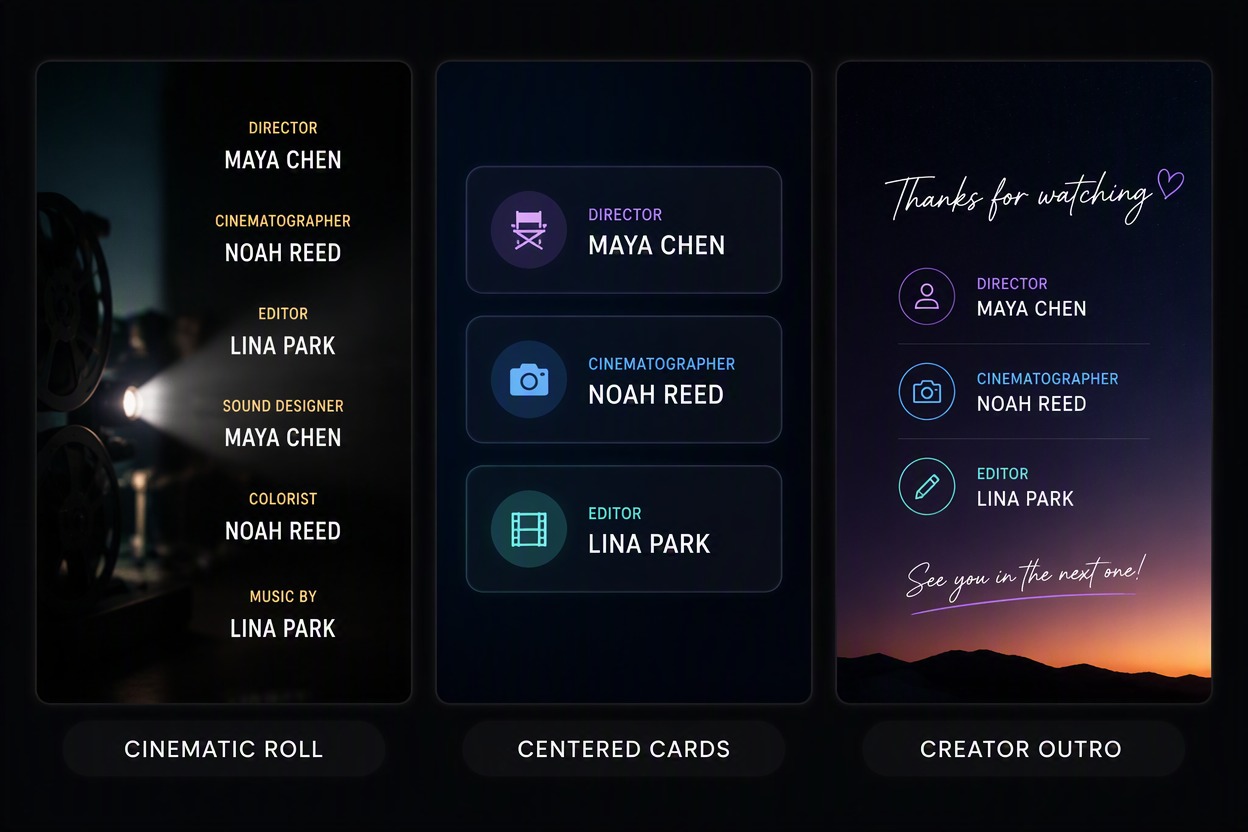
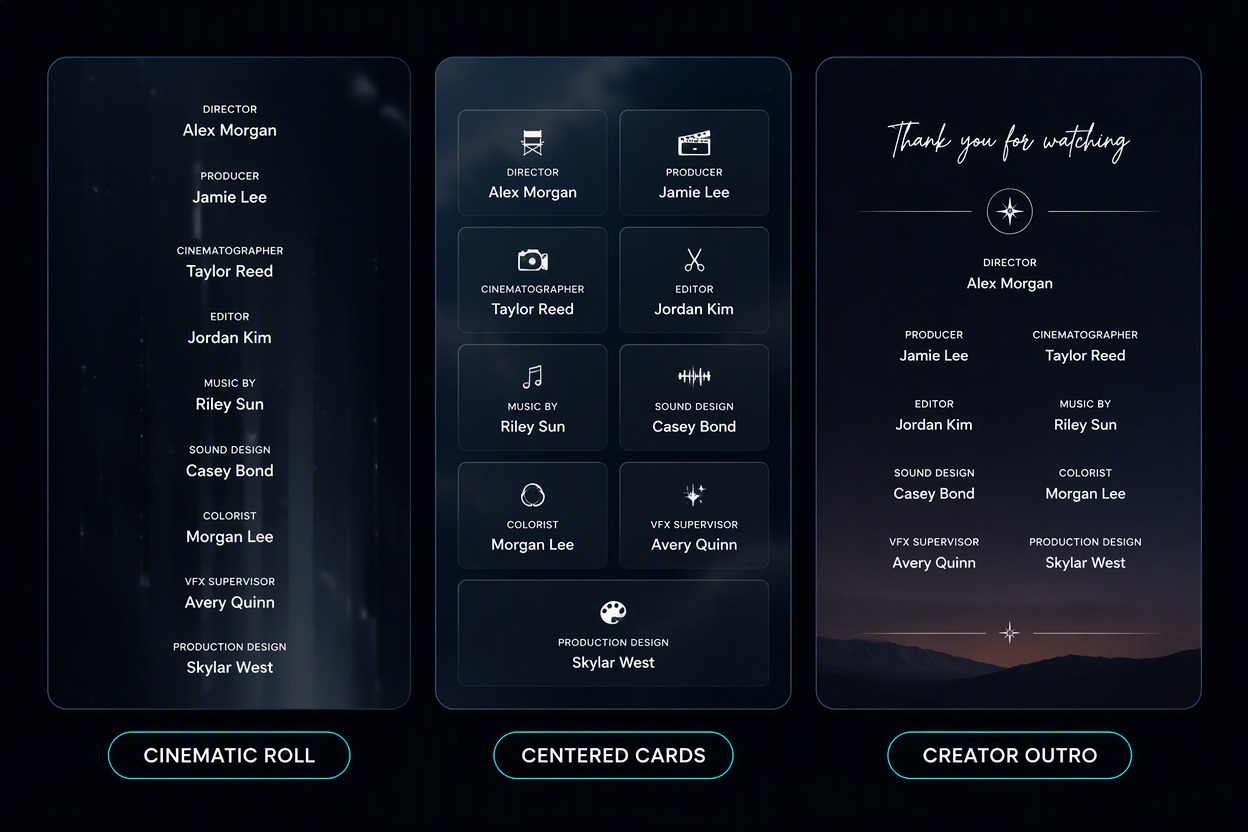
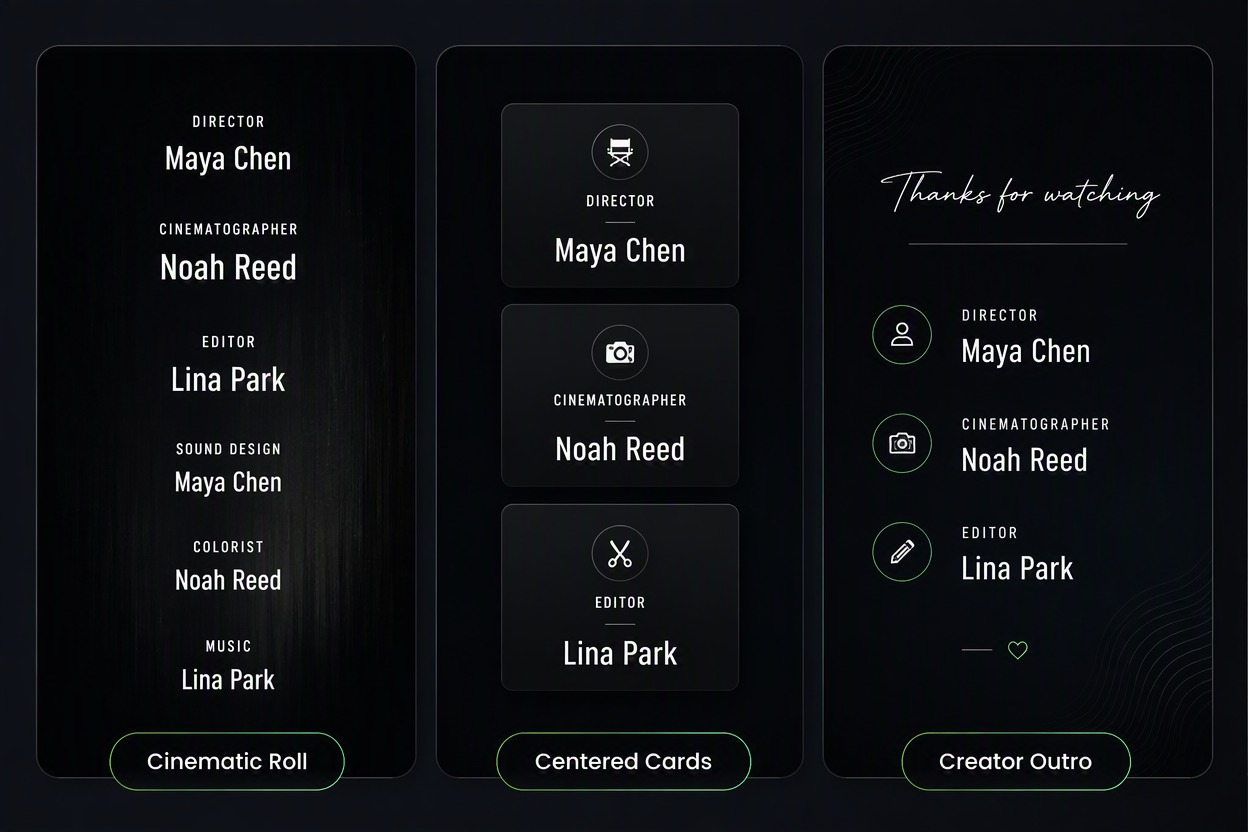
Create a cinematic rolling sequence, centered title cards, or a compact creator outro that matches your project’s visual identity. Adjust typography, contrast, spacing, background mood, and pacing so the credits feel connected to the main video. You can also explore image to video workflows when you want to develop a more visual ending.

Feature visual-direction board for the exact same credits list in three clean designs: CINEMATIC ROLL, CENTERED CARDS, CREATOR OUTRO. Each tile shows only MAYA CHEN, NOAH REED and LINA PARK with simple role labels, high contrast and no extra text.

Create Short Outros for Creator Videos

Condense essential names, production notes, credits, and thank-you messages into a concise video outro for YouTube, TikTok, social clips, podcasts, presentations, and portfolio projects. A short end-credit structure keeps the closing message clear without overcrowding the final frame.

Feature compact creator-outro storyboard with exact readable text CREATED BY NOVA STUDIO, EDITED BY NOAH REED, MUSIC BY LINA PARK, THANKS FOR WATCHING across three coherent dark frames. No logos, watermarks or extra copy.

Check Every Name Before Publishing

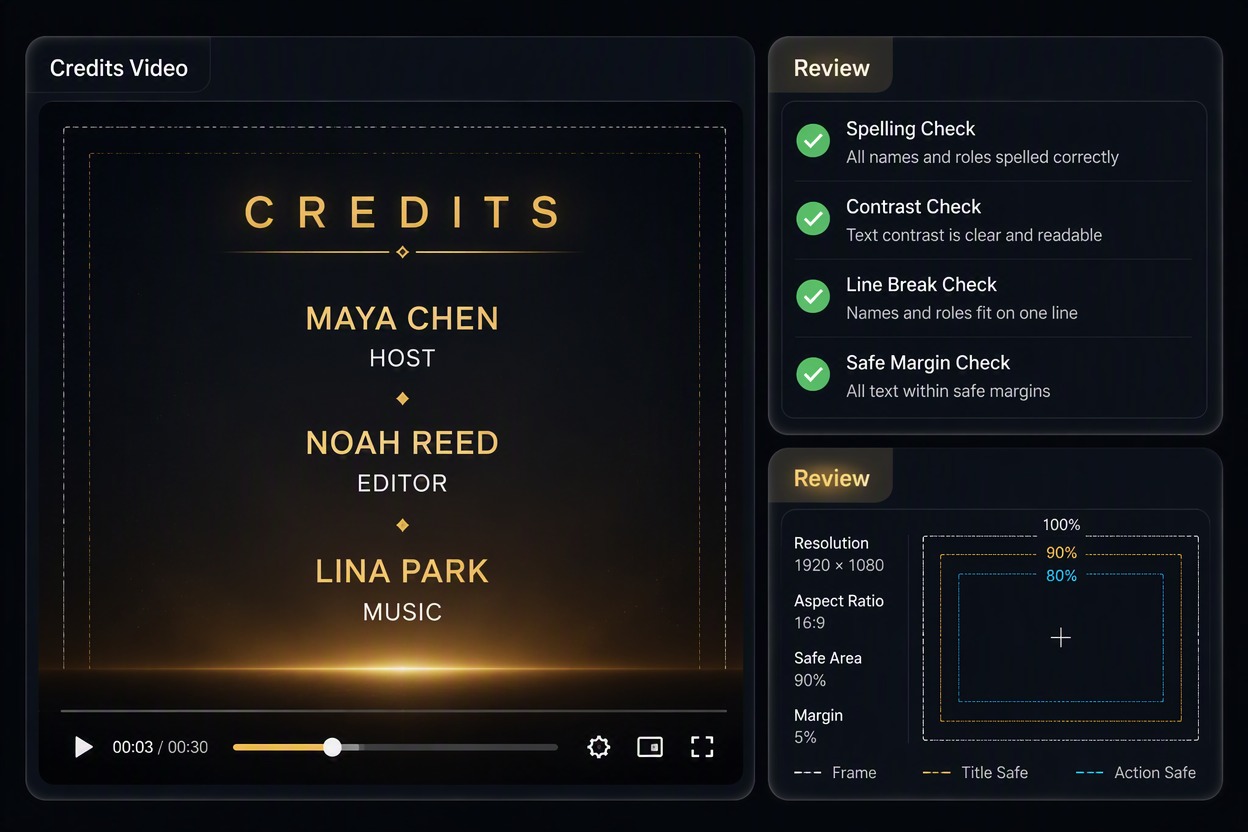
Preview the complete end-credit sequence at normal viewing size and check spelling, role order, line breaks, text contrast, pacing, and safe margins. This review step helps prevent incorrect contributor information from appearing in an otherwise polished video. For broader production workflows, connect your project with an AI video generator to continue creating related video content.

Feature credits review application showing a large final preview with exact names MAYA CHEN, NOAH REED, LINA PARK and roles HOST, EDITOR, MUSIC; visible spelling, contrast, line-break and safe-margin checks. Exact labels Credits Video, Review. No extra text, logos or watermarks.

Who Can Use GoEnhance End-Credits Video Generator?

Explore how content creators, video professionals, and marketing teams use AI video effects to create more engaging and polished visual content.
For Short-Form Content Creators

For Short-Form Content Creators

Create eye-catching videos for TikTok, YouTube Shorts, Instagram Reels, and other social platforms with dynamic motion effects, colorful visual transformations, and creative scene changes.

Try for Free

Why Use an Online Credits Video Maker

Keep Contributor Details Organized

Turn a loose list of names, roles, and acknowledgments into one structured end-credit sequence.

Support Different Project Types

Prepare credits for films, short videos, podcasts, presentations, social media content, and team projects.

Create a Consistent Closing Style

Match typography, spacing, colors, background design, and pacing with the rest of your video.

Make Long Credit Lists Easier to Scan

Use clear hierarchy between names, roles, departments, music credits, and special thanks.

Build Short or Detailed Endings

Adjust the amount of credit information to fit a short creator outro or a full production.

Catch Text Problems Before Export

Review spelling, line breaks, contrast, safe margins, and sequence order before publishing.

How to Use GoEnhance AI Video Effects

01

Enter a Prompt or Upload an Image

Describe the video effect, visual style, motion, or transformation you want to create, or upload an image to use as the starting point.

02

Customize Your Video

Choose the video mode, aspect ratio, visual style, motion direction, and other creative settings to match your concept and refine the final result.

03

Generate, Preview, and Export

Let GoEnhance generate your AI video effect, review the preview, make adjustments if needed, and download the finished video in high quality.

Credits Video Maker FAQ

What is a credits video maker?

A credits video maker turns contributor names, roles, acknowledgments, and project details into a structured end-credit video, rolling credits sequence, or creator outro.

How do I make a credits video?

Prepare a verified list of names and roles, choose the reading order and visual direction, create the sequence, and review every line at viewing size before downloading.

Can I make a credits video online?

Yes. An online workflow lets you enter your credit list, create a visual sequence, preview text readability, and download the finished ending without manually assembling every title card.

What should I include in end credits?

Include the contributors and roles relevant to your project, along with required music, source, sponsor, production, copyright, or special-thanks acknowledgments. The exact list depends on your agreements and publishing context.

How long should a credits video be?

Give viewers enough time to read each line comfortably. A short creator outro may need only a few cards, while a film, podcast, or team project may require a longer scrolling sequence.

How can I make scrolling credits easier to read?

Use strong contrast, readable font sizes, consistent spacing, clear role-and-name hierarchy, comfortable scrolling speed, and sufficient safe margins around the text.

Can I use the result commercially?

Check the current service terms and confirm that you have permission to use any fonts, music, logos, footage, contributor names, and other source materials in the final production.

What should I review before publishing?

Check spelling, role accuracy, line order, text contrast, safe margins, scrolling speed, music attribution, copyright information, and whether every required contributor is included.

Create Your End Credits With GoEnhance AI

Turn a verified contributor list into a readable closing sequence for your next film, podcast, presentation, or creator video.

Make a Credits Video