
Y2K Roblox Avatar Ideas: How to Build a Retro-Futuristic Look
- 1. What Makes a Y2K Roblox Avatar Work?
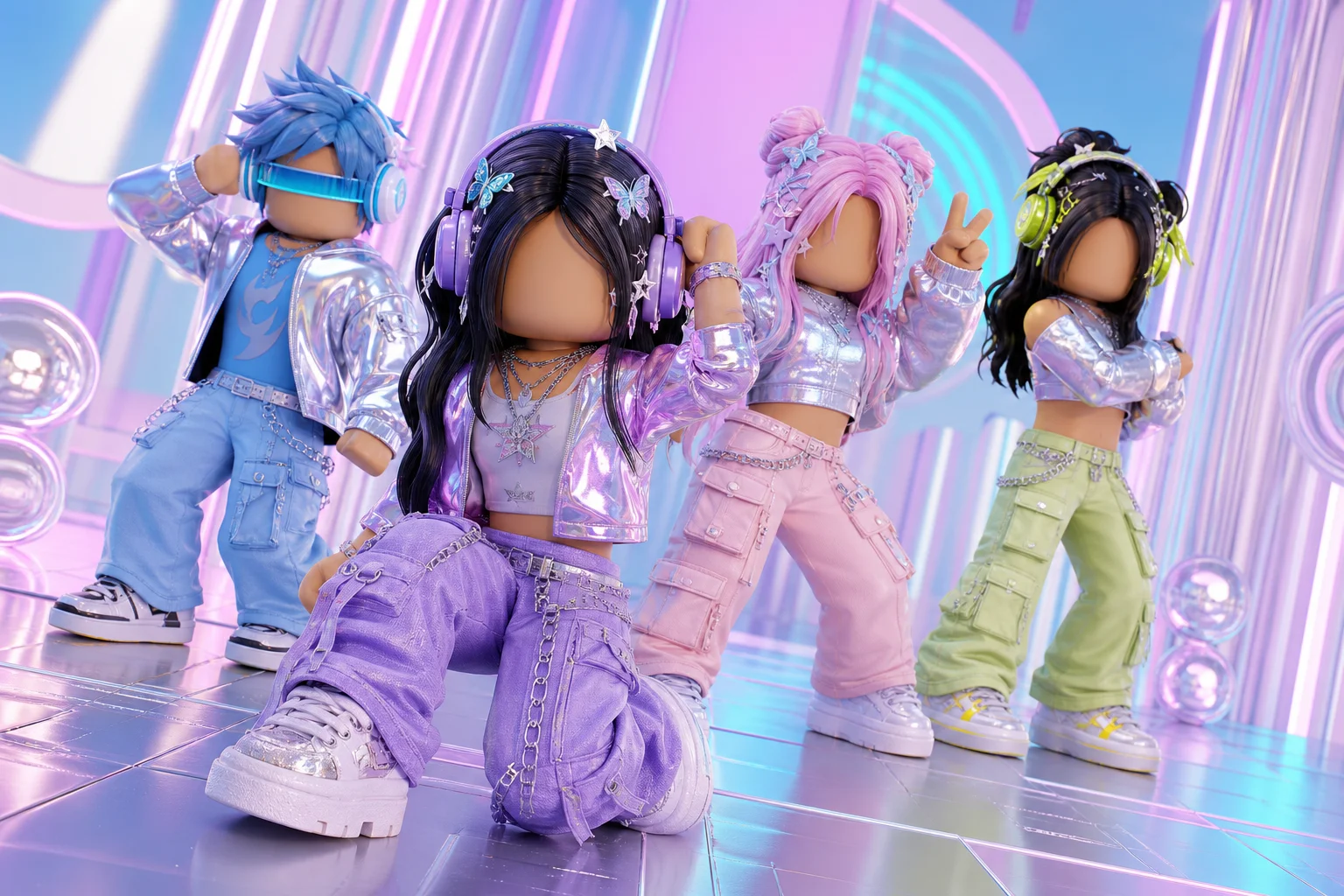
The best Y2K Roblox avatar looks like it came from a futuristic version of the early 2000s: shiny textures, playful colors, oversized clothes, and one unmistakable statement accessory. This guide gives you practical outfit formulas and creator workflows so you can build a nostalgic look without making your character feel crowded.
1. What Makes a Y2K Roblox Avatar Work?
Y2K is less about copying one exact outfit and more about combining late-1990s and early-2000s details with a digital, futuristic edge. In Roblox, that usually means starting with a strong silhouette and then adding a small number of high-impact details. If you want to explore the visual concept first, try an AI image generator before you shop for catalog items.
The most recognizable ingredients are:
- chrome, silver, or glossy materials;
- pastel pink, icy blue, neon green, or electric purple accents;
- baggy jeans, cargo pants, baby tees, cropped jackets, or pleated skirts;
- chunky sneakers or platform shoes;
- butterfly clips, tinted glasses, headsets, mini bags, and digital-looking accessories.
The “Y2K” part should be visible from a distance. If every item is competing for attention, remove one accessory before adding another. A clear theme makes an avatar feel styled rather than randomly assembled.
2. Six Y2K Roblox Avatar Ideas to Try
Retro Pop Star
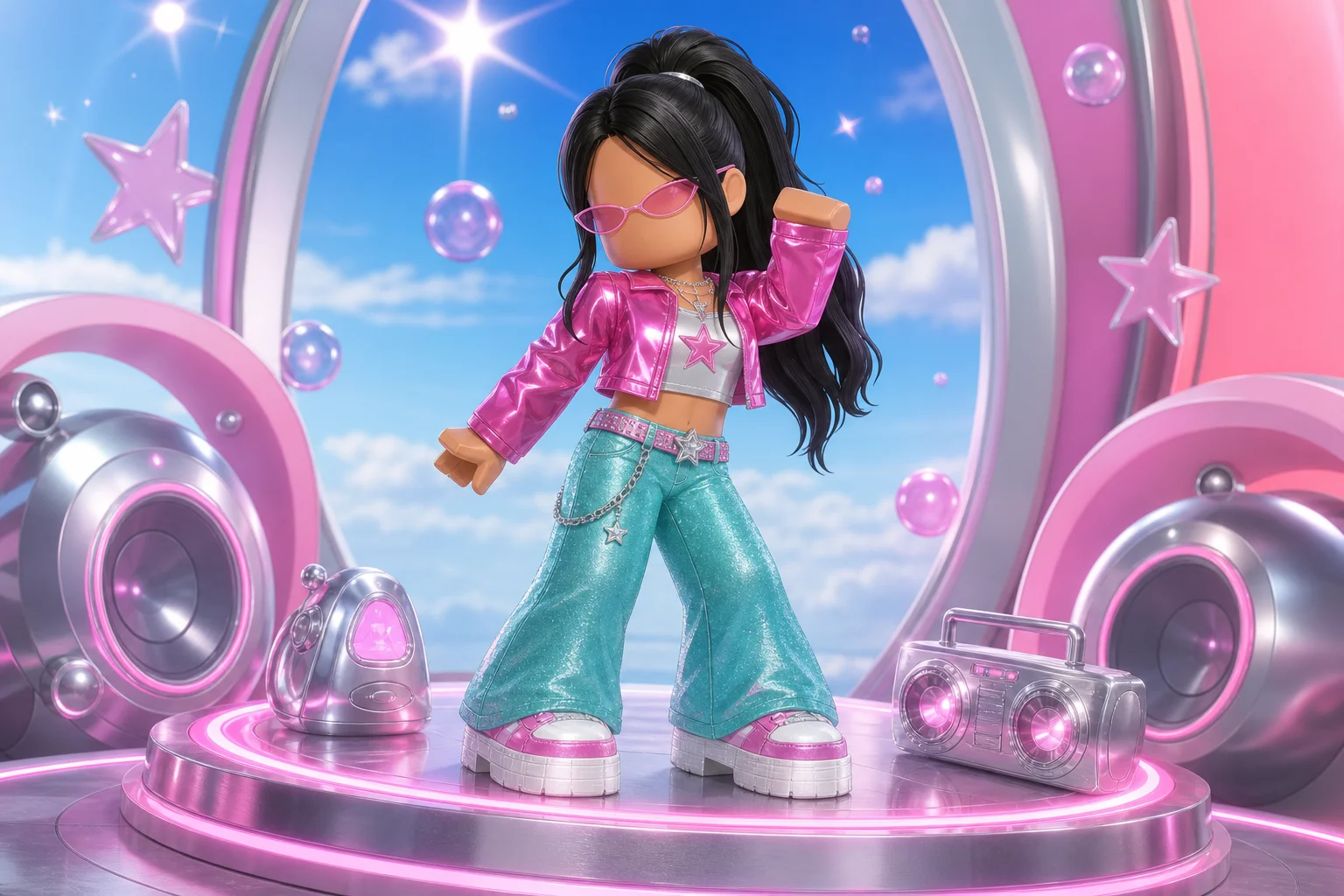
Build the look around a bright cropped top, low-rise flared pants, platform shoes, and tiny sunglasses. A high ponytail or a colorful hair clip gives the outfit a stage-ready finish. Use one accent color—such as hot pink or turquoise—so the shine does not become overwhelming.
 Y2K Roblox avatar retro pop star style
Chrome Cyber Streetwear
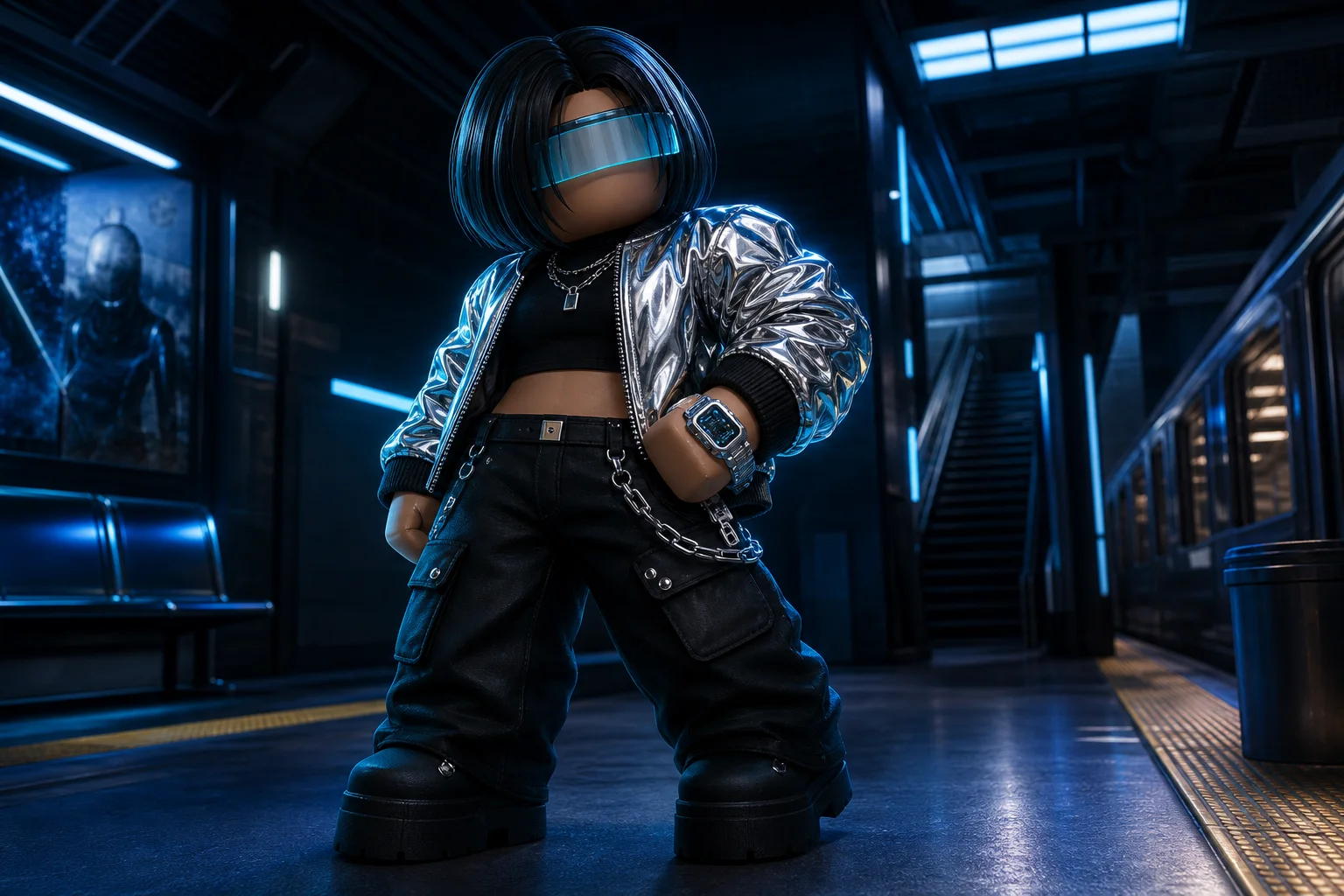
Pair a metallic jacket with dark cargo pants and a translucent visor. Add a simple chain or futuristic headphones instead of several large props. This direction works well when you want a sharper, more futuristic Y2K Roblox avatar.
 Y2K Roblox avatar chrome cyber streetwear style
Skate-park Throwback
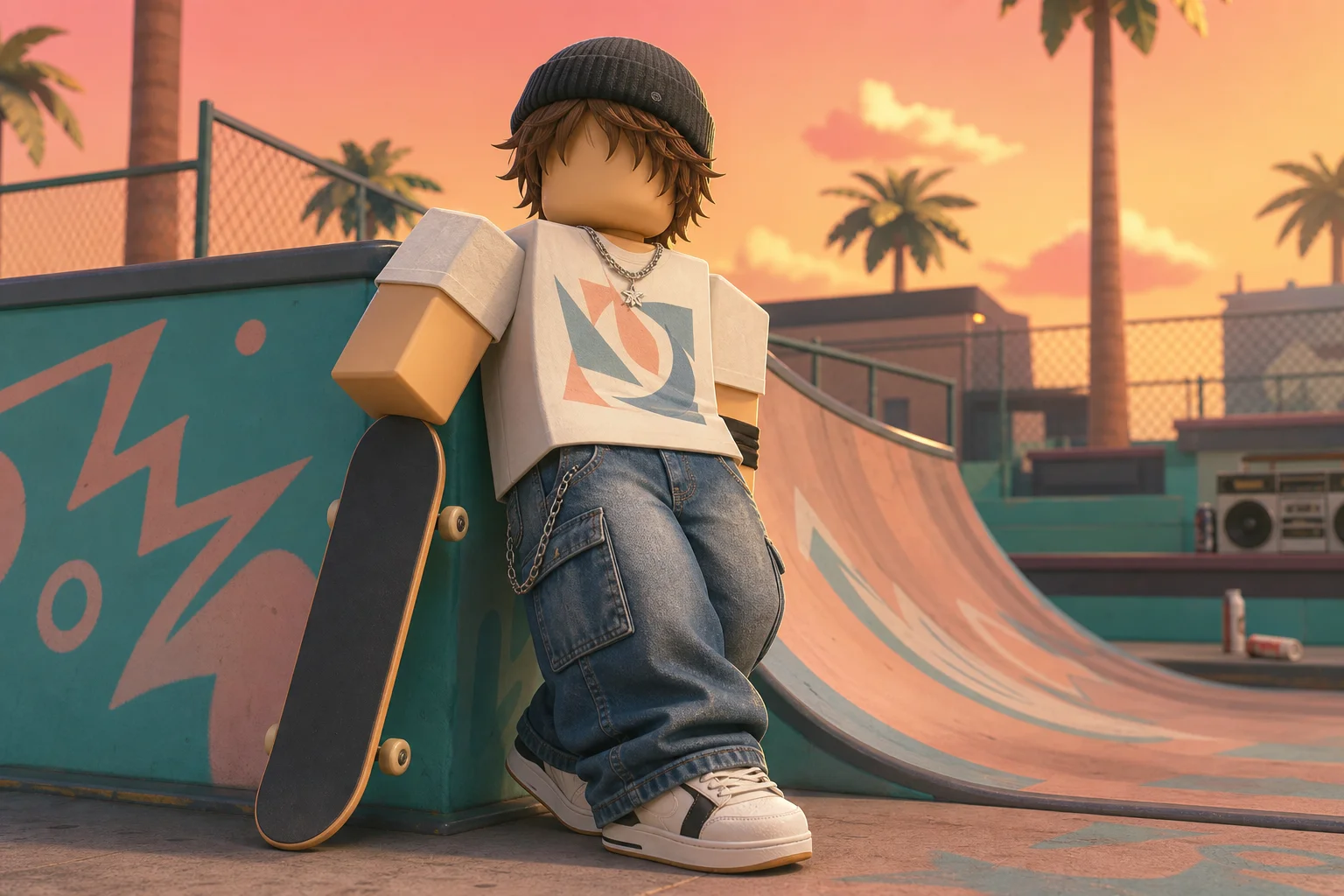
Use loose cargo trousers, a graphic-style tee, a beanie, and chunky sneakers. A skateboard or chain wallet can communicate the idea quickly. Keep the colors slightly muted, then add a single neon detail to stop the outfit from looking too modern.
 Y2K Roblox avatar skate park throwback style
Pastel Princess
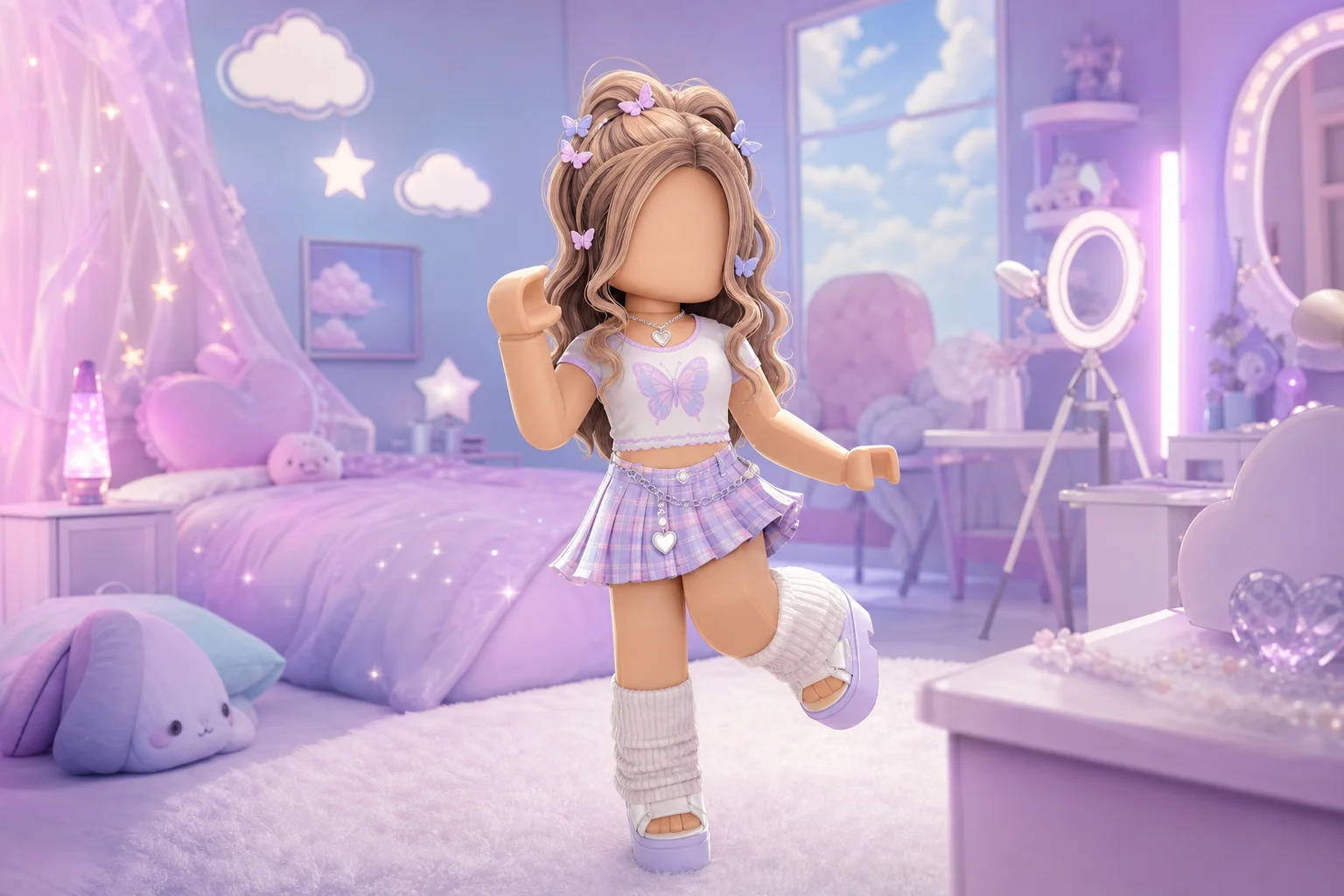
Try a pleated skirt, fitted tee, platform sandals, and soft curls. Butterfly clips and a small choker add early-2000s character, while lavender, baby blue, and pink create a gentler interpretation of the trend.
 Y2K Roblox avatar pastel princess style
Playful Gamer
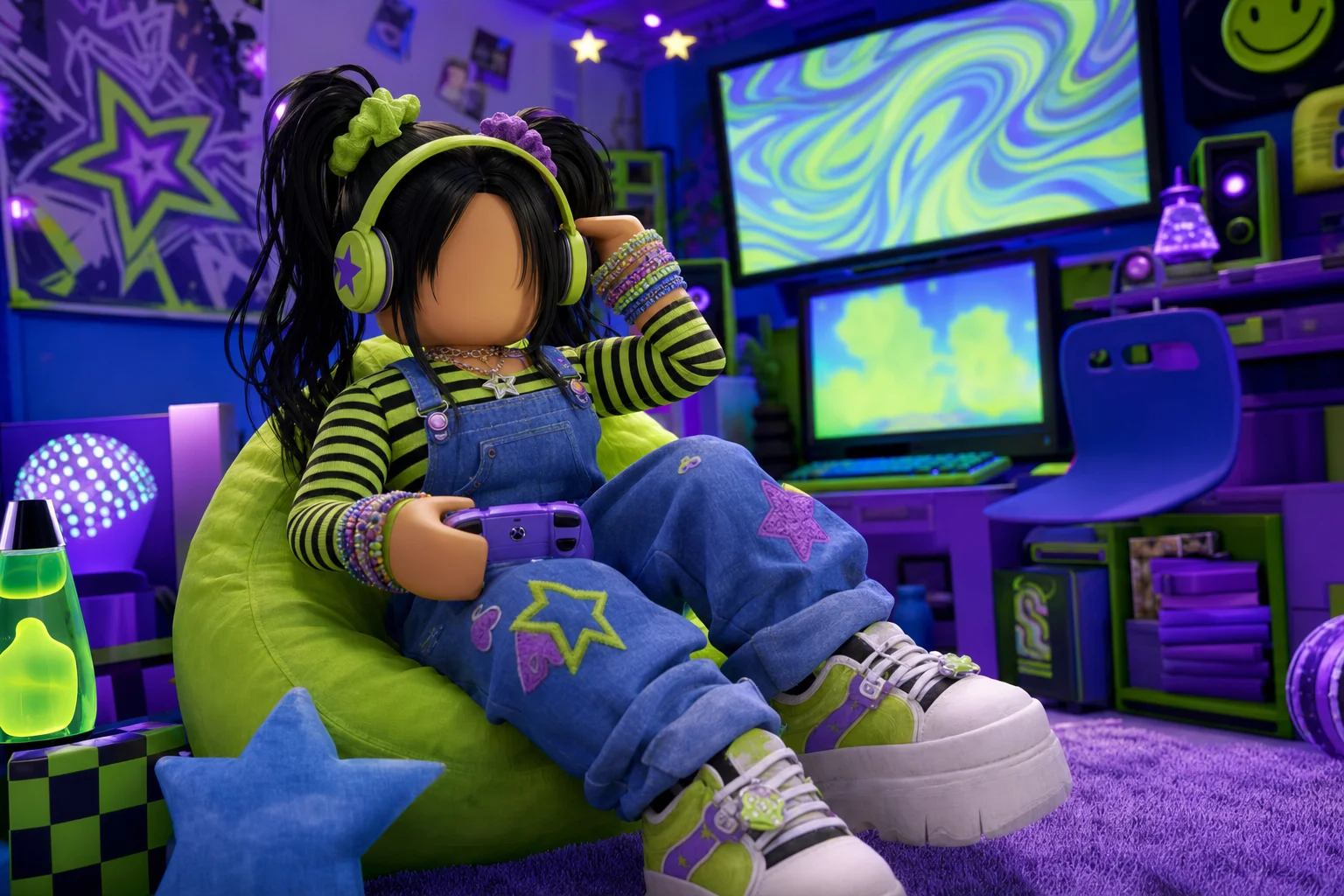
Start with colorful overalls over a striped shirt. Add a headset, bright bracelets, and pigtails or space buns. This is a useful option for players who want their avatar to feel energetic and approachable rather than edgy.
 Y2K Roblox avatar playful gamer style
3. A Simple Formula for Styling Your Avatar
Use this four-part process when you are starting from a blank character:
- Pick one identity: pop star, skater, gamer, princess, or cyber streetwear.
- Choose two main colors and one neutral. For example, use lavender and cyan with silver as the neutral.
- Balance proportions. If the top is oversized, try slimmer bottoms; if the pants are very wide, choose a shorter or more fitted top.
- Add one signature item. A visor, headset, butterfly clip, mini bag, or platform sneaker is usually enough.
Before you save the outfit, view it from a distance. A strong avatar should still communicate its idea when the small details are no longer visible.
4. Color Palettes That Feel Instantly Y2K
| Style direction | Main colors | Best finishing detail |
|---|---|---|
| Soft Y2K | Baby pink, lavender, white | Butterfly clips |
| Cyber Y2K | Black, silver, electric blue | Tinted visor |
| Pop-star Y2K | Hot pink, turquoise, denim | Micro sunglasses |
| Gamer Y2K | Lime, purple, cobalt | Oversized headset |
| Skater Y2K | Denim, charcoal, one neon accent | Beanie or chain |
Metallic silver is useful because it connects the outfit to the futuristic side of Y2K. Use it on one or two items rather than every item; otherwise, the avatar can lose visual contrast.
5. Best Y2K Avatar Maker Tools
1. GoEnhance AI
If you want to generate the visual concept before assembling the final in-game outfit, start with GoEnhance AI through its AI Image Generator. The workflow is simple: describe the avatar, choose a format, generate several directions, and keep the version with the clearest silhouette.
Method 1: Generate a Y2K avatar from a text prompt
Open the AI Image Generator and enter a prompt that covers five things: avatar type, outfit, color palette, camera framing, and background. For example:
Original faceless blocky game avatar, Y2K retro pop star, glossy magenta cropped jacket, turquoise low-rise flared pants, white platform sneakers, tiny pink sunglasses, high ponytail, chrome music-player props, bright studio lighting, 1:1 profile picture, no logo, no watermark, no readable text.
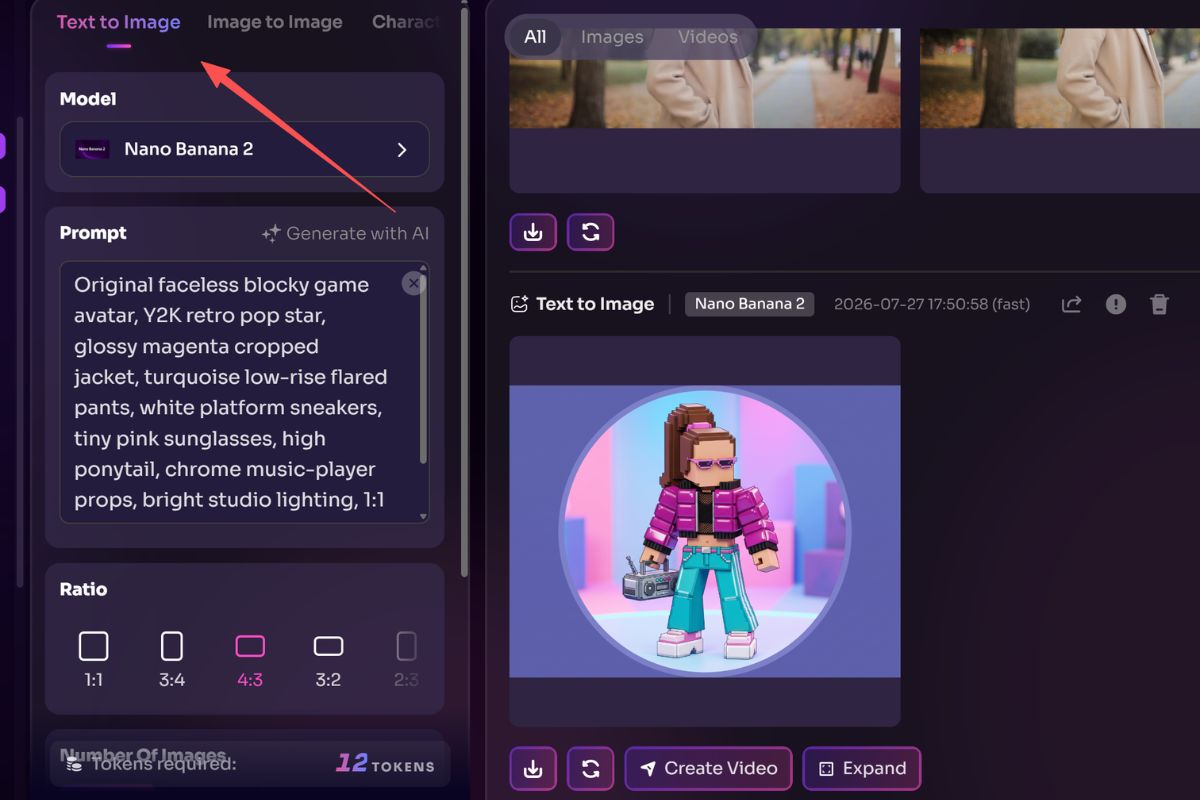
Generate several versions instead of trying to perfect the first prompt. If the image feels too generic, add a concrete detail such as “low-angle medium shot,” “silver chain belt,” or “lavender and cyan rim light.” If it looks crowded, remove two accessories before generating again.
Method 2: Change the outfit while keeping the avatar concept
If you already have a character image you like, use GoEnhance AI Image to Image. Upload the image and describe only the revision you want. For example: “Keep the same blocky avatar pose and framing, replace the outfit with black cargo pants and a reflective chrome bomber jacket, add a translucent cyan visor, and keep the lighting consistent.”
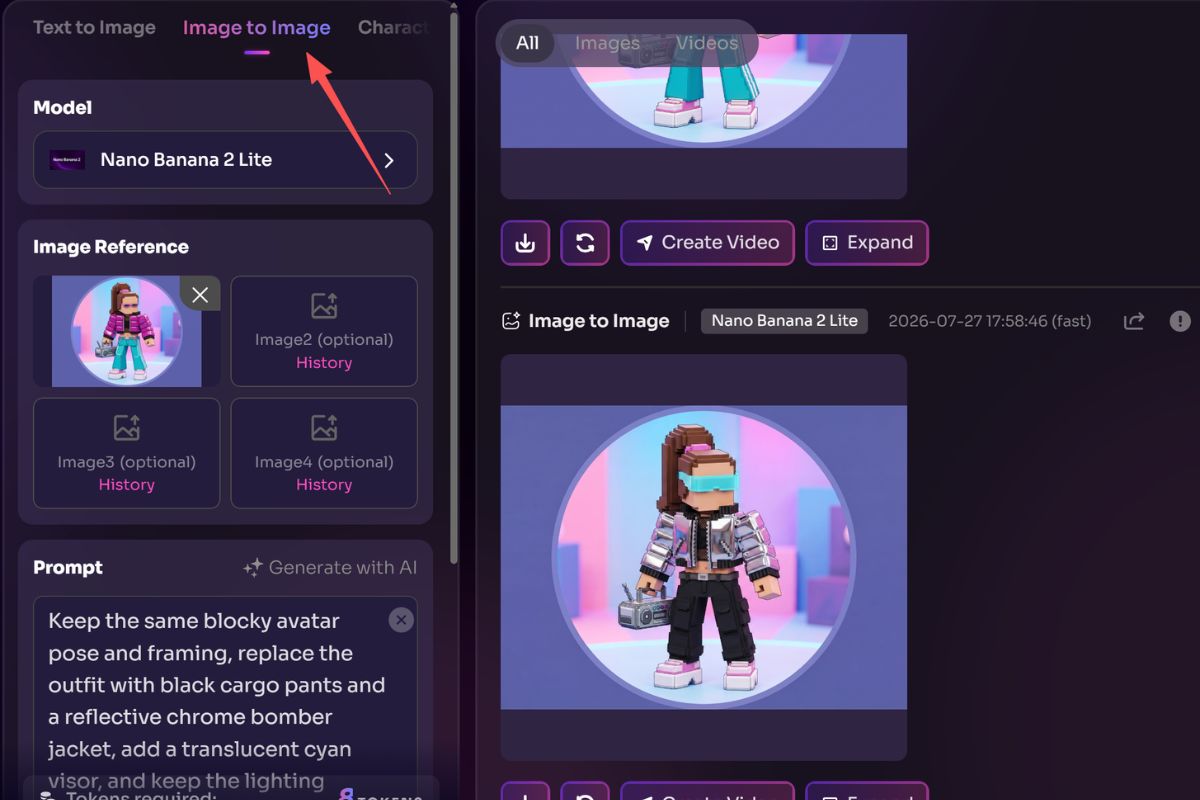
This is useful for testing several Y2K directions from one base concept: pop star, cyber streetwear, pastel princess, or playful gamer. Work in passes—change the outfit first, then adjust the background or accessories—so the character does not drift between generations.
Method 3: Prepare a profile-picture version
For a clean social avatar, try GoEnhance AI Profile Picture Generator. Use a square format, keep one subject in frame, and ask for a centered crop with a simple background. A practical prompt is: “square profile picture, centered faceless Y2K blocky avatar, lavender and silver palette, high contrast, clean background, crisp edges, no text.”
Method 4: Turn the finished avatar into a reveal clip
When the still image is ready, upload it to GoEnhance AI Image to Video. Ask for a slow camera push, a small head turn, or a gentle hand movement. For a more character-focused result, GoEnhance AI Character Animation can animate a character from one image. Review several outputs and choose the version where the clothing and silhouette stay stable.
Best for: developing a visual direction, testing color combinations, creating a profile image, and making a shareable avatar reveal.
Things to keep in mind: treat the generated image as a design reference, then check the Roblox catalog for items that actually exist before recreating the outfit. Do not upload someone else’s face, logo, or copyrighted character without permission.
2. Roblox Avatar Editor
The Roblox Avatar Editor is the practical choice when you want to assemble a wearable look from catalog items. Search for terms such as “Y2K,” “2000s,” “chrome,” “cyber,” “cargo,” or “butterfly,” then test each item against the same body proportions.
Best for: building the final in-game character.
Things to keep in mind: catalog availability, item prices, and search results can change, so save a few backup options for each key piece.
3. MeMaker
MeMaker is useful for experimenting with fashion combinations in a more game-like environment. Try several silhouettes first, then note the clothing, hair, and accessory ideas you want to recreate elsewhere.
Best for: quick visual brainstorming and playful outfit mixing.
Things to keep in mind: treat the result as inspiration and verify whether each detail can be recreated in Roblox.
4. Pinterest Boards
Pinterest can help you collect references for early-2000s color combinations, hairstyles, sneakers, and accessories. Make a small board around one concept instead of saving unrelated images; this makes your final avatar easier to style.
Best for: building a mood board before choosing items.
Things to keep in mind: use references for ideas, not for copying another creator’s exact character or artwork.
6. Common Mistakes to Avoid
The most common mistake is adding too many “Y2K” keywords without a central idea. Chrome glasses, neon hair, a giant bag, wings, multiple chains, and a large weapon may all be interesting separately, but together they can hide the outfit.
Another problem is ignoring the avatar’s silhouette. A detailed top can disappear under long hair, while a small accessory may be invisible at the scale of a profile image. Test the outfit in a simple pose and crop before making your final choice.
Finally, do not assume that a generated concept is automatically a usable Roblox item list. Use the image as a styling map, then recreate the closest practical version with available catalog pieces.
7. FAQ About Y2K Roblox Avatars
What colors are most associated with Y2K Roblox avatars?
Pastel pink, lavender, icy blue, neon green, hot pink, and silver are common choices. A neutral black, white, or denim base helps those colors stay readable.
How can I make a Y2K avatar without making it look messy?
Choose one style identity, limit the palette to two main colors plus one neutral, and use one signature accessory. A strong silhouette matters more than a large item count.
Can I use an AI image generator to make a Roblox avatar?
Yes. An AI image generator is useful for exploring portraits, palettes, and outfit concepts. It is best used as a reference before you search for matching wearable items in the Roblox Avatar Editor.
What is the quickest avatar idea for beginners?
Try the gamer formula: colorful overalls, a striped tee, chunky sneakers, and an oversized headset. It is easy to recognize and leaves room for personal color choices.
8. Final Thoughts
A memorable Y2K Roblox avatar needs a clear idea, not an endless collection of accessories. Start with a silhouette, choose a compact color palette, and let one signature detail carry the nostalgia. Use a creator tool for concept exploration, then refine the final look with items you can actually wear in Roblox.


