
Veo 3.1 vs Kling 3.0: Which AI Video Model Should You Use
- Veo 3.1 vs Kling 3.0: Which AI Video Model Should You Use?
- Quick Answer
- Veo 3.1 vs Kling 3.0 at a Glance
- What Is Veo 3.1?
- What Is Kling 3.0?
- Key Differences Between Veo 3.1 and Kling 3.0
- Detailed Comparison Table
- Which Model Should You Choose?
- Best Use Cases by Creator Type
- Prompting Tips for Veo 3.1
- Prompting Tips for Kling 3.0
- Final Verdict: Veo 3.1 or Kling 3.0?
- References
- FAQ
Veo 3.1 vs Kling 3.0: Which AI Video Model Should You Use?
AI video generation is moving from “make a cool clip” to “direct a usable scene.” That shift makes model choice more important. Veo 3.1 and Kling 3.0 are both strong options for creators who want realistic motion, better continuity, and more control over short-form video — but they are built around slightly different workflows.
If you want cinematic storytelling, native audio, vertical output, high-resolution options, and stronger image-guided generation, Veo 3.1 is usually the better fit. If you want short clips that are easier to cut into a timeline, with steadier characters, cleaner camera moves, and a practical 3–15 second production workflow, Kling 3.0 may be the better daily model.
You can try both models in GoEnhance AI:
Quick Answer
Choose Veo 3.1 if you want:
- More cinematic video generation
- Stronger native audio and dialogue support
- Vertical 9:16 video for social platforms
- Image-guided generation with better character, object, and background consistency
- Higher-resolution production options such as 1080p and 4K, depending on access and workflow
- Storytelling workflows with shot planning, narration, and scene direction
Choose Kling 3.0 if you want:
- Short, usable clips that edit cleanly into a sequence
- Better continuity for character-focused shots
- Cleaner camera movement and more practical “director notes”
- A reliable image-to-video workflow with less identity drift
- 3–15 second clip generation for social, ad, and creator workflows
- Faster iteration when planning shots one beat at a time
Use both if you want the strongest workflow: start with the model that best matches your shot, then compare outputs inside GoEnhance AI before committing to a final sequence.
Veo 3.1 vs Kling 3.0 at a Glance
| Category | Veo 3.1 | Kling 3.0 |
|---|---|---|
| Best for | Cinematic storytelling, image-guided scenes, vertical social videos, audio-rich clips | Short clips, continuity-focused shots, clean camera moves, timeline-ready sequences |
| Core strength | High-fidelity generation with native audio, cinematic style understanding, reference-image control | Practical short-form video generation with steadier characters and cleaner direction-following |
| Text-to-video | Strong cinematic prompting with scene, camera, lighting, and sound cues | Strong when prompts are structured around scene, subject, camera, action, and constraints |
| Image-to-video | Supports image-guided generation and reference-image workflows | Strong for animating stills while reducing identity drift |
| Character consistency | Improved consistency across multiple scenes, especially with reference images | Designed to reduce identity drift across short sequences |
| Audio | Native audio generation, including sound effects, ambient sound, and dialogue cues | Scene-fitting audio is positioned as part of the Kling 3.0 workflow, with Omni/audio capabilities appearing in Kling ecosystem materials |
| Vertical video | Supports native 9:16 vertical generation in supported workflows | Useful for social clips, though GoEnhance positioning emphasizes 3–15s clip workflows more than native vertical output |
| Resolution | Google materials mention 720p, 1080p, and 4K options depending on model/access | Resolution details vary by access point; GoEnhance focuses more on clip usability and continuity |
| Best workflow | Plan scenes, add narration/audio, use references, generate cinematic outputs | Draft short, lock identity, extend or sequence clips, use clear shot notes |
| Practical takeaway | Better when the creative goal is cinematic and story-led | Better when the production goal is controlled, editable short clips |
What Is Veo 3.1?
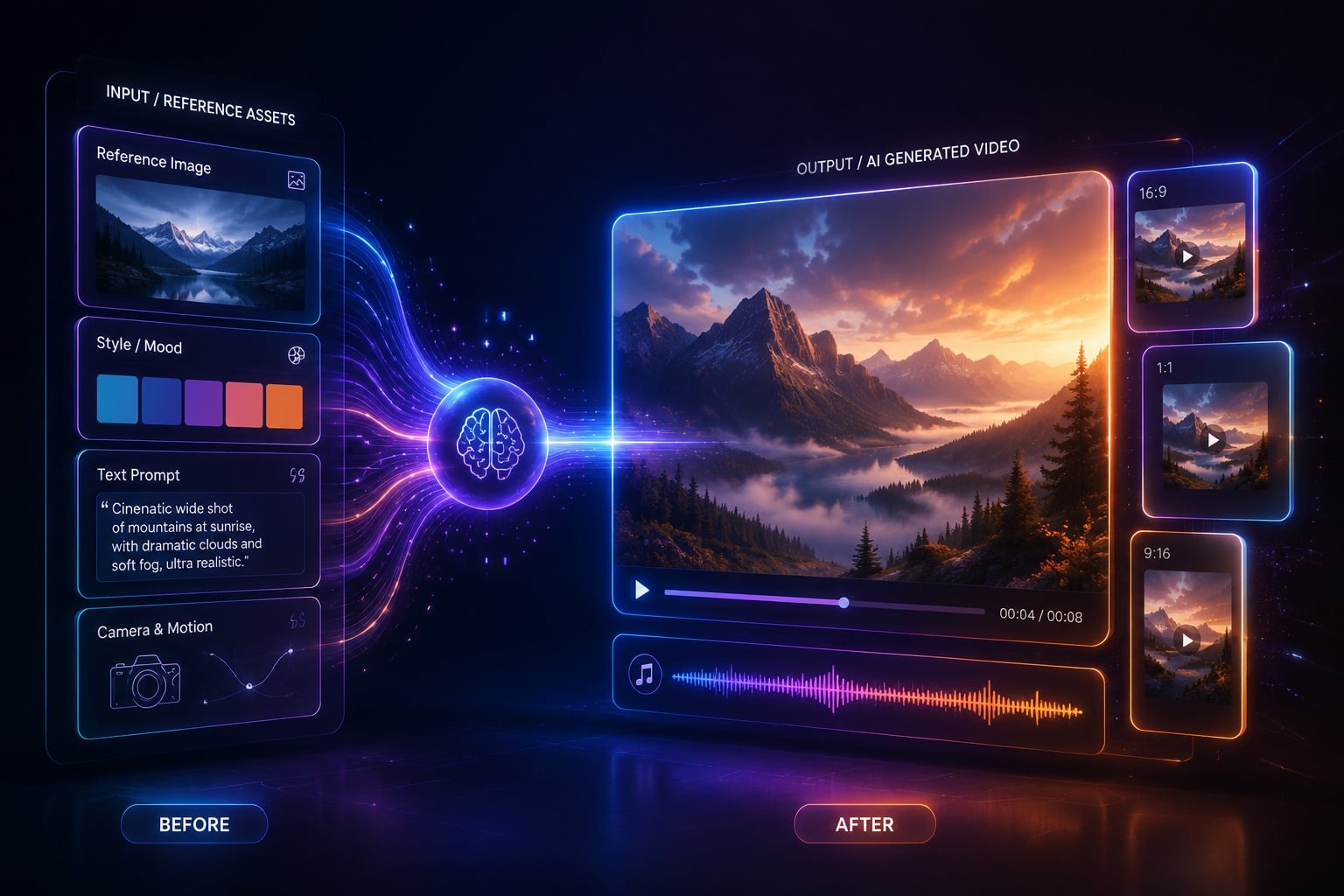
Source note: this section combines GoEnhance AI’s Veo 3.1 product page, Google’s Veo 3.1 Gemini API announcement, and the Google AI for Developers Veo 3.1 video documentation.
Veo 3.1 is Google’s advanced AI video generation model for creating high-fidelity video from prompts, images, and reference materials. Google positions Veo 3.1 around cinematic generation, stronger prompt adherence, native audio, reference-image control, first/last-frame transitions, and video extension workflows.
On GoEnhance AI, Veo 3.1 is presented as a cinematic AI video generator built for storytelling. The GoEnhance page highlights:
- Shot and sequence planning
- Custom voiceover and narration
- True vertical / mobile format
- Robust character continuity
- Prompt-to-export workflow
- Social-ready video generation
Google’s developer materials also describe Veo 3.1 as supporting:
- Text-to-video generation
- Image-to-video generation
- Native audio generation
- Reference images for character, object, or scene guidance
- First-frame and last-frame interpolation
- Video extension for Veo-generated clips
- Landscape and portrait aspect ratios
- 720p, 1080p, and 4K options depending on model and access
In practical terms, Veo 3.1 is best understood as a cinematic generation model. It is especially useful when you care about story, mood, audio, dialogue, visual fidelity, and high-quality social or production outputs.
What Is Kling 3.0?

Source note: this section primarily uses the GoEnhance AI Kling Video 3.0 product page for workflow and feature positioning, with Kling AI used as the official screenshot/source page.
Kling 3.0 is a next-generation Kling video model focused on more consistent, usable short clips. GoEnhance describes Kling Video 3.0 as being built for clips that “cut cleanly into a timeline,” with steadier characters, cleaner camera moves, and flexible 3–15 second outputs.
On GoEnhance AI, Kling 3.0 is positioned around:
- Text-to-video that follows direction
- Image-to-video with less identity drift
- Audio that fits the scene
- Cinematic results without an over-processed look
- Prompt structures that reduce contradictions
- Workflows that reduce rework
- Multi-shot “director notes” that can be reused
- Character consistency across short sequences
The GoEnhance Kling 3.0 page also gives a practical prompting method:
- Scene + lighting
- Subject + fixed identity details
- Camera move + action
This makes Kling 3.0 feel less like a general “make anything” model and more like a shot-building model. It works best when you treat each generation as a planned clip: one scene, one subject, one primary camera move, and a clear action.
Key Differences Between Veo 3.1 and Kling 3.0
1. Cinematic Storytelling vs Timeline-Ready Clips
Veo 3.1 is stronger when the creative goal is cinematic storytelling. It supports workflows around scene planning, narration, sound, reference images, and higher-fidelity output. If your prompt describes a complete cinematic moment — lighting, camera angle, dialogue, ambience, and emotional tone — Veo 3.1 is built for that type of direction.
Kling 3.0 is stronger when the production goal is a clean, usable clip. GoEnhance emphasizes that Kling 3.0 is built for short clips that can be cut into a sequence. That makes it useful for creators who want to generate a shot, review it, make a small change, and then generate the next shot.
| Use case | Better fit | Why |
|---|---|---|
| Cinematic scene with audio and atmosphere | Veo 3.1 | Better fit for story, sound, and high-fidelity visual direction |
| Short clip for editing into a sequence | Kling 3.0 | Built around 3–15s clips, shot notes, and continuity |
| Mobile-first vertical storytelling | Veo 3.1 | Native vertical generation is a highlighted Veo 3.1 capability |
| Fast shot-by-shot production | Kling 3.0 | Easier to plan one motion and one camera move per clip |
2. Prompt Following and Direction
Both models benefit from clear prompts, but they reward slightly different prompting styles.
For Veo 3.1, Google recommends prompts that include:
- Subject
- Action
- Style
- Camera movement
- Composition
- Ambience
- Lighting
- Sound effects
- Dialogue or spoken lines
This makes Veo 3.1 a good fit for richer prompts. You can describe a cinematic world and include audio cues like dialogue, ambient noise, or sound effects.
For Kling 3.0, GoEnhance recommends a more compact and structured prompt:
Line 1: scene + lighting
Line 2: subject + fixed identity details
Line 3: camera move + action
This structure helps avoid contradiction and reduces unwanted drift. Kling 3.0 generally works best when you keep the shot focused: one main subject, one main motion, and one clear camera direction.
| Prompting style | Veo 3.1 | Kling 3.0 |
|---|---|---|
| Rich cinematic prompt | Strong fit | Works, but may need tighter constraints |
| Short shot instruction | Good | Strong fit |
| Dialogue and ambience | Strong fit | Depends on workflow/access |
| Identity anchors | Useful with reference images | Very important for reducing drift |
| Multi-shot planning | Strong for story flows | Strong when written as reusable director notes |
3. Image-to-Video and Reference Control
Veo 3.1 has a strong advantage in image-guided workflows. Google materials describe support for using up to three reference images to guide video generation. These images can represent a character, object, or scene, helping preserve appearance across shots. Google also highlights first-and-last-frame generation, allowing creators to define the start and end of a transition.
That makes Veo 3.1 especially useful for:
- Character-driven storytelling
- Product shots
- Scene continuity
- Object/background consistency
- First-frame to last-frame transitions
- Stylized videos based on “ingredient” images
Kling 3.0 also performs well in image-to-video workflows, especially when the goal is to animate a still image without losing the subject’s identity. GoEnhance specifically frames Kling 3.0 as useful for image-to-video with less identity drift.
| Image workflow | Veo 3.1 | Kling 3.0 |
|---|---|---|
| Use multiple reference images | Strong fit | Not the main GoEnhance positioning |
| Animate one still image | Strong | Strong |
| Preserve character identity | Strong with references | Strong with careful identity anchors |
| Product/object consistency | Strong | Good, especially for short controlled clips |
| First/last frame transition | Strong fit | Not clearly specified on GoEnhance page |
| Best practical use | Controlled cinematic generation | Clean still-image animation |
4. Audio and Dialogue
Audio is one of Veo 3.1’s clearest advantages. Google describes Veo 3.1 as generating native audio, including natural conversations, synchronized sound effects, ambience, and dialogue cues. The Gemini API documentation also notes that prompts can include sound effects, environmental soundscapes, and quoted speech.
This matters if your final video needs to feel like a complete scene rather than a silent visual clip.
Kling 3.0 is also positioned around scene-fitting audio in GoEnhance’s page, and Kling ecosystem materials mention audio and voiceover-related capabilities. However, for this comparison, Veo 3.1 has the more clearly documented official support for native synchronized audio generation.
| Audio need | Better fit |
|---|---|
| Dialogue inside the generated scene | Veo 3.1 |
| Ambient sound and cinematic soundscape | Veo 3.1 |
| Short visual clip where audio can be added later | Kling 3.0 |
| Social ad or creator clip with post-production music | Either |
| Native audio-first storytelling | Veo 3.1 |
5. Motion and Camera Control
Kling 3.0 is highly practical for camera movement. GoEnhance emphasizes cleaner camera moves, “director notes,” and prompts that specify scene, subject, camera, action, and constraints. It also recommends choosing one big motion per shot to avoid jitter or strange framing shifts.
This makes Kling 3.0 a strong choice for:
- Push-ins
- Pans
- Orbits
- Handheld drift
- Calm action
- Product motion
- Character movement
- Short sequences with consistent framing
Veo 3.1 also supports cinematic camera language, and Google encourages prompt terms for camera location, movement, framing, and visual style. But Veo 3.1’s broader strength is cinematic generation as a whole, while Kling 3.0’s GoEnhance workflow is especially focused on making individual shots easier to use.
| Camera / motion task | Veo 3.1 | Kling 3.0 |
|---|---|---|
| Cinematic camera language | Strong | Strong |
| One clean camera move per short clip | Good | Strong |
| Complex scene with audio and ambience | Strong | Good |
| Short timeline-ready action shot | Good | Strong |
| Reducing jitter through simpler shot planning | Useful | Core workflow |
6. Character and Scene Consistency
Both models care about consistency, but they approach it differently.
Veo 3.1 improves consistency through reference images, ingredient images, and character/background/object guidance. Google specifically discusses maintaining character identity, background integrity, and object consistency across generated scenes.
Kling 3.0 focuses on reducing identity drift through structured prompting and shorter planned clips. GoEnhance recommends fixed identity details and “must-not-change” style constraints to keep the subject stable.
| Consistency type | Veo 3.1 | Kling 3.0 |
|---|---|---|
| Character identity across scenes | Strong with reference images | Strong with identity anchors and short shots |
| Object consistency | Strong with reference inputs | Good for controlled clips |
| Background consistency | Strong in image-guided workflows | Good when scene details are fixed |
| Multi-shot continuity | Strong for storytelling | Strong for planned short sequences |
| Best approach | Use references and scene planning | Use fixed identity details and short shot lists |
Detailed Comparison Table
| Dimension | Veo 3.1 | Kling 3.0 | Practical Takeaway |
|---|---|---|---|
| Best overall use | Cinematic, audio-rich, story-driven video | Short, controlled, editable clips | Pick Veo for story polish; pick Kling for production control |
| Text-to-video | Strong for descriptive cinematic prompts | Strong for structured shot prompts | Veo likes richer direction; Kling likes cleaner shot instructions |
| Image-to-video | Strong with reference images and first/last-frame workflows | Strong for animating stills with less identity drift | Veo is better for reference-heavy scenes; Kling is great for single-image animation |
| Audio | Clearly documented native audio support | Scene-fitting audio appears in product positioning, but official support varies by access | Veo is safer for audio-first workflows |
| Vertical video | Native 9:16 support in supported workflows | Useful for social clips, but less emphasized | Choose Veo when vertical format is a key requirement |
| Resolution | 720p, 1080p, and 4K options depending on model/access | Not consistently specified across sources | Veo has clearer high-resolution documentation |
| Clip length | Google documentation describes 8-second generation and extension workflows depending on API/model | GoEnhance positions Kling 3.0 around flexible 3–15s outputs | Kling may feel more natural for short clip batching |
| Character consistency | Reference images help preserve identity | Identity anchors and short shot planning reduce drift | Both can work; Veo is reference-led, Kling is prompt-structure-led |
| Camera movement | Supports cinematic camera terms | Strong practical camera control when limited to one main movement | Kling is especially useful for clean short camera moves |
| Multi-shot workflow | Good for story planning and reference consistency | Good for reusable director notes and shot lists | Veo is more cinematic; Kling is more editor-friendly |
| Learning curve | Requires richer prompting to use full capabilities | Easier if you follow a simple 3-line structure | Kling may be easier for beginners building short clips |
| Best GoEnhance workflow | Plan scenes → add narration/audio → generate social-ready video | Draft short → lock identity → generate 3–15s clip → cut into sequence | Use both depending on shot type |
Which Model Should You Choose?
Choose Veo 3.1 if you want cinematic storytelling
Veo 3.1 is the stronger choice when your video needs to feel like a complete cinematic scene. It is especially useful if your prompt includes atmosphere, dialogue, sound effects, detailed lighting, and a clear emotional tone.
Good Veo 3.1 use cases include:
- Short films
- Narrative scenes
- Product story videos
- Cinematic ads
- Vertical social storytelling
- AI-generated dialogue scenes
- Character scenes based on reference images
- High-fidelity visual production
Example prompt direction:
A cinematic close-up of a young explorer standing in a neon-lit train station at night. Rain reflects blue and orange lights on the floor. The camera slowly pushes in as she whispers, "This is where the signal came from." Ambient station hum, distant footsteps, soft thunder.
This is the kind of prompt where Veo 3.1’s audio, cinematic style understanding, and scene generation can shine.
Choose Kling 3.0 if you want cleaner short clips
Kling 3.0 is the stronger choice when you need a practical clip that can be used in an edit. It works well when you keep the shot simple and controlled.
Good Kling 3.0 use cases include:
- Social media clips
- Product motion shots
- Character animation from a still image
- Short ad creatives
- Timeline-ready B-roll
- Controlled camera moves
- Multi-shot sequences built one clip at a time
Example prompt structure:
Scene + lighting: A modern kitchen at sunrise, soft golden window light.
Subject + identity: A young chef in a white apron, short black hair, same face and outfit throughout.
Camera + action: Slow push-in as she places a finished dessert on the counter, no outfit change, no face change.
This structured format helps Kling 3.0 stay focused and reduces rework.
Use both when you are building a full video sequence
For many creators, the best answer is not “Veo or Kling.” It is Veo and Kling.
A practical workflow inside GoEnhance AI could look like this:
- Use Veo 3.1 for the cinematic hero shot or audio-rich scene.
- Use Kling 3.0 for shorter supporting clips that need clean motion.
- Compare image-to-video outputs from both models when working from a still.
- Use the model that gives better identity consistency for each specific subject.
- Edit the best clips together into a final sequence.
This approach gives you more creative range and reduces the risk of forcing one model to handle every type of shot.
Best Use Cases by Creator Type
| Creator type | Recommended model | Why |
|---|---|---|
| Filmmaker | Veo 3.1 | Better fit for cinematic mood, dialogue, ambience, and story |
| Social media creator | Both | Veo for vertical story clips; Kling for fast short clips |
| Ad creative team | Both | Veo for polished hero scenes; Kling for controlled product shots |
| Product marketer | Kling 3.0 | Strong for short product motion and cleaner shot control |
| Music video creator | Veo 3.1 | Better fit for atmosphere, audio cues, and visual style |
| AI influencer creator | Kling 3.0 | Good for consistency-focused short clips |
| Beginner | Kling 3.0 | The 3-line prompt structure is easier to learn |
| Advanced prompt writer | Veo 3.1 | Rich prompts can use more cinematic and audio detail |
Prompting Tips for Veo 3.1
To get better results from Veo 3.1, write prompts like a mini scene brief.
Include:
- Subject
- Action
- Location
- Camera movement
- Shot type
- Lighting
- Visual style
- Mood
- Sound effects
- Dialogue, if needed
Example:
A cinematic wide shot of a futuristic city rooftop at sunset. A delivery drone lands beside a woman in a silver jacket. The camera slowly orbits around her as wind moves her hair. Warm orange light, reflective glass buildings, distant traffic hum, soft electronic ambience.
For image-guided workflows, use clear reference images and specify what should remain consistent:
Keep the same character face, hairstyle, jacket, and color palette. Change only the camera angle and background movement.
Prompting Tips for Kling 3.0
To get better results from Kling 3.0, keep the shot focused. Avoid stacking too many motions or scene changes in one generation.
Use this structure:
Line 1: scene + lighting
Line 2: subject + fixed identity details
Line 3: camera move + action + constraints
Example:
A quiet city street at night, wet pavement, neon signs reflecting in puddles.
A young man in a black leather jacket, short brown hair, same face and outfit throughout.
Slow handheld tracking shot as he walks toward camera, no face change, no outfit change, no extra people.
Best practices:
- Use one primary camera move.
- Use one main action.
- Keep identity details stable.
- Generate short drafts first.
- Extend or sequence only after the look is stable.
Final Verdict: Veo 3.1 or Kling 3.0?
There is no single winner for every workflow.
Veo 3.1 is better for cinematic, story-led video generation. It is the better choice when you want native audio, richer visual style, vertical video, reference-image control, and high-fidelity outputs.
Kling 3.0 is better for practical short-clip production. It is the better choice when you want cleaner camera moves, steadier characters, shorter timeline-ready clips, and a repeatable prompt structure that reduces rework.
If you are creating one polished cinematic scene, start with Veo 3.1.
If you are building a sequence of usable clips, start with Kling 3.0.
If you are producing a serious video project, test both inside GoEnhance AI and choose per shot.
Try them here:
References
- GoEnhance AI, Veo 3.1: Google AI Video Generator With Storytelling.
- GoEnhance AI, Kling Video 3.0: More Consistent Video Generator.
- Google Developers Blog, Introducing Veo 3.1 and new creative capabilities in the Gemini API.
- Google AI for Developers, Generate videos with Veo 3.1 in Gemini API.
- Google AI Studio, Veo 3 model page.
- Kling AI, Official homepage.
FAQ
Is Veo 3.1 better than Kling 3.0?
Veo 3.1 is better for cinematic storytelling, native audio, vertical formats, and reference-image workflows. Kling 3.0 is better for short, controlled clips that need cleaner camera moves and steadier character consistency. The better model depends on the type of video you want to create.
Which model is better for realistic video?
Both can create realistic video. Veo 3.1 is stronger when realism depends on cinematic lighting, ambience, sound, and high-fidelity output. Kling 3.0 is strong when realism depends on clean motion, stable identity, and a controlled short shot.
Which model is better for image-to-video?
Veo 3.1 is better for reference-heavy image-to-video workflows, especially when you want to guide character, object, or scene consistency with multiple images. Kling 3.0 is strong for animating a still image while reducing identity drift in short clips.
Which model is better for social media videos?
Veo 3.1 is a strong choice for vertical, cinematic social videos with audio and storytelling. Kling 3.0 is a strong choice for short clips, ad variations, product shots, and creator content that needs fast iteration.
Can I use both Veo 3.1 and Kling 3.0 in GoEnhance AI?
Yes. GoEnhance AI provides pages for both Veo 3.1 and Kling Video 3.0, making it easier to compare outputs and choose the right model for each shot.
Which model should beginners start with?
Beginners may find Kling 3.0 easier to start with because the workflow can be simplified into a 3-line prompt: scene and lighting, subject and identity details, then camera move and action. Veo 3.1 is also beginner-friendly, but its best results often come from richer cinematic prompts.


