

Revid AI Video Generator

Revid AI is a short-form video creation platform built for TikTok, Instagram Reels, and YouTube Shorts. It can turn prompts, scripts, articles, music, podcasts, links, and existing videos into editable social content with visuals, voiceovers, captions, music, and publishing tools in one workflow.

Key Features of Revid AI

Turn Almost Any Content Source Into a Finished Video

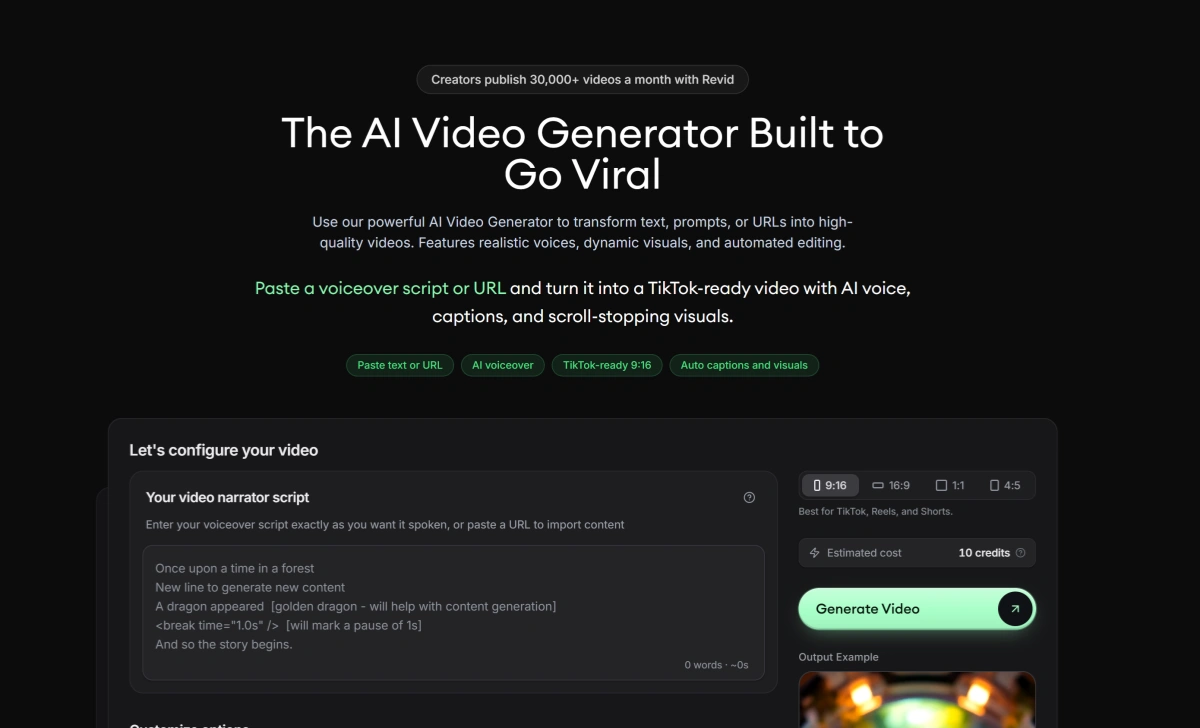
Revid can start from a prompt, finished script, article URL, product page, music track, audio file, PDF, or existing video. Instead of forcing every project through the same input, it adapts the workflow to the material you already have and builds the script, visuals, narration, captions, and structure around it. You can also explore our AI video generator.

Revid AI turning prompts, scripts, URLs, articles, audio, PDFs, and video into finished short-form content

Repurpose Long Content Without Manually Hunting for Clips

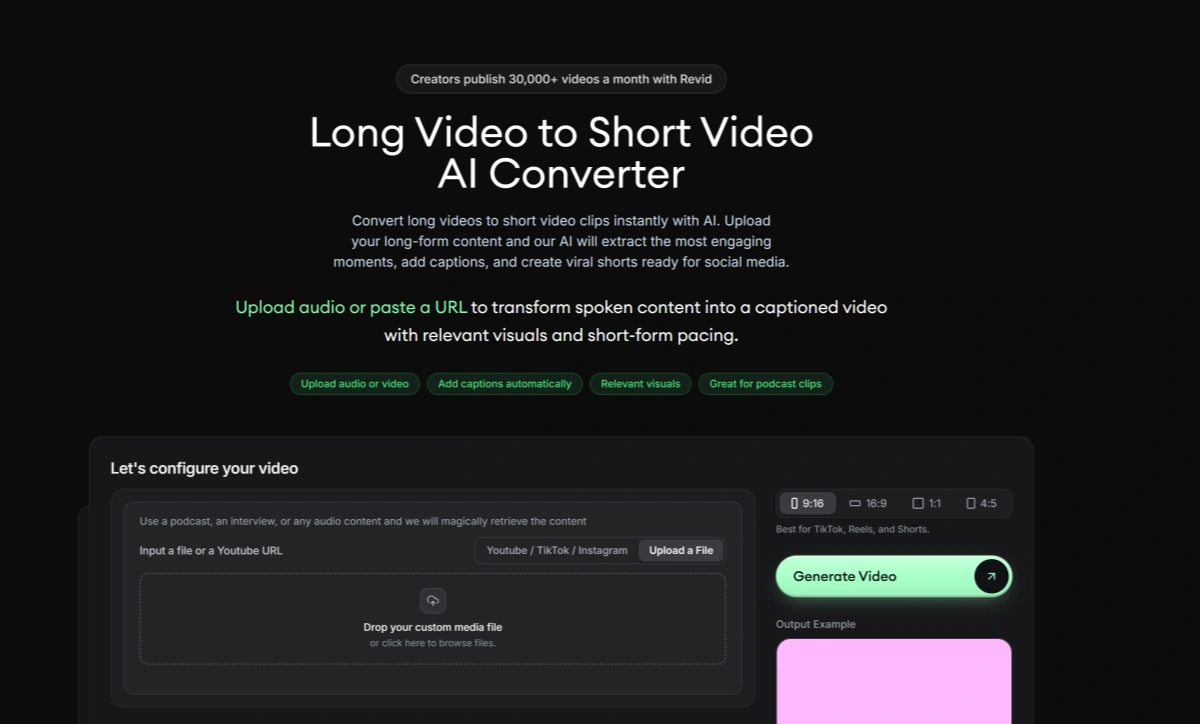
Revid can analyze long YouTube videos, podcasts, webinars, and other recordings, identify useful segments, crop them for vertical formats, add captions, and turn longer material into social-ready clips. This makes it especially useful for creators with an existing library of content they want to reuse.

Revid AI extracting highlights from long videos and turning them into captioned vertical shorts

Build Music Videos Around the Track, Not Just the Prompt

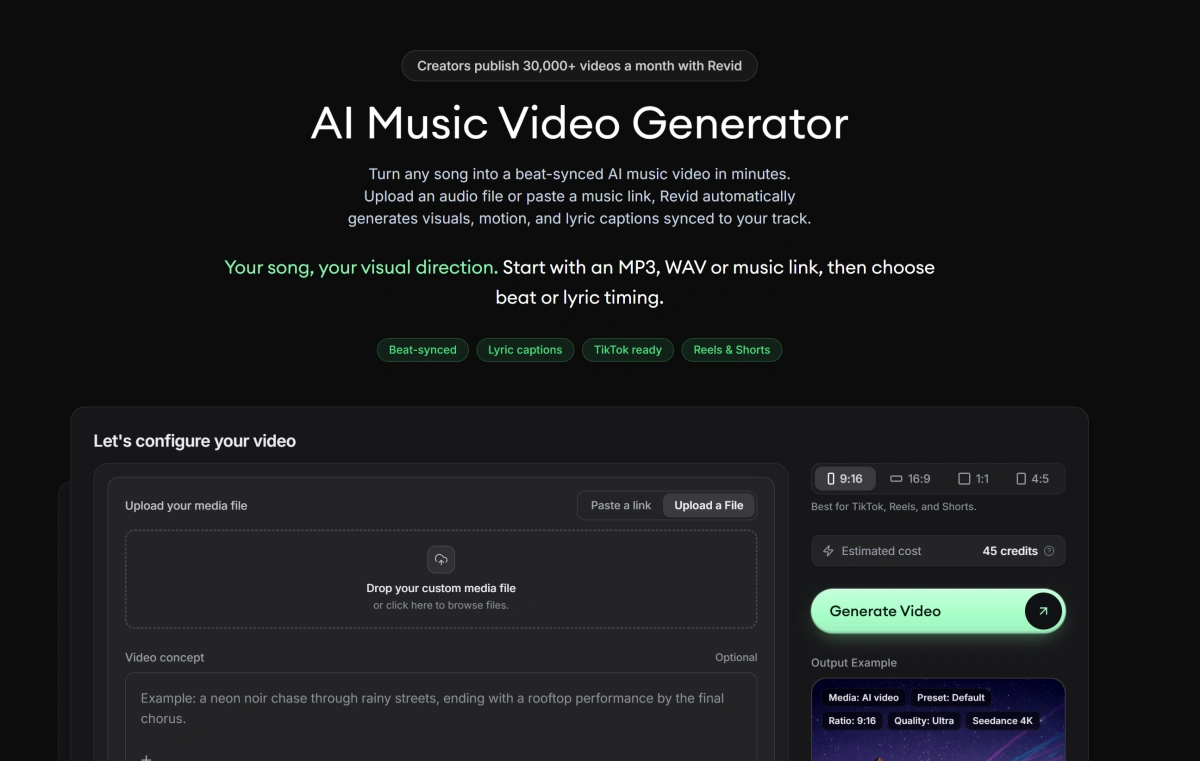
The Revid AI music video generator can start from an uploaded song or supported music link, analyze the track, and create visuals around its rhythm and structure. Creators can use AI video, moving images, stock footage, lyric captions, beat synchronization, and different visual directions for the same song.

Revid AI music video generator syncing AI visuals, motion, and lyric captions to a song

Automate Repeatable Video Workflows With Agents and APIs

For creators and teams producing content at scale, Revid extends beyond its browser interface. Auto-Mode can run recurring video workflows, while the public API, MCP server, and CLI allow developers and AI agents to trigger video generation programmatically.

Revid AI Auto-Mode, API, MCP, and CLI tools automating recurring video creation workflows

What Can You Create With Revid AI?

Revid is built for creators who need to turn existing ideas, media, and long-form content into social-ready videos without rebuilding every project from scratch.
Social Videos

Social Videos

Turn topics, scripts, links, or ideas into vertical videos with AI visuals, voiceovers, captions, and music. This works well for educational channels, news summaries, listicles, storytelling, and other high-frequency short-form formats.

Make Your Next Short Stand Out

How to Use Revid AI

01

Choose What You Want to Start From

Pick a Revid workflow based on your source material. You can begin with a prompt, script, article, product page, music track, audio file, long video, or another supported source.

02

Choose the Visual and Audio Direction

Set the media type, voice, captions, music, aspect ratio, style, and other available options. Revid can combine stock footage, generated images, AI video, uploaded media, and narration depending on the selected workflow.

03

Generate, Edit, and Publish

Review the generated project, adjust scenes or transcript text, replace weak visuals, refine captions and timing, then export or publish the finished video through supported social workflows.

Revid AI vs GoEnhance AI vs InVideo AI vs OpusClip

PlatformCore StrengthCreative RangeBest Fit
Revid AIEnd-to-end short-form production, repurposing, editing, publishing, and automationPrompt-to-video, article-to-video, music videos, long-video clipping, avatars, captions, voiceovers, editor, publishing, Auto-Mode, API, MCP, and CLICreators and teams that want to turn content into publishable Shorts, Reels, and TikToks with less manual work
GoEnhance AIVisual-first generation and transformation with stronger focus on custom motion and image-driven videoText-to-video, image-to-video, video-to-video, animation, image generation, enhancement, and creative visual transformationCreators who care more about how the actual shot looks and moves than automating the complete publishing pipeline
InVideo AIPrompt-led assembled videos with scripts, stock footage, narration, and automated editingPrompt-to-video, explainers, social videos, ads, voiceovers, stock media, subtitles, and editingUsers who want fast informational, marketing, and faceless videos built from a prompt
OpusClipLong-form video repurposing and automatic short-clip extractionHighlight detection, reframing, captions, clipping, social formatting, and long-to-short repurposingPodcasters, interview channels, and creators mainly repurposing existing long-form video
Revid is strongest when the goal is turning content into finished social posts quickly. GoEnhance AI is a better fit when the visual itself needs more creative attention, especially for image-driven animation, custom shots, and transformation-heavy video.

Why GoEnhance AI Can Be Better for Visual-First Video Creation

Create the Shot Instead of Finding Media to Fill It

Revid can combine generated visuals, moving images, stock clips, and uploaded media around a script. GoEnhance is better suited when the shot itself needs to be created around a specific subject, composition, visual style, or motion idea.

Make the Source Image the Center of the Video

When a character, product shot, illustration, or photograph is already approved, GoEnhance gives that image a more central role in the generation process. This is useful when visual identity matters more than automatically assembling a complete narrated short.

Transform Existing Footage Instead of Only Repurposing It

Revid is useful for cutting long footage into new formats and packaging it for social media. GoEnhance goes in a different direction when the goal is to change the footage itself through stylization, animation, or broader video-to-video transformation.

Create Character and Motion-Led Videos Without a Script-First Structure

Not every video needs narration, captions, or an article-style structure. GoEnhance fits projects where character movement, visual action, animation, or atmosphere carries the content instead of a spoken script.

Spend More Time Exploring How a Shot Should Look

Revid is optimized for getting from source content to a finished social video efficiently. GoEnhance is a better fit when the creative process involves testing the visual treatment itself before deciding how the final content should be edited or distributed.

Generate Stronger Visual Assets Before the Publishing Stage

The two platforms can also work at different stages. GoEnhance can create custom source clips, animated characters, and transformed footage first, while a short-form editor or publishing platform can handle captions, scheduling, and distribution afterward.

Revid AI Discussions on Reddit

Frequently Asked Questions

Revid AI FAQ

What is Revid AI?

Revid AI is an AI video creation and content-repurposing platform focused heavily on TikTok, Instagram Reels, and YouTube Shorts. It combines video generation, scripts, visuals, AI voices, captions, music, editing, social publishing, automation, and developer tools in one platform.

What is the Revid AI video generator?

The Revid AI video generator can turn prompts, scripts, articles, links, music, audio, and other source material into complete videos. Depending on the workflow, Revid can generate a script, choose or generate visuals, add voiceover, create captions, add music, and open the result in its editor.

What is the Revid AI music video generator?

The Revid AI music video generator turns an uploaded song or supported music link into a beat-synced visual video. It can combine AI-generated video, moving images, stock footage, lyric captions, and different visual styles, with vertical formats designed for TikTok, Reels, and Shorts.

Is Revid AI free?

Revid currently advertises free starting access on several of its tools and says users can try selected workflows without entering a credit card. Continued use of premium generation, larger credit allowances, publishing, automation, and other advanced capabilities depends on the current paid plan and available credits. Check the live pricing page because free allowances and promotions can change.

Is Revid AI safe?

Revid publishes a privacy policy and states that its data is stored on Google Cloud servers in the United States with encryption and access controls. It also says user inputs may be shared with subprocessors when needed to generate videos and that user data is not used to train AI models. The published privacy policy is older than several of Revid's newer features, so users working with sensitive media should review the latest policy and account controls before uploading it.

Can Revid AI turn long videos into Shorts?

Yes. Revid includes tools for turning long videos and YouTube links into shorter clips. It can identify useful moments, crop footage for vertical formats, add captions, and prepare clips for Shorts, Reels, and TikTok.

Can Revid AI turn podcasts into short videos?

Yes. Revid can work from podcast audio or existing audio and video sources. Its podcast and audio workflows can extract or use spoken content, add synchronized captions, create supporting visuals, and format the result for short-form social platforms.

Can Revid AI turn articles into videos?

Yes. Revid supports article and URL-based video creation. Users can paste a webpage or article URL, and Revid can summarize the content, create a narrated script, generate or select supporting visuals, add captions, and produce a social-ready video.

Can Revid AI publish directly to social media?

Yes. Revid supports direct or scheduled publishing to TikTok, YouTube, and Instagram through connected accounts. It can also use webhooks for custom publishing and automation workflows.

What is Revid Auto-Mode?

Auto-Mode is Revid's recurring automation system. A creator can configure a content source and video workflow, then use workers to generate fresh videos on a schedule and optionally publish them automatically. The number of available workers depends on the current plan.

Does Revid AI have an API?

Yes. Revid provides a public REST API for workflows such as script-to-video, prompt-to-video, article-to-video, music-to-video, audio-to-video, avatar-to-video, caption video, motion transfer, and ad generation. Revid also provides an MCP server and CLI for AI-agent and developer workflows.

Can I edit videos after Revid generates them?

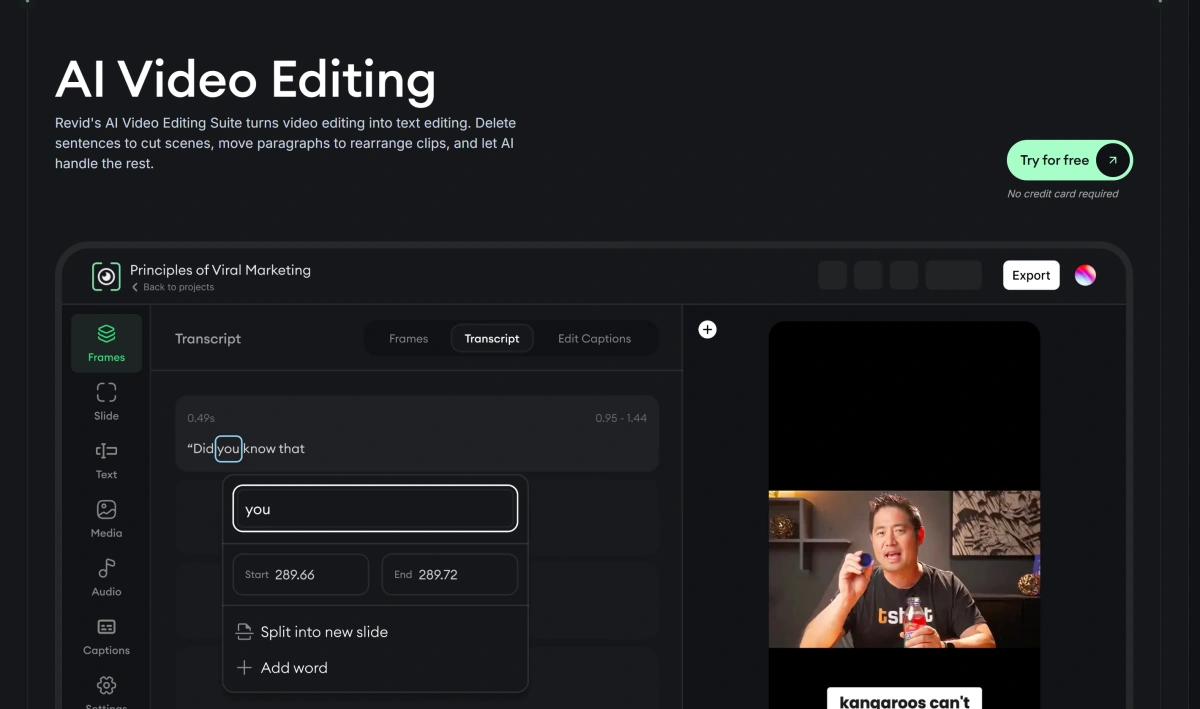
Yes. Revid opens generated projects in an editor where users can change scenes, visuals, text, captions, audio, timing, and other elements. Its Smart Transcript Editor also lets creators trim or rearrange parts of a video by editing the transcript.

Do I own videos created with Revid AI?

Revid's current Terms state that users own the content they create and can continue using that content after a subscription ends. Users are still responsible for ensuring they have the necessary rights to uploaded music, images, videos, brands, and other source material.

How do I cancel Revid AI?

Revid's Terms state that subscriptions can be canceled at any time. Access continues through the remainder of the current billing period, and existing account projects remain accessible afterward, although new exports may require an active subscription.

Can I delete my Revid AI account?

Yes. Revid's privacy policy states that users can delete their account and associated account data through the account-deletion option linked from the policy. Because account interfaces can change, use the current account settings or privacy page to access the latest deletion process.

How is Revid AI different from GoEnhance AI?

Revid AI focuses on the full short-form content pipeline: turning scripts, links, music, podcasts, and long videos into edited social content, then helping publish and automate it. GoEnhance AI is more focused on visual generation and transformation, making it a stronger fit when image-to-video, character animation, custom motion, or changing the look of existing footage is the main goal.

Need a More Original Shot Before You Turn It Into a Short?

Revid is excellent at turning content into publishable social videos. When the part that needs more attention is the visual itself, bring your image, character, or existing footage into GoEnhance AI and create the motion or transformation first.

Create the Shot Your Short Deserves