
11 Best Canva Alternatives in 2026 (Tested by a Real Creator)
- 1. Quick Comparison of Canva Alternatives
- 2. Canva Alternatives: What Canva Gets Right — and Where It Breaks
- 3. When Canva Still Makes Sense
- 4. How I Tested These Canva Alternatives
- 5. Best Canva Alternatives for Video Content
- 6. Best Free Canva Alternatives
- 7. Canva vs Adobe Express
- 8. Canva Alternatives for E-commerce
- 9. Real Test Results
- 10. Mistakes I Made Switching Tools
- 11. Which Canva Alternative Should You Use
- 12. Choosing the Right Canva Alternative in 2026
If you're searching for Canva alternatives, here's what I learned the hard way: switching tools doesn't fix performance — switching formats does.
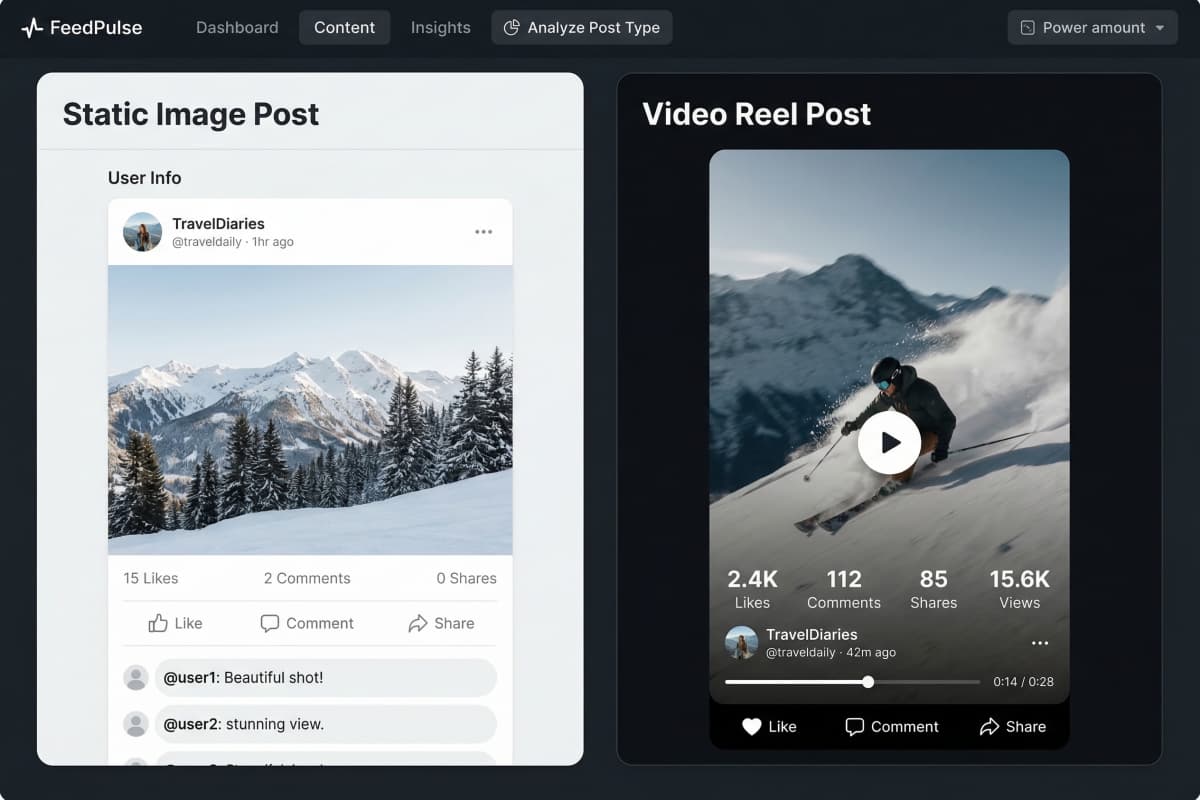
Three years ago I was perfectly fine using Canva. Then I started posting Reels. My designs looked clean, but they barely moved. At the same time, I watched lower-quality accounts post simple animated clips and get 10–100x the reach. That's when I realized I wasn't lacking design skills — I was using the wrong type of content.
I work on social content for e-commerce brands. No big team, no production budget. I need tools that give me usable output fast. Everything below comes from actually using these tools in real work, not testing them for an article.

1. Quick Comparison of Canva Alternatives
Bottom line: most Canva alternatives focus on design — only a few actually help you create content that performs.
Here's what I found after testing:
| Tool | Best At | Video | Speed | Free Plan |
|---|---|---|---|---|
| GoEnhance | AI content generation | ✅ Full | Fast (~3 min) | Yes |
| Adobe Express | Brand + templates | ⚠️ Limited | Medium | Yes |
| Visme | Data design | ⚠️ GIF | Slow | No |
| VistaCreate | Free graphics | ⚠️ Basic | Medium | Yes |
| Snappa | Speed | ❌ | Fast | Yes |
| Fotor | Photo editing | ⚠️ Limited | Medium | Yes |
The pattern is simple:
- Traditional tools → design-focused
- New tools → output-focused
2. Canva Alternatives: What Canva Gets Right — and Where It Breaks
Bottom line: Canva is still excellent for static design, but it starts to struggle once you need differentiation and motion.
From daily use, Canva still delivers in a few areas:
- Fast branded graphics
- Simple presentations
- Print materials
- Easy onboarding for teams
That hasn't changed.
Where it started breaking for me:
-
Pricing kept shifting Canva Teams pricing increase
-
Templates started feeling repetitive
-
No real AI video generation Short-form content trend
The last one mattered most. Once I shifted toward short-form platforms, static content just didn't perform the same way anymore.

3. When Canva Still Makes Sense
Bottom line: if your output is static, Canva is still one of the most efficient tools available.
I didn't stop using Canva — I just became selective.
I still use it for:
- Quick social posts
- Internal slides
- Print layouts
- Situations where multiple people need access
If that's your entire workflow, switching tools might not help at all.
4. How I Tested These Canva Alternatives
Bottom line: I tested tools under time pressure, not by exploring features.
I gave every tool the same task:
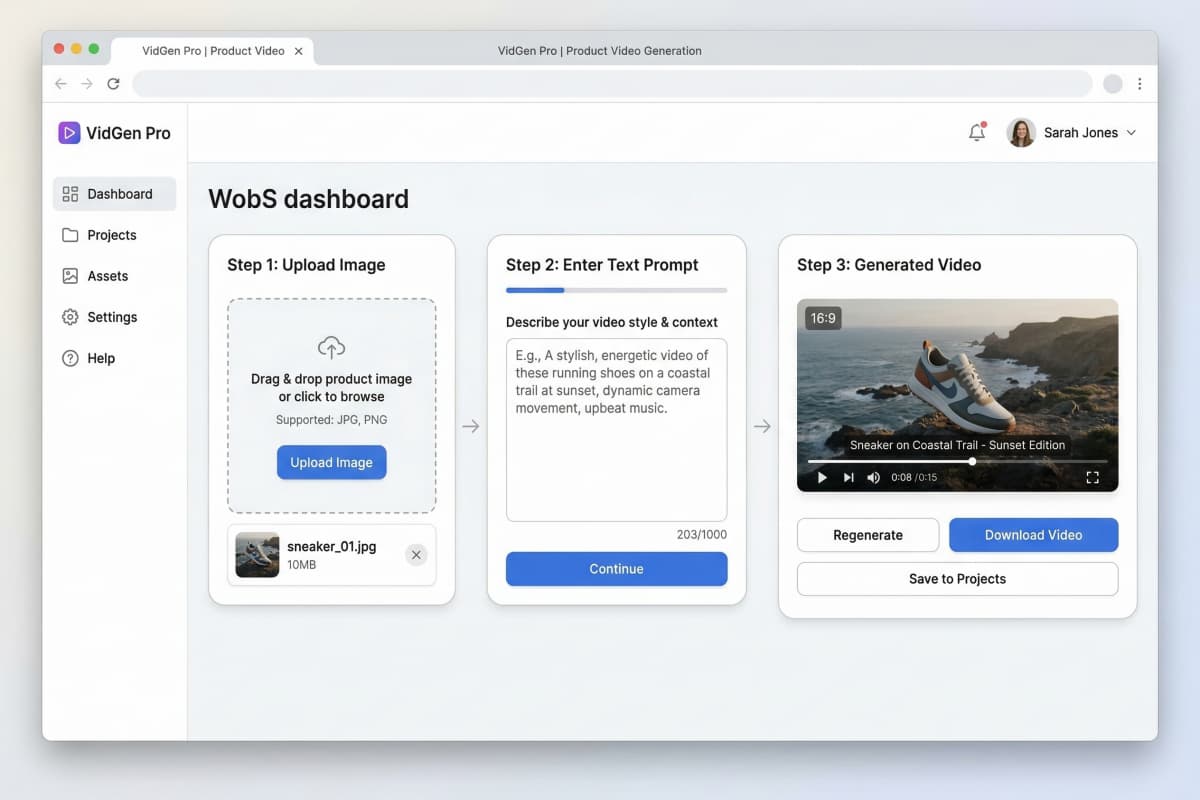
Take one product image → create a social post + a short video in under 10 minutes
What I looked for:
- Time to something usable
- Whether AI actually generates content
- Video output quality
- Real limitations in the free plan
Most tools look good until you try to produce something quickly. That's where the differences show up.
5. Best Canva Alternatives for Video Content
Bottom line: if you want reach in 2026, you need tools that generate video, not just design visuals.
This is where my workflow changed the most.
Instead of building content manually, I started using:
- image-to-video generator
- text-to-video generator
- animate a picture
- AI video extender
- Ghibli AI generator for stylized effects
Typical process now:
- Upload product image
- Describe motion
- Export video
Compared to Canva:
- No timeline editing
- No manual animation
- No switching tools
Video content consistently outperforms static formats
That matches what I've seen in real campaigns.
6. Best Free Canva Alternatives
Bottom line: using one free tool usually isn't enough — combining tools works better.
What worked for me:
- VistaCreate → static design
- GoEnhance (free tier) → AI + video, including AI video extending for longer clips
Why this combination:
- Covers both design and generation
- No major workflow gaps
- Still zero cost
Trying to do everything in one free tool usually creates limitations.
7. Canva vs Adobe Express
Bottom line: Adobe Express only makes sense if you're already using Adobe tools.
From my experience:
Canva strengths:
- Easier to use
- Faster setup
- Better template variety
Adobe Express strengths:
- Works with Photoshop/Premiere
- Slightly stronger AI editing
Shared limitation:
- Neither is strong for AI video
Switching between them didn't change my output — just the interface.
8. Canva Alternatives for E-commerce
Bottom line: AI tools make the biggest difference for product-based content.
What I needed regularly:
- Product visuals
- Ad creatives
- Short-form videos
Old workflow:
- Source images
- Edit manually
- Use separate tools
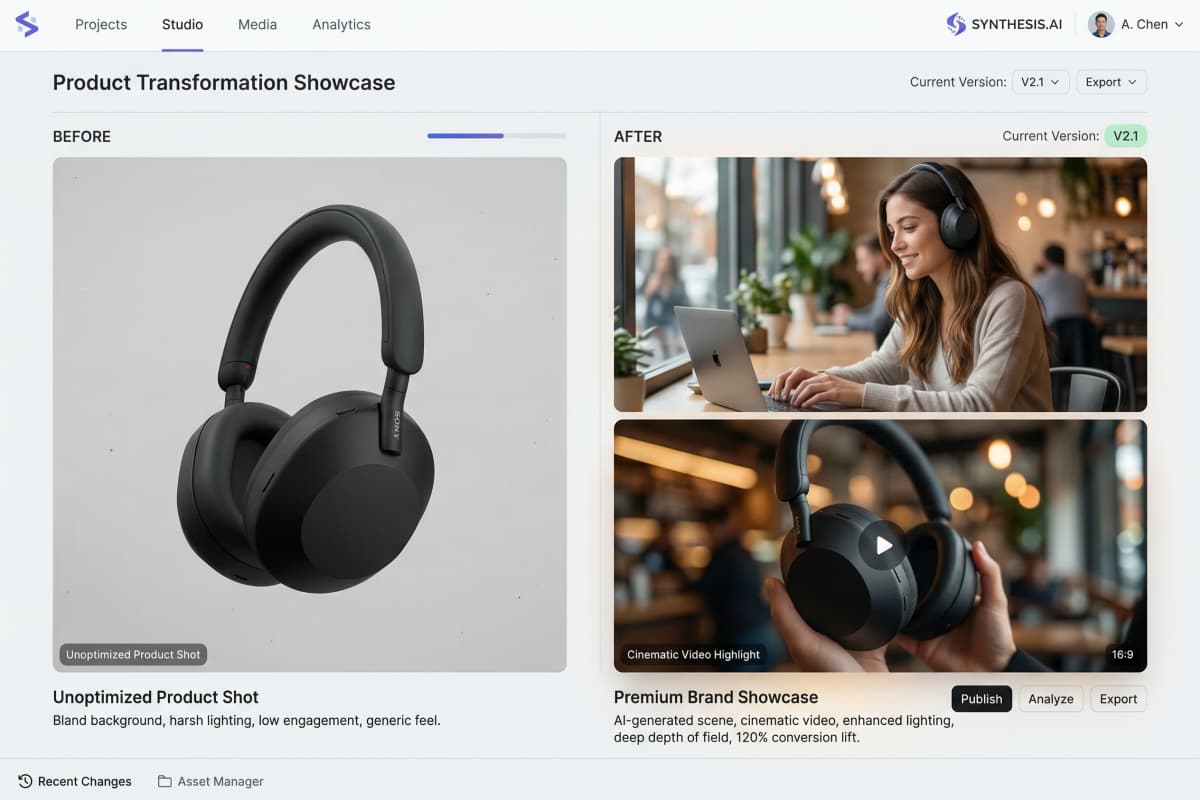
New workflow:
- Generate scenes
- Create variations
- Turn images into video
This reduced production time and made testing creatives much easier.
9. Real Test Results
Bottom line: speed matters more than features in real workflows.
Here's what I saw during testing:
| Tool | Time to Output | Experience |
|---|---|---|
| GoEnhance | ~3 min | Fastest usable result |
| Adobe Express | ~6 min | Clean but slower |
| VistaCreate | ~5 min | Good for static |
The difference wasn't UI — it was how many steps I needed.
10. Mistakes I Made Switching Tools
Bottom line: most problems come from trying to replace Canva directly.
What I got wrong at first:
- Focused too much on price
- Expected the same workflow
- Switched everything at once
- Ignored licensing
What worked better:
- Change one workflow at a time
- Adapt to how the tool works
- Focus on output, not features
11. Which Canva Alternative Should You Use
Bottom line: the best tool depends on what you create, not which one is "better."
From experience:
- Video content → GoEnhance
- Static design → VistaCreate
- Team workflows → Adobe Express
- Data-heavy work → Visme
There isn't a perfect replacement — just better fits.
12. Choosing the Right Canva Alternative in 2026
The real shift isn't tools — it's how content is produced.
AI is becoming part of daily workflows, not just an experiment.
From what I've seen:
- Static design still has its place
- But it's no longer enough on its own
- Video and AI-generated content scale better
If you're looking into Canva alternatives, the decision isn't just about design anymore — it's about whether your workflow can produce content that actually performs.


