
AI Renaissance Portrait Generator: See Yourself in a Classical Oil Painting
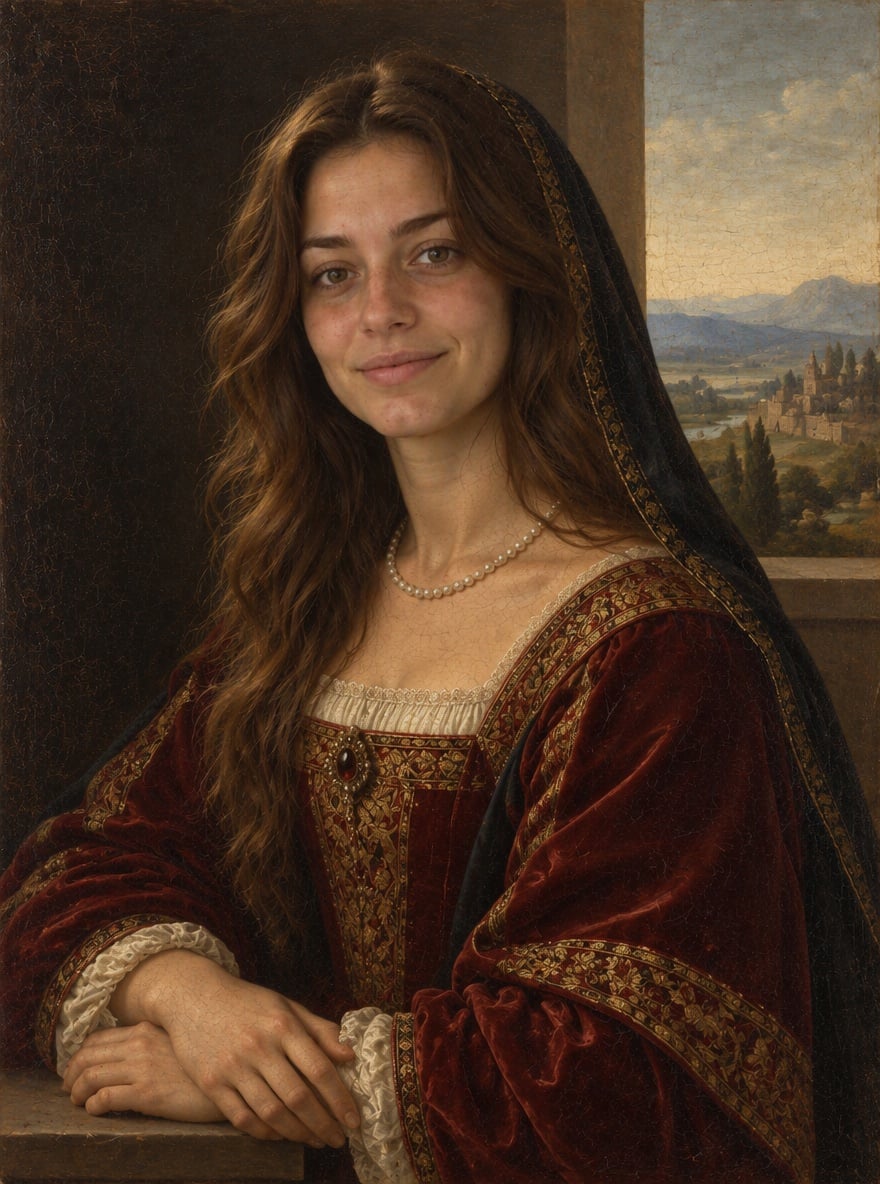
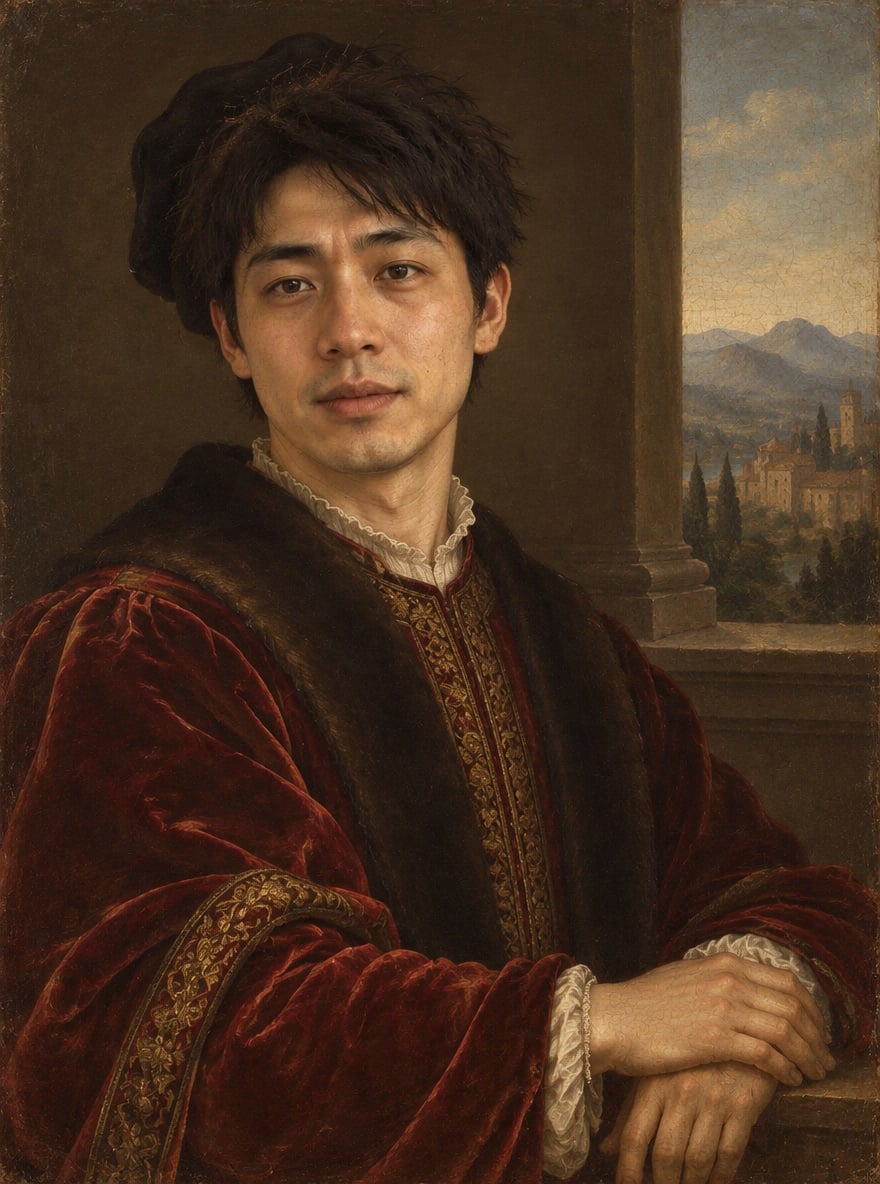
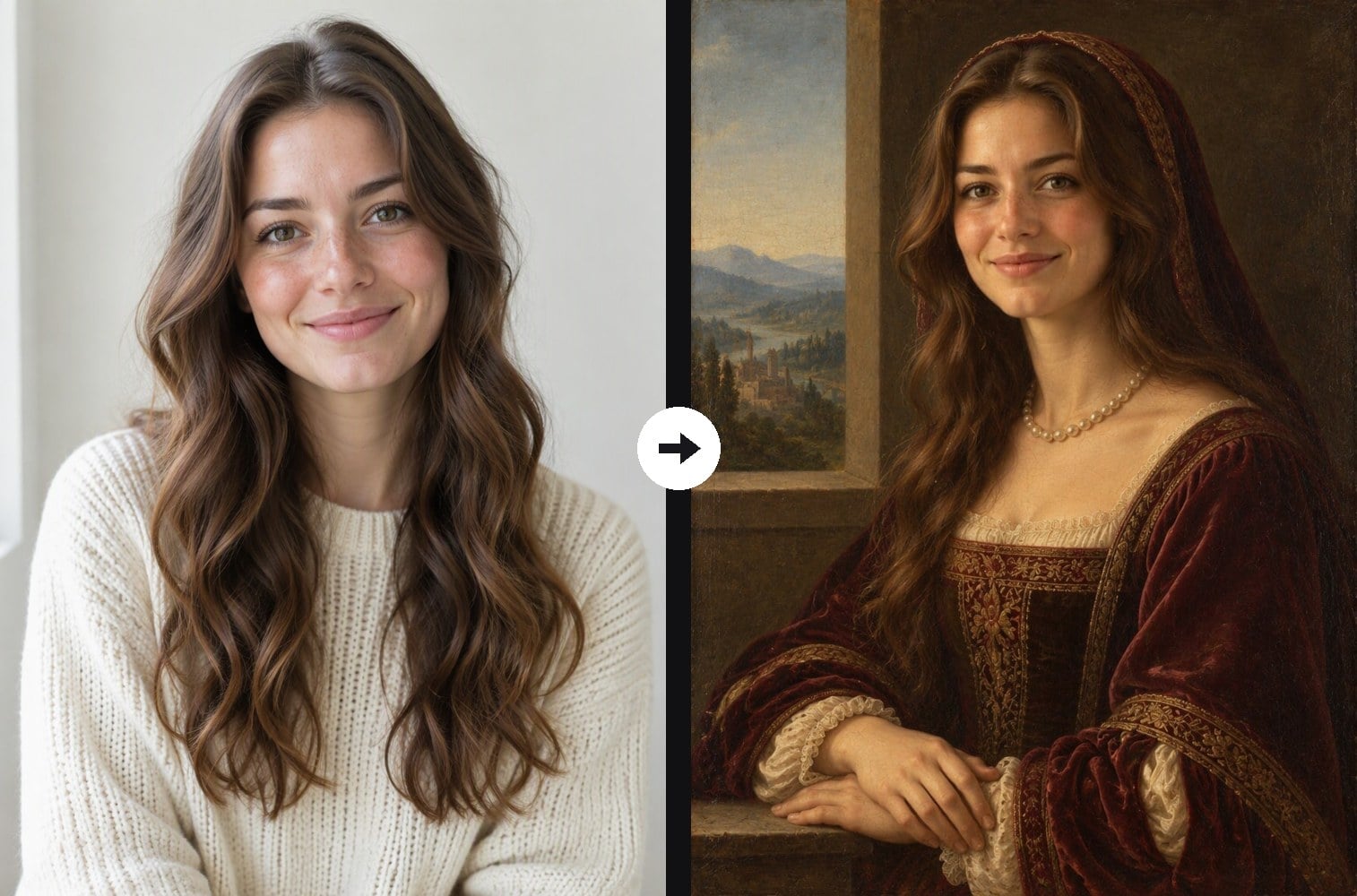
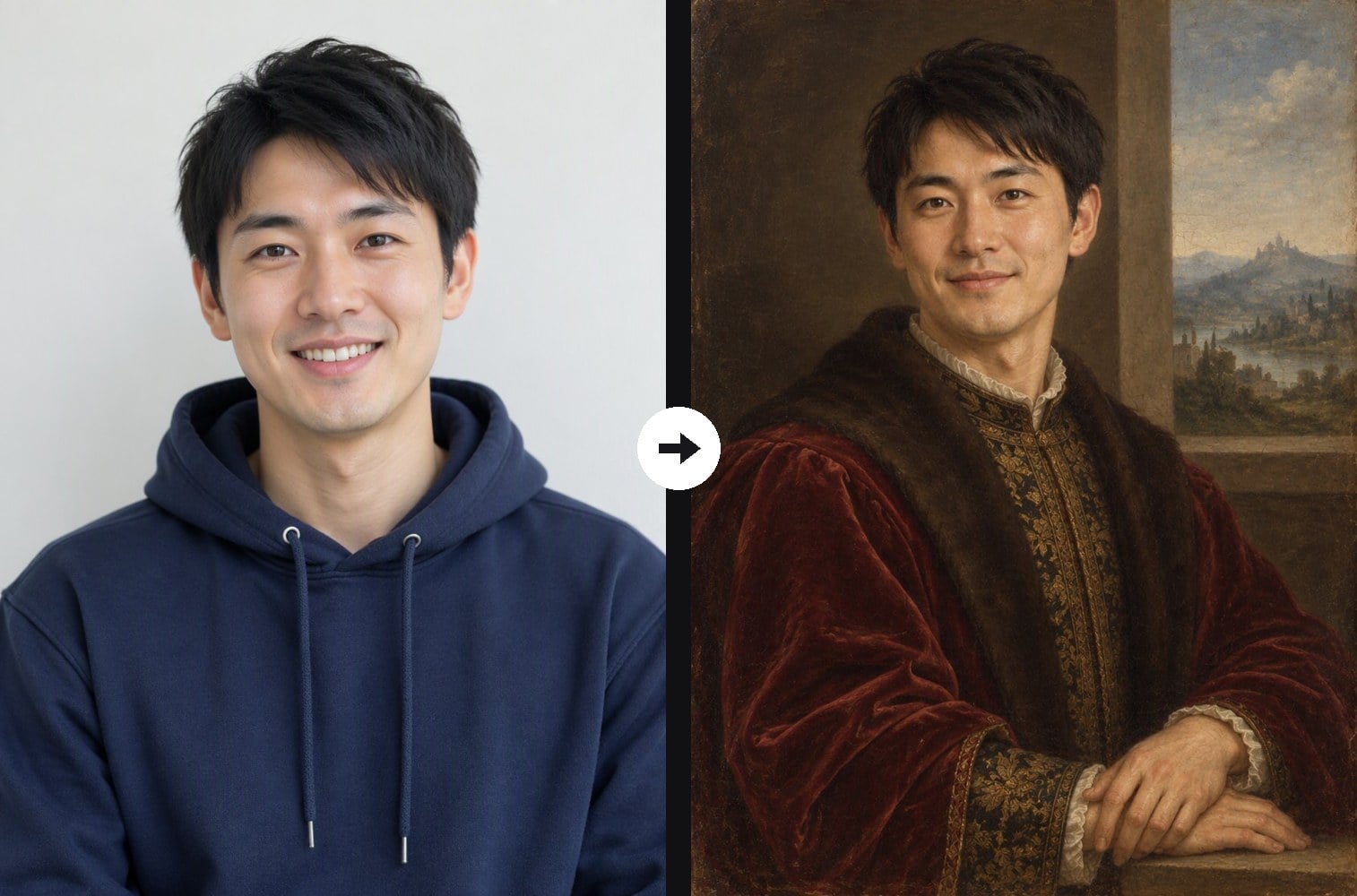
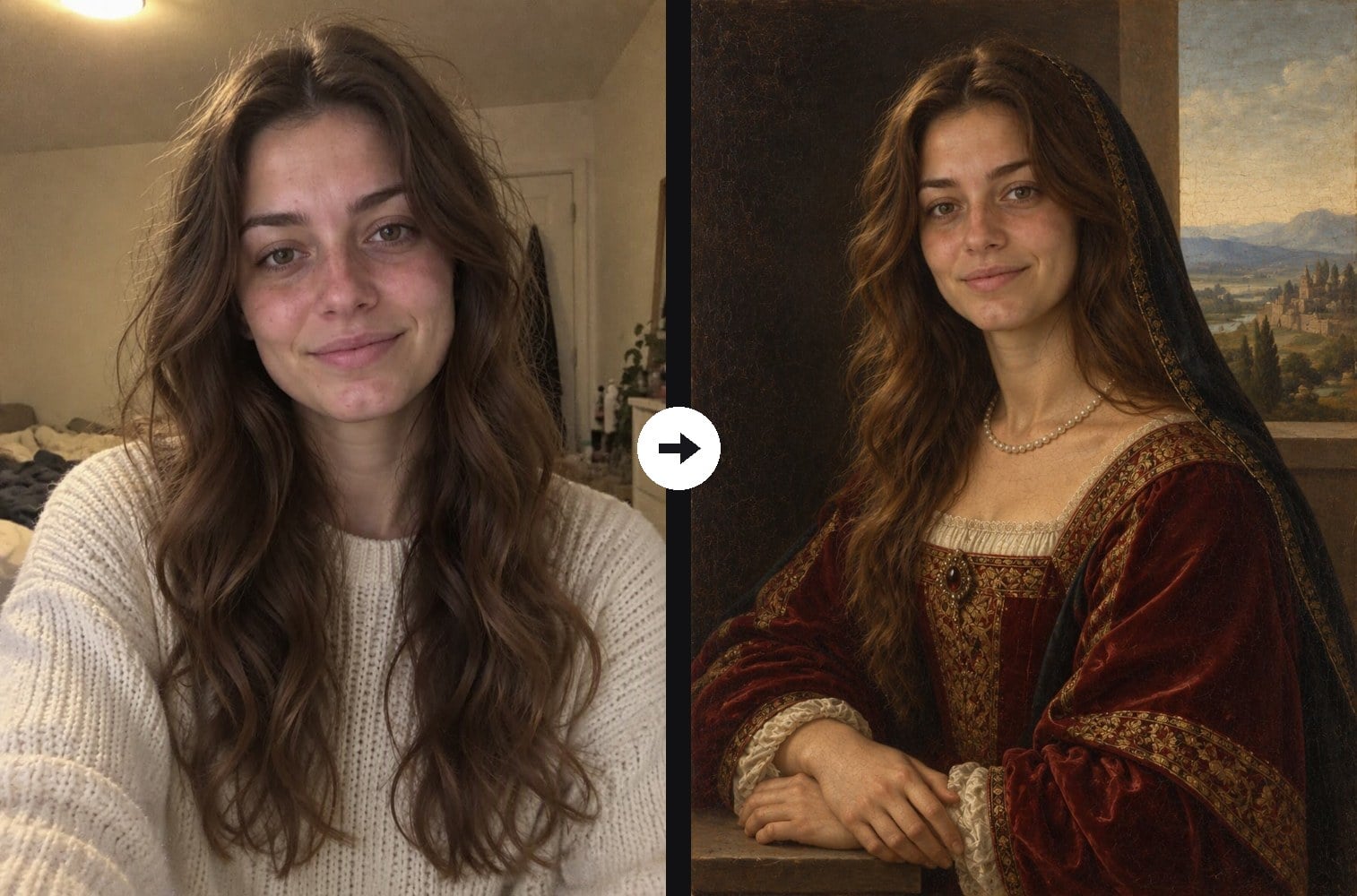
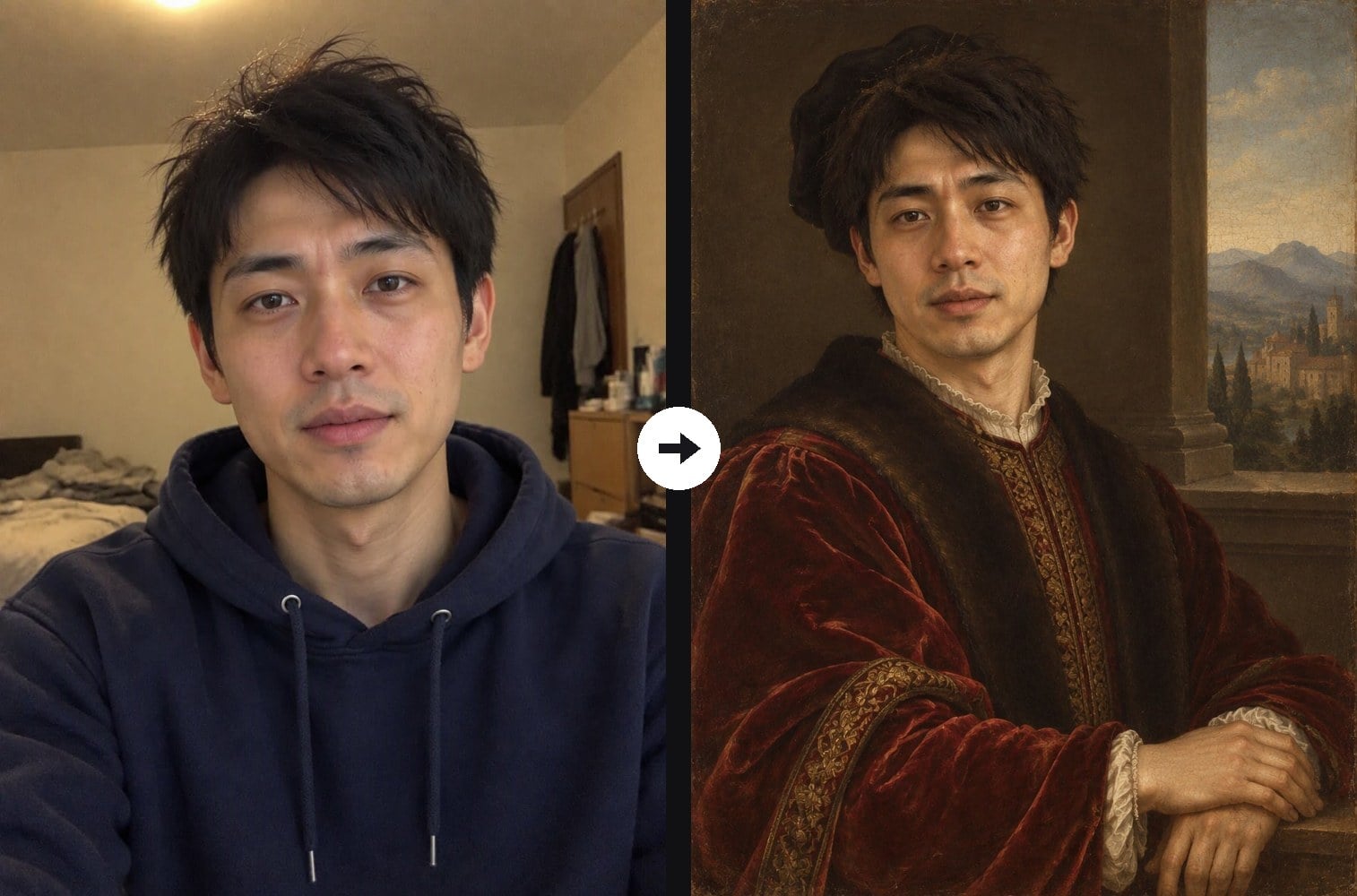
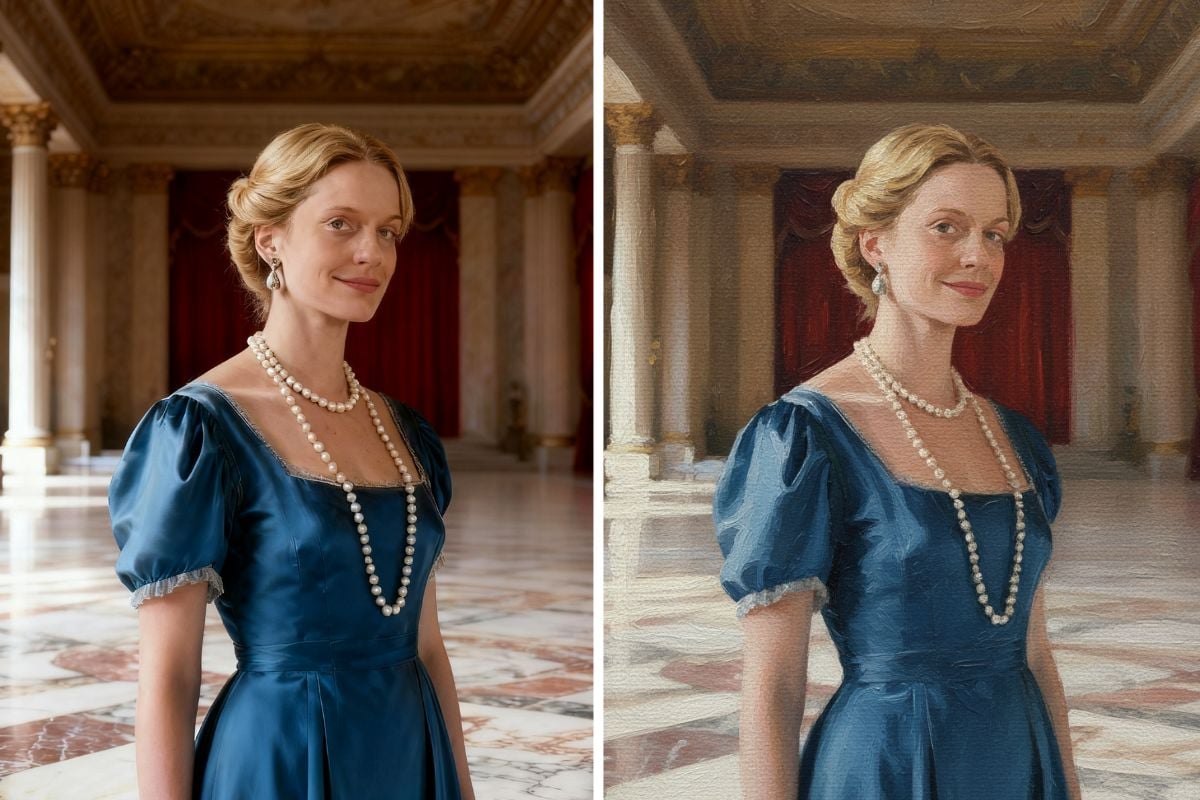
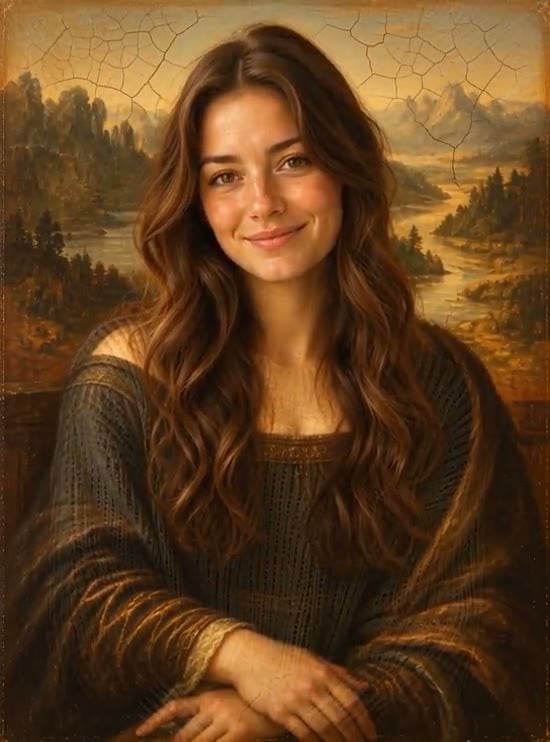
Upload a modern photo and the AI repaints you as a High Renaissance portrait from around 1500: a calm three-quarter pose, velvet and brocade costume, pearls or a veil, soft sfumato shading and a hazy landscape behind a window ledge, finished like oil on a wooden panel with aged varnish. Your face, features, skin tone and hair color stay recognizable. Unlike the oil painting filter, which keeps your original scene and clothes, this effect rebuilds the whole picture as a period portrait. The console below runs on GPT Image 2.5.
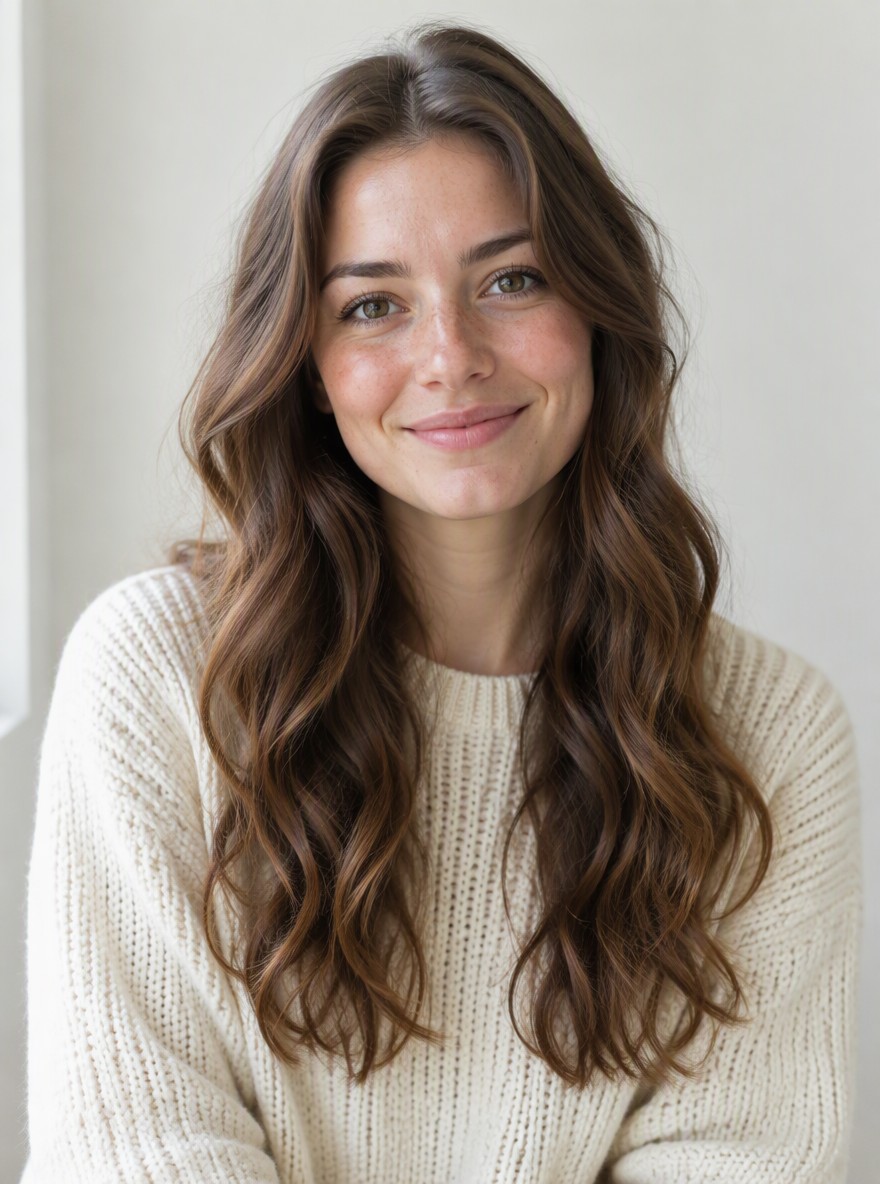
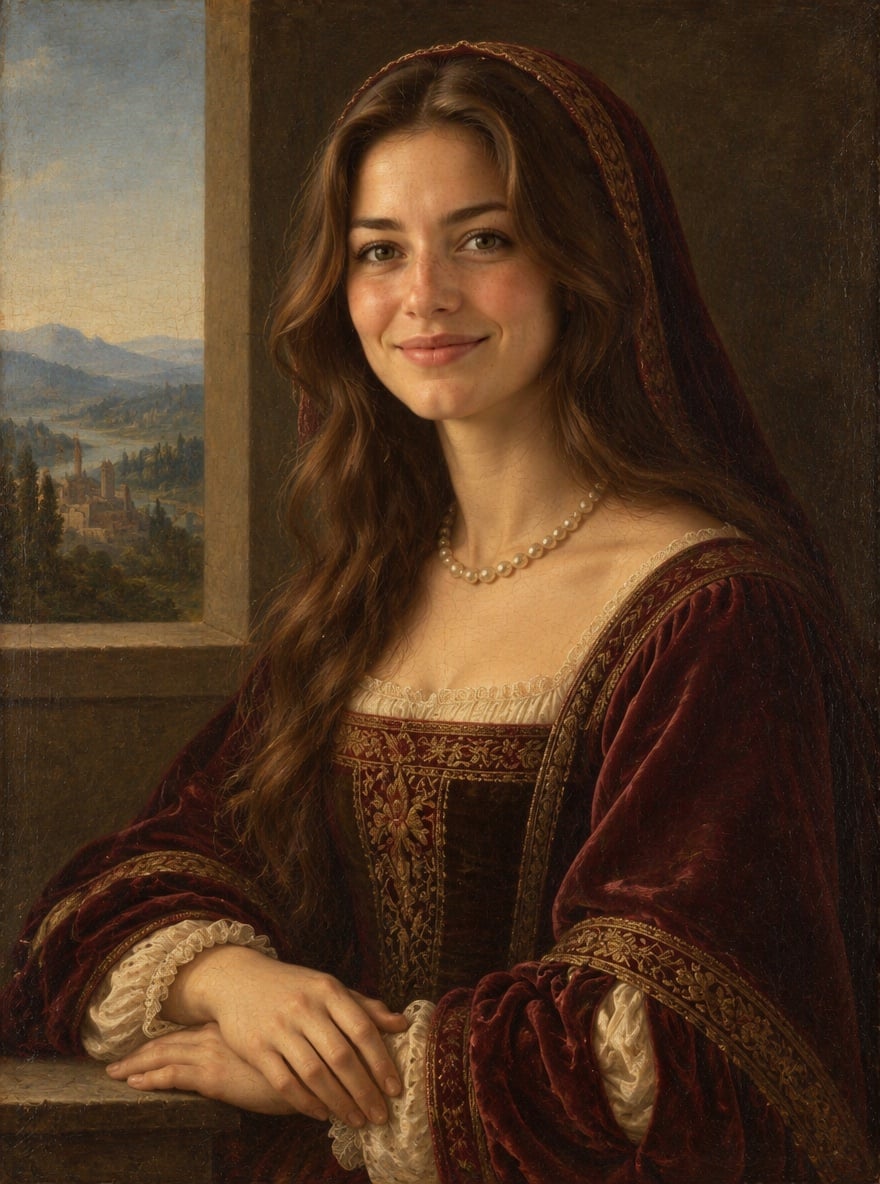
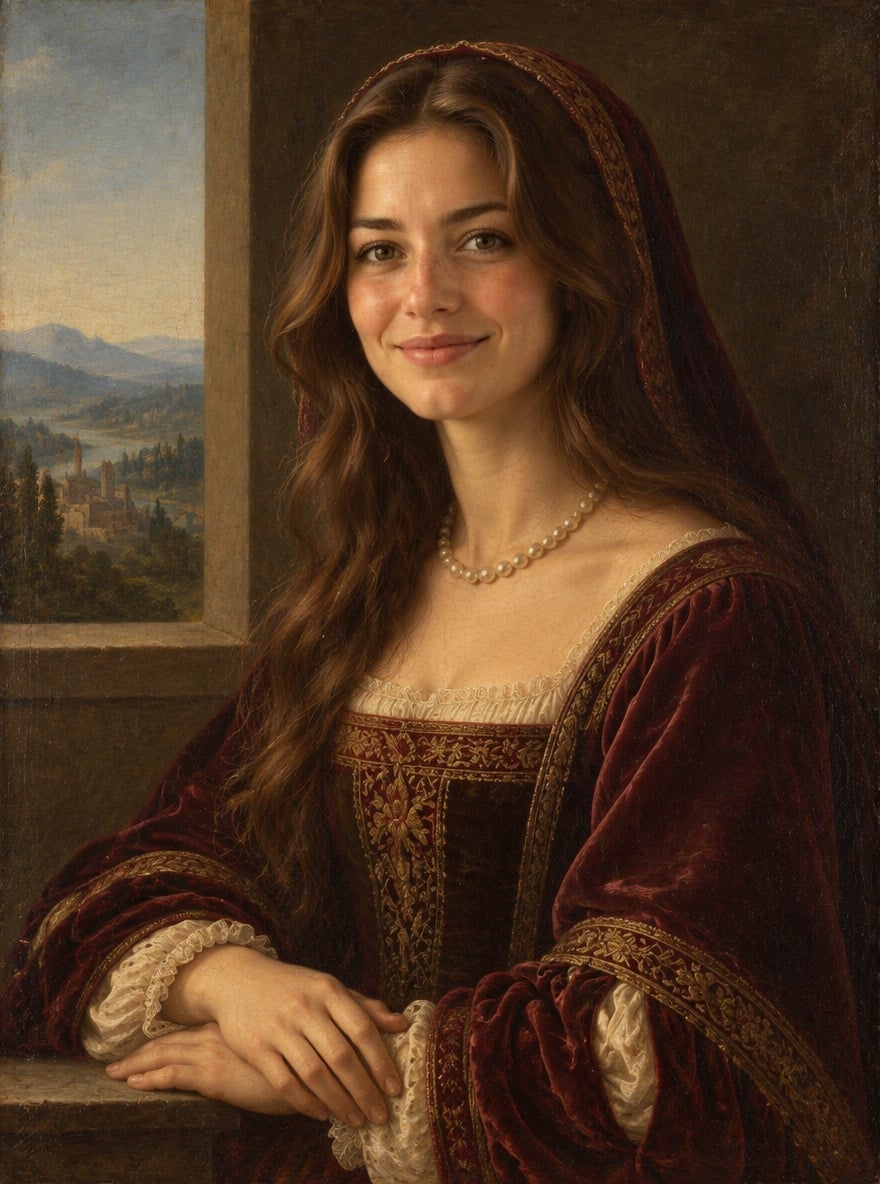
Lady in Velvet and Pearls
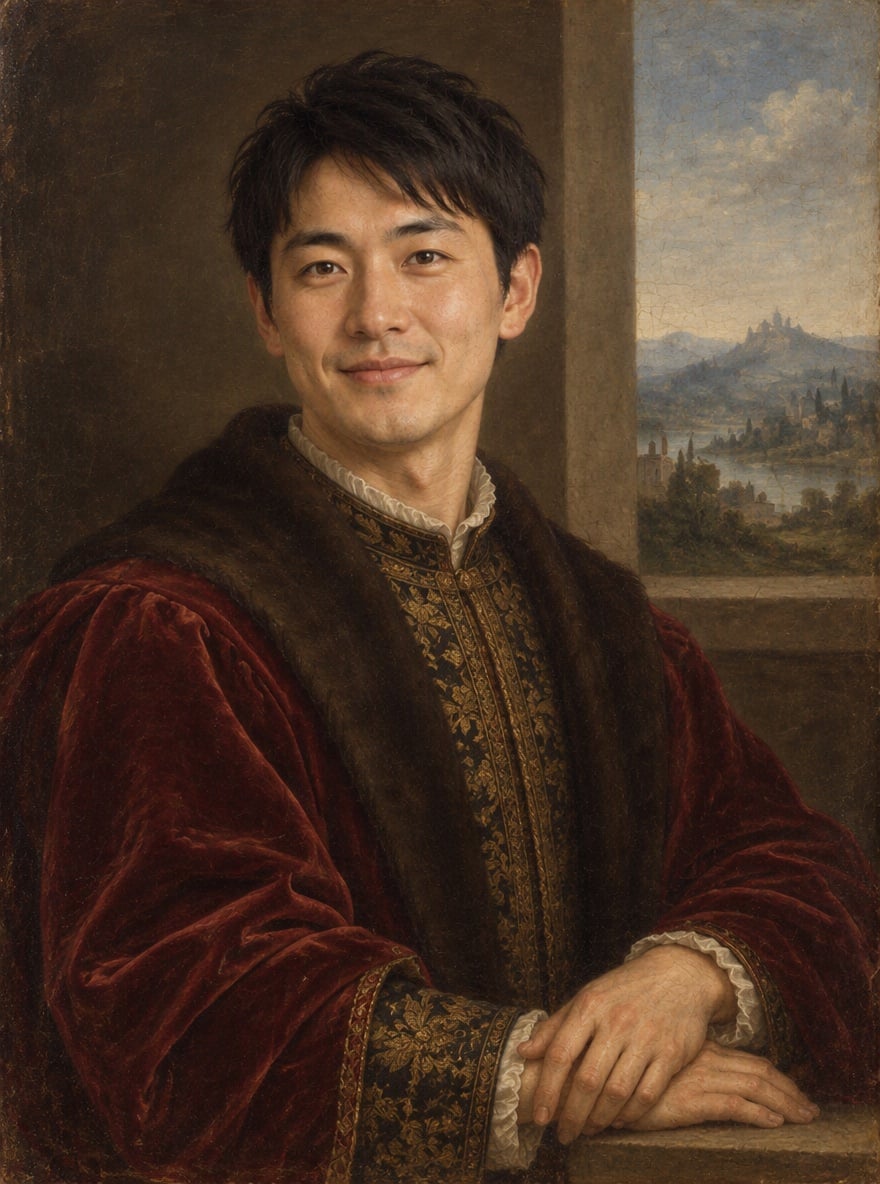
Gentleman in Crimson Brocade
Bedroom Selfie to Veiled Lady
Hoodie Selfie to Florentine Nobleman
Upload files
Upload a clear portrait photo
Effect prompt
By uploading a file, you agree to GoEnhance's Terms of Use and Privacy Policy
Renaissance Portraits from the Console
Each painting comes from one upload with the prompt above. The face comes from the original photo; costume, pose, background and brushwork are generated.
Lady in Velvet and Pearls
Gentleman in Crimson Brocade
Bedroom Selfie to Veiled Lady
Hoodie Selfie to Florentine Nobleman
How to Make an AI Renaissance Portrait
01
Upload your photo
A clear selfie or half-body photo with your face visible works best. Casual clothes and messy rooms are fine.
02
Generate
The Renaissance portrait prompt is already filled in. Press the button, or change the costume colors or background in the prompt.
03
Download and share
Save your classical painting for a profile picture, a gift print, a history class or a fun before-and-after post.
Why Use This AI Renaissance Portrait Generator
More Painting Photo Effects
AI Renaissance Portrait FAQ
What is an AI Renaissance portrait?
What photo works best?
Will it still look like me?
Can I change the costume or background?
Is it a copy of a famous painting?
What if I want an oil painting of my original photo?
Ready to Become a Renaissance Portrait?
Upload one photo and get a classical oil portrait in under a minute.
Create My Renaissance Portrait