
Parrot AI Video Generator

Parrot AI is an entertainment-focused AI creation platform known for celebrity-style voices, talking videos, personalized birthday messages, prank clips, memes, voice cloning, image editing, and newer AI image and video tools. Its strongest appeal is speed: users can pick a voice or creative format, enter a short idea or script, and generate something designed for group chats, TikTok, Reels, Shorts, or casual social sharing.

Key Features of Parrot AI

Turn a Short Script Into a Talking Celebrity-Style Video

Parrot AI's best-known workflow starts with a voice. Users can choose from supported celebrity-style and community voices, type a short script, and generate a talking video. This makes the platform especially suited to parody clips, personalized greetings, friendly roasts, and entertainment content created with an AI celebrity video generator, where the voice is the main creative hook.
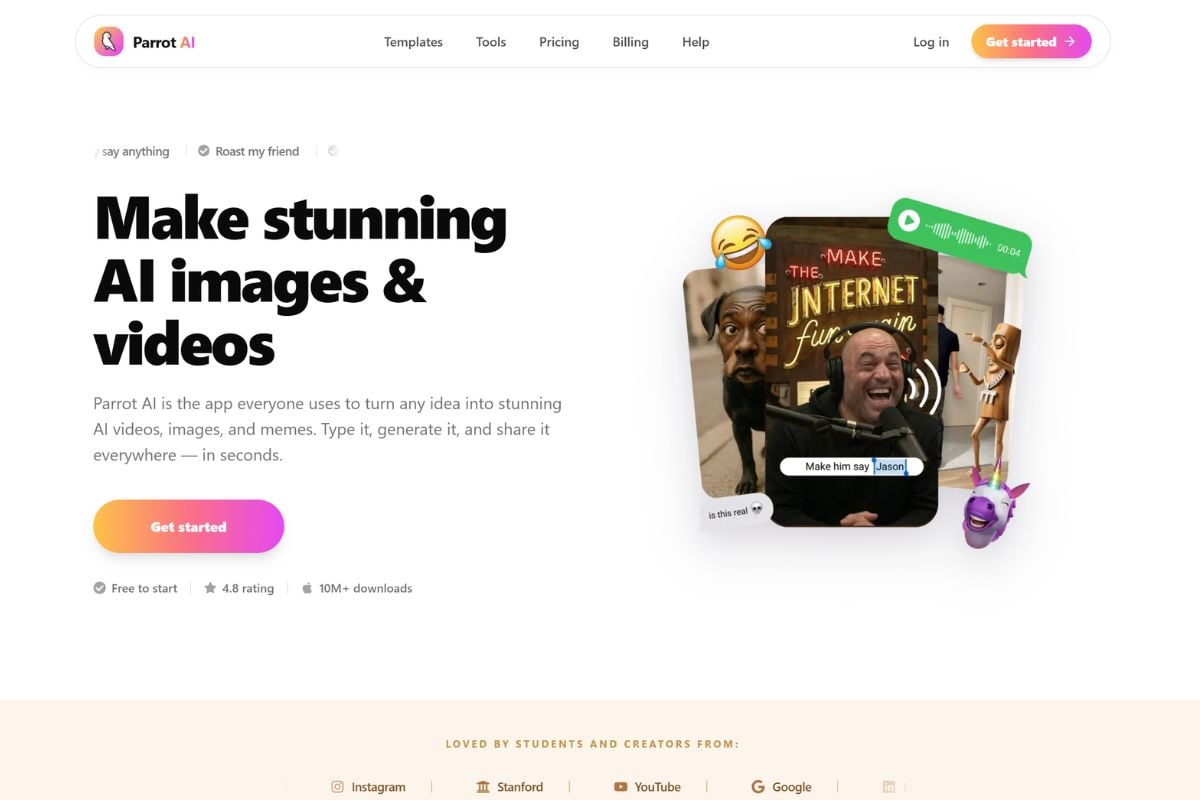
Parrot AI interface for choosing an AI voice, typing a short script, and generating a talking video

Make Shareable Pranks and Memes Without a Full Editing Workflow

Parrot is built around fast social content rather than traditional video editing. Birthday messages, talking pets, motion memes, roast templates, prank images, and photo-to-video effects give users ready-made starting points that can be customized quickly with an image to video workflow and shared directly with friends or social audiences.
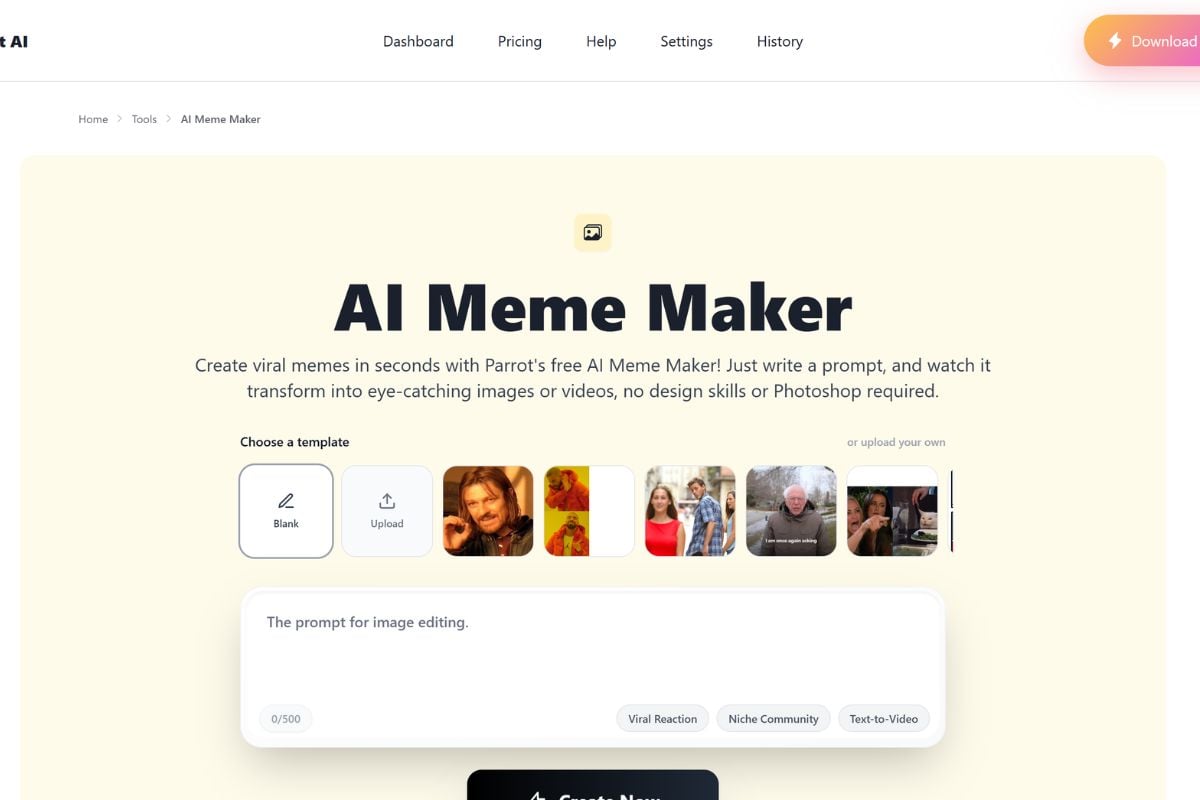
Parrot AI prank, birthday, talking pet, motion meme, and social video templates

Go Beyond Voices With Image and Video Creation Tools

Parrot has expanded beyond its original celebrity voice workflow. Its newer creative tools include image editing, photo animation, voice cloning, meme creation, and advanced AI image and video generation through its Playground. The website also highlights access to newer model families for users who want more than a simple talking-head prank.
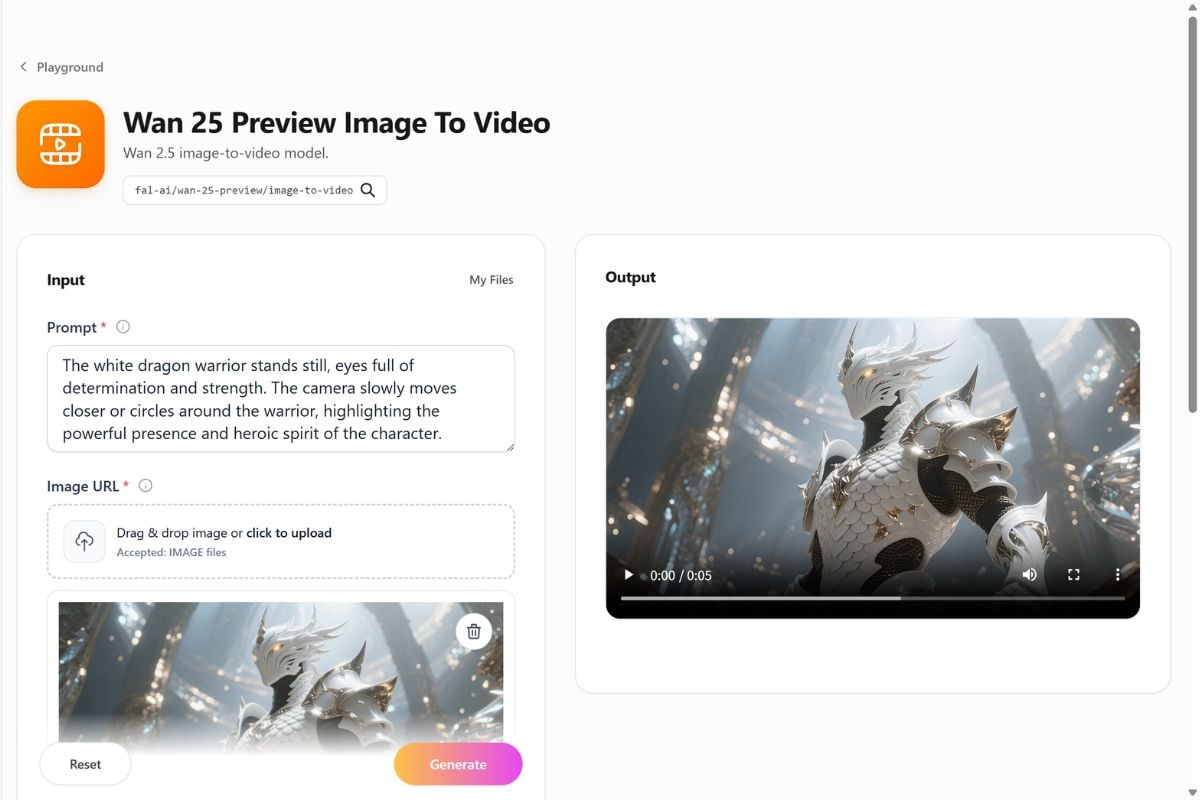
Parrot AI Playground showing voice cloning, AI image editing, photo animation, and advanced AI video tools

How to Use Parrot AI?

01

Choose a Voice or Creative Format

Start with a celebrity-style voice, custom voice, talking video, meme, image edit, photo animation, or another supported AI creation tool. Available features can differ between the website and iOS app.

02

Enter the Script or Creative Prompt

For talking videos, choose a supported voice and type what you want it to say. For newer image and video tools, describe the visual result you want or upload a supported source image.

03

Generate, Review, and Share Responsibly

Review the output before downloading or posting it. For celebrity-style or recognizable-person content, keep the context clearly comedic or parodic, avoid misleading viewers, and follow Parrot's content and commercial-use restrictions.

Parrot is especially recognizable when a funny voice, celebrity-style talking clip, or prank is the main idea. GoEnhance becomes more relevant when the visual itself needs to carry the concept without depending on a recognizable voice or impersonation.

Where GoEnhance AI Goes Beyond Voice-First Parody

Build the Idea Around an Original Character Instead

When the creative hook is the character design, scene, mood, or story rather than a familiar voice, GoEnhance provides a more visual-first starting point for developing original content.

Animate Your Own Artwork Instead of Starting With a Celebrity Voice

Illustrations, characters, photos, and other owned visual assets can become motion content directly, making the source image the center of the workflow rather than a celebrity-style voice library.

Change the Whole Scene, Not Just Who Is Talking

A talking-video workflow concentrates attention on the speaker. GoEnhance is a better fit when the environment, animation style, camera treatment, motion, or complete visual direction needs to change.

Create Original Brand Content Without Celebrity Parody Restrictions

Parrot states that celebrity voice creations are intended for parody and cannot be used commercially. For original product, character, or campaign visuals, a non-impersonation creative workflow can be a more practical foundation.

Develop One Visual Into Several Motion Ideas

A finished image can be tested with different movements, camera treatments, and scene directions, giving creators more room to explore the visual concept itself rather than generating another spoken message.

Use Parrot for the Joke and GoEnhance for the Visual World

The tools can also serve different stages of one creative idea. Parrot can establish a humorous voice-led concept, while GoEnhance can be used when the project needs original scenes, character animation, or broader visual development.

Parrot AI vs GoEnhance AI vs ElevenLabs vs HeyGen

PlatformCore StrengthCreative RangeBest Fit
Parrot AIFast entertainment content built around celebrity-style voices, talking videos, pranks, memes, and casual social sharingAI voices, talking videos, voice cloning, memes, photo animation, image editing, AI image generation, and advanced AI video toolsUsers who want quick parody, prank, birthday, meme, or voice-led social content
GoEnhance AIVisual-first generation and transformation without requiring a celebrity voice or talking-person formatText-to-video, image-to-video, image generation, animation, video transformation, character motion, and creative effectsCreators who want the scene, character, product, or visual style to drive the content instead of a voice impersonation
ElevenLabsDedicated AI speech and voice cloning with more advanced control over creating and using authorized voice replicasText-to-speech, instant voice cloning, professional voice cloning, dubbing, speech generation, and audio workflowsCreators and teams whose main priority is high-quality voice generation rather than meme or talking-video templates
HeyGenProfessional avatar videos and multilingual video localizationAI avatars, talking presenters, voice cloning, lip sync, video translation, and multilingual business video creationBusinesses and creators who need presenter-style videos, localization, training, sales, or global communication

Parrot AI Discussions on Reddit

Frequently Asked Questions

Parrot AI FAQ

What is Parrot AI?

Parrot AI is a consumer AI creation platform focused on celebrity-style voices, talking videos, voice cloning, memes, pranks, image editing, photo animation, and newer AI image and video generation tools. It is available through the web and an iOS app, although features and subscriptions can differ between platforms.

Is Parrot AI free?

Yes. Parrot AI currently has a $0 Free tier on its website. The official pricing page lists 5 welcome credits after email verification, limited voice generations, standard processing, and watermarked exports. Premium voices and advanced tools require a paid plan or credits.

How much does Parrot AI cost?

On Parrot AI's current website pricing page, Free costs $0, Pro is listed at $39.99 per year, and Max is listed at $299.99 per year. Pro currently includes access to all AI voices, 100 voice generations per month, watermark removal, and higher-quality exports. Max adds 100 monthly AI Playground credits and broader image and video creation access. Parrot also warns that prices and offers can differ by country, promotion, and whether you subscribe through the website or iOS app.

Is Parrot AI safe?

Parrot AI operates a public website, iOS app, help center, billing system, and content-moderation rules. Its safety guidance says some abusive, explicit, hateful, violent, personally identifying, or impersonation-related content may be blocked. Users should still be careful with voice cloning and recognizable-person videos: use voices or likenesses responsibly, avoid misleading viewers, and do not upload sensitive personal information unnecessarily.

Is Parrot AI trustworthy?

Parrot AI is an established consumer app with an official website, App Store presence, public help documentation, and clearly published website pricing. Its site says website payments are processed through Stripe. Trustworthiness still depends on the specific concern: users should review renewal terms, remember that website and iOS subscriptions are separate, check current billing before subscribing, and treat celebrity-style outputs as parody rather than authentic recordings.

What is better than Parrot AI?

GoEnhance AI is a stronger choice for creators who need more than quick voice-based social clips. It supports original image and video generation, image-to-video creation, character animation, video-to-video transformation, and other visual effects in one workflow. Parrot AI is useful for celebrity-style voices and short talking videos, while GoEnhance AI offers broader tools for developing complete visual content from an idea, image, or existing video.

What is Parrot AI voice?

Parrot AI voice refers to its AI-generated voice workflow, which includes more than 100 available official and community voices as well as custom voice cloning. Users select a voice, enter text, and generate speech or supported talking-video content. Quality can differ between official and community-created voices.

What is the Parrot AI celebrity video generator?

Parrot AI's celebrity-style video workflow lets users choose a supported voice, write a short script, and generate a talking video. The platform positions these creations mainly for jokes, parody, birthdays, friendly roasts, and social entertainment rather than authentic representations of what a real person said.

Can I use Parrot AI celebrity voices commercially?

No. Parrot AI's official help center states that celebrity voice creations are intended for parody use only and cannot be used to advertise, promote, or sell a product, service, or business.

Can Parrot AI clone my own voice?

Yes. Parrot AI supports custom voice creation alongside its official and community voice library. Use your own voice or audio you have permission to use rather than cloning another person's voice without authorization.

Does Parrot AI generate more than talking videos?

Yes. Parrot now includes advanced AI image and video creation tools in addition to standard talking videos. Its website highlights image editing, photo animation, meme creation, voice cloning, and newer model-based image and video generation through the AI Playground.

Can I use Parrot AI on Android?

Parrot AI's official help center currently says the Android app is unavailable until further notice. The service is available on the web and through the supported iOS app. Legacy Google Play subscriptions may still need to be managed through Google Play.

Want the Visual to Be the Star Instead of the Voice?

Move beyond voice-led parody and build the scene itself. Start with an original image, character, or creative idea and turn it into motion with GoEnhance AI.

Create an Original AI Video