Free Reference to Video Generator

Upload a character, product, object, or scene image or video, describe the motion and camera intent, and create a short draft with the source as visual guidance.
Create From a Reference

Key Features of Reference to Video Generator
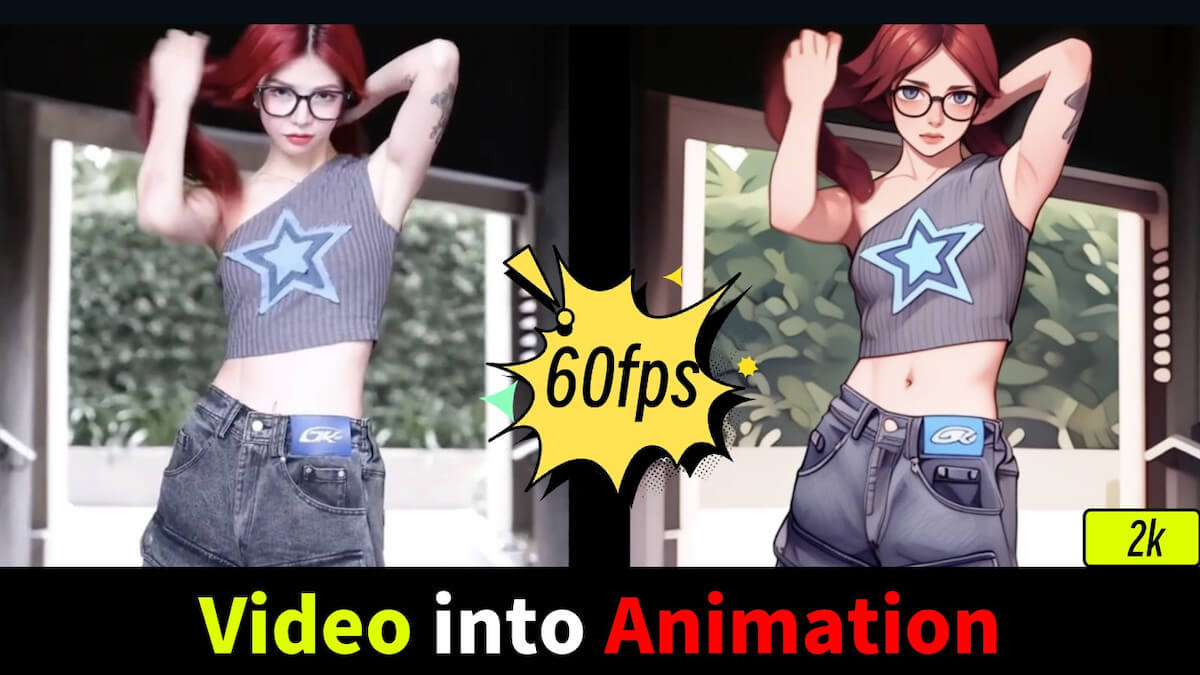
Animate a Character From an Image or Clip

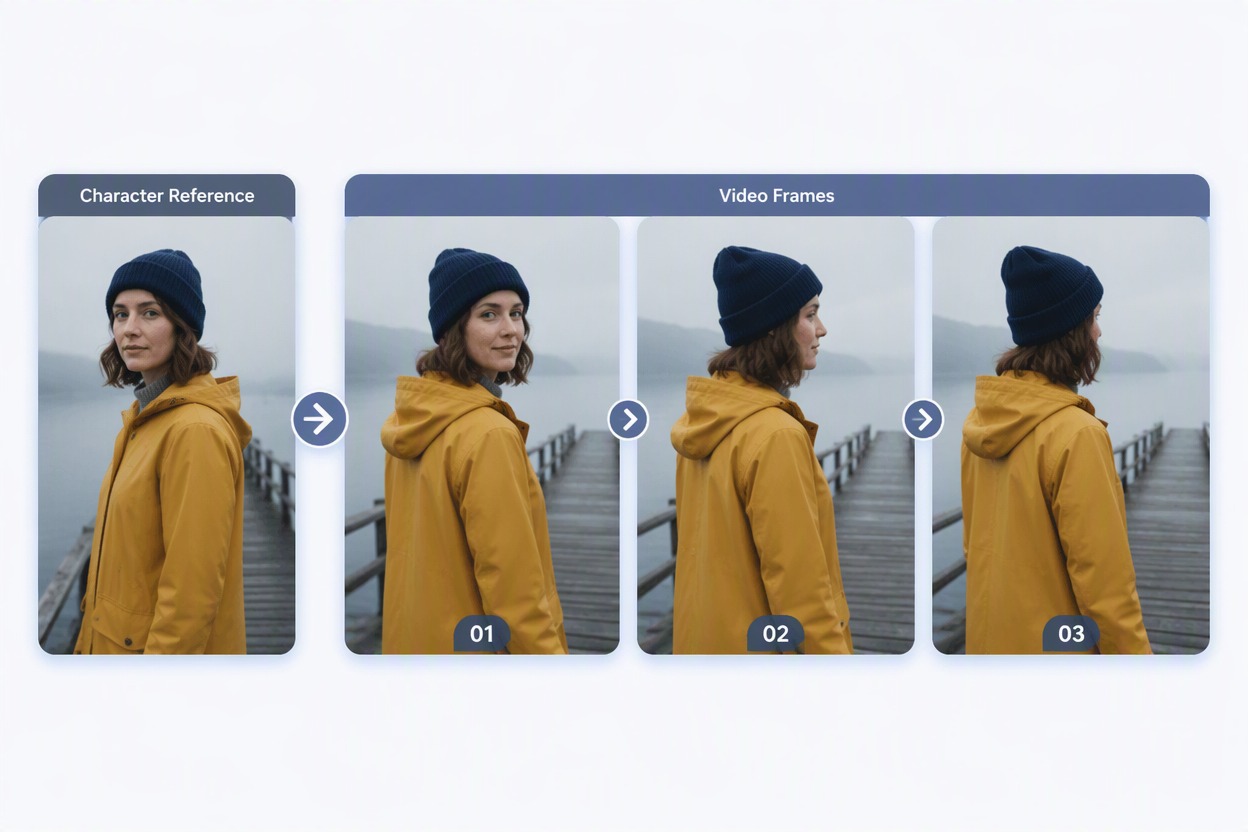
Upload a character image or short clip, describe one action, and use the reference to guide the character’s look, outfit, colors, and setting. Results may vary between frames, so check the face, hands, clothing, and other important details.

Feature original adult character reference workflow with fictional woman age 35 in mustard raincoat and navy beanie on a misty pier; three video frames show one gentle turn with the face, coat, beanie, pier and fog visible. Labels Character Reference, Video Frames. No public figure or logo.

Add Motion to a Product Reference

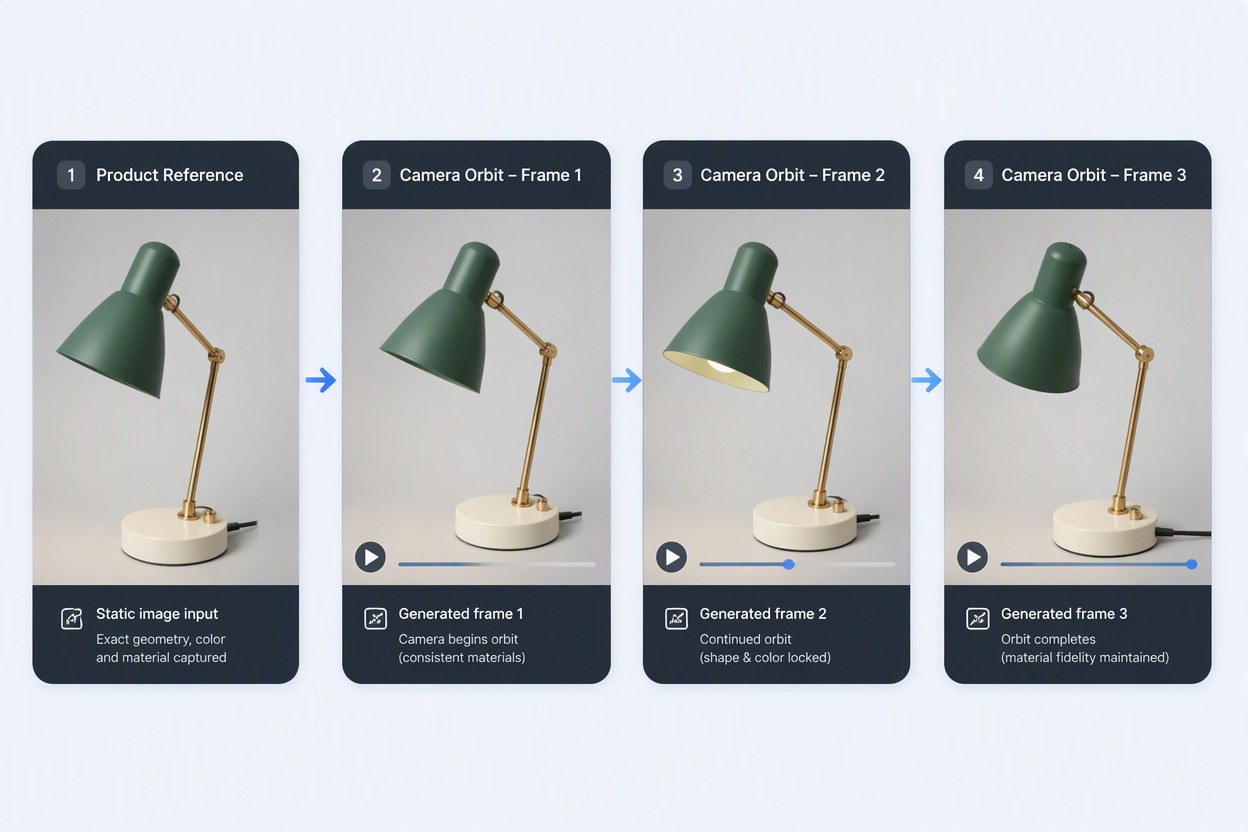
Use a rights-cleared product image or clip to guide its shape, color, material, and framing. Add a simple camera move or product action to create a short demo concept, then check labels and product details before publishing.

Feature product reference workflow with unbranded matte green desk lamp, brass stem and circular cream base; three motion frames show a slow camera orbit with the lamp, material and background visible. No text, claims or logo.

Turn a Scene Reference Into a Shot

Use a scene image or video to guide the lighting, colors, layout, and mood. Describe what should move and add a simple camera move. If you are starting from a still image, this image to video workflow can help you develop it into a short draft.
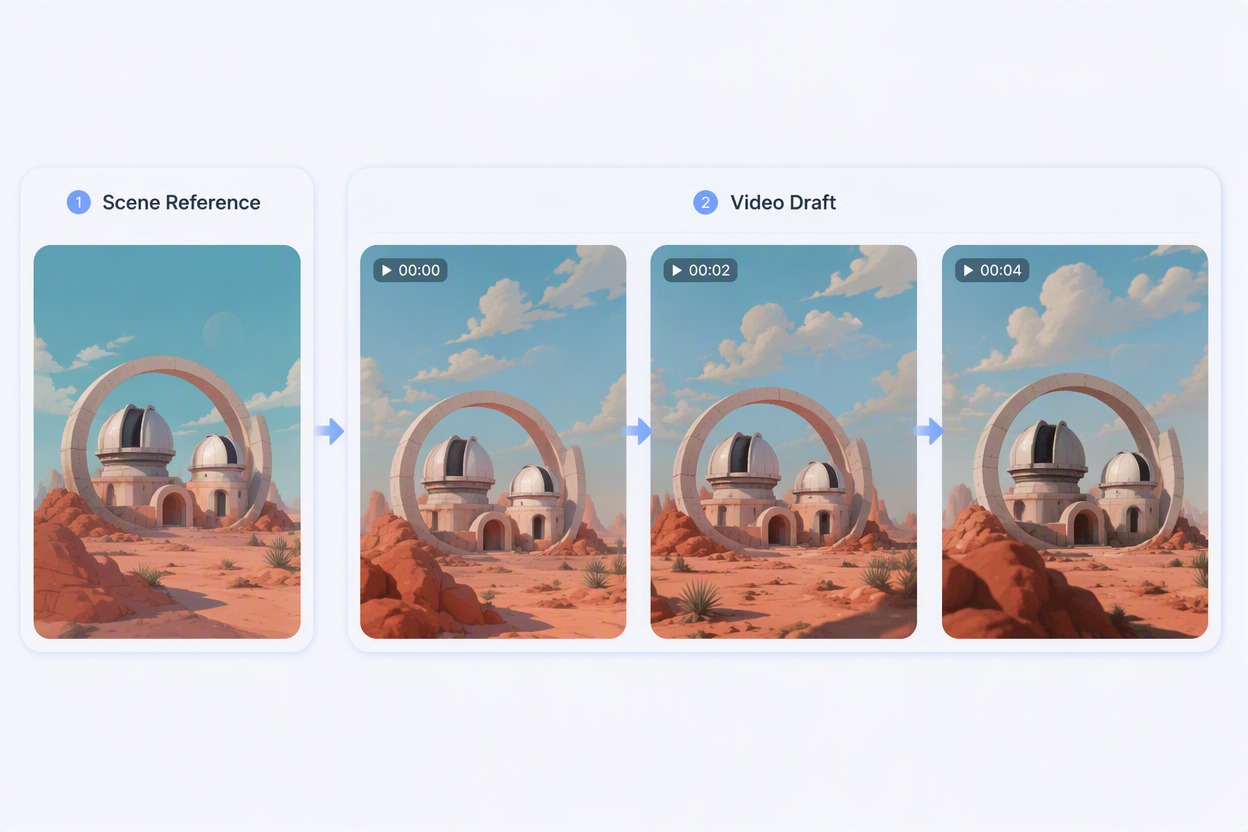
Feature scene reference workflow with stylized coral desert observatory, two domes, crescent arch and violet dusk. Three video frames add moving clouds and a subtle camera push with the architecture, horizon and palette visible. Labels Scene Reference, Video Draft.

How to Use GoEnhance Reference to Video Generator
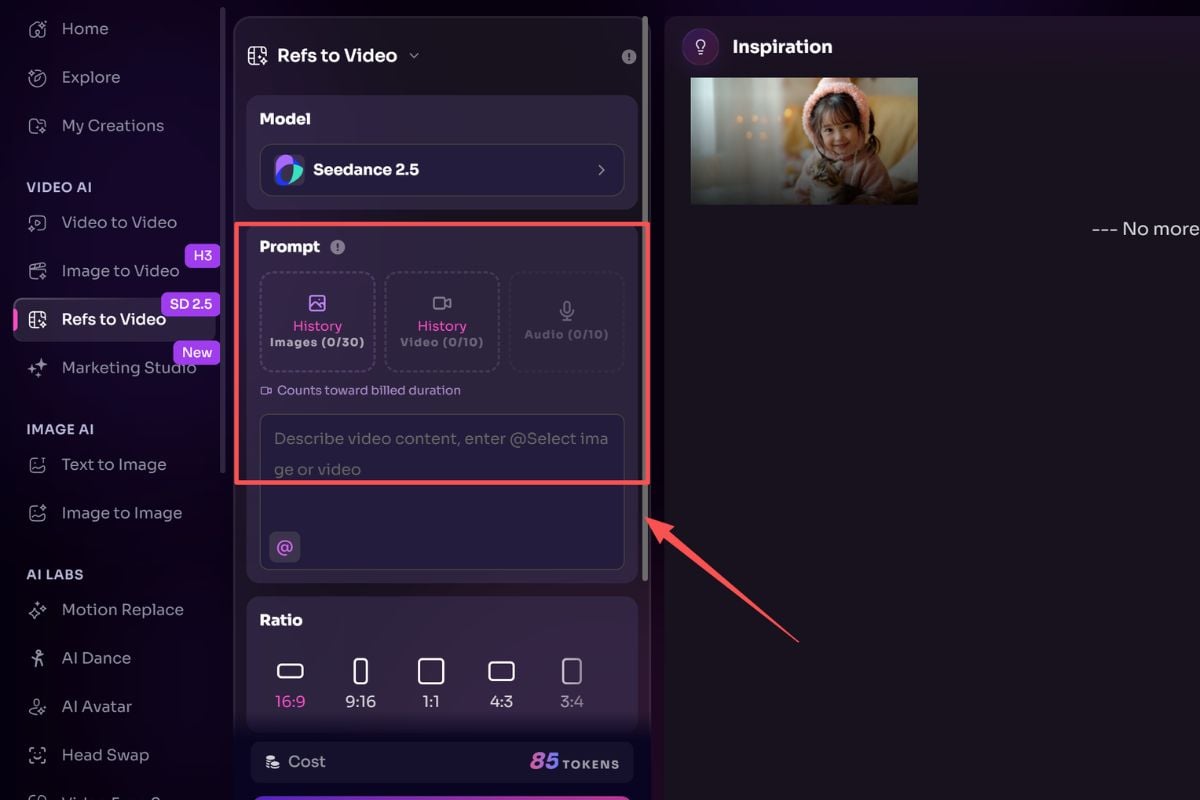
Upload a Rights-Cleared Image or Video

Choose a clear image or short video you own or have permission to use. Keep the main subject, product, or scene visible with limited occlusion, cuts, or camera shake.
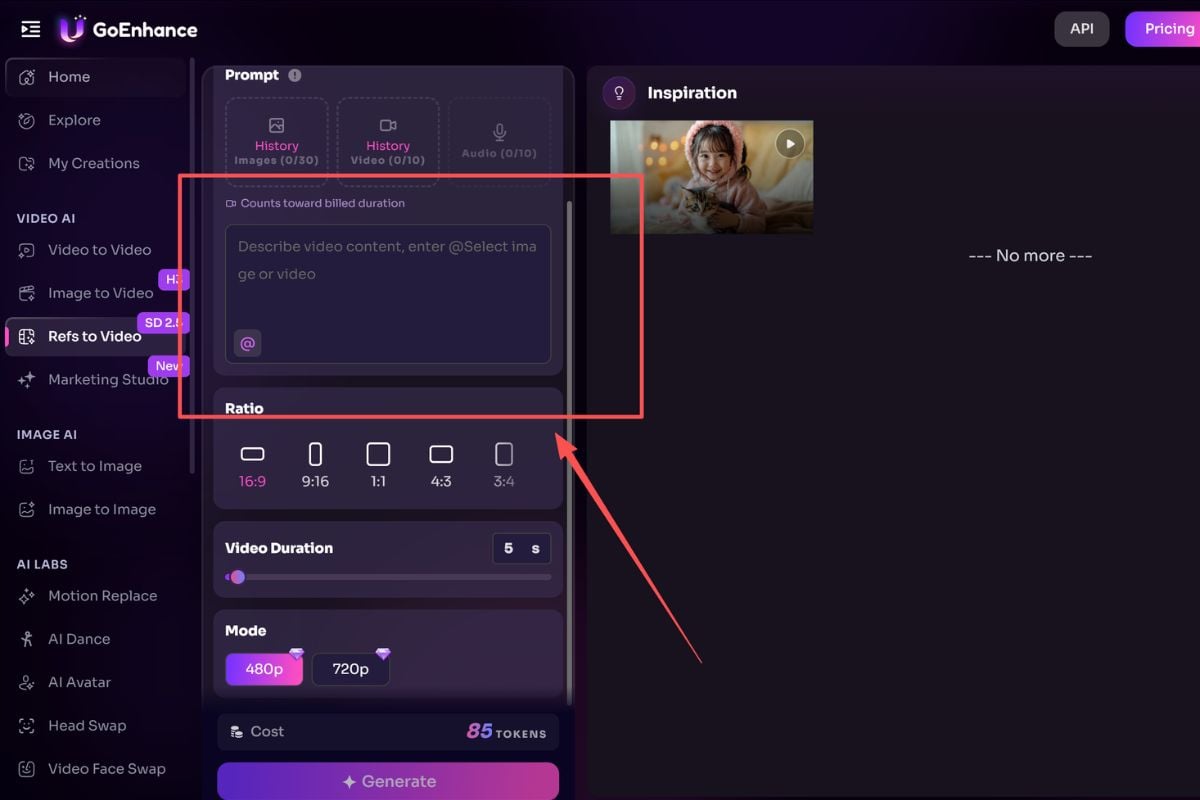
Describe the Motion and Camera Intent

State what should move, how fast the action feels, how the camera behaves, and which details you would prefer to keep similar. Keep the brief focused on one short visual beat.
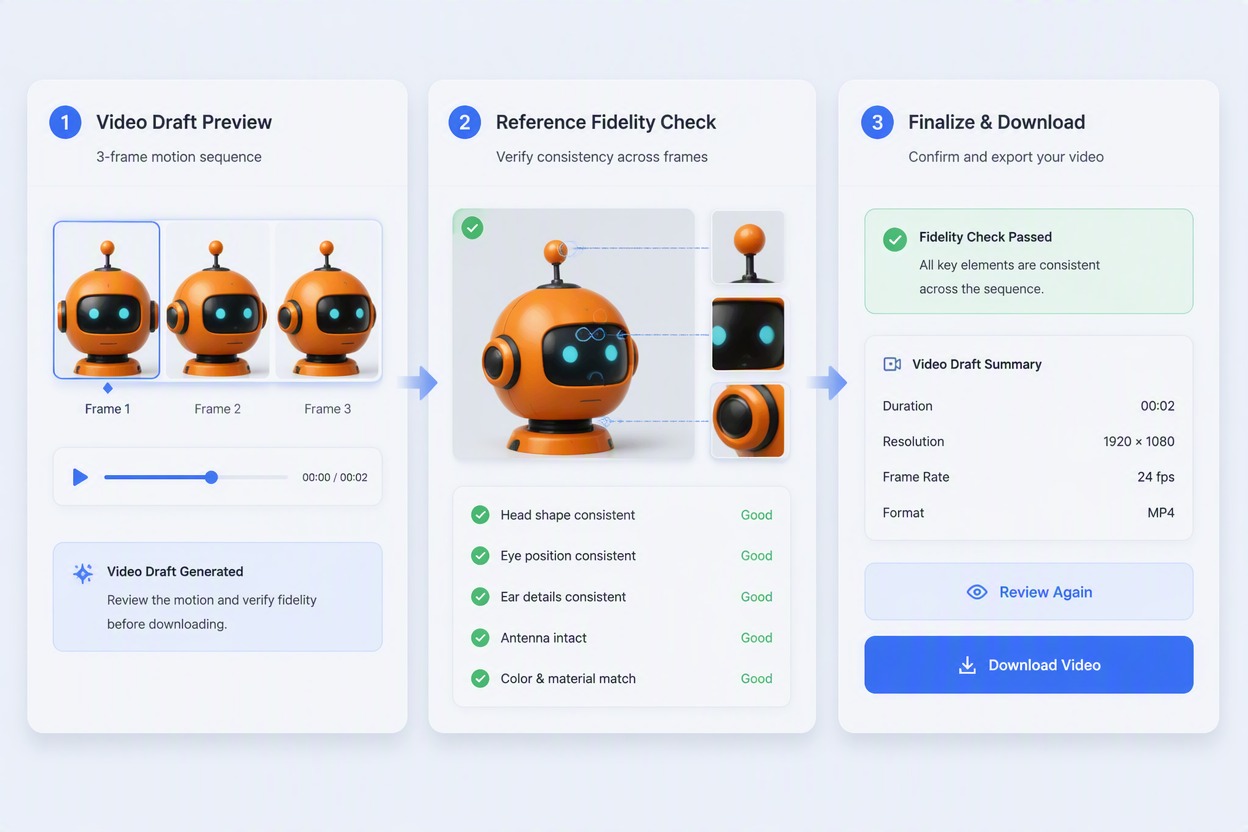
Generate and Compare the Draft

Compare the video draft with the image or video reference. Check the subject, shape, colors, materials, hands, background lines, motion, and source rights before downloading.

Why Use Reference to Video

More Visual Context

An image or video reference can show the subject, colors, materials, layout, and atmosphere more clearly than text alone.

Clearer Creative Direction

Combine the reference with an action, pace, and camera brief to keep the intended shot easy to understand.

Flexible Reference Formats

Work with still images or video clips for character, product, object, and scene projects.

Useful for Different Projects

Apply the same reference-based workflow to concept videos, product demos, scene studies, and short story ideas.

Shorter Concept Tests

Explore a movement, camera angle, or scene idea in a short draft before adding it to a longer edit.

More Control Before Export

Review the subject, shape, colors, materials, background, motion, and usage rights before downloading the draft.

Reference to Video FAQ

What is an AI reference to video generator?

It uses an uploaded image or video as visual guidance while creating a short video from a motion brief. The reference can guide the subject, style, composition, materials, environment, or visible movement.

How does reference to video work?

Upload an image or video reference, describe the action and camera direction, and generate a short video draft. Review the result against the source and adjust the brief when needed.

Can I use an image as a video reference?

Yes. A still image can provide the starting point for a character, product, object, or scene. Add a motion brief to describe the action, camera move, pace, and mood you want to explore.

Can I use a video as a reference?

Yes. A short video clip can provide visual and motion context. Clips with one clear subject, fewer cuts, limited occlusion, and less camera shake are easier to review.

Is reference to video the same as image to video or video to video?

It can support both starting points: an image reference can guide a new moving draft, while a video reference can provide existing motion and visual direction. The available input options depend on the live workflow.

What can I create with reference to video?

Common uses include character concepts, product demo ideas, object studies, scene variations, short social clips, and simple story beats. Use a reference that you own or have permission to use.

What makes a good image or video reference?

Choose a clear image or short clip with a readable subject, intentional framing, and limited obstruction. For video, fewer cuts, moderate movement, and less camera shake make the source easier to compare with the draft.

Can reference to video keep the same character or product?

The reference can guide the character or product, but it does not guarantee exact identity, geometry, text, materials, or frame-to-frame consistency. Check important details across the draft before export.

What should I include in a reference to video prompt?

Describe one main action, the intended pace, a simple camera move, the setting, and the details you would prefer to keep similar. Short, specific briefs are easier to review and revise.

Is there a free reference to video option?

Starter access or credits may be available, but current limits, queues, export settings, and plan requirements can change. Check the live product for current access details.

Is it safe to use an image or video reference?

Use material you own or have permission to process. Avoid uploading private people’s media without consent, and review the current service terms for storage, processing, and permitted use.

Can I publish a video made from a reference?

Before publishing, confirm the rights for the reference, people, products, logos, music, and generated result. You are responsible for following applicable laws, platform rules, and current service terms.

Create a Video Draft From an Image or Video Reference

Upload a rights-cleared image or video, add a focused motion brief, and explore a short video draft with GoEnhance AI.

Create From a Reference