
Prompt
Copy and customize
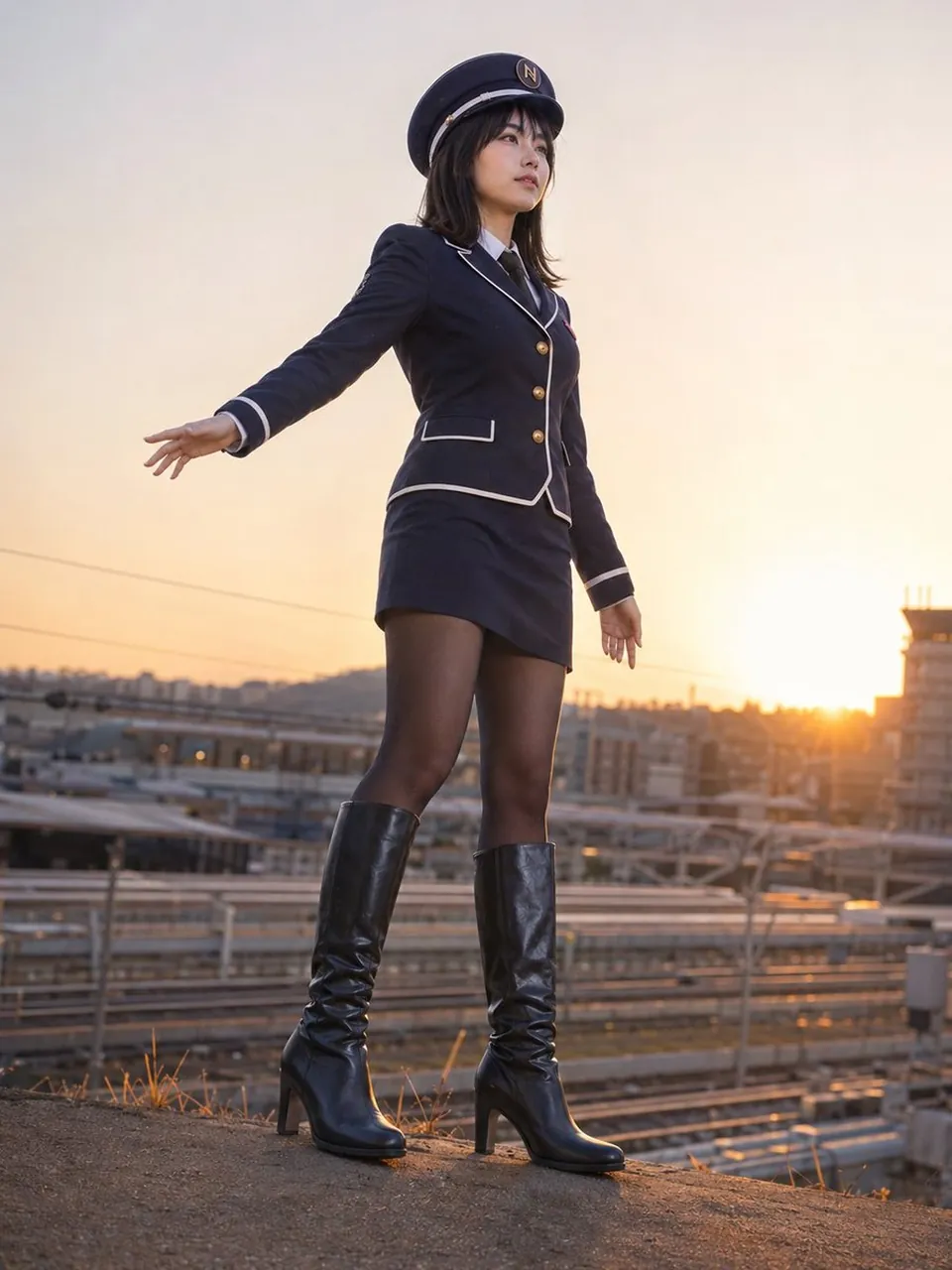
Using REFERENCE_0 as the pose/composition guide and REFERENCE_1 as the accurate character, face, uniform, and hat reference, generate a photorealistic full-body live-action image. Convert the 3D-model look from REFERENCE_0 into a natural real photograph while keeping the same low-angle standing pose: one arm extended outward to the side, the other arm relaxed downward, body viewed from slightly below, confident upright stance. Preserve the character’s uniform design and facial identity from REFERENCE_1, including the navy conductor-style outfit, white trim, gold buttons, black tie, skirt, sheer tights, heeled black boots, and peaked cap with the N emblem.
Scene change: place her outdoors on a raised dirt or concrete embankment beside railway tracks, with train platforms, rails, overhead lines, and distant city/industrial structures in the background. Set the time to golden-hour sunset with the sun low near the horizon on the right side, warm backlight, soft lens glow, and realistic atmospheric haze.
Style: realistic DSLR fashion/editorial photography, natural skin texture, realistic fabric and leather materials, shallow depth of field, cinematic warm lighting, no remaining CG/3D-rendered appearance.
Framing: vertical full-body portrait, low camera angle, boots visible near the bottom edge, subject centered slightly left, background softly blurred but recognizable as a railway station area.
Constraints: do not create a character sheet, do not include labels or text, do not add extra people, and keep the uniform details faithful to the references. Use golden-hour sunset, railway tracks and station overlook, and photorealistic cinematic DSLR fashion portrait.
Best for
Tips
Keep the main subject focused so Using REFERENCE 0 as the pose/composition guide remains recognizable after style or lighting changes.
Adjust camera angle and aspect ratio before generation when the composition needs a specific platform format.