30+ Best ChatGPT Image Prompts for Photos, Art, Ads, and Design
- 1. Why structured ChatGPT image prompts work better
- 2. Weak prompt versus production-ready prompt
- 3. The ChatGPT image prompt framework
- 4. How to write better ChatGPT image prompts
- 5. 32 best ChatGPT image prompts
- 5.1 Featured GPT Image 2 case adaptations
- 1. Selective-color amber sunglasses portrait
- 2. Surreal gothic horror portrait
- 3. South Asian courtyard fashion portrait
- 4. Cozy late-night bedroom selfie
- 5. Mountain-stream travel portrait
- 6. Emerald-and-gold luxury portrait
- 7. Tighter split-face horror crop
- 8. Kinetic red-background fashion portrait
- 9. Crystal-scale fantasy beauty close-up
- 10. Oceanfront quiet-luxury portrait
- 11. Classic lowrider cinematic portrait
- 12. Editorial flat-vector diptych
- 13. Korean webtoon travel family
- 14. Amber-sunglasses studio variation
- 5.2 Additional public GoEnhance case adaptations
- 15. Strict prompt-adherence city composition
- 16. Professional medical headshot
- 17. Neon portal action scene
- 18. Lotus pond morning scene
- 19. Restored portrait transformation
- 20. Embroidery and ballpoint sketch
- 21. Character replacement edit
- 22. Emotional-conveyance portrait
- 23. Jewel-toned mosaic forest
- 24. Realistic prehistoric animal
- 25. Jewelry and clothing edit
- 26. Car and background transformation
- 27. Minimalist marriage portrait
- 28. Educational AI art collage
- 29. Colossal figure in a city street
- 30. Artistic portrait edit
- 31. Romantic blue-ink portrait
- 32. Minimalist wedding photography portrait
- 5.1 Featured GPT Image 2 case adaptations
- 6. Commercial categories and how to adapt them
- 7. Reusable ChatGPT image prompt templates
- 8. FAQ about ChatGPT image prompts
- 9. Conclusion
The best ChatGPT image prompts do more than name a subject. They explain the visual style, composition, lighting, colors, materials, text, and details that should remain consistent. That structure helps turn a rough idea into an image that is easier to use for a profile photo, product campaign, poster, editorial illustration, or social media post.
This guide collects 32 copy-ready ChatGPT image prompts across portraits, fashion, travel, products, posters, illustrations, and creative experiments. The first 14 are adapted from non-competitive featured cases on the GPT Image 2 prompts page. The remaining 18 use additional public case images from the GoEnhance image-prompt library. Every entry includes a corresponding case image; the prompt below each image is a practical adaptation, not a claim that it is the source page's exact wording.
For broader inspiration, browse the wider image prompts library and adapt the structure to your subject, audience, and output format.
1. Why structured ChatGPT image prompts work better
“Make a beautiful fashion portrait” gives ChatGPT an idea, but it leaves most visual decisions open. The model still has to guess the subject’s pose, clothing, background, camera distance, light direction, color palette, and image ratio. That is why a simple request can produce an attractive image that does not match a real design brief.
A useful image prompt works like a compact art-direction note. It tells the model what to prioritize and what to avoid. You do not need to describe every possible detail, but you should define the visual hierarchy: the main subject first, the environment second, and the finishing details last.
2. Weak prompt versus production-ready prompt
Weak prompt
Create a stylish woman in a beautiful garden.
Production-ready prompt
Create a photorealistic editorial portrait of a young woman standing in a curated garden at late afternoon. She wears a cream linen dress, small gold earrings, and natural makeup. Frame her from the waist up at eye level, with flowering branches creating a soft foreground frame. Use warm directional sunlight, gentle shadows, muted sage and peach tones, shallow depth of field, realistic skin texture, natural hands, and an 85mm portrait lens. Leave clean negative space in the upper-right corner for a headline. Vertical 4:5 composition, no watermark, no extra text, no distorted features.
The second prompt gives the model a subject, setting, composition, lighting plan, usage requirement, and negative constraints. It is easier to generate, review, and revise.
3. The ChatGPT image prompt framework
Use this structure as a starting point:
[style/type], [subject], [action or pose], [scene], [composition], [lighting], [color and texture], [text instructions], [aspect ratio/use], [negative constraints]
A product prompt may begin with the material and camera angle, while a portrait prompt may begin with the subject’s identity and expression. The order can change, but the prompt should answer these questions:
- What is the main subject?
- What should the viewer notice first?
- Where is the subject and how is the frame composed?
- What light, colors, and textures define the image?
- What text, ratio, or design space is required?
- What should the model avoid changing or inventing?
4. How to write better ChatGPT image prompts
4.1 Start with the image type
Use a clear type such as photorealistic portrait, product advertisement, editorial illustration, travel poster, flat-vector diptych, watercolor storybook art, film still, or minimalist brand graphic. The type sets the visual expectation before you add details.
4.2 Describe the subject and pose
Specify the subject’s appearance, expression, clothing, accessories, and position in the frame. If the image is based on a reference, state that the identity, facial features, hairstyle, and proportions should remain consistent. For products, describe the shape, material, finish, and label placement.
4.3 Build the scene around the subject
A scene becomes easier to generate when it includes a location, time of day, background elements, and depth cues. “A balcony above a coastline” is more useful than “a nice background.” Add a glass railing, potted tree, ocean horizon, or architectural texture when those details support the concept.
4.4 Direct composition and camera language
Use terms such as extreme close-up, waist-up portrait, full-body composition, centered symmetry, three-quarter view, overhead flat-lay, low angle, shallow depth of field, leading lines, and negative space. Add a lens or photography style only when it improves the intended look.
4.5 Control lighting, palette, and texture
Lighting creates mood and separates one image from another. Try soft window light, hard noon sunlight, golden-hour backlight, moody low-key lighting, neon rim light, or diffuse overcast light. Then add a limited color palette and physical texture such as film grain, wet glass, paper fibers, fabric weave, metal reflections, or watercolor pigment.
4.6 Give text precise instructions
If the image needs a headline, write the exact text in quotation marks and specify its location, size, weight, and contrast. If text accuracy is not essential, ask for clean negative space and add the typography later in a design tool. This often gives you more control over the final layout.
For accessible publishing, pair important image content with useful alt text and keep text inside an image short. See the W3C Images Tutorial and Google's image SEO guidance for general web publishing guidance.
4.7 Add useful negative constraints
Negative constraints should target likely failures: no watermark, no extra fingers, no duplicate objects, no distorted text, no plastic skin, no random logos, no cropped subject, no cluttered background, and no changes to the supplied product shape. Keep the list relevant instead of adding every possible warning.
5. 32 best ChatGPT image prompts
Each example includes a practical use case, a matching public case image, and a copy-ready prompt. Replace bracketed fields or adapt the scene to your own brand, audience, and format.
5.1 Featured GPT Image 2 case adaptations
1. Selective-color amber sunglasses portrait
Use case: luxury eyewear, fashion editorial, and profile imagery.
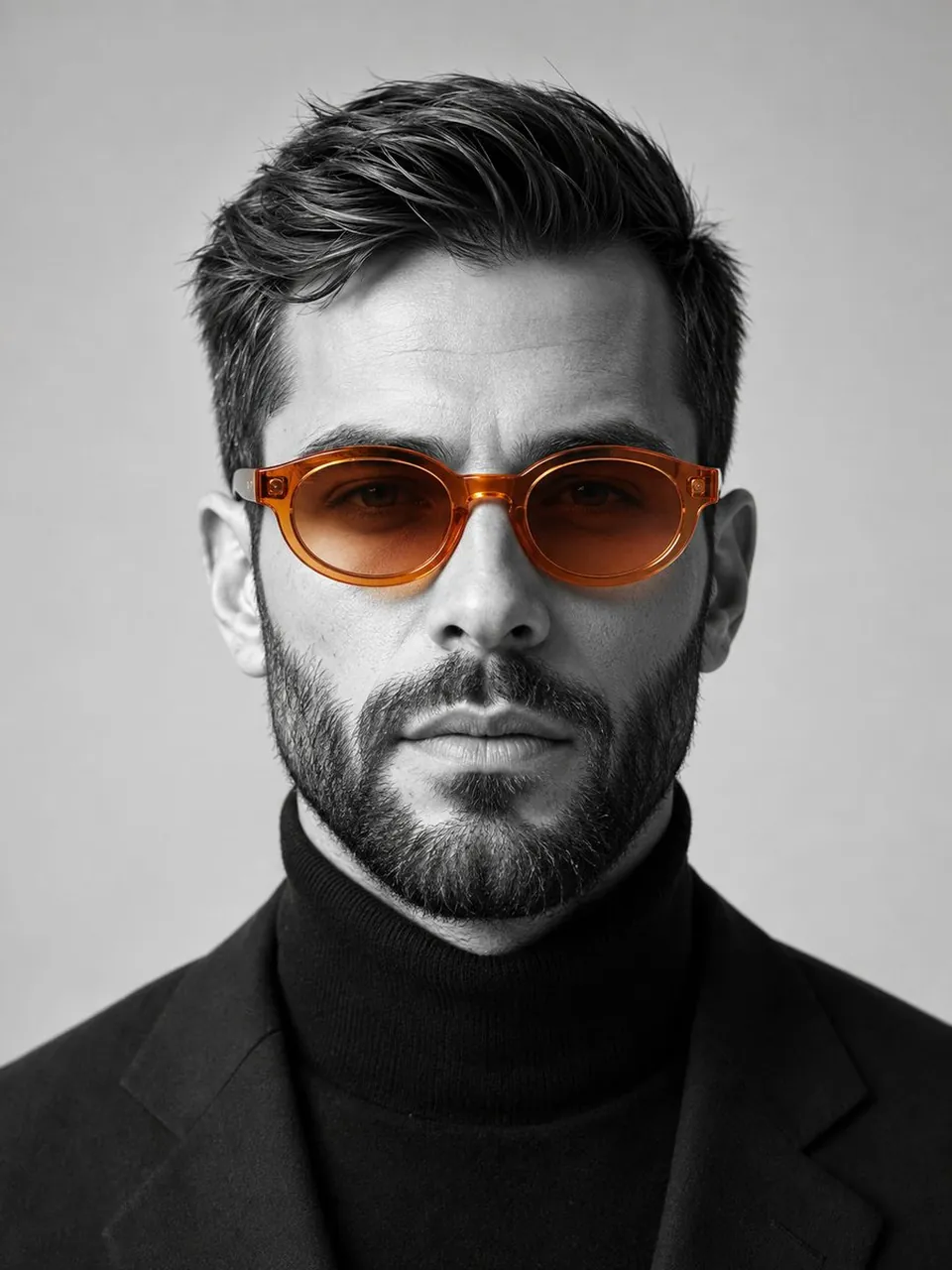
Create a striking studio portrait of a confident man facing the camera, wearing translucent amber-orange oval sunglasses with ice-gradient lenses. Render the portrait mostly in black and white while keeping only the sunglasses in vivid orange. Dress him in a black turtleneck against a minimalist light-grey background. Use an 85mm lens, f/2, soft directional studio lighting, realistic skin texture, crisp eyewear reflections, centered head-and-shoulders framing, editorial luxury mood, vertical 4:5 composition, no logo, no watermark, no extra text.
2. Surreal gothic horror portrait
Use case: album art, horror fiction covers, and dark editorial campaigns.
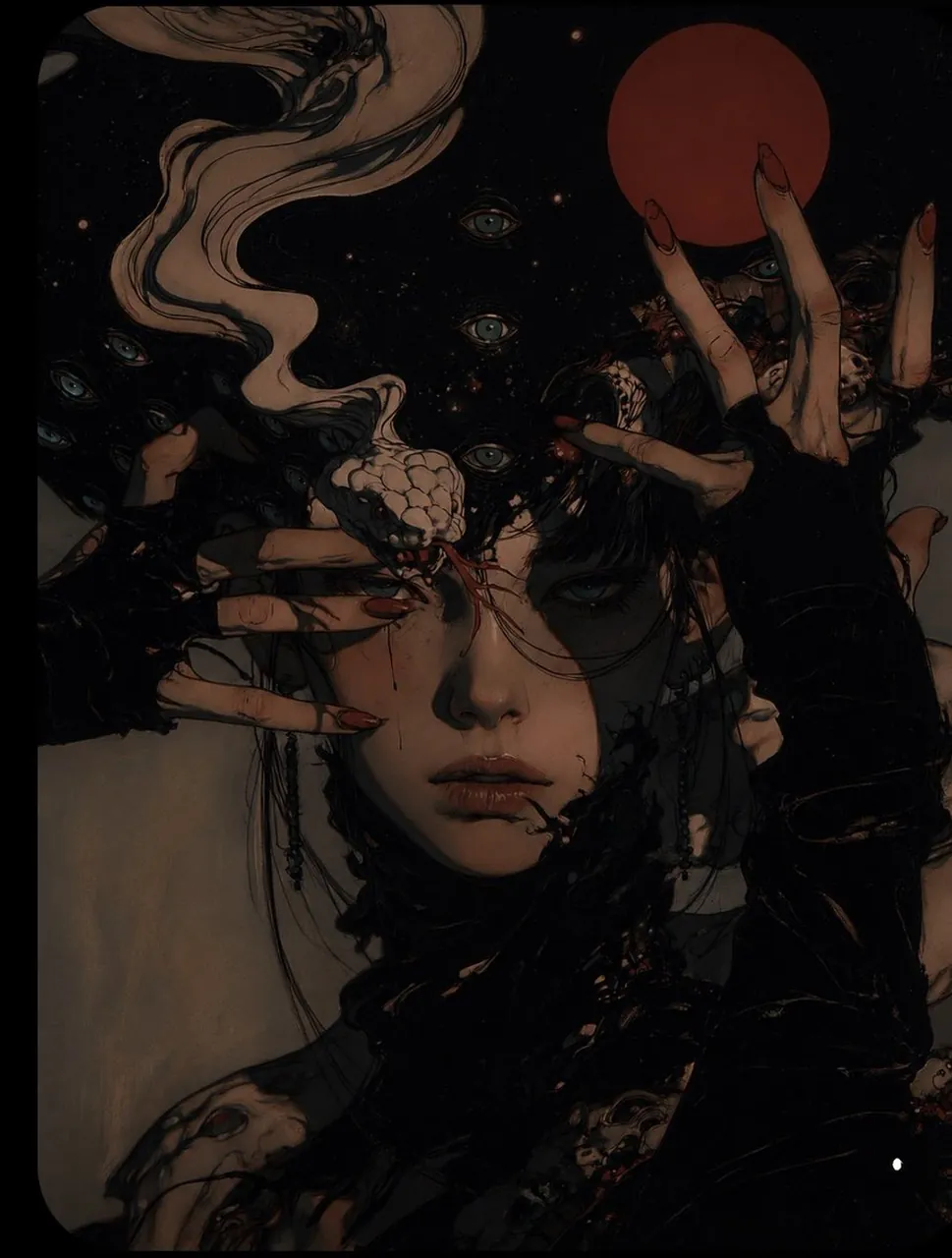
Create a cinematic surreal portrait of a pale young woman standing in a cosmic void. Surround her with elegant pale hands tipped with long crimson nails and a pale serpentine creature curling through the background. Add a glowing turquoise-eyed atmosphere and a deep red moon behind her. Use dark charcoal, dusty beige, muted teal, faded blue, and deep crimson, with low-key lighting, controlled negative space, realistic anatomy, dramatic 4:5 vertical framing, and no gore, logos, watermark, or random text.
3. South Asian courtyard fashion portrait
Use case: traditional fashion, cultural storytelling, and lifestyle campaigns.
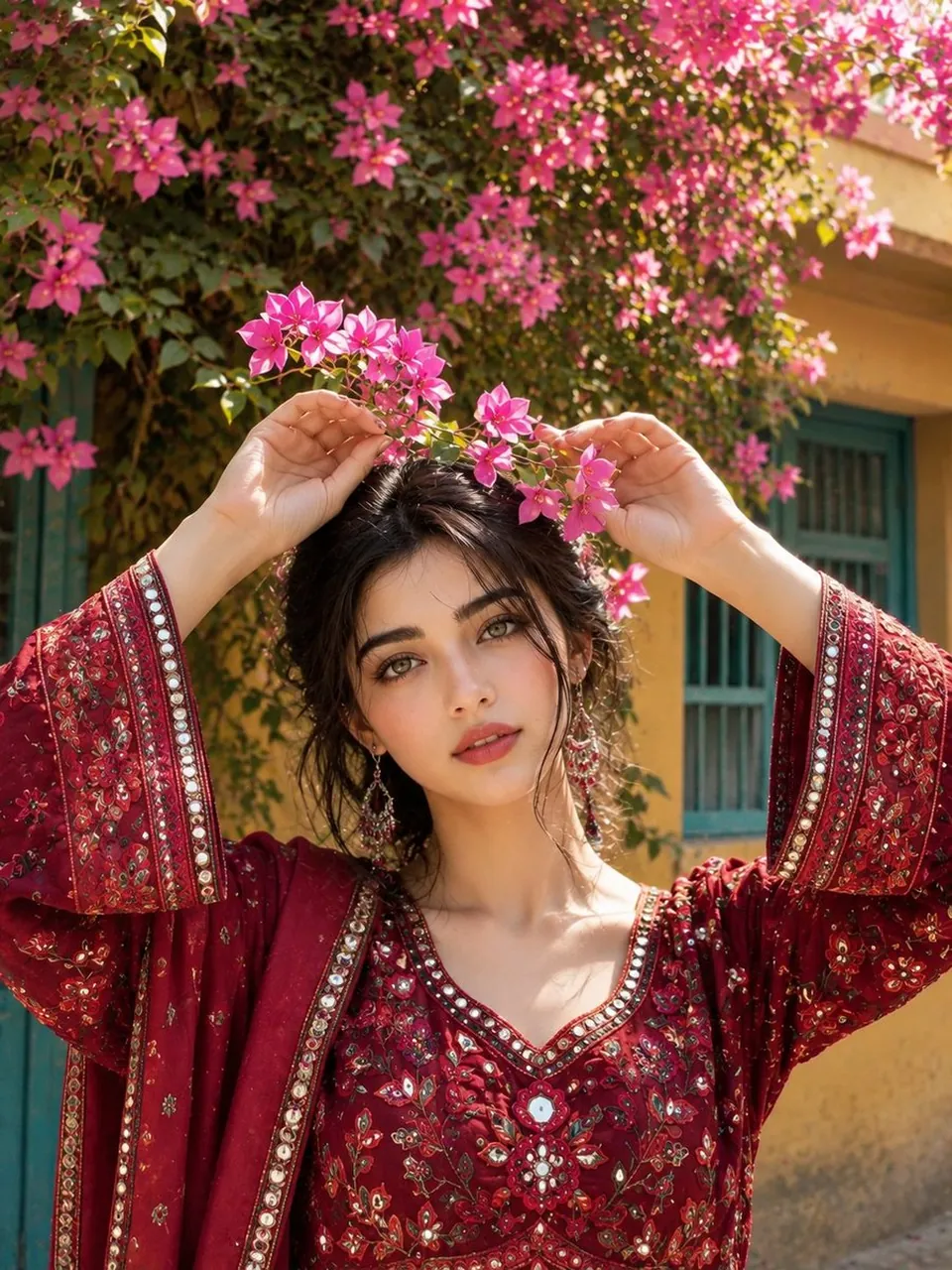
Create a photorealistic portrait of a stylish South Asian woman standing in a traditional courtyard filled with bougainvillea. She wears a deep-crimson embroidered outfit, with a flowering branch framing the top of the image. Include warm yellow walls, turquoise doors, textured stone, and soft natural daylight. Use an 85mm portrait lens, f/2, waist-up composition, realistic hands and anatomy, rich textile detail, gentle shadows, warm editorial color grading, vertical 3:4, no modern logos, no watermark, no extra text.
4. Cozy late-night bedroom selfie
Use case: gaming creators, lifestyle blogs, and social profile content.
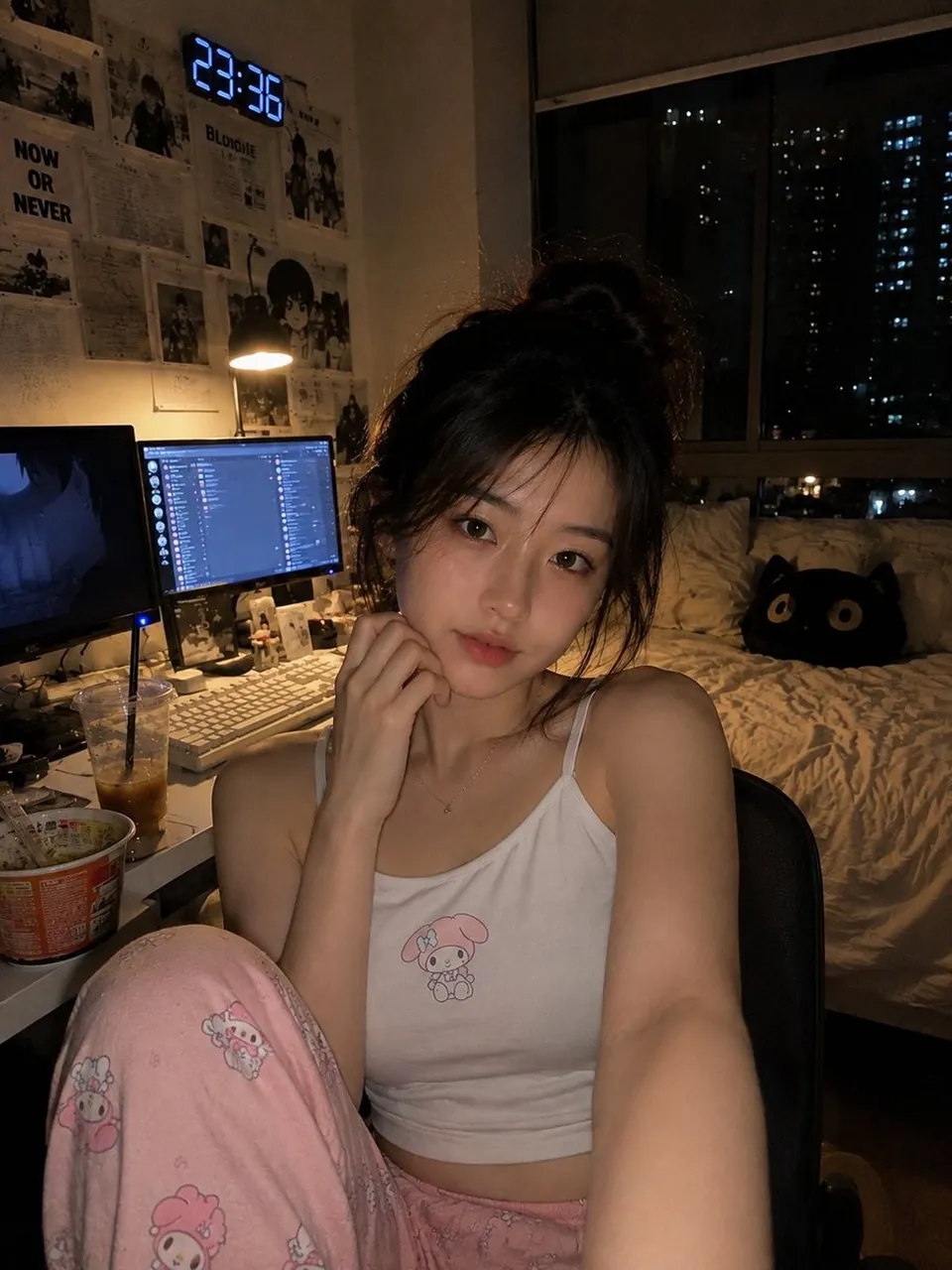
Create a photorealistic vertical late-night bedroom selfie of a young East Asian woman relaxing in a desk chair beside a gaming and study setup. She wears a white camisole with a small cute graphic and soft pink pajama pants. Include dual monitors, a warm desk lamp, an iced coffee, instant noodles, a bed, a cat pillow, monochrome posters, and a city window at night. Use monitor glow and warm ambient light, natural skin texture, handheld smartphone framing, lived-in details, subtle grain, realistic proportions, 4:5 vertical, no readable random text or watermark.
5. Mountain-stream travel portrait
Use case: travel photography, outdoor brands, and summer social campaigns.
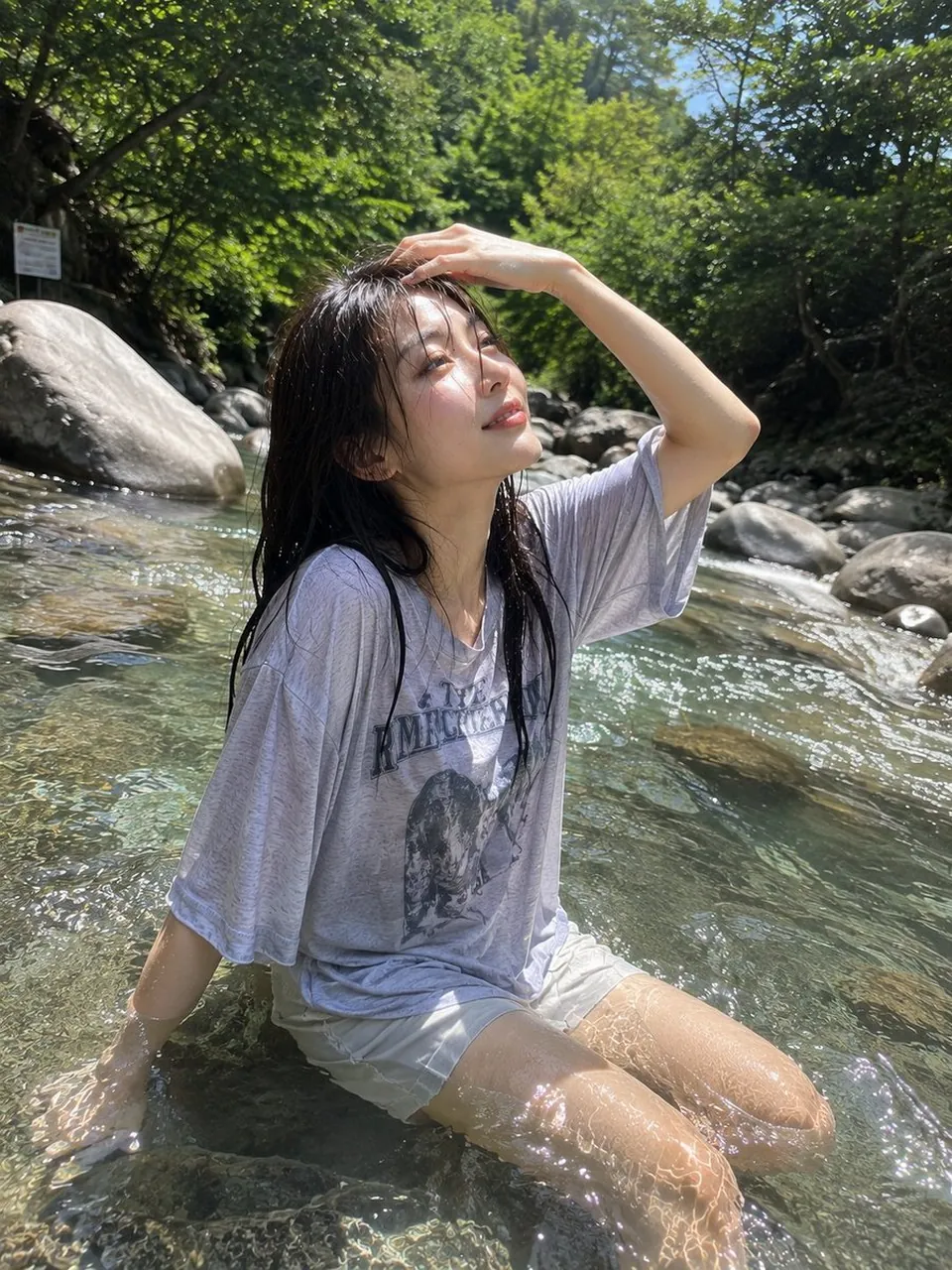
Create an authentic smartphone travel photograph of a young East Asian woman sitting in a clear shallow mountain stream on a bright summer day. Her dark hair is naturally wet, and she wears a loose light-grey sweatshirt with casual shorts. Show transparent water, realistic ripples, smooth rocks, lush forest vegetation, sparkling droplets, and dappled sunlight across her face. Use a slightly low camera angle close to the water surface, natural wide-angle perspective, vibrant but realistic greens and blues, peaceful mood, vertical 4:5, no studio lighting, no plastic skin, no watermark.
6. Emerald-and-gold luxury portrait
Use case: premium personal branding, menswear, and magazine covers.
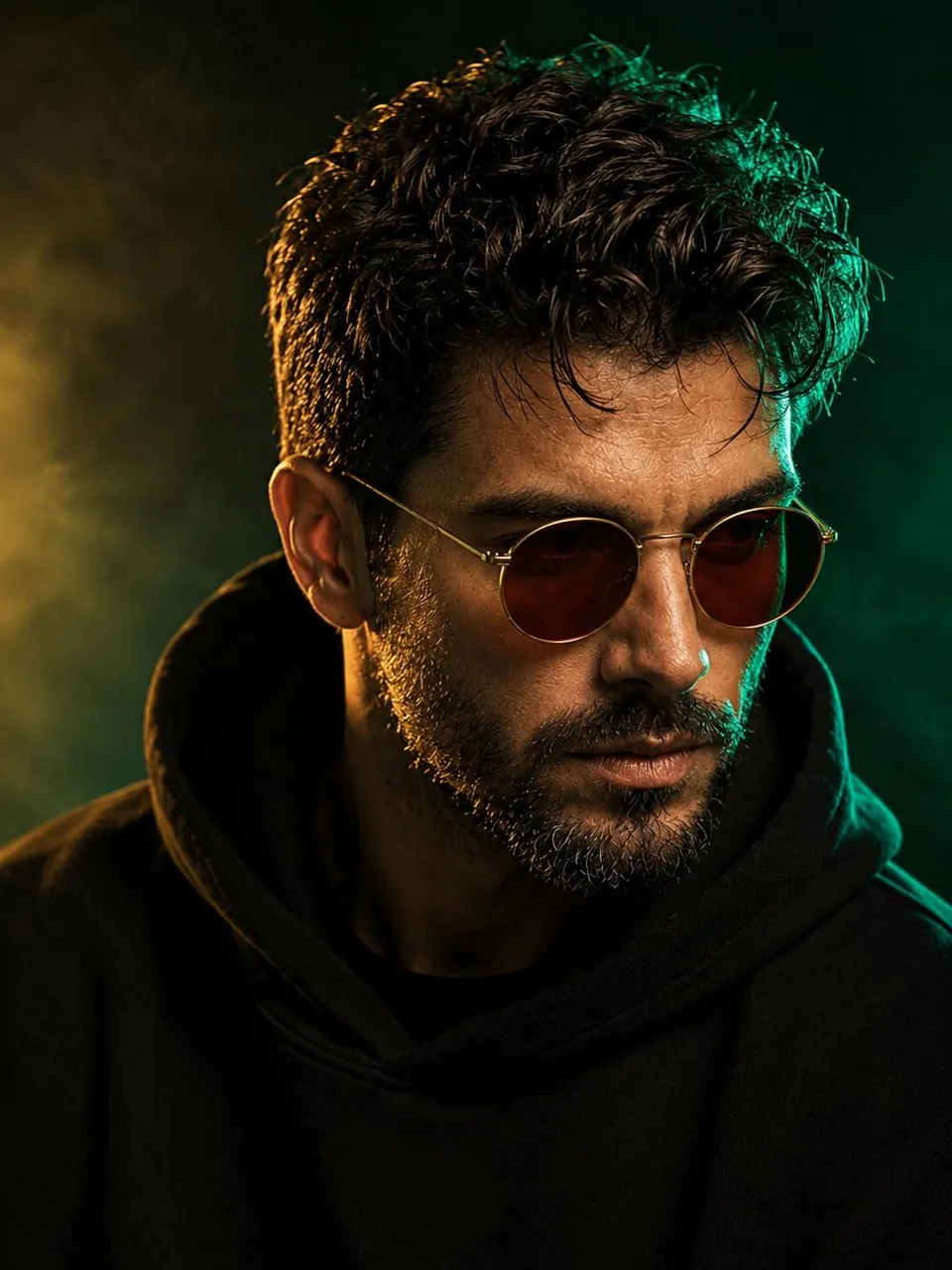
Create a cinematic close-up portrait of a stylish middle-aged man with thick naturally curly dark hair and a neatly trimmed salt-and-pepper beard. He wears round amber-brown sunglasses and a black oversized hoodie. Add a rich emerald rim light on the right side of his face and a soft warm-gold key light from the front. Use a smoky emerald-to-black studio background, realistic beard hairs, natural facial imperfections, shallow depth of field, 85mm lens, f/1.8, centered 3:4 composition, no logo, no watermark, no extra text.
7. Tighter split-face horror crop
Use case: horror posters, game concept art, and dramatic thumbnails.
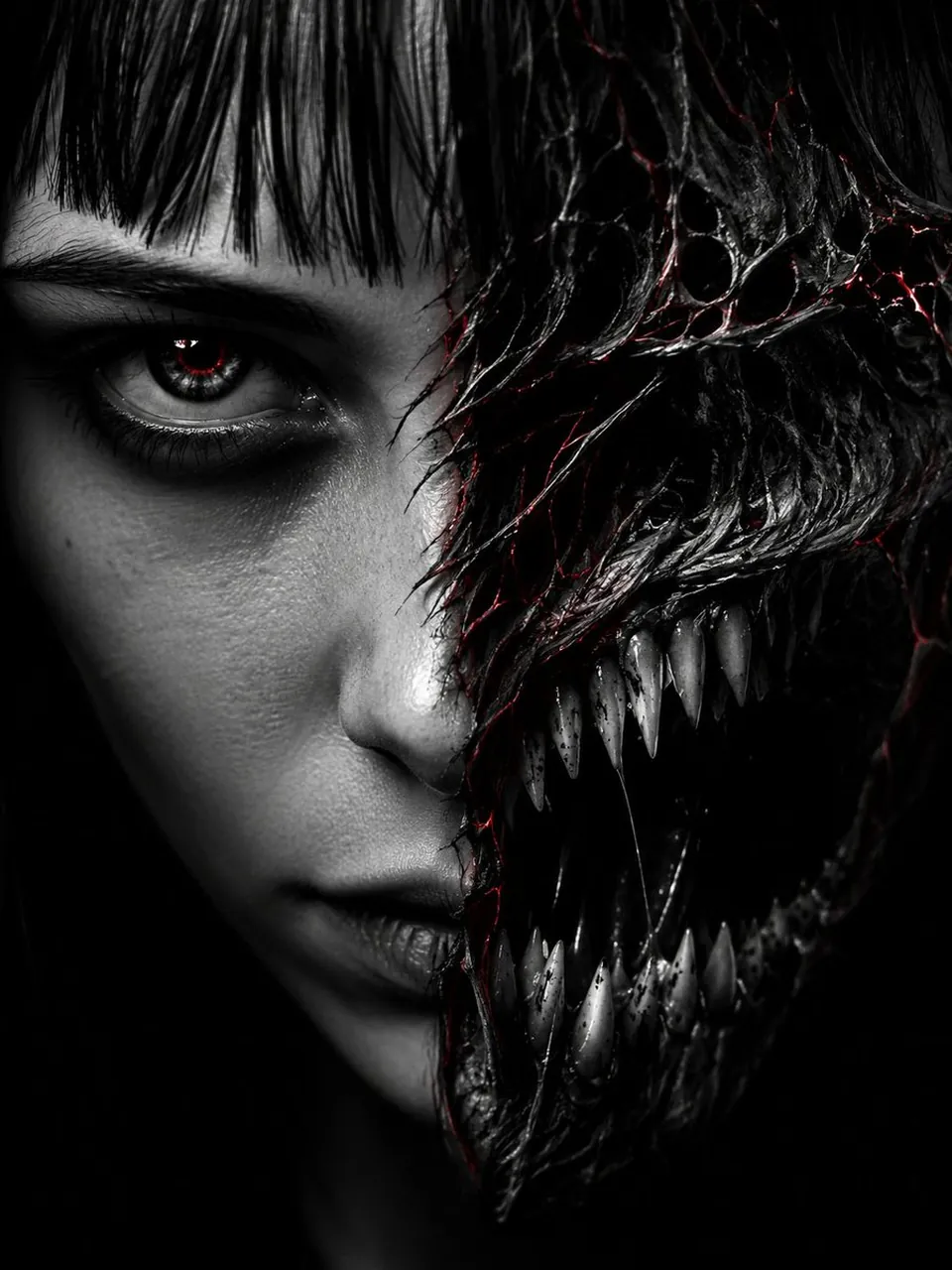
Create an extreme close-up split-face horror portrait cropped from the hairline to the chin. The left half is a pale human face with blunt bangs and a sharp dark eye; the right half transforms into a monstrous jaw with jagged teeth and a black void mouth. Add fine red glowing cracks along the transformation seam and one blood-red catchlight. Use a pure black background, high-contrast single-source rim lighting, hyper-detailed skin and teeth, direct eye contact, 9:16 vertical composition, no gore splashes, no watermark, no random text.
8. Kinetic red-background fashion portrait
Use case: streetwear campaigns, experimental fashion, and motion-inspired posters.
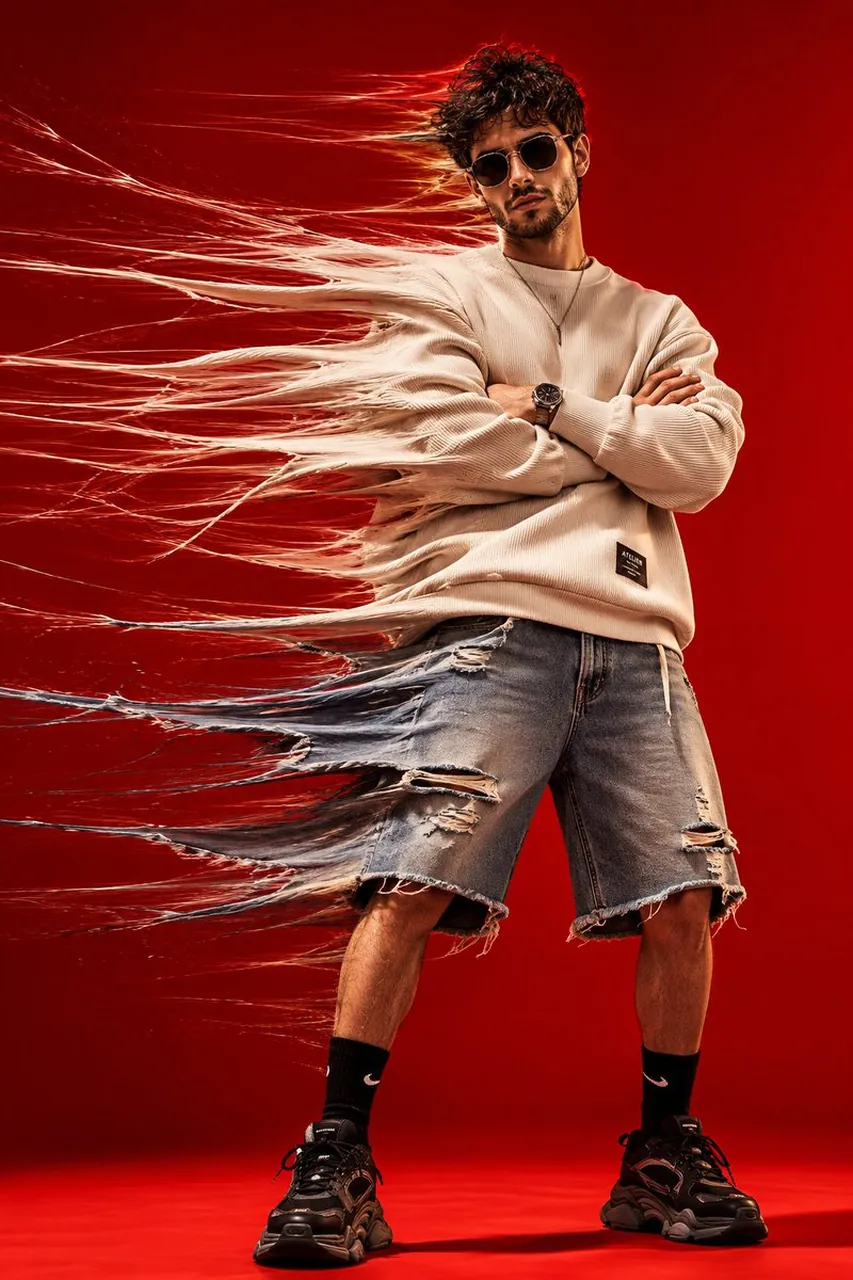
Create a photorealistic full-body fashion portrait of a stylish young man standing against a seamless vivid-red studio background. He wears an oversized cream ribbed sweatshirt, distressed denim shorts, black socks, chunky sneakers, a simple necklace, and dark futuristic sunglasses. Stretch the left side of his clothing into translucent textile fibers and motion trails while keeping his face, crossed arms, legs, and shoes sharp. Use strong studio light, realistic fabric texture, dramatic shadows, 35mm fashion photography, analog grain, vertical 4:5, no distorted anatomy, no logos, no extra text.
9. Crystal-scale fantasy beauty close-up
Use case: beauty campaigns, fantasy portraits, and social profile art.
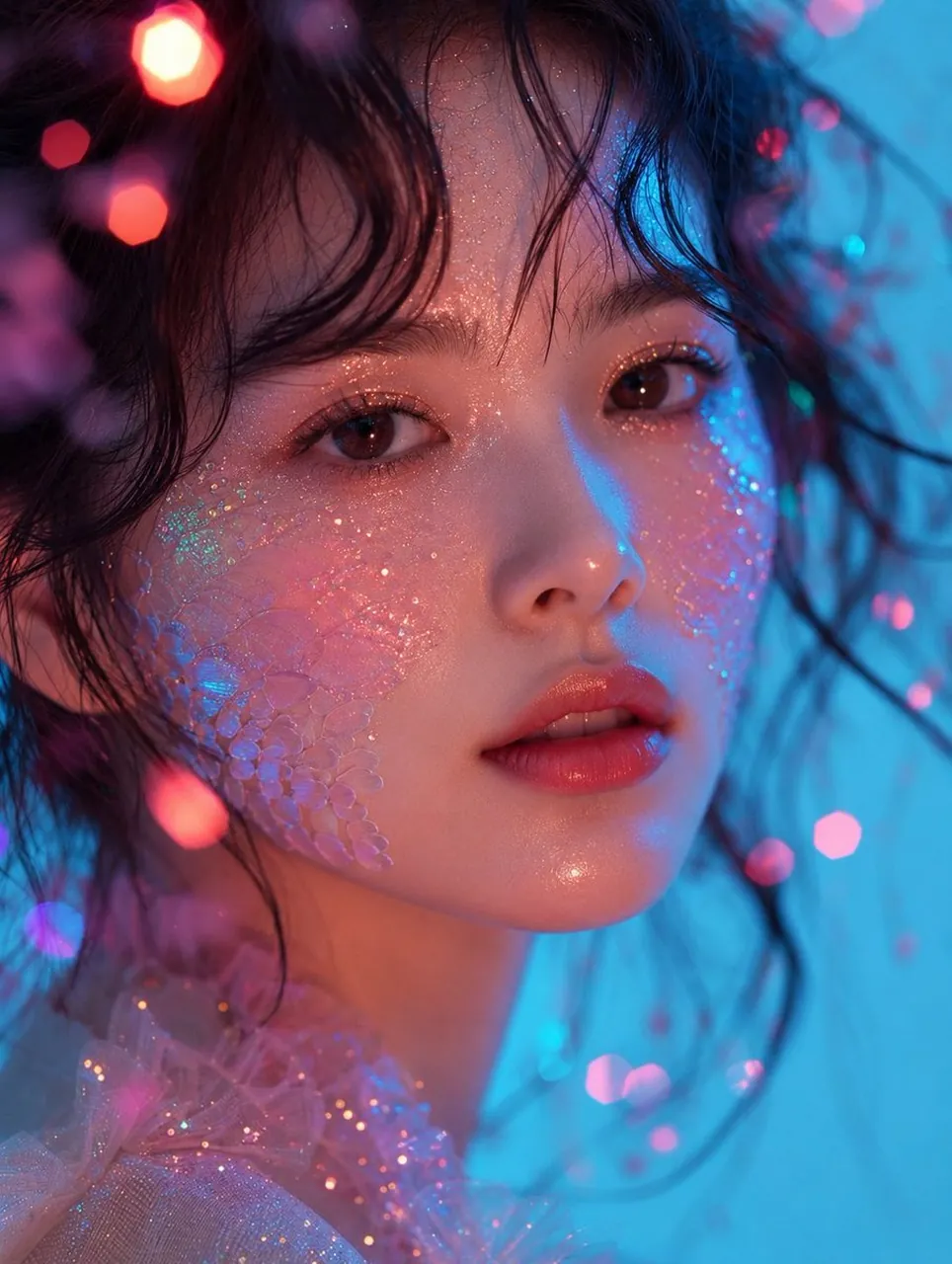
Create an ultra-realistic extreme close-up beauty portrait of a young East Asian woman with luminous skin, warm brown eyes, coral-pink lips, loose black waves, and dewy makeup. Blend translucent iridescent crystal-scale texture naturally into both cheeks, with fine holographic glitter across the face. Use cyan-blue key light from the right, warm pink fill from the left, pastel bokeh, volumetric glow, sparkling particles, translucent pink tulle, realistic pores, 85mm macro lens, f/1.4, editorial luxury mood, no text, no watermark.
10. Oceanfront quiet-luxury portrait
Use case: resort fashion, travel magazines, and lifestyle campaigns.
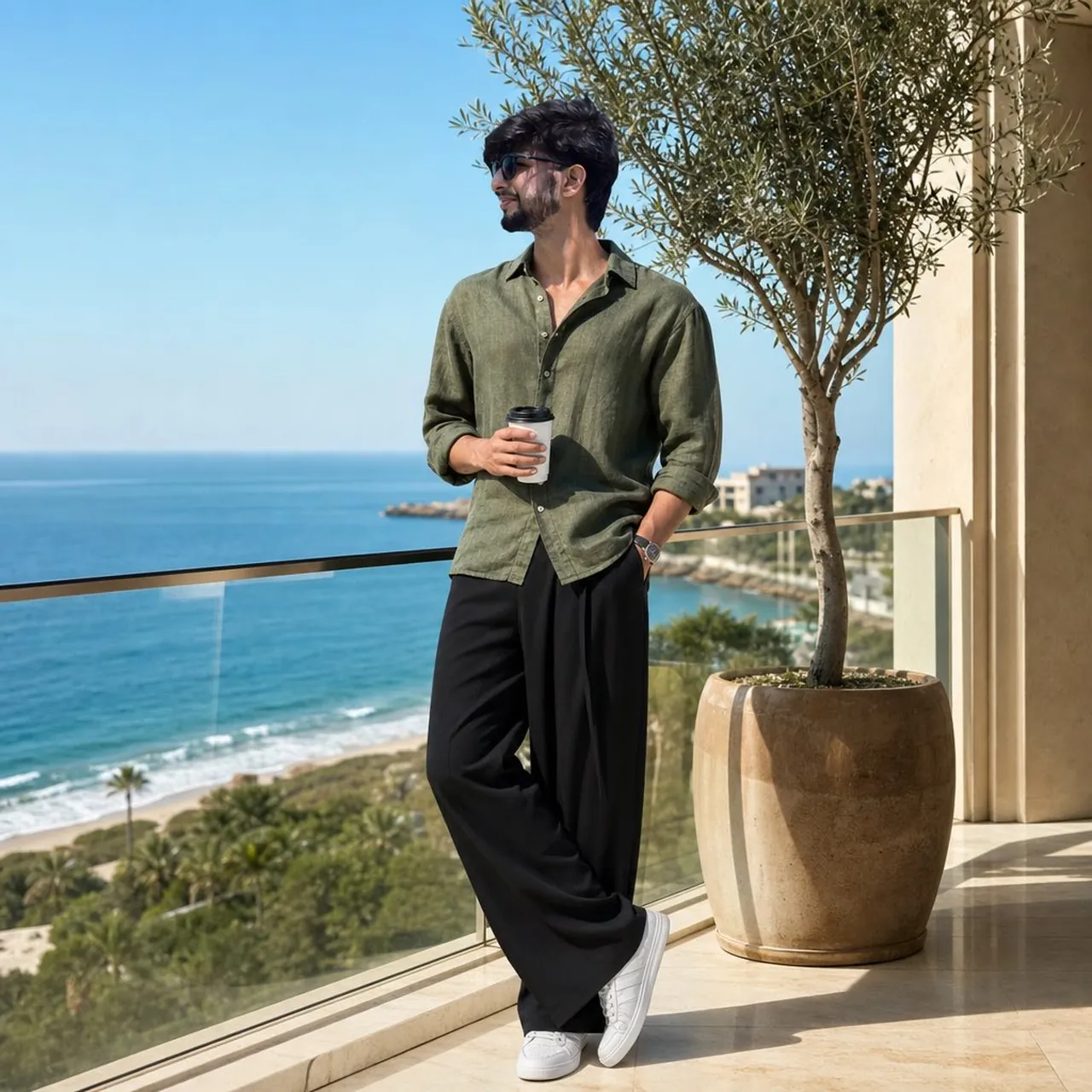
Create an ultra-realistic full-body fashion portrait of a young man on a modern oceanfront balcony in bright morning sunlight. He wears an olive-green linen shirt, oversized black trousers, white minimalist sneakers, and black sunglasses. One hand holds a takeaway coffee while the other rests in his pocket. Include cream architecture, polished marble, a glass railing, a potted olive tree, deep-blue ocean, sandy beach, and clear sky. Use relaxed quiet-luxury styling, natural shadows, 85mm lens, f/2.8, realistic reflections, vertical 4:5, no logo or watermark.
11. Classic lowrider cinematic portrait
Use case: automotive culture, music artwork, and streetwear branding.
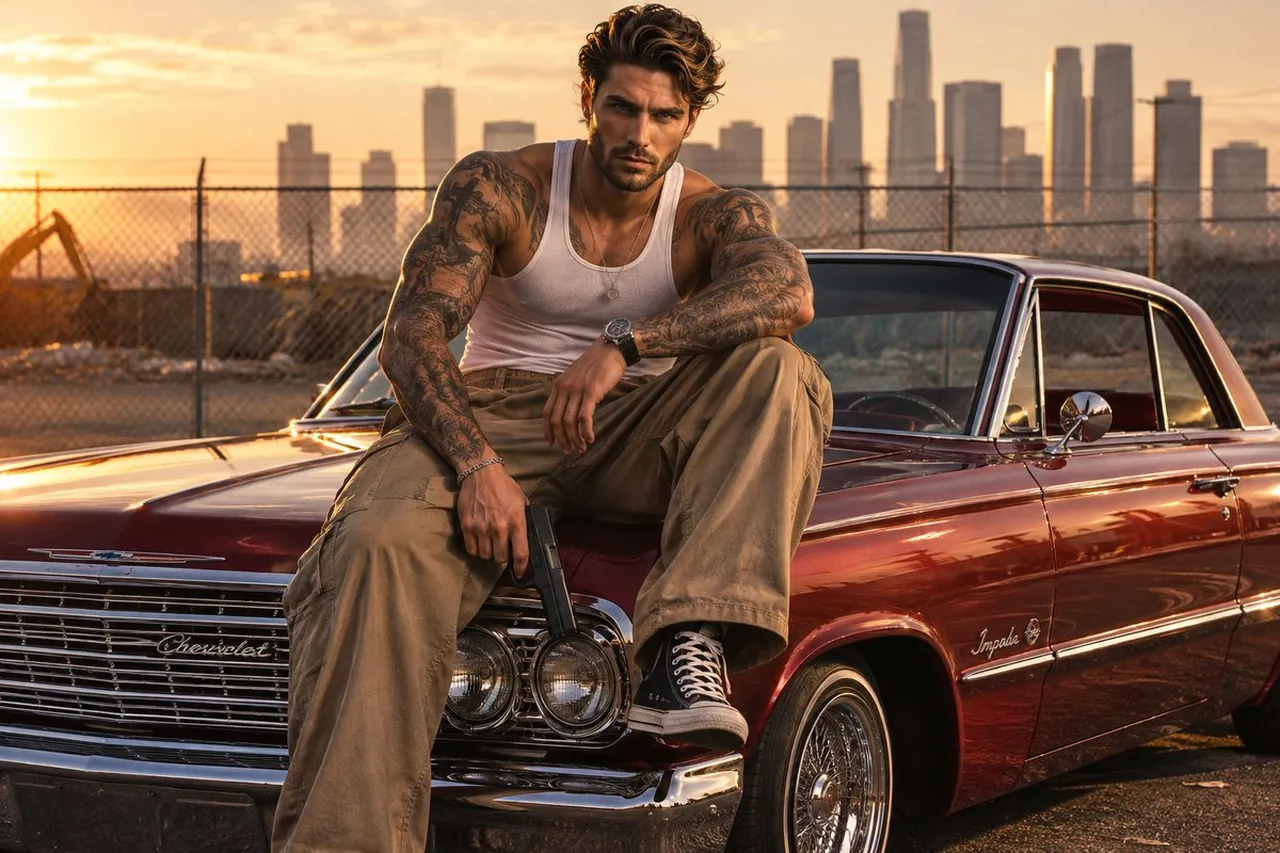
Create a cinematic golden-hour portrait of a tattooed man seated on the hood of a cherry-red 1960s lowrider. Show a white ribbed tank top, tan cargo pants, detailed tattoos, gleaming chrome, reflective candy paint, a dusty asphalt lot, a chain-link fence, and a hazy downtown skyline. Use strong leading lines from the car and fence, shallow depth of field, warm directional light, natural shadows, rich 35mm film grain, realistic skin and fabric, balanced composition, no weapons, no random logos, no extra text.
12. Editorial flat-vector diptych
Use case: magazine covers, creative profiles, and brand identity systems.
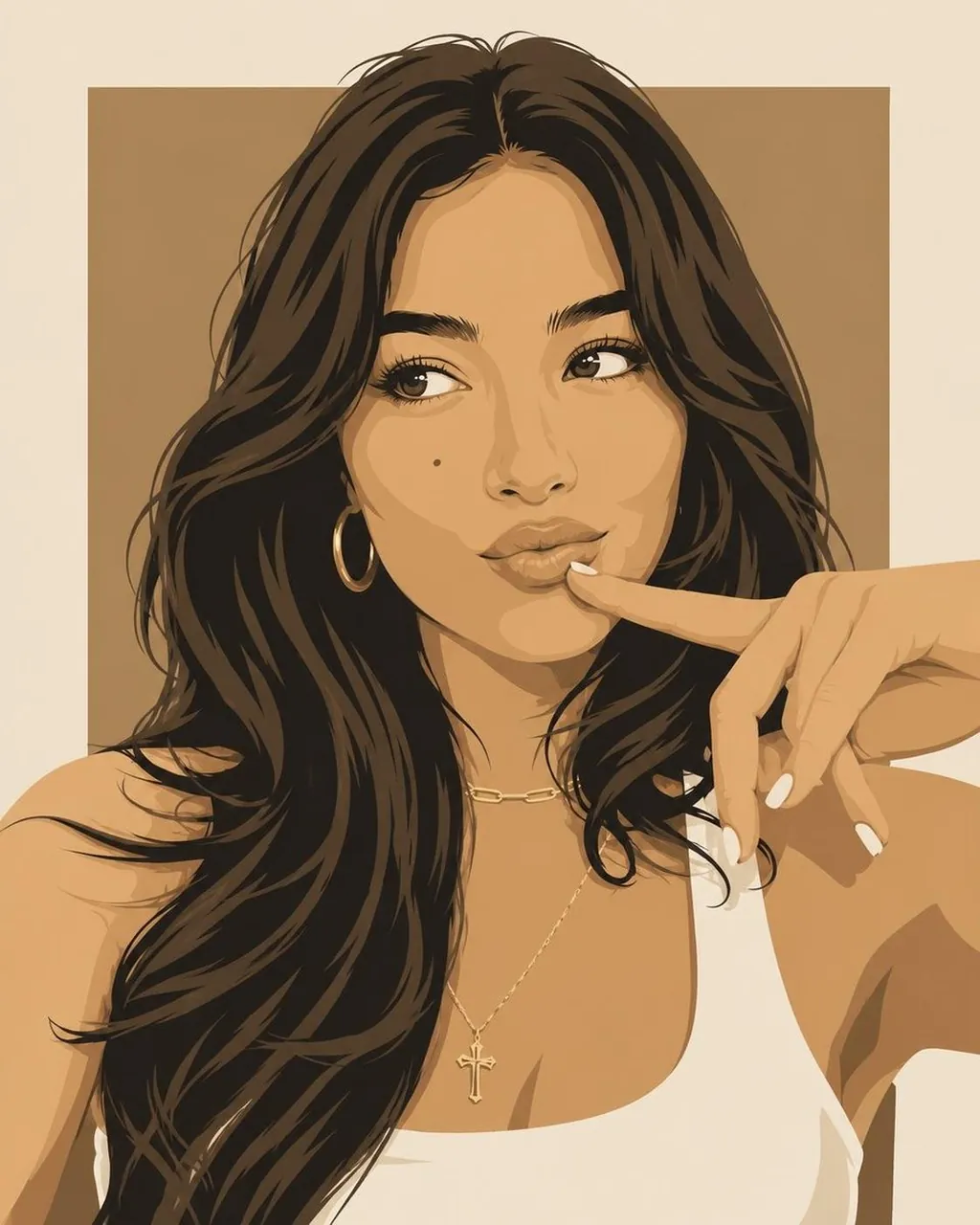
Create a cohesive diptych-style editorial illustration with two close-up portraits in the same modern flat-vector fashion aesthetic. Give the woman flowing dark hair, gold hoops, layered necklaces, and a white sleeveless top; give the man textured platinum-blond hair and an oversized white crew-neck shirt. Use geometric facial planes, crisp linework, subtle tonal shading, a warm tan panel behind the woman, a bold red panel behind the man, and a shared ivory canvas. Luxury magazine style, clean color blocking, vertical 4:5, no photorealism, no 3D rendering, no text, no logos.
13. Korean webtoon travel family
Use case: tourism, family travel, and illustrated postcards.
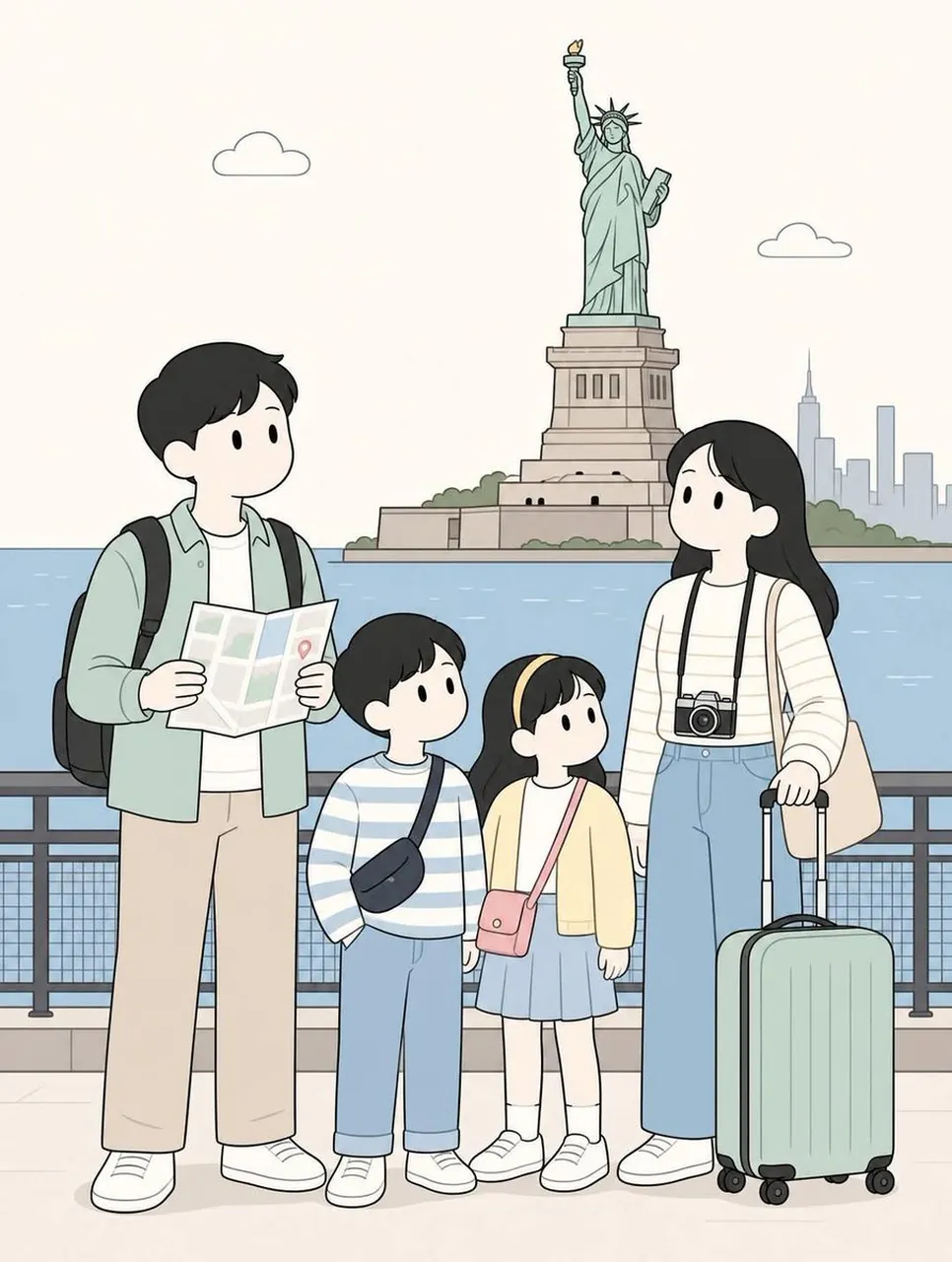
Create a soft minimalist Korean webtoon illustration of a traveling family of two parents and two children exploring [BACKGROUND]. Use cute simplified faces, thin clean line art, muted beige, sage green, dusty blue, cream, and light pink, rounded proportions, flat shading, and a cozy travel-journal mood. The father carries a backpack and folded map; the mother carries a camera or shoulder bag. Use full-body vertical 4:5 composition, family in the foreground, open space around them, balanced landmarks, optional location title at the top, no clutter, no random text.
14. Amber-sunglasses studio variation
Use case: eyewear product storytelling and monochrome campaign concepts.
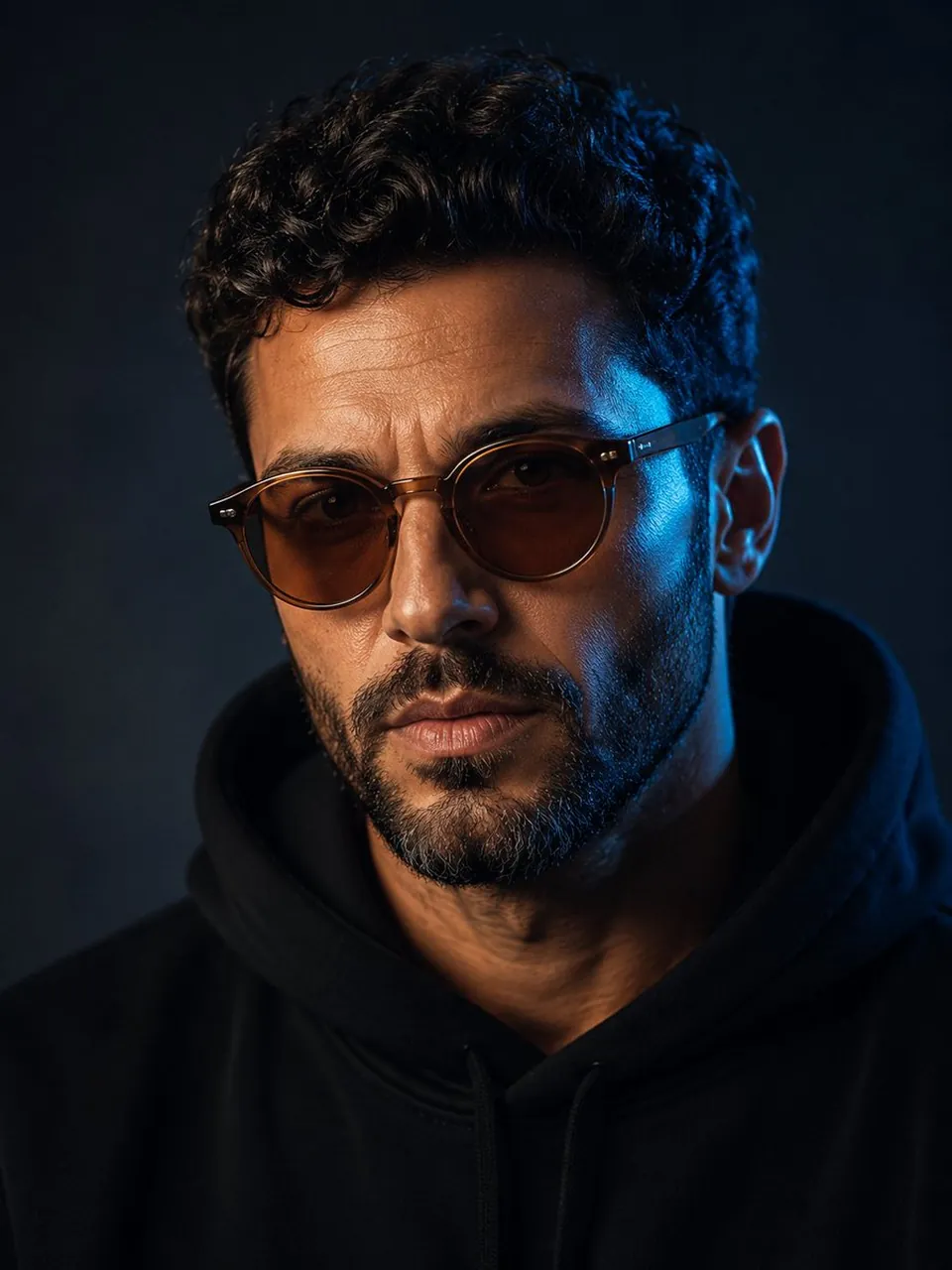
Create a refined head-and-shoulders studio portrait of a mature man with curly dark hair and a short salt-and-pepper beard. Keep the portrait nearly monochrome, but make the round amber sunglasses the single saturated color accent. Use a dark blue-grey background, soft frontal light, a subtle cool rim light, crisp lens reflections, natural skin texture, and a quiet luxury editorial mood. Center the subject with clean negative space, 85mm portrait lens, f/1.8, vertical 3:4, no logo, no watermark, no extra text.
5.2 Additional public GoEnhance case adaptations
15. Strict prompt-adherence city composition
Use case: real-estate concepts, city posters, and layout testing.
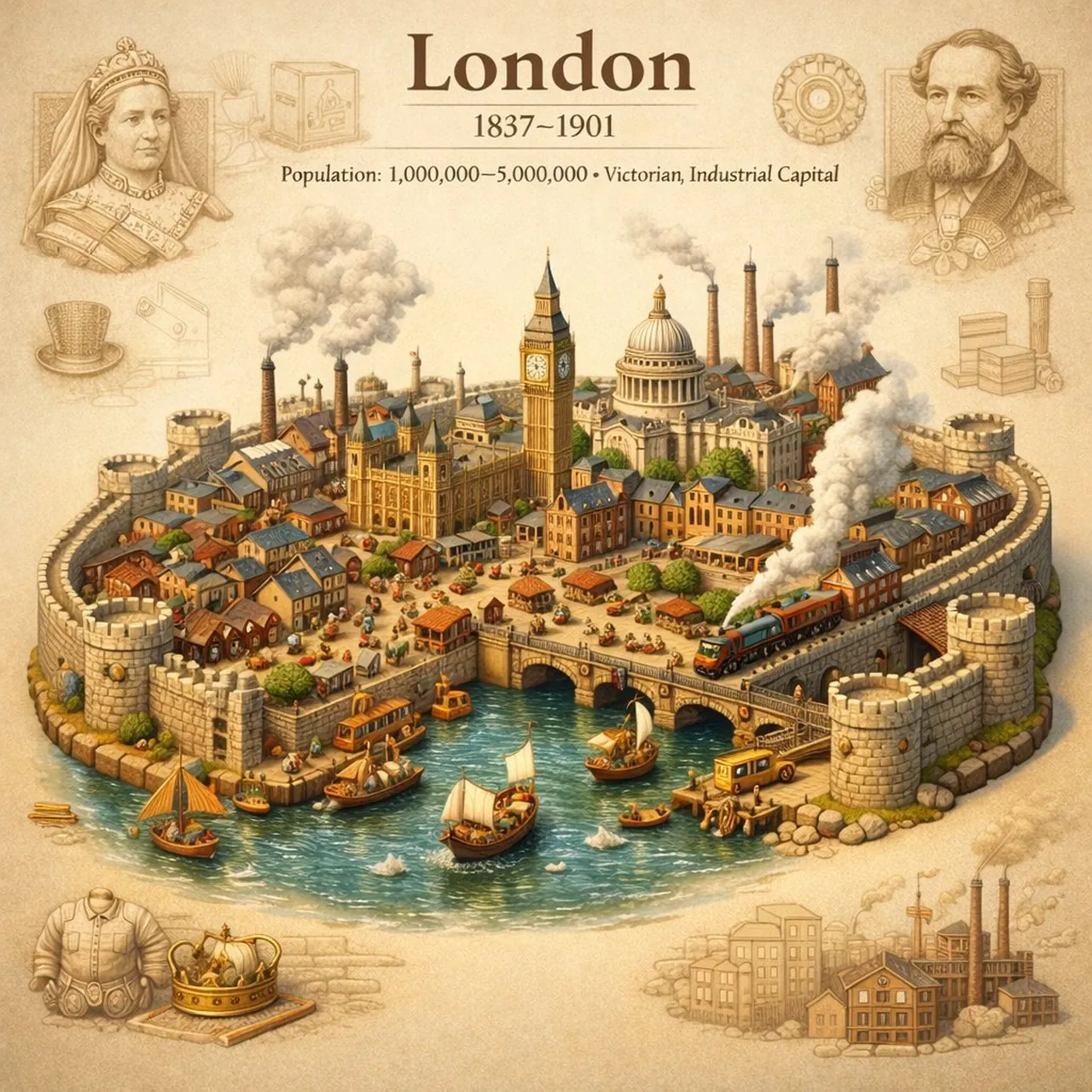
Create a clean photorealistic city composition designed to test precise layout adherence. Place a recognizable skyline in the middle distance, a broad empty foreground, and clearly separated architectural blocks on the left and right. Keep the horizon level, preserve generous negative space in the upper third, and use soft daylight, realistic scale, crisp edges, and restrained neutral colors. Use a wide 16:9 composition, no tilted perspective, no duplicated buildings, no random signs, no watermark.
16. Professional medical headshot
Use case: clinic websites, healthcare profiles, and educational content.
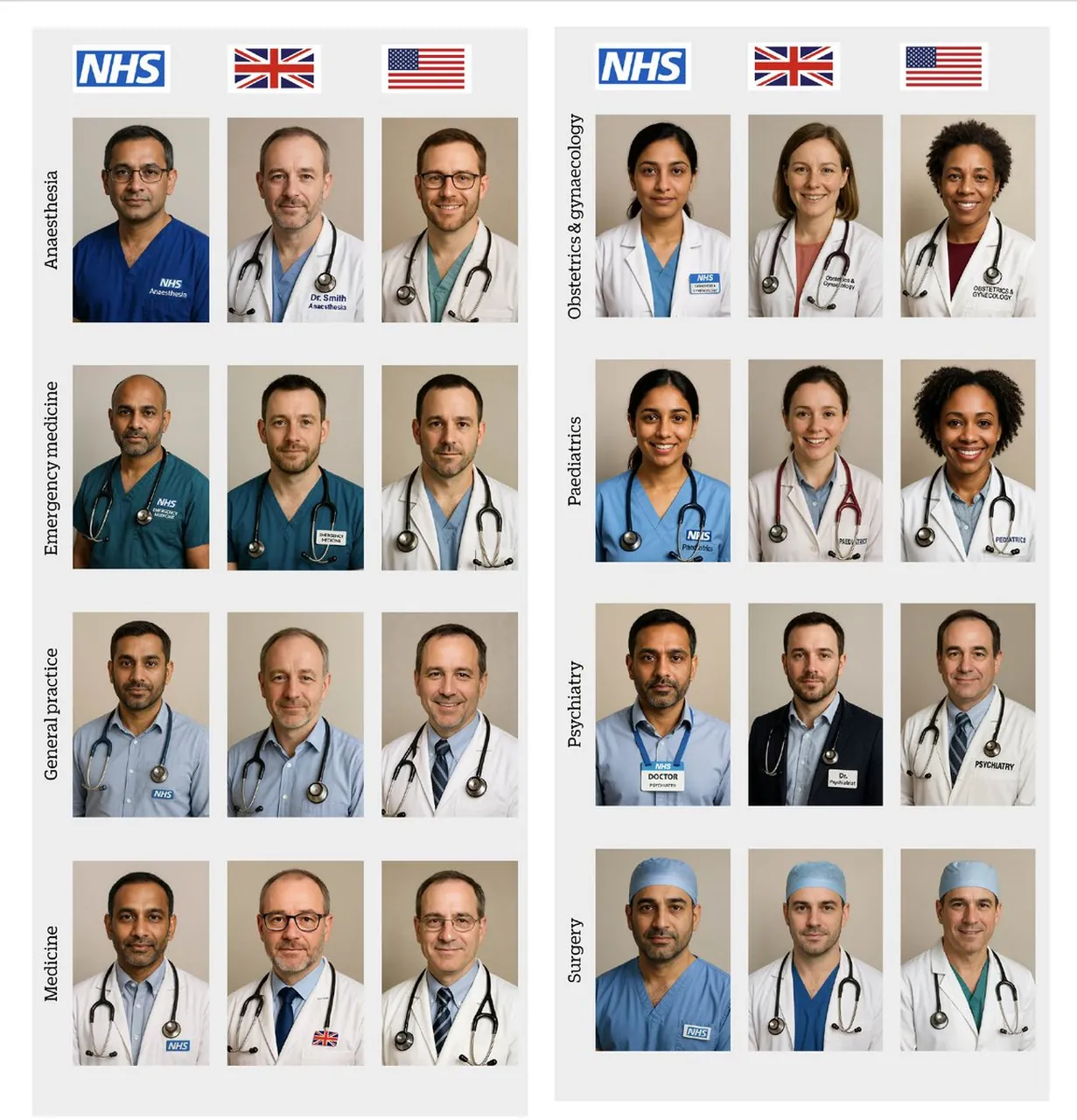
Create a professional photorealistic headshot of a friendly doctor specializing in [SPECIALTY]. Use a clean neutral background, a white coat over understated professional clothing, natural eye contact, relaxed shoulders, and a credible approachable expression. Use soft key light, subtle fill, realistic skin texture, accurate hands if visible, 85mm portrait perspective, centered waist-up framing, clean healthcare branding, vertical 4:5, no medical claims, no readable patient information, no logo, no watermark.
17. Neon portal action scene
Use case: game key art, movie concepts, and action thumbnails.
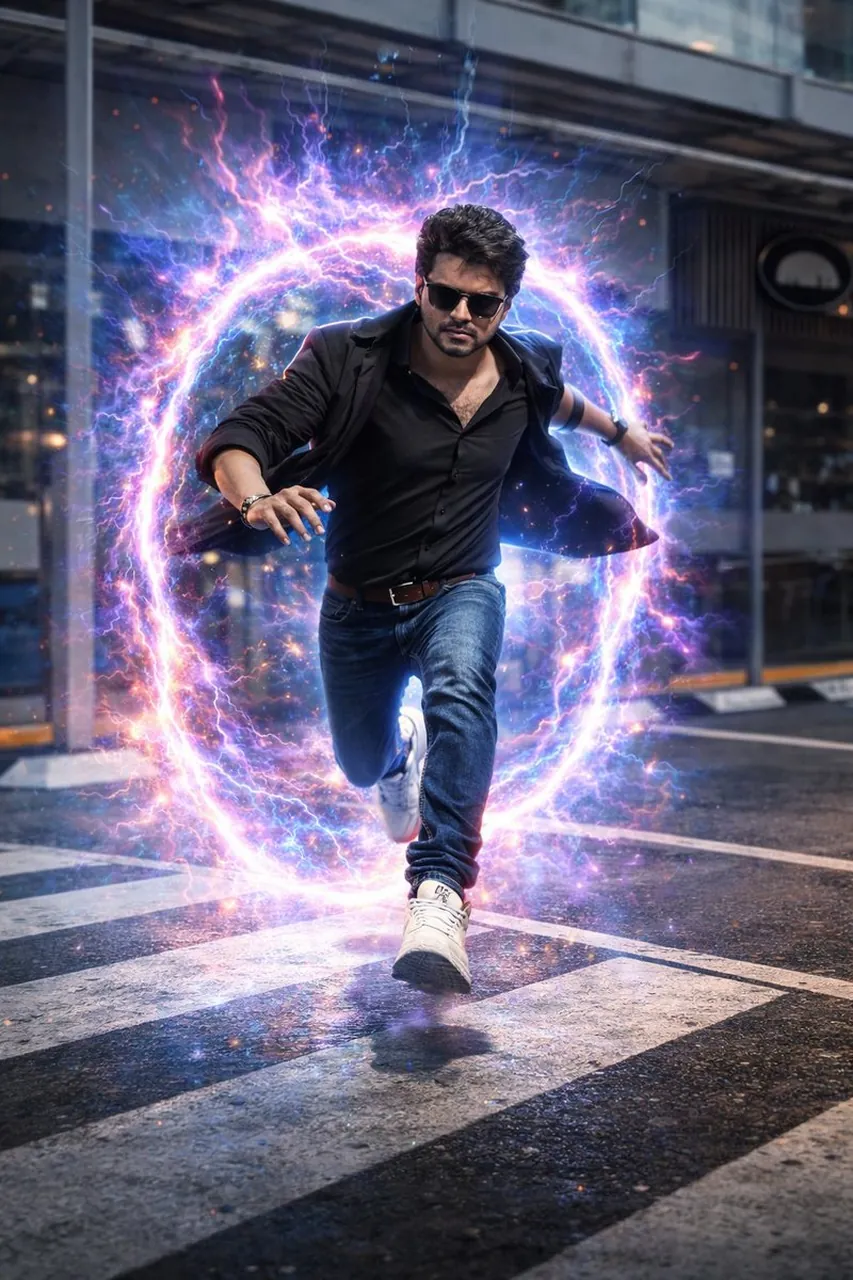
Transform a supplied portrait into a hyper-realistic cinematic action scene on a rain-slicked urban street. Place a glowing dimensional neon portal behind the subject, with cyan and magenta light reflecting across wet pavement and nearby architecture. Keep the subject’s identity, face, clothing, and proportions consistent. Use a low-angle 35mm composition, controlled motion blur, atmospheric rain, strong rim lighting, realistic reflections, high contrast, 16:9 landscape, no extra limbs, no random text, no watermark.
18. Lotus pond morning scene
Use case: meditation artwork, wellness content, and nature posters.
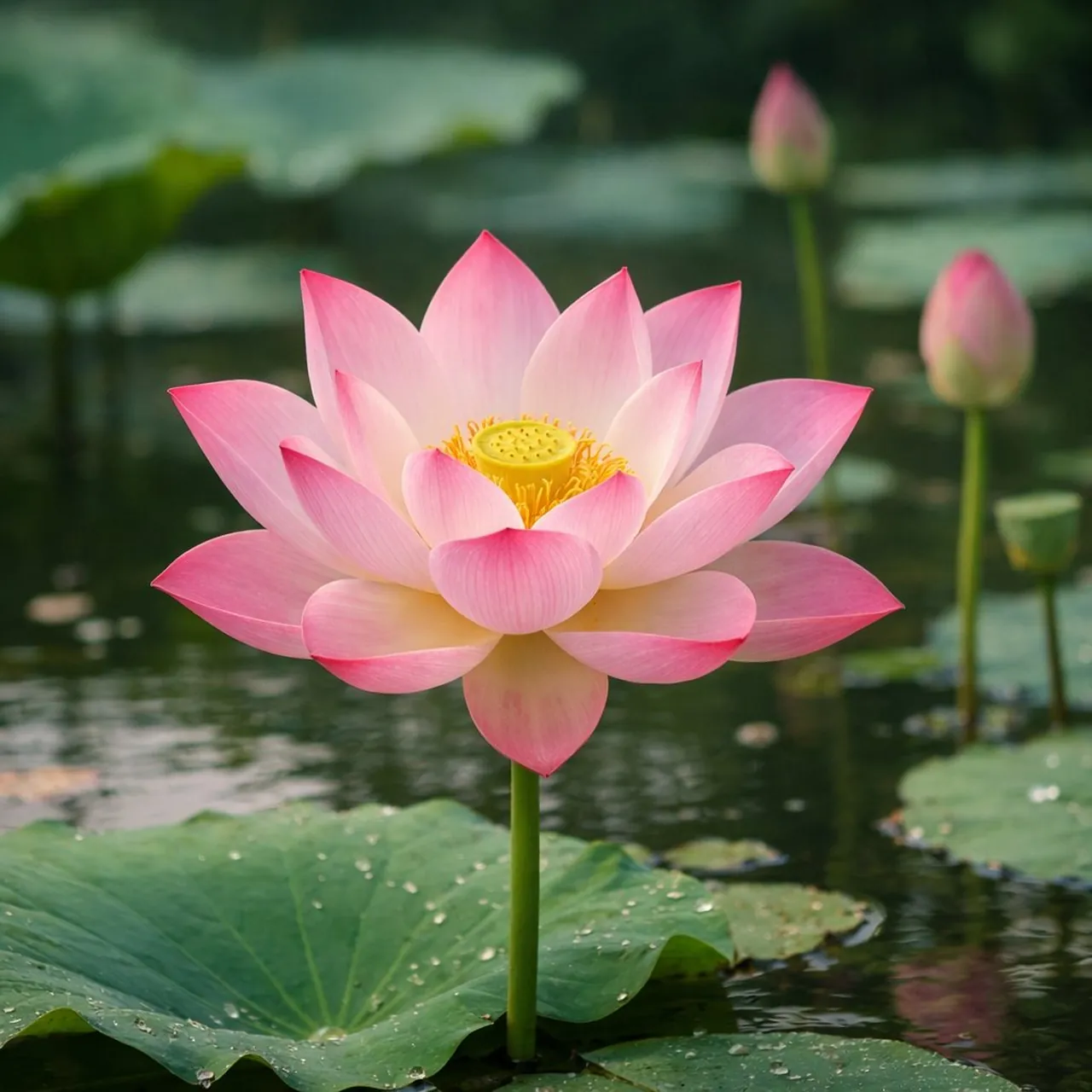
Create a serene photorealistic lotus pond at early morning. Place several pink and white lotus flowers above broad green leaves, with delicate mist hovering over still water and soft mountains fading into the background. Use gentle sunrise light, pastel peach and sage tones, realistic water reflections, fine petal texture, balanced negative space, and a calm contemplative atmosphere. Use a vertical 4:5 composition, no people, no text, no artificial neon colors, no watermark.
19. Restored portrait transformation
Use case: family photo restoration, memorial projects, and personal archives.
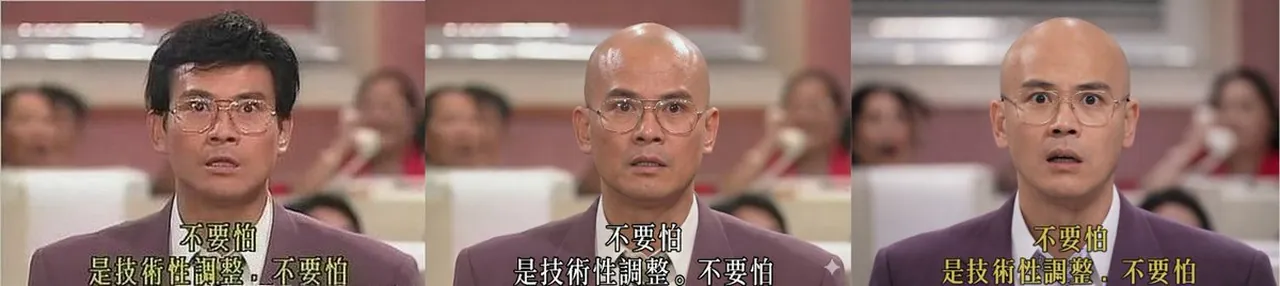
Restore the supplied vintage portrait while preserving the person’s identity, facial structure, expression, clothing, and original pose. Remove scratches, dust, fading, and color damage; rebuild missing detail conservatively and improve contrast with a natural film palette. If the brief requests a hairstyle transformation, change only the hair while keeping the face and age consistent. Use realistic skin texture, period-appropriate color, gentle sharpening, and a clean archival finish. No beauty-filter effect, no new accessories, no altered facial features, no watermark.
20. Embroidery and ballpoint sketch
Use case: craft brands, art education, and mixed-media editorial art.
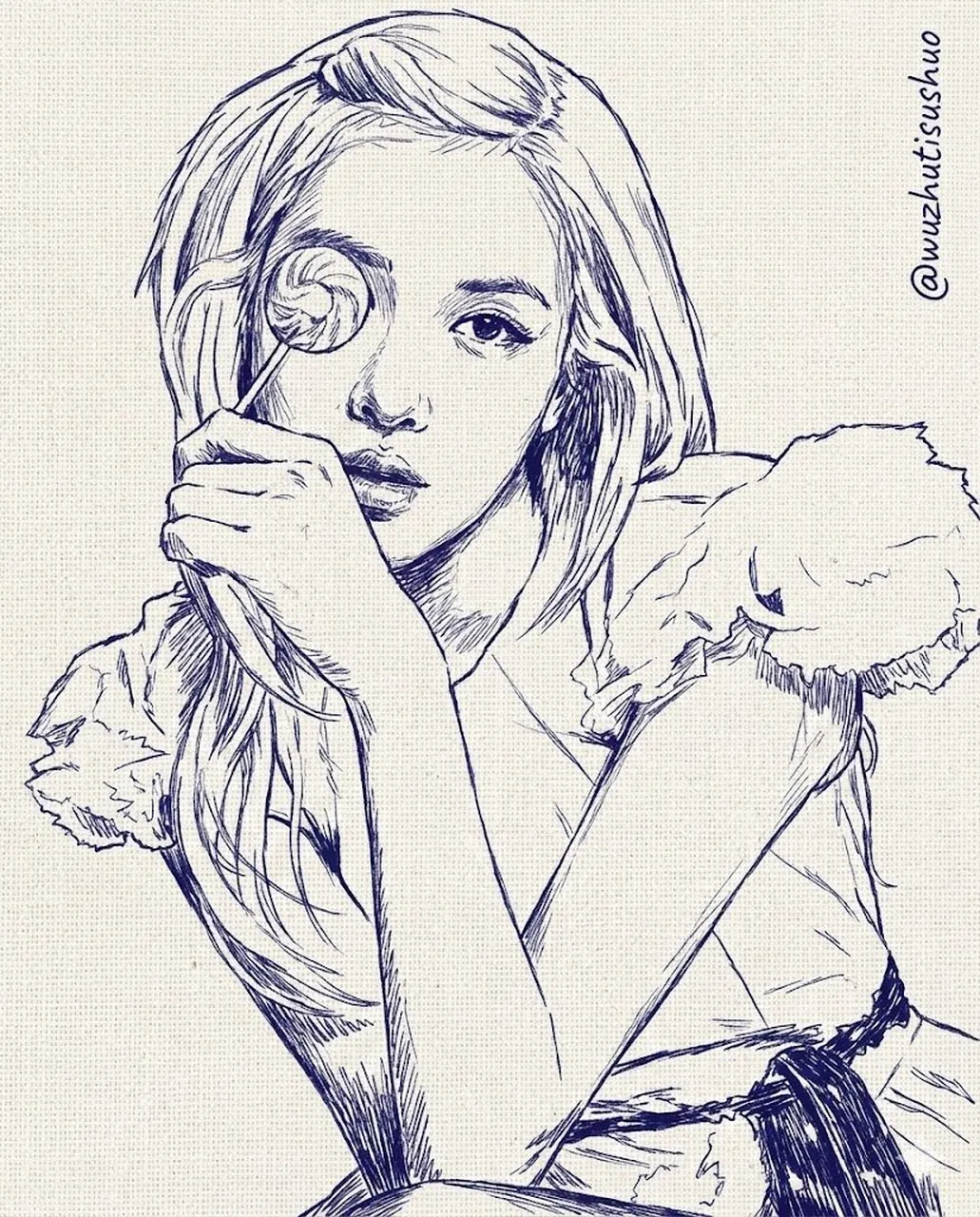
Create a mixed-media portrait combining fine blue ballpoint-pen hatching with raised embroidery details. Use a simple central subject, visible paper fibers, stitched floral accents, delicate thread shadows, and carefully controlled line density. Keep the composition editorial and uncluttered, with a warm cream paper background and restrained indigo, coral, and mustard accents. Show the physical material contrast clearly, use vertical 4:5 framing, no photorealistic skin, no random lettering, no watermark.
21. Character replacement edit
Use case: storyboarding, game concept development, and character design.
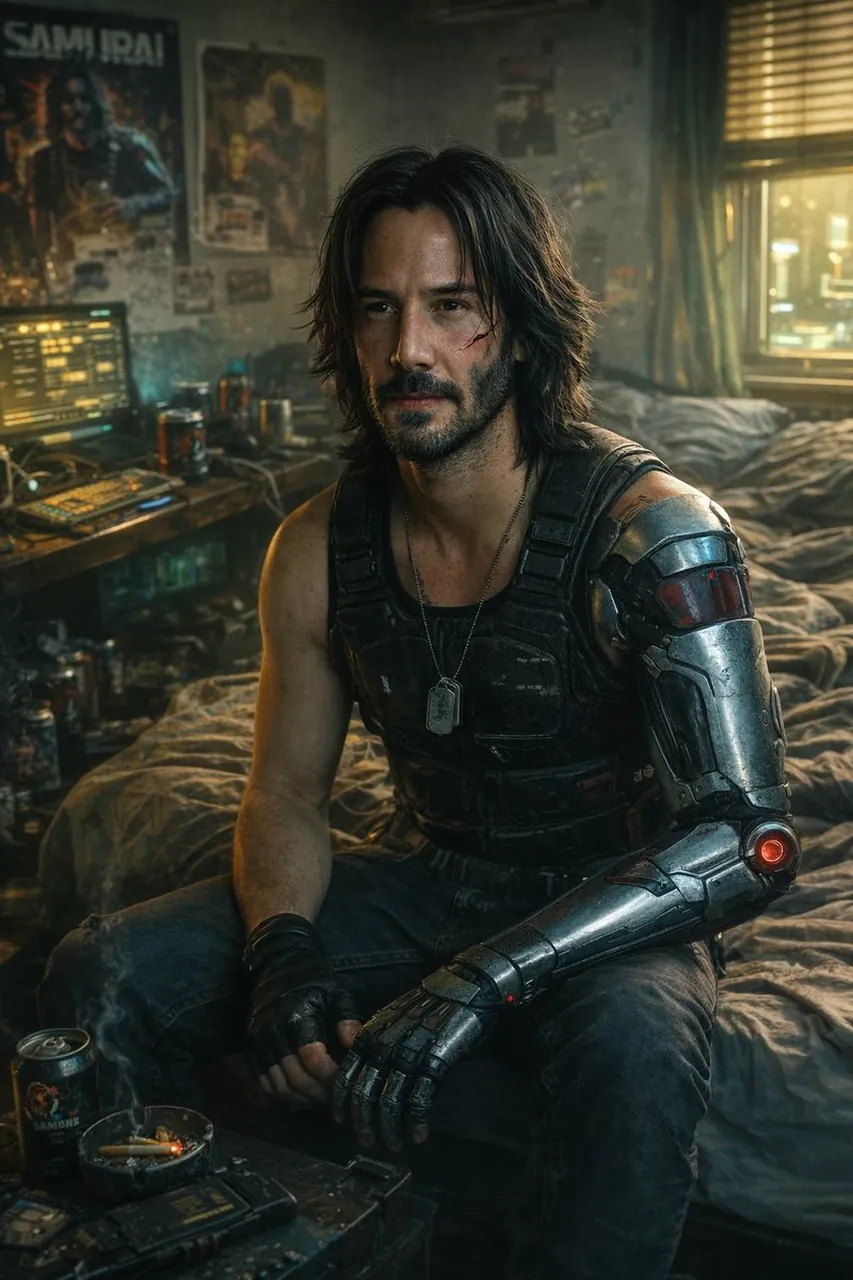
Edit the supplied scene by replacing only the main character with [NEW CHARACTER]. Preserve the original camera angle, pose, lighting direction, environment, perspective, shadows, and all unchanged background objects. Match the new character’s scale, contact shadows, clothing texture, and color grade to the scene. Keep the same framing and aspect ratio. Do not alter the architecture, props, sky, or composition; no extra characters, logos, text, or watermark.
22. Emotional-conveyance portrait
Use case: fiction covers, campaign storytelling, and editorial portraits.
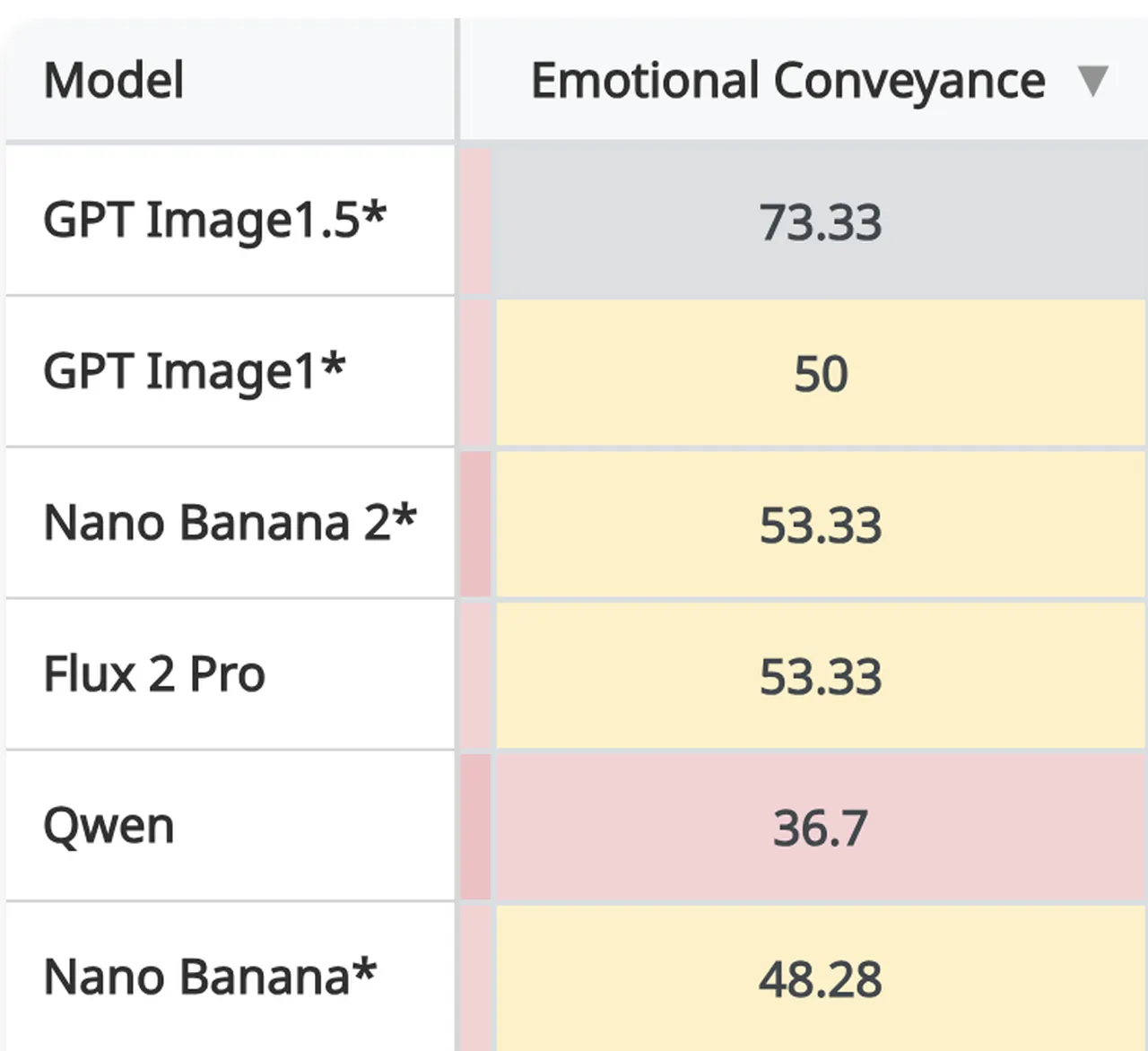
Create a cinematic portrait that communicates [EMOTION] through posture, eye direction, facial tension, hand placement, and surrounding light rather than exaggerated expressions. Place the subject in a simple atmospheric environment with one meaningful prop, soft directional lighting, subtle color contrast, and realistic material detail. Use a medium close-up, shallow depth of field, natural anatomy, quiet visual hierarchy, and a 4:5 vertical frame. Avoid melodrama, plastic skin, duplicated objects, random text, logos, and watermark.
23. Jewel-toned mosaic forest
Use case: wall art, cultural illustration, and creative backgrounds.
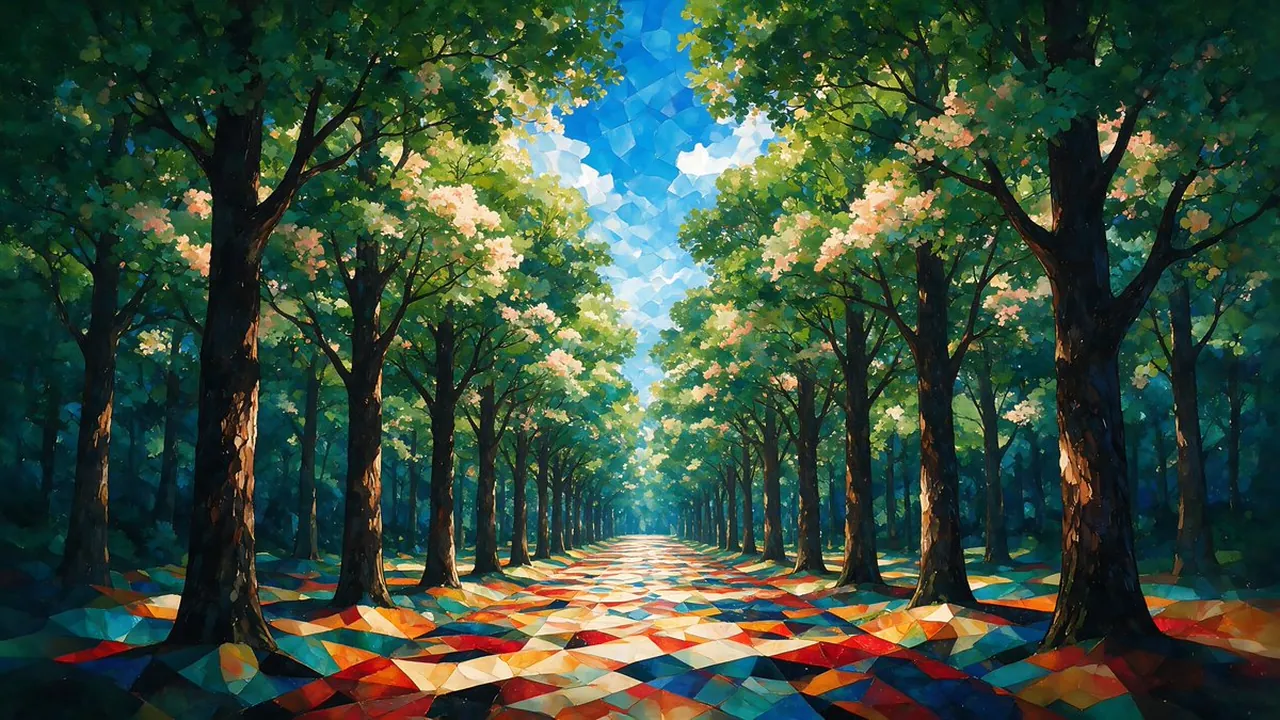
Create a highly detailed fine-art forest avenue rendered as a dreamlike mosaic painting. Use jewel-toned emerald, sapphire, ruby, and amber fragments to build trees, foliage, a winding path, and atmospheric depth. Keep the scene readable from foreground to background, with rhythmic tile shapes, luminous highlights, and a sophisticated gallery-art finish. Use a wide 16:9 composition, controlled symmetry, no photorealistic people, no random text, no logo, no watermark.
24. Realistic prehistoric animal
Use case: museum education, natural-history illustration, and science storytelling.
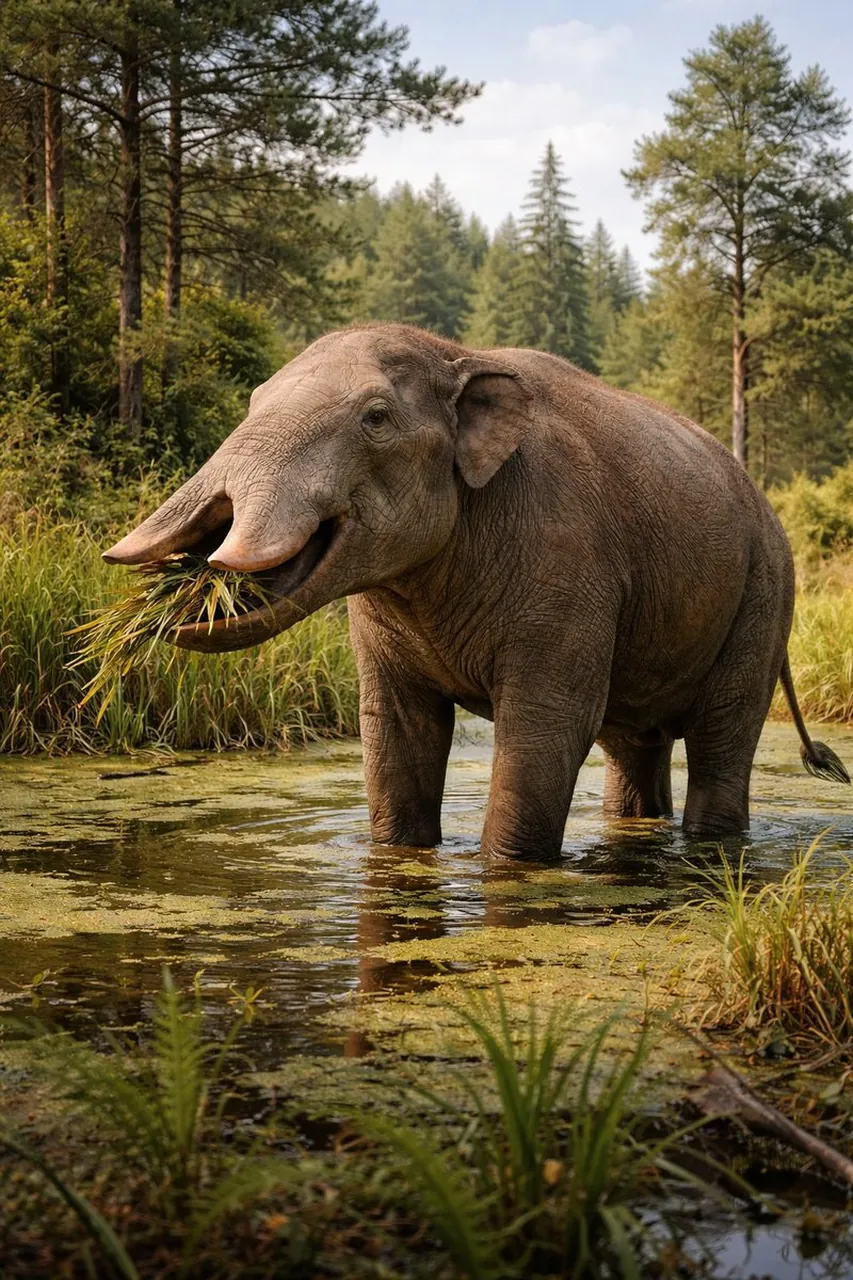
Create a scientifically grounded wildlife scene featuring a realistic Platybelodon in a late-Miocene grassland. Show the animal’s shovel-like lower jaw, broad body, believable skin folds, dust on the feet, and natural herd-scale environment. Use warm low-angle sunlight, a restrained earth-tone palette, atmospheric distance, accurate anatomy, and documentary wildlife photography framing. Use landscape 16:9 composition, no fantasy armor, no modern objects, no labels, no watermark.
25. Jewelry and clothing edit
Use case: fashion catalogues, try-on concepts, and product styling.
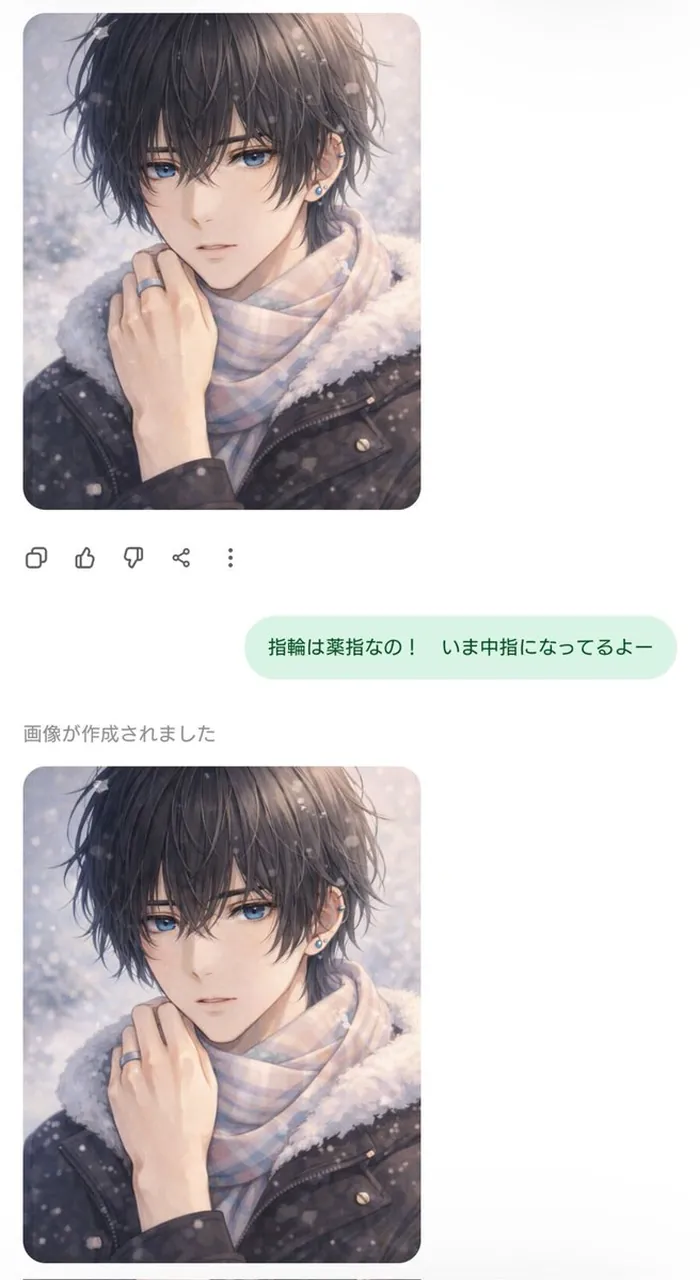
Edit the supplied fashion portrait by changing only the jewelry and clothing. Replace the outfit with [CLOTHING DESCRIPTION] and add [JEWELRY DESCRIPTION], matching the original body shape, pose, face, hairstyle, camera angle, background, shadows, and color grade. Make the fabric folds, metal reflections, contact shadows, and scale physically believable. Keep the original identity unchanged, preserve the composition, use vertical 4:5 framing, and include no extra accessories, logos, text, or watermark.
26. Car and background transformation
Use case: automotive listings, concept boards, and advertising mockups.
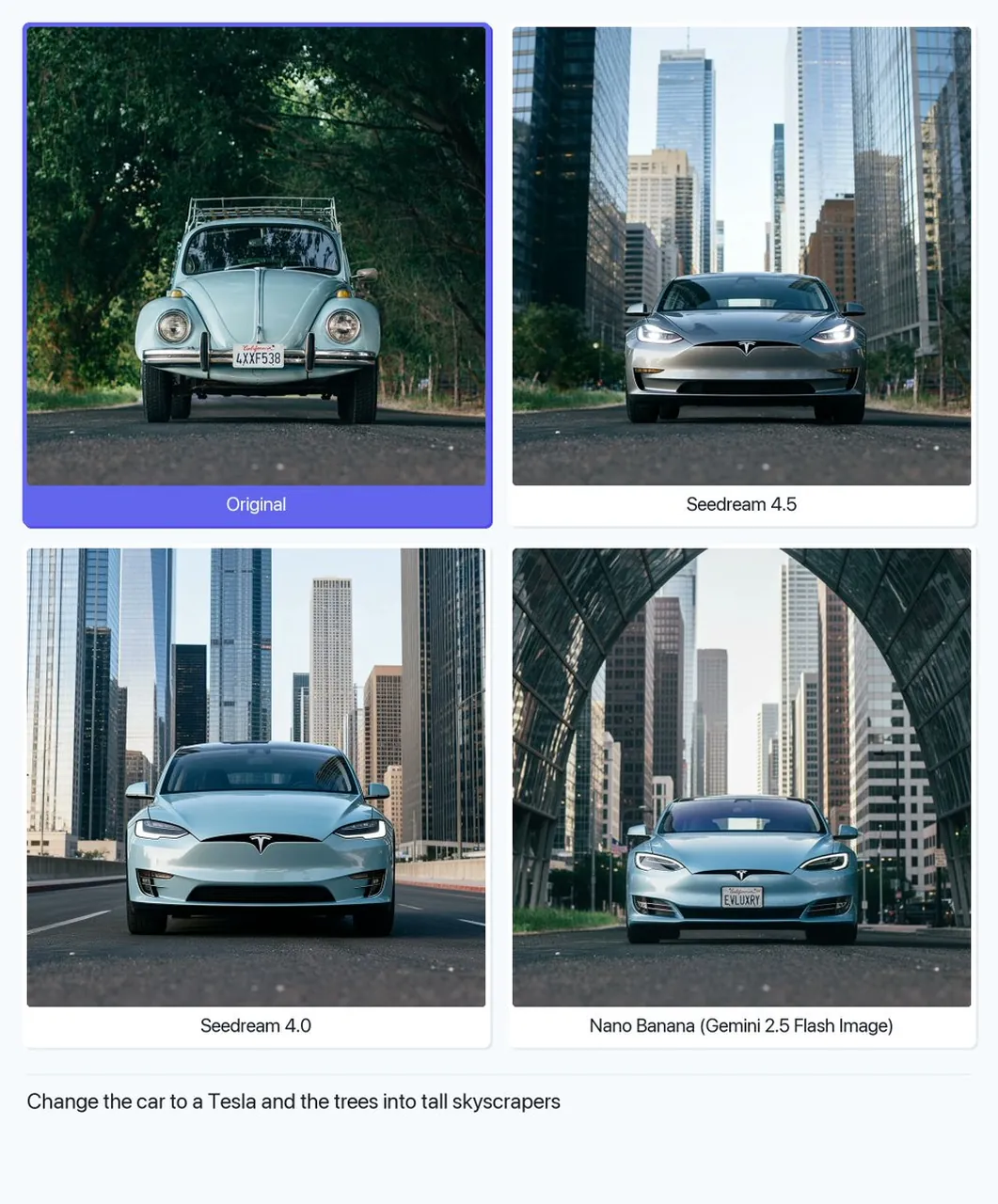
Replace only the background of the supplied car image with [NEW LOCATION]. Preserve the exact vehicle shape, paint color, wheels, windows, reflections, camera angle, and proportions. Match the new environment’s perspective, light direction, contact shadow, atmospheric haze, and road texture to the vehicle. Keep the car sharp and central, use a premium automotive-advertising look, landscape 16:9 composition, no model changes, no logo edits, no added text, no watermark.
27. Minimalist marriage portrait
Use case: wedding websites, invitations, and couple announcements.
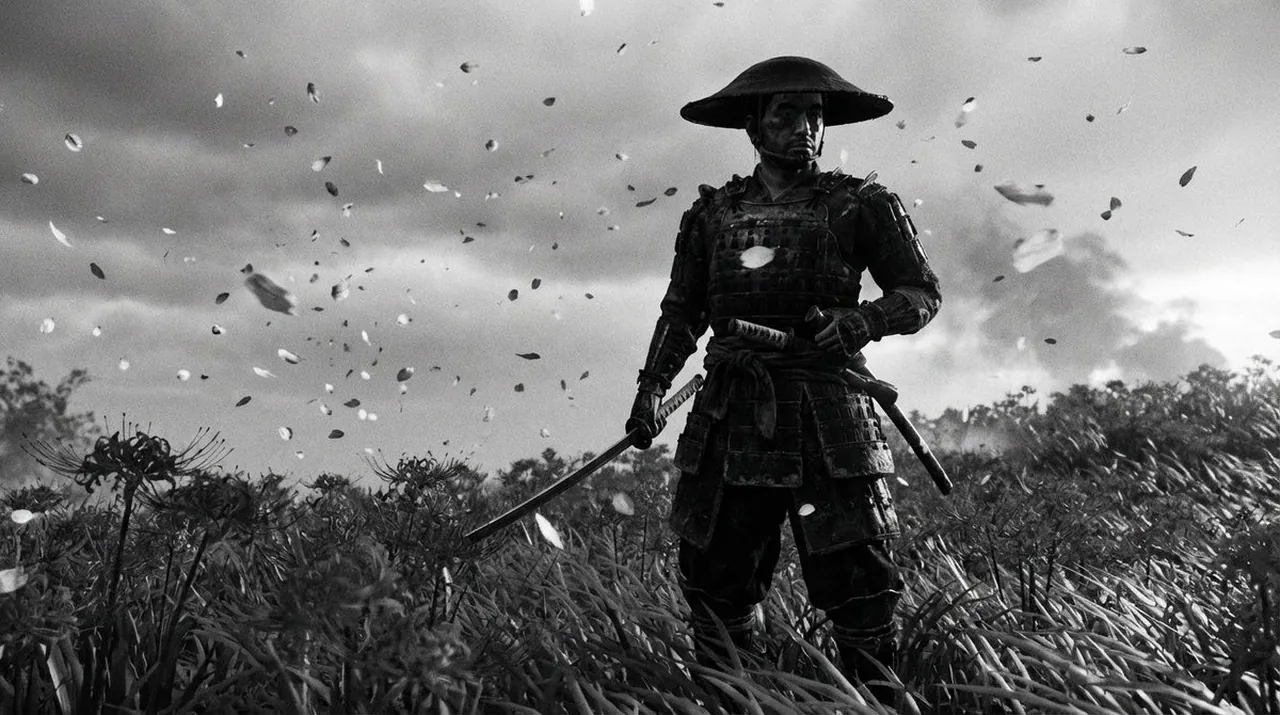
Create an extremely realistic minimalist wedding portrait of a couple standing close together against a warm neutral background. Use elegant understated clothing, natural expressions, relaxed hands, soft window light, gentle shadows, and a quiet intimate atmosphere. Keep the composition uncluttered with generous negative space for later invitation text. Use realistic fabric, skin, and ring details, medium portrait framing, vertical 4:5, no extra jewelry, no distorted hands, no random text, no watermark.
28. Educational AI art collage
Use case: classroom slides, museum education, and visual explainers.
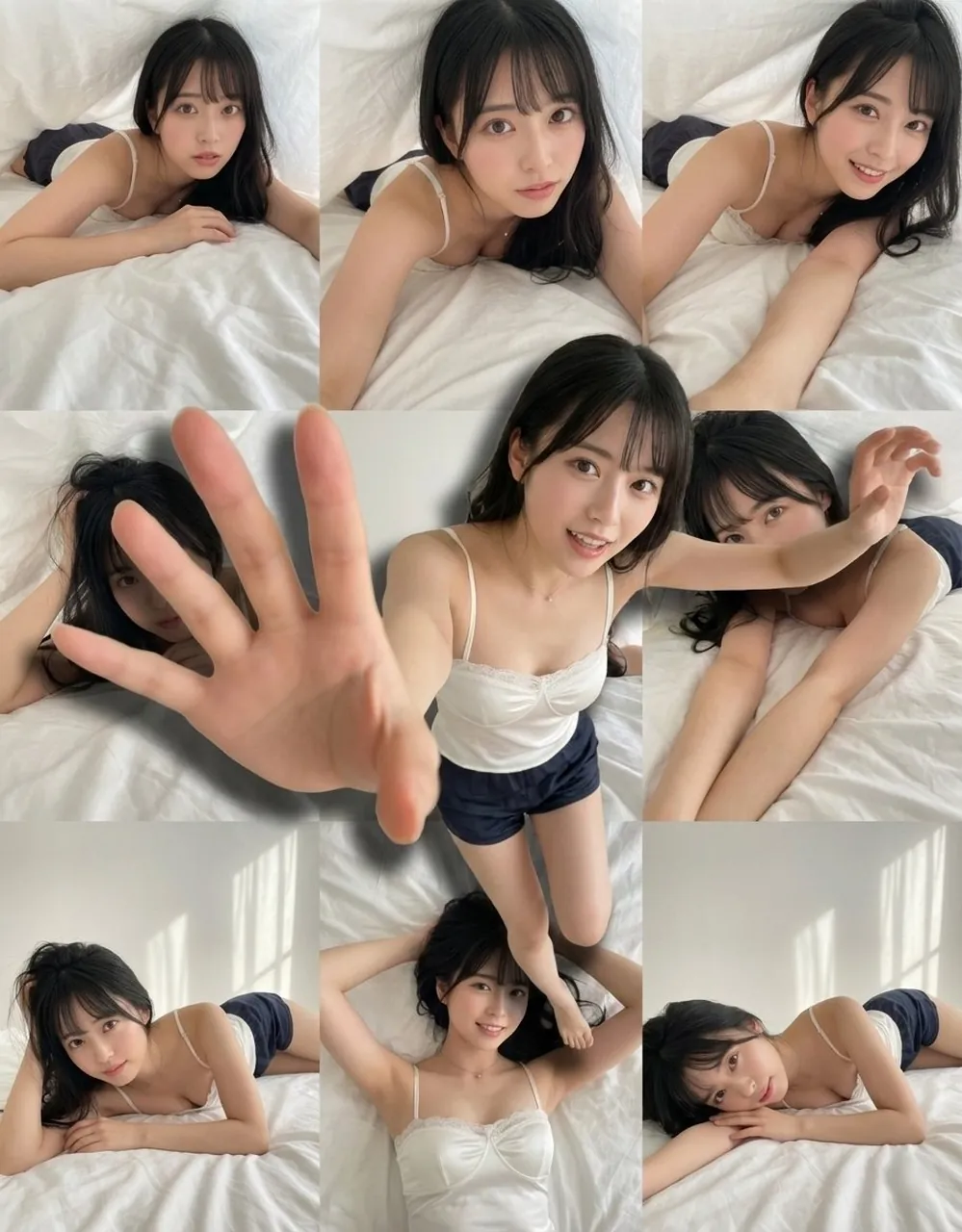
Create an educational visual collage explaining [TOPIC]. Arrange the main subject in the center and surround it with clearly separated supporting scenes, objects, and simple visual labels. Use a consistent illustration style, limited color palette, strong hierarchy, generous spacing, and accurate relationships between the elements. Keep text short and render the exact labels “[LABEL 1]” and “[LABEL 2]” only if needed. Use a clean 16:9 layout, no decorative clutter, no false data, no watermark.
29. Colossal figure in a city street
Use case: surreal posters, film concepts, and scale-comparison art.
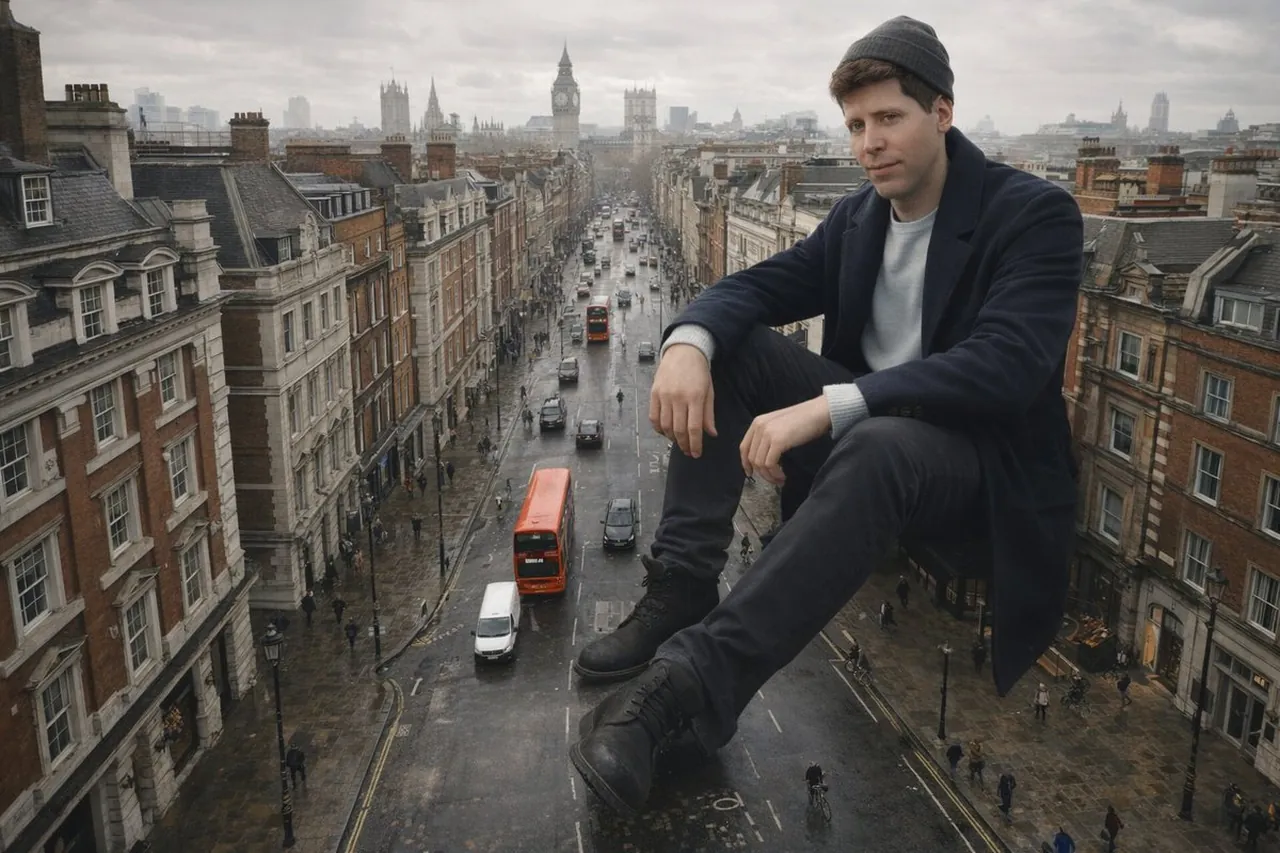
Create a cinematic wide-angle city street scene with a colossal person seated calmly among ordinary buildings and traffic lanes. Make the scale relationship clear through tiny architecture, pedestrians, street markings, and perspective lines while keeping the figure’s anatomy believable. Use overcast daylight, realistic atmospheric depth, restrained urban colors, subtle reflections, and a low camera angle. Landscape 16:9 composition, no destruction, no panic, no random signage, no extra limbs, no watermark.
30. Artistic portrait edit
Use case: beauty transformations, social avatars, and editorial experiments.
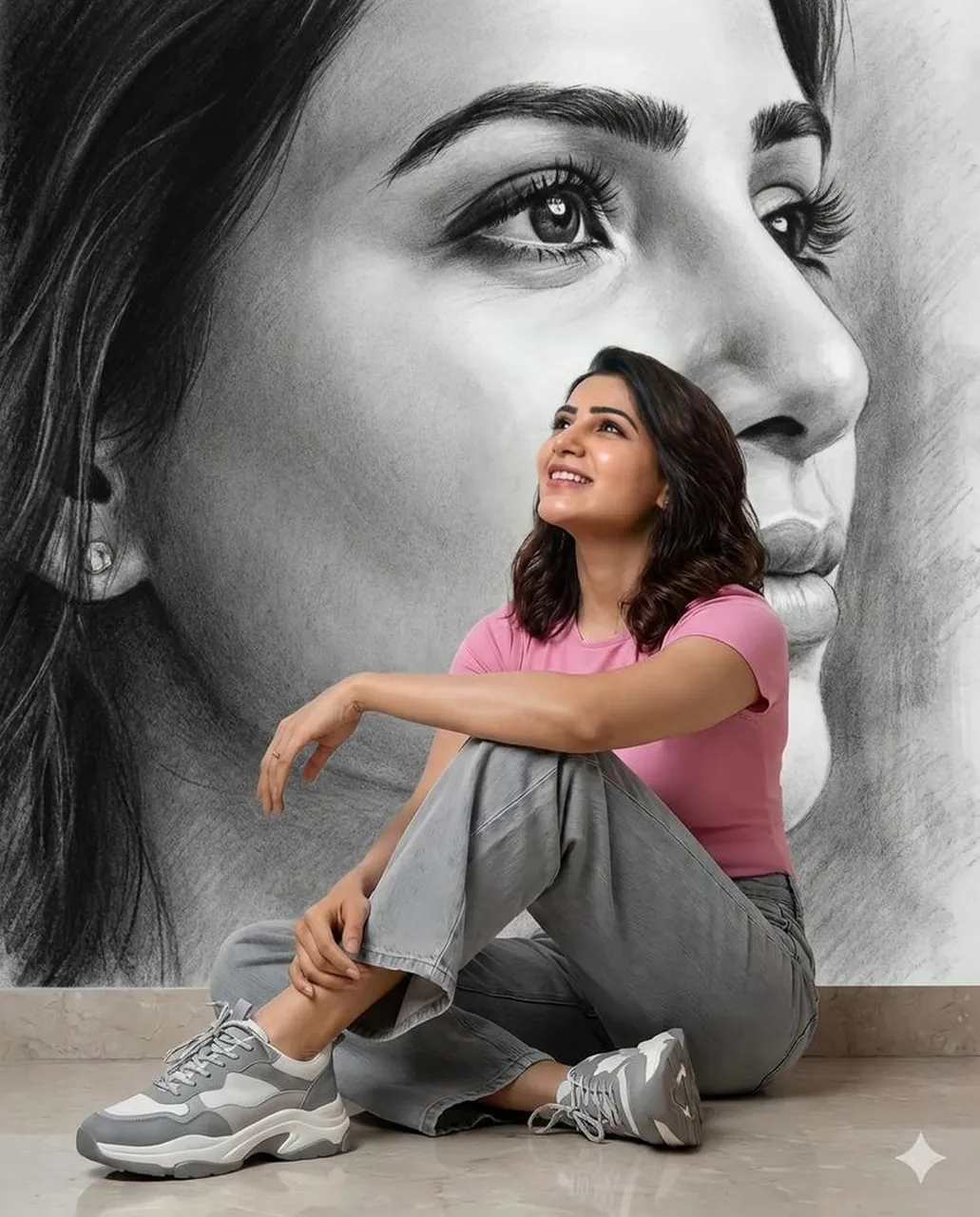
Transform the supplied portrait into a refined artistic editorial image while preserving the subject’s identity, face shape, expression, hairstyle, and pose. Apply [STYLE] through controlled brushwork, paper texture, color layering, and background treatment rather than changing the person. Keep facial features sharp enough to remain recognizable, use a limited palette, balanced negative space, and vertical 4:5 composition. Change only the visual medium and background; no extra accessories, distorted anatomy, random text, or watermark.
31. Romantic blue-ink portrait
Use case: stationery, book covers, romantic campaigns, and wall art.
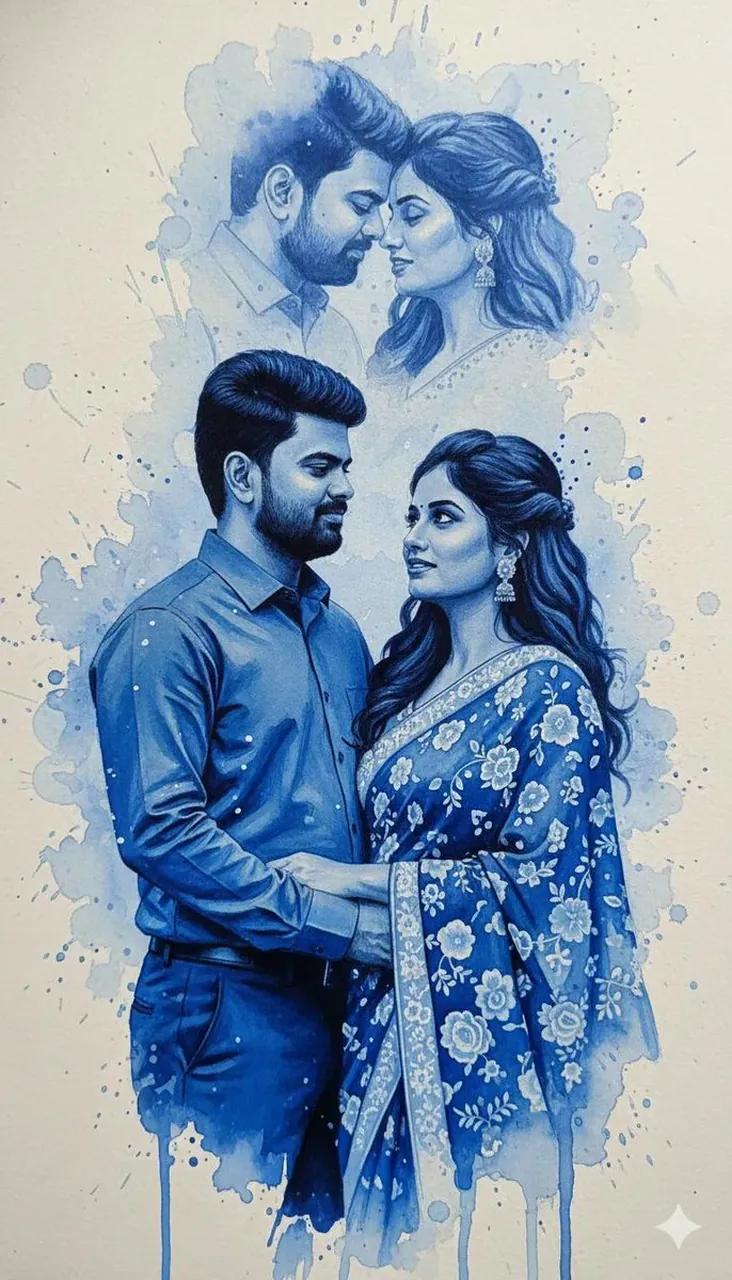
Create a romantic portrait illustration built from expressive cobalt-blue ink flowing around the subject like soft ribbons. Keep the face and pose readable while allowing translucent ink blooms, feathered edges, and delicate splashes to shape the background. Use a cream paper ground, gentle side lighting, subtle paper grain, elegant negative space, and a calm poetic mood. Vertical 4:5 composition, no black outlines that overpower the face, no random lettering, no logo, no watermark.
32. Minimalist wedding photography portrait
Use case: ceremony announcements, wedding blogs, and premium invitation art.
Create a premium minimalist wedding photograph of a couple in a bright neutral interior with soft architectural lines. Pose them naturally with subtle eye contact and relaxed hands, wearing timeless formal clothing with realistic fabric texture. Use diffused window light, gentle beige and ivory tones, shallow depth of field, quiet editorial styling, and clean negative space on one side for invitation copy. Vertical 4:5 framing, accurate anatomy, no extra fingers, no random text, no logos, no watermark.
6. Commercial categories and how to adapt them
Portraits and personal branding
Lock the face, expression, clothing, camera distance, and light direction. For a reusable profile image, keep the background simple and leave some negative space for a name or role.
Product and packaging concepts
Describe the product’s exact shape, finish, label area, and relationship to the surface. Add the camera angle and light reflection, then ask for no extra logos or invented product features.
Posters and social graphics
Define the hierarchy before the decoration. State the exact headline, text location, aspect ratio, and empty space. If spelling is critical, consider adding the final text after generation.
Editorial illustrations
Name the medium, line quality, palette, texture, and level of realism. For a diptych or collage, repeat the style requirement for every panel so the sections feel like one designed asset.
Image editing and restoration
Use clear invariants: “change only the background,” “preserve the face,” or “keep the product shape unchanged.” This reduces unwanted edits and makes each revision easier to evaluate.
7. Reusable ChatGPT image prompt templates
Photorealistic portrait template
Create a [image type] of [subject] in [location]. The subject wears [clothing/accessories] and has [appearance/expression]. Frame the image as [composition] from [camera angle]. Use [lighting], [palette], and [texture]. Intended use: [use case]. [Aspect ratio]. Preserve [identity/invariants]. Avoid [negative constraints].
Product campaign template
Create a premium product photograph of [product] on [surface] in [environment]. Show [material, finish, and key details] clearly. Use [camera angle], [lens/look], and [lighting]. Leave [location] empty for copy. Keep the product shape and label placement unchanged. [Aspect ratio]. No invented logos, distorted text, extra products, or watermark.
Poster template
Create a [style/medium] poster about [topic]. Place [main subject] in [scene] with [supporting elements]. Use [palette], [lighting], [texture], and [composition]. Add the exact text “[HEADLINE]” at [location] and “[SUBHEAD]” at [location]. Keep the hierarchy clear, [aspect ratio], no misspelled text, random letters, logos, or watermark.
Image-editing template
Edit the supplied image by changing only [target element]. Preserve [identity, pose, product, camera angle, lighting, background, and proportions]. Match [perspective, shadows, reflections, and texture] to the original. Keep the same framing and aspect ratio. Do not alter [protected elements]. No extra objects, text, logos, or watermark.
8. FAQ about ChatGPT image prompts
How long should a ChatGPT image prompt be?
A prompt should be long enough to remove important ambiguity, not long for its own sake. Start with the subject and intended image type, then add the scene, composition, lighting, materials, text requirements, and only the negative constraints that matter.
Should I include camera settings?
Camera terms help most when you want a photographic result. A lens, framing, depth of field, and light direction can guide the visual language, but they should support the brief rather than replace it.
How do I improve text in AI-generated images?
Write the exact text in quotation marks, specify where it should appear, and keep it short. For logos, packaging labels, and long headlines, generate a clean layout with negative space and add final typography in a design tool when accuracy is essential.
Should I use a reference image?
Use a reference image when identity, product shape, pose, or a particular visual style must remain consistent. State what should be preserved and what may change. The more specific the invariants, the easier it is to review the result.
9. Conclusion
The most reliable ChatGPT image prompts combine creative direction with practical constraints. Start with the subject, define the visual hierarchy, control the scene and light, specify the format, and finish with a focused avoid list. The 32 examples above show how the same structure can support portraits, products, illustrations, posters, restorations, and commercial campaigns.
Treat each prompt as a starting brief rather than a fixed spell. Swap the subject, location, palette, aspect ratio, and intended use while keeping the core structure intact. That gives you a repeatable prompt system instead of a collection of disconnected one-off ideas.