Über 30 beste ChatGPT-Bild-Prompts für Fotos, Kunst, Werbung und Design
- 1. Warum strukturierte ChatGPT-Bild-Prompts besser funktionieren
- 2. Schwacher Prompt im Vergleich zu produktionsreifem Prompt
- 3. Das ChatGPT-Bild-Prompt-Framework
- 4. Wie man bessere ChatGPT-Bild-Prompts schreibt
- 4.1 Beginnen Sie mit dem Bildtyp
- 4.2 Beschreiben Sie das Motiv und die Pose
- 4.3 Bauen Sie die Szene um das Motiv herum auf
- 4.4 Steuern Sie Komposition und Kamerasprache
- 4.5 Steuern Sie Beleuchtung, Palette und Textur
- 4.6 Geben Sie Text präzise Anweisungen
- 4.7 Fügen Sie nützliche negative Einschränkungen hinzu
- 5. Die 32 besten ChatGPT-Bild-Prompts
- 5.1 Ausgewählte GPT Image 2-Beispielanpassungen
- 1. Porträt mit selektiver Bernstein-Sonnenbrille
- 2. Surreales Gothic-Horror-Porträt
- 3. Südasiatisches Hof-Modeporträt
- 4. Gemütliches spätabendliches Schlafzimmer-Selfie
- 5. Bergfluss-Reiseporträt
- 6. Luxusporträt in Smaragdgrün und Gold
- 7. Engerer Horror-Ausschnitt mit geteiltem Gesicht
- 8. Kinetisches Modeporträt vor rotem Hintergrund
- 9. Fantasy-Schönheits-Nahaufnahme mit Kristallscherben
- 10. "Quiet Luxury"-Porträt am Ozean
- 11. Kinohaftes Porträt mit klassischem Lowrider
- 12. Redaktionelles Flachvektor-Diptyochon
- 13. Koreanische Webtoon-Reisefamilie
- 14. Studio-Variante mit Bernstein-Sonnenbrille
- 5.2 Zusätzliche öffentliche GoEnhance-Beispielanpassungen
- 15. Stadtkomposition mit strikter Prompt-Treue
- 16. Professionelles medizinisches Portraitfoto
- 17. Neon-Portal-Actionszene
- 18. Morgendliche Lottosteich-Szene
- 19. Transformation eines restaurierten Porträts
- 20. Stickerei- und Kugelschreiber-Skizze
- 21. Charakter-Ersetzungs-Bearbeitung
- 22. Porträt zur Vermittlung von Emotionen
- 23. Mosaikwald in Juwelenfarben
- 24. Realistisches prähistorisches Tier
- 25. Schmuck- und Kleidungsbearbeitung
- 26. Auto- und Hintergrundtransformation
- 27. Minimalistisches Heiratsporträt
- 28. Bildungs-KI-Kunst-Collage
- 29. Kolossale Figur auf einer Stadtstraße
- 30. Künstlerische Porträtbearbeitung
- 31. Romantisches Porträt in blauer Tinte
- 32. Minimalistisches Hochzeitsfotografie-Porträt
- 5.1 Ausgewählte GPT Image 2-Beispielanpassungen
- 6. Kommerzielle Kategorien und wie man sie anpasst
- 7. Wiederverwendbare ChatGPT-Bild-Prompt-Vorlagen
- 8. Häufig gestellte Fragen zu ChatGPT-Bild-Prompts
- 9. Fazit
WICHTIGER HINWEIS: Ein vorheriger Versuch hat fälschlicherweise diese englischen Phrasen unübersetzt gelassen: „nofollow noopener noreferrer“. Sie sind keine geschützten Begriffe — übersetzen Sie sie sinngemäß ins Deutsche.
Die besten ChatGPT-Bild-Prompts tun mehr, als nur ein Motiv zu benennen. Sie erklären den visuellen Stil, die Komposition, die Beleuchtung, die Farben, die Materialien, den Text und die Details, die konsistent bleiben sollten. Diese Struktur hilft dabei, eine grobe Idee in ein Bild zu verwandeln, das sich leichter für ein Profilfoto, eine Produktkampagne, ein Poster, eine redaktionelle Illustration oder einen Social-Media-Beitrag verwenden lässt.
Dieser Leitfaden versammelt 32 sofort einsatzbereite ChatGPT-Bild-Prompts aus den Bereichen Porträts, Mode, Reisen, Produkte, Poster, Illustrationen und kreative Experimente. Die ersten 14 basieren auf nicht-kommerziellen Beispielen aus der GPT Image 2-Prompts-Seite. Die restlichen 18 verwenden zusätzliche öffentliche Beispielbilder aus der GoEnhance-Bild-Prompt-Bibliothek. Jeder Eintrag enthält ein entsprechendes Beispielbild; der Prompt unter jedem Bild ist eine praktische Anpassung und kein Anspruch darauf, dass es der genaue Wortlaut der Quellseite ist.
Für eine breitere Inspiration können Sie die umfassendere Bild-Prompts-Bibliothek durchstöbern und die Struktur an Ihr Thema, Ihre Zielgruppe und Ihr Ausgabeformat anpassen.
1. Warum strukturierte ChatGPT-Bild-Prompts besser funktionieren
„Erstelle ein wunderschönes Modeporträt“ gibt ChatGPT eine Vorstellung, lässt jedoch die meisten visuellen Entscheidungen offen. Das Modell muss nach wie vor die Pose des Motivs, die Kleidung, den Hintergrund, den Kameraabstand, die Lichtrichtung, die Farbpalette und das Bildformat erraten. Aus diesem Grund kann eine einfache Anfrage ein attraktives Bild erzeugen, das nicht zu einem echten Design-Briefing passt.
Ein nützlicher Bild-Prompt funktioniert wie eine kompakte Art-Direction-Notiz. Er sagt dem Modell, was es priorisieren und was es vermeiden soll. Sie müssen nicht jedes erdenkliche Detail beschreiben, aber Sie sollten die visuelle Hierarchie festlegen: das Hauptmotiv an erster Stelle, die Umgebung an zweiter Stelle und die feinen Details zum Schluss.
2. Schwacher Prompt im Vergleich zu produktionsreifem Prompt
Schwacher Prompt
Create a stylish woman in a beautiful garden.
Produktionsreifer Prompt
Create a photorealistic editorial portrait of a young woman standing in a curated garden at late afternoon. She wears a cream linen dress, small gold earrings, and natural makeup. Frame her from the waist up at eye level, with flowering branches creating a soft foreground frame. Use warm directional sunlight, gentle shadows, muted sage and peach tones, shallow depth of field, realistic skin texture, natural hands, and an 85mm portrait lens. Leave clean negative space in the upper-right corner for a headline. Vertical 4:5 composition, no watermark, no extra text, no distorted features.
Der zweite Prompt gibt dem Modell ein Motiv, eine Kulisse, eine Komposition, einen Beleuchtungsplan, eine Nutzungsanforderung und negative Einschränkungen. Er ist einfacher zu generieren, zu überprüfen und zu überarbeiten.
3. Das ChatGPT-Bild-Prompt-Framework
Verwenden Sie diese Struktur als Ausgangspunkt:
[style/type], [subject], [action or pose], [scene], [composition], [lighting], [color and texture], [text instructions], [aspect ratio/use], [negative constraints]
Ein Produkt-Prompt beginnt möglicherweise mit dem Material und dem Kamerawinkel, während ein Porträt-Prompt mit der Identität und dem Ausdruck des Motivs beginnen kann. Die Reihenfolge kann sich ändern, aber der Prompt sollte diese Fragen beantworten:
- Was ist das Hauptmotiv?
- Was sollte dem Betrachter zuerst auffallen?
- Wo befindet sich das Motiv und wie ist der Bildausschnitt komponiert?
- Welches Licht, welche Farben und welche Texturen definieren das Bild?
- Welcher Text, welches Seitenverhältnis oder welcher Design-Bereich ist erforderlich?
- Was soll das Modell vermeiden zu verändern oder hinzuzufügen?
4. Wie man bessere ChatGPT-Bild-Prompts schreibt
4.1 Beginnen Sie mit dem Bildtyp
Verwenden Sie einen klaren Typ wie ein fotorealistisches Porträt, eine Produktwerbung, eine redaktionelle Illustration, ein Reiseploster, ein flaches Vektordiptyochon, Aquarell-Märchenkunst, ein Filmstandbild oder eine minimalistische Markengrafik. Der Typ legt die visuelle Erwartung fest, bevor Sie Details hinzufügen.
4.2 Beschreiben Sie das Motiv und die Pose
Geben Sie das Aussehen, den Ausdruck, die Kleidung, die Accessoires und die Position des Motivs im Bildausschnitt an. Wenn das Bild auf einer Referenz basiert, geben Sie an, dass Identität, Gesichtszüge, Frisur und Proportionen konsistent bleiben sollen. Beschreiben Sie bei Produkten Form, Material, Oberfläche und Platzierung des Etiketts.
4.3 Bauen Sie die Szene um das Motiv herum auf
Eine Szene lässt sich einfacher generieren, wenn sie einen Ort, eine Tageszeit, Hintergrundelemente und Tiefenhinweise enthält. „Ein Balkon über einer Küstenlinie“ ist nützlicher als „ein schöner Hintergrund“. Fügen Sie ein Glasgeländer, einen Topfbaum, den Ozeanhorizont oder eine architektonische Textur hinzu, wenn diese Details das Konzept unterstützen.
4.4 Steuern Sie Komposition und Kamerasprache
Verwenden Sie Begriffe wie extreme Nahaufnahme, Brustbild (Taillenporträt), Ganzkörperkomposition, zentrierte Symmetrie, Dreiviertelansicht, Aufsicht (Flat-Lay), niedriger Winkel, geringe Schärfentiefe, führende Linien und Negativraum. Fügen Sie ein Objektiv oder einen Fotografienstil nur hinzu, wenn dies den beabsichtigten Look verbessert.
4.5 Steuern Sie Beleuchtung, Palette und Textur
Beleuchtung erzeugt Stimmung und hebt ein Bild von einem anderen ab. Probieren Sie weiches Fensterlicht, hartes Mittagslicht, Gegenlicht zur goldenen Stunde, stimmungsvolle Low-Key-Beleuchtung, Neon-Kantenlicht oder diffuses bedecktes Licht. Fügen Sie dann eine begrenzte Farbpalette und physische Textur hinzu, wie Filmkorn, nasses Glas, Papierfasern, Stoffgewebe, Metallreflexionen oder Aquarellpigmente.
4.6 Geben Sie Text präzise Anweisungen
Wenn das Bild eine Überschrift benötigt, schreiben Sie den genauen Text in Anführungszeichen und geben Sie dessen Position, Größe, Strichstärke und Kontrast an. Wenn Textgenauigkeit nicht essenziell ist, fordern Sie einen sauberen Negativraum an und fügen Sie die Typografie später in einem Design-Tool hinzu. Dies gibt Ihnen oft mehr Kontrolle über das finale Layout.
Für eine barrierefreie Veröffentlichung sollten Sie wichtige Bildinhalte mit nützlichem Alt-Text versehen und den Text innerhalb eines Bildes kurz halten. Allgemeine Richtlinien zur Webveröffentlichung finden Sie im W3C-Bilder-Tutorial und in den SEO-Richtlinien von Google für Bilder.
4.7 Fügen Sie nützliche negative Einschränkungen hinzu
Negative Einschränkungen sollten auf wahrscheinliche Fehler abzielen: kein Wasserzeichen, keine zusätzlichen Finger, keine doppelten Objekte, kein verzerrter Text, keine Plastikhaut, keine zufälligen Logos, kein abgeschnittenes Motiv, kein unruhiger Hintergrund und keine Änderungen an der gelieferten Produktform. Halten Sie die Liste relevant, anstatt jede erdenkliche Warnung hinzuzufügen.
5. Die 32 besten ChatGPT-Bild-Prompts
Jedes Beispiel enthält einen praktischen Anwendungsfall, ein passendes öffentliches Beispielbild und einen sofort einsatzbereiten Prompt. Ersetzen Sie in Klammern stehende Felder oder passen Sie die Szene an Ihre eigene Marke, Zielgruppe und Ihr Format an.
5.1 Ausgewählte GPT Image 2-Beispielanpassungen
1. Porträt mit selektiver Bernstein-Sonnenbrille
Anwendungsfall: Luxus-Brillen, Modemagazine und Profilbilder.
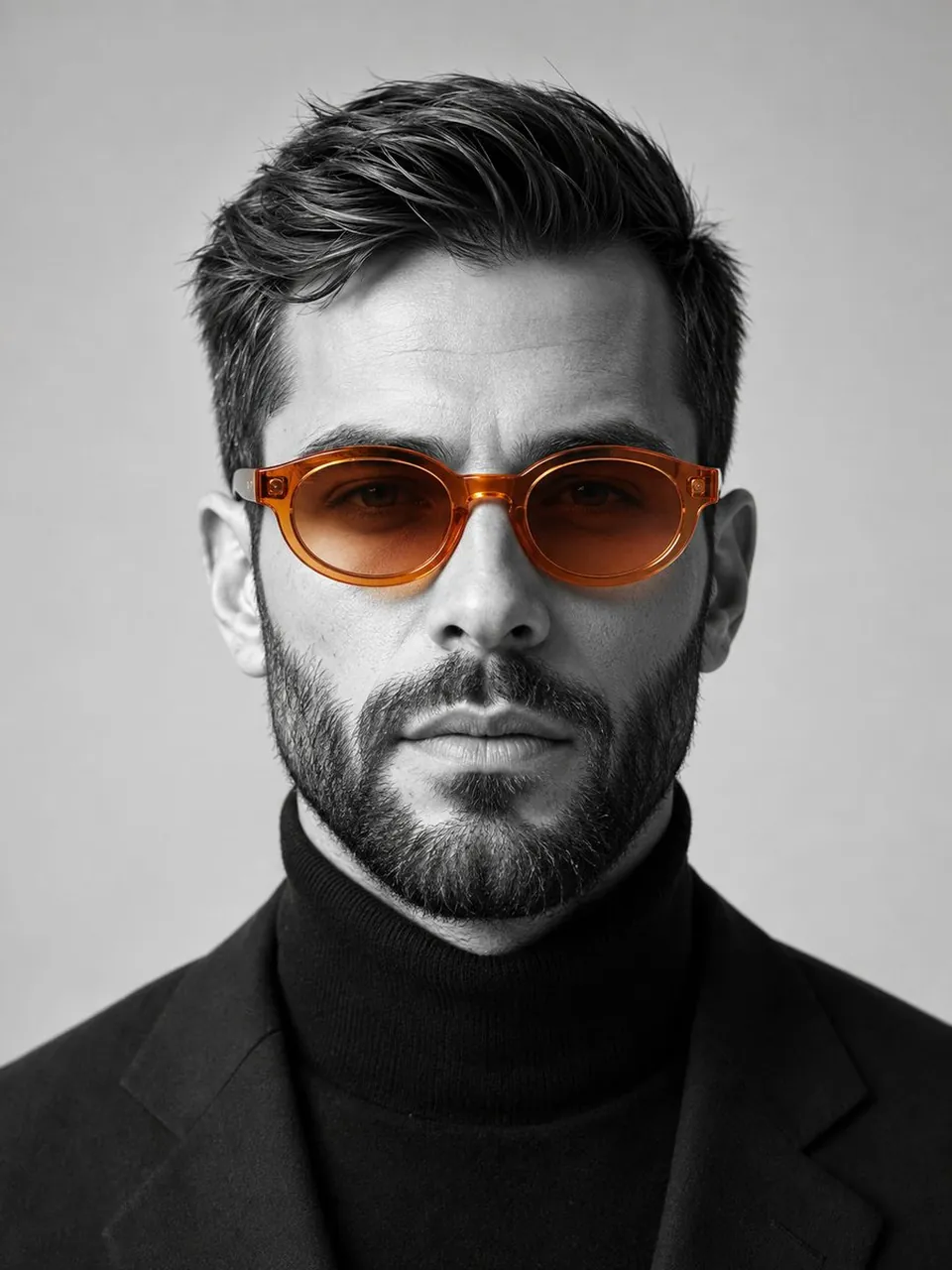
Create a striking studio portrait of a confident man facing the camera, wearing translucent amber-orange oval sunglasses with ice-gradient lenses. Render the portrait mostly in black and white while keeping only the sunglasses in vivid orange. Dress him in a black turtleneck against a minimalist light-grey background. Use an 85mm lens, f/2, soft directional studio lighting, realistic skin texture, crisp eyewear reflections, centered head-and-shoulders framing, editorial luxury mood, vertical 4:5 composition, no logo, no watermark, no extra text.
2. Surreales Gothic-Horror-Porträt
Anwendungsfall: Album-Cover, Horror-Belletristik-Cover und düstere redaktionelle Kampagnen.
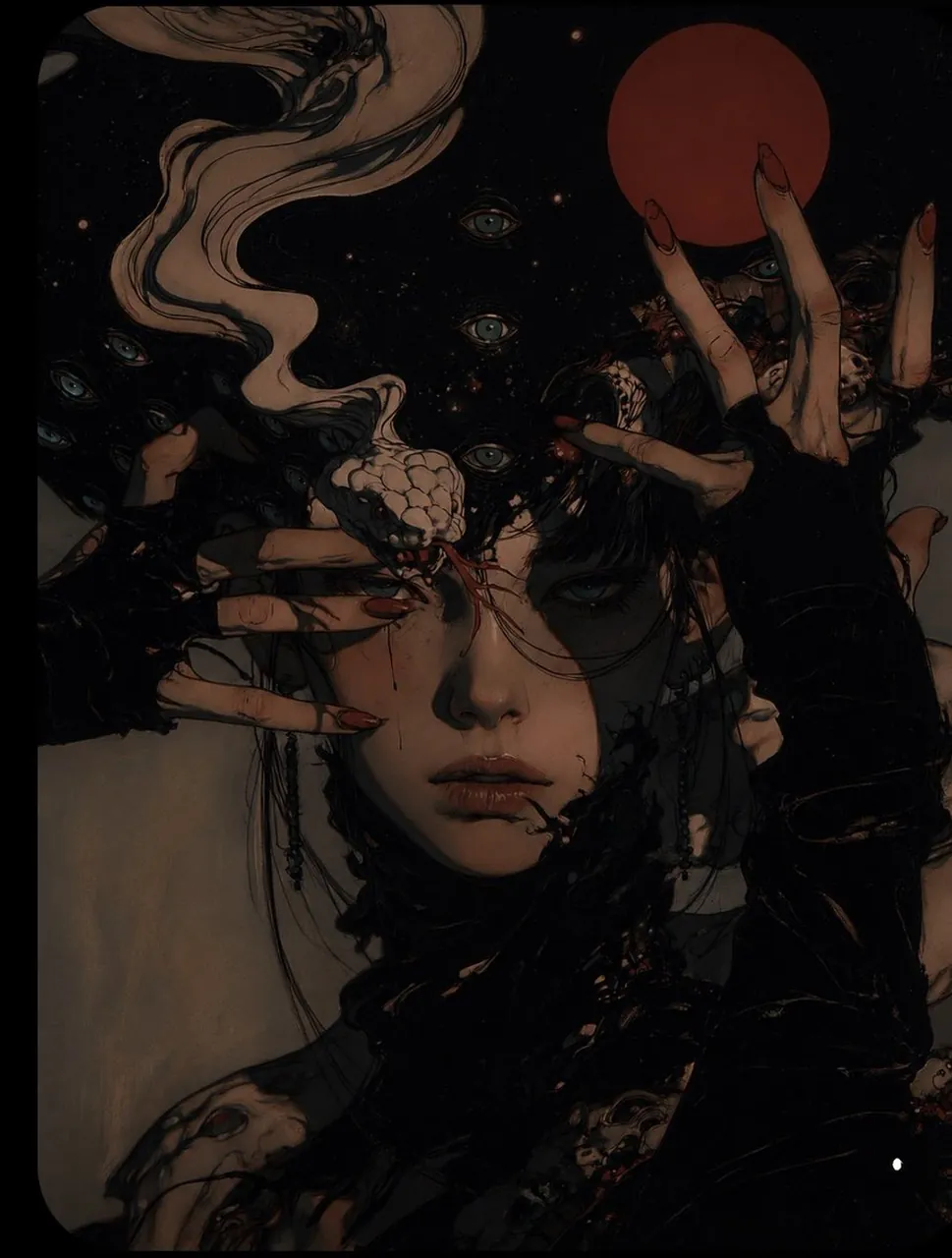
Create a cinematic surreal portrait of a pale young woman standing in a cosmic void. Surround her with elegant pale hands tipped with long crimson nails and a pale serpentine creature curling through the background. Add a glowing turquoise-eyed atmosphere and a deep red moon behind her. Use dark charcoal, dusty beige, muted teal, faded blue, and deep crimson, with low-key lighting, controlled negative space, realistic anatomy, dramatic 4:5 vertical framing, and no gore, logos, watermark, or random text.
3. Südasiatisches Hof-Modeporträt
Anwendungsfall: Traditionelle Mode, kulturelles Storytelling und Lifestyle-Kampagnen.
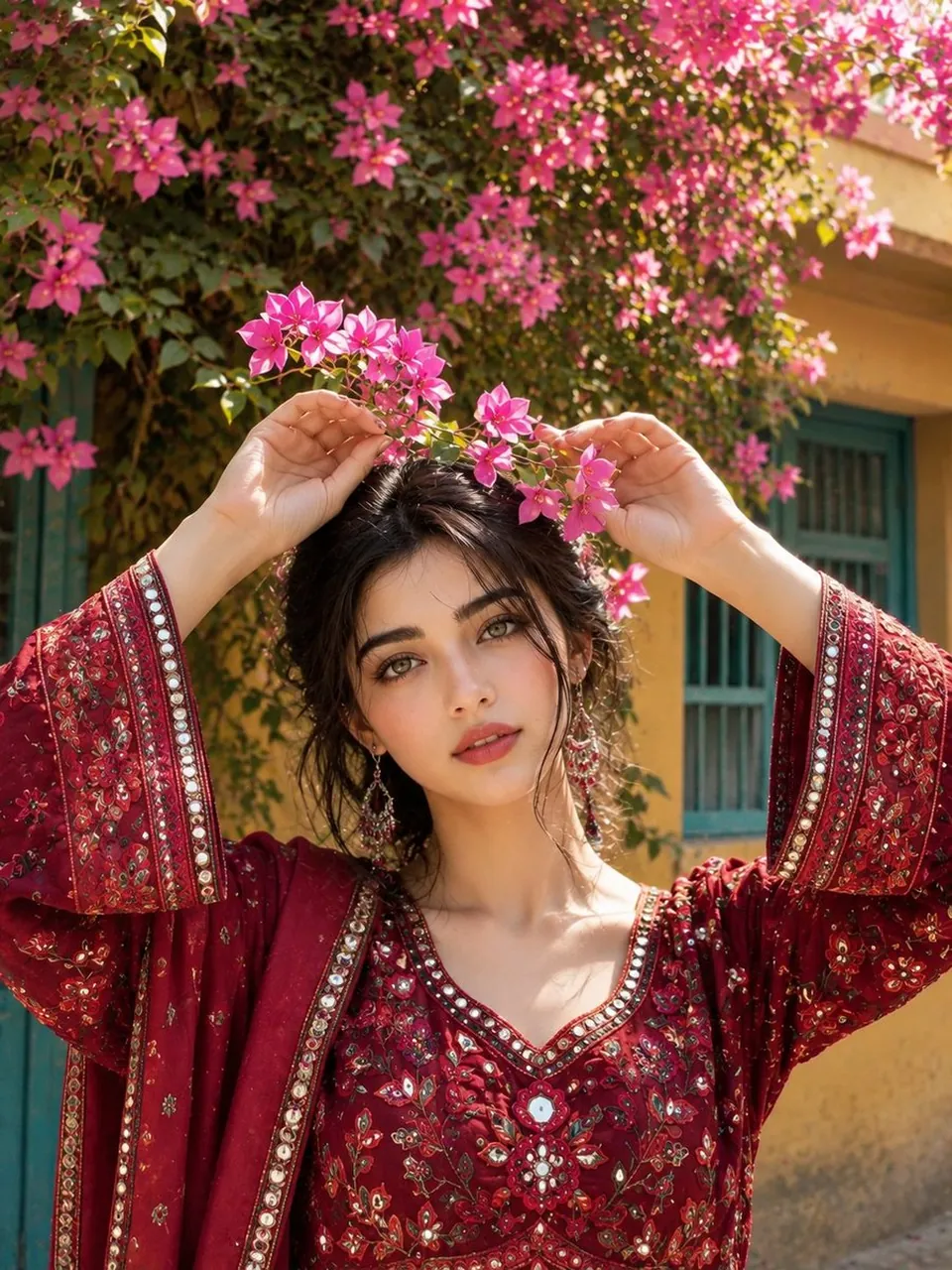
Create a photorealistic portrait of a stylish South Asian woman standing in a traditional courtyard filled with bougainvillea. She wears a deep-crimson embroidered outfit, with a flowering branch framing the top of the image. Include warm yellow walls, turquoise doors, textured stone, and soft natural daylight. Use an 85mm portrait lens, f/2, waist-up composition, realistic hands and anatomy, rich textile detail, gentle shadows, warm editorial color grading, vertical 3:4, no modern logos, no watermark, no extra text.
4. Gemütliches spätabendliches Schlafzimmer-Selfie
Anwendungsfall: Gaming-Creator, Lifestyle-Blogs und Social-Profile-Inhalte.
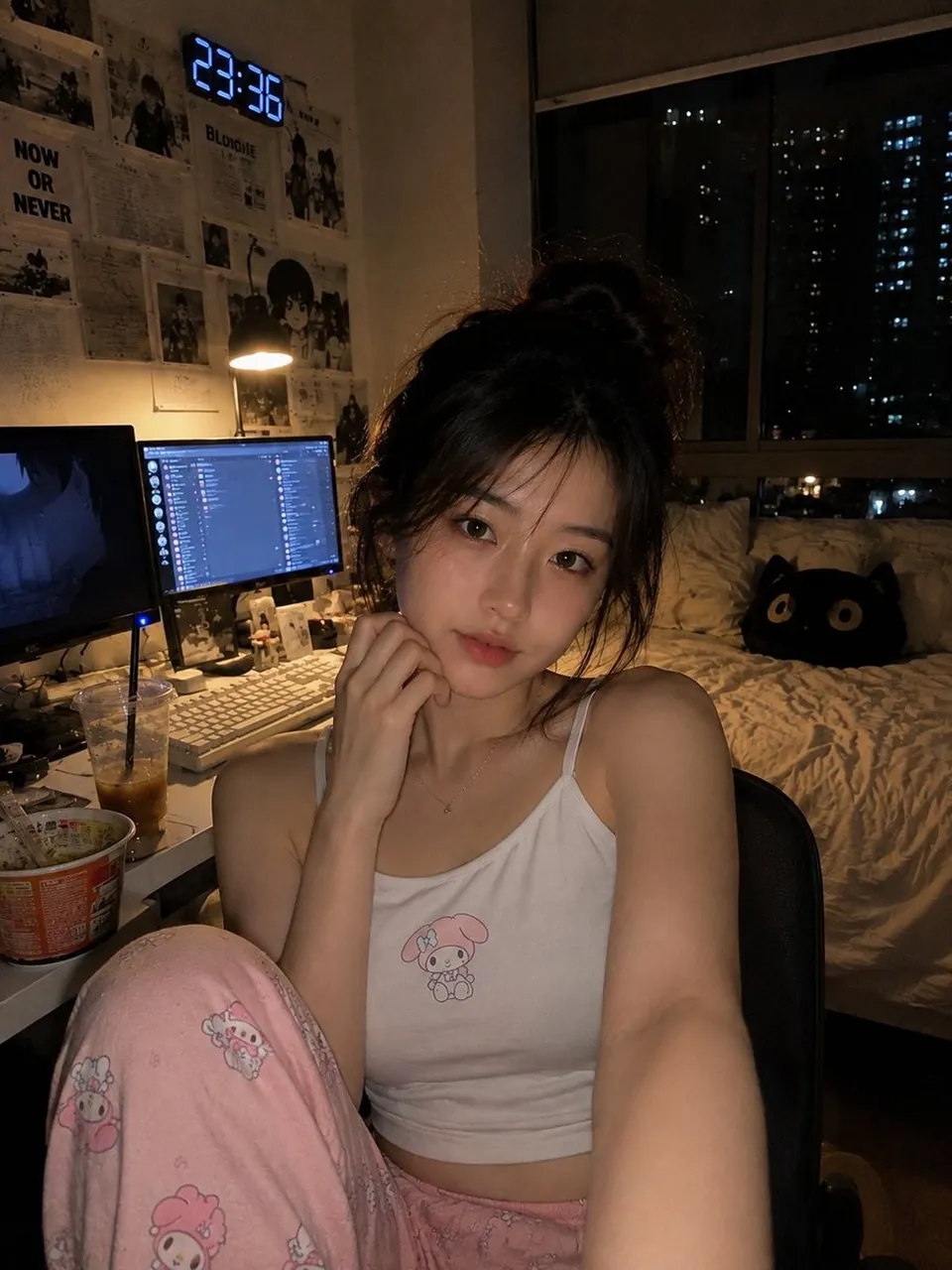
Create a photorealistic vertical late-night bedroom selfie of a young East Asian woman relaxing in a desk chair beside a gaming and study setup. She wears a white camisole with a small cute graphic and soft pink pajama pants. Include dual monitors, a warm desk lamp, an iced coffee, instant noodles, a bed, a cat pillow, monochrome posters, and a city window at night. Use monitor glow and warm ambient light, natural skin texture, handheld smartphone framing, lived-in details, subtle grain, realistic proportions, 4:5 vertical, no readable random text or watermark.
5. Bergfluss-Reiseporträt
Anwendungsfall: Reisefotografie, Outdoor-Marken und Sommer-Social-Kampagnen.
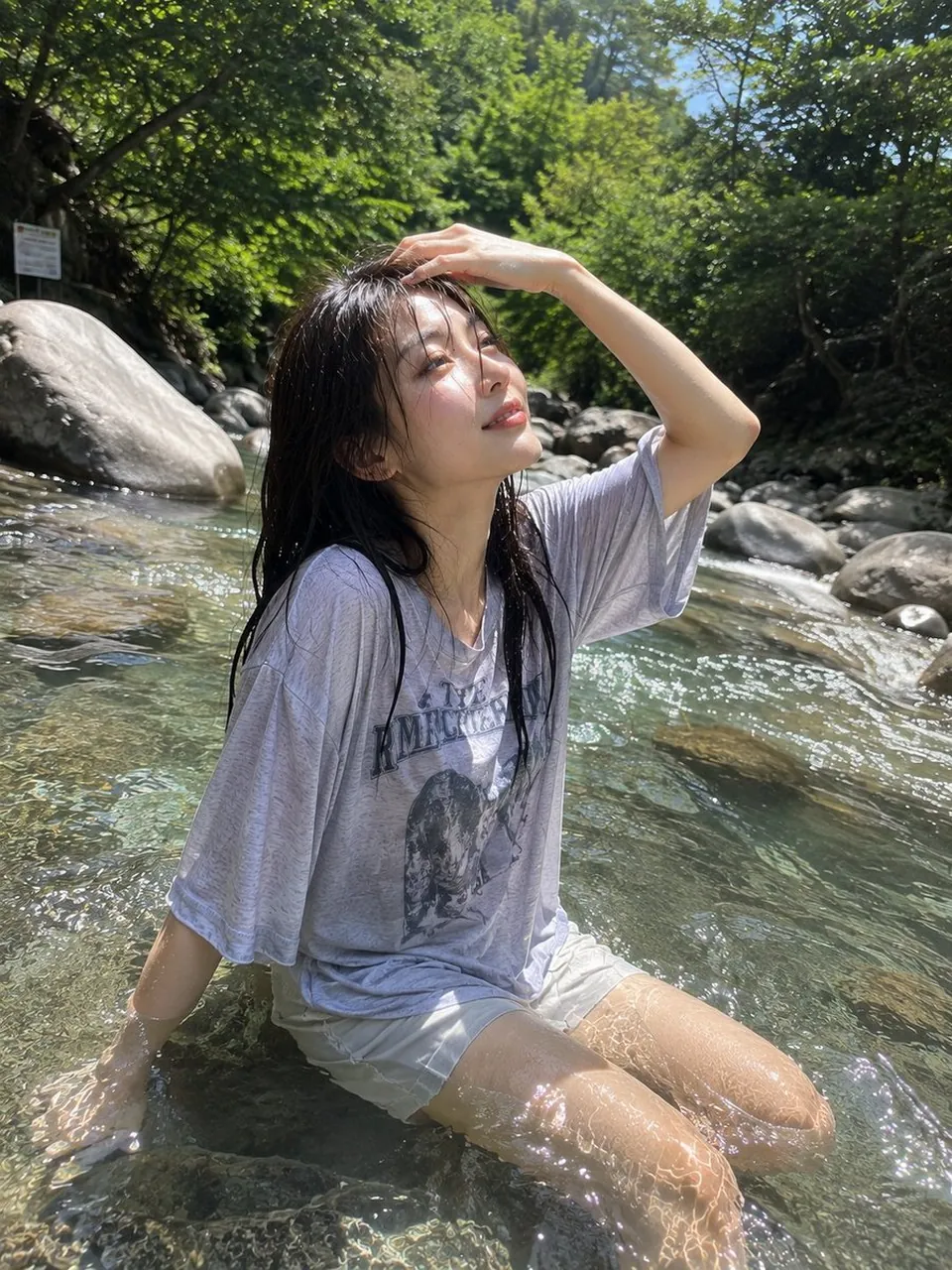
Create an authentic smartphone travel photograph of a young East Asian woman sitting in a clear shallow mountain stream on a bright summer day. Her dark hair is naturally wet, and she wears a loose light-grey sweatshirt with casual shorts. Show transparent water, realistic ripples, smooth rocks, lush forest vegetation, sparkling droplets, and dappled sunlight across her face. Use a slightly low camera angle close to the water surface, natural wide-angle perspective, vibrant but realistic greens and blues, peaceful mood, vertical 4:5, no studio lighting, no plastic skin, no watermark.
6. Luxusporträt in Smaragdgrün und Gold
Anwendungsfall: Premium-Personal-Branding, Herrenmode und Magazin-Cover.
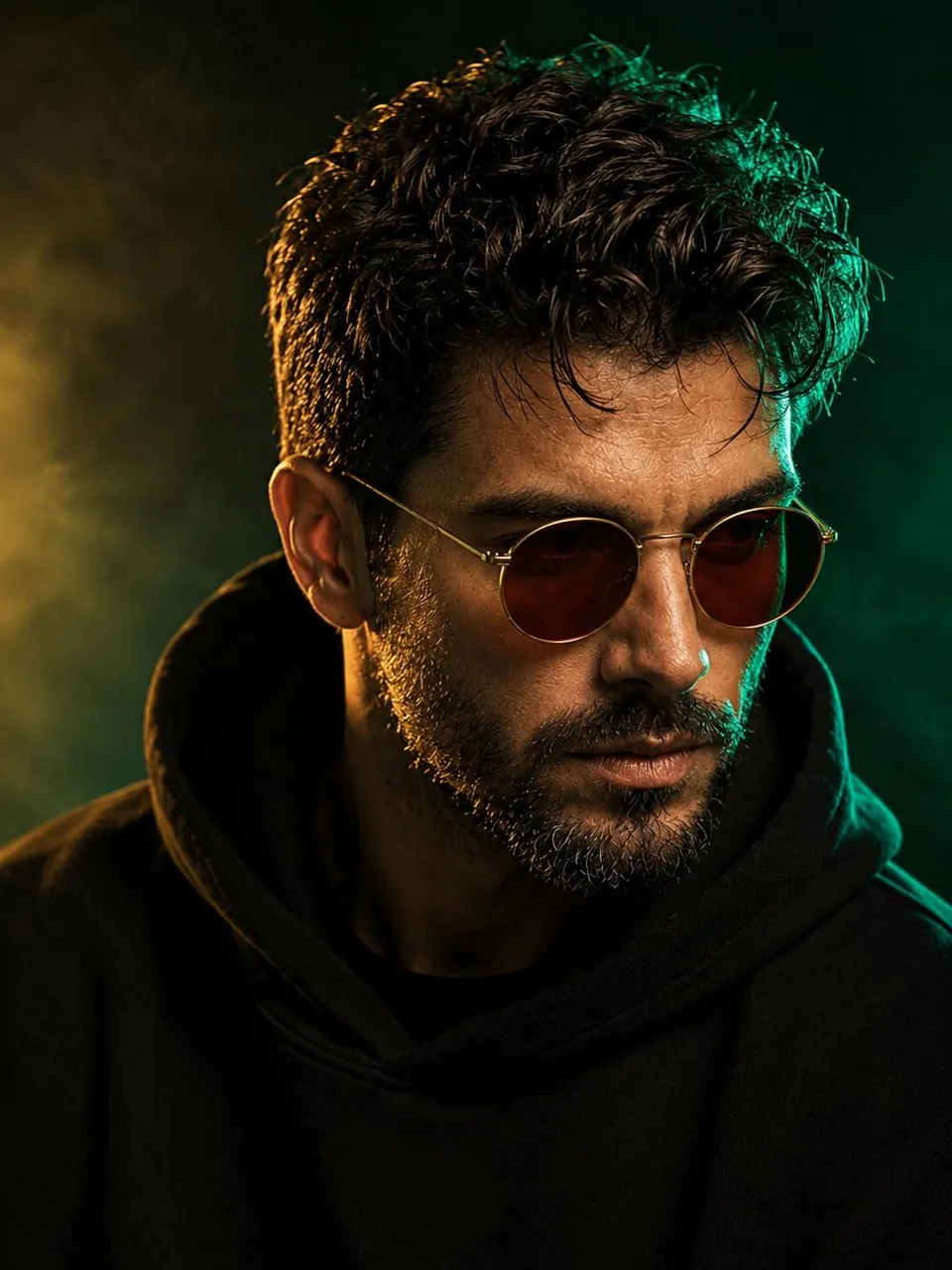
Create a cinematic close-up portrait of a stylish middle-aged man with thick naturally curly dark hair and a neatly trimmed salt-and-pepper beard. He wears round amber-brown sunglasses and a black oversized hoodie. Add a rich emerald rim light on the right side of his face and a soft warm-gold key light from the front. Use a smoky emerald-to-black studio background, realistic beard hairs, natural facial imperfections, shallow depth of field, 85mm lens, f/1.8, centered 3:4 composition, no logo, no watermark, no extra text.
7. Engerer Horror-Ausschnitt mit geteiltem Gesicht
Anwendungsfall: Horror-Poster, Spielkonzeptkunst und dramatische Vorschaubilder.
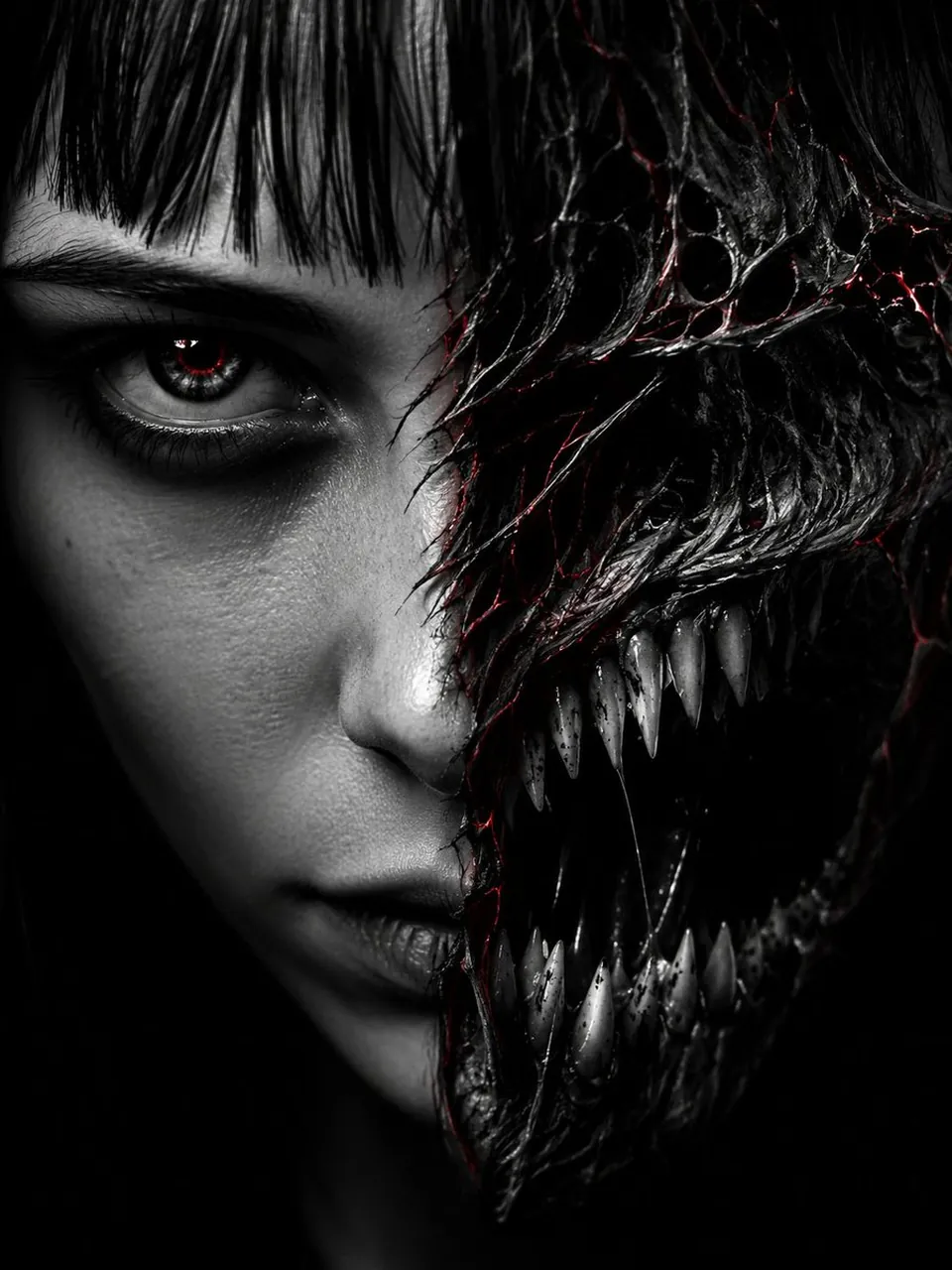
Create an extreme close-up split-face horror portrait cropped from the hairline to the chin. The left half is a pale human face with blunt bangs and a sharp dark eye; the right half transforms into a monstrous jaw with jagged teeth and a black void mouth. Add fine red glowing cracks along the transformation seam and one blood-red catchlight. Use a pure black background, high-contrast single-source rim lighting, hyper-detailed skin and teeth, direct eye contact, 9:16 vertical composition, no gore splashes, no watermark, no random text.
8. Kinetisches Modeporträt vor rotem Hintergrund
Anwendungsfall: Streetwear-Kampagnen, experimentelle Mode und von Bewegung inspirierte Poster.
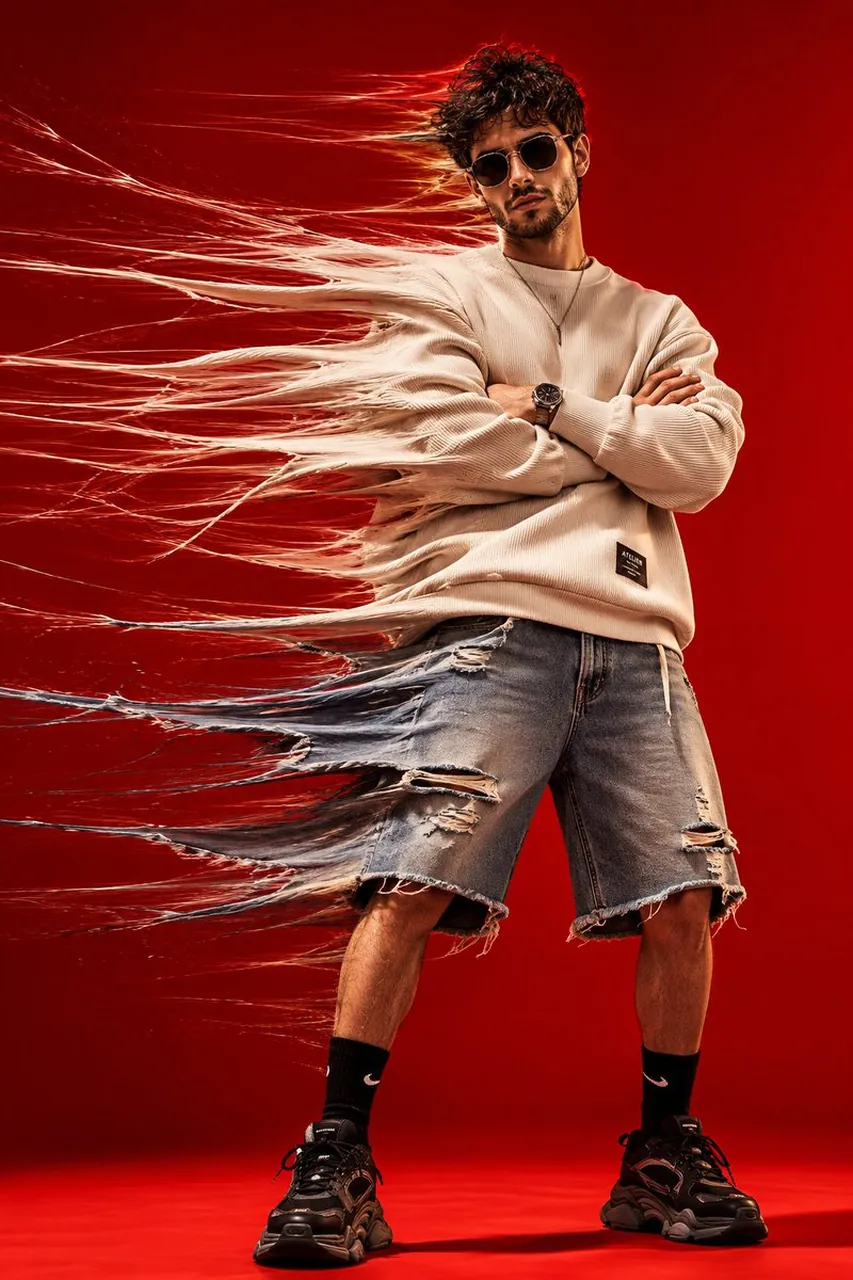
Create a photorealistic full-body fashion portrait of a stylish young man standing against a seamless vivid-red studio background. He wears an oversized cream ribbed sweatshirt, distressed denim shorts, black socks, chunky sneakers, a simple necklace, and dark futuristic sunglasses. Stretch the left side of his clothing into translucent textile fibers and motion trails while keeping his face, crossed arms, legs, and shoes sharp. Use strong studio light, realistic fabric texture, dramatic shadows, 35mm fashion photography, analog grain, vertical 4:5, no distorted anatomy, no logos, no extra text.
9. Fantasy-Schönheits-Nahaufnahme mit Kristallscherben
Anwendungsfall: Beauty-Kampagnen, Fantasy-Porträts und Social-Profile-Art.
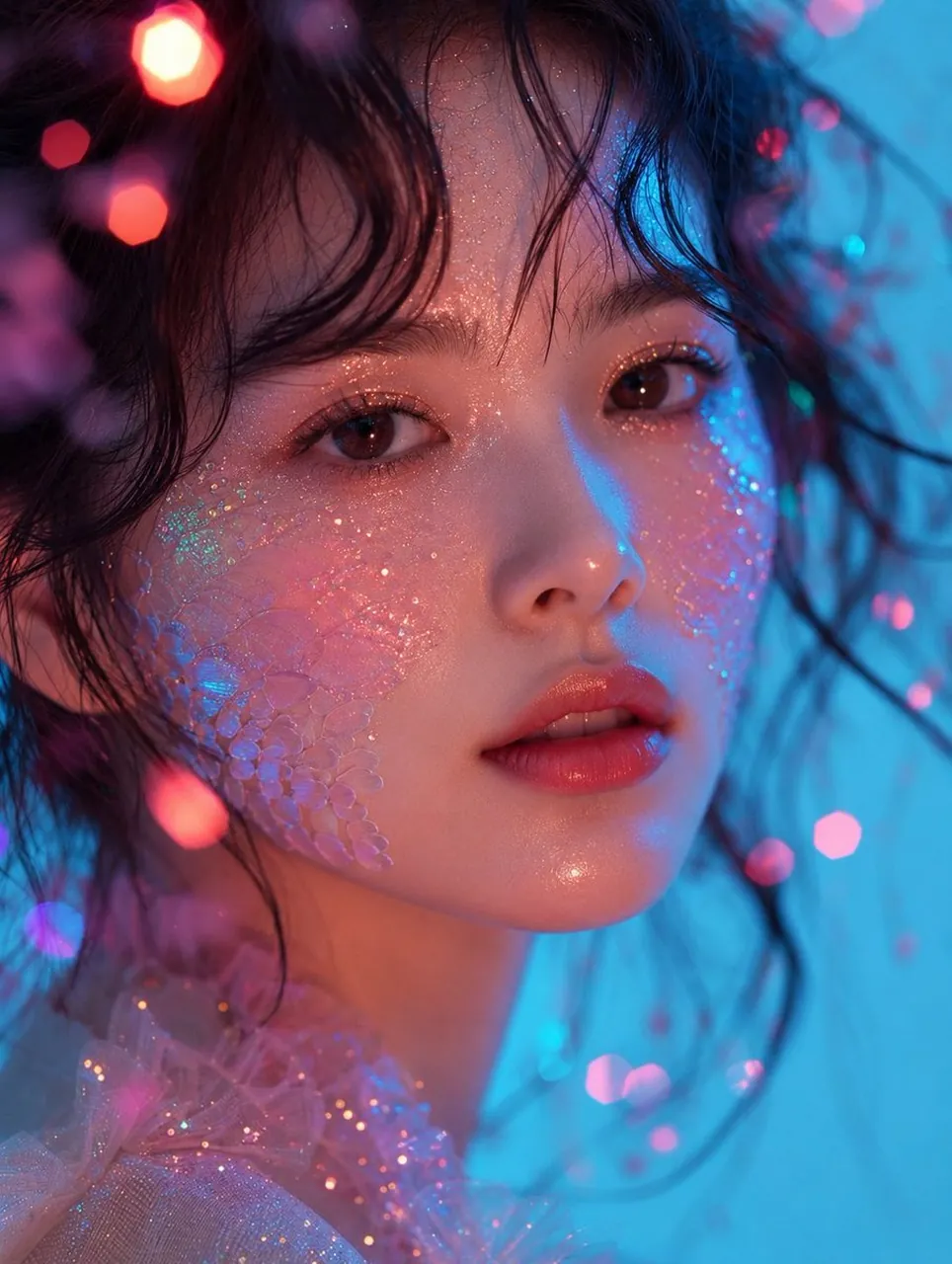
Create an ultra-realistic extreme close-up beauty portrait of a young East Asian woman with luminous skin, warm brown eyes, coral-pink lips, loose black waves, and dewy makeup. Blend translucent iridescent crystal-scale texture naturally into both cheeks, with fine holographic glitter across the face. Use cyan-blue key light from the right, warm pink fill from the left, pastel bokeh, volumetric glow, sparkling particles, translucent pink tulle, realistic pores, 85mm macro lens, f/1.4, editorial luxury mood, no text, no watermark.
10. "Quiet Luxury"-Porträt am Ozean
Anwendungsfall: Resort-Mode, Reisemagazine und Lifestyle-Kampagnen.
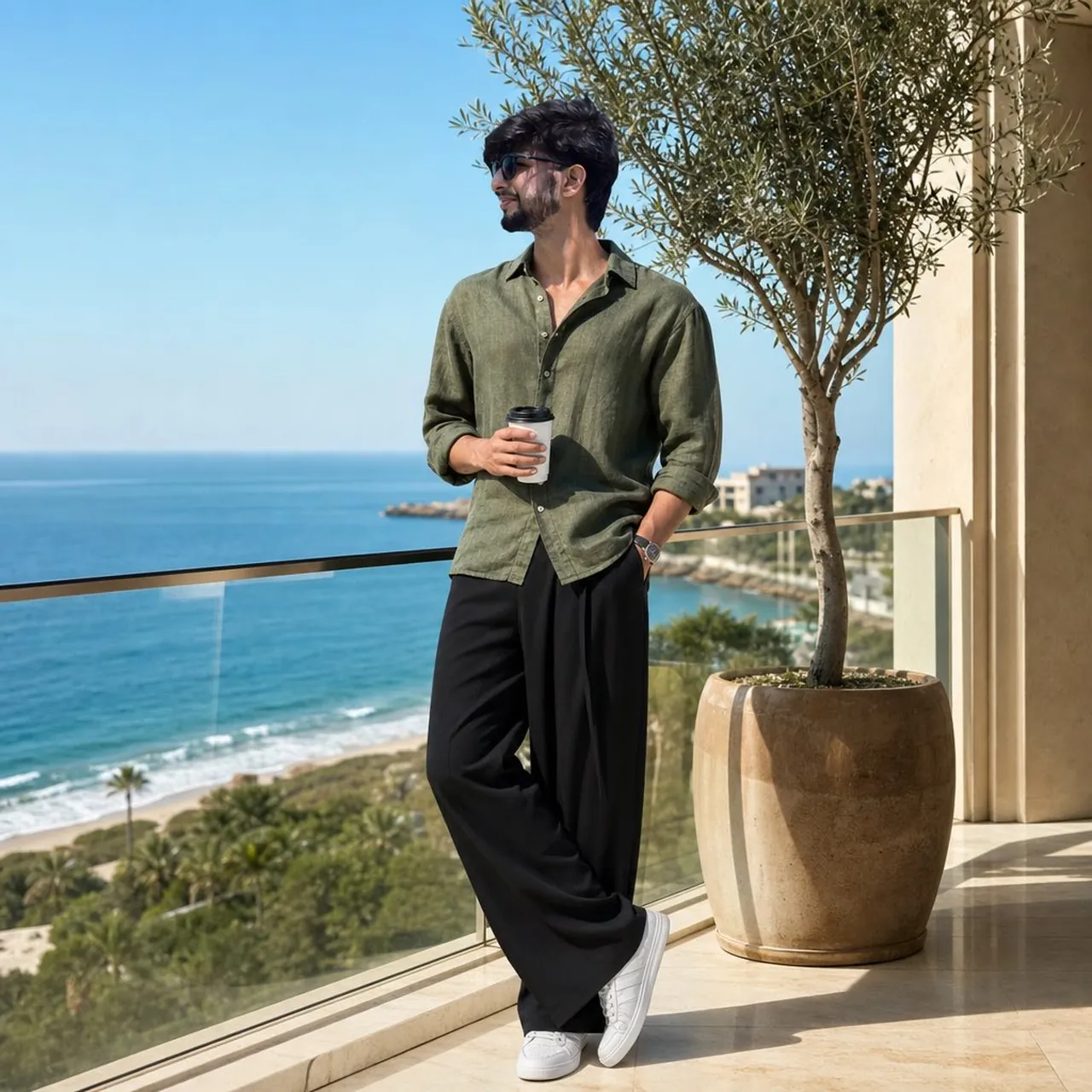
Create an ultra-realistic full-body fashion portrait of a young man on a modern oceanfront balcony in bright morning sunlight. He wears an olive-green linen shirt, oversized black trousers, white minimalist sneakers, and black sunglasses. One hand holds a takeaway coffee while the other rests in his pocket. Include cream architecture, polished marble, a glass railing, a potted olive tree, deep-blue ocean, sandy beach, and clear sky. Use relaxed quiet-luxury styling, natural shadows, 85mm lens, f/2.8, realistic reflections, vertical 4:5, no logo or watermark.
11. Kinohaftes Porträt mit klassischem Lowrider
Anwendungsfall: Automobilkultur, Musik-Cover und Streetwear-Branding.
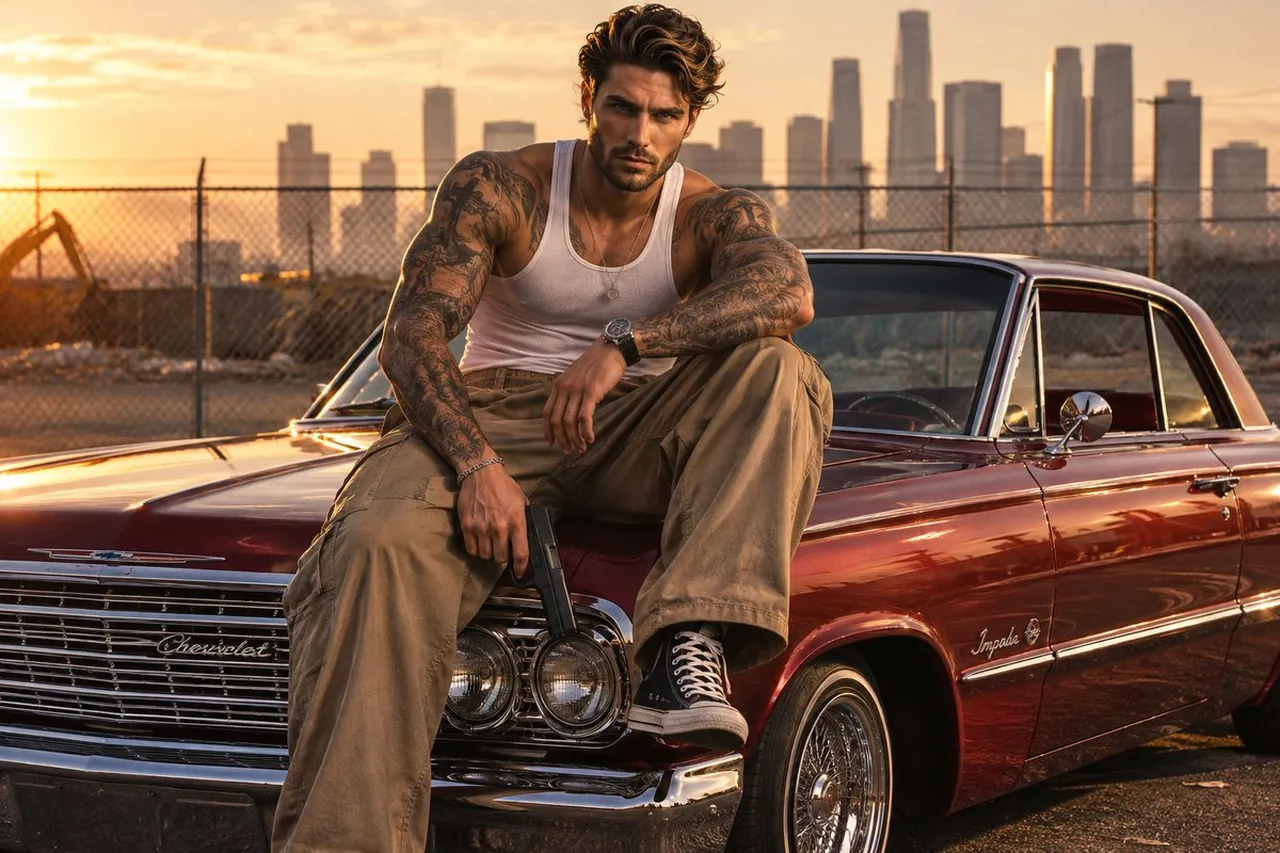
Create a cinematic golden-hour portrait of a tattooed man seated on the hood of a cherry-red 1960s lowrider. Show a white ribbed tank top, tan cargo pants, detailed tattoos, gleaming chrome, reflective candy paint, a dusty asphalt lot, a chain-link fence, and a hazy downtown skyline. Use strong leading lines from the car and fence, shallow depth of field, warm directional light, natural shadows, rich 35mm film grain, realistic skin and fabric, balanced composition, no weapons, no random logos, no extra text.
12. Redaktionelles Flachvektor-Diptyochon
Anwendungsfall: Magazin-Cover, kreative Profile und Corporate-Identity-Systeme.
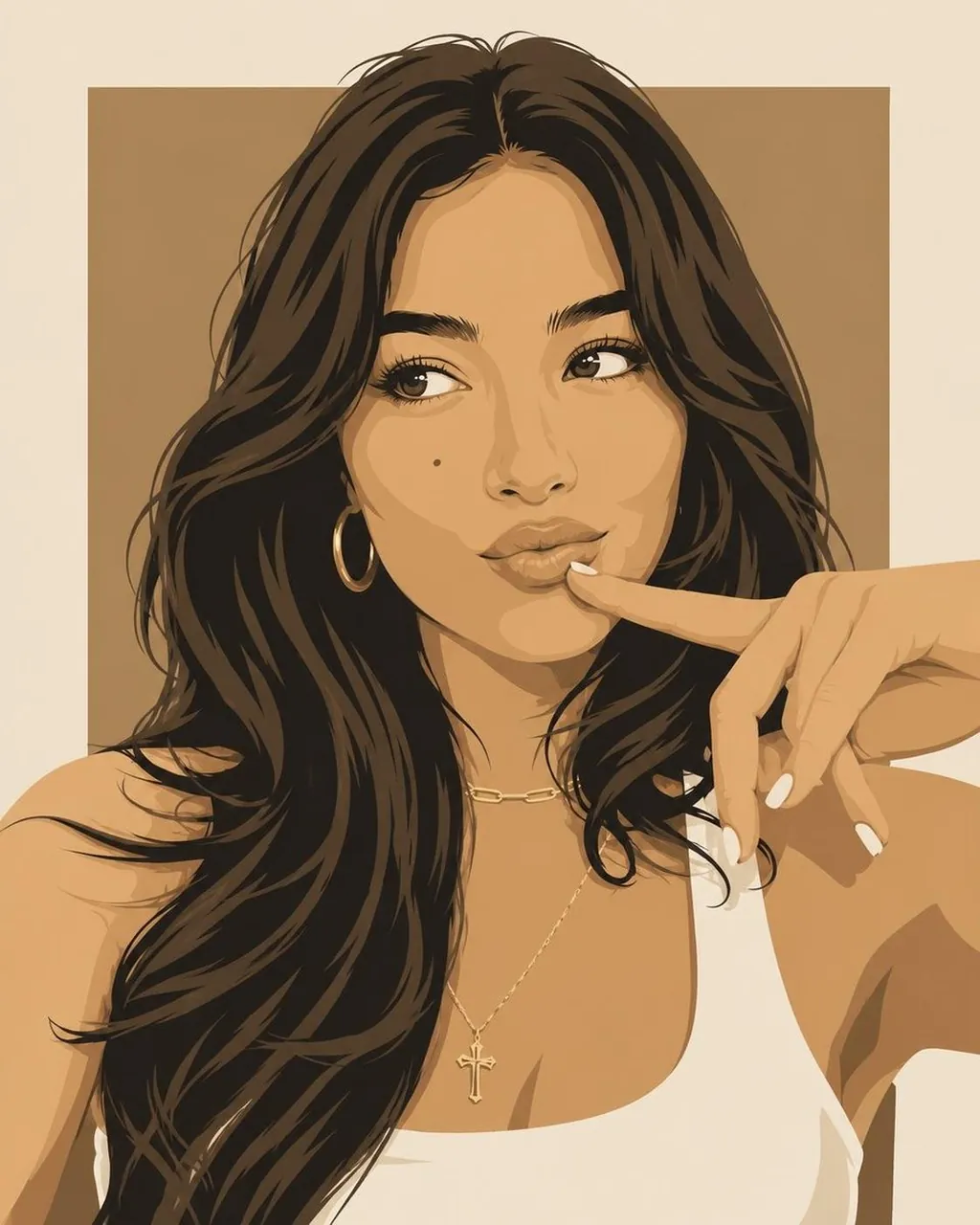
Create a cohesive diptych-style editorial illustration with two close-up portraits in the same modern flat-vector fashion aesthetic. Give the woman flowing dark hair, gold hoops, layered necklaces, and a white sleeveless top; give the man textured platinum-blond hair and an oversized white crew-neck shirt. Use geometric facial planes, crisp linework, subtle tonal shading, a warm tan panel behind the woman, a bold red panel behind the man, and a shared ivory canvas. Luxury magazine style, clean color blocking, vertical 4:5, no photorealism, no 3D rendering, no text, no logos.
13. Koreanische Webtoon-Reisefamilie
Anwendungsfall: Tourismus, Familienreisen und illustrierte Postkarten.
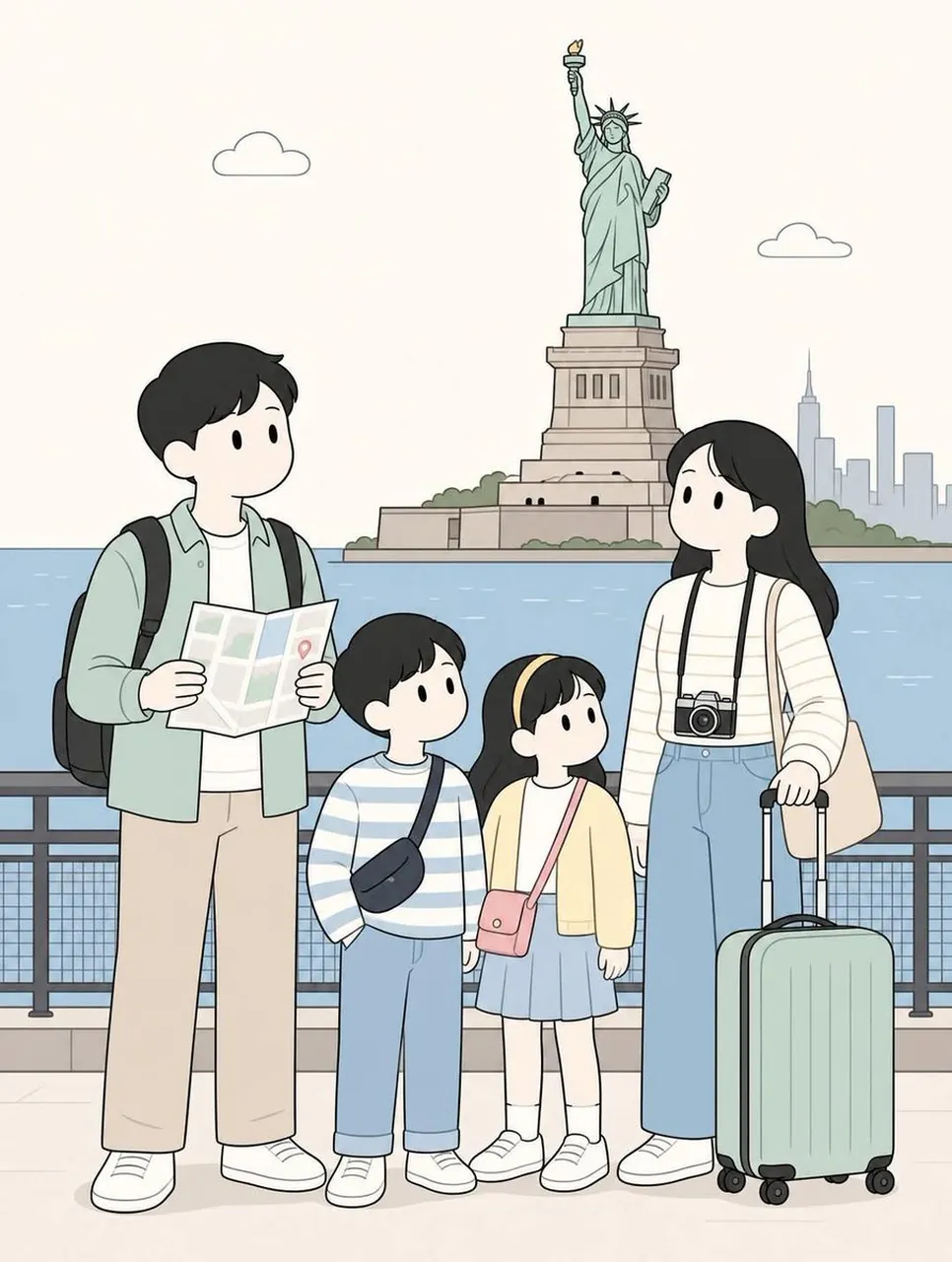
Create a soft minimalist Korean webtoon illustration of a traveling family of two parents and two children exploring [BACKGROUND]. Use cute simplified faces, thin clean line art, muted beige, sage green, dusty blue, cream, and light pink, rounded proportions, flat shading, and a cozy travel-journal mood. The father carries a backpack and folded map; the mother carries a camera or shoulder bag. Use full-body vertical 4:5 composition, family in the foreground, open space around them, balanced landmarks, optional location title at the top, no clutter, no random text.
14. Studio-Variante mit Bernstein-Sonnenbrille
Anwendungsfall: Brillen-Produkt-Storytelling und monochrome Kampagnenkonzepte.
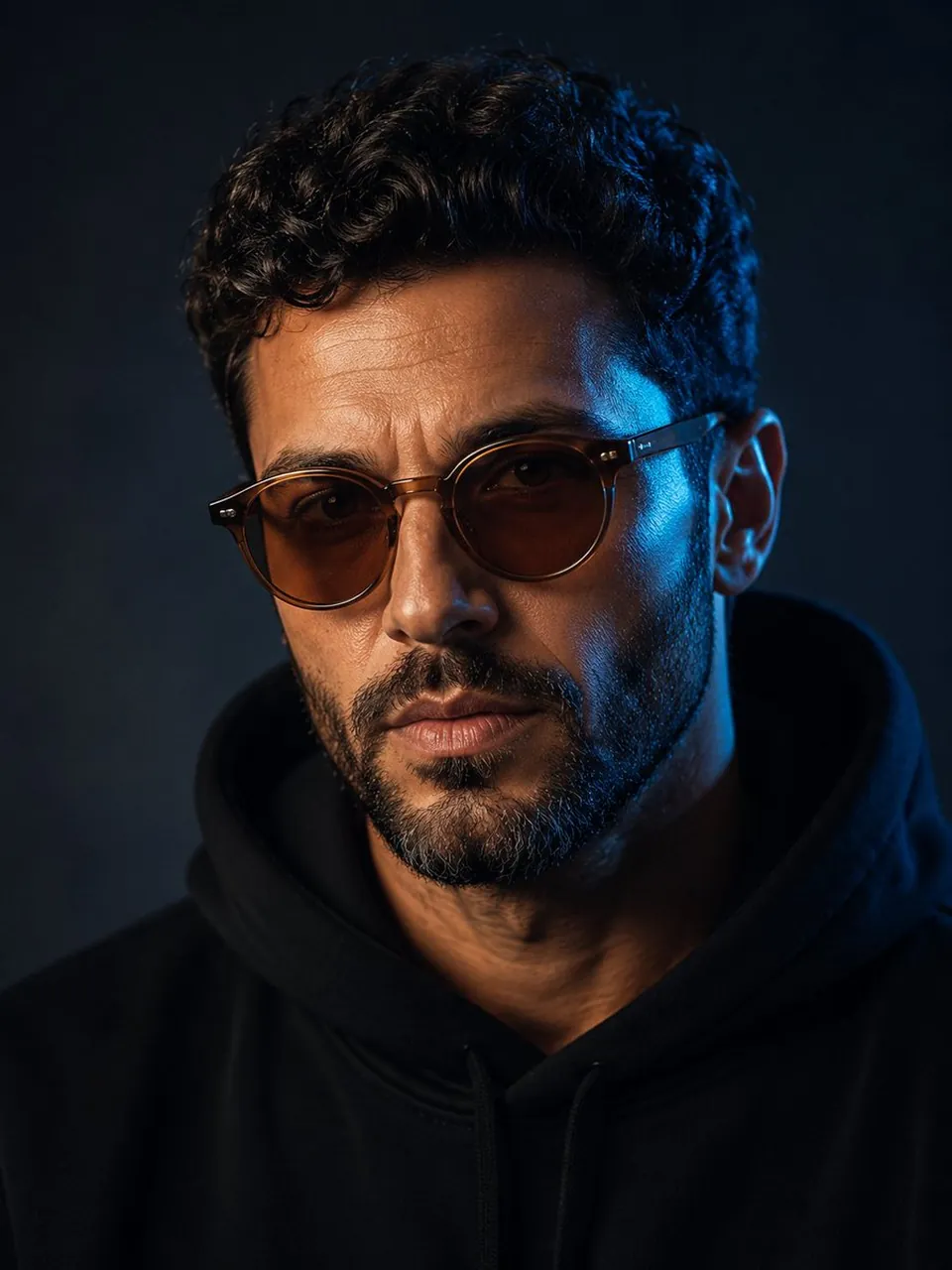
Create a refined head-and-shoulders studio portrait of a mature man with curly dark hair and a short salt-and-pepper beard. Keep the portrait nearly monochrome, but make the round amber sunglasses the single saturated color accent. Use a dark blue-grey background, soft frontal light, a subtle cool rim light, crisp lens reflections, natural skin texture, and a quiet luxury editorial mood. Center the subject with clean negative space, 85mm portrait lens, f/1.8, vertical 3:4, no logo, no watermark, no extra text.
5.2 Zusätzliche öffentliche GoEnhance-Beispielanpassungen
15. Stadtkomposition mit strikter Prompt-Treue
Anwendungsfall: Immobilienkonzepte, Stadtposter und Layout-Tests.
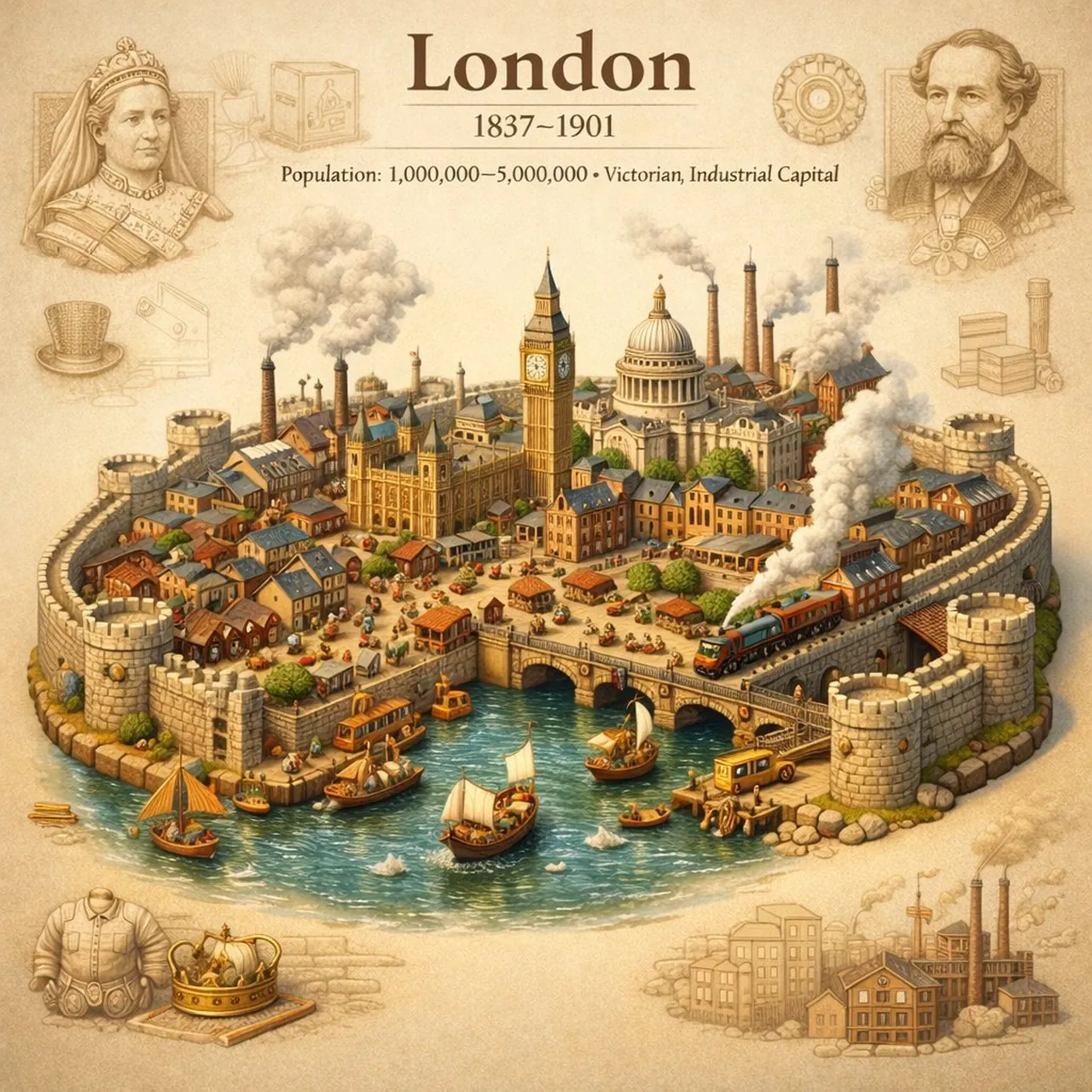
Create a clean photorealistic city composition designed to test precise layout adherence. Place a recognizable skyline in the middle distance, a broad empty foreground, and clearly separated architectural blocks on the left and right. Keep the horizon level, preserve generous negative space in the upper third, and use soft daylight, realistic scale, crisp edges, and restrained neutral colors. Use a wide 16:9 composition, no tilted perspective, no duplicated buildings, no random signs, no watermark.
16. Professionelles medizinisches Portraitfoto
Anwendungsfall: Klinik-Websites, Gesundheits-Profile und Bildungsinhalte.
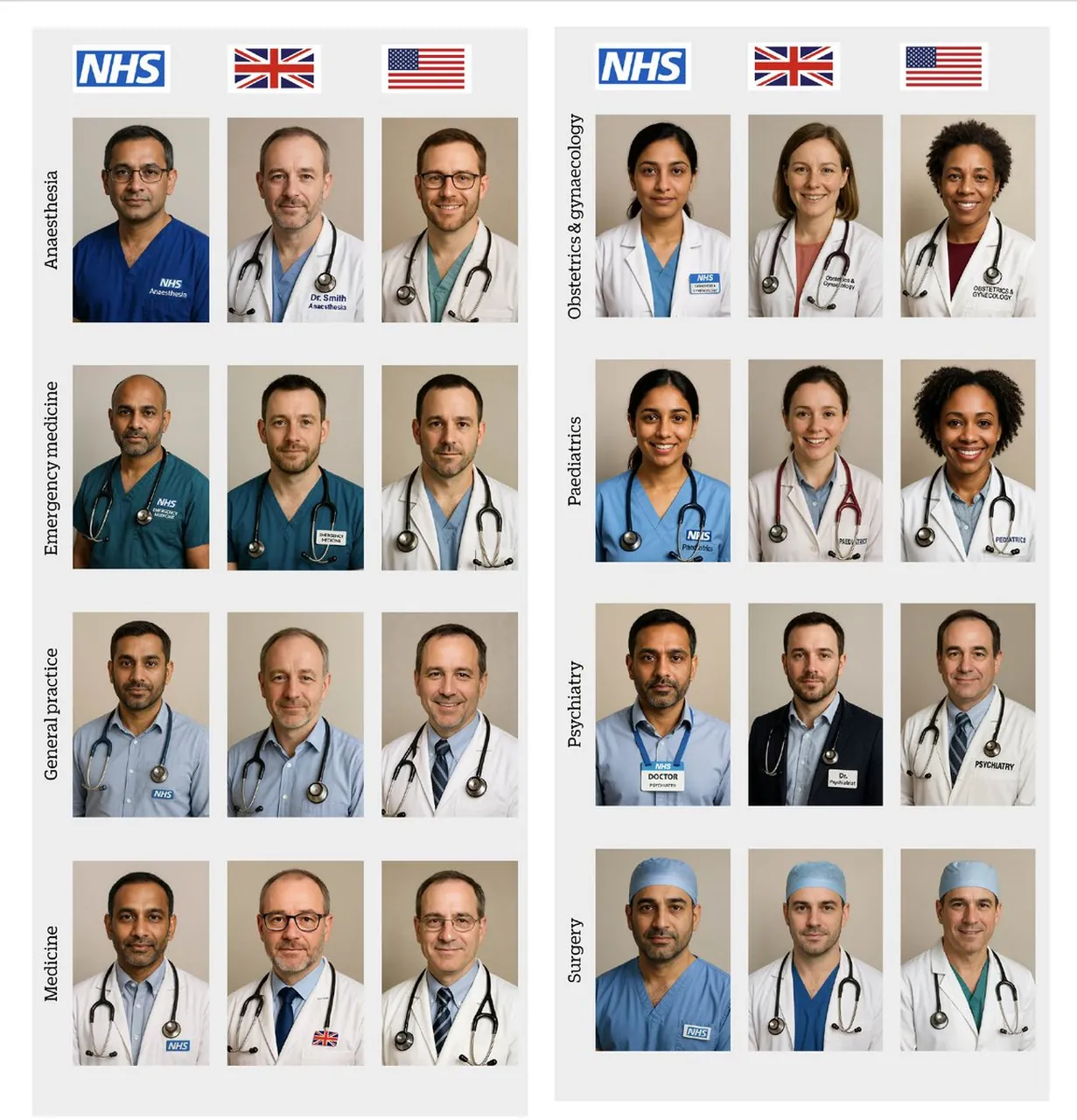
Create a professional photorealistic headshot of a friendly doctor specializing in [SPECIALTY]. Use a clean neutral background, a white coat over understated professional clothing, natural eye contact, relaxed shoulders, and a credible approachable expression. Use soft key light, subtle fill, realistic skin texture, accurate hands if visible, 85mm portrait perspective, centered waist-up framing, clean healthcare branding, vertical 4:5, no medical claims, no readable patient information, no logo, no watermark.
17. Neon-Portal-Actionszene
Anwendungsfall: Spiel-Schlüsselgrafiken (Key Art), Filmkonzepte und Action-Vorschaubilder.
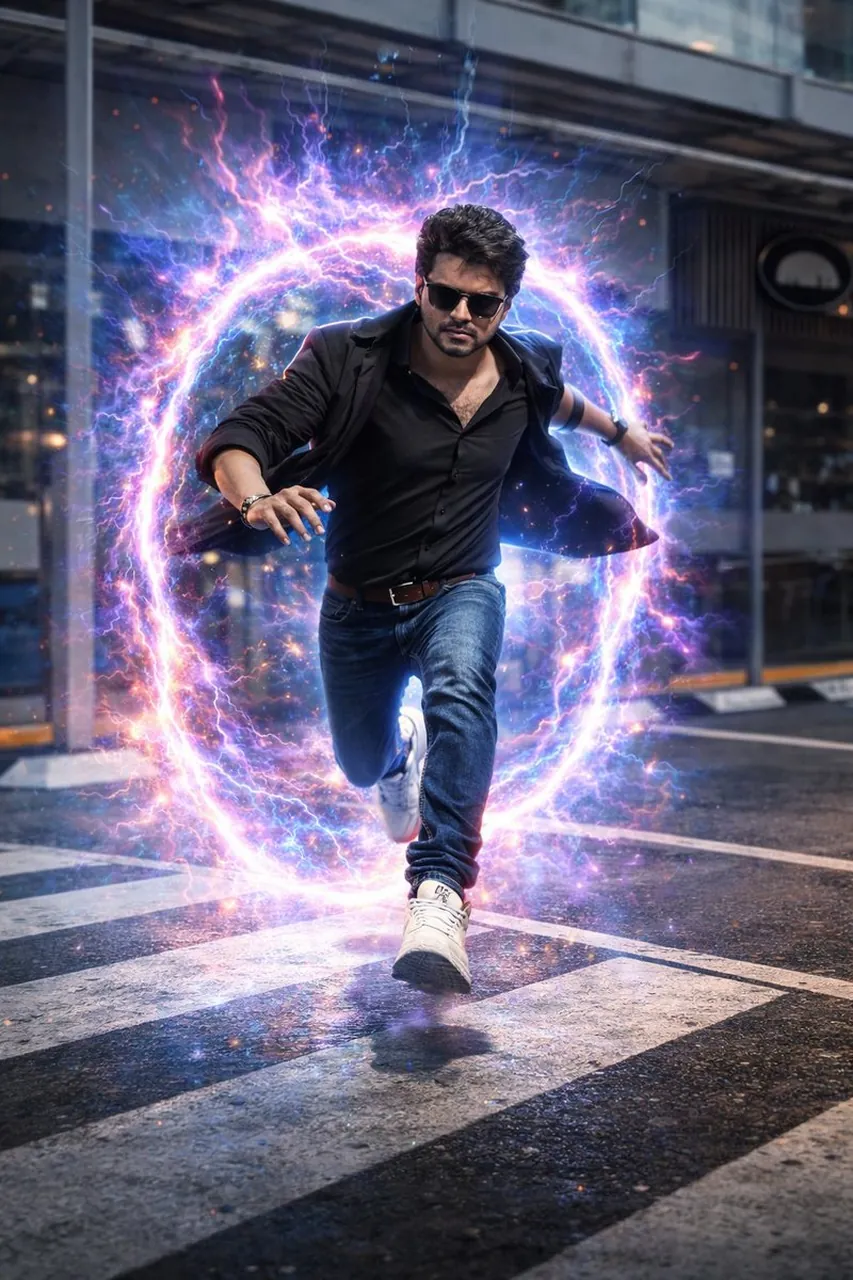
Transform a supplied portrait into a hyper-realistic cinematic action scene on a rain-slicked urban street. Place a glowing dimensional neon portal behind the subject, with cyan and magenta light reflecting across wet pavement and nearby architecture. Keep the subject’s identity, face, clothing, and proportions consistent. Use a low-angle 35mm composition, controlled motion blur, atmospheric rain, strong rim lighting, realistic reflections, high contrast, 16:9 landscape, no extra limbs, no random text, no watermark.
18. Morgendliche Lottosteich-Szene
Anwendungsfall: Meditationskunst, Wellness-Inhalte und Naturposter.
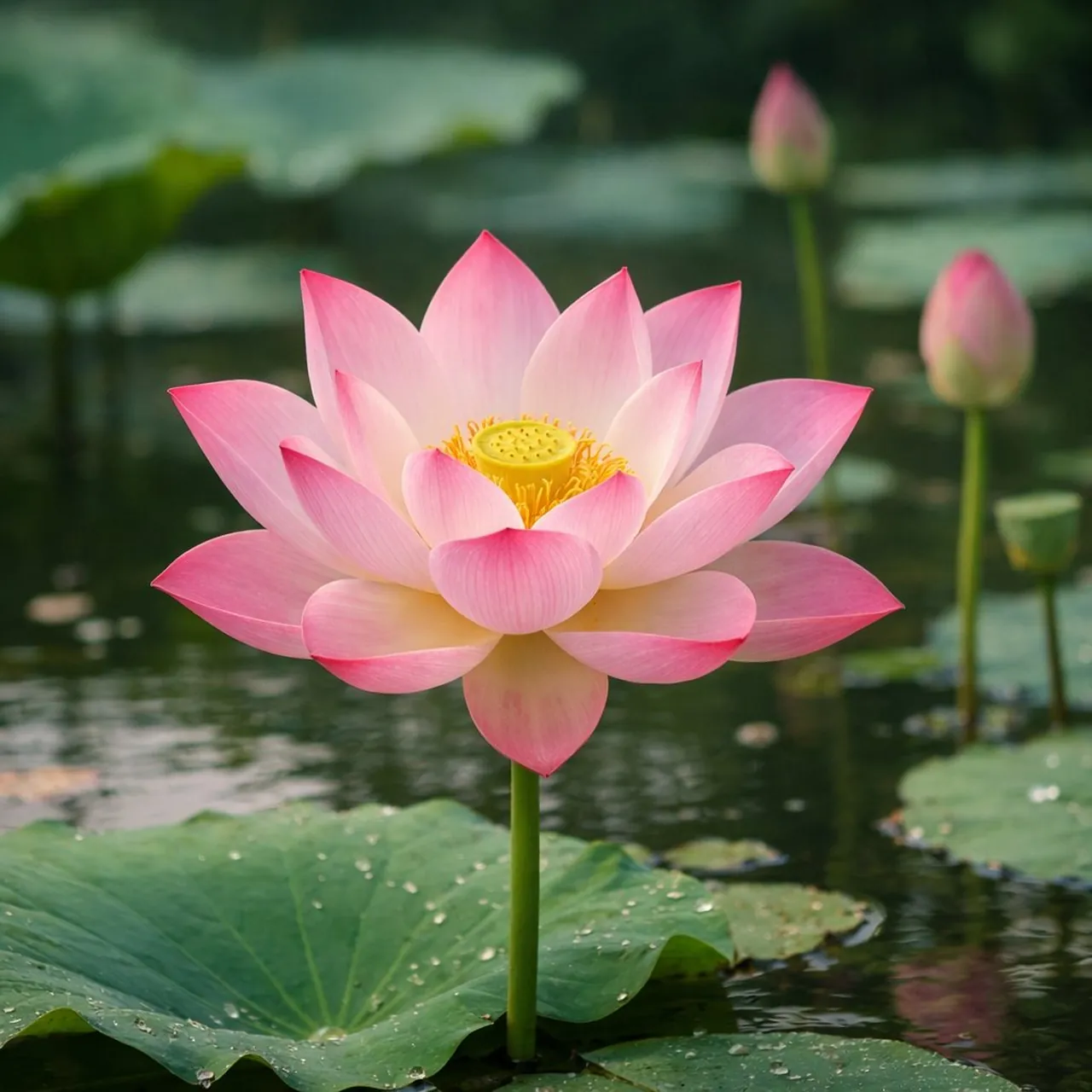
Create a serene photorealistic lotus pond at early morning. Place several pink and white lotus flowers above broad green leaves, with delicate mist hovering over still water and soft mountains fading into the background. Use gentle sunrise light, pastel peach and sage tones, realistic water reflections, fine petal texture, balanced negative space, and a calm contemplative atmosphere. Use a vertical 4:5 composition, no people, no text, no artificial neon colors, no watermark.
19. Transformation eines restaurierten Porträts
Anwendungsfall: Familienfoto-Restaurierung, Gedenkprojekte und persönliche Archive.
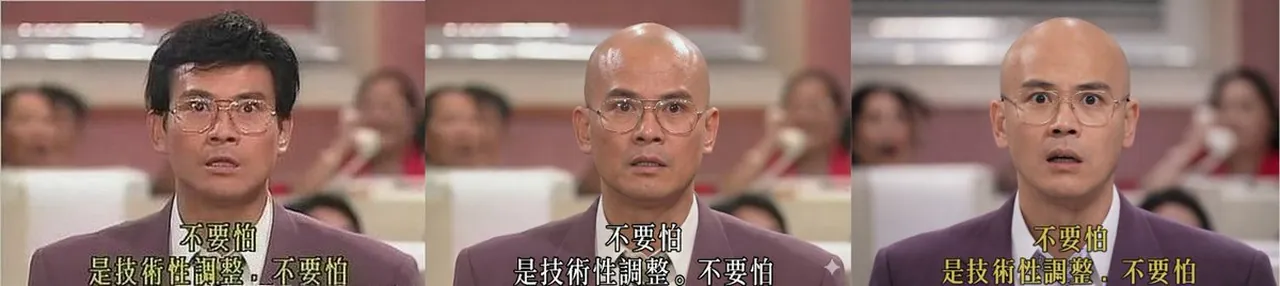
Restore the supplied vintage portrait while preserving the person’s identity, facial structure, expression, clothing, and original pose. Remove scratches, dust, fading, and color damage; rebuild missing detail conservatively and improve contrast with a natural film palette. If the brief requests a hairstyle transformation, change only the hair while keeping the face and age consistent. Use realistic skin texture, period-appropriate color, gentle sharpening, and a clean archival finish. No beauty-filter effect, no new accessories, no altered facial features, no watermark.
20. Stickerei- und Kugelschreiber-Skizze
Anwendungsfall: Handwerksmarken, Kunstpädagogik und Mixed-Media-Redaktionskunst.
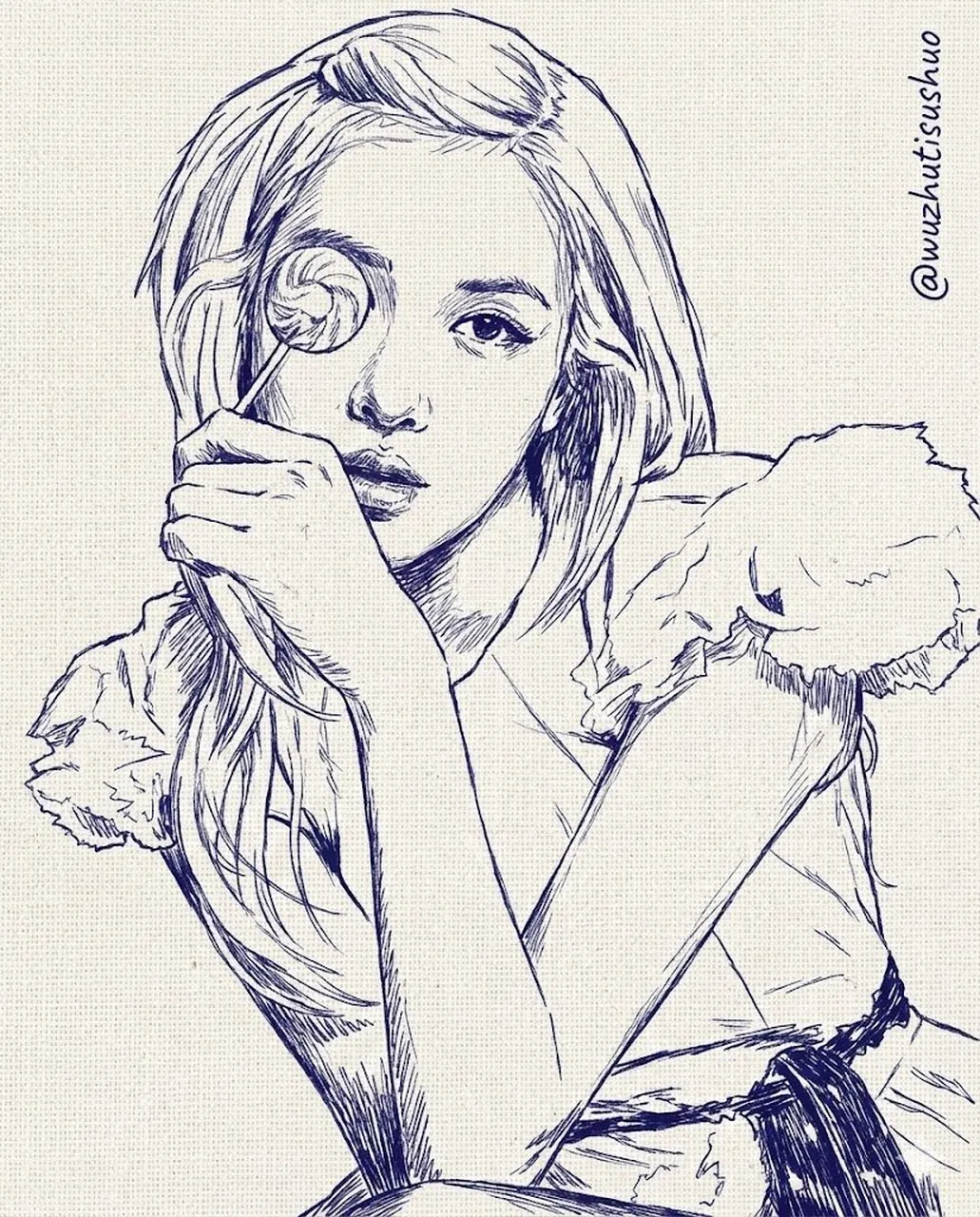
Create a mixed-media portrait combining fine blue ballpoint-pen hatching with raised embroidery details. Use a simple central subject, visible paper fibers, stitched floral accents, delicate thread shadows, and carefully controlled line density. Keep the composition editorial and uncluttered, with a warm cream paper background and restrained indigo, coral, and mustard accents. Show the physical material contrast clearly, use vertical 4:5 framing, no photorealistic skin, no random lettering, no watermark.
21. Charakter-Ersetzungs-Bearbeitung
Anwendungsfall: Storyboarding, Spiele-Konzeptentwicklung und Charakterdesign.
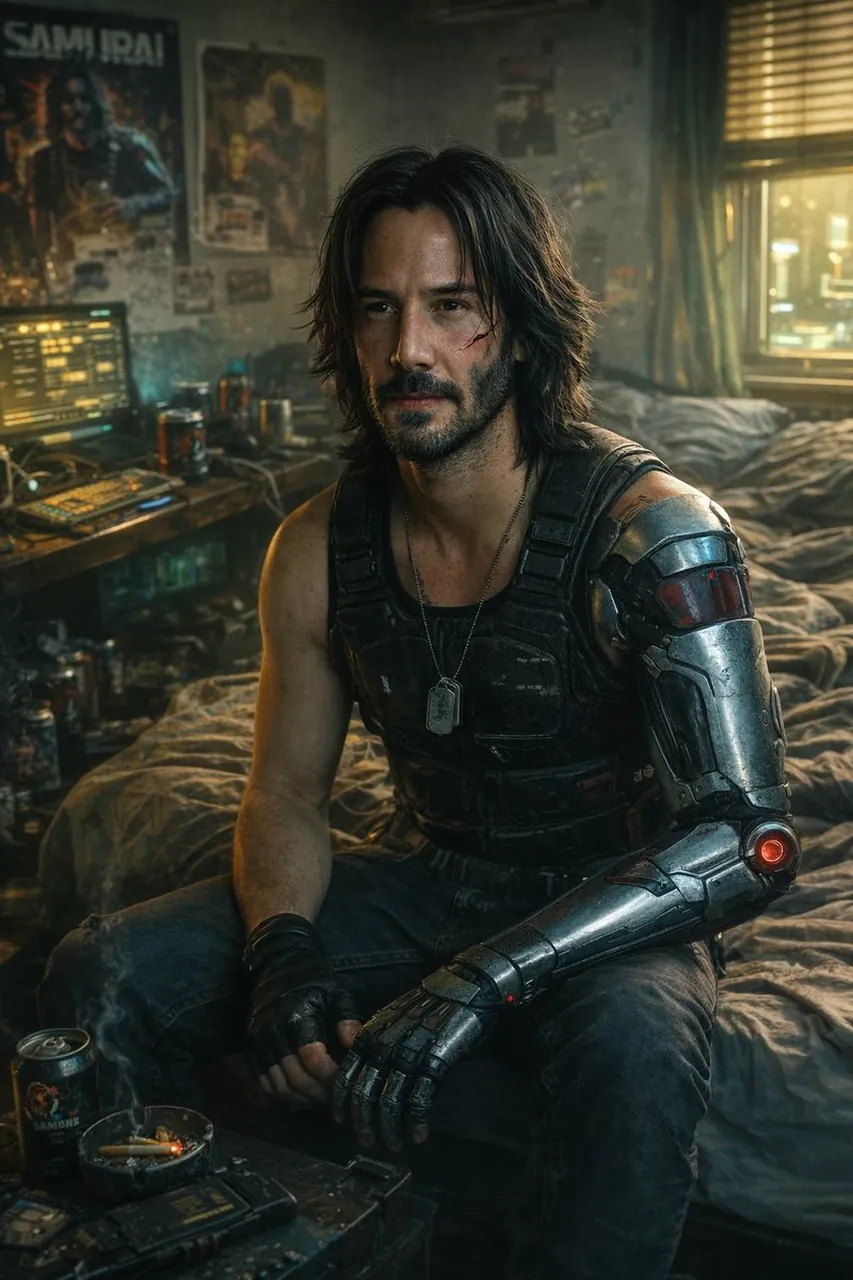
Edit the supplied scene by replacing only the main character with [NEW CHARACTER]. Preserve the original camera angle, pose, lighting direction, environment, perspective, shadows, and all unchanged background objects. Match the new character’s scale, contact shadows, clothing texture, and color grade to the scene. Keep the same framing and aspect ratio. Do not alter the architecture, props, sky, or composition; no extra characters, logos, text, or watermark.
22. Porträt zur Vermittlung von Emotionen
Anwendungsfall: Belletristik-Cover, Kampagnen-Storytelling und redaktionelle Porträts.
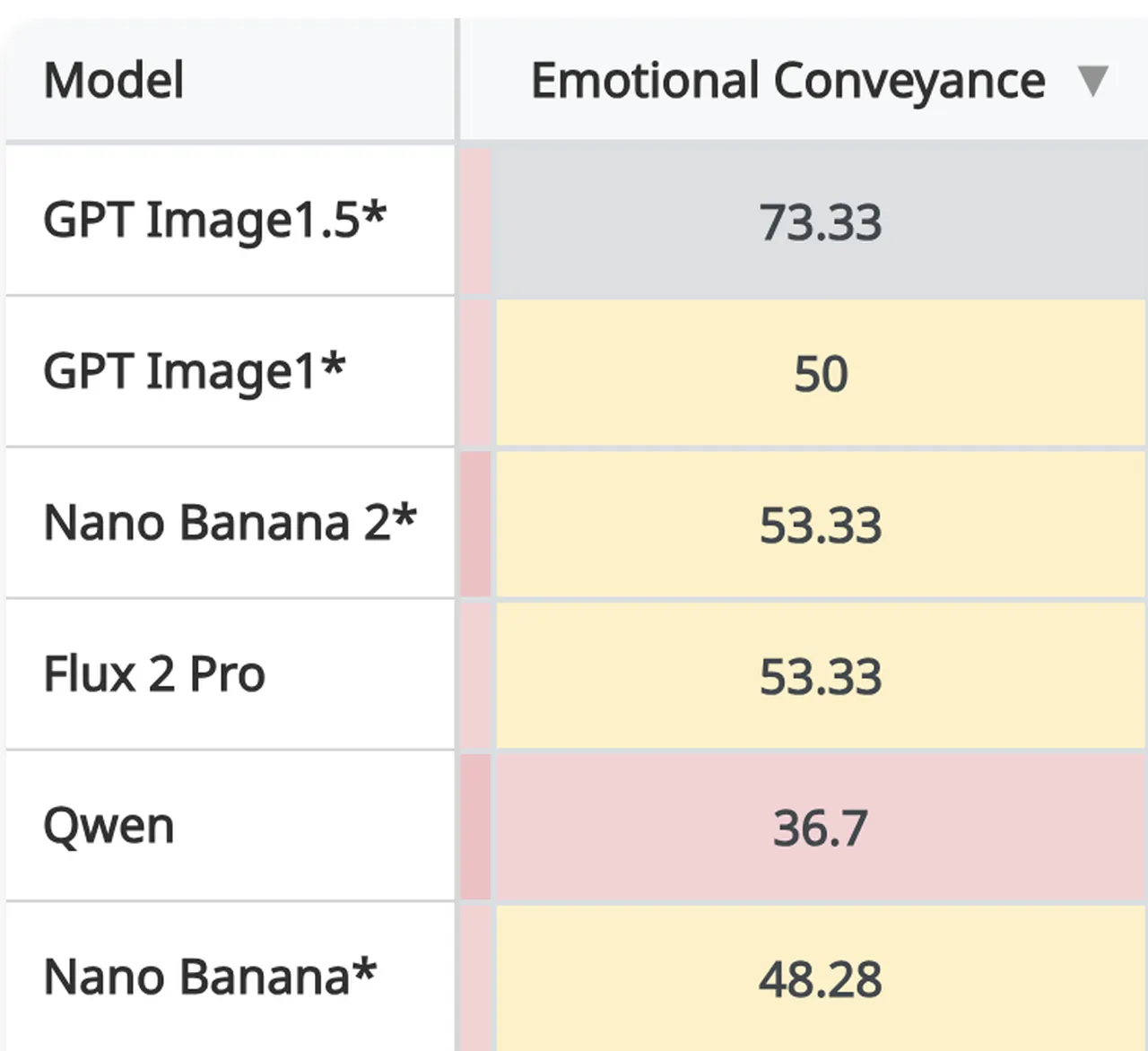
Create a cinematic portrait that communicates [EMOTION] through posture, eye direction, facial tension, hand placement, and surrounding light rather than exaggerated expressions. Place the subject in a simple atmospheric environment with one meaningful prop, soft directional lighting, subtle color contrast, and realistic material detail. Use a medium close-up, shallow depth of field, natural anatomy, quiet visual hierarchy, and a 4:5 vertical frame. Avoid melodrama, plastic skin, duplicated objects, random text, logos, and watermark.
23. Mosaikwald in Juwelenfarben
Anwendungsfall: Wandkunst, kulturelle Illustration und kreative Hintergründe.
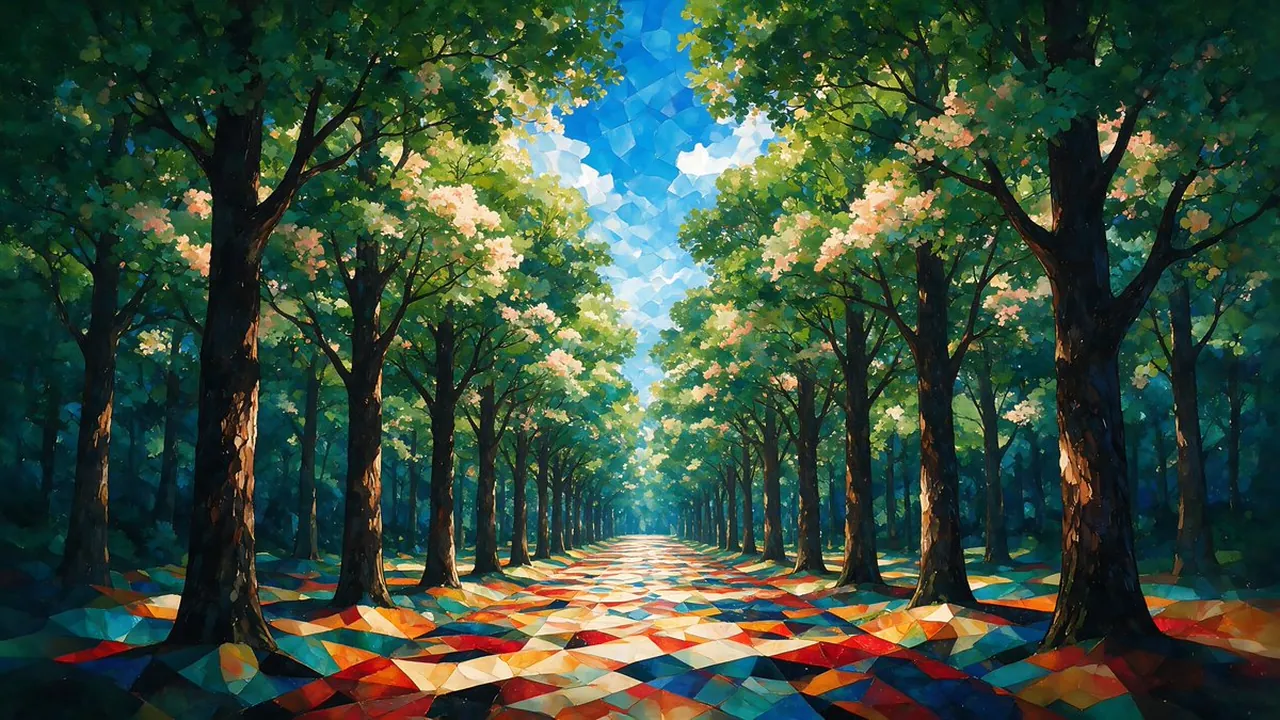
Create a highly detailed fine-art forest avenue rendered as a dreamlike mosaic painting. Use jewel-toned emerald, sapphire, ruby, and amber fragments to build trees, foliage, a winding path, and atmospheric depth. Keep the scene readable from foreground to background, with rhythmic tile shapes, luminous highlights, and a sophisticated gallery-art finish. Use a wide 16:9 composition, controlled symmetry, no photorealistic people, no random text, no logo, no watermark.
24. Realistisches prähistorisches Tier
Anwendungsfall: Museumspädagogik, Naturgeschichte-Illustration und Wissenschafts-Storytelling.
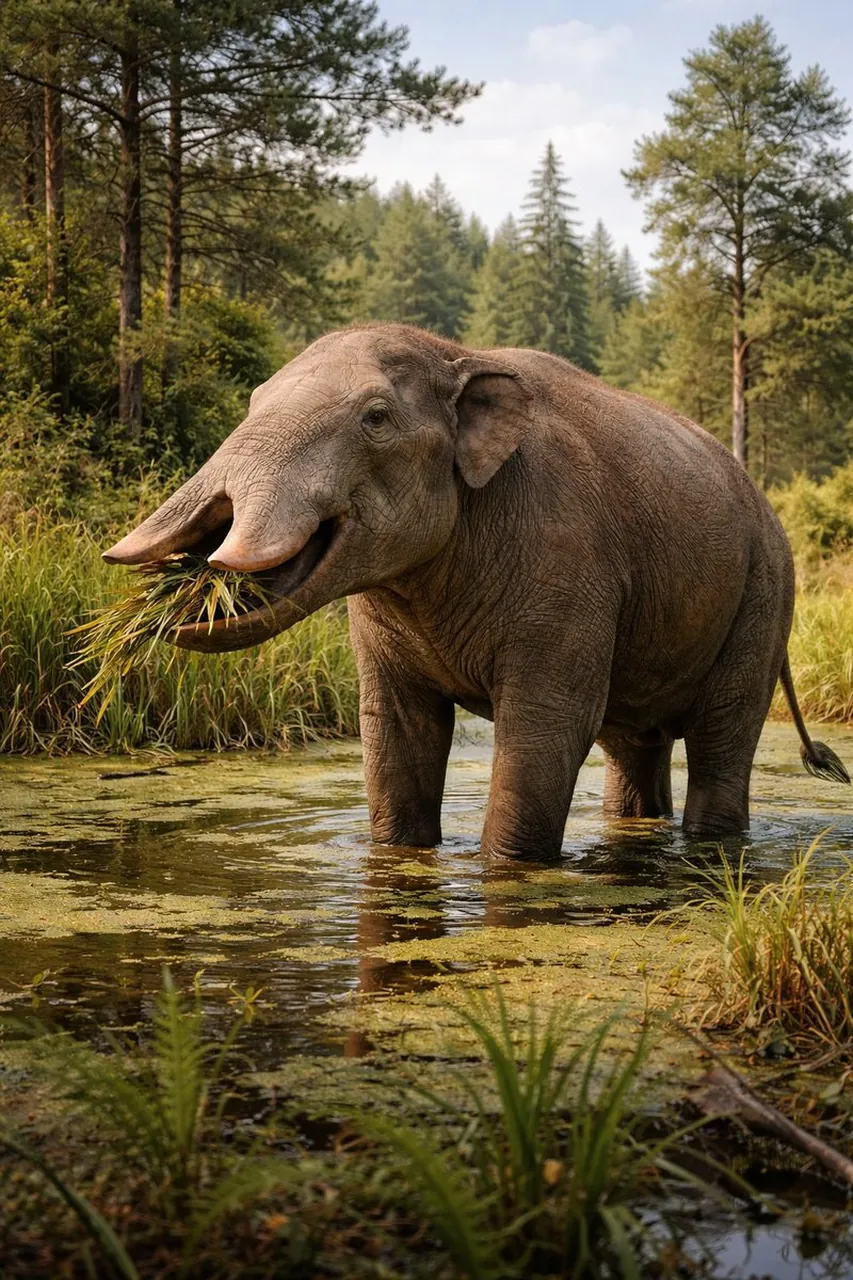
Create a scientifically grounded wildlife scene featuring a realistic Platybelodon in a late-Miocene grassland. Show the animal’s shovel-like lower jaw, broad body, believable skin folds, dust on the feet, and natural herd-scale environment. Use warm low-angle sunlight, a restrained earth-tone palette, atmospheric distance, accurate anatomy, and documentary wildlife photography framing. Use landscape 16:9 composition, no fantasy armor, no modern objects, no labels, no watermark.
25. Schmuck- und Kleidungsbearbeitung
Anwendungsfall: Modekataloge, Anprobekonzepte und Produktstyling.
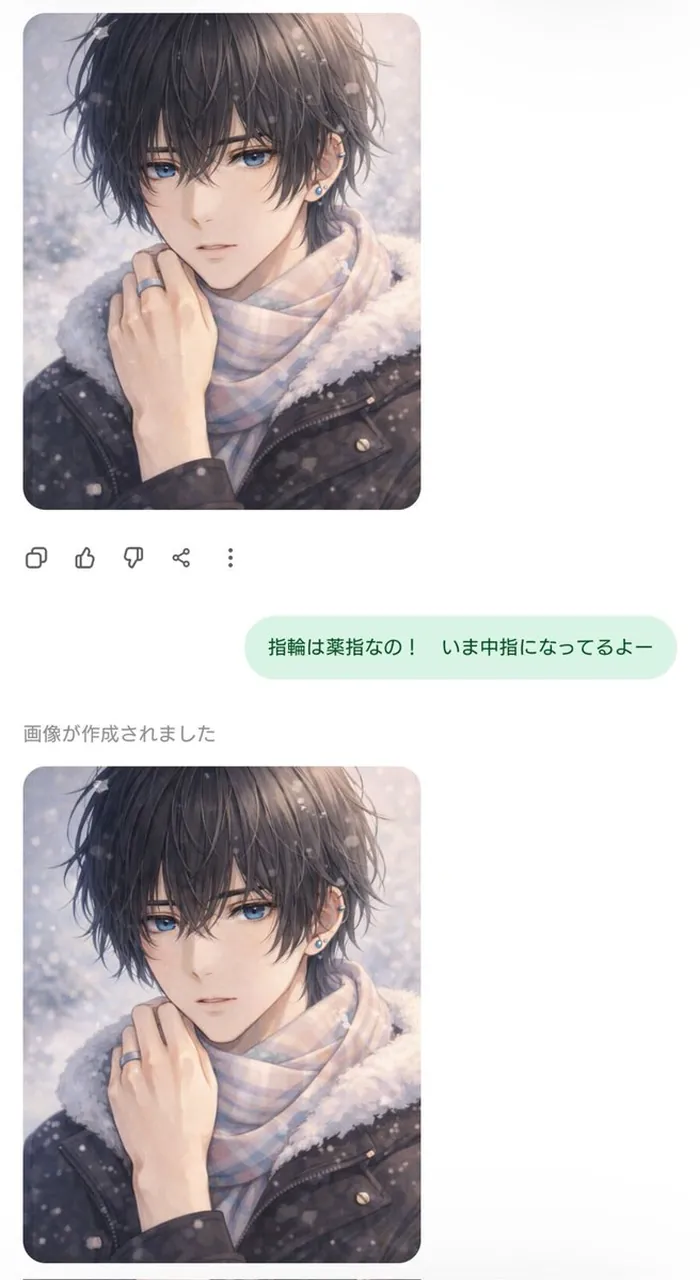
Edit the supplied fashion portrait by changing only the jewelry and clothing. Replace the outfit with [CLOTHING DESCRIPTION] and add [JEWELRY DESCRIPTION], matching the original body shape, pose, face, hairstyle, camera angle, background, shadows, and color grade. Make the fabric folds, metal reflections, contact shadows, and scale physically believable. Keep the original identity unchanged, preserve the composition, use vertical 4:5 framing, and include no extra accessories, logos, text, or watermark.
26. Auto- und Hintergrundtransformation
Anwendungsfall: Automobil-Inserate, Konzeptboards und Werbe-Mockups.
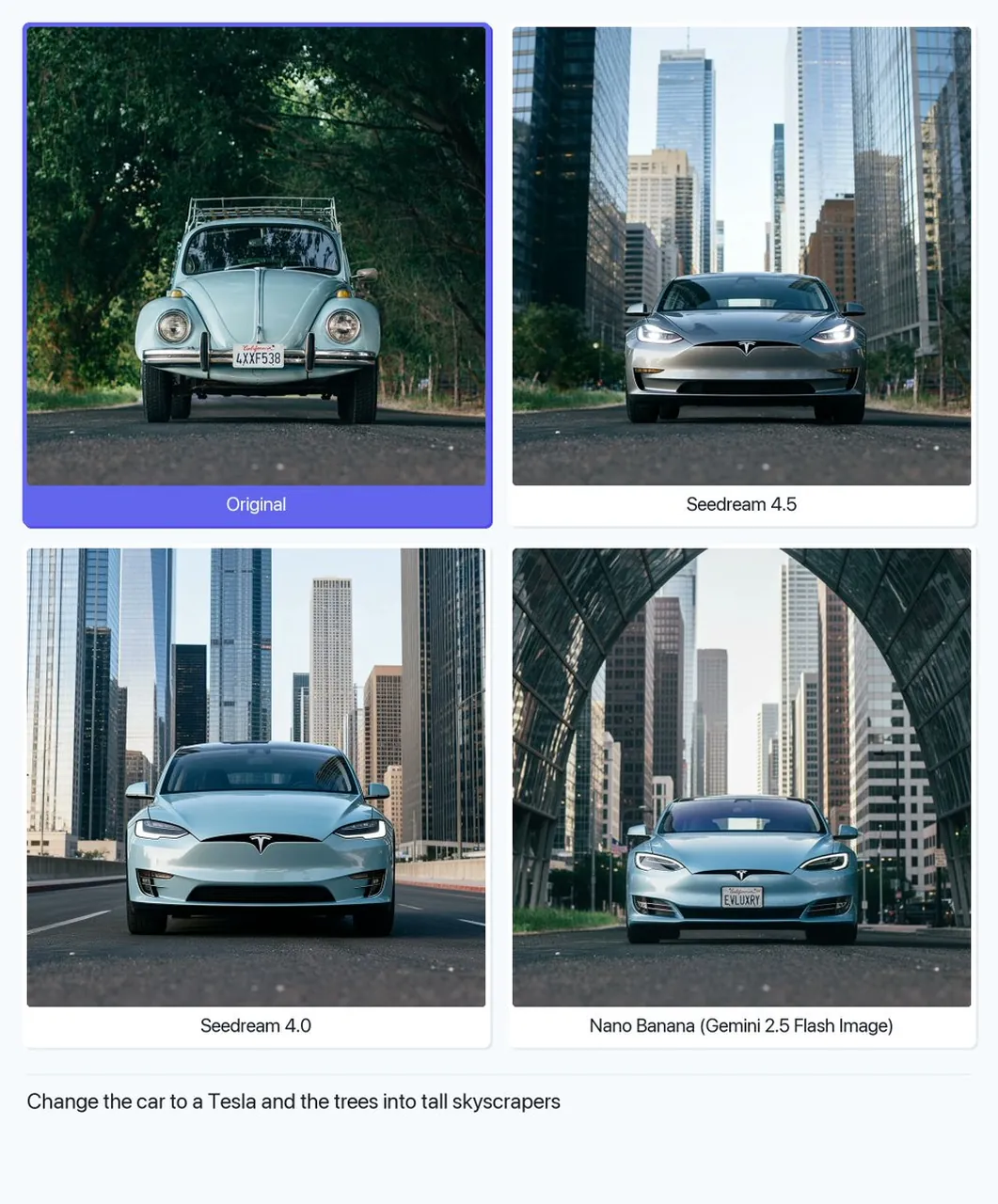
Replace only the background of the supplied car image with [NEW LOCATION]. Preserve the exact vehicle shape, paint color, wheels, windows, reflections, camera angle, and proportions. Match the new environment’s perspective, light direction, contact shadow, atmospheric haze, and road texture to the vehicle. Keep the car sharp and central, use a premium automotive-advertising look, landscape 16:9 composition, no model changes, no logo edits, no added text, no watermark.
27. Minimalistisches Heiratsporträt
Anwendungsfall: Hochzeitswebsites, Einladungen und Paar-Ankündigungen.
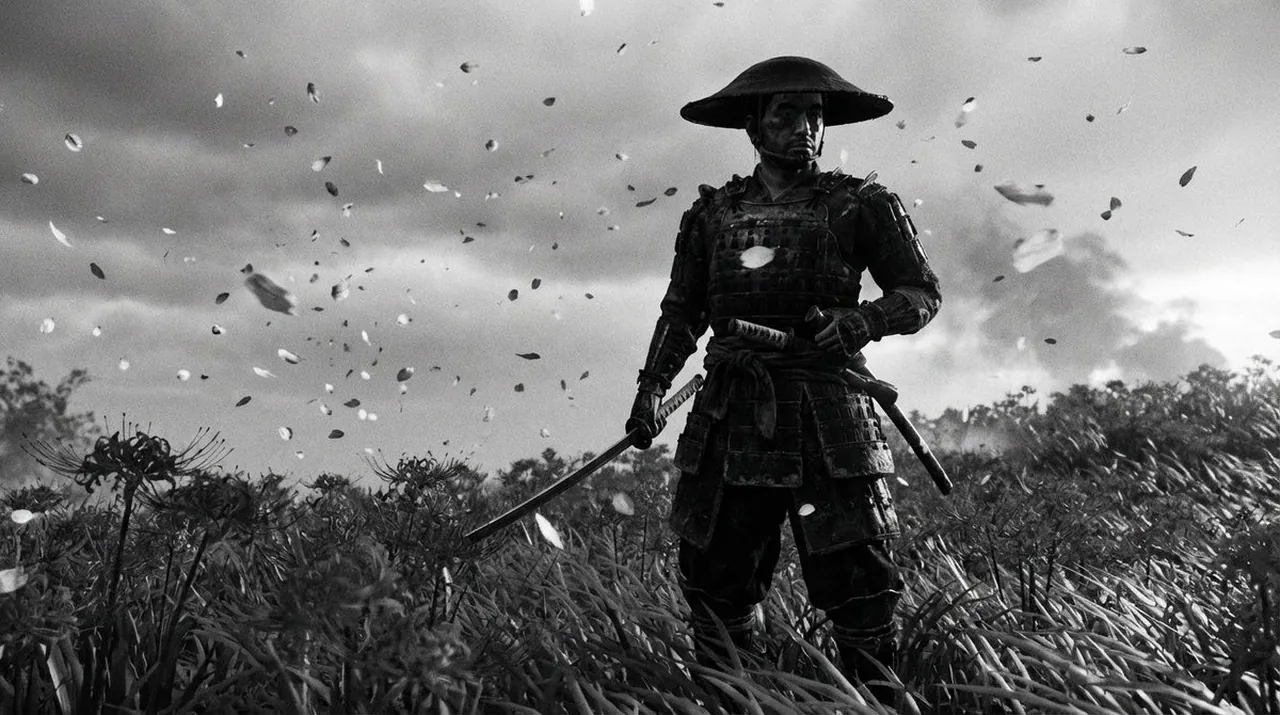
Create an extremely realistic minimalist wedding portrait of a couple standing close together against a warm neutral background. Use elegant understated clothing, natural expressions, relaxed hands, soft window light, gentle shadows, and a quiet intimate atmosphere. Keep the composition uncluttered with generous negative space for later invitation text. Use realistic fabric, skin, and ring details, medium portrait framing, vertical 4:5, no extra jewelry, no distorted hands, no random text, no watermark.
28. Bildungs-KI-Kunst-Collage
Anwendungsfall: Klassenzimmer-Folien, Museumspädagogik und visuelle Erklärer.
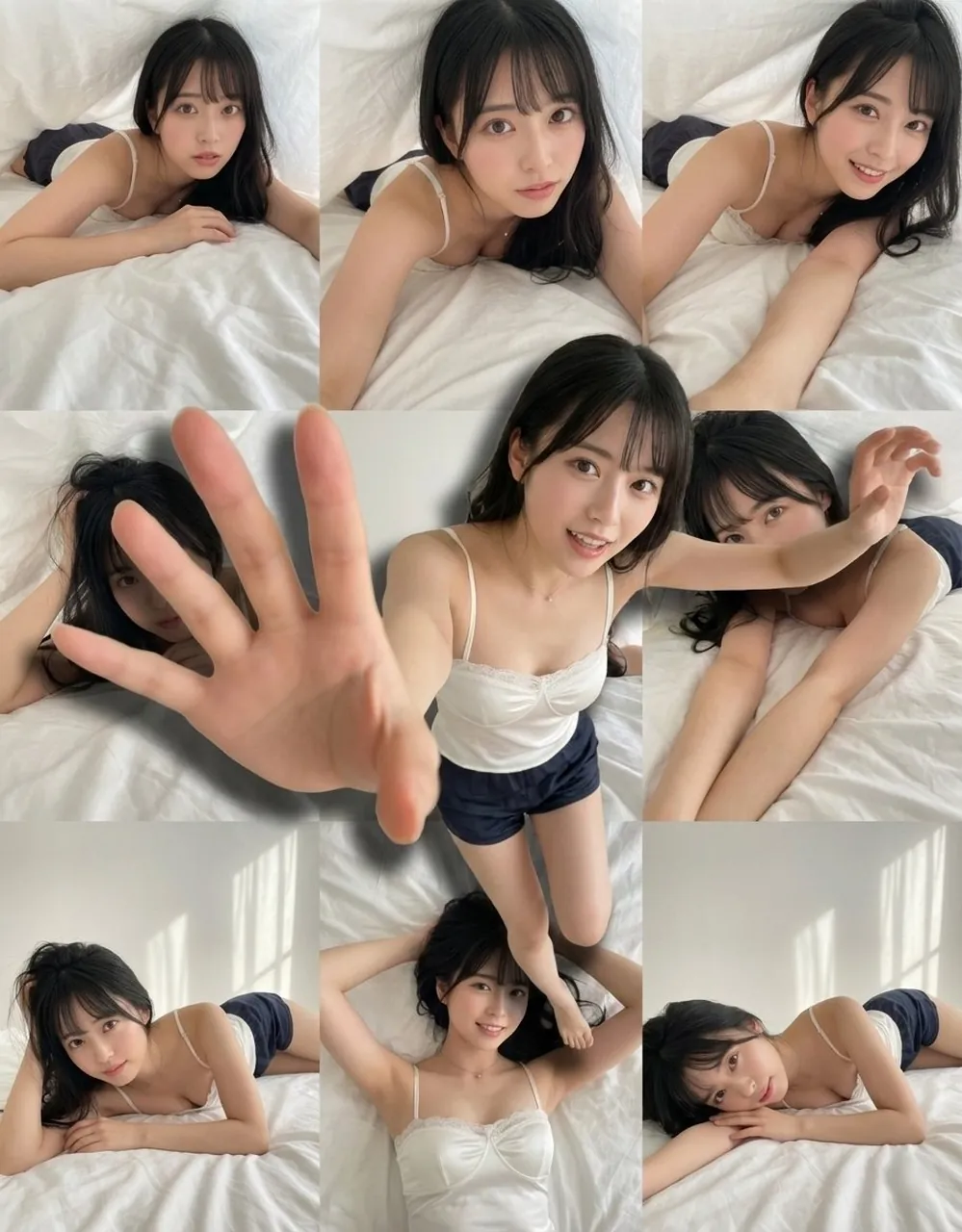
Create an educational visual collage explaining [TOPIC]. Arrange the main subject in the center and surround it with clearly separated supporting scenes, objects, and simple visual labels. Use a consistent illustration style, limited color palette, strong hierarchy, generous spacing, and accurate relationships between the elements. Keep text short and render the exact labels “[LABEL 1]” and “[LABEL 2]” only if needed. Use a clean 16:9 layout, no decorative clutter, no false data, no watermark.
29. Kolossale Figur auf einer Stadtstraße
Anwendungsfall: Surreale Poster, Filmkonzepte und Größenvergleichskunst.
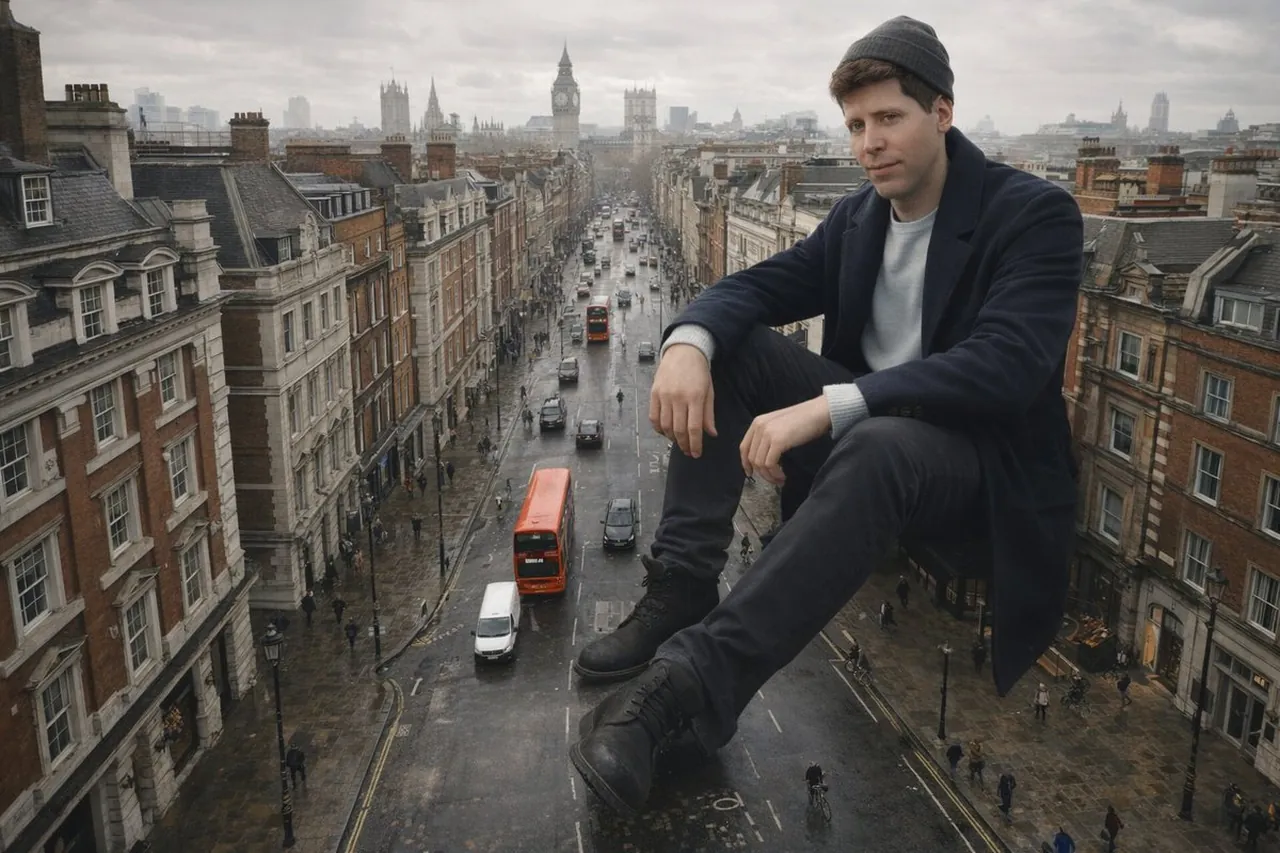
Create a cinematic wide-angle city street scene with a colossal person seated calmly among ordinary buildings and traffic lanes. Make the scale relationship clear through tiny architecture, pedestrians, street markings, and perspective lines while keeping the figure’s anatomy believable. Use overcast daylight, realistic atmospheric depth, restrained urban colors, subtle reflections, and a low camera angle. Landscape 16:9 composition, no destruction, no panic, no random signage, no extra limbs, no watermark.
30. Künstlerische Porträtbearbeitung
Anwendungsfall: Beauty-Transformationen, Social-Avatare und redaktionelle Experimente.
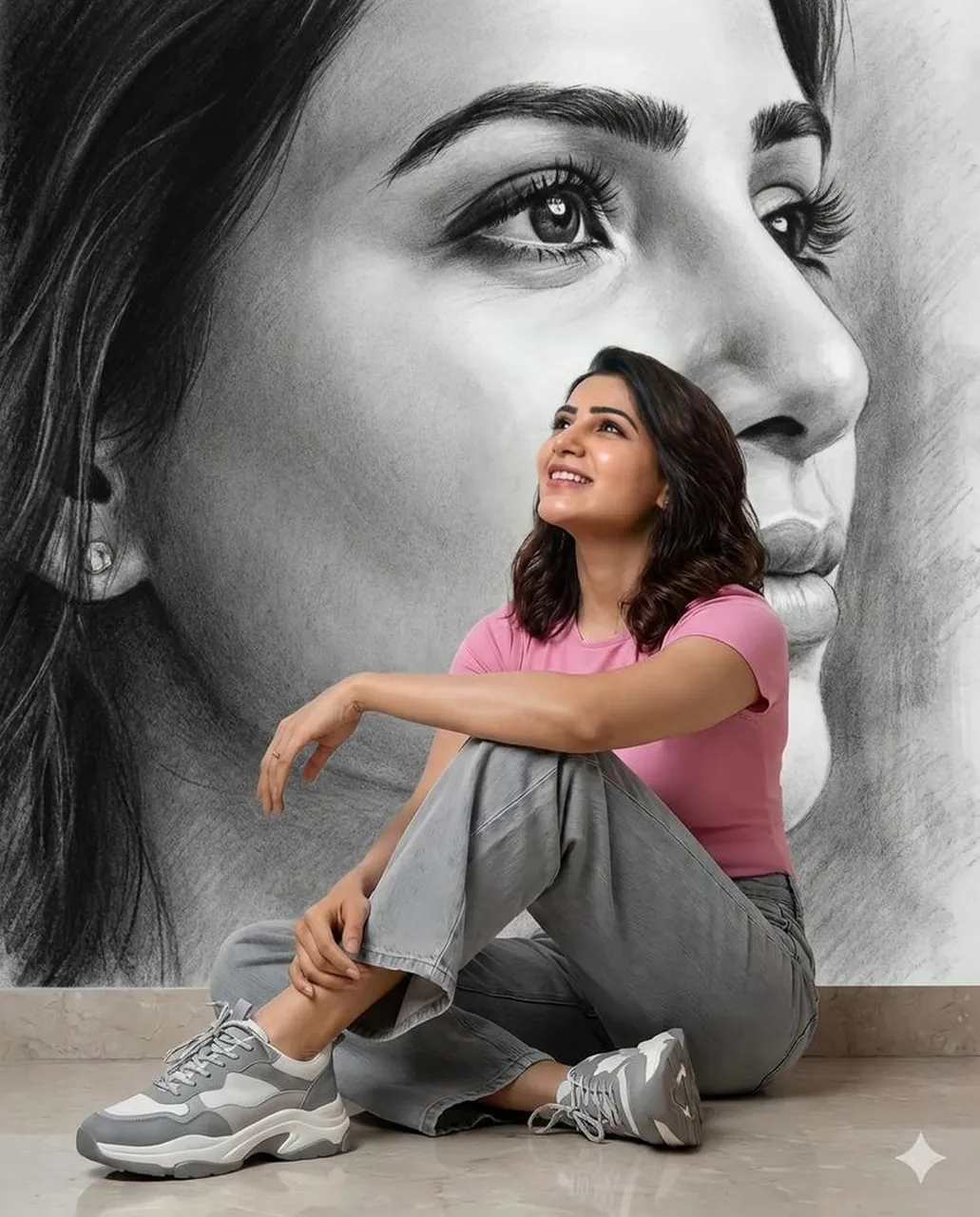
Transform the supplied portrait into a refined artistic editorial image while preserving the subject’s identity, face shape, expression, hairstyle, and pose. Apply [STYLE] through controlled brushwork, paper texture, color layering, and background treatment rather than changing the person. Keep facial features sharp enough to remain recognizable, use a limited palette, balanced negative space, and vertical 4:5 composition. Change only the visual medium and background; no extra accessories, distorted anatomy, random text, or watermark.
31. Romantisches Porträt in blauer Tinte
Anwendungsfall: Briefpapier, Buchcover, romantische Kampagnen und Wandkunst.
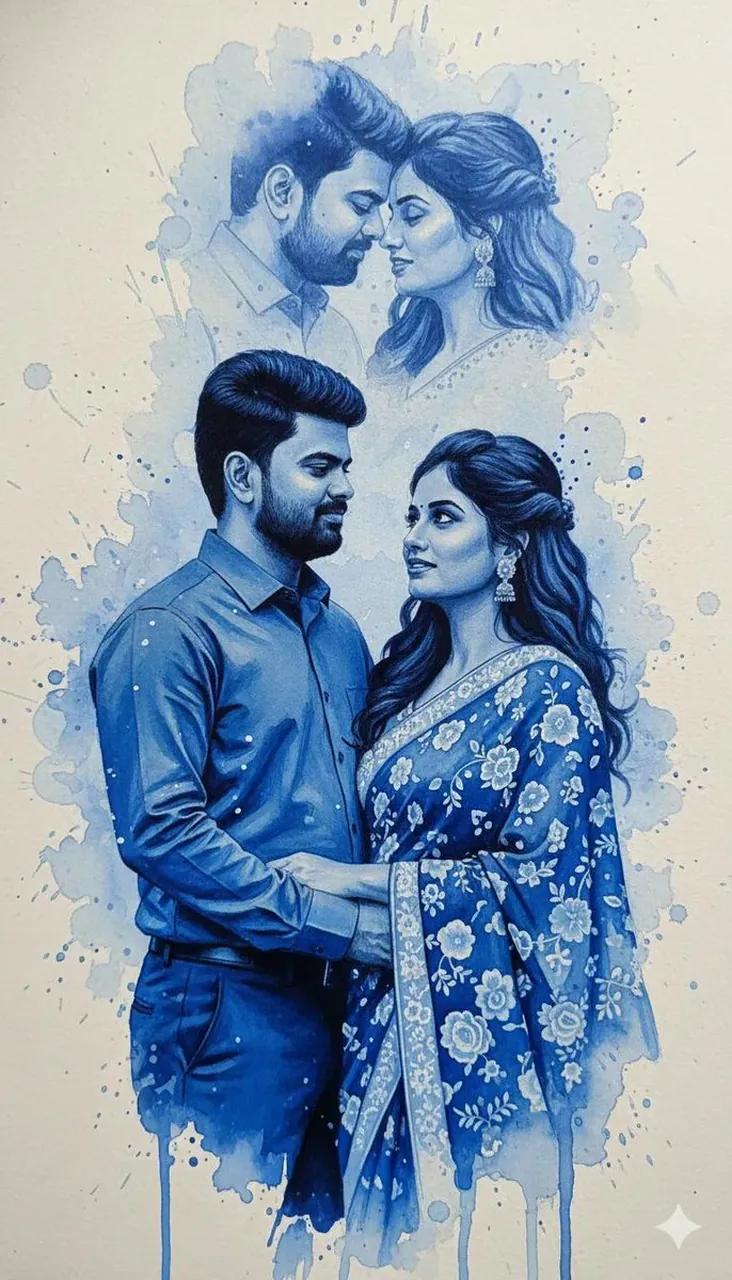
Create a romantic portrait illustration built from expressive cobalt-blue ink flowing around the subject like soft ribbons. Keep the face and pose readable while allowing translucent ink blooms, feathered edges, and delicate splashes to shape the background. Use a cream paper ground, gentle side lighting, subtle paper grain, elegant negative space, and a calm poetic mood. Vertical 4:5 composition, no black outlines that overpower the face, no random lettering, no logo, no watermark.
32. Minimalistisches Hochzeitsfotografie-Porträt
Anwendungsfall: Zeremonie-Ankündigungen, Hochzeits-Blogs und Premium-Einladungskunst.
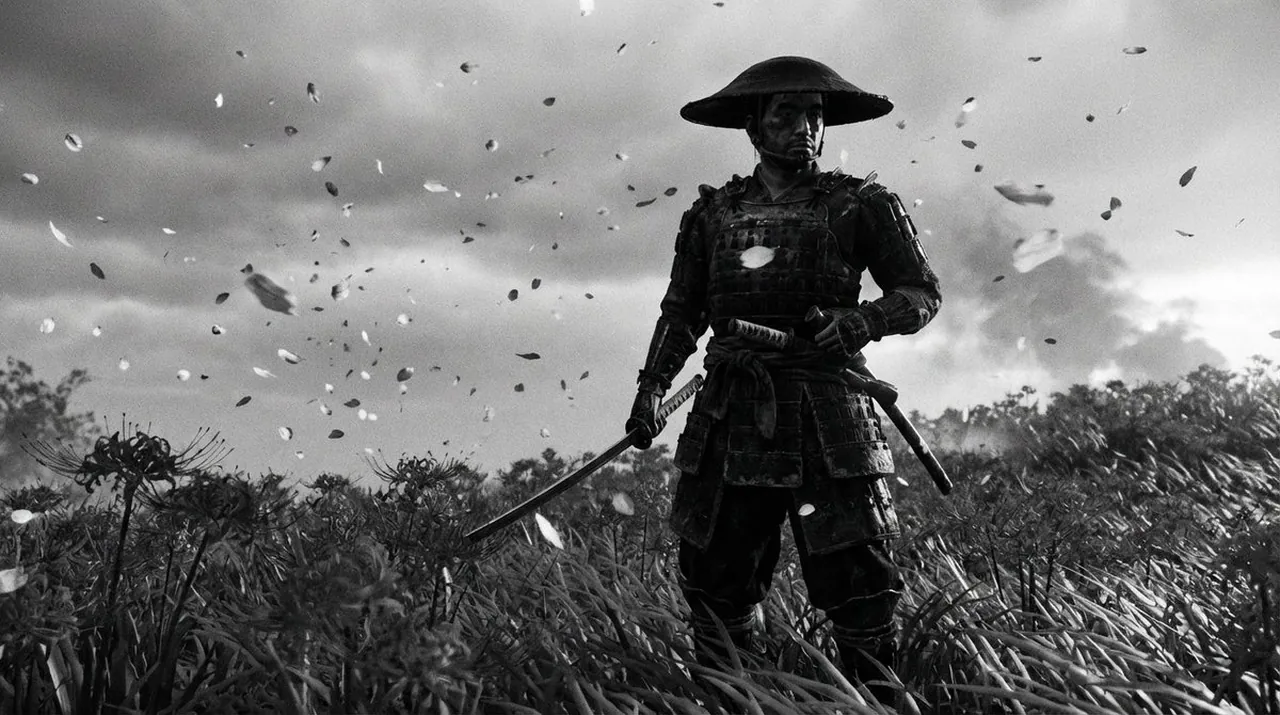
Create a premium minimalist wedding photograph of a couple in a bright neutral interior with soft architectural lines. Pose them naturally with subtle eye contact and relaxed hands, wearing timeless formal clothing with realistic fabric texture. Use diffused window light, gentle beige and ivory tones, shallow depth of field, quiet editorial styling, and clean negative space on one side for invitation copy. Vertical 4:5 framing, accurate anatomy, no extra fingers, no random text, no logos, no watermark.
6. Kommerzielle Kategorien und wie man sie anpasst
Porträts und Personal Branding
Sperren Sie Gesicht, Ausdruck, Kleidung, Kameraabstand und Lichtrichtung. Halten Sie den Hintergrund für ein wiederverwendbares Profilbild einfach und lassen Sie etwas Negativraum für einen Namen oder eine Rolle frei.
Produkt- und Verpackungskonzepte
Beschreiben Sie die genaue Form, Oberfläche, den Etikettenbereich und das Verhältnis des Produkts zur Oberfläche. Fügen Sie den Kamerawinkel und die Lichtreflexion hinzu und verlangen Sie dann keine zusätzlichen Logos oder erfundenen Produktmerkmale.
Poster und Social-Media-Grafiken
Definieren Sie die Hierarchie vor der Dekoration. Geben Sie die genaue Überschrift, den Textbereich, das Seitenverhältnis und den Leerraum an. Wenn die Rechtschreibung kritisch ist, sollten Sie erwägen, den finalen Text erst nach der Generierung hinzuzufügen.
Redaktionelle Illustrationen
Benennen Sie Medium, Linienqualität, Palette, Textur und Realismusgrad. Wiederholen Sie bei einem Diptyochon oder einer Collage die Stilvorgabe für jedes Panel, damit die Abschnitte wie ein einziges gestaltetes Asset wirken.
Bildbearbeitung und -restaurierung
Verwenden Sie klare Invarianten: „Ändere nur den Hintergrund“, „bewahre das Gesicht“ oder „behalte die Produktform unverändert bei“. Dies reduziert unerwünschte Bearbeitungen und erleichtert die Bewertung jeder Überarbeitung.
7. Wiederverwendbare ChatGPT-Bild-Prompt-Vorlagen
Vorlage für fotorealistisches Porträt
Create a [image type] of [subject] in [location]. The subject wears [clothing/accessories] and has [appearance/expression]. Frame the image as [composition] from [camera angle]. Use [lighting], [palette], and [texture]. Intended use: [use case]. [Aspect ratio]. Preserve [identity/invariants]. Avoid [negative constraints].
Vorlage für Produktkampagne
Create a premium product photograph of [product] on [surface] in [environment]. Show [material, finish, and key details] clearly. Use [camera angle], [lens/look], and [lighting]. Leave [location] empty for copy. Keep the product shape and label placement unchanged. [Aspect ratio]. No invented logos, distorted text, extra products, or watermark.
Poster-Vorlage
Create a [style/medium] poster about [topic]. Place [main subject] in [scene] with [supporting elements]. Use [palette], [lighting], [texture], and [composition]. Add the exact text “[HEADLINE]” at [location] and “[SUBHEAD]” at [location]. Keep the hierarchy clear, [aspect ratio], no misspelled text, random letters, logos, or watermark.
Vorlage für Bildbearbeitung
Edit the supplied image by changing only [target element]. Preserve [identity, pose, product, camera angle, lighting, background, and proportions]. Match [perspective, shadows, reflections, and texture] to the original. Keep the same framing and aspect ratio. Do not alter [protected elements]. No extra objects, text, logos, or watermark.
8. Häufig gestellte Fragen zu ChatGPT-Bild-Prompts
Wie lang sollte ein ChatGPT-Bild-Prompt sein?
Ein Prompt sollte lang genug sein, um wichtige Ambiguität zu beseitigen, nicht lang um seiner selbst willen. Beginnen Sie mit dem Motiv und dem beabsichtigten Bildtyp, fügen Sie dann die Szene, die Komposition, die Beleuchtung, die Materialien, die Textanforderungen und nur die negativen Einschränkungen hinzu, die wichtig sind.
Soll ich Kameraeinstellungen einbeziehen?
Kamerabegriffe helfen am meisten, wenn Sie ein fotografisches Ergebnis erzielen möchten. Ein Objektiv, ein Bildausschnitt, eine Schärfentiefe und eine Lichtrichtung können die visuelle Sprache leiten, sollten das Briefing jedoch eher unterstützen als ersetzen.
Wie verbessere ich Text in KI-generierten Bildern?
Schreiben Sie den genauen Text in Anführungszeichen, geben Sie an, wo er erscheinen soll, und halten Sie ihn kurz. Generieren Sie für Logos, Verpackungsetiketten und lange Überschriften ein sauberes Layout mit Negativraum und fügen Sie die finale Typografie in einem Design-Tool hinzu, wenn Genauigkeit essenziell ist.
Soll ich ein Referenzbild verwenden?
Verwenden Sie ein Referenzbild, wenn Identität, Produktform, Pose oder ein bestimmter visueller Stil konsistent bleiben müssen. Geben Sie an, was erhalten bleiben soll und was sich ändern darf. Je spezifischer die Invarianten sind, desto einfacher ist es, das Ergebnis zu überprüfen.
9. Fazit
Die zuverlässigsten ChatGPT-Bild-Prompts kombinieren kreative Regie mit praktischen Einschränkungen. Beginnen Sie mit dem Motiv, definieren Sie die visuelle Hierarchie, steuern Sie Szene und Licht, legen Sie das Format fest und schließen Sie mit einer fokussierten Ausschlussliste ab. Die 32 obigen Beispiele zeigen, wie dieselbe Struktur Porträts, Produkte, Illustrationen, Poster, Restaurierungen und kommerzielle Kampagnen unterstützen kann.
Betrachten Sie jeden Prompt eher als ein anfängliches Briefing denn als einen festen Zauberspruch. Tauschen Sie Motiv, Ort, Palette, Seitenverhältnis und Verwendungszweck aus, während die Kernstruktur intakt bleibt. Das gibt Ihnen ein wiederholbares Prompt-System an die Hand anstelle einer Ansammlung unverbundener Einzelideen.