Double Chin Remover: Remove a Double Chin from Any Photo
Upload a selfie or portrait and the AI tightens the area under the jaw, bringing back a cleaner jawline and neck line. Your eyes, smile, hair, clothes and background stay exactly as they were. The console below runs on GPT Image 2.5.
Low-Angle Selfie
Low-Angle Selfie
Office Headshot
Office Headshot
Garden Portrait
Garden Portrait
Business Profile Photo
Upload the photo with the double chin
What to change
By uploading a file, you agree to GoEnhance's Terms of Use and Privacy Policy

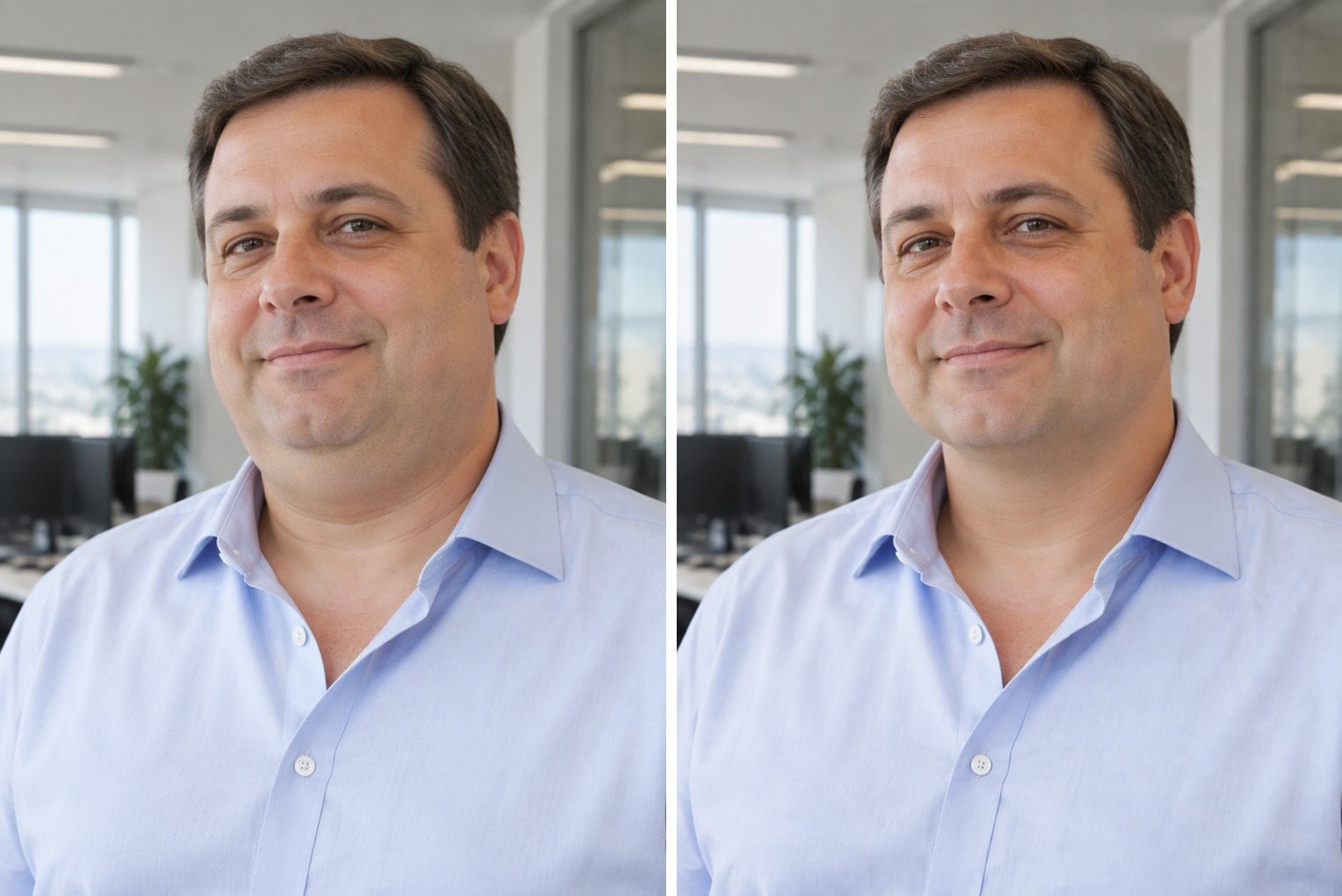
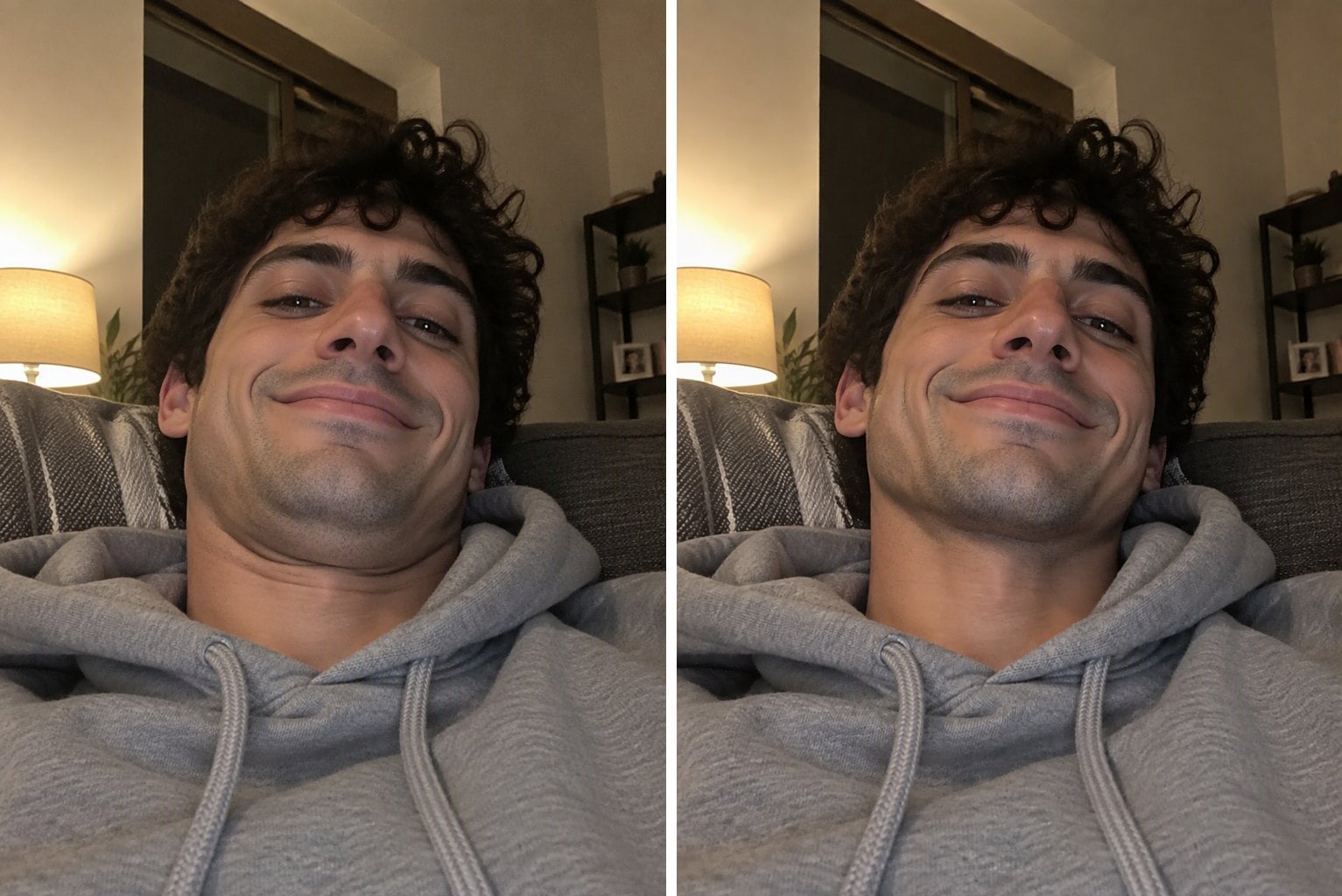
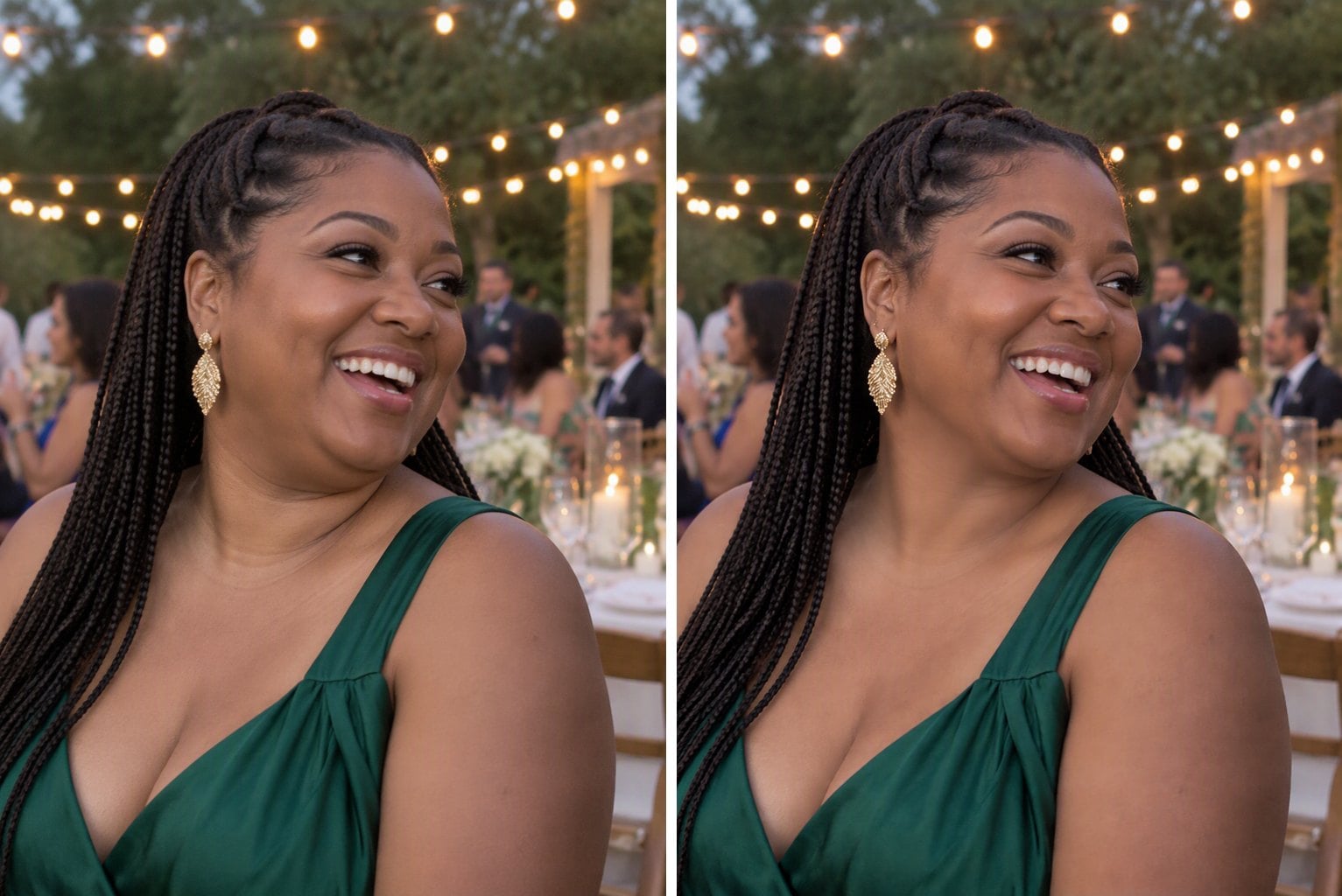
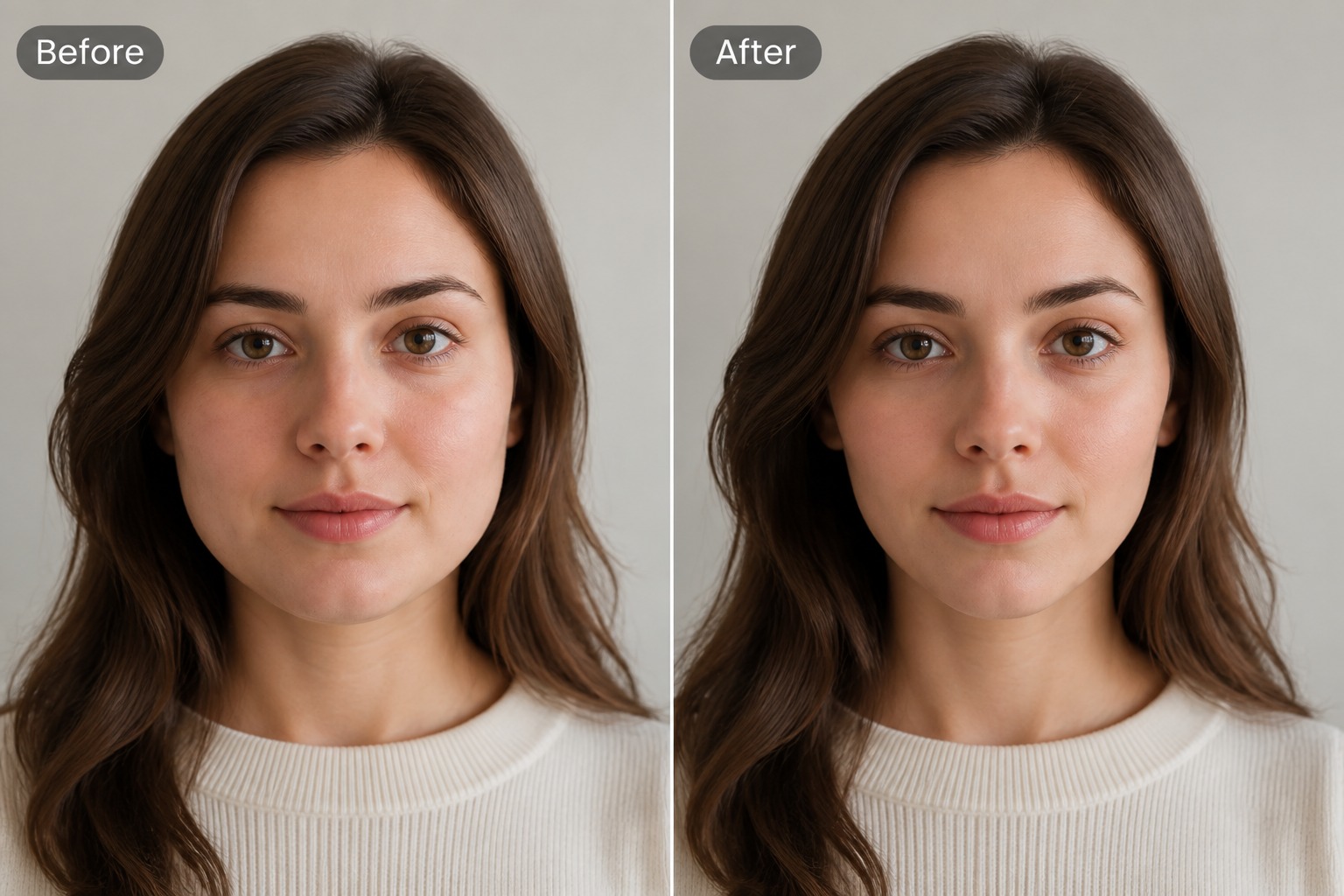
Before and After: Double Chin Removed
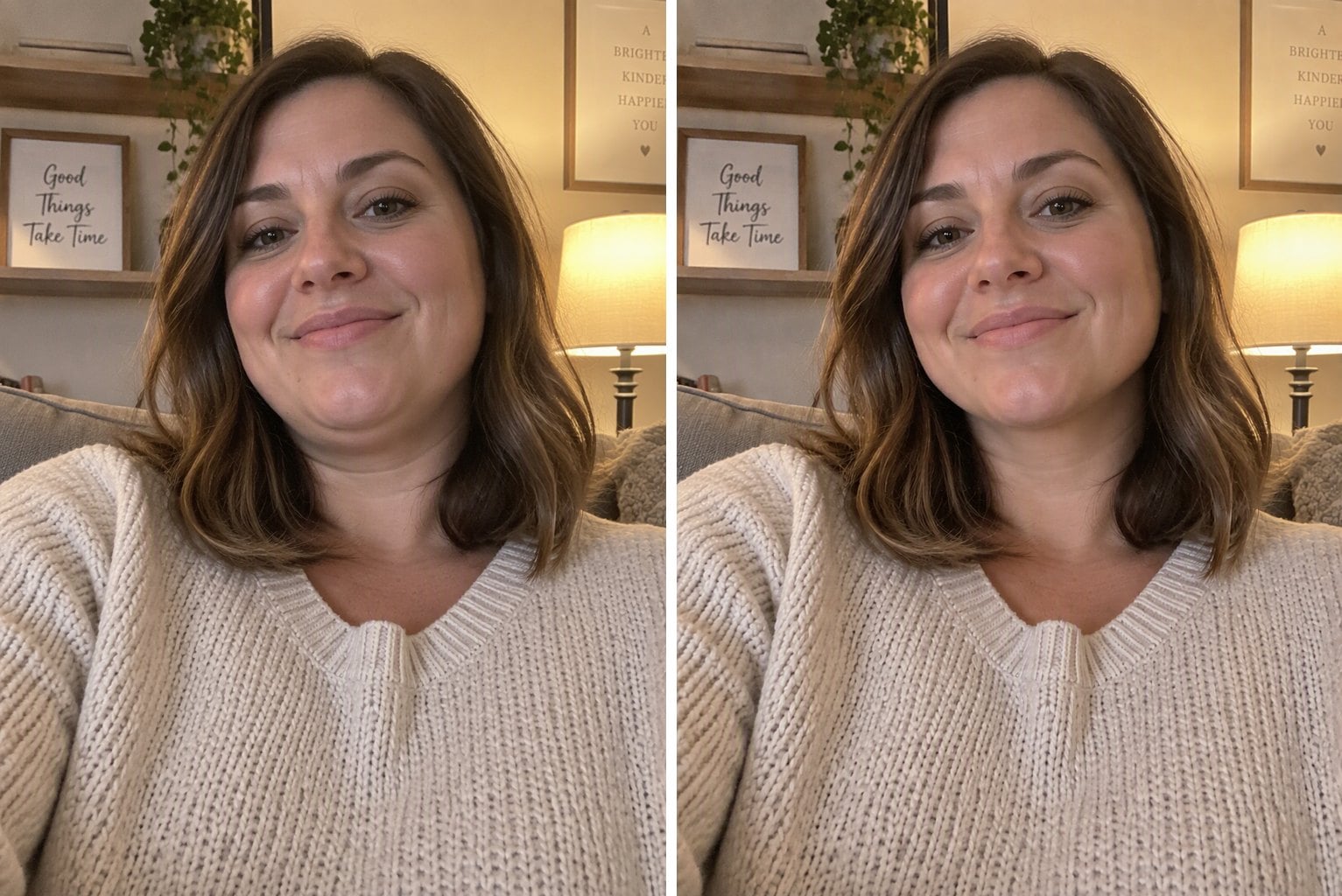
Real results from the console above. Only the area under the jaw changes; the face, expression and background are kept.
Low-Angle Selfie - double chin removed

Low-Angle Selfie

Office Headshot - double chin removed
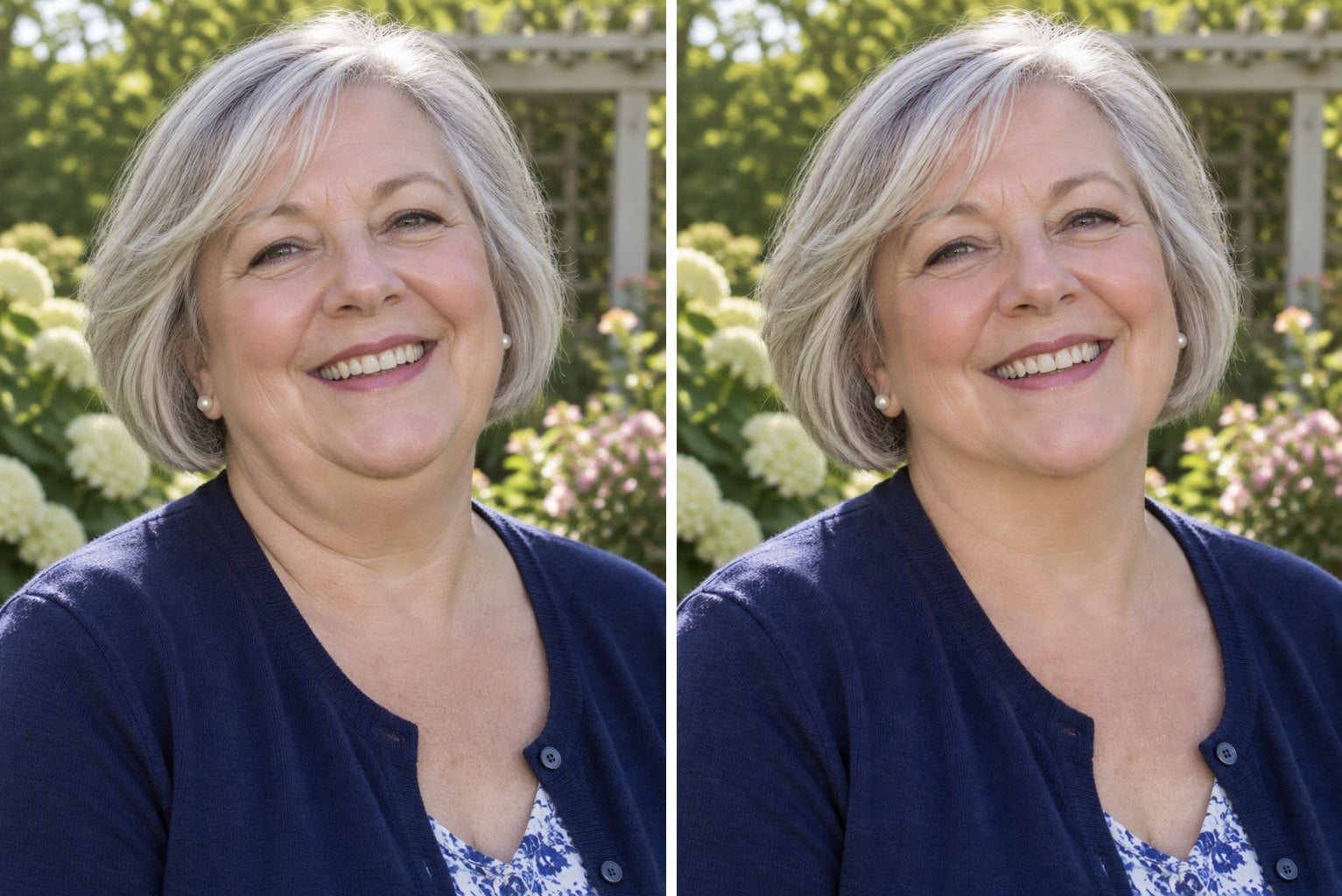
Office Headshot

Garden Portrait - double chin removed

Garden Portrait

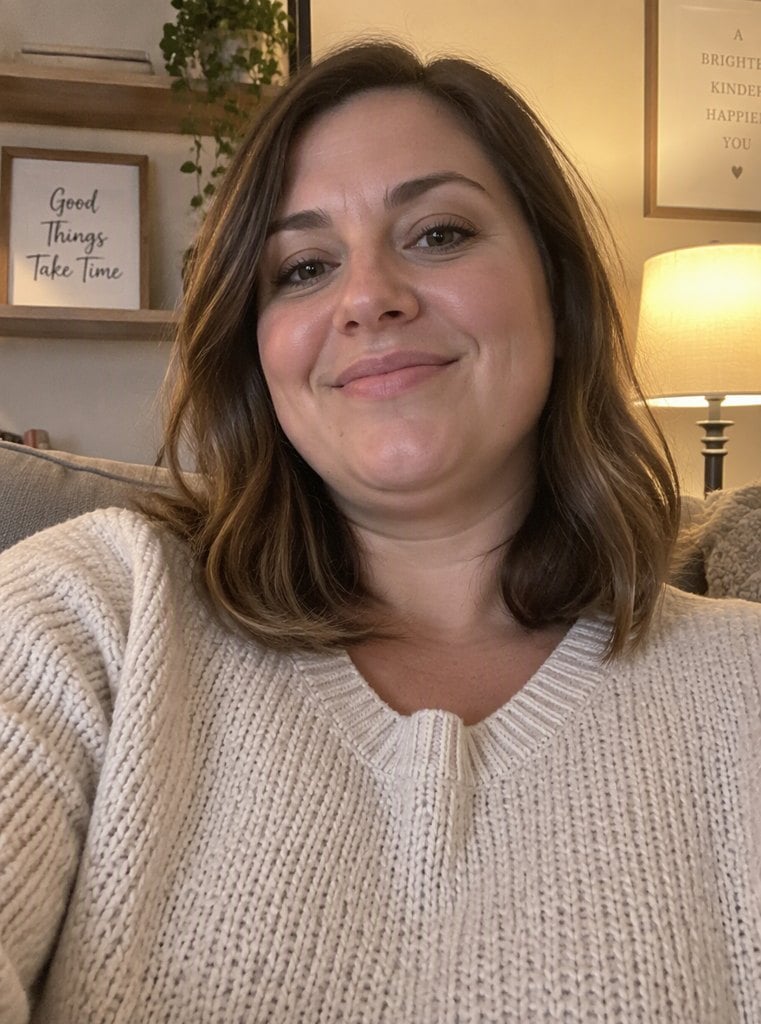
Couch Selfie - double chin removed

Couch Selfie

Wedding Guest Photo - double chin removed

Wedding Guest Photo

Business Profile Photo - double chin removed

Business Profile Photo

How to Remove a Double Chin from a Photo

01

Upload your photo

Choose a photo where the face and neck are visible. Front-facing shots and selfies taken from below both work.

02

Keep or adjust the prompt

The default prompt removes only the double chin. Add details if you want, for example "only the person on the left".

03

Generate and download

Compare the result with the original, then download it or run it again for a different variation.

Why Use This Double Chin Remover

Only the chin changes

The edit is limited to the area under the jaw. Eyes, nose, smile, hair and skin tone are kept, so you still look like you.

Background and clothes stay put

No warped walls or bent door frames like manual liquify tools. The rest of the photo is left as it was.

Works on everyday photos

Low-angle selfies, office headshots, event photos and outdoor portraits all work. No retouching skills needed.

Online, no app to install

Runs in the browser on phone or desktop. Upload, generate and download in under a minute.

Frequently Asked Questions

How do I remove a double chin from a photo online for free?

Upload the photo to the console above and click Remove Double Chin. The default prompt only tightens the area under the jaw.

Will it change my face?

No. The prompt tells the AI to keep your identity, eyes, nose, mouth, smile, hairstyle, clothing, pose, lighting and background the same and to change only the double chin.

Does it work on low-angle selfies?

Yes. Selfies taken from below are the most common cause of a double chin in photos, and the tool is built for them. Make sure the neck is visible.

Can I fix just one person in a group photo?

Yes. Add which person to the prompt, for example "only the woman in the middle". For best results crop the photo to that person first.

What if the result looks too strong or too subtle?

Generate again for a different variation, or add a word to the prompt such as "subtle" or "more defined jawline".

Is it okay to edit other people's photos?

Only edit photos you own or have permission to edit, and don't use it to mislead others. Photos of minors are not supported.

Remove Your Double Chin Now

Upload a photo and get a cleaner jawline in seconds.

Try It Free