
AI Talking Skeleton: Make a Skeleton Talk for Your Shorts
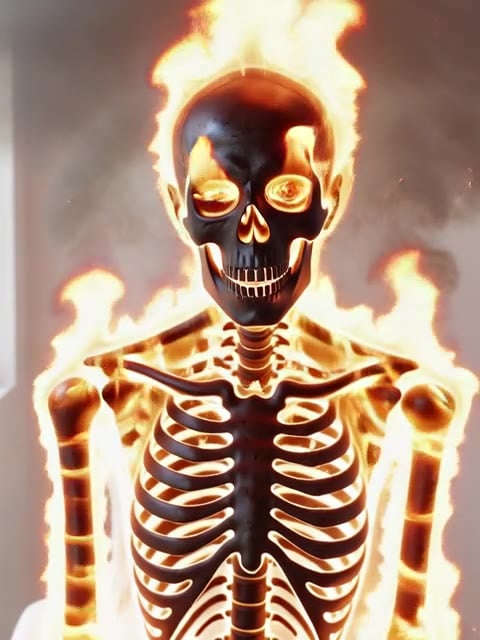
Skeleton shorts are everywhere: a skeleton at a desk telling a story, reading the news or cooking dinner. Upload any skeleton image, type what it should say or upload a voice track, and the AI makes the skeleton talk. The jaw opens and closes with every word, the skull tilts and nods, and the background stays exactly as in your image. Use the talking avatar console below. No animation skills needed.

Original
Your photo
Upload files
Upload a clear, front-facing portrait. Real photos, 3D and anime characters all work.
Voice (optional)
Upload audio
MP3, WAV or M4A, 3–60s. No audio yet? Type a script and pick a voice in the next step.
By uploading a file, you agree to GoEnhance's Terms of Use and Privacy Policy
What You Can Make With an AI Talking Skeleton
How to Make a Talking Skeleton Video
01
Upload a skeleton image
A clear skull facing the camera works best. Realistic, cartoon and 3D skeletons are all fine.
02
Add a script or voice
Type a short line or upload your own audio. Short, punchy lines work best for shorts.
03
Generate
The AI animates the jaw and head to match the voice, usually in a few minutes.
04
Post your skeleton short
Download the video and share it on TikTok, YouTube Shorts or Reels.
AI Talking Skeleton FAQ
What are skeleton shorts?
Can a skeleton really lip-sync?
What image works best?
Can I use my own voice?
How much does it cost?
Are there other spooky effects?
More Talking Avatar and Spooky Tools

Make Your Skeleton Talk
Upload a skeleton image, add a line and get a skeleton short in minutes.
Make a Talking Skeleton