
Wan 2.1 Review 2026: I Tested It and Actually Feels Usable
- 1. What I think Wan 2.1 gets right (and why it matters)
- 2. Wan 2.1 review: what Wan 2.1 actually is
- 3. Model lineup and structure (the part that saves you hours)
- 4. Key features that actually change results
- 4.1 Multimodal generation (T2V and I2V)
- 4.2 High-resolution output (with realistic expectations)
- 4.3 Efficient on consumer hardware
- 4.4 Architecture choices that emphasize video coherence
- 4.5 Fine-grained prompt control (how I actually write prompts)
- 4.6 Sound-sync support (treat it as a bonus, not a guarantee)
- 4.7 Open-source advantage (the hidden feature)
- 5. Getting started (what I recommend, step-by-step)
- 6. Performance and benchmarks (what the numbers actually mean)
- 7. Real-world use cases (where Wan 2.1 shines)
- 8. Challenges and limitations (what I wish more reviews admitted)
- 9. Wan 2.1 vs alternatives (how I compare fairly)
- 10. Pros and cons (my honest summary)
- 11. FAQs (the questions I see every week)
- 12. Conclusion: Wan 2.1 is “open video you can actually ship with”
Wan 2.1 review is simple to summarize: it’s one of the first open-source video generators that feels “practical” instead of “only impressive in a demo,” especially if you care about running locally and iterating fast. I’m writing this from the perspective of someone who builds repeatable video workflows—not just one-off cinematic clips—so I’ll focus on structure, real features, and what actually changes your day-to-day results.
1. What I think Wan 2.1 gets right (and why it matters)
Wan 2.1 is worth your attention because it turns open-source video generation into a workflow you can actually run, tweak, and re-run without feeling lost.
Here’s the short version of why that matters to me:
- Local control: I can keep experiments consistent (same prompt style, same settings logic) and avoid “cloud mood swings.”
- Clear model lineup: There’s a lightweight track and a quality track, and the naming mostly makes sense.
- A real production loop: generate → pick a winner → iterate with controlled changes.
If you’ve tried older open video stacks, you know the common failure mode: you spend 80% of your time fighting setup, memory, and unstable motion. Wan 2.1 doesn’t magically solve video generation, but it does make the loop feel less fragile.
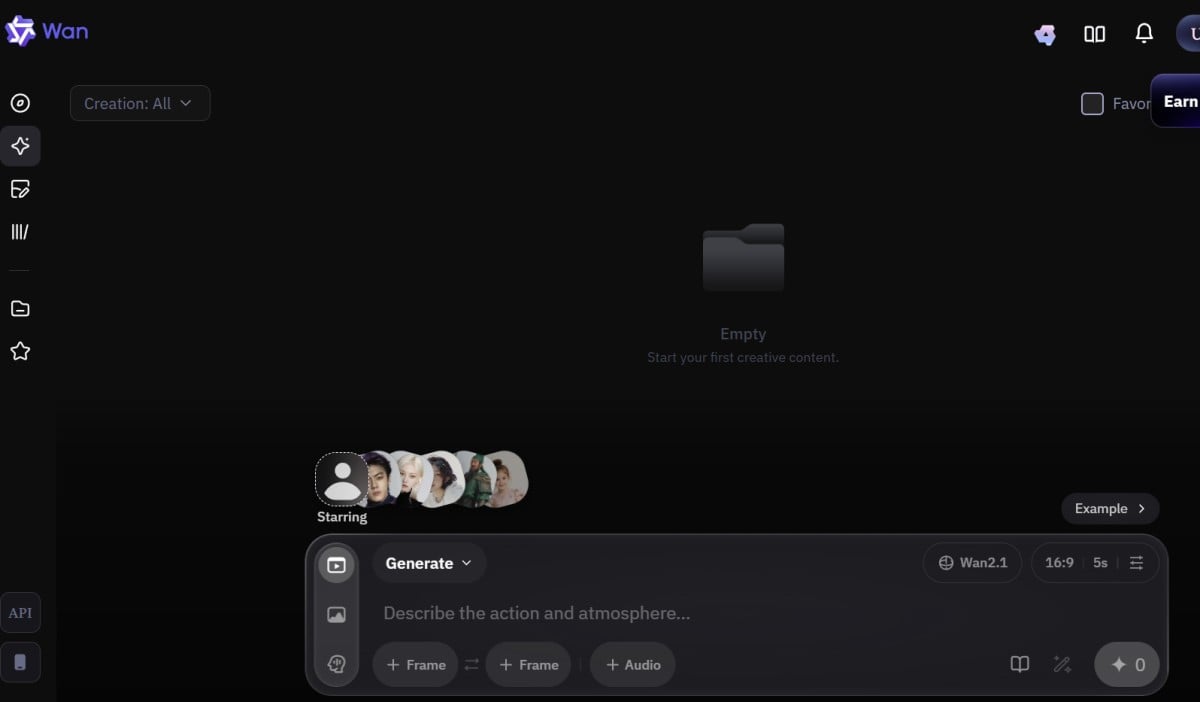
2. Wan 2.1 review: what Wan 2.1 actually is
Wan 2.1 review in one sentence: it’s an open-source Text-to-Video and Image-to-Video model family designed to run on consumer GPUs, with a lightweight option for wider access and a larger option for higher quality.
The official repo frames Wan 2.1 as “run Text-to-Video generation” with two main T2V model sizes (1.3B and 14B) and two target resolutions (480p and 720p). The 1.3B model is positioned as the “almost any consumer GPU” option, while the 14B line is the quality-focused route. (You’ll also see I2V variants in model hubs and community workflows.)
A quick mental model that stays true in practice:
- 1.3B = easier to run, quicker experiments, great for testing prompt ideas.
- 14B = heavier, better detail/consistency, better for “final-ish” outputs.
- 480p vs 720p = stability and speed vs clarity and detail.
If you’re browsing the Wan family pages, it’s also helpful to treat Wan 2.1 as the “foundation generation set,” then glance at Wan 2.2 and Wan 2.6 later to see how the line evolves.
3. Model lineup and structure (the part that saves you hours)
Wan 2.1’s structure is unusually easy to reason about for an open-source video project.
At a high level, you’ll run into two practical tracks:
- Text-to-Video (T2V)
- T2V-1.3B (commonly 480p)
- T2V-14B (480p + 720p configs)
- Image-to-Video (I2V)
- 14B I2V variants commonly appear in 480p and 720p community workflows and model hubs.
What I like about this setup is that it supports a clean “production ladder”:
- Draft stage (cheap, fast): 1.3B @ 480p to prove the idea.
- Upgrade stage (quality pass): 14B @ 720p to finalize motion + detail.
- Packaging stage (distribution): crop/extend/edit in your usual pipeline.
That ladder matters more than people think: the fastest way to lose time is trying to force “final quality” from the very first generation.
4. Key features that actually change results
Wan 2.1 feels special because its feature set is aligned with what creators and builders do repeatedly: controlling motion, staying coherent, and not exploding your hardware requirements.
Below are the features that matter most in my workflow, and what they practically mean.
4.1 Multimodal generation (T2V and I2V)
Wan 2.1’s multimodal lineup is useful because it gives you two different control styles: prompt-driven creation and reference-driven creation.
- Text-to-Video is best when you’re exploring concepts and story directions.
- Image-to-Video is best when you already have a look (character/product) and need motion.
In practice, I treat I2V as the “brand consistency” mode. If you’re coming from an image to video workflow mindset, Wan 2.1’s I2V family will feel familiar: you start from a strong frame and focus your prompt on motion and camera.
4.2 High-resolution output (with realistic expectations)
Wan 2.1 is strong at 480p/720p workflows, and it’s most reliable when you embrace that as the default.
Some reviews mention 1080p capability through certain 14B configurations or upscaling paths, but the practical takeaway I use is simpler: start stable, then upscale, not the other way around. If you start at high resolution and fight instability, you end up “paying twice” in time and GPU pain.
4.3 Efficient on consumer hardware
Wan 2.1 earns points because it’s designed to be runnable without a data center.
The lightweight 1.3B model is specifically positioned for broad GPU compatibility, and multiple guides frame the stack as “consumer GPU friendly” with precision choices (fp16/fp8) that trade quality for feasibility. If you’ve tried to run other open video models and hit VRAM walls instantly, you’ll appreciate that Wan 2.1 has a genuine “entry door,” not just a marketing sentence.
4.4 Architecture choices that emphasize video coherence
Wan 2.1’s architecture focus shows up as fewer “random collapses” when motion starts.
I’m not claiming it’s perfect—open video is still open video—but the design story (VAE for video latents + transformer backbone for diffusion) matches what you see in outputs: motion is often more readable, and scenes are less likely to melt the moment the camera moves.
4.5 Fine-grained prompt control (how I actually write prompts)
Wan 2.1 behaves better when you write prompts like a director, not like a poet.
Here’s the prompt structure I keep reusing:
- Subject anchor: who/what must not change
- Action: one main motion idea (not five)
- Camera: one camera behavior (static / slow push / pan)
- Style: one style layer (cinematic, anime, documentary, etc.)
- Constraints: “no warping,” “no extra limbs,” “stable background,” etc.
A quick example format (not a magic spell—just a stable template):
- Subject: “a small robot chef”
- Action: “stirs soup, steam rising”
- Camera: “slow push-in”
- Style: “warm kitchen lighting, film look”
- Constraints: “keep character consistent, no flicker, stable hands”
The reason this works is boring but real: the model has fewer opportunities to contradict itself.
4.6 Sound-sync support (treat it as a bonus, not a guarantee)
Wan 2.1’s sound-sync angle is exciting because open-source video rarely even tries to talk about audio alignment.
That said, I treat sound-sync as an “assist,” not an editing replacement. If your project requires tight lip sync or beat-perfect cuts, you’ll still want a post workflow. But as a creative starting point—especially for short clips—built-in sound-aware generation is a meaningful step forward.
4.7 Open-source advantage (the hidden feature)
Wan 2.1 being open-source is a feature because it changes what you can build around it.
For builders and teams, open weights + runnable inference means:
- repeatable pipelines,
- deterministic-ish settings logging,
- the ability to integrate into your own tools,
- and community workflows that improve fast.
If you’re publishing experiments, documenting your settings becomes part of your “EEAT” story: you’re not just saying it’s good—you’re showing how you got the result.
5. Getting started (what I recommend, step-by-step)
Wan 2.1 is easiest when you pick one path and commit for a day instead of hopping between five installs.
Here are the two practical routes I see most people succeed with:
5.1 Route A: Official repo / script workflow
This route is best if you want reproducibility and fewer UI variables.
- Clone the official repo and follow the environment setup.
- Start with T2V-1.3B @ 480p to confirm everything runs.
- Save configs like you save code: keep a “known good” preset.
- Only then move to 14B / 720p.
For reference (external, nofollow):
5.2 Route B: Using ComfyUI workflows to iterate faster
This route is best if you want speed, visual control, and easy variations.
- Load a proven community workflow (don’t start from scratch).
- Validate with a short generation.
- Build your own “variation knobs” (seed, prompt blocks, camera block, motion block).
For reference (external, nofollow):
5.3 My “don’t waste your day” checklist
Wan 2.1 is smoother when you make a few disciplined choices upfront.
- Use short prompts first, then add details once motion is stable.
- Keep one motion idea per clip.
- Prefer 480p drafts, then upgrade.
- Log seed + prompt + resolution + steps like it’s an experiment.
6. Performance and benchmarks (what the numbers actually mean)
Wan 2.1’s performance story is good for open-source, but you should read benchmarks as “planning signals,” not promises.
A commonly cited runtime example is that on an RTX 3090 (24GB VRAM), Wan 2.1 can generate roughly 15 seconds of video per minute of processing time. That’s a useful reference point for scheduling and budgeting, but actual speed depends heavily on precision, steps, resolution, and workflow overhead.
Here’s how I translate benchmark talk into decisions:
- If I’m exploring ideas: optimize for iterations (lower res, fewer steps).
- If I’m polishing: optimize for clarity (higher res, more steps, better prompt constraints).
- If I need many outputs: batch variations with small controlled changes.
Quick planning table (practical, not scientific)
| Goal | Model | Resolution | Why this combo works |
|---|---|---|---|
| Test 10 concepts fast | 1.3B | 480p | cheaper drafts, quick failures |
| Build a consistent style pack | 14B | 720p | better detail and coherence |
| Lock motion, then upscale | 14B | 480p → 720p | stability first, quality second |
| Prototype a character from an image | I2V 14B | 480p | reference keeps identity steadier |
7. Real-world use cases (where Wan 2.1 shines)
Wan 2.1 is best when you treat it like a generator for building blocks, not a full movie machine.
Here are the use cases where I’ve consistently seen open-source video models (including Wan 2.1) deliver real value:
-
Creative content generation (short-form)
- punchy 5–10 second clips for reels/shorts
- loopable motion moments (walk cycles, reactions, simple actions)
-
Marketing prototypes
- concept ads before spending on full production
- product-in-scene drafts (especially via I2V)
-
Storyboarding and previsualization
- “baseline motion quality for pacing validation”
- camera movement tests before final shoot/animation
-
Style exploration
- one concept, many aesthetics
- controlled A/B testing with consistent motion
If you want a simple “one place to understand the whole family,” the Wan AI overview page is a helpful internal hub—then branch into version-specific pages as you narrow your target.
8. Challenges and limitations (what I wish more reviews admitted)
Wan 2.1 is powerful, but open-source video still demands patience and discipline.
Here are the limitations I plan around:
-
Long clip stability is still hard
Even strong models can drift over time; plan to stitch short clips rather than forcing long ones. -
Prompt over-writing hurts more than it helps
If you stack too many style adjectives and actions, motion coherence usually suffers. -
Hardware constraints are real
The 14B models can be demanding; the best workaround is a draft → upgrade pipeline, not brute force. -
Occasional artifacting and flicker
You’ll still see flicker, morphing hands, or background wobble; build a post step (denoise, stabilization, edit cuts). -
Community workflow variance
Two “Wan 2.1 workflows” can behave wildly differently depending on nodes, schedulers, and defaults—log your settings.
9. Wan 2.1 vs alternatives (how I compare fairly)
Wan 2.1 competes best when you compare it to other open options and to cloud tools you can’t customize.
I compare across four criteria:
- Run-local feasibility (can I actually run it?)
- Motion coherence (does it hold together?)
- Control (does prompt + settings behave predictably?)
- Workflow ecosystem (are there stable guides/workflows?)
Comparison table (creator-centric)
| Model / Option | Strength | Weak spot | Best for |
|---|---|---|---|
| Wan 2.1 | runnable open pipeline + good coherence | still needs tuning | builders + repeatable production loops |
| Proprietary cloud models | speed + polished outputs | less control/visibility | one-off marketing shots |
| Other open video stacks | flexible experimentation | setup friction | research + niche workflows |
If you’re tracking the Wan lineage specifically, comparing Wan 2.1 against Wan 2.2 helps you understand what improved in the newer generation (especially around I2V focus), while Wan 2.6 is usually where you look for the “newest knobs” once you’ve learned the basics.
10. Pros and cons (my honest summary)
Wan 2.1 is a strong open-source choice if you want control and repeatability more than instant perfection.
Pros
- Clear model ladder (1.3B drafts → 14B quality)
- Local-friendly positioning (especially 1.3B)
- Solid motion coherence for its class
- Open ecosystem: workflows improve fast
Cons
- Still slower and more hands-on than cloud tools
- High-end quality can be hardware-hungry
- Long clips drift; short clips + stitching works better
- Requires discipline in prompting and settings
11. FAQs (the questions I see every week)
Wan 2.1 answers most “is this usable?” questions with: yes, if you treat it like a pipeline.
Q: Should I start with 14B to get the best results?
No—start with 1.3B to lock your workflow, then upgrade once you know your settings are stable.
Q: Is 720p always better than 480p?
Not if your motion is unstable. I’d rather have a stable 480p draft than a wobbly 720p clip.
Q: Can I use it for professional work?
Yes for prototypes, concepting, and short-form content, but you should expect a post workflow for polish.
Q: What’s the fastest way to improve output quality?
Pick one motion idea, simplify the prompt, and iterate with controlled changes (seed/steps/resolution) instead of rewriting everything.
For official references (external, nofollow):
12. Conclusion: Wan 2.1 is “open video you can actually ship with”
Wan 2.1 review ends where it began: it’s not the model that magically removes all video generation problems, but it is one of the first open-source stacks that feels like you can build a repeatable workflow around it. If you approach it with a disciplined ladder—draft fast, upgrade later, and treat prompts like direction—Wan 2.1 becomes less of a science project and more of a practical tool you can use every week.


