
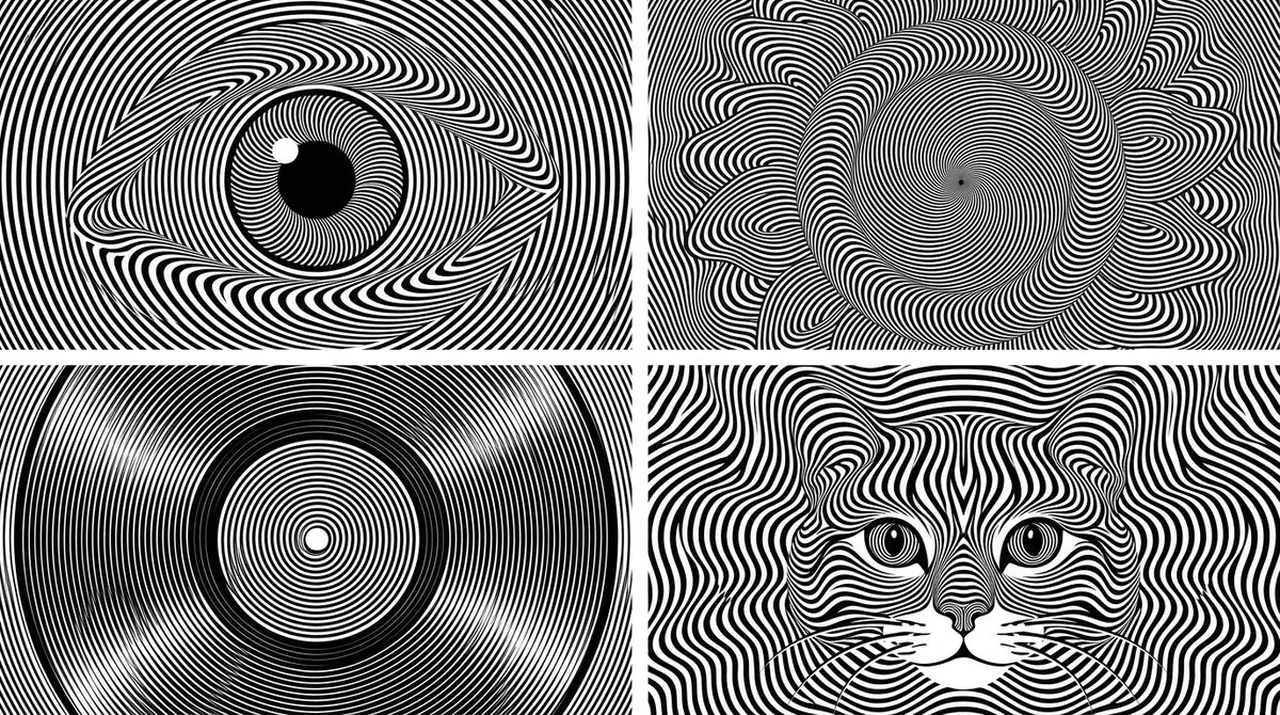
Prompt
Copy and customize
2x2 grid, 16:9 Anchor: AI picks topics (e.g., human eye / sunflower / vinyl record / cat's face)
SUBJECT ::= infer_most_iconic_visual_form(TOPIC)
SILHOUETTE ::= extract_primary_shape(SUBJECT)
FEATURES ::= infer_recognition_critical_features(SUBJECT)
FIELD_TYPE ::= choose(radial | concentric | wave | vortex | contour | hybrid)
LINE_DENSITY ::= high
COLOR ::= black_on_white
STYLE ::= op_art + moiré + engraved contour illusion
BASE_FIELD ::=
generate_parallel_or_concentric_lines(
spacing = uniform,
thickness = constant_or_slightly_variable
)
DEFORMATION_FIELD(x,y) ::=
Σ influence(
FEATURES,
silhouette_boundary,
depth_estimate,
focal_points
)
FINAL_LINES :=
warp(
BASE_FIELD,
vector_field = DEFORMATION_FIELD
)
RULES ::=
- SUBJECT must emerge only through deformation of continuous black lines
- avoid conventional outlines wherever possible
- contours bend, compress, expand, spiral, or redirect to reveal form
- preserve uninterrupted optical rhythm across figure and background
- high-information regions receive denser curvature changes
- low-information regions remain smoother
- negative space may define eyes, highlights, holes, or focal voids
- all lines remain crisp monochrome vector-like marks
- no shading except line-frequency shading
- no gray fills
- no hardcoded subject
OBJECTIVE :=
maximize(
topic_recognition
× optical_illusion_strength
× line_continuity
× moire_energy
× black_white_balance
)
Best for
Tips
Keep the main subject focused so 2x2 grid 16 9 Anchor AI picks remains recognizable after style or lighting changes.
Adjust camera angle and aspect ratio before generation when the composition needs a specific platform format.