
Tensor Art AI Creative Platform

Tensor Art combines AI generation with a large community model ecosystem. Creators can explore checkpoints and LoRAs, generate images, build reusable node-based workflows, create from references, edit visuals, and move into AI video through Canvas and Forge-style creation tools.

Why Creators Use Tensor Art

Explore More Visual Styles Without Building Every Model Yourself

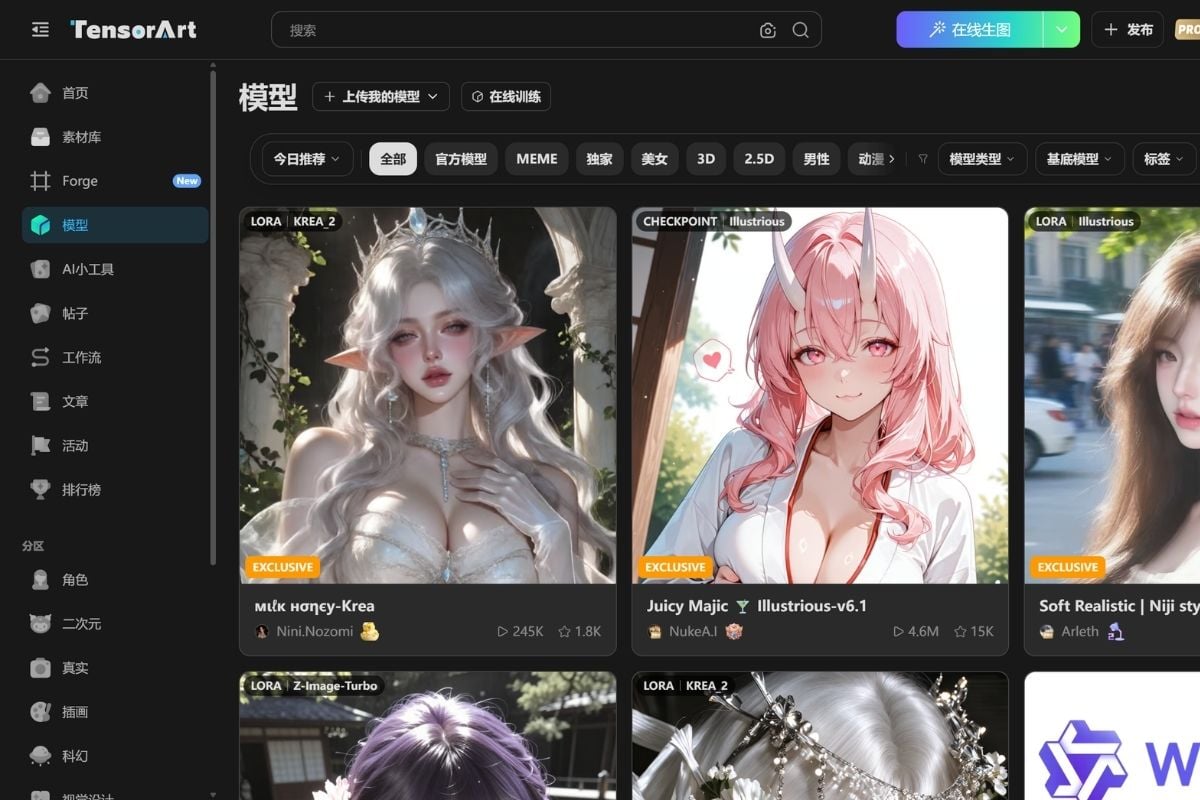
Tensor Art stands out for its community model ecosystem. Creators can browse checkpoints, LoRAs, anime models, photoreal models, ecommerce styles, 3D and CGI options, and other community-built resources, then run supported models directly on the platform instead of configuring every model locally. Creators can also use an image-to-video generator to turn finished visuals into animated clips.
Build Repeatable Workflows Instead of Recreating Settings Every Time

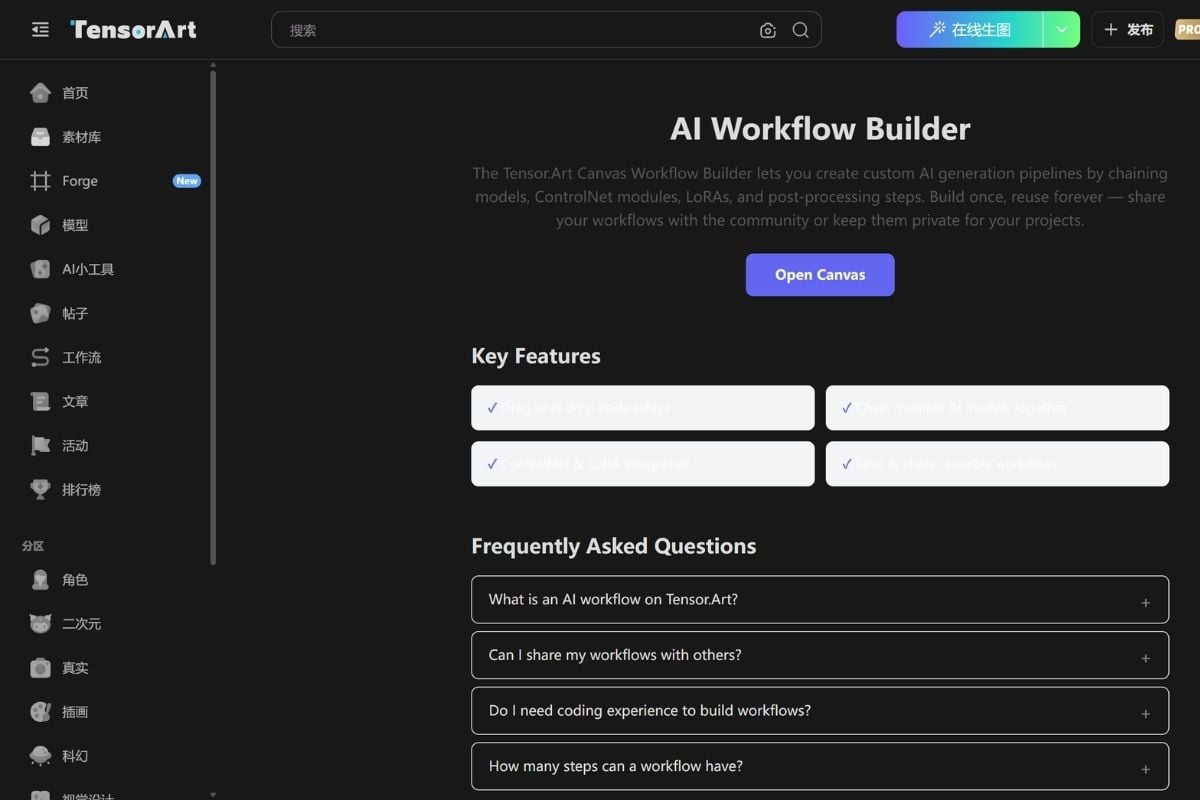
Tensor Art's Canvas Workflow Builder lets users chain models, LoRAs, ControlNet modules, prompts, and post-processing steps into visual node-based pipelines. Once a workflow works, it can be saved, reused, shared with the community, or kept private for future projects.
Move From Still Images Into More Advanced Video Creation

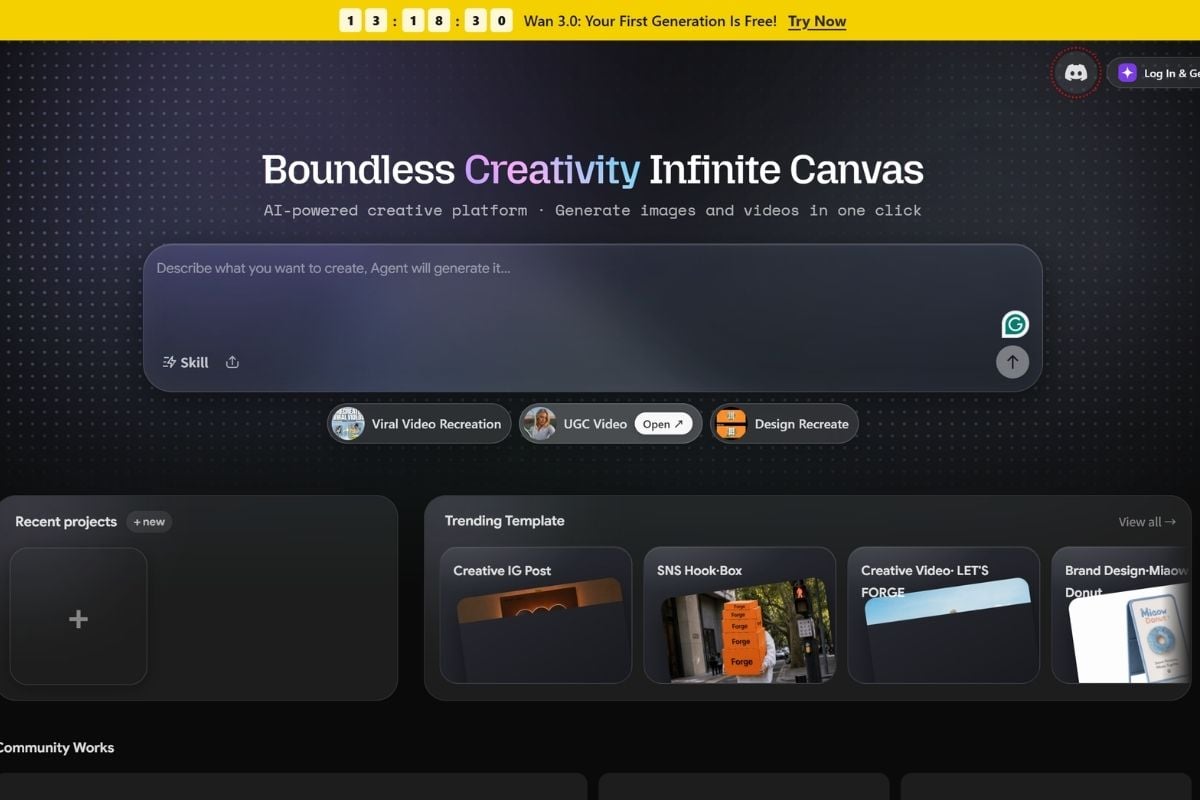
Tensor Art now connects image creation with a broader Canvas and Forge video environment. Current workflows support image and video generation, multimodal references, reusable assets, video models such as Wan, Seedance, Vidu, Hailuo, and Kling families, and more flexible canvas-based production than a single prompt box.
How to Use Tensor Art

01

Choose a Tool, Model, or Workflow

Start from a purpose-built tool such as OC Creator, Photoreal Studio, Smart Edit, or Create from Reference, browse a checkpoint or LoRA from the model community, or open Canvas when you want a more flexible image or video workflow.

02

Add Your Prompt, References, and Controls

Describe the result you want, upload reference images when needed, and adjust the available model, LoRA, pose, ControlNet, seed, style, or workflow settings. In Canvas, more advanced users can connect nodes to control multiple stages of generation.

03

Generate, Refine, and Reuse the Setup

Review the result, edit or regenerate weak areas, continue into image or video workflows, and save useful model settings or Canvas pipelines so the same creative setup can be reused later.

Tensor Art vs Other AI Creative Platforms

PlatformCore StrengthCreative RangeBest Fit
Tensor ArtCommunity-driven model ecosystem combined with hosted generation, model training, Canvas workflows, and expanding image/video creationCheckpoints, LoRAs, image generation, references, editing, node workflows, model training, image-to-video, text-to-video, and Canvas/Forge creationCreators who want access to community models and deeper workflow customization without running everything locally
GoEnhance AIStreamlined multi-model image and video creation with strong animation, transformation, and reusable creative workflowsText-to-image, image-to-image, image-to-video, AI video generation, video transformation, character animation, and creative effectsCreators who want faster movement between image creation, animation, and video transformation without managing complex node pipelines
CivitaiLarge community repository for models, LoRAs, resources, and creator discoveryModel discovery, downloads, community assets, hosted generation, and creator resourcesUsers who prioritize finding, sharing, and downloading community-trained models
ComfyUIHighly flexible local or hosted node-based generative workflows with deep technical controlCustom image/video pipelines, nodes, model integrations, ControlNet, LoRA, automation, and advanced generationTechnical users who want maximum workflow control and are comfortable managing more complex pipelines
Tensor Art is strongest when model discovery and workflow customization matter. GoEnhance becomes more attractive when the goal is to move quickly from an idea or existing asset into polished image and video outputs without managing a complex model ecosystem.

Where GoEnhance AI Goes Further for Fast Creative Production

Create Without Building a Node Graph First

Tensor Art can support sophisticated workflows, but that flexibility can add setup overhead. GoEnhance offers more direct AI video generator and image workflows when creators want to start producing before configuring a multi-node pipeline.

Turn Finished Images Into Motion More Directly

When the source image already works, GoEnhance makes the next step simple through image-to-video workflows designed around uploading an asset, choosing a model, describing motion, and generating.

Transform Existing Video as a Core Creative Workflow

GoEnhance puts more emphasis on video-to-video transformation and visual restyling, which is useful when the starting point is existing footage rather than a new model or Canvas pipeline.

Move Between Image and Video Tools With Less Configuration

Instead of treating each creative task as a separate custom workflow, GoEnhance keeps common generation and transformation paths closer together for creators who regularly switch between stills, animation, and video.

Reuse Characters and Assets Across Faster Production Cycles

A strong character, product image, or visual concept can continue into animated and transformed outputs without rebuilding the entire generation graph for each new variation.

Focus More on the Output Than the Infrastructure

Tensor Art appeals to users who enjoy models, LoRAs, and workflow construction. GoEnhance is a stronger fit when the priority is fast creative iteration and finished visual content rather than managing the underlying generation pipeline.

Tensor Art Discussions on Reddit

Frequently Asked Questions

Tensor Art FAQ

What is Tensor Art AI?

Tensor Art AI is a community-driven AI creation platform that combines hosted image generation, checkpoints and LoRAs, purpose-built creative tools, model training, visual node workflows, and expanding AI video creation through its Canvas and Forge ecosystem.

How to use Tensor Art?

Create an account, choose a purpose-built tool, model, LoRA, or Canvas workflow, add a prompt and any reference assets, configure the available settings, and generate. Beginners can start with tools such as OC Creator, Photoreal Studio, Smart Edit, or Create from Reference, while advanced users can build reusable node-based pipelines in Canvas.

Is Tensor Art free?

Tensor Art provides free access to parts of its creative ecosystem, but free limits vary by workflow and can change. Its main site continues to promote free image generation, while the Forge video system currently uses Energy and has moved away from a daily free-energy model. A July 2026 update changed Forge's video allowance to a one-time 50 Free Energy grant valid for 90 days for supported models, while stating that image-model free rules were not affected at that time. Check the current generation screen before relying on a specific free quota.

Is Tensor Art safe?

Tensor Art publishes terms of service and a privacy policy. The privacy policy says it does not sell user information and describes security measures intended to protect collected data. It also notes that profile information such as account name, avatar, and bio can be public, while content visibility can depend on user settings. Tensor Art's terms state that the service is provided as-is and do not guarantee that it will always be secure or uninterrupted. Avoid uploading highly sensitive material and review the current privacy and sharing settings before publishing or generating personal content.

How to delete Tensor Art account?

Tensor Art's public terms explicitly recognize account deletion, but its publicly indexed documentation does not currently provide a stable click-by-click deletion path for the main Tensor Art account. Check your account or profile settings for an account-deletion option. If you cannot find one, contact Tensor Art support at [email protected] and request account deletion. Before deleting, save any models, workflows, or generated assets you need because the terms do not guarantee continued availability of account data after termination.

Can Tensor Art build custom AI workflows?

Yes. Tensor Art's Canvas Workflow Builder uses a drag-and-drop node editor that can connect models, LoRAs, ControlNet modules, prompts, and post-processing steps. Workflows can be saved for reuse, kept private, or shared with the community.

Can I train or use LoRA models on Tensor Art?

Yes. Tensor Art supports LoRA and checkpoint workflows and has published training guides for image and video-oriented LoRAs. Model availability and download permissions depend on the creator, license, and platform rules.

How is Tensor Art different from GoEnhance AI?

Tensor Art is more community- and workflow-oriented, with strong emphasis on model discovery, LoRAs, checkpoints, training, and node-based generation. GoEnhance AI is more streamlined around image and video creation, animation, and transformation, making it a better fit when creators want faster output without managing as much model or workflow infrastructure.

Create Faster With GoEnhance AI

Start from a prompt, reference image, or existing clip and move directly into image generation, animation, image-to-video, and video transformation workflows with GoEnhance AI.

Start Creating