
Kling Motion Brush
Kling Motion Brush makes still images feel intentional rather than randomly animated. You can brush over specific parts of an image, draw where they should move, and keep the rest of the frame stable for cleaner results.
Try It Free NowKey Functions of Kling AI Motion Brush
- Brush-Guided Motion Paths: Paint motion paths directly onto the image instead of relying on prompts alone.
- Animate Selected Parts of an Image: Control what moves while keeping everything else still.
- Static Area Control: Lock parts of the frame to prevent unwanted movement.
- Useful across creative, social, and commercial content.: From anime and illustration to cinematic realism.
Brush-Guided Motion Paths
The main strength of Kling AI Motion Brush is its precise, hands-on control over movement. You can mark the exact area you want to animate, then sketch the direction of movement so the result feels more intentional. This is especially useful when you want subtle gestures, flowing fabric, small product motion, or cleaner character animation from a single still frame.
| Prompt | Motion Prompt | Videos |
|---|---|---|
| A sailboat moves slowly across the sea, leaving gentle ripples behind. | 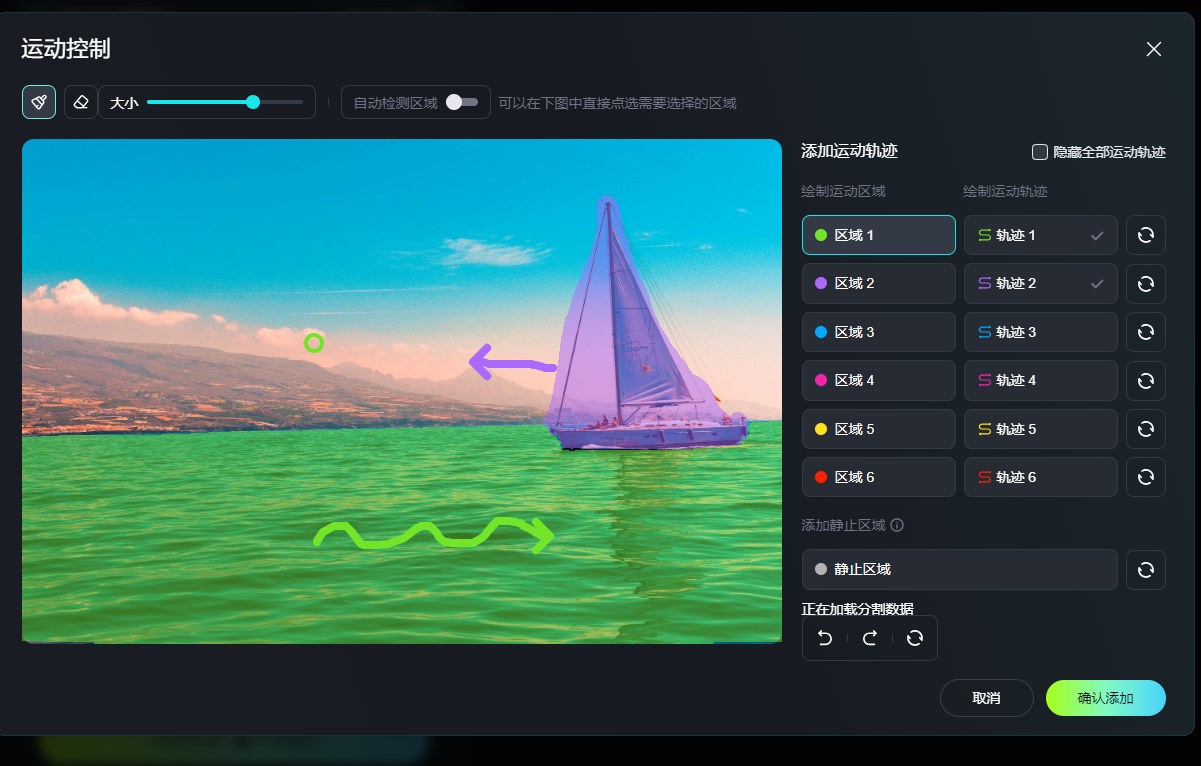 |
Animate Selected Parts of an Image
Kling Motion Brush is designed for selective animation. Instead of making the whole image move at once, it lets you focus on one or more elements inside the frame. That makes it a practical fit for image to video workflows where you want the scene to stay readable while only the chosen subject, object, or detail comes alive.
| Prompt | Motion Prompt | Video |
|---|---|---|
| Make the husky shake its head from side to side as it sits down. | 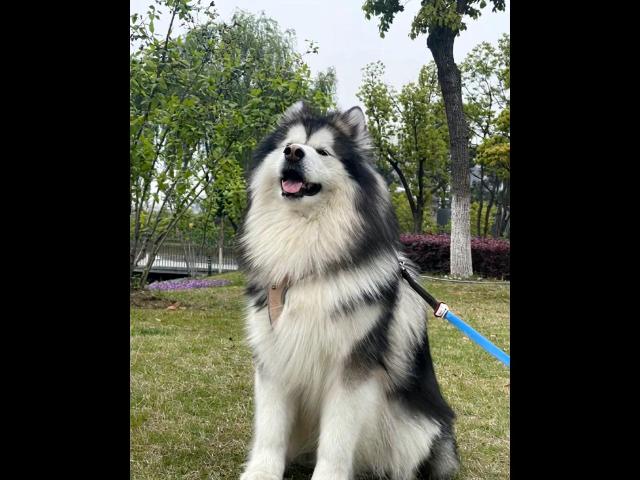 |
Static Area Control
One of the most useful parts of kling motion brush is static area selection. You can deliberately mark regions that should stay fixed, which helps the moving element stand out and reduces the messy floating look that often appears in lower-control image animation tools. For creators who care about cleaner outputs, this is a genuinely practical feature.
| Prompt | Motion Prompt | Video |
|---|---|---|
| Make the lion move while keeping the background still. | 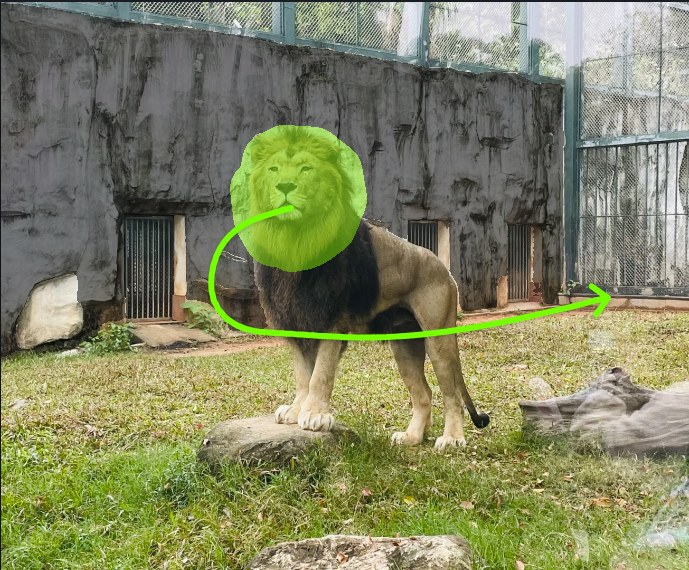 |
Useful across creative, social, and commercial content.
Kling AI Motion Brush is versatile enough to support different types of visual work. You can use it to animate a character’s gesture, add motion to a product shot, bring life to trees or water in a landscape, or create short social clips with controlled movement. It is one of those tools that feels simple at first, but becomes much more useful once you start testing small targeted motions.
Why People Use Kling Motion Brush
More precise than prompt-only animation
The biggest advantage is control. Instead of hoping the model interprets a motion prompt correctly, you can point to the exact area and draw the intended movement path.
Great for subtle motion, not just dramatic action
It works well for small gestures like hair movement, waving, cloth sway, object tilt, blinking signs, and light environmental motion. Those restrained edits often look more natural than trying to force an entire image to move.
Helps keep the rest of the frame clean
When you only want one subject or detail to move, Motion Brush gives you a cleaner result. It reduces the random secondary motion that often makes still-image animation look messy or unstable.
Makes still images feel more intentional
A small, controlled movement can completely change the feel of an image. Instead of looking randomly animated, the result feels more intentional, as if the motion was planned shot by shot.
Works across different visual styles
It is not limited to one look. People use Kling Motion Brush for anime art, illustrations, product visuals, cinematic portraits, and stylized social content where selective motion adds more impact.
Easy to test and refine
Because the motion is visually guided, it is easier to adjust than rewriting prompts again and again. You can change the brushed area, direction, or intensity and quickly try a more controlled version.
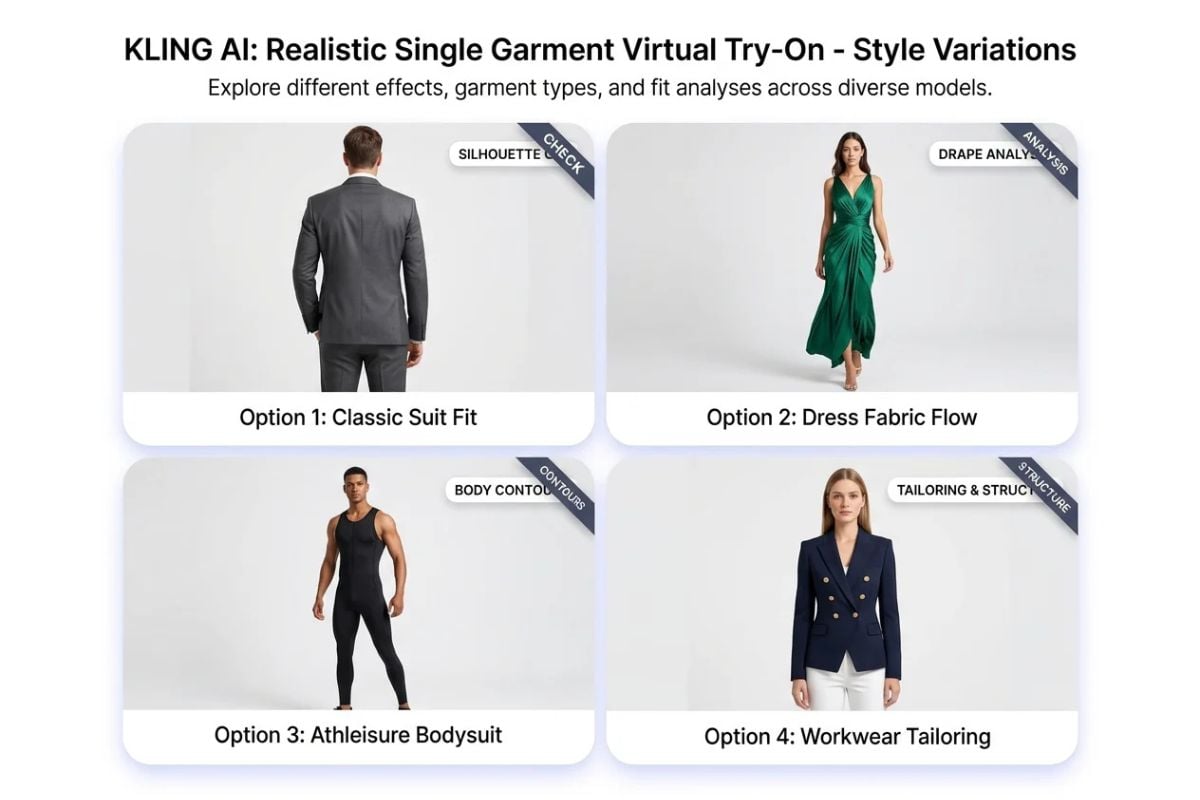
More Ways to Explore Fashion Creation
What People Are Sharing About Kling Motion Brush
Frequently Asked Questions
You May Want to Know about Kling Motion Brush
What does Kling Motion Brush actually do?
Is Kling AI motion brush better than using a text prompt alone?
Which images are easiest to animate well with Kling Motion Brush?
Can I animate several parts of the same image?
Why do some Motion Brush results still look unnatural?
How should I use Kling AI motion brush for the best results?
Ready to Direct Motion More Precisely?
Kling Motion Brush is most useful when you want more than a vague animation result. It gives you a practical way to guide local movement, protect static areas, and turn a still frame into a more directed short video with less guesswork.
Explore All Video Tools