Freepik AI Image Generator Review: My Honest Take After Testing It
- 1. What I Tested in Freepik AI Image Generator
- 2. What I Liked About Freepik AI
- 3. The Main Problem I Had: It Feels Too Broad
- 4. The Credit and Limit System Can Feel Confusing
- 5. Freepik Is Good for Design Assets, But Not Always Best for AI Creation
- 6. What Reddit Discussions Reveal
- 7. My Honest Recommendation
- 8. Final Verdict: Is Freepik AI Image Generator Worth It?
I tested Freepik AI Image Generator because I kept seeing people compare it with other AI image tools, especially after Freepik and Magnific became more closely connected. My honest take is this: Freepik AI is useful, but it is not the tool I would recommend first if your main goal is fast, focused AI image and video creation.
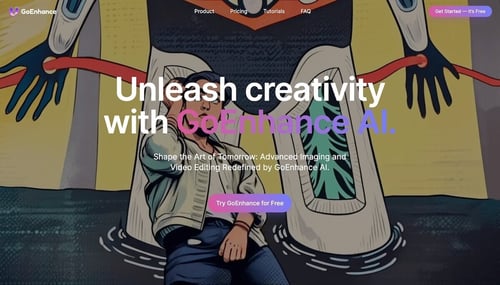
Freepik makes the most sense if you already use its stock photos, vectors, icons, templates, and design assets. But if you mainly want to generate AI images, turn images into videos, swap faces, or create short AI video effects, I think GoEnhance AI feels more direct and easier to work with.
This review is based on my own testing, plus the kinds of problems I saw other users discussing on Reddit: unclear limits, credit confusion, slow generation in some modes, and the feeling that Freepik is becoming too broad for people who just want to create.
1. What I Tested in Freepik AI Image Generator
I tried Freepik AI Image Generator as a creator, not as a journalist reviewing a product from the outside. I wanted to see how it works for normal content tasks, such as making blog images, social media visuals, creative concepts, and polished AI-generated graphics.
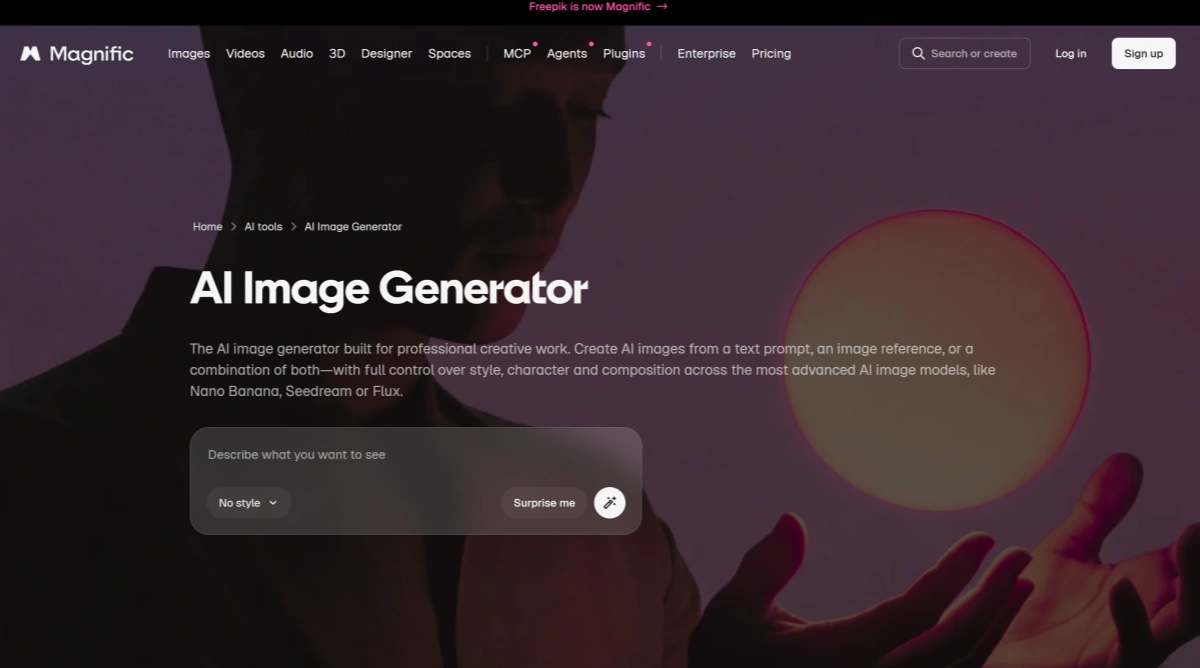
The tool itself is not hard to use. You write a prompt, choose a style or model, and generate an image. Freepik/Magnific also supports reference-image workflows and image enhancement. You can check its official AI image generator page here: Magnific AI Image Generator.
The first impression is good. The interface looks polished, and the results can be nice. If you already use Freepik for design assets, it is convenient to have AI image generation in the same ecosystem.
But after testing it, I started feeling the same thing many users mention online: Freepik feels more like a large creative platform than a focused AI generation tool. That is not always bad, but it can slow you down if you just want to create quickly.
2. What I Liked About Freepik AI
The best thing about Freepik AI is the ecosystem. Freepik is not only an AI image generator. It also has stock assets, icons, vectors, templates, mockups, and other design resources.
For designers and marketers, that can be useful. You can search for design assets, generate AI images, enhance visuals, and prepare marketing content in one place.
I also liked that Freepik/Magnific gives users access to different creative tools, not just one simple generator. The image enhancer is especially useful when an AI image looks good overall but still needs sharper details or better quality. The official enhancer page explains this feature here: Magnific AI Image Enhancer.
So yes, Freepik AI is not a weak product. It can produce good results. It can be helpful if you want a broad design workspace.
But that is also where I started running into problems.
3. The Main Problem I Had: It Feels Too Broad
My biggest issue with Freepik AI is that it tries to be too many things at once.
When I use an AI tool, I usually want a clear workflow:
- Upload or write a prompt.
- Generate.
- Edit or improve.
- Export.
- Move on to the next image or video.
With Freepik, I often felt like I was inside a big design platform rather than a focused AI creation tool. There are many features, models, assets, plans, credits, and usage details to think about.
For some people, that is a benefit. For me, it made the workflow feel heavier than necessary.
This is where GoEnhance AI Image Generator feels better. It is more focused on the actual creation process. I do not need to think about a huge stock asset ecosystem. I can just create images, test styles, and move toward the final result faster.
4. The Credit and Limit System Can Feel Confusing
Another issue I noticed is that Freepik’s value depends heavily on how its usage system works. This is also something many Reddit users complain about.
People discuss things like:
- fast generation
- relaxed generation
- priority generation
- credits
- premium models
- unlimited usage
- model-specific limits
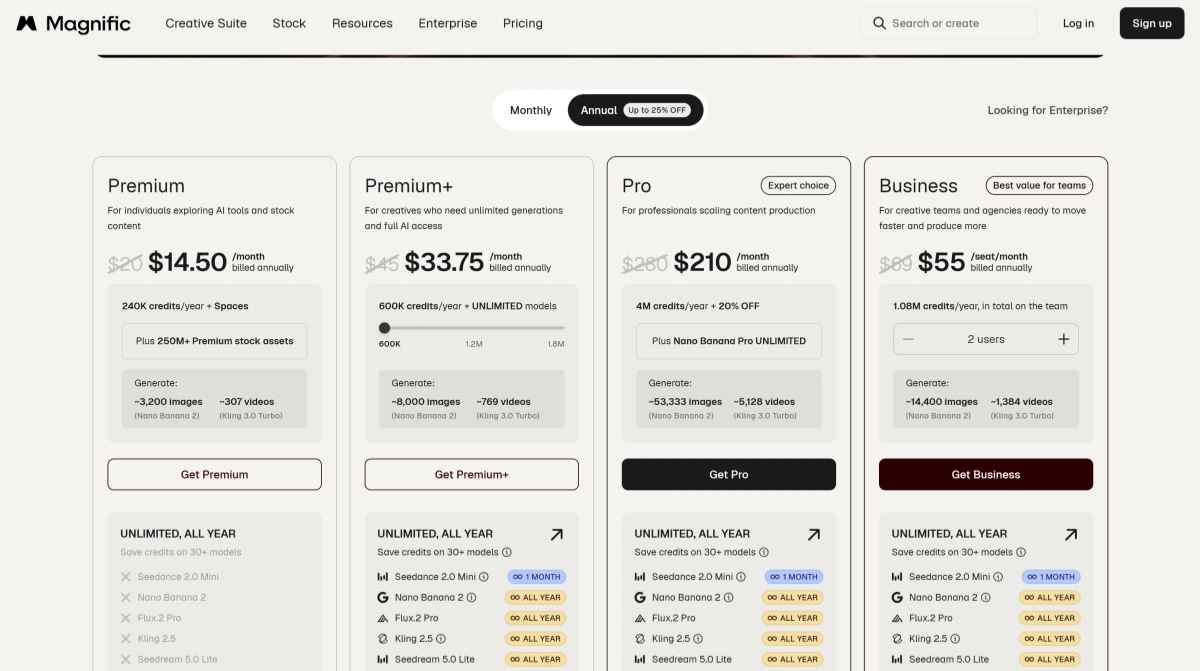
Even if the official pricing page explains the plans, the real user experience can still feel confusing when you are generating a lot. You can check the official pricing page here: Magnific pricing plans.
The problem is not only the price. The problem is predictability.
When I test an AI tool, I want to know what will happen after 20, 50, or 100 generations. Will the speed drop? Will credits disappear faster with certain models? Will advanced outputs cost more? Will relaxed mode still be usable?
This is why I prefer tools that feel more straightforward. With GoEnhance AI, the product direction is easier to understand: it is built around AI image and video creation, not a huge mix of stock assets and AI features.
5. Freepik Is Good for Design Assets, But Not Always Best for AI Creation
If I were judging Freepik only as a design resource platform, I would be more positive. Freepik has a strong asset library, and that is still valuable.
But this is a Freepik AI Image Generator review, so I care more about how it performs as an AI creation tool.
For pure AI creation, I think Freepik has a few weaknesses:
- The workflow can feel heavy.
- The credit system can feel hard to predict.
- Some users complain about changing rules.
- Some users say relaxed generation can be slow.
- It includes many features that pure AI creators may not need.
- It is not as focused on AI video workflows as some dedicated tools.
For example, if I want to create an AI image and then turn it into a short video, I would rather use GoEnhance Image to Video. If I want to transform an existing clip with AI effects, GoEnhance Video to Video is more relevant. If I need face replacement, GoEnhance Face Swap is much more direct than searching through a broad platform.
That is the real difference for me.
Freepik is a design platform with AI features. GoEnhance is an AI creation platform.
6. What Reddit Discussions Reveal
I also looked at Reddit discussions because they show what real users care about after paying for a tool.
Some users are asking whether Freepik/Magnific is still worth it. Some are looking for Freepik alternatives. Others complain about credits, limits, slow generation, or unclear plan changes.
A few useful discussions include:
- What’s the best alternative to Freepik?
- Is Freepik / Magnific worth?
- Weavy VS Freepik
- Higgsfield vs Runway vs Magnific/Freepik
I would not use these posts to say “Freepik is bad.” That would be unfair. But they do show a pattern: many users are not fully confident about Freepik’s current value.
The biggest concern is not image quality. It is whether the tool feels clear, stable, and worth the subscription.
7. My Honest Recommendation
My honest take is simple.
Use Freepik AI Image Generator if you already need Freepik’s stock assets, templates, vectors, and design resources. In that case, the AI tools are a useful addition.
But if you mainly want to create AI images and videos, I would recommend trying GoEnhance AI first.
GoEnhance is a better fit if your workflow includes:
- AI image generation
- image-to-video creation
- face swap
- video-to-video effects
- creative image editing
- short-form social content
- fast visual experiments
I especially prefer GoEnhance when I want to move quickly from idea to result. I do not want to think too much about stock libraries, complex plan rules, or whether I am using the platform “correctly.” I just want to create.
That is where GoEnhance feels more practical.
8. Final Verdict: Is Freepik AI Image Generator Worth It?
Freepik AI Image Generator is worth it for the right user. If you are a designer, marketer, or content team that already uses Freepik assets, it can be a convenient all-in-one creative platform.
But for my own workflow, I would not choose it as my main AI creation tool.
The tool is powerful, but it feels too broad. The pricing and usage system can feel unclear. And if your main goal is AI image or video creation, you may end up paying for a lot of ecosystem features you do not really need.
My honest recommendation is this:
Choose Freepik if you want stock assets plus AI tools.
Choose GoEnhance AI if you want a more focused AI image and video creation workflow.
For creators like me who care about practical output, fast testing, and direct AI workflows, GoEnhance AI is the better choice.