
InVideo Alternatives: 12 Better Options for Creators, Marketers, and YouTube Workflows
- 1. Quick Comparison Table: 12 InVideo Alternatives at a Glance
- 2. Why People Start Looking for InVideo Alternatives
- 3. GoEnhance Review: Best for Image to Video and Asset-Led Creation
- 4. Runway Review: Better for Creators Who Want More Direct Creative Control
- 5. Some Creators Don’t Need a Better Editor — They Need a Better Motion Engine
- 6. The Rest of the Best InVideo Alternatives by Workflow
- 7. Best InVideo Alternatives for YouTube, Marketers, and Image to Video Work
- 8. How to Choose the Right InVideo Alternative
- 9. FAQ: Common Questions About InVideo Alternatives
- 10. Conclusion: The Right Alternative Depends on What You’re Replacing
Most people searching for InVideo alternatives are not really asking, “What’s the No. 1 AI video tool?” They’re asking a messier question: What should I switch to if my current workflow feels too templated, too rigid, or too dependent on script-first assembly?
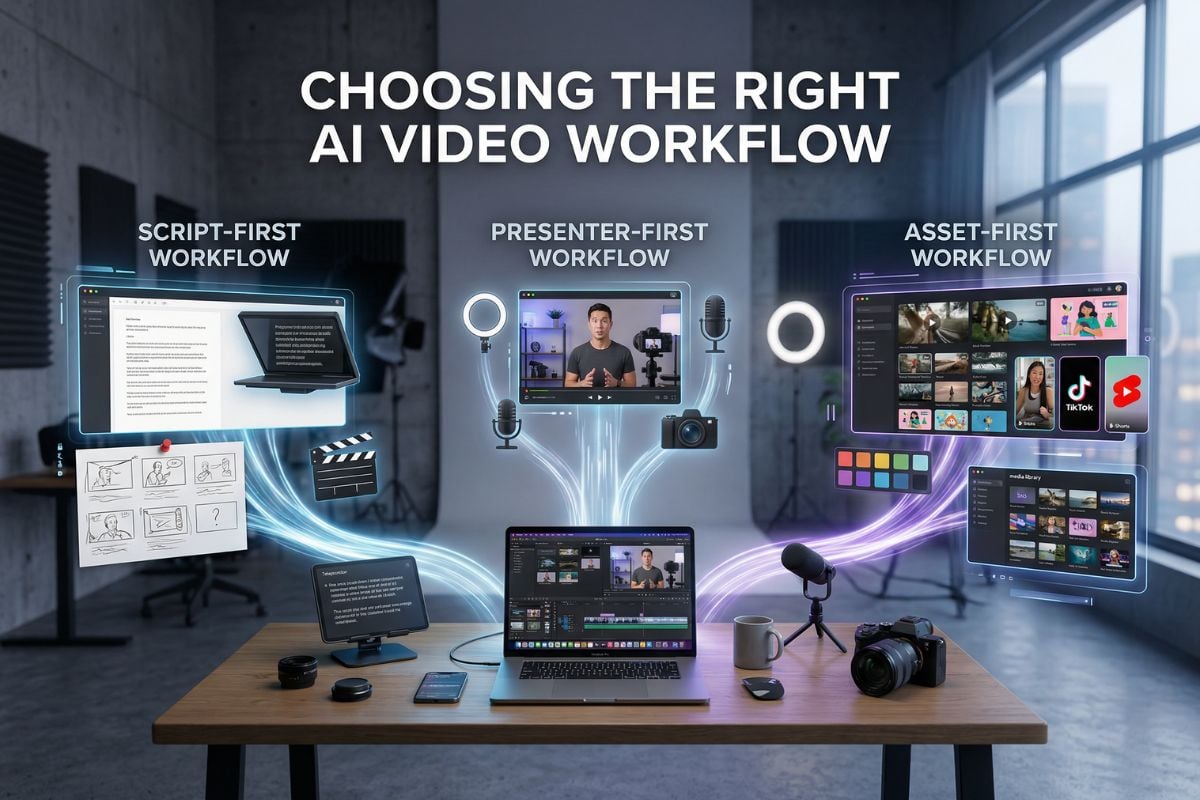
That is why this article does not rank tools by hype, and it does not chase live pricing tables that change every few months. Instead, it looks at workflow fit: script-first, presenter-first, or asset-first. That is usually the difference between a tool you trial once and a tool you actually keep using.
One reason this matters: video is already a core format for most marketing teams, and audience expectations are not getting lower. Wyzowl’s 2026 survey reports that 91% of businesses use video, 93% of video marketers see it as an important part of their strategy, and 89% of consumers say video quality affects trust in a brand.
1. Quick Comparison Table: 12 InVideo Alternatives at a Glance
Here is the fast version first. The scores below are editorial judgments for decision-making, not vendor benchmarks.
| Tool | Best for | Entry cost | Learning (1-5) | Creative control (1-5) | Image-to-video | Best if you care most about |
|---|---|---|---|---|---|---|
| GoEnhance | Asset-led creation | Low | 2 | 4 | Yes | Turning still assets into motion fast |
| Runway | Creative experimentation | Medium | 4 | 5 | Yes | Visual style and generation depth |
| HeyGen | Presenter videos | Medium | 2 | 3 | Limited | Avatars, localization, training videos |
| Synthesia | Enterprise explainer/training | High | 2 | 3 | No | Structured presenter workflows |
| Pictory | Blog/script repurposing | Medium | 2 | 2 | No | Turning text into usable video quickly |
| VEED | Fast browser editing | Medium | 2 | 3 | Limited | Captions, edits, quick social output |
| Canva | Design-heavy content | Low | 2 | 3 | Limited | Layout control and brand-safe assets |
| CapCut | Creator editing | Low | 2 | 3 | Limited | Fast social edits and creator speed |
| Descript | Voice/edit workflow | Medium | 3 | 3 | No | Edit-by-text and podcast/video crossover |
| Lumen5 | Simple marketing repurposing | Medium | 2 | 2 | No | Turning articles into lightweight videos |
| Adobe Express | Brand-friendly social assets | Medium | 2 | 3 | Limited | Quick design + motion in one place |
| FlexClip | Lightweight business videos | Low | 2 | 2 | Limited | Easy template-driven production |
If your problem is not “I need another editor,” but “I need to animate images, product stills, thumbnails, or character art,” start with an image to video workflow that matches that input.
2. Why People Start Looking for InVideo Alternatives
The usual reason is not that InVideo is bad. It is that InVideo is strongest in a very specific lane: quick, structured, script-led assembly.
That lane is still useful. If you need stock-backed explainers, fast captions, templated promos, or quick listicle-style edits, it can remain the easiest answer. But it starts to feel less natural when your work begins with visual assets rather than copy.
I see three recurring triggers behind the switch:
- your videos all start to look assembled from the same template logic,
- your best source material is a still image, product shot, poster, or character frame,
- or your team needs more reuse from the same asset set across Shorts, Reels, ads, and test variants.
That last part matters more than it sounds. Marketers do not only need “a video tool.” They need faster asset reuse across formats, and creators need motion that feels native to the platform rather than stapled on after the fact.
The practical takeaway: switch tools because your input and output changed, not because a listicle told you to.
3. GoEnhance Review: Best for Image to Video and Asset-Led Creation
If your work starts with visuals, GoEnhance is one of the more convincing InVideo alternatives.
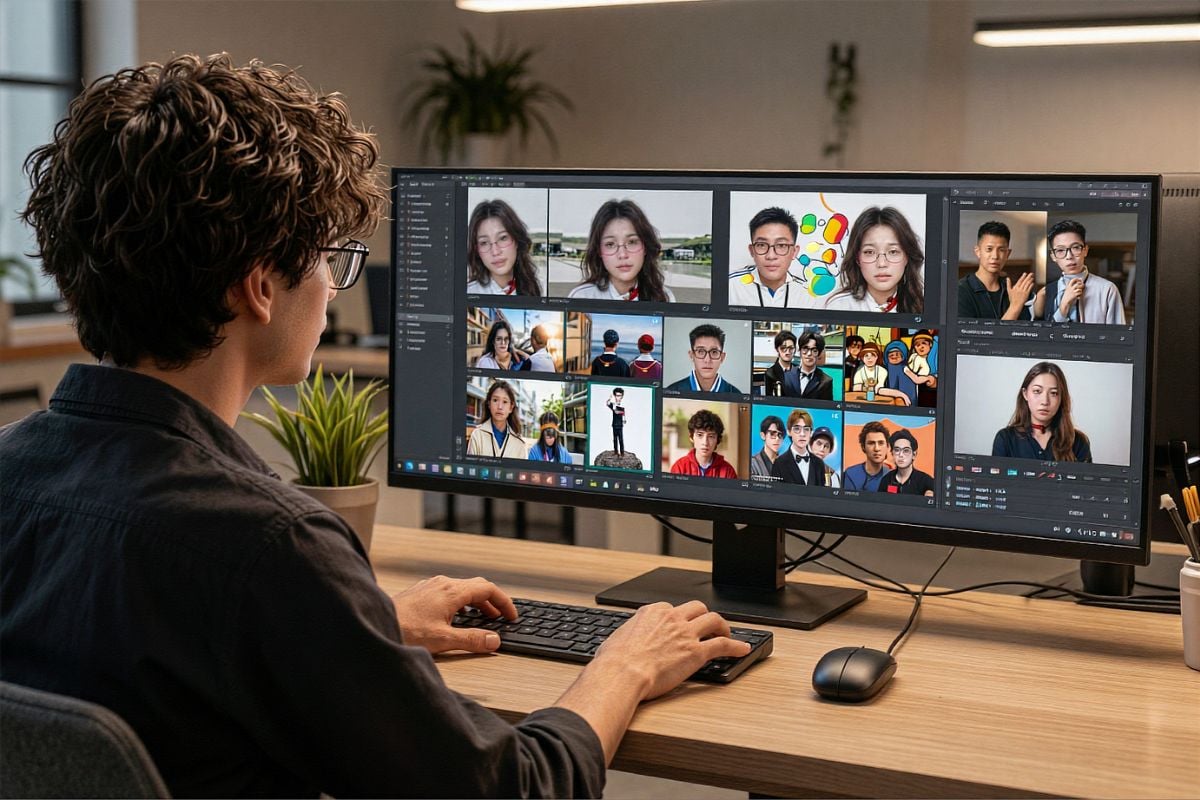
The best way to understand it is this: it feels less like “replace one editor with another,” and more like “use a motion-first layer on top of your existing assets.” That is why it stands out for creators, product marketers, and short-form teams who already have images, concept art, posters, or character references and want those turned into usable clips.
The comparison lens I used here is simple:
- animate a single product still,
- turn one character image into repeatable short-form content,
- take an existing clip and turn it into a different visual style.
GoEnhance makes the most sense on task one and task two. Its broader video model stack is helpful because the product is not trapped in one route only; you can move from image to video into character, avatar, or restyling workflows without changing platforms.
Where it feels especially well positioned is recurring short-form work. If you are building episodic creator content, mascots, or recurring visual identities, consistent character video workflows are simply more relevant than another stock library.
Its limitation is also clear. If your real job is careful manual layout, presentation-style sequencing, or brand-deck polish, Canva or Adobe Express will often feel cleaner. If you need a presenter-led training video, HeyGen or Synthesia is still the more obvious pick. And if all you want is a quick script turned into a serviceable explainer, InVideo may still be the path of least resistance.
My judgment is straightforward: shortlist GoEnhance first when your bottleneck is motion from assets, not assembly from script.
4. Runway Review: Better for Creators Who Want More Direct Creative Control
Runway is the alternative I would add if you want this list to feel less like a brand argument and more like a real buying guide.
It is not the easiest tool here, and that is precisely why some people will prefer it. Runway makes more sense when you care about scene feel, stylization, and experimentation more than speed-to-template. I would put it ahead of many “easy AI video” tools when the work is concept-heavy, mood-heavy, or direction-heavy.
That also means it is not automatically the better choice for marketers or beginners. The extra control can become extra friction. If your team needs quick social variants by Friday, a simpler tool may outperform it in practice.
Against GoEnhance, the difference is mostly about working style. GoEnhance feels stronger when the starting point is a still asset and the goal is fast, usable motion. Runway feels better when you want to push the look further and you are willing to spend more time steering the result.
My judgment: if you enjoy shaping the result, Runway is a serious contender; if you just need clean motion from existing assets, it can be more tool than you need.

5. Some Creators Don’t Need a Better Editor — They Need a Better Motion Engine
This is the mistake a lot of “best InVideo alternatives” posts make.
They compare everything as if the reader is choosing between editors. But many creators are not editing first. They are trying to make a thumbnail breathe, a product shot move, a character stay consistent, or a static campaign visual feel alive enough to post.
That is a different problem.
For YouTube hooks, short B-roll inserts, ad creatives, poster-to-promo clips, or repeatable character content, motion quality matters more than template variety. This is where image-to-video tools, character-consistency tools, and restyling tools deserve to be judged on their own terms.
My take: if your best raw material is visual, compare motion quality before you compare editing comfort.
6. The Rest of the Best InVideo Alternatives by Workflow
The rest of the field becomes easier once you stop treating it like one big bucket.
6.1 For Presenter-Led Videos
HeyGen is the easier answer for talking avatars, multilingual explainers, and sales/training content. Synthesia is the more enterprise-shaped version of that same category.
6.2 For Script or Article Repurposing
Pictory and Lumen5 still make sense when the source is text and the goal is speed, not originality. They are practical, not magical.
6.3 For Fast Browser Editing
VEED and FlexClip are the tools I would put in the “I need this out today” pile. They work best when polish matters less than turnaround.
6.4 For Design-Heavy Social Content
Canva and Adobe Express are still better choices when static layout, branding, or template-level control matters more than generation depth.
6.5 For Creator-First Editing
CapCut remains hard to ignore for social editing speed, and Descript is unusually useful when your process is tied to voice, transcripts, or text-based editing.
The judgment here is simple: most of these tools are good, but they are good in different directions.

7. Best InVideo Alternatives for YouTube, Marketers, and Image to Video Work
The best pick changes fast once the use case becomes specific.
7.1 Best InVideo Alternatives for YouTube
For YouTube Shorts and creator workflows, I would split the answer in two. If you need editing speed and platform fluency, CapCut is still a practical pick. If you need visual motion from still assets, GoEnhance is more interesting. YouTube’s own help pages now say Shorts can be up to three minutes long, and the standard Shorts flow still centers on vertical short-form creation inside the Shorts ecosystem. That makes asset reuse and fast variation more valuable than ever.
7.2 Best InVideo AI Alternative for Marketers
For marketers, my shortlist is GoEnhance, Canva, and HeyGen. GoEnhance wins when campaigns already have strong visual assets and need motion variations. Canva wins when the real requirement is brand-safe layout and team-friendly editing. HeyGen wins when the content is presenter-led by design.
7.3 Best Tools like InVideo for Image to Video
This is where I would start with GoEnhance, then look at Runway. And if you also need character continuity for recurring short-form content, a dedicated talking avatar route can be useful, but I would still treat that as a secondary lane, not the main reason to switch.
If your workflow is asset-first, the answer usually becomes clearer much faster than people expect.

8. How to Choose the Right InVideo Alternative
The cleanest way to decide is to ask one question first: what do you start with most weeks?
If the answer is a script, stay close to InVideo, Pictory, or Lumen5.
If the answer is a presenter or spokesperson, go to HeyGen or Synthesia.
If the answer is images, campaign visuals, product stills, or character art, go to GoEnhance or Runway.
And here is the part most brand-led comparison posts avoid: you may not need to leave InVideo at all. If its template logic still matches your workload, switching can create more friction than value.
My judgment: choose by input type, not by feature count.
9. FAQ: Common Questions About InVideo Alternatives
9.1 What is the Best InVideo Alternative for YouTube Creators?
Usually CapCut for editing speed, or GoEnhance if your channel relies on still assets, visual hooks, or recurring character visuals.
9.2 Which InVideo AI Alternative is Better for Marketers?
GoEnhance is stronger for asset reuse and motion from existing visuals. Canva is better for layout-heavy brand work. HeyGen is better for presenter-led campaigns.
9.3 Are There Tools Like InVideo for Image to Video Workflows?
Yes. That is exactly where GoEnhance and Runway become more compelling than classic script-first tools.
9.4 Is GoEnhance a Full Replacement for InVideo?
Not always. It is a better fit for some workflows, not every workflow.
9.5 Which Alternative is Easiest for Beginners?
Canva, VEED, and CapCut are usually the easiest to get moving in quickly.
The useful answer is rarely “best overall”; it is usually “best for the way you already work.”
10. Conclusion: The Right Alternative Depends on What You’re Replacing
The strongest InVideo alternatives are not all trying to replace the same thing.
If what you want is another script-to-video editor, GoEnhance probably should not be your first click. But if what you want is a faster way to turn static assets into motion, reuse visuals across short-form channels, or restyle clips without rebuilding them from scratch, it is one of the more sensible places to start.
That is my real recommendation: do one small test, not a full migration. Take one product still, one thumbnail, one poster, or one short clip you already have, and run it through a video to video workflow that lets you restyle and extend what you already made. You will know very quickly whether you needed a new editor, or a new motion layer.


