
Prompt
Copy and customize
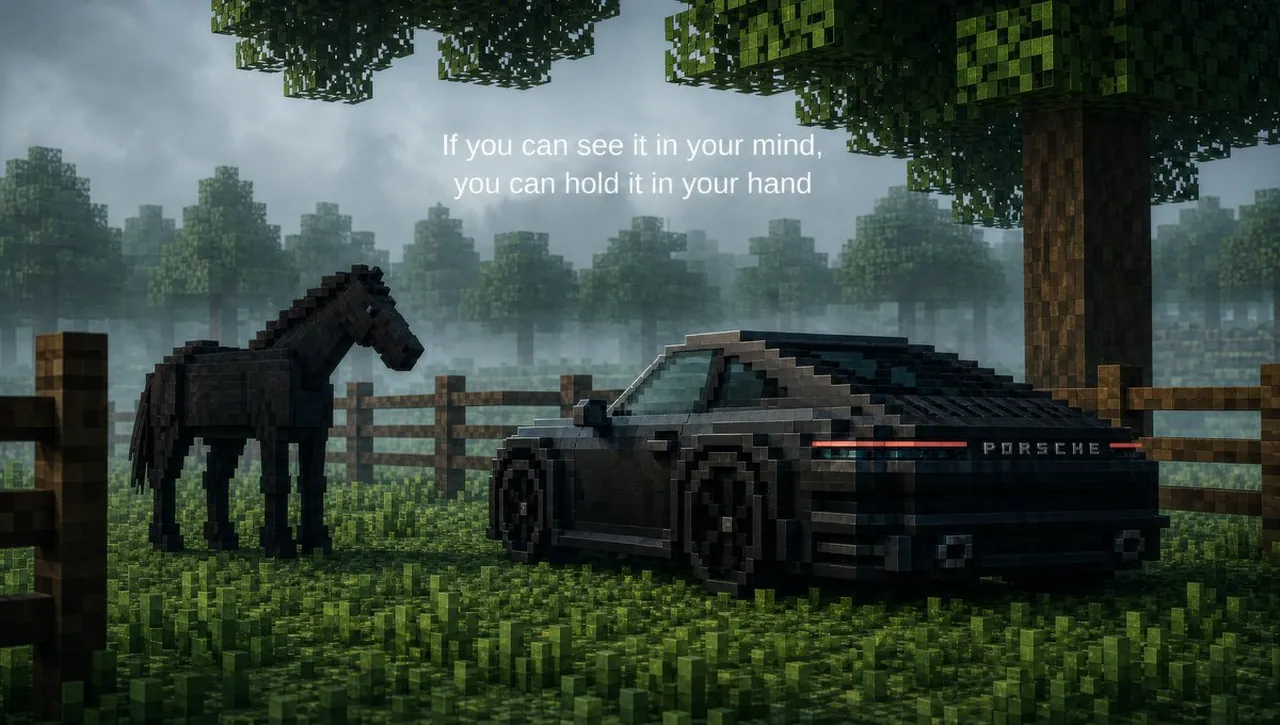
Create a cinematic 16:9 Mac desktop wallpaper in a realistic voxel-block style, like a high-end ray-traced Minecraft diorama. The scene is a misty forest pasture at dawn or dusk with moody blue-gray fog, soft volumetric light, wet grass, and a dark green color palette. In the foreground there are exactly 2 main subjects: 1 black voxel horse standing on the left in side view, and 1 low black voxel sports car on the right, rear three-quarter view, modeled like a Porsche 911 with a continuous red rear light bar and the visible rear wordmark PORSCHE. The car should look glossy, angular, and handcrafted from small blocks, with black wheels and subtle reflections. The horse should be built from dark blocks with a slightly bowed head, standing calmly near the car. Behind them is a wooden block fence running horizontally across the image, with a large blocky tree trunk on the right and leafy cubic canopy overhead, plus a foggy background forest made of many distant block trees. Add centered white inspirational text near the upper middle in exactly 2 lines: line 1 reads If you can see it in your mind, and line 2 reads you can hold it in your hand. Use a premium cinematic composition, shallow atmospheric depth, subtle rain-damp surfaces, realistic voxel lighting, no people, no extra vehicles, no logos except the car badge, and leave the image clean enough to function as a desktop wallpaper.
Best for
Tips
Keep the main subject focused so cinematic 16 9 Mac desktop wallpaper in remains recognizable after style or lighting changes.
Adjust camera angle and aspect ratio before generation when the composition needs a specific platform format.