
Prompt
Copy and customize
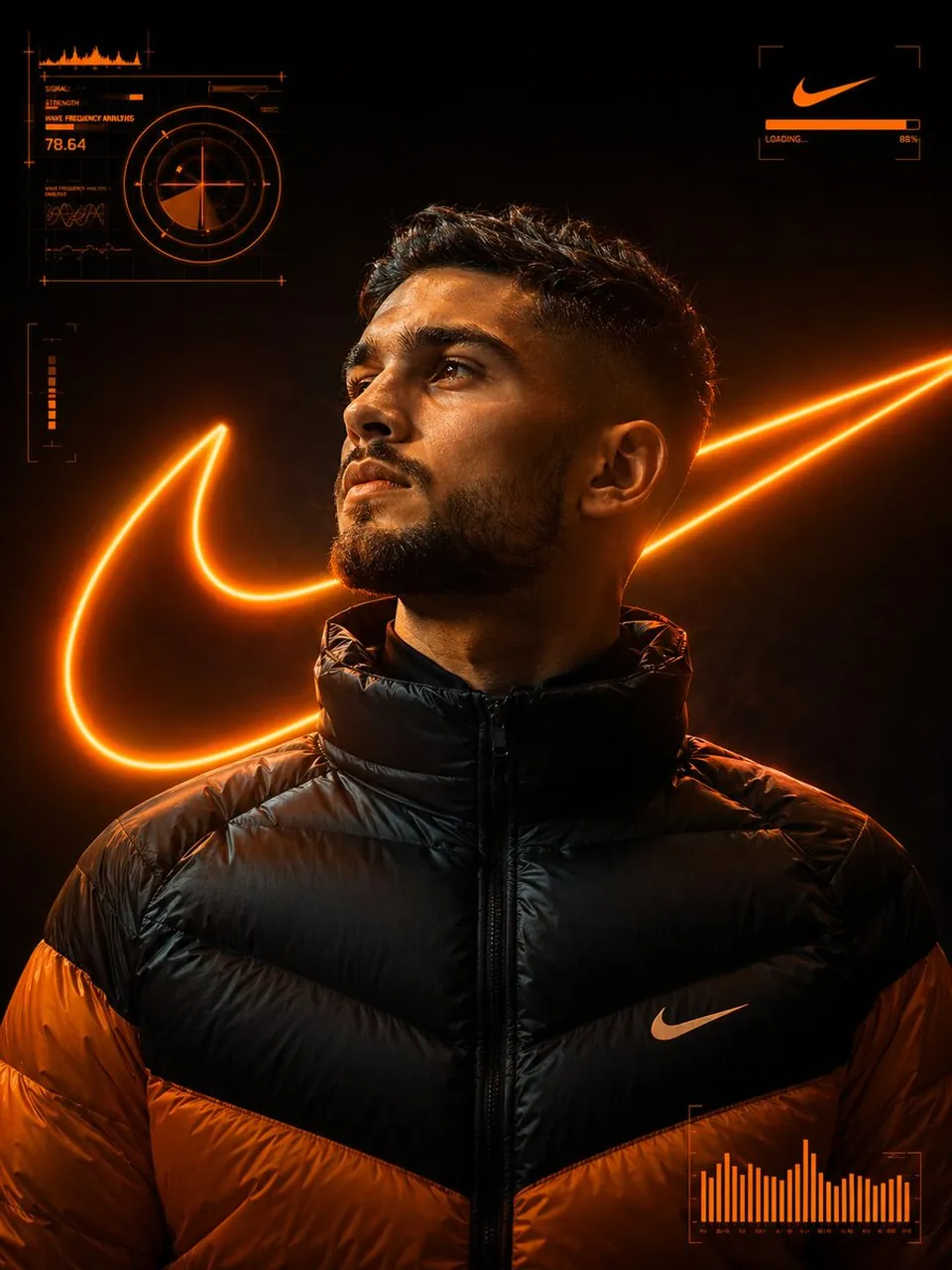
A photorealistic, high-detail portrait of a young man with a trimmed beard and a determined expression, looking up and slightly to the left. He is wearing a black and orange puffer jacket/down jacket with the zipper pulled up.
Background/Aesthetic: Dark, moody, and futuristic studio setting. The main visual feature is a massive, glowing neon-orange outline of the Nike swoosh logo centered behind the subject. The lighting is dramatic, with a strong orange key light hitting the man's face, neck, and the top of his shoulders, creating high contrast.
Visual Elements: Floating, futuristic HUD (Heads-Up Display) elements in neon orange are overlaid on the dark background around the subject. These include:
Data readouts, graphs, and target crosshairs in the top-left corner.
A minimal progress bar/loading graphic around the small swoosh in the top-right corner.
A bar graph/data visualization in the bottom-right corner.
Style/Technique: Cinematic, high-contrast lighting, volumetric lighting, hyper-detailed, photorealistic, shot on an 8K camera (like a Sony a7R V or Arri), deep depth of field, inspired by cyberpunk or sports advertising.
Negative Prompts (To ensure quality and focus): low resolution, blurry, text, watermark, cartoon, bad anatomy, deformed hands, extra fingers, noisy, oversaturated with 3:4 size.
Best for
Tips
Keep the main subject focused so A photorealistic high-detail portrait of a young remains recognizable after style or lighting changes.
Adjust camera angle and aspect ratio before generation when the composition needs a specific platform format.