
Prompt
Copy and customize
Use the uploaded reference image as the only identity reference. Preserve the subject's exact facial features, face shape, eye shape, nose, lips, skin tone, hairstyle, proportions, and overall recognizable appearance with high accuracy. Do not alter or stylize the face.
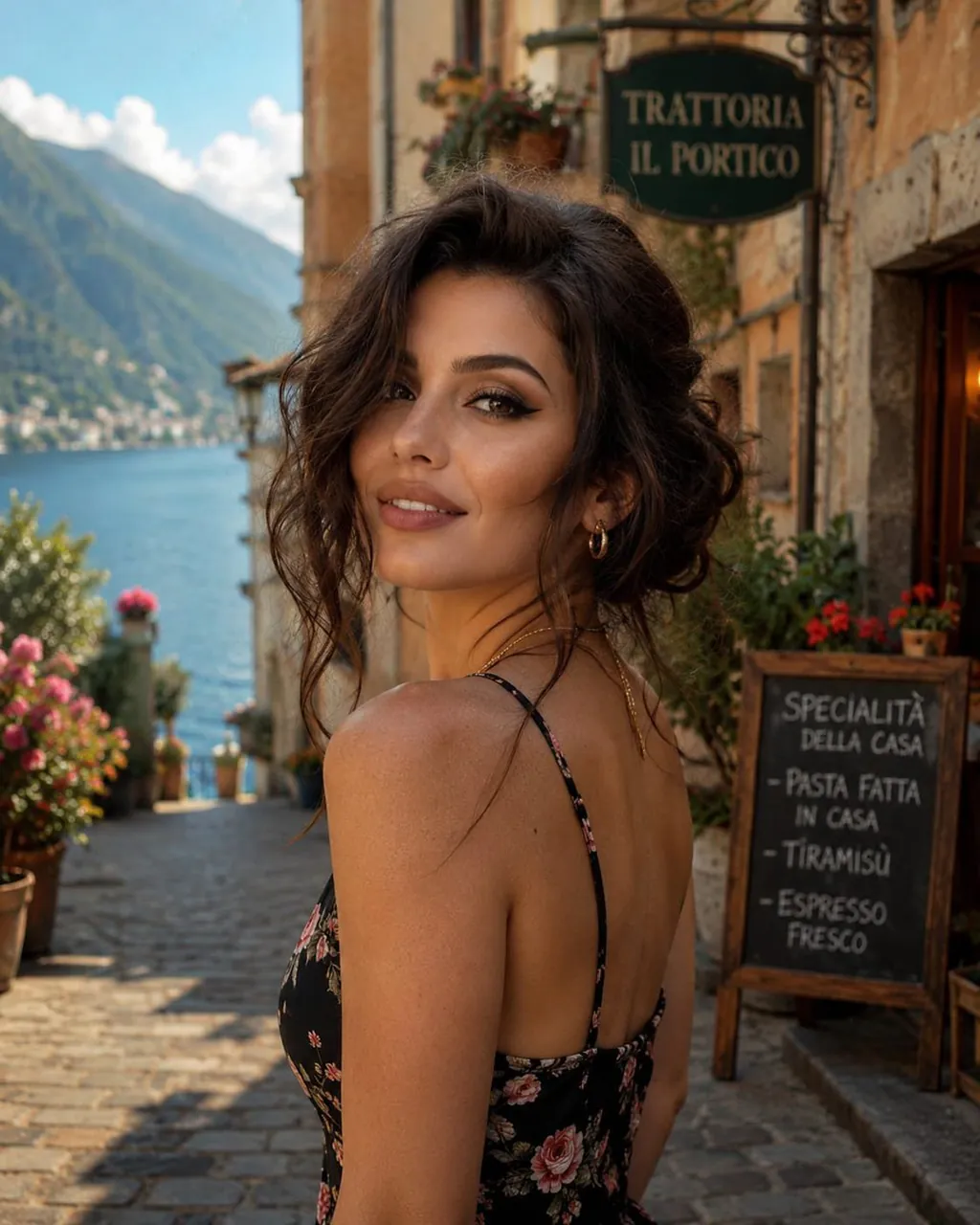
A close-up portrait of the same young woman from the reference, with her dark brown hair styled in a loose, casual updo with soft face-framing strands. She has natural-looking light freckles, soft minimal makeup, subtle gold hoop earrings, and a delicate gold necklace. She is wearing an elegant black floral sundress with thin spaghetti straps and looking back over her shoulder with a warm, genuine smile.
Setting: A picturesque cobbled alley in a charming Italian lakeside village inspired by Lake Como. In the background, lush green mountains descend into crystal-clear deep blue waters beneath a bright summer sky. Rustic stone buildings with classic wooden shutters line the narrow street, decorated with vibrant potted flowers. A dark green sign reading "TRATTORIA IL PORTICO" hangs above a traditional Italian restaurant, while a wooden chalkboard menu displays handwritten specialties such as homemade pasta, tiramisu, and fresh espresso.
Lighting &
Atmosphere: Warm golden Mediterranean sunlight casts soft natural shadows, creating a relaxed, luxurious vacation mood. Ultra-photorealistic, editorial travel photography, shallow depth of field with beautifully blurred background (bokeh), rich textures, lifelike skin details, vibrant yet natural colors, cinematic composition, DSLR quality, 85mm lens, f/1.8, 8K resolution.
Best for
Tips
Keep the main subject focused so Use the uploaded reference image as the remains recognizable after style or lighting changes.
Adjust camera angle and aspect ratio before generation when the composition needs a specific platform format.