
Prompt
Copy and customize
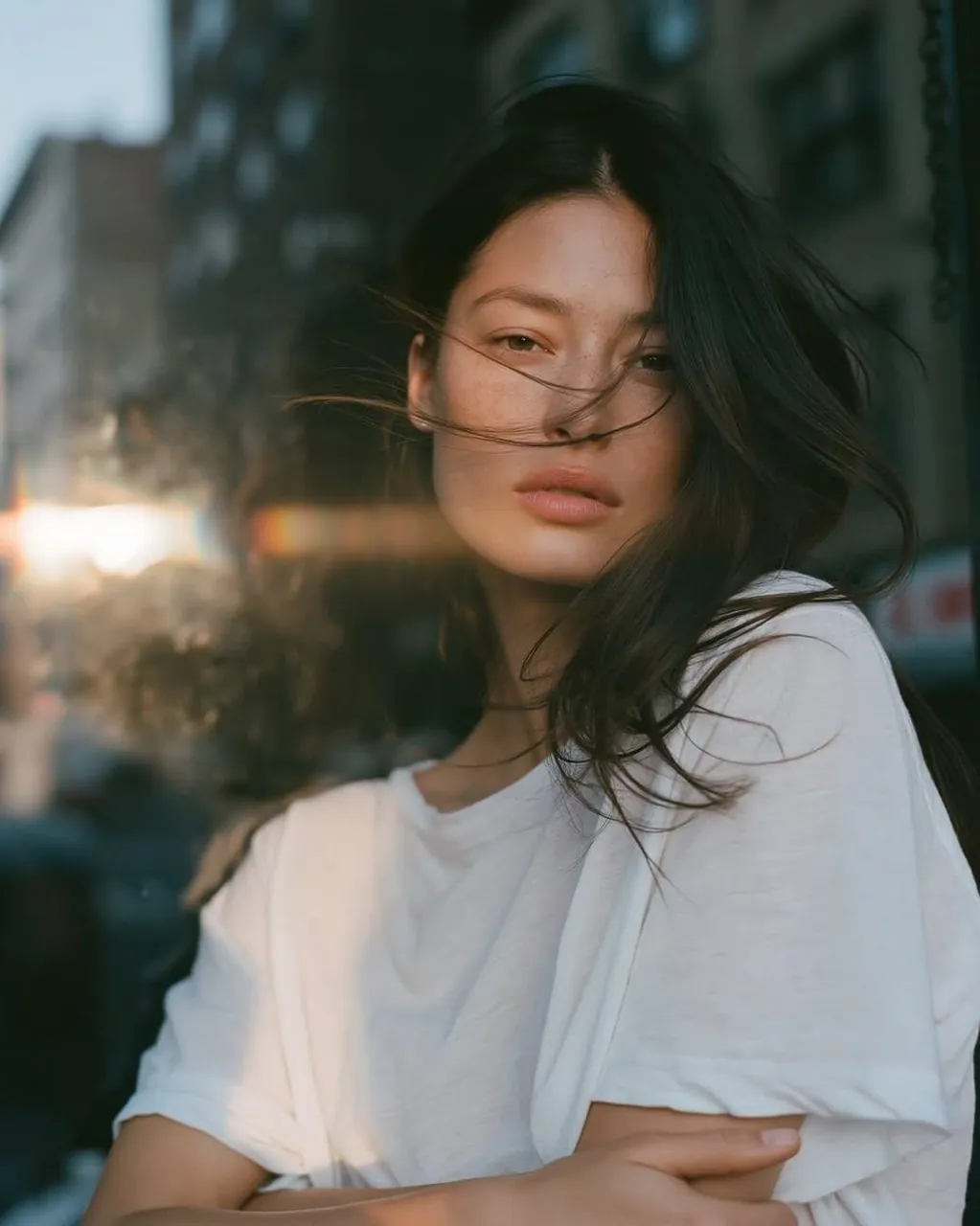
Ultra-realistic cinematic portrait of a young woman in her early 20s, natural minimal makeup, soft neutral expression, long dark brown slightly tousled hair gently blowing across her face, a few loose strands crossing her eyes and lips. She is wearing an oversized plain white crew-neck T-shirt, relaxed and effortless styling. She stands beside a large glass window in an urban setting, subtly leaning toward the window, with a blurred city street and dark building silhouettes in the background.
Capture a candid editorial photography aesthetic, intimate close-up to medium portrait, natural posture, direct gaze into the camera, realistic skin texture with subtle freckles and imperfections, soft lips, detailed eyes, individual hair strands. Warm late-afternoon sunlight enters from the side, creating a beautiful horizontal lens flare across the frame and gentle golden highlights on her face and hair. Cool blue-green shadows contrast with warm sunlight.
35mm film photography, shallow depth of field, creamy natural bokeh, muted cinematic colors, slightly underexposed shadows, subtle film grain, soft halation, authentic analog texture, gentle contrast, imperfect candid composition, realistic fabric texture, natural skin tones, atmospheric urban mood, high dynamic range, professional fashion editorial photography, photorealistic, 8K, vertical 4:5 composition.
Best for
Tips
Keep the main subject focused so Ultra-realistic cinematic portrait of a young woman remains recognizable after style or lighting changes.
Adjust camera angle and aspect ratio before generation when the composition needs a specific platform format.