
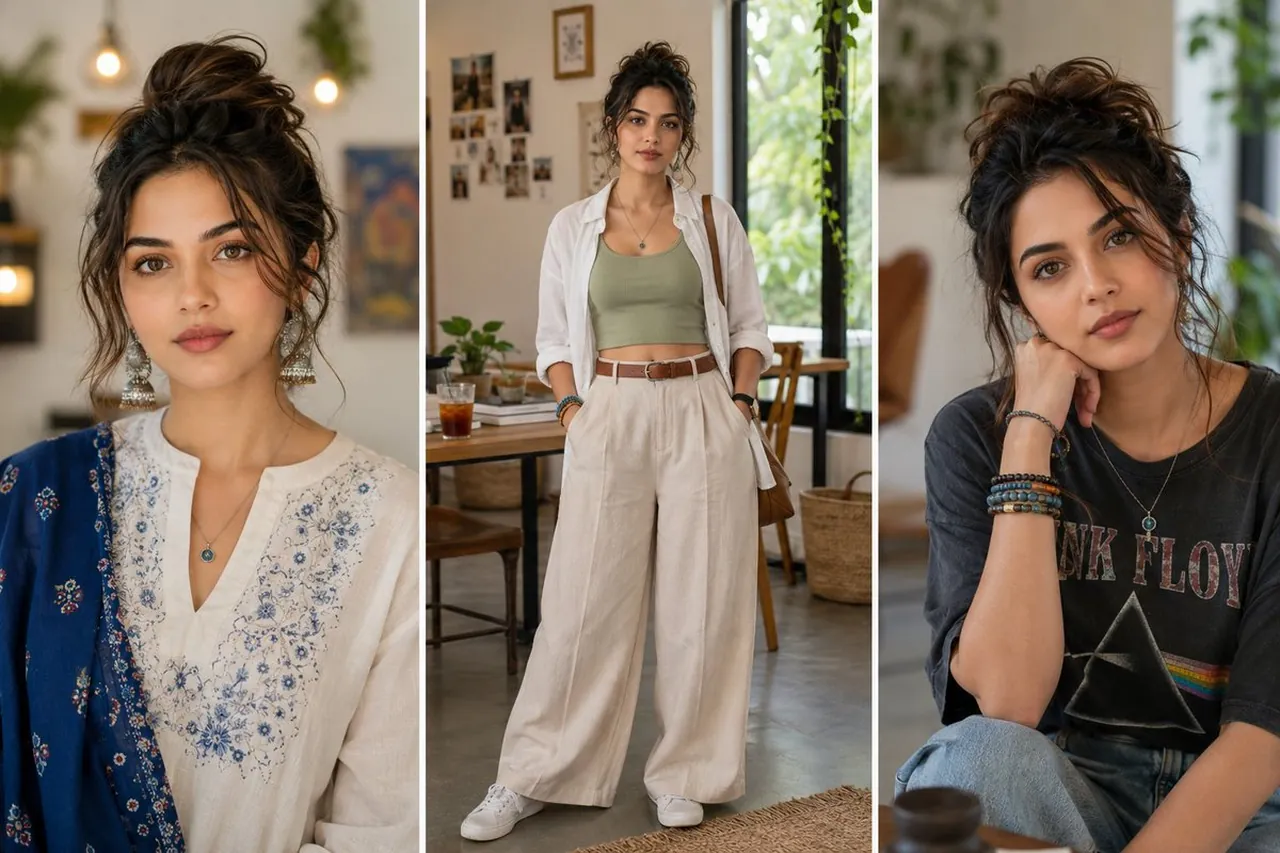
Prompt
Copy and customize
{
"gender": "Young woman",
"age": "22-28",
"ethnicity": "South Asian / Mediterranean appearance",
"skin": {
"tone": "Warm light beige",
"texture": "Smooth natural skin with realistic pores",
"finish": "Soft matte"
},
"face": {
"shape": "Oval",
"jawline": "Soft defined",
"nose": "Straight medium-sized",
"lips": "Natural pink, medium fullness",
"expression": "Calm, confident, relaxed"
},
"eyes": {
"shape": "Large almond",
"color": "Warm hazel-brown",
"eyelashes": "Natural",
"eyebrows": "Thick, well-shaped"
},
"hair": {
"color": "Dark brown with caramel highlights",
"style": "Messy high bun with loose face-framing strands",
"texture": "Soft wavy"
},
"makeup": {
"foundation": "Natural",
"blush": "Soft peach",
"lips": "Muted nude pink",
"eyes": "Minimal earth-tone makeup"
}
}
Best for
Tips
Keep the main subject focused so gender Young woman age 22-28 ethnicity South remains recognizable after style or lighting changes.
Adjust camera angle and aspect ratio before generation when the composition needs a specific platform format.