
Prompt
Copy and customize
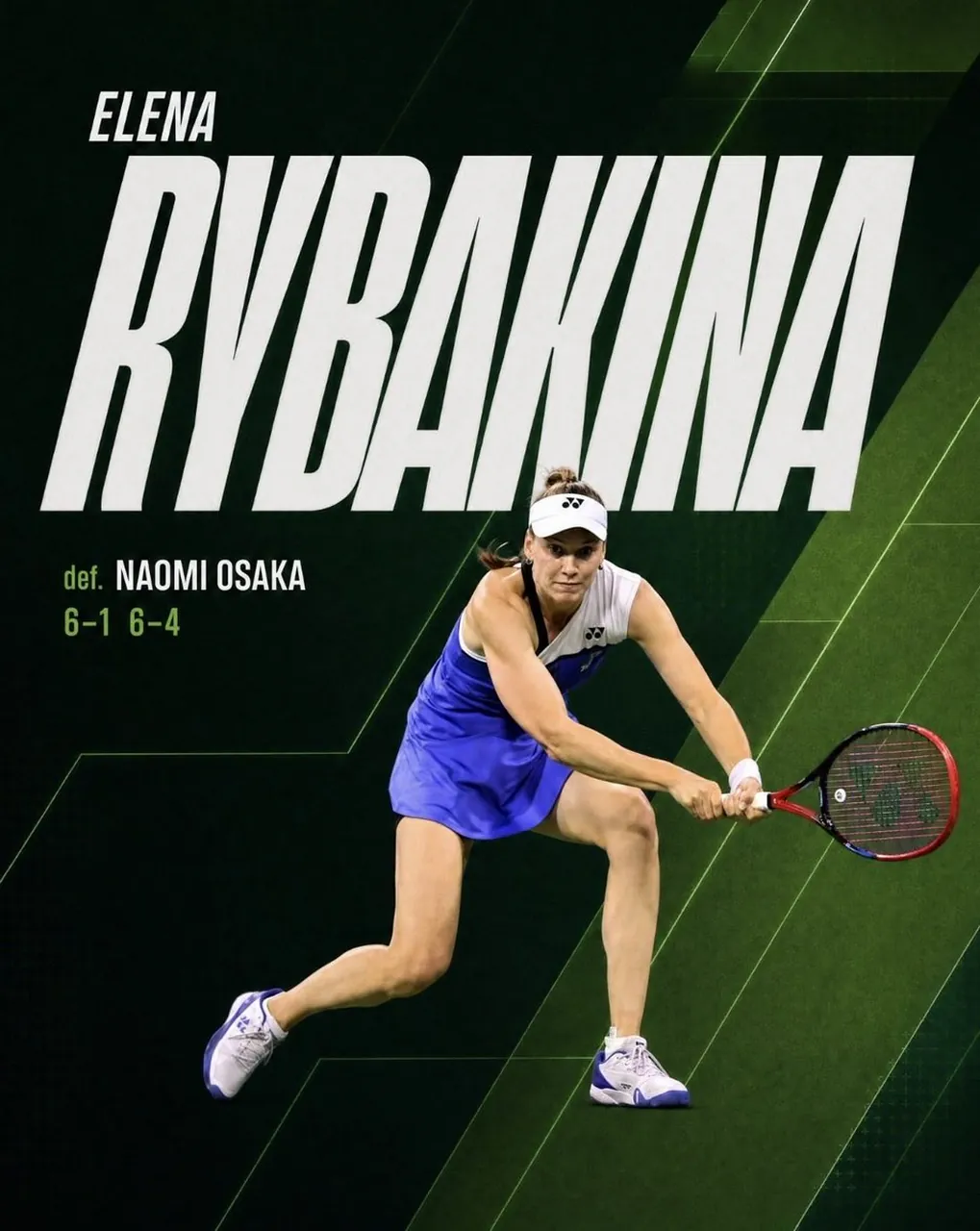
Goal: Create a square social media match-result graphic for a professional tennis account, celebrating Elena Rybakina after a win.
Canvas: 4:5 vertical sports poster, dark cinematic palette, 1024 x 1280 style composition. Use a deep black-green tennis-court background with layered diagonal geometric panels, subtle court-line angles, faint grid texture, and neon green accent streaks.
Layout: Put the player action cutout in the lower-right half, overlapping the typography. The athlete is captured mid-rally in a low two-handed backhand stance, leaning forward, racquet extended to the right. She wears a white visor, white sleeveless tennis top, bright royal-blue skirt, white wristband, and white tennis shoes with blue accents; use realistic photographic lighting and a clean cutout edge.
Text content: Use exactly 4 visible text elements: 1) small first name at upper left: "ELENA"; 2) enormous bold surname across the upper and middle canvas: "RYBAKINA"; 3) small result label at left below the surname: "def."; 4) opponent and score line: "NAOMI OSAKA" and "6-1 6-4". If customized, use ELENA, RYBAKINA, NAOMI OSAKA, and 6-1 6-4.
Typography: Make the surname extremely large, condensed, italic, all-caps, white, with a slightly rough sports-print texture; it should dominate the image and run nearly edge to edge. The first name is smaller, italic, all-caps, white, positioned above the surname. The word "def." and the score are lime green; the opponent name is white, bold, condensed, all-caps.
Visual style: Premium tennis broadcast graphic, high contrast, energetic, polished social asset, realistic player photography combined with graphic design overlays. Use dark greens, black, white, royal blue, and lime green. Add subtle shadows so the player separates from the background and text.
Constraints: No logos except tiny indistinct apparel marks if needed, no watermark, no extra captions, no additional players, no border, keep the spelling and match score clear and readable.
Best for
Tips
Keep the main subject focused so Goal Create a square social media match-result remains recognizable after style or lighting changes.
Adjust camera angle and aspect ratio before generation when the composition needs a specific platform format.