
Prompt
Copy and customize
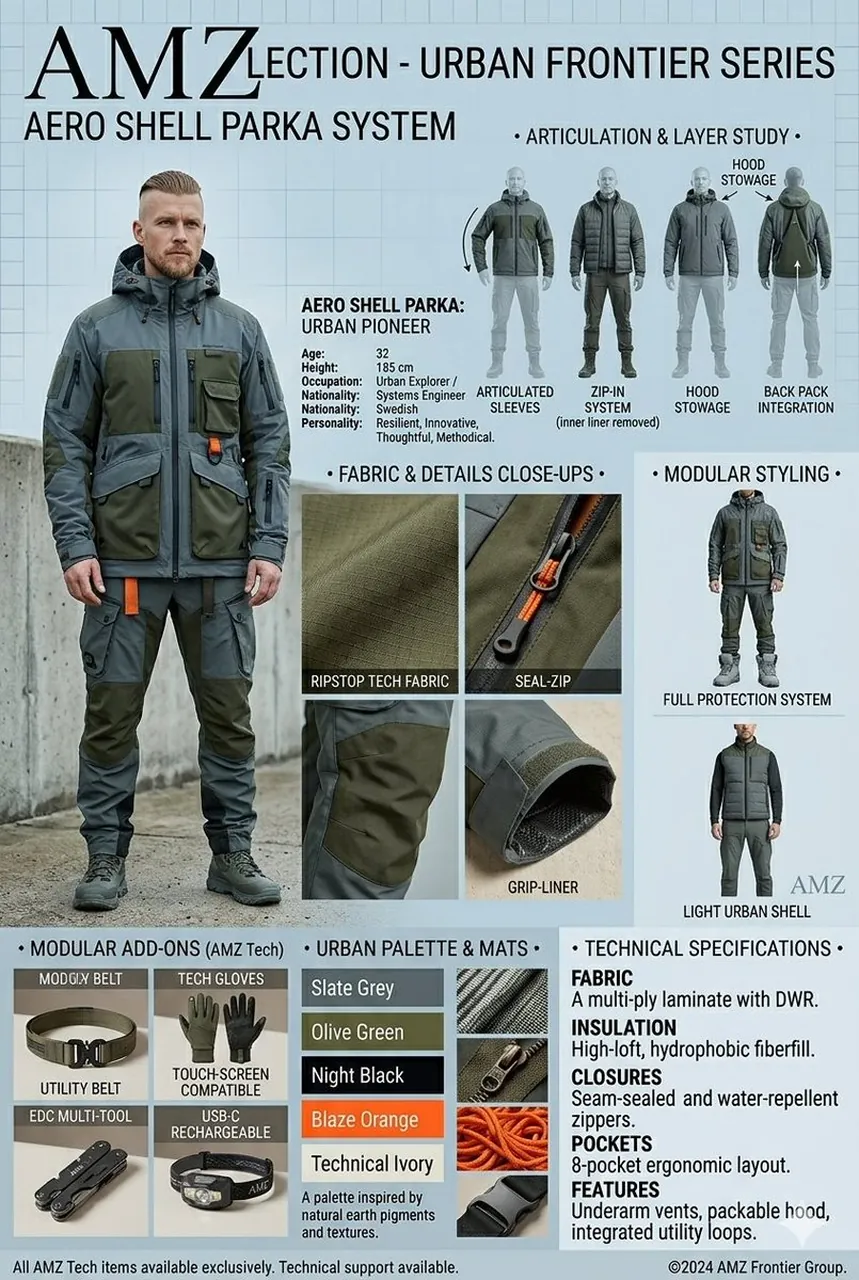
An AMZ Collection fashion design spec sheet and product layout presented as a tall, vertical infographic for men's technical outerwear. On the left side, a full-body shot features a 32-year-old male model with a short beard and a faded haircut, wearing a rugged, multi-pocketed utility jacket and matching cargo pants in deep olive green and slate grey with bright orange accents. The top of the sheet prominently displays the title "AMZLECTION - URBAN FRONTIER SERIES" and "AERO SHELL PARKA SYSTEM" in a bold, clean sans-serif typeface, accompanied by a bio detailing his occupation as a systems engineer and urban explorer. The right side features a technical "Articulation & Layer Study" breakdown showing multiple back and front silhouette angles detailing the zip-in system, articulated sleeves, and hood stowage. The center section provides macro close-up macro shots highlighting the technical textures, including ripstop tech fabric, a seal-zip closure, and a grip-liner sleeve cuff. Below, a "Modular Styling" column showcases alternative ways to style the garment, such as a full protection system or a light urban shell. The bottom of the layout features grid sections labeled "Modular Add-Ons" displaying accessories like a utility belt, touchscreen-compatible tech gloves, an EDC multi-tool, and a headlamp. Adjacent to this is an "Urban Palette & Mats" swatch color bar showing slate grey, olive green, night black, blaze orange, and technical ivory, followed by a comprehensive "Technical Specifications" block outlining the fabric, insulation, closures, pockets, and features of the high-performance gear.
Best for
Tips
Keep the main subject focused so An AMZ Collection fashion design spec sheet remains recognizable after style or lighting changes.
Adjust camera angle and aspect ratio before generation when the composition needs a specific platform format.