
Prompt
Copy and customize
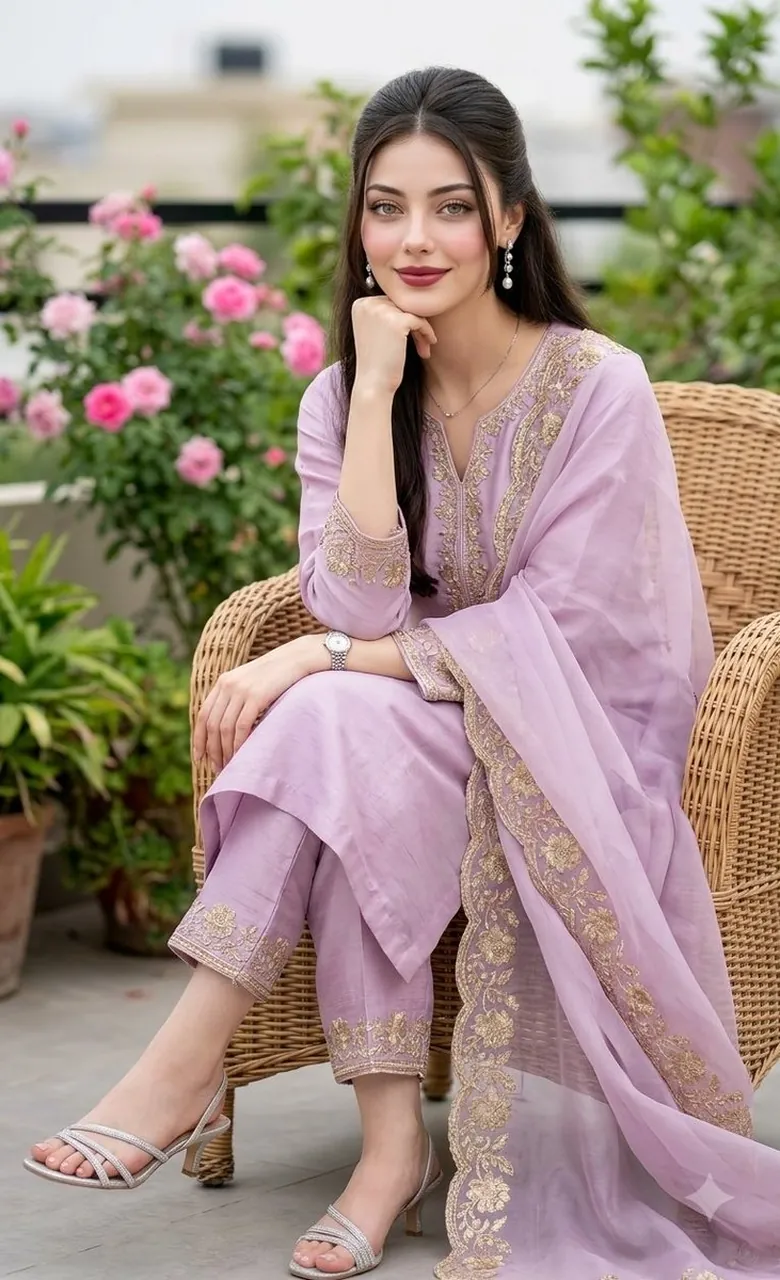
A professional, hyper-realistic fashion portrait of a beautiful South Asian woman sitting gracefully on a woven wicker chair in an elegant outdoor garden setting.
She is wearing a luxurious, pastel lavender-lilac raw silk shalwar kameez. The outfit features delicate, intricate metallic gold floral embroidery along the V-neckline, the cuffs of the three-quarter sleeves, and the hems of her straight-cut trousers. She is draped in a matching sheer organza dupatta with a beautifully embroidered border that flows softly over her lap and down to the floor.
Her long, dark wavy hair is styled in a sophisticated half-up, half-down look, framing her face perfectly. She has a soft, serene smile, looking directly at the camera with her chin resting gently on her hand. Her makeup is flawless and fresh, with soft rosy cheeks and a muted berry-red lip color that highlights natural skin texture and hyper-detailed pores (Douyin realism).
She is accessorized with elegant silver dangling earrings, a delicate thin silver necklace, a classic silver chain watch on her left wrist, and strappy, glittering silver low-heel sandals.
The background is a beautifully blurred, lush green rooftop terrace or balcony garden with vibrant pink rose bushes in soft focus (bokeh effect). The lighting is soft, natural daylight, creating a bright, clean, and premium lifestyle aesthetic. Captured on a professional DSLR camera, 85mm lens, f/1.4 aperture, cinematic lighting, 8K resolution, clean composition, no watermarks.
Best for
Portrait photography styleHigh fashion conceptCinematic mood lightingEditorial lookbook design
Tips
Keep the main subject focused so the intricate embroidered clothing details and jewelry remain sharp after generation.
Adjust the camera angle and aspect ratio before running the prompt if you need a specific framing format.