
Prompt
Copy and customize
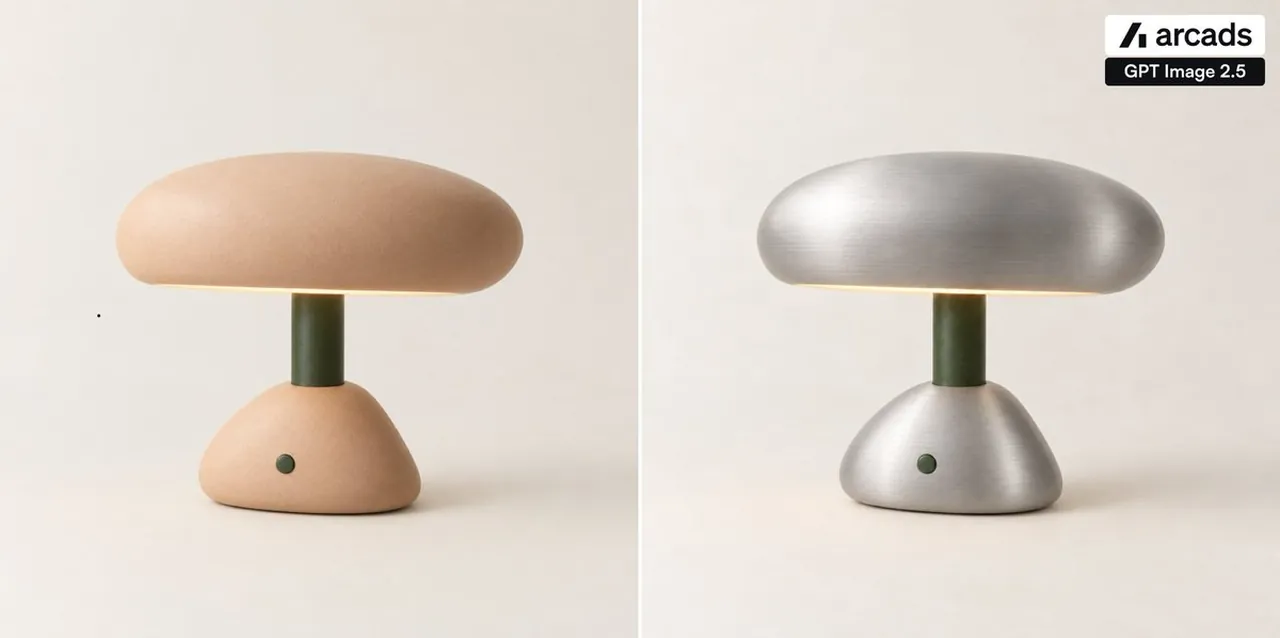
Create a clean side-by-side product comparison image on a wide 2:1 canvas, showing exactly 2 vertical panels separated by 1 thin white divider line down the center. In both panels, place the same minimalist mushroom-shaped table lamp centered on a warm off-white studio background with soft shadows: a rounded pill-shaped dome shade, a short dark olive-green cylindrical stem, and a low rounded triangular base with one small dark green circular button on the front. The left panel shows the original lamp in a soft matte peach ceramic finish, with a subtle warm glow under the shade. The right panel shows the edited version of the exact same lamp, preserving the same shape, position, lighting, stem, button, and background, but changing only the shade and base material to brushed silver metal with visible horizontal brushed texture and realistic metallic highlights. Keep the composition minimal, photorealistic, softly lit, and premium; no extra objects, no people, no additional text, and maintain a static before-and-after comparison look.
Best for
Product design visualizationClean marketing layoutsMaterial study conceptsMinimalist product photography
Tips
Ensure the lamp shape remains consistent across both panels to highlight the material difference effectively without distracting visual shifts.
Adjust the lighting intensity if the metallic finish appears too reflective or loses detail against the warm off-white background.