
Prompt
Copy and customize
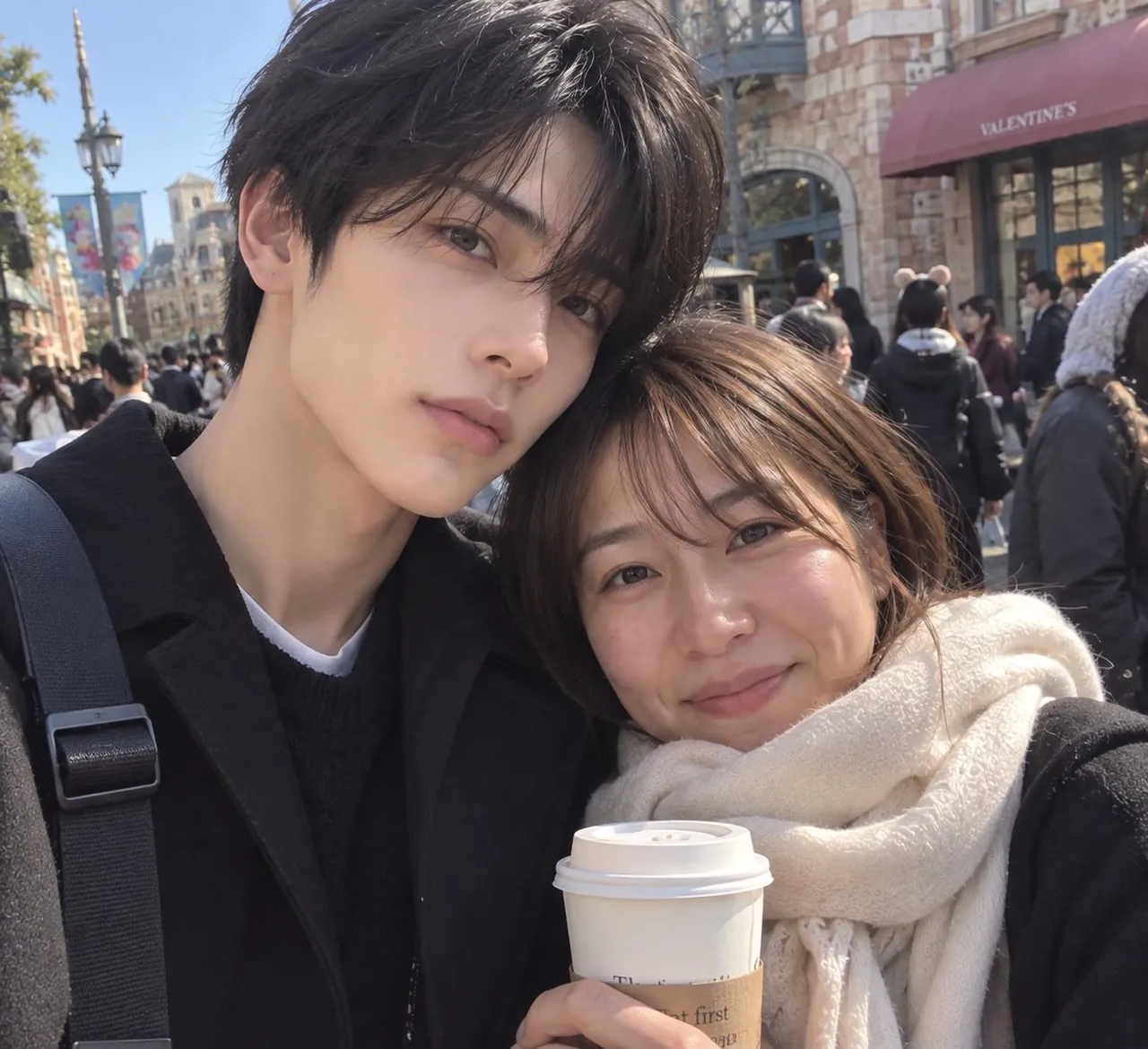
Create an ultra-realistic casual smartphone selfie of a young East Asian couple at a busy outdoor theme-park shopping street on a sunny winter day. The image should look like an unedited social media photo taken with a front-facing phone camera, close-up composition, square crop, natural lens distortion, soft haze from sunlight, and shallow but believable background blur. Two people are visible: 1) a very handsome young adult man on the left, tall and slim, with pale smooth skin, delicate facial features, large eyes, straight nose, soft lips, and slightly AI-idol-like perfection; he has messy black medium-length hair with long bangs, wears a black coat over a black knit sweater and white undershirt, with a black backpack strap across his shoulder, and he leans his head gently toward the woman with a calm neutral expression; 2) a young adult East Asian woman on the right, shorter, realistic and natural-looking, with warm skin, brown eyes, shoulder-length brown hair with wispy bangs, a friendly small smile, subtle makeup, and faint natural skin texture; she wears a black coat and a thick cream white fleece scarf, leaning into the man while holding one white takeaway coffee cup with a cardboard sleeve near the bottom center of the frame. Background: crowded pedestrian street with many park visitors in winter clothing, European-style brick buildings, decorative street lamps, colorful hanging banners, and a burgundy storefront awning reading VALENTINE'S on the upper right. Lighting is bright midday sun from above-left, creating realistic highlights on hair and faces, soft shadows, and slight overexposure in some areas. Keep the mood affectionate and casual, like a travel-date selfie. Do not add extra main subjects, do not make it a studio portrait, avoid cartoon or illustration style, avoid obvious filters, avoid text overlays or watermarks.
Best for
Tips
Keep the main subject focused so n ultra-realistic casual smartphone selfie of a remains recognizable after style or lighting changes.
Adjust camera angle and aspect ratio before generation when the composition needs a specific platform format.