
Prompt
Copy and customize
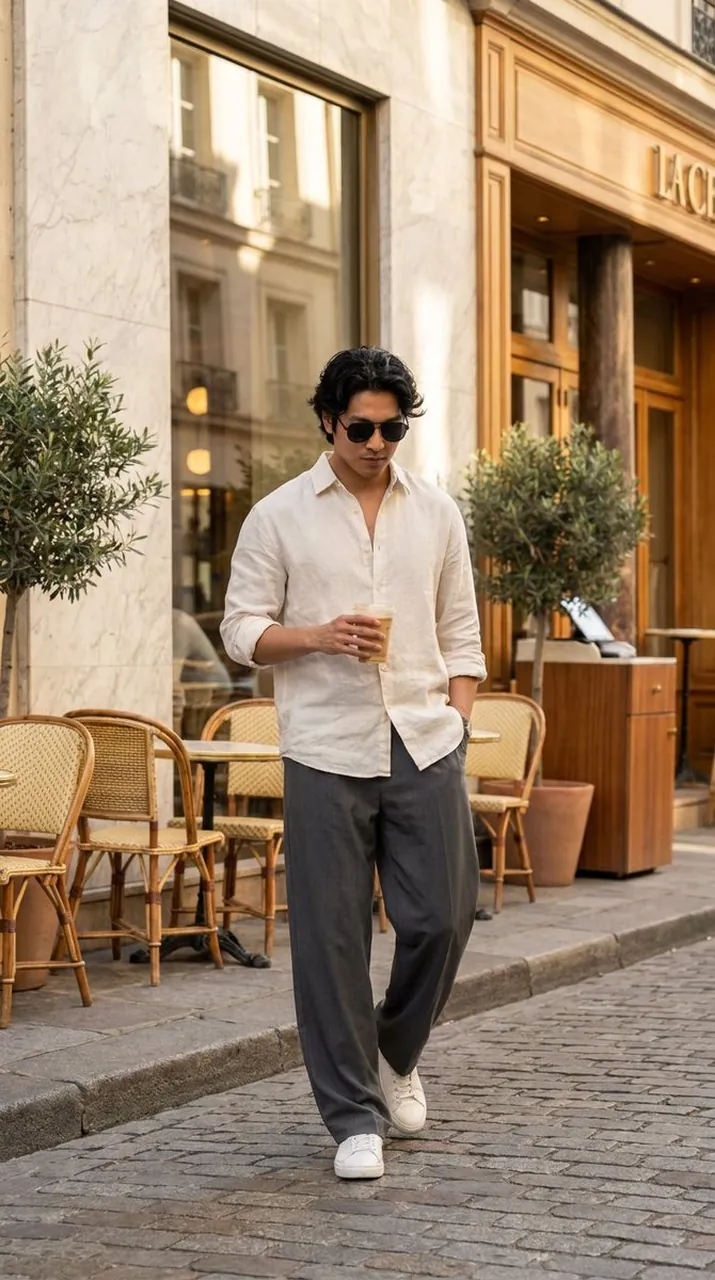
Create an ultra-realistic luxury men's fashion editorial portrait inspired by premium street-style photography. Feature a stylish young man with soft wavy textured black hair, wearing black rectangular sunglasses, a relaxed oversized black short-sleeve button-up shirt layered over a white inner vest, elegant cream wide-leg trousers, classic black-and-white canvas sneakers, a silver wristwatch, subtle chain necklace, and a black bracelet. He is casually leaning against the corner of a modern minimalist café entrance with one leg crossed naturally over the other. One hand rests inside his trouser pocket while the other holds a black takeaway coffee cup. His head is turned slightly to the side, looking away with a calm, confident, effortless expression. Warm golden morning sunlight casts beautiful tree shadows across the cream-colored wall and pavement. The background features large glass café windows, modern wooden details, lush green potted plants, and a clean luxury urban atmosphere. Realistic reflections on the glass, soft natural breeze moving his hair and shirt slightly. Shot from a full-body fashion perspective using a premium 85mm lens, shallow depth of field, cinematic framing, luxury editorial composition, Vogue street-style aesthetic, premium men's fashion campaign, realistic skin texture, highly detailed fabric folds, soft natural color grading, photorealistic lighting, ultra-sharp focus, 8K HDR, masterpiece quality.
Best for
Fashion editorial photographyModern urban portraitsLuxury lifestyle imageryStreet style conceptsCinematic character design
Tips
Use a wide aperture setting to achieve the shallow depth of field required for a professional editorial look.
Adjust the lighting parameters to emphasize the golden hour effect for more dramatic shadows and warm skin tones.