
Prompt
Copy and customize
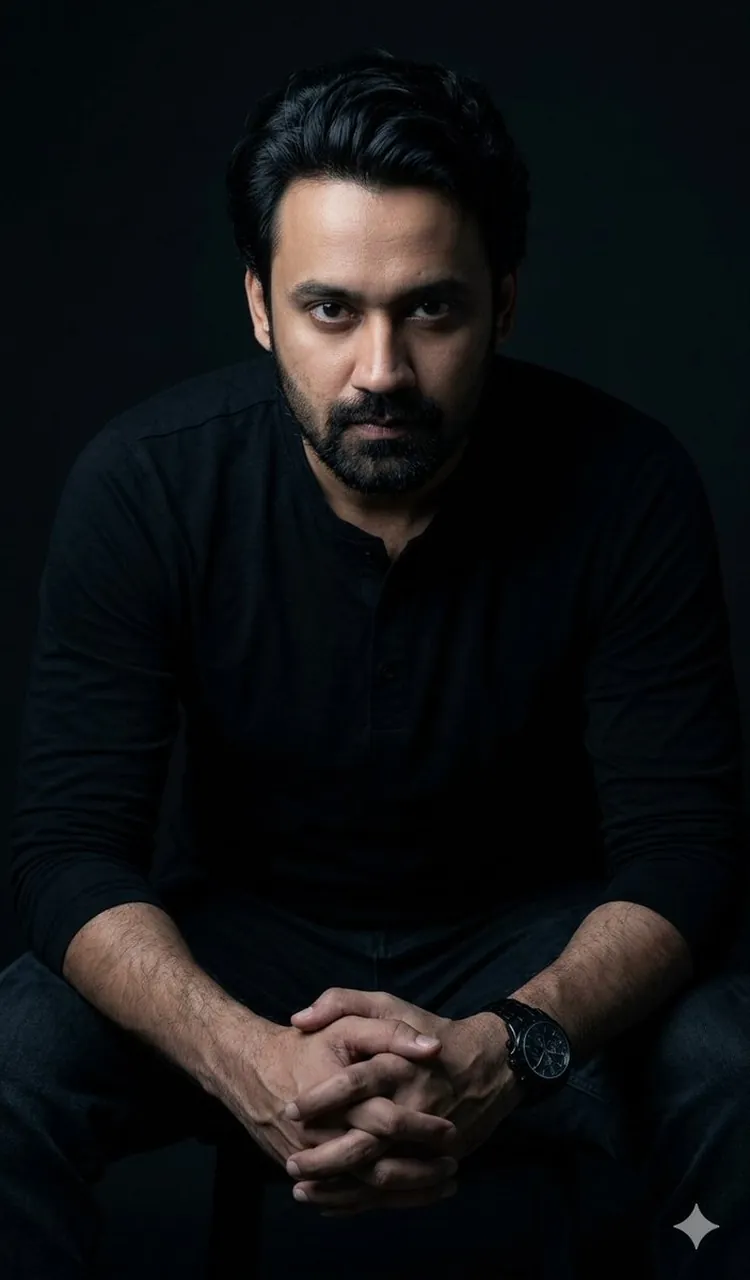
A hyper-realistic cinematic full upper-body portrait of a man seated and leaning forward with both hands clasped together resting in front of him, elbows on knees in a powerful, composed, and commanding pose. Wearing an all-black long-sleeve henley shirt and dark trousers, a luxury black chronograph watch on the left wrist. Studio dark background — pure deep black with near-invisible shadow detail, low-key dramatic lighting with a single soft key light source hitting the face and forearms from slightly above and to the side, creating sharp contrast between illuminated skin and dark clothing that almost disappears into the background. Ultra-detailed skin texture on hands and forearms with visible veins. The gaze is direct, intense, and unwavering — looking straight into the camera with calm dominance. Photorealistic 8K studio portrait photography, shot on Canon EF 85mm f/1.2L lens, shallow depth of field with background falling into pure black. Color palette is near-monochromatic — deep blacks, cool shadows, and warm neutral skin tones only. Mood is powerful, mysterious, and quietly dominant — like a CEO, a villain, or an elite operator.
Use the exact facial structure, features, and likeness from the provided reference image — including face shape, eyes, nose, jawline, and stubble. Apply only the above lighting, pose, wardrobe, and studio style to the reference face without altering any facial characteristics.
Best for
Studio portrait photographyCinematic character artExecutive profile picturesDark aesthetic concepts
Tips
Ensure the reference image provides a clear facial structure so the likeness transfers accurately into the low-key lighting setup.
Adjust the key light angle slightly to enhance the contrast on the subject's face and forearms for a more dramatic effect.