
Prompt
Copy and customize
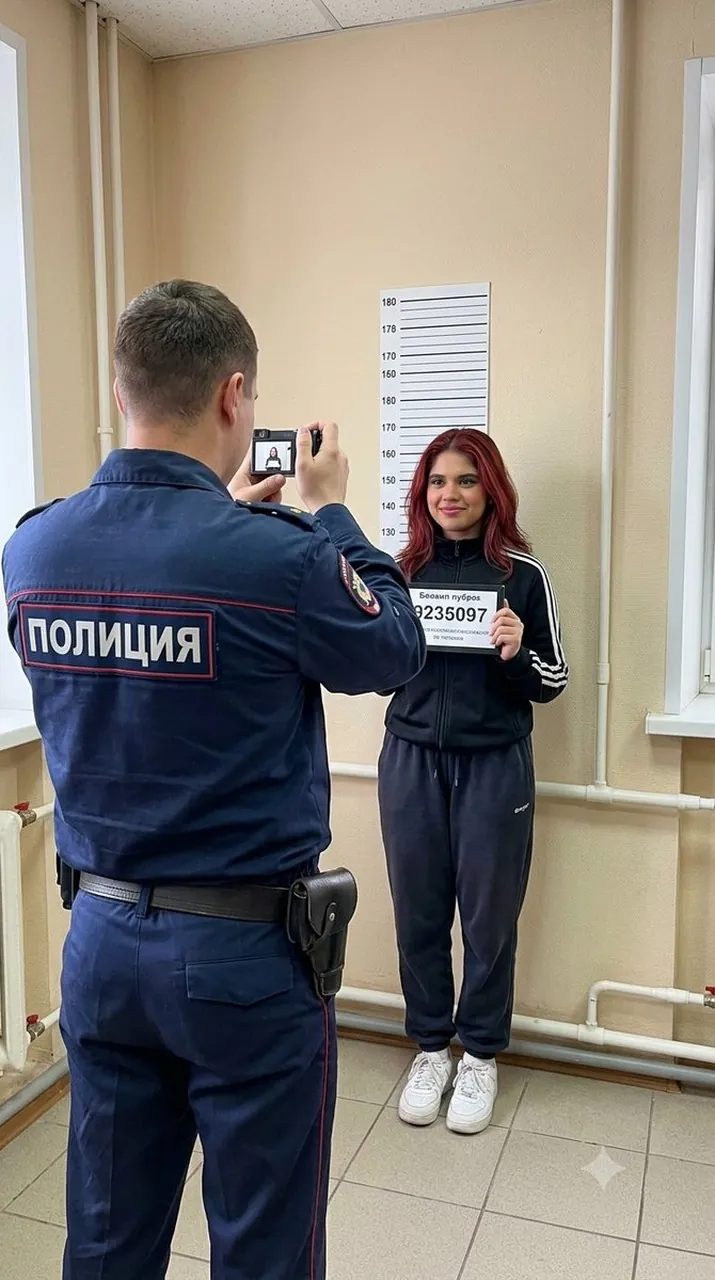
Color photograph in documentary chronicle style, shot on iPhone 17, 24 mm wide-angle lens, realistic style, high detail, natural lighting, light grain, 9:16 format. Composition: A woman standing against the wall in a room, holding a number plaque in her hand, a slight smile on her face, gaze directed straight into the camera. She is wearing a black tracksuit jacket with white stripes on the sides, dark sweatpants, and white sneakers. In front of her stands a police officer with his back to the camera; he is raising a compact camera and photographing her. He is wearing a dark-blue uniform jacket with a large white “ПОЛИЦИЯ” inscription on the back, a red patch with a coat of arms on the sleeve, dark trousers, and a holster on the belt.
Location: an official room with light-beige walls; on the wall hangs a white height chart with markings and numbers from 150 to 220; in the corner — white heating pipes; part of a table or cabinet on the right.
Lighting: natural indoor light, soft shadows, realistic color rendering. Angle: slightly from below-side, as if the photo was taken at chest level. Color palette: natural color, with accents of dark blue, black, white and beige.
The shot looks like an ordinary amateur photo taken on a mobile phone: natural lighting, slight motion blur on some details, realistic digital noise and grain, natural depth of field and small imperfections of a phone camera. The frame should look spontaneous and documentary, with no sense of a staged photoshoot, excessive cinematography or artificial processing. Do not allow visual AI artifacts and do not change the person’s appearance.
Best for
Documentary photography styleRealistic character portraitsCrime scene recreationAuthentic mobile photographyCinematic narrative scenes
Tips
Maintain the documentary aesthetic by keeping the lighting natural and avoiding overly polished or cinematic post-processing effects in your generation settings.
Adjust the camera angle or aspect ratio before generating to ensure the composition fits your specific platform requirements or visual narrative needs.